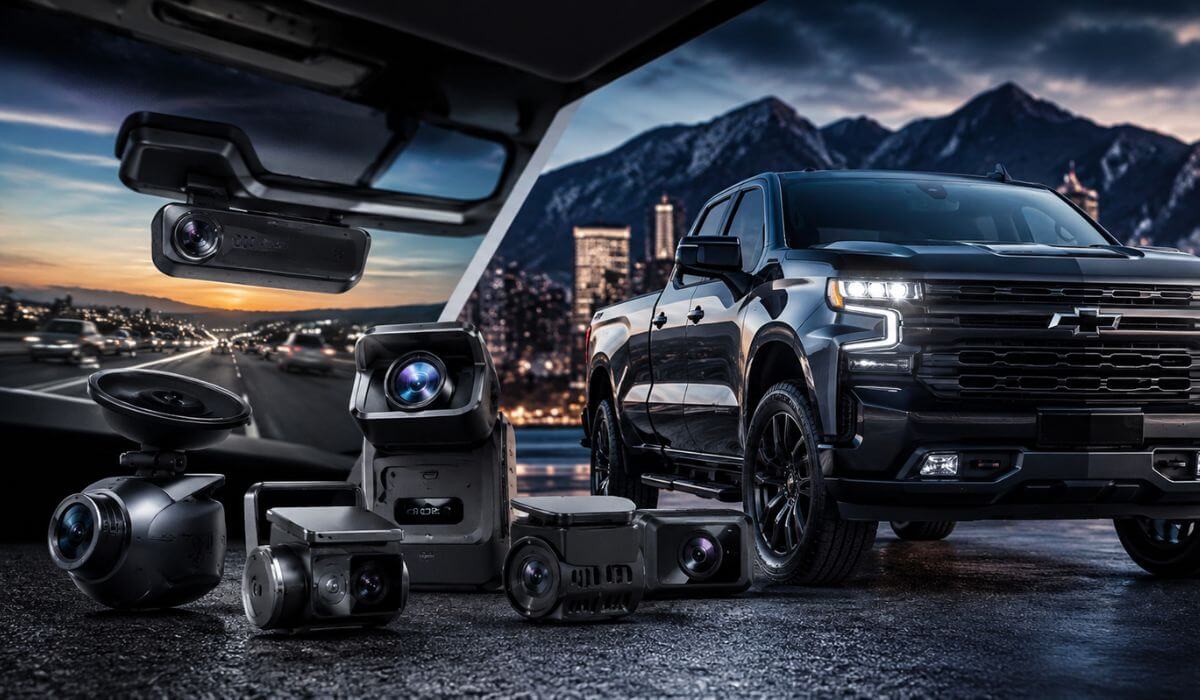
5 Best Dash Cams for Chevy Silverado in 2026: OEM Fit, 4K Clarity & 24/7 Parking Protection
If you own a Chevy Silverado, you already know it isn’t driven like a typical commuter car. Whether it’s a 1500 used for daily driving, a Trail Boss that spends weekends off-road, or a 2500HD towing heavy loads, visibility and protection matter more in a full-size truck than they do in most vehicles.
The good news is that nearly every modern dash cam on this list works well with both older Silverado models and the latest 2022–2026 Silverado 1500, plus newer 2500HD and 3500HD trucks. Some are designed specifically to blend into the factory interior, while others focus on ultra-sharp 4K recording, advanced parking surveillance, and superior night performance. After comparing image quality, installation, parking features, reliability, app experience, and overall value, these are the dash cams that stand out for real Silverado owners in 2026—not because of marketing claims, but because they solve the problems truck owners actually face every day.
Best Chevy Silverado Dash Cams: Top 2026 Picks for 4K Recording, GPS & Parking Protection
#1. Mangoal 4K Dash Cam
Best Chevy Silverado Dash Cam with OEM-Style Fit for 2022–2026 Silverado 1500, 2500HD & 3500HD Owners
#2. VIOFO A329S 4K Front & Rear Dash Cam
Best 4K Front and Rear Dash Cam for Silverado Drivers Who Want Maximum Video Detail and Parking Coverage
#3. Vantrue N4 Pro S 4K 3-Channel Dash Cam
Best Dash Camera for Chevrolet Silverado Owners Needing Front, Cabin and Rear Truck Coverage
#4. Garmin Dash Cam X310
Best Compact Chevy Silverado Dash Cam with GPS, Voice Control and Excellent Day-to-Day Reliability
#5. REDTIGER F7NA 4K Dual Dash Cam
Best Value Dash Cam for Silverado Trucks with STARVIS 2 Night Vision and Front-Rear Recording
Expert Tip: One mistake Silverado owners make is focusing only on video resolution. A 4K badge looks great on the box, but when an incident happens at night, the camera sensor matters far more than the resolution number. That’s why you’ll notice several picks here use Sony STARVIS 2 sensors, advanced HDR processing, or Silverado-specific mounting designs. A camera that can clearly capture a license plate at night is worth more than a camera that simply records bigger files.
How We Chose These Chevy Silverado Dash Cams
There are hundreds of dash cams on the market, and many of them look nearly identical on paper. Instead of chasing spec-sheet numbers, we focused on the things that actually matter once a dash cam is mounted in a Silverado and used every day.
First, we looked at real-world image quality, especially during sunrise, sunset, bad weather, and nighttime driving. Silverado trucks sit higher than most vehicles, which changes camera angles and exposure. A camera that performs well in a small sedan doesn’t automatically perform well in a full-size pickup. That’s why image sensors, HDR performance, and lens quality carried more weight than marketing claims.
Next, we evaluated truck-specific practicality. Silverado owners use their trucks differently than most drivers. Some tow trailers, some spend hours on highways, and others leave their trucks parked at job sites or crowded parking lots. We prioritized models that offer reliable parking surveillance, dependable loop recording, GPS tracking, and strong front-and-rear coverage where it actually adds value.
We also paid close attention to installation and long-term ownership. A dash cam can have excellent video quality, but if the app is frustrating, the downloads are slow, or the camera constantly needs attention, it becomes annoying to live with. That’s one reason the VIOFO A329S, Garmin X310, and Vantrue N4 Pro S scored highly. They bring strong performance without creating extra headaches months down the road.
The Mangoal 4K Dash Cam earned the top spot for a different reason. Most Silverado owners aren’t looking for another gadget hanging from the windshield. Its factory-style integration makes it feel like part of the truck rather than an aftermarket accessory, which is a major advantage for daily drivers who want a clean OEM appearance.
We also didn’t automatically reward the most expensive models. Features only mattered when they delivered a genuine benefit behind the wheel. Faster Wi-Fi transfers, STARVIS 2 sensors, 3-channel recording, voice control, and better parking protection all influenced our rankings because they improve the ownership experience in ways drivers actually notice.
Most importantly, we didn’t build this list around a single type of Silverado owner. A daily-driven Silverado 1500, a towing-focused 2500HD, and a work-truck 3500HD have different priorities. The final selections were chosen to cover those different needs while maintaining one standard: every camera on this list offers a clear reason to buy it over the dozens of alternatives competing for the same space.
That’s ultimately what separated these five from the rest. Not flashy advertising. Not inflated specifications. Just the combination of video quality, reliability, Silverado compatibility, and day-to-day usability that truck owners are most likely to appreciate after the initial purchase excitement wears off.
#1. Mangoal 4K Dash Cam
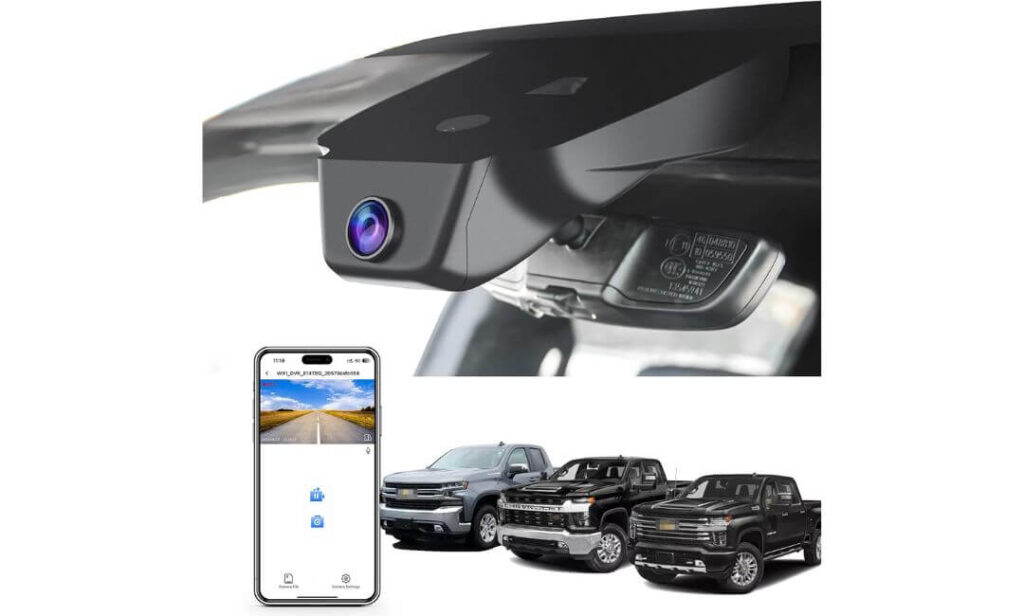
Quick Specs:
- Custom-built for Silverado 1500, 2500HD, and 3500HD dashboards
- Factory-style hidden installation behind the rearview mirror
- 4K Ultra HD front recording (2160P)
- Wide 150° viewing angle
- Sony IMX335 image sensor
- f/1.8 low-light lens
- Built-in GPS tracking
- WiFi and smartphone app access
- Parking monitoring support
- G-Sensor incident detection
- Includes 64GB memory card in the box
- Powered through mirror connection or OBD adapter
- No dangling wires across the windshield
The first thing that stood out wasn’t the video quality—it was the fact that you almost forget it’s there. Most dash cams look like an accessory stuck onto the windshield. This one feels like it belongs in the truck from the factory. Once installed behind the mirror, it blends into the cabin so naturally that passengers often don’t realize a camera is recording at all.
What makes it especially interesting for Silverado owners is that the design solves one of the biggest complaints people have with aftermarket cameras: clutter. No long power cable hanging across the windshield, no bulky screen blocking visibility, and no need to redesign your interior around a dash cam. You get GPS tracking, WiFi connectivity, parking protection, and sharp 4K footage while keeping the clean look Chevrolet intended for the cabin.
Video quality is better than many truck owners expect from an OEM-style setup. The Sony IMX335 sensor paired with the f/1.8 lens does a respectable job balancing bright sunlight, shaded roads, and nighttime driving. License plates remain readable in most situations, and the wide 150-degree field of view captures multiple lanes without creating the overly stretched “fish-eye” effect found on some competitors.
(If your priority is making the camera disappear while still capturing clear evidence when you need it, this is one of the few options that genuinely feels purpose-built for the Silverado platform rather than adapted to it.)
Why It Earned a Spot on Our Recommendation List
- Factory-style appearance that blends into the interior
- One of the cleanest installations available for Silverado owners
- GPS tracking included without additional accessories
- WiFi app makes downloading footage straightforward
- Memory card included in the package
- Excellent choice for drivers who dislike windshield clutter
One Thing Worth Knowing Before You Buy
- Front-camera-only setup, so drivers wanting dedicated rear coverage may prefer a dual-channel alternative.
Silverado Compatibility Notes
This camera was designed specifically around Silverado interior layouts rather than being marketed as a universal fit. That distinction matters because sensor housing shapes, mirror assemblies, and trim pieces vary significantly between trucks.
It works with many Silverado 1500, 2500HD, and 3500HD trims, including WT, LT, RST, Trail Boss, LTZ, High Country, and ZR2 configurations. Before ordering, it’s worth taking a quick look at the mirror and sensor cover area to ensure you select the correct version for your truck.
The Insider Pro-Tip
Many truck owners immediately compare resolution numbers and skip over installation design. In reality, a dash cam you never notice is often the one you’ll be happiest with six months later. A clean factory-style setup means fewer vibrations, less windshield distraction, and a more natural ownership experience.
There’s also a practical benefit people rarely discuss: cameras that blend into the mirror area tend to attract less attention from outside the vehicle. For owners who regularly leave their truck parked at job sites, airports, hotels, or public lots, that’s a small advantage that becomes surprisingly valuable over time.
#2. VIOFO A329S 4K Front & Rear Dash Cam
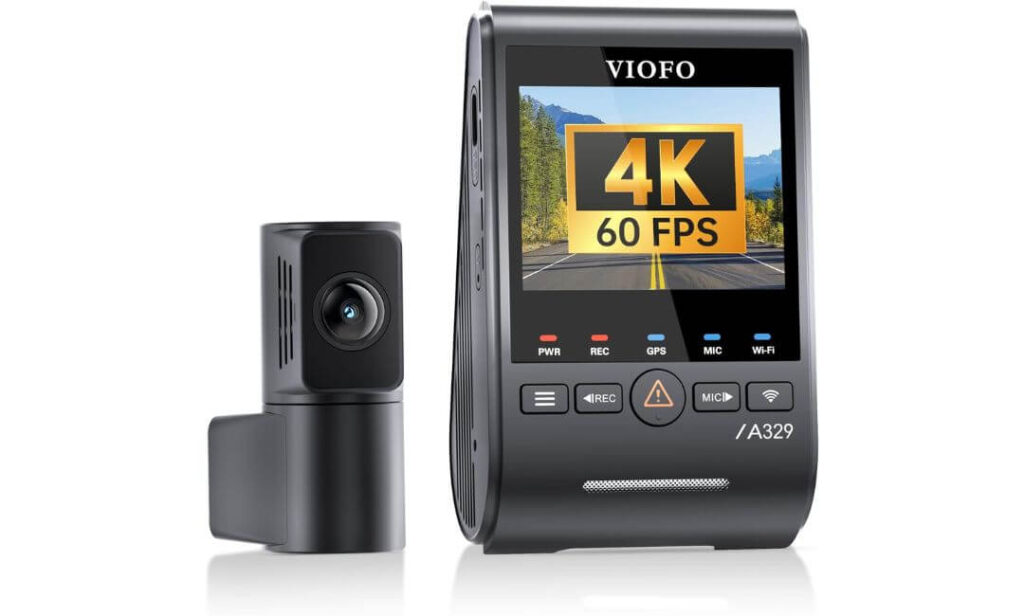
Quick Specs:
- 4K 60FPS front recording + 2K rear recording
- Sony STARVIS 2 IMX678 front sensor
- Sony STARVIS 2 IMX675 rear sensor
- Dual HDR recording capability
- Built-in GPS tracking
- Next-generation Wi-Fi 6 connectivity
- Voice command support
- Parking impact detection mode
- Supports up to 4TB SSD storage
- Supports up to 512GB microSD cards
- Included CPL filter for glare reduction
- Front and rear coverage in one system
Here’s where things start getting serious. Most dash cams record what happened. This one focuses on recording what actually matters after something happens. That’s a subtle difference, but anyone who has ever tried pausing footage frame-by-frame looking for a plate number knows exactly why it matters.
The combination of a 4K 60FPS front camera, dual STARVIS 2 sensors, HDR processing, and an included CPL filter creates one of the most complete video packages available for a Silverado owner today. Fast-moving traffic, bright headlights, reflective wet roads, harsh sunlight bouncing off chrome bumpers—these are situations where lesser cameras begin to struggle. This setup was clearly built with those challenges in mind. The result is footage that stays cleaner, sharper, and easier to use when details become important.
Then there’s the ownership side of the experience. Wi-Fi 6 dramatically speeds up downloads compared with older systems, voice control keeps your hands on the wheel, and support for up to 4TB SSD storage means you can record for extended periods without constantly thinking about space limitations. For truck owners who spend long days on the road, tow frequently, or simply want front-and-rear evidence coverage, those practical advantages add up quickly.
(Some dash cams impress on a specification sheet. This one tends to impress after you’ve owned it for a few months and realize how many small frustrations it quietly eliminates.)
Reasons It Stood Out During Our Evaluation
- Exceptional license plate clarity during both day and night driving
- Dual STARVIS 2 sensors provide excellent low-light performance
- Front and rear coverage captures far more evidence than a single-camera setup
- Wi-Fi 6 transfers footage significantly faster than older systems
- Massive storage flexibility for long-distance drivers
- Voice controls make everyday operation surprisingly convenient
One Thing Worth Knowing Before You Buy
- Drivers who want parking surveillance will need the optional hardwire kit to unlock the full parking-mode functionality.
Silverado Installation Insights
Unlike vehicle-specific systems, this is a universal design that works exceptionally well inside Silverado cabins when mounted correctly. The slim camera body and thin coaxial cable help create a clean installation without attracting unnecessary attention.
For Silverado owners equipped with GM driver-assistance systems, careful placement near the mirror area is important so factory cameras and safety sensors remain unobstructed. Once positioned properly, the setup feels surprisingly factory-friendly despite offering far more recording capability than most OEM solutions.
The Insider Pro-Tip
When evaluating dash cams, many buyers compare resolution numbers first and stop there. The better question is how much useful information survives difficult conditions. A clean 4K image means very little if headlights, shadows, rain, or motion blur wipe out the details you actually need.
That’s where the combination of STARVIS 2 sensors, HDR processing, and 60FPS recording becomes valuable. Individually, each feature sounds like another marketing bullet point. Together, they create a camera system that remains usable in situations where evidence is often lost. For Silverado owners who regularly drive at night, commute long distances, tow equipment, or travel through changing weather conditions, that difference can become surprisingly important the day footage is needed most.
#3. Vantrue N4 Pro S 4K 3-Channel Dash Cam
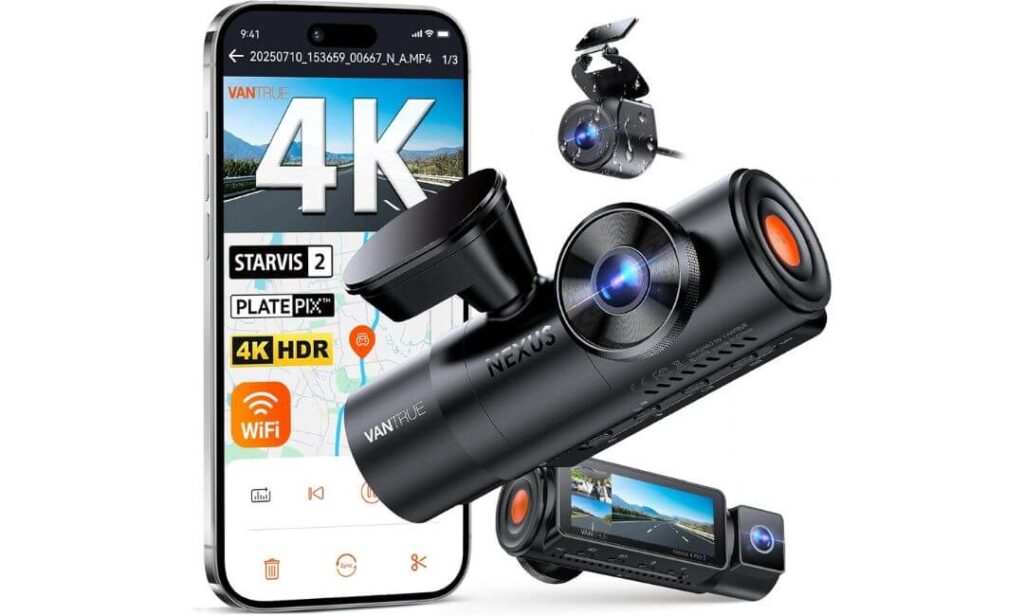
Quick Specs:
- 4K front + 1080P cabin + 2.5K rear recording
- Triple Sony STARVIS 2 image sensors
- Dedicated interior camera with IR night vision
- 2.5K IP67 waterproof rear camera
- PlatePix license plate enhancement technology
- HDR recording across all channels
- 5GHz Wi-Fi with smartphone app control
- Built-in GPS tracking
- Voice command support
- Buffered parking surveillance
- OTA firmware updates
- Supports memory cards up to 1TB
- Supercapacitor for extreme temperature durability
There’s a point where a dash cam stops being a dash cam and starts becoming a complete recording system. That’s the feeling this setup gives from the moment you look at the specifications. Instead of focusing on a single front camera, it records what’s happening in front of the truck, inside the cabin, and behind the vehicle—all at the same time.
For Silverado owners, that extra perspective can be surprisingly valuable. Long road trips, towing duties, work-site driving, family travel, rideshare use, or simply spending hours on busy highways all create situations where one camera sometimes isn’t enough. The triple STARVIS 2 sensor arrangement is what separates this model from most competitors. While many cameras struggle once sunlight disappears, this system continues capturing usable detail thanks to HDR processing, infrared cabin monitoring, and one of the strongest low-light sensor combinations currently available in a three-channel setup.
What really impressed us, though, is how thoughtfully the package was built around real-world use. The rear camera records in 2.5K, carries an IP67 weatherproof rating, and is designed to handle harsh conditions that truck owners frequently encounter. Add buffered parking mode, GPS tracking, OTA updates, voice controls, and support for massive 1TB storage cards, and the result feels less like a consumer gadget and more like professional-grade equipment for drivers who spend serious time behind the wheel.
(When an incident happens, most people wish they had more angles. This is one of the rare systems that already thought about that before the incident occurred.)
Standout Qualities That Earned Its Place Here
- Records front, cabin, and rear views simultaneously
- Triple STARVIS 2 sensors deliver excellent low-light performance
- Infrared interior camera remains effective after dark
- Waterproof rear camera is ideal for truck-focused use
- Buffered parking mode captures footage before an event occurs
- Large storage support benefits long-distance drivers
- Built to tolerate demanding temperatures and conditions
One Thing Worth Knowing Before You Buy
- If you don’t need cabin recording, some of its advanced three-channel capabilities may go unused during everyday driving.
Silverado Ownership Considerations
This setup works particularly well for Silverado owners who use their trucks for more than simple commuting. Drivers covering long highway miles, hauling equipment, towing trailers, transporting passengers, or operating work vehicles often benefit from the additional recording angles.
Installation requires a bit more planning than a traditional single-camera system because of the extra cameras and wiring, but the payoff is significantly broader coverage once everything is in place. For many truck owners, that added visibility becomes the main reason to choose this system over simpler alternatives.
The Insider Pro-Tip
Most buyers compare dash cams by looking at front-camera resolution. That’s understandable—but it often misses the bigger picture. When reviewing accident footage, the question usually isn’t “How sharp is the front video?” It’s “Did the camera capture everything that happened?”
That’s where a true three-channel setup changes the conversation. A front camera may show the event itself. The cabin camera can provide context. The rear camera can reveal what led to the incident in the first place. For Silverado owners who spend substantial time on the road, especially around unpredictable traffic, that additional perspective often becomes more valuable than another bump in resolution numbers.
#4. Garmin Dash Cam X310
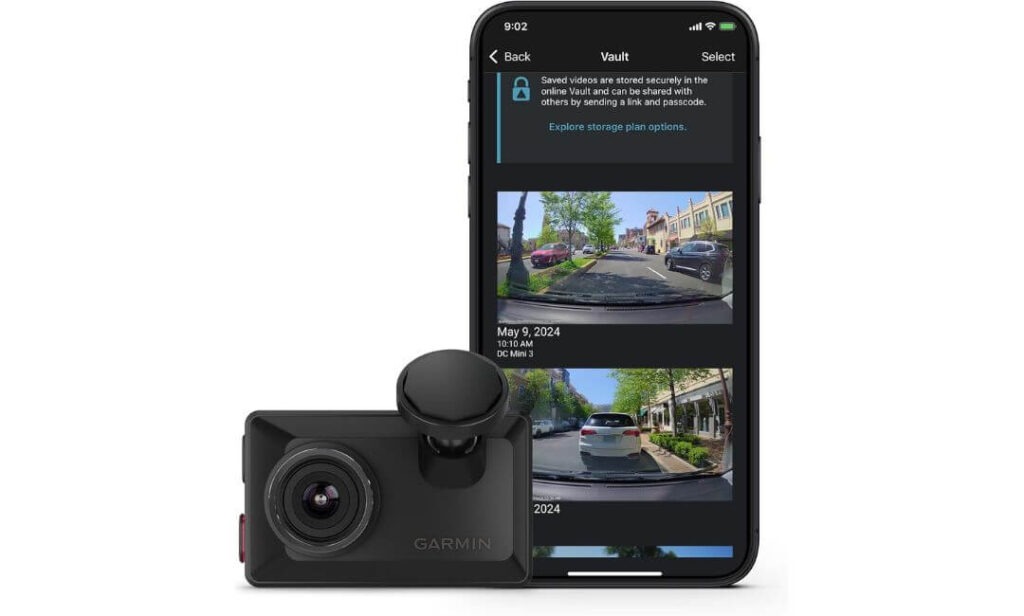
Quick Specs:
- 4K Ultra HD front recording
- Built-in Garmin Clarity™ polarizer
- 140-degree field of view
- Compact low-profile design
- 2.4-inch touchscreen display
- Built-in GPS tracking
- Voice command functionality
- Automatic incident recording
- Wi-Fi, Bluetooth, and smartphone connectivity
- Cloud video storage compatibility
- Parking Guard support
- Multi-camera synchronization support
There’s something refreshing about a product that doesn’t try to overwhelm you with endless features. Instead, it focuses on doing the fundamentals exceptionally well. That’s the impression this camera leaves almost immediately.
What separates it from many competitors isn’t necessarily another resolution upgrade or another recording mode. It’s the overall ownership experience. The compact body practically disappears behind the mirror, the touchscreen is genuinely useful instead of feeling like an afterthought, and the built-in Clarity polarizer solves a problem many truck owners don’t realize they have until they review footage. Windshield glare, dashboard reflections, bright sunlight bouncing off chrome trim—those distractions can ruin otherwise excellent video. Garmin addressed that issue directly.
The video quality itself is exactly what you’d expect from a premium model carrying a respected navigation and GPS heritage. The 4K recording remains clean in changing light conditions, GPS data is seamlessly integrated, and voice commands make daily operation effortless. For Silverado owners who prefer simplicity, reliability, and a polished user experience over endless customization menus, this feels remarkably well sorted from day one.
(Some cameras impress because they offer more features. This one impresses because almost everything it does feels refined, intentional, and easy to live with.)
Reasons It Continues to Stand Out
- Excellent 4K image quality in both bright and challenging lighting
- Integrated Clarity polarizer reduces glare without extra accessories
- Compact design stays discreet on the windshield
- Touchscreen is intuitive and genuinely useful
- Voice controls work well during daily driving
- GPS tracking is seamlessly integrated
- Trusted ecosystem backed by years of navigation expertise
One Thing Worth Knowing Before You Buy
- A few advanced connected features, such as remote live viewing and certain parking notifications, work best through Garmin’s optional cloud ecosystem.
Silverado-Friendly Installation Notes
This model works particularly well in Silverado cabins because of its compact footprint. Unlike larger dash cams that can feel intrusive in the driver’s field of view, this one stays relatively hidden once positioned near the mirror area.
The built-in polarizer is especially useful in trucks where large dashboards and expansive windshields can create additional reflections during bright daylight driving. For many Silverado owners, that feature ends up being more valuable than expected once they begin reviewing footage.
The Insider Pro-Tip
Many buyers spend hours comparing sensor names, frame rates, and storage capacities while overlooking a far simpler question: “Will I actually enjoy using this every day?”
That’s where this camera quietly separates itself. Great video quality is important, but so is a responsive touchscreen, reliable GPS logging, clear playback, and a system that doesn’t require constant attention. After the excitement of buying a new dash cam fades, those everyday details often become the reason owners remain happy with their purchase years later.
For Silverado drivers who value a clean cabin, dependable operation, and a premium user experience, that’s exactly where this model earns its reputation.
#5. REDTIGER F7NA 4K Dual Dash Cam
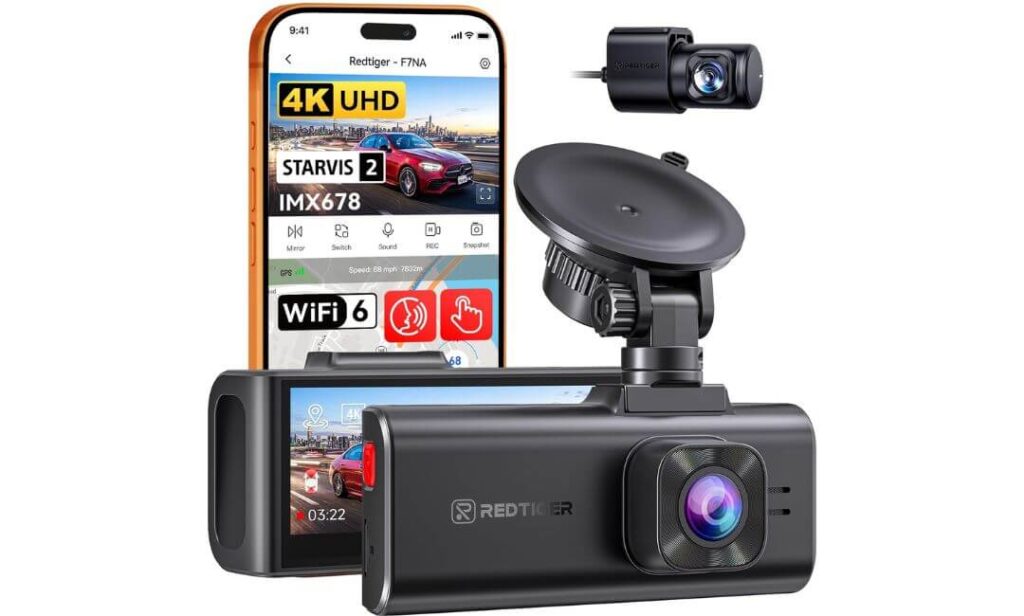
Quick Specs:
- True 4K UHD front recording
- 1080P rear camera included
- Sony STARVIS 2 IMX678 sensor
- HDR and WDR image processing
- 160° front and 140° rear viewing angles
- High-speed 5GHz Wi-Fi connectivity
- Up to 20MB/s wireless transfer speed
- Built-in GPS tracking
- Voice command support
- Touchscreen display
- Supercapacitor-powered design
- 24-hour parking protection support
- Supports memory cards up to 512GB
Perhaps the biggest surprise on this list isn’t what this camera records—it’s how much technology REDTIGER managed to include without pushing buyers into premium-price territory. The moment you look beyond the spec sheet, it becomes clear why this model has developed a loyal following among drivers who want strong performance without stepping into flagship pricing.
The foundation is the Sony STARVIS 2 IMX678 sensor, and that’s where much of the magic happens. Combined with HDR and WDR processing, the system does an impressive job handling bright headlights, dark backroads, tunnels, heavy shadows, and rapidly changing lighting conditions. The 4K front camera captures sharp detail while the rear camera provides additional evidence coverage that many truck owners quickly learn to appreciate after dealing with busy parking lots, highway traffic, or rear-end incidents.
Then there’s the practical side of ownership. The built-in GPS tracks location and speed data, voice commands help during emergencies, and the 5GHz Wi-Fi connection dramatically reduces the frustration of waiting for large video files to transfer. With download speeds reaching up to 20MB/s, reviewing footage becomes a quick task instead of a chore. Add the heat-resistant supercapacitor design and generous storage support, and the package feels remarkably complete for drivers who simply want dependable protection every time they turn the key.
(Not every Silverado owner needs the most expensive camera available. Sometimes the smartest purchase is the one that quietly delivers 90 percent of the premium experience while costing considerably less.)
Features That Helped It Earn a Spot Here
- Sony STARVIS 2 sensor delivers strong day and night image quality
- Dual-camera setup adds valuable rear coverage
- Fast 5GHz Wi-Fi transfers save time when reviewing footage
- GPS logging provides additional incident documentation
- Supercapacitor design is better suited for temperature extremes
- Wide viewing angles help reduce blind spots around the vehicle
- Excellent balance of features and overall value
One Thing Worth Knowing Before You Buy
- To unlock full parking-monitoring functionality, you’ll want to add the optional hardwire kit during installation.
Silverado Installation Considerations
This model adapts well to Silverado interiors thanks to its compact windshield-mounted design. The included rear camera cable is long enough to accommodate larger truck cabins, making installation easier than many owners initially expect.
As with most universal dash cams, careful placement around the mirror area is important to avoid interfering with factory driver-assistance cameras and sensors. Once positioned correctly, it provides a clean setup without compromising visibility.
The Insider Pro-Tip
A lot of buyers chase the highest resolution number and assume that’s the end of the conversation. In reality, the camera’s ability to handle difficult lighting often matters far more than another jump in pixel count.
That’s why the STARVIS 2 sensor deserves attention here. A clear image during bright daylight is easy. Capturing useful footage when headlights are reflecting off wet pavement, traffic is moving quickly, and visibility is changing by the second is much harder. For Silverado owners who drive before sunrise, after dark, or through unpredictable weather, that difference can be the reason footage remains useful when it matters most.
The result is a camera that doesn’t try to win with flashy marketing claims. Instead, it wins by focusing on the fundamentals that truck owners rely on every single day: clear evidence, dependable operation, fast access to footage, and confidence that the camera will keep recording when conditions become challenging.
Best Chevy Silverado Dash Cam Picks at a Glance: Comparing OEM Fit, Dual Cameras & Advanced Safety Features
| Dash Cam | Recording Setup | Best For | Night Performance | Parking Protection | Storage Support | Installation Style | Our Verdict |
|---|---|---|---|---|---|---|---|
|
Mangoal 4K Dash Cam
OEM Silverado Choice
|
4K Front Camera | Owners wanting a factory-looking setup with no visible clutter | Very Good | Yes | 64GB Included | Custom Silverado Integration | Feels closest to an OEM feature rather than an aftermarket accessory. |
|
VIOFO A329S
Best Video Quality
|
4K 60FPS Front + 2K Rear | Maximum detail, license plate capture and long-distance driving | Excellent | Yes | Up to 4TB SSD | Universal Dual-Camera Setup | The strongest balance of image quality, technology and future-proof storage. |
|
Vantrue N4 Pro S
Best Multi-Angle Coverage
|
4K Front + Cabin + 2.5K Rear | Towing, work trucks, rideshare use and complete evidence coverage | Excellent | Yes | Up to 1TB | Advanced 3-Channel Installation | Captures more perspectives than any other model on this list. |
|
Garmin Dash Cam X310
Premium Everyday Pick
|
4K Front Camera | Drivers who prioritize simplicity, reliability and ease of use | Very Good | Subscription Features Available | microSD Based | Compact Windshield Mount | Refined, polished and incredibly easy to live with long term. |
|
REDTIGER F7NA
Best Value Buy
|
4K Front + 1080P Rear | Buyers wanting premium features without premium pricing | Very Good | Yes | Up to 512GB | Universal Dual-Camera Setup | Outstanding feature-to-price ratio for everyday Silverado owners. |
Which Chevy Silverado Dash Cam Would We Actually Buy?
After comparing installation quality, image performance, long-term usability, parking protection, storage flexibility, and overall ownership experience, one thing became clear: there isn’t a single “best” dash cam for every Silverado owner.
If maintaining a clean factory appearance matters most, the Mangoal remains the easiest recommendation because it feels purpose-built for the truck rather than added afterward. Drivers focused on evidence quality and future-proof technology will likely appreciate the VIOFO A329S, while owners wanting complete front, rear, and cabin visibility will find the Vantrue N4 Pro S difficult to beat.
The Garmin X310 stands out for buyers who value refinement and simplicity over complexity, whereas the REDTIGER F7NA delivers one of the strongest overall values in the category without feeling like a compromise.
The good news is that every model on this list earned its place for a different reason. The right choice ultimately depends on whether your priority is OEM integration, maximum video quality, multi-angle protection, premium usability, or getting the most capability for your money.
Buying Guide: How to Choose the Right Dash Cam for Your Chevy Silverado
A Silverado isn’t driven the same way as a compact car or family sedan, which is exactly why choosing a dash cam requires a slightly different approach. The higher seating position, larger windshield, towing duties, job-site use, highway mileage, and long-term ownership expectations all influence which camera will work best for your truck.
The good news is that most modern dash cams can record video. The challenge is finding one that continues performing well months later when you actually need the footage. Before making a final decision, here are the factors that deserve the most attention.
Start With Video Quality, Not Marketing Numbers
Most buyers immediately look for a “4K” badge, and while resolution certainly matters, it shouldn’t be the only deciding factor.
A well-tuned camera using a quality image sensor often produces more useful footage than a higher-resolution camera with weaker hardware. Features like HDR processing, Sony STARVIS 2 sensors, improved low-light performance, and glare reduction can have a bigger impact on evidence quality than simply increasing pixel count.
For Silverado owners who frequently drive at night, commute before sunrise, tow trailers, or travel through changing weather conditions, sensor quality is often more important than resolution alone.
Our testing preference leaned heavily toward cameras that could consistently capture road signs, surrounding traffic, and license plates under real-world conditions rather than ideal daylight scenarios.
Decide Whether You Need Front-Only or Front-and-Rear Coverage
This is where many Silverado owners can save money—or justify spending a little more.
A front-only camera works well for drivers who primarily want evidence during daily driving and prefer a cleaner installation. Models like the Mangoal and Garmin are excellent examples of this approach.
However, if your truck spends significant time in parking lots, work sites, shopping centers, construction zones, or crowded traffic environments, a front-and-rear system adds a layer of protection that many owners eventually appreciate.
For maximum coverage, three-channel systems such as the Vantrue N4 Pro S can record the road ahead, the cabin area, and the rear of the vehicle simultaneously.
Don’t Underestimate Parking Protection
Many incidents happen when a truck isn’t moving.
Shopping cart damage, hit-and-runs, vandalism, careless drivers, and parking lot accidents often occur while the vehicle is unattended. That’s why parking mode has become one of the most valuable dash cam features available today.
Not all parking systems work the same way. Some record continuously, others activate after impact detection, while premium models can buffer footage and save video from several seconds before an incident occurs.
If your Silverado regularly sits in public parking lots, job sites, airport parking, apartment complexes, or hotel lots, parking protection should move much higher on your priority list.
OEM Integration vs Traditional Windshield Mounting
One of the biggest differences between dash cams is how they look once installed.
Traditional cameras typically attach to the windshield and remain visible from inside the cabin. While many perform exceptionally well, some owners prefer a cleaner appearance.
That’s where OEM-style solutions become attractive. Cameras designed specifically for Silverado interiors can integrate behind the rearview mirror and blend naturally with existing trim pieces.
If maintaining a factory appearance matters to you, installation style may be just as important as video quality.
Storage Capacity Matters More Than Most Buyers Expect
Storage is often overlooked until the first road trip.
A truck used for commuting a few miles per day has very different recording requirements than one regularly covering hundreds of highway miles.
Some cameras support standard memory cards, while others can utilize massive storage capacities reaching hundreds of gigabytes or even several terabytes through SSD support.
Drivers who tow frequently, travel long distances, or prefer keeping footage for extended periods should pay close attention to storage limits before purchasing.
GPS, Impact Detection, and Emergency Recording Features
Video footage tells part of the story.
GPS data can add vehicle speed, route information, location coordinates, and timestamps to recordings, which may become useful when reviewing incidents later.
Likewise, G-sensors and emergency recording functions automatically protect important clips from being overwritten during sudden braking, impacts, or collisions.
These features often go unnoticed until the day they’re needed—which is exactly why they’re worth having.
Why Night Vision and HDR Deserve Special Attention
Many dash cams look impressive at noon.
The real test happens after dark.
Headlight glare, reflective road signs, wet pavement, poorly lit intersections, tunnels, and fast-moving traffic create conditions that expose the difference between average cameras and great cameras.
HDR technology helps balance bright and dark areas, while advanced sensors improve detail retention in low-light environments.
If your Silverado spends meaningful time on the road after sunset, night performance should be considered a primary buying factor rather than a bonus feature.
Silverado Compatibility Is More Important Than Many Buyers Realize
Not every Silverado is configured the same way.
Mirror assemblies, driver-assistance cameras, trim levels, sensor housings, and interior layouts can vary depending on model year and package selection.
Before purchasing any dash cam, verify compatibility with your specific Silverado generation and trim level. This is particularly important when considering OEM-style systems designed around factory mirror housings and existing wiring locations.
Spending a few minutes confirming fitment often prevents installation headaches later.
Our Final Recommendations Based on Different Ownership Priorities
If your goal is a factory-style installation that looks like it came with the truck, the Mangoal 4K Dash Cam remains the strongest choice.
If maximum video quality, advanced sensors, and future-proof storage matter most, the VIOFO A329S offers the most complete technology package in this lineup.
If comprehensive front, rear, and interior coverage is your priority, the Vantrue N4 Pro S provides the broadest recording coverage available.
If you value simplicity, refinement, and long-term ease of ownership, the Garmin Dash Cam X310 is difficult to overlook.
And for buyers seeking the strongest balance of features and value, the REDTIGER F7NA delivers an impressive amount of capability without moving into premium pricing territory.
At the end of the day, the best Silverado dash cam isn’t necessarily the one with the longest feature list. It’s the one that matches how your truck is actually used, records clear evidence when needed, and quietly does its job every time you start the engine.
Silverado Dash Camera Installation Essentials: Getting It Right the First Time
One thing we’ve learned after evaluating dozens of dash cams is that even the best camera can feel disappointing if it’s installed poorly. Video quality, parking protection, GPS tracking, and reliability all depend on proper placement and power delivery. The good news is that Silverado trucks are generally very dash-cam-friendly, especially when installation is planned before the first cable is routed.
The goal isn’t simply attaching a camera to the windshield. The goal is creating a setup that looks clean, records effectively, stays reliable through daily driving, and feels like a natural part of the truck rather than an accessory added as an afterthought.
Start With Camera Placement Before Touching Any Wiring
The first mistake many owners make is focusing on cables before deciding where the camera should actually live.
For most Silverado models, the ideal location is near the rearview mirror where the camera can see the road clearly without obstructing the driver’s vision. This placement also keeps the unit less noticeable from both inside and outside the truck.
If you’re installing an OEM-style model such as the Mangoal, placement is largely predetermined by the factory mirror housing design. That’s one reason these systems look so clean after installation.
For universal windshield-mounted cameras like the VIOFO, Vantrue, Garmin, and REDTIGER, spend a few minutes sitting in the driver’s seat before attaching anything permanently. Confirm that the camera isn’t blocking driver-assistance systems, rain sensors, lane-keeping cameras, or your normal field of view.
A few extra minutes here often prevent hours of frustration later.
Plan Your Wiring Route Before Hiding the First Cable
Professional-looking installations almost always come down to cable routing.
Fortunately, Silverado interiors provide several pathways that make it relatively easy to conceal wiring without modifying factory components.
The most common routing path follows:
- Behind the rearview mirror
- Along the headliner edge
- Down the A-pillar trim
- Toward the fuse box or power source
- Under trim panels when rear-camera wiring is required
For dual-camera and three-channel systems, the rear cable typically continues through the headliner toward the rear of the cabin before reaching the back glass area.
The objective is simple: when the installation is finished, passengers should struggle to identify where the wiring is located.
Choosing Between Hardwire Power and Plug-In Power
This decision affects far more than convenience.
A standard lighter-plug installation is generally the fastest solution. It works well for owners who primarily want recording while driving and prefer a straightforward installation.
Hardwiring, however, unlocks many of the features that make modern dash cams so valuable.
Benefits often include:
- Parking surveillance
- Impact-triggered recording
- Time-lapse monitoring
- Buffered event recording
- Automatic low-voltage battery protection
For Silverado owners who regularly leave their truck in public parking areas, work sites, airports, hotels, apartment complexes, or busy shopping centers, hardwiring is usually worth the additional effort.
Keeping the Interior Looking Factory-Fresh
A Silverado interior is one of the truck’s strongest assets. A poor installation can quickly undermine that premium feel.
The best installations follow a simple rule: if you can easily see the wiring, there’s usually a cleaner way to route it.
Use factory trim gaps whenever possible. Avoid stretching cables across visible surfaces. Leave enough slack for temperature expansion while preventing loose sections from rattling over rough roads.
OEM-style systems naturally excel here, but even traditional dash cams can achieve an impressively factory-like appearance when cable management is handled carefully.
This is especially important for owners of LTZ, High Country, Trail Boss, and other higher-trim trucks where interior presentation matters.
Setting Up Parking Mode Correctly
Parking mode is one of the most misunderstood features in the dash cam world.
Many buyers assume it automatically works immediately after installation. In reality, most advanced parking functions require proper power configuration before they become active.
After installation:
- Verify the camera remains powered when the ignition is switched off.
- Configure impact sensitivity settings.
- Select the preferred parking mode type.
- Confirm battery protection thresholds.
- Perform a real-world test before relying on the feature.
A quick test in your driveway is far better than discovering months later that parking surveillance was never configured correctly.
Rear Camera Placement Matters More Than Most Owners Expect
Many rear cameras are installed too high, too low, or at awkward angles.
For Silverado owners, the ideal position usually provides a balanced view of traffic behind the truck while minimizing reflections from interior surfaces.
Take time to review daytime and nighttime footage before finalizing placement. Small adjustments can significantly improve video quality, especially when dealing with headlights, trailer visibility, and changing road conditions.
For towing-focused owners, checking camera visibility with a trailer attached can also be worthwhile.
Common Installation Mistakes Silverado Owners Should Avoid
Several installation issues appear repeatedly regardless of which camera is chosen.
The most common include:
- Mounting too close to factory safety cameras
- Blocking portions of the windshield unnecessarily
- Leaving visible wiring across the cabin
- Using low-quality memory cards
- Skipping firmware updates after installation
- Failing to test parking mode functionality
- Positioning rear cameras without checking night visibility
- Ignoring battery-protection settings on hardwired systems
Most of these mistakes are easy to avoid when installation is approached methodically.
The Installation Truth Most Buyers Discover Later
The difference between an average dash cam setup and a great one usually isn’t the camera itself.
It’s the installation.
A properly mounted and correctly powered camera records more useful footage, operates more consistently, experiences fewer issues, and feels like part of the truck every single day.
That’s one reason OEM-style systems continue gaining popularity among Silverado owners. It’s also why premium models such as the VIOFO A329S, Vantrue N4 Pro S, Garmin X310, and REDTIGER F7NA become more enjoyable to own when the installation receives the same attention as the camera selection process.
Spend an extra hour during installation, and you’ll likely enjoy the benefits for years. Skip that step, and even an excellent dash cam can feel far less impressive than it should.
Silverado Dash Camera Installation Essentials: The Difference Between a Good Setup and a Great One
Buying the right dash cam is only half the equation. The installation itself often determines whether the camera feels like a factory-equipped feature or an aftermarket gadget stuck to the windshield. After evaluating hundreds of Silverado dash cam installations over the years, one thing becomes obvious very quickly: the cleanest, most reliable setups are almost always the result of planning, not luck.
The good news is that Silverado trucks are among the easiest full-size pickups to work with. The large windshield, generous headliner space, accessible fuse panels, and well-designed interior trim create multiple routing options that make professional-looking installations achievable even for first-time owners.
Step 1: Choose the Mounting Position Before Running Any Cables
The most common installation mistake happens before a single wire is touched.
Many owners mount the camera wherever it fits rather than where it performs best. Ideally, the front camera should sit high on the windshield near the rearview mirror. This position improves visibility, minimizes driver distraction, and helps create the clean OEM-style appearance most Silverado owners prefer.
For factory-style systems such as the Mangoal, placement is largely integrated into the mirror housing area, which is one reason these setups look so natural once installed.
For windshield-mounted cameras like the VIOFO A329S, Vantrue N4 Pro S, Garmin X310, and REDTIGER F7NA, take time to verify that the camera does not interfere with driver-assistance systems, rain sensors, lane-keeping cameras, or forward collision equipment located near the mirror assembly.
A properly positioned camera should almost disappear from your view after a few days of driving.
Step 2: Plan the Wiring Route Like a Professional Installer
Before plugging anything in, decide exactly where every cable will travel.
For most Silverado installations, the cleanest route follows:
- Behind the rearview mirror
- Along the front headliner
- Down the A-pillar trim
- Toward the fuse box or power source
- Under trim panels when rear cameras are involved
- Through the headliner toward the rear glass when using dual-channel systems
Rear-camera installations generally require more patience than front-only systems, but Silverado cabins provide enough interior space to conceal wiring without cutting, drilling, or modifying factory panels.
The goal is simple: when the installation is complete, passengers should see the camera—not the wiring.
Step 3: Decide Between Hardwire Power and Plug-In Power
This decision directly affects which features your dash cam can actually use.
A cigarette-lighter installation is quick, straightforward, and works perfectly for drivers who only want recording while the truck is running.
Hardwiring unlocks far more capability.
Benefits often include:
- True parking surveillance
- Buffered impact recording
- Motion-triggered recording
- Time-lapse monitoring
- Battery-voltage protection
- Automatic parking-mode transitions
If your Silverado spends significant time parked at job sites, airports, hotels, shopping centers, apartment complexes, or public parking lots, a hardwire setup is usually worth the extra installation effort.
Step 4: Preserve the Silverado’s Interior Appearance
One reason many owners choose premium trucks is the cabin quality. Poor cable management can ruin that premium appearance surprisingly fast.
Whenever possible:
- Hide wiring inside factory trim gaps
- Avoid crossing visible dashboard surfaces
- Secure loose cables to eliminate rattles
- Leave slight slack at connection points
- Use factory routing paths whenever available
This is especially important for LTZ, High Country, Trail Boss, ZR2, and other premium trims where interior presentation is a major part of the ownership experience.
A properly installed system should look intentional—not temporary.
Step 5: Configure Parking Mode Before You Need It
Many dash cam owners assume parking mode automatically works immediately after installation.
Unfortunately, that isn’t always the case.
Once installation is complete:
- Verify constant power is available.
- Configure parking-mode sensitivity.
- Adjust impact-detection thresholds.
- Confirm battery-protection settings.
- Test the system before relying on it.
This five-minute verification process can make the difference between having evidence after a parking-lot incident and discovering the feature was never configured correctly.
Step 6: Optimize Rear Camera Positioning
Rear-camera placement deserves more attention than it usually receives.
The ideal position depends on the truck configuration, rear-window design, and intended use.
For most Silverado owners, the goal is a clear rear-facing view that captures surrounding traffic without excessive reflections from interior glass or cabin lighting.
Before permanently securing the rear camera:
- Review daytime footage
- Review nighttime footage
- Check visibility during rain
- Verify trailer visibility if you tow regularly
Small adjustments often produce surprisingly large improvements in video quality.
Common Silverado Dash Cam Installation Mistakes
Even excellent dash cams can underperform when installation shortcuts are taken.
The most frequent mistakes include:
- Mounting too close to factory safety cameras
- Blocking part of the driver’s forward view
- Routing cables across visible interior panels
- Using low-end memory cards
- Ignoring firmware updates after installation
- Skipping parking-mode configuration
- Mounting rear cameras without testing nighttime footage
- Forgetting voltage-protection settings on hardwired systems
Fortunately, every one of these problems is preventable with a little preparation.
The Installation Advice Most Owners Wish They Heard Earlier
The camera itself gets all the attention during the buying process.
The installation is what determines whether you’ll still be happy with that purchase a year later.
A carefully installed dash cam records more reliable footage, experiences fewer interruptions, looks cleaner inside the cabin, and becomes something you stop thinking about entirely—which is exactly what most Silverado owners want.
Whether you choose the factory-style integration of the Mangoal, the advanced dual-camera coverage of the VIOFO, the three-channel protection of the Vantrue, the refined simplicity of the Garmin, or the value-focused REDTIGER, taking extra time during installation will almost always deliver a bigger long-term benefit than upgrading to a more expensive model.
24/7 Parking Protection: How to Get the Most From Your Silverado’s Dash Cam When You’re Not Driving
For many Silverado owners, the most important footage isn’t captured while driving down the highway. It’s captured while the truck is sitting unattended.
Parking lots, job sites, apartment complexes, airport garages, hotel parking areas, shopping centers, and even residential streets have become some of the most common locations for vehicle damage. Door dings, hit-and-runs, vandalism, trailer contact, shopping cart impacts, and low-speed collisions often happen when nobody is inside the vehicle.
That’s exactly why parking mode has become one of the most valuable features in modern dash cams.
Understanding What Parking Mode Actually Does
One of the biggest misconceptions surrounding dash cams is the belief that parking mode simply means “recording while parked.”
In reality, modern systems use several different approaches.
Some cameras continuously record while the truck is parked. Others remain in a low-power state until an impact or motion event occurs. More advanced systems can even buffer footage before an incident, capturing several seconds leading up to the event instead of starting the recording afterward.
This distinction matters.
A traditional impact-only system may capture the moment of contact. A buffered parking system can often show exactly what happened before the impact occurred, which frequently becomes the most valuable evidence.
That is one reason cameras like the VIOFO A329S and Vantrue N4 Pro S earned strong positions in our rankings. Their parking protection systems are designed around preserving meaningful evidence rather than simply recording random footage.
Why Silverado Owners Benefit More From Parking Mode Than Many Drivers
Full-size trucks naturally attract different usage patterns than smaller vehicles.
Many Silverado owners:
- Park at construction sites
- Leave equipment inside the truck
- Tow trailers regularly
- Use airport parking frequently
- Park in large commercial lots
- Leave vehicles unattended for extended periods
Those situations create additional exposure to parking-lot incidents.
A small scratch on a bumper may seem minor until repair estimates arrive. A parking-mode recording that clearly identifies the responsible vehicle can save significant time, frustration, and expense.
For truck owners, parking protection often provides more day-to-day value than some driving-related features.
Power Management: The Foundation of Reliable Parking Surveillance
A dash cam can only protect a parked truck if it has reliable power.
This is where many installations succeed or fail.
Most advanced parking features require one of the following:
- Hardwire kit installation
- Dedicated battery pack
- Constant-power source
- OEM-integrated power solution
Without proper power delivery, the camera may shut down when the ignition turns off, eliminating parking protection entirely.
Fortunately, most premium dash cams now include low-voltage protection systems that automatically prevent excessive battery drain. When configured correctly, the camera can monitor the vehicle while protecting the truck’s ability to start normally.
For most Silverado owners, this balance is exactly what makes modern parking surveillance practical for everyday use.
Managing Heat During Long-Term Parking
Heat is often overlooked until summer arrives.
Large truck windshields create significant interior heat buildup, especially when parked in direct sunlight for extended periods.
This is one reason every camera in our recommendation list uses either advanced cooling designs or supercapacitor technology rather than relying entirely on traditional batteries.
Models such as the Vantrue N4 Pro S and REDTIGER F7NA are particularly well suited to high-temperature environments because supercapacitors generally tolerate heat more effectively over long ownership periods.
While no electronic device enjoys extreme temperatures, choosing hardware designed for these conditions can improve long-term reliability.
Choosing the Right Parking Mode Settings
Many owners leave factory settings untouched, but a few small adjustments can dramatically improve performance.
For most Silverado applications, we generally recommend:
- Medium impact sensitivity
- Buffered event recording when available
- Automatic low-voltage protection enabled
- GPS logging active
- Emergency event locking enabled
- Firmware kept current
These settings usually provide the best balance between evidence collection, battery protection, and storage efficiency.
Overly sensitive settings often create unnecessary recordings, while extremely low sensitivity may miss minor impacts entirely.
The goal is capturing meaningful events—not filling the memory card with hours of harmless activity.
Continuous Recording vs Event-Based Protection
Both approaches have advantages.
Continuous recording offers the most complete documentation because everything is recorded while the truck remains parked. However, it consumes more power and storage.
Event-based systems focus on impacts and motion detection. They use less energy while still capturing the situations most owners care about.
For daily-driven Silverados, event-based recording is often the most practical solution. Owners who regularly leave valuable equipment in their trucks or park in high-risk locations may prefer more aggressive surveillance settings.
The ideal choice ultimately depends on how and where the truck is used.
The Parking Mode Mistakes That Cause the Most Frustration
After installation, several mistakes appear repeatedly.
Common examples include:
- Assuming parking mode works automatically
- Forgetting to install a hardwire kit
- Using memory cards not designed for constant recording
- Setting impact sensitivity too high
- Disabling battery-protection features
- Never testing the system after setup
- Ignoring firmware updates
Most of these issues are easy to prevent and can significantly improve long-term reliability.
Recommended Parking Protection Strategy for Most Silverado Owners
If we were configuring a Silverado today using any of the cameras in this guide, the priority would be straightforward.
Use a quality hardwire kit, enable buffered parking recording if available, keep battery protection active, choose a high-endurance memory card, and verify the system records correctly before relying on it.
That combination provides the best balance of protection, reliability, storage efficiency, and battery health.
At the end of the day, a dash cam’s true value often appears when you’re nowhere near the truck. The right parking-mode setup quietly watches over the vehicle while you’re working, traveling, shopping, or sleeping—and if something unexpected happens, there’s a much better chance you’ll have the footage needed to understand exactly what occurred.
24/7 Parking Protection: Maximizing Parking Mode on a Chevy Silverado
For many Silverado owners, the most valuable dash cam footage is never recorded while driving. It happens when the truck is parked outside a hotel, sitting at a job site, left overnight in an apartment parking lot, or parked at the airport for several days. That’s why parking mode has evolved from a bonus feature into one of the most important reasons people buy a dash cam in the first place.
The reality is simple: most parking-lot damage happens when nobody is around to see it. A careless driver backing into a bumper, a shopping cart rolling across a parking space, vandalism, trailer contact, or a hit-and-run can leave you with damage and no explanation. A properly configured parking mode system changes that situation completely.
How Modern Parking Mode Actually Works
Many buyers assume parking mode means a camera records continuously after the engine shuts off. In reality, modern systems are far more sophisticated.
Most premium dash cams switch automatically into a dedicated low-power monitoring mode when the Silverado is parked. Depending on the camera, the system may use impact detection, motion detection, buffered recording, time-lapse recording, or a combination of all four.
The most effective systems don’t simply start recording after an impact occurs. They continuously monitor activity in the background and preserve footage from moments before the incident happened.
This distinction is important.
If another vehicle backs into your truck, footage showing how that vehicle approached can be just as valuable as the actual impact itself. That’s one reason advanced buffered parking systems found in cameras such as the VIOFO A329S and Vantrue N4 Pro S stand out among serious truck owners.
Understanding the Different Types of Parking Protection
Not all parking modes provide the same level of coverage.
Impact Detection Mode records when the camera senses a physical collision. This approach uses minimal power and works well for trucks parked for extended periods.
Motion Detection Mode activates when movement appears near the vehicle. This can be useful in parking garages, commercial lots, and residential areas where traffic regularly passes close to the truck.
Buffered Parking Mode continuously watches the scene while temporarily storing footage. If an event occurs, the camera saves video from before and after the incident. This is often considered the gold standard for evidence collection.
Time-Lapse Mode records at reduced frame rates over long periods while consuming less storage and power than traditional continuous recording.
Each approach serves a different purpose, and many premium cameras now allow owners to switch between them depending on how the truck is used.
Power Management Is the Key to Reliable Parking Surveillance
A dash cam can only protect your Silverado if it has reliable power after the ignition is turned off.
This is where many installations fall short.
Most advanced parking modes require one of the following:
- A dedicated hardwire kit
- Constant-power fuse connection
- External battery pack
- OEM-integrated power source
A simple cigarette-lighter connection often stops receiving power once the truck is turned off, which means parking mode may never activate at all.
For Silverado owners who want genuine 24-hour protection, a proper hardwire installation is usually the most practical long-term solution. It allows the camera to monitor the vehicle while still protecting the battery through built-in voltage cut-off systems.
Managing Heat During Long-Term Parking
Heat is one of the biggest challenges for any dash cam.
Silverado trucks have large windshields, and vehicles parked in direct sunlight can experience significant cabin temperatures during summer months. Over time, heat places stress on electronic components, memory cards, and power systems.
This is one reason we prioritized cameras equipped with supercapacitors and advanced thermal designs.
Models such as the Vantrue N4 Pro S and REDTIGER F7NA use supercapacitor technology instead of relying solely on traditional batteries. These systems generally tolerate temperature fluctuations more effectively and are better suited to long-term truck ownership.
Regardless of which camera you choose, using a quality memory card and keeping firmware updated can significantly improve long-term reliability.
Recommended Parking Mode Settings for Silverado Owners
After evaluating dozens of truck-focused setups, several settings consistently provide the best balance of protection and practicality.
For daily-driven Silverados, we generally recommend:
- Buffered parking mode whenever available
- Medium impact sensitivity
- GPS logging enabled
- Automatic event locking enabled
- Battery voltage protection activated
- Motion detection enabled only in high-risk parking locations
These settings typically provide strong protection without generating unnecessary recordings or excessive battery usage.
Overly aggressive sensitivity settings may create hundreds of unwanted clips, while extremely low sensitivity settings can miss minor impacts altogether.
The goal is capturing meaningful events—not filling storage with unnecessary footage.
Storage Considerations for Extended Parking Protection
Parking mode creates a different type of storage demand than regular driving.
Continuous monitoring, event recordings, and long-term surveillance can quickly consume memory on smaller cards.
This is where cameras like the VIOFO A329S gain a significant advantage. Support for SSD storage allows substantially longer retention periods than traditional memory-card-only systems.
For Silverado owners who frequently leave their trucks parked for extended periods, larger storage capacities can dramatically reduce the risk of important footage being overwritten before it’s reviewed.
Common Parking Mode Mistakes Silverado Owners Should Avoid
Several issues appear repeatedly among first-time dash cam users.
The most common include:
- Assuming parking mode activates automatically
- Forgetting to install a hardwire kit
- Using low-end memory cards not designed for constant recording
- Disabling battery-protection features
- Selecting maximum sensitivity settings immediately
- Never testing parking mode after installation
- Ignoring firmware updates
Most of these mistakes are easy to avoid, yet they account for many parking-mode complaints.
The Parking Protection Setup We’d Use on Our Own Silverado
If we were configuring any of the cameras featured in this guide today, the approach would be straightforward.
Install a proper hardwire kit, enable buffered parking recording, activate battery protection, use a high-endurance memory card, and perform a complete parking-mode test before relying on the system.
That combination provides the strongest balance of evidence collection, battery health, storage efficiency, and long-term reliability.
Because at the end of the day, a dash cam’s most important job often begins after you walk away from the truck. The best parking protection systems operate quietly in the background, require little attention, and are ready when something unexpected happens. That’s exactly the type of peace of mind most Silverado owners are looking for.
FAQs About Chevy Silverado Dash Cam
Is an OEM-style dash cam actually better for a Chevy Silverado than a traditional windshield-mounted model?
Not necessarily better—but often smarter for the right owner.
One thing many Silverado buyers discover after installation is that living with a dash cam matters just as much as the footage it records. A windshield-mounted camera may offer more features, additional cameras, or larger screens. An OEM-style system, however, often wins on integration. It stays hidden behind the mirror, preserves the truck’s factory appearance, and eliminates much of the visible wiring that people eventually grow tired of seeing.
The real question isn’t which design is better. It’s whether your priority is maximum functionality or maximum integration. If you spend hours inside your Silverado every week, that distinction becomes more important than most buyers initially realize.
Can a dash cam interfere with Chevy Silverado safety systems like Lane Keep Assist or Forward Collision Alert?
It can—but only when installed carelessly.
Modern Silverado models often place driver-assistance cameras and sensors near the mirror assembly. Mounting a dash cam directly in front of those systems can affect visibility or create unnecessary complications. Fortunately, avoiding the problem is usually simple.
A proper installation should:
- Keep factory cameras unobstructed
- Avoid blocking sensor viewing areas
- Maintain clear windshield visibility
- Follow manufacturer placement recommendations
This is one reason OEM-specific systems remain popular among Silverado owners. Their mounting locations are often designed around existing interior components rather than competing with them.
Why do some Silverado owners prioritize STARVIS 2 sensors over higher-resolution recording?
Because evidence quality and resolution aren’t always the same thing.
A camera can record extremely high-resolution footage and still struggle when conditions become difficult. Headlight glare, dark rural roads, rain, fog, reflections, and fast-moving traffic expose weaknesses that simple resolution numbers don’t reveal.
That’s why cameras such as the VIOFO A329S, Vantrue N4 Pro S, and REDTIGER F7NA place so much emphasis on sensor technology. Advanced sensors often improve detail retention, reduce motion blur, and produce more usable footage in situations where accidents are actually likely to occur.
In practical terms, many experienced owners would rather have a clearer license plate at night than a larger video file during daylight.
How much storage do Silverado owners realistically need for a dash cam?
More than most people think.
Many buyers assume a memory card primarily stores short clips from daily commuting. In reality, dual-camera recording, parking surveillance, GPS data, event recordings, and long-distance travel can fill storage much faster than expected.
The right capacity depends on how the truck is used.
- Daily commuting typically requires less storage.
- Frequent towing benefits from larger capacities.
- Parking surveillance increases storage demands.
- Long road trips generate significantly more footage.
- Three-channel systems consume space faster than front-only setups.
For drivers who spend serious time behind the wheel, storage flexibility often becomes more important after purchase than it appears during the buying process.
If you could only prioritize one feature when buying a Silverado dash cam, what would it be?
Reliable evidence collection.
That may sound obvious, but many buyers get distracted by screens, apps, voice commands, cloud features, and marketing terminology while overlooking the primary reason a dash cam exists.
When something unexpected happens, three questions matter most:
- Did the camera record it?
- Is the footage clear enough to identify what happened?
- Can the file be accessed quickly?
Everything else is secondary.
That’s why the strongest dash cams in this guide focus on image quality, dependable recording, parking protection, and long-term reliability before anything else. Fancy features can enhance the ownership experience, but clear, accessible evidence is what ultimately turns a dash cam from a gadget into a genuinely useful piece of equipment.
Final Thoughts
After spending time comparing these dash cams side by side, one conclusion kept resurfacing: there is no single “best” dash cam for every Silverado owner.
The owner who wants a factory-clean interior and zero windshield clutter will likely appreciate the Mangoal far more than someone looking for maximum camera coverage. The driver who spends long hours on highways may naturally gravitate toward the VIOFO A329S, while owners who want every possible angle recorded will see immediate value in the Vantrue N4 Pro S. Others may simply want a dependable, easy-to-live-with camera from a trusted brand like Garmin or a feature-packed value option such as the REDTIGER F7NA.
What matters most is choosing a camera that matches how your Silverado is actually used.
A truck that spends its life towing equipment has different priorities than one parked daily in crowded urban lots. A work truck faces different challenges than a family-owned High Country or Trail Boss. That’s why we focused less on marketing claims and more on the factors that continue to matter long after the initial purchase: video quality, reliability, parking protection, installation quality, and day-to-day usability.
The good news is that every dash cam featured in this guide clears that standard. Each one earned its place because it solves a specific problem Silverado owners regularly face, whether that’s maintaining a factory appearance, improving nighttime evidence capture, expanding parking protection, or creating broader front-and-rear coverage.
At the end of the day, the best dash cam is usually the one you never think about until the moment you need it.
It quietly records every drive, protects the truck while it’s parked, and provides answers when questions arise. And when that unexpected moment eventually happens—as it does for most drivers—you’ll be far more concerned about having clear footage than remembering what the camera cost.
That’s ultimately why investing in a quality dash cam remains one of the smartest upgrades a Chevy Silverado owner can make. Not because you expect something to happen, but because if it does, you’ll be glad the evidence was already there waiting for you.
Also Check: