5 Best LTE Dash Cams of 2026 With 4G Connectivity, Cloud Storage & Live View
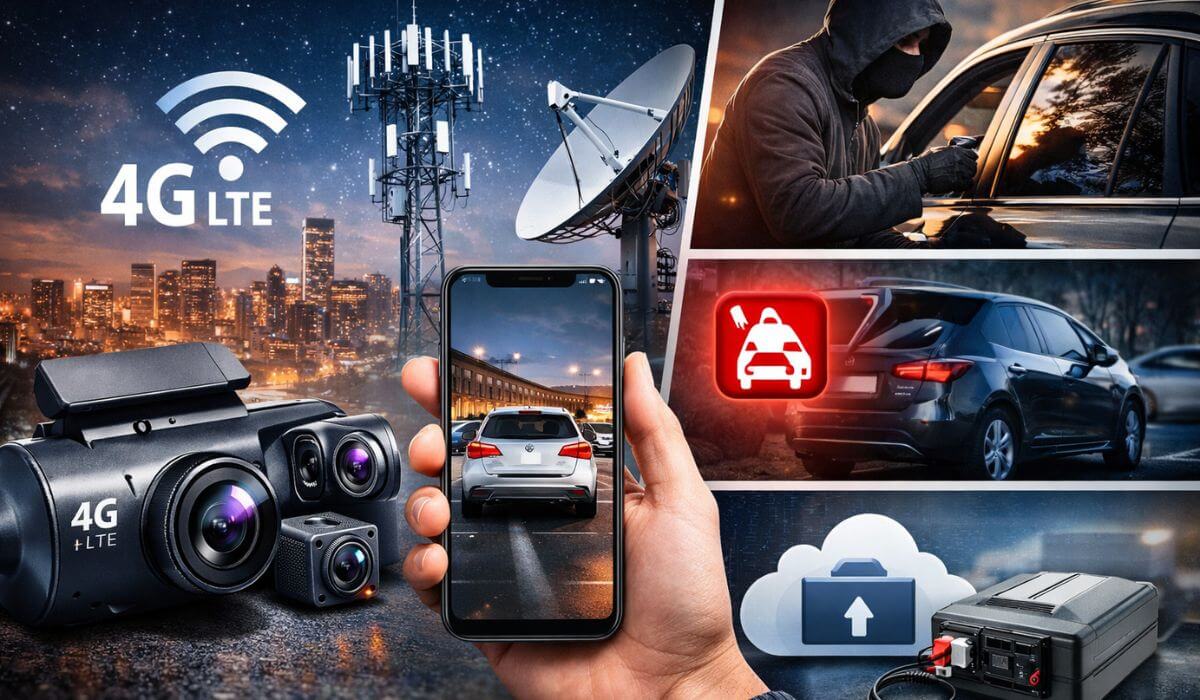
There was a time when dash cams were nothing more than silent witnesses — recording loops onto an SD card that you’d only check after something went wrong. But 2026 has quietly flipped that script. We’re now in the era of always-connected car surveillance, where your vehicle is never really alone — even when it’s parked three cities away.
Modern LTE dash cams don’t just record incidents — they stream them. Real-time alerts hit your phone the second motion is detected. Live video loads instantly inside an app. GPS tracking keeps your vehicle’s location pinned down to the meter. And if someone tries to steal the camera itself? The footage is already backed up in the cloud before they even realize it.
This shift is exactly why buyers who once searched for the best dash cam with parking mode are now upgrading to full LTE systems — because local recording isn’t enough when theft, vandalism, and hit-and-runs happen in seconds. Add in dash cam front and rear coverage, and you’re looking at 360-degree remote surveillance rather than simple accident recording.
But here’s the catch — not every LTE dash cam actually delivers stable connectivity, reliable cloud storage, or usable live view. Some lag. Some drop network. Some lock core features behind subscriptions that don’t justify the price.
So instead of chasing spec sheets, we focused on what matters in the real world: connection stability, alert speed, parking surveillance accuracy, app usability, and long-term reliability under daily driving conditions.
And two models instantly separated themselves from the pack.
Thinkware’s U3000 PRO LTE is easily the most advanced security-focused system here — combining radar-based parking monitoring, Sony STARVIS 2 sensors, and ultra-stable LTE connectivity that feels closer to a vehicle security system than a dash cam.
Right behind it, the 70mai 4K Omni LTE takes a more intelligent approach — AI motion detection, rotating coverage, and Wi-Fi 6 + 4G integration that makes live remote monitoring surprisingly fluid for the price.
If your goal is true remote vehicle surveillance — not just recording — these two alone are worth the click.
But depending on whether you want fleet tracking, anti-theft sentry monitoring, or a simpler LTE-enabled driving recorder, the rest of this list fills very specific use cases.
Let’s break down the best options available right now.
Best LTE Dash Cams With 4G Cloud Connectivity, Live View & Remote Parking Surveillance (2026 Picks)
#1. Thinkware U3000 PRO LTE — Best 4G LTE Dash Cam Overall With Radar Parking Mode & STARVIS 2
#2. 70mai 4K Omni + UP05 LTE Kit — Best AI-Powered LTE Dash Cam With 360° Motion Detection
#3. Volam 4G LTE Cellular Security Dash Cam — Best LTE Dash Cam for Anti-Theft & Sentry Monitoring
#4. Garmin Dash Cam X310 — Best Premium Compact Dash Cam With LTE-Ready Security Ecosystem
#5. MasTrack Live LTE Dash Cam — Best Budget 4G Dash Cam With GPS Tracking for Families & Fleets
Expert Tip
Must Check:
- Best Battery Powered Dash Cams
- Best Rated Dash Cam for Semi Trucks
- Best Wireless Dash Cam Front and Rear
How We Ranked the Best LTE Dash Cams (Our Methodology)
Not every LTE dash cam performs the same once it leaves the spec sheet and enters daily driving life. Network fluctuations, heat buildup, cloud delays, and app reliability all shape the real ownership experience. So instead of judging these cameras on resolution alone, we looked at how they behave in actual connected-security scenarios — the kind buyers invest in LTE systems for.
Here are the core parameters that defined our rankings:
Connectivity Stability
LTE cameras are only as good as their ability to stay connected. We evaluated how quickly each unit re-establishes a 4G signal after passing through low-coverage zones like tunnels, basements, and underground parking. The top performers were the ones that reconnected almost instantly without requiring manual app refresh.
Cloud Latency & Live View Response
Live View is the backbone of any connected dash cam. We measured how many seconds it takes for video to begin streaming after tapping the live feed inside the mobile app. Systems that delivered sub-3-second load times felt genuinely real-time, while slower units created a noticeable monitoring gap.
Video Fidelity (Day & Night)
Resolution on paper doesn’t always translate to usable footage once LTE compression kicks in. We focused on clarity where it matters most — license plates, facial detail, and motion sharpness — across daylight, low light, and pitch-dark parking conditions. STARVIS 2 sensors and advanced HDR tuning made a visible difference here.
App Ecosystem & Alert Intelligence
An LTE dash cam lives and dies by its app. We assessed notification speed for motion detection, impact sensing, and theft attempts — along with app stability, UI responsiveness, and remote clip access. Instant alerts with one-tap playback ranked significantly higher than delayed or fragmented systems.
Heat Resilience & Long-Duration Stability
Always-connected cameras generate more heat than standard dash cams, especially in parked vehicles under direct sun. We examined how each unit handles prolonged LTE activity in high-temperature conditions — looking for recording failures, shutdowns, or connectivity crashes during extended parking surveillance.
These five factors ultimately separate a basic connected recorder from a true remote vehicle security system — and they played a decisive role in how the following models were ranked.
#1. Thinkware U3000 PRO LTE
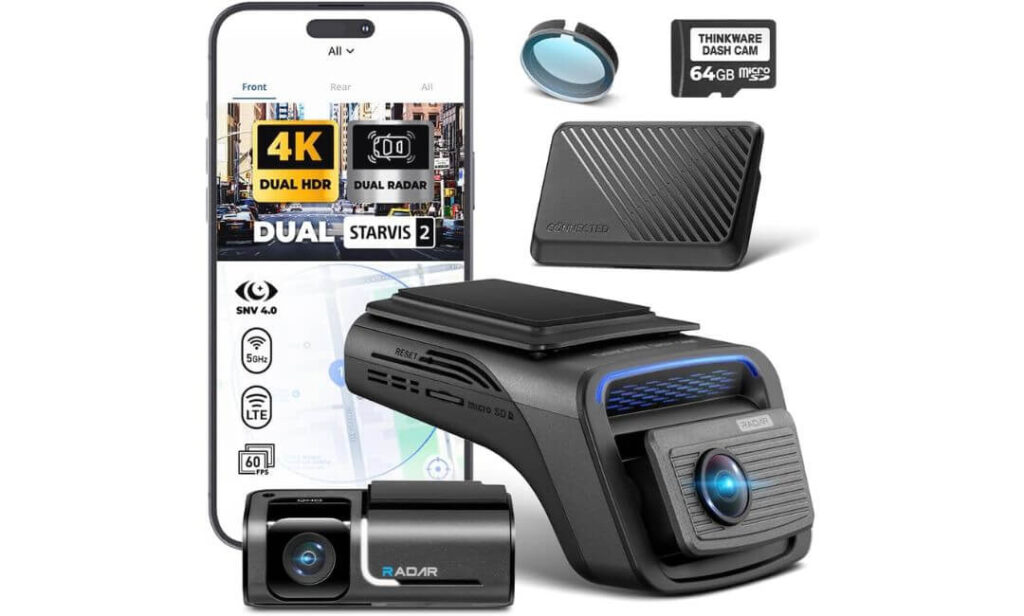
Key Specs:
- Connectivity: Built-in LTE Module (Free 3-Year Basic Plan Included)
- Live View: Yes — Remote via Thinkware CONNECTED App
- Video Quality: 4K Front + 2K Rear (Sony STARVIS 2 Sensors)
- Parking Surveillance: Dual Radar Parking Mode (Front + Rear)
- Night Performance: Super Night Vision 4.0
- Tracking: Real-Time GPS Location Monitoring
- Alerts: Instant Impact & Motion Notifications
- Cloud Access: Remote Footage Playback & Download
- Mounting: Windshield Mount (2-Channel Setup)
If your goal is true always-connected vehicle security — not just driving footage — the U3000 PRO LTE sits in a different league altogether. This isn’t built like a typical dash cam; it behaves more like a dedicated car surveillance system that just happens to record in 4K. The bundled LTE module (with a 3-year basic data plan already active) means you’re not scrambling to figure out SIM setup on day one — power it, connect the app, and your car is live.
Video quality holds its ground even after cloud compression kicks in. The 4K front unit, backed by Sony’s STARVIS 2 sensor, captures license plates cleanly in motion, while the 2K rear cam balances exposure in high-contrast traffic scenes. Night footage is where it really flexes — “Super Night Vision 4.0” isn’t marketing fluff; it actively lifts shadow detail without blowing out headlights, which matters when incidents happen under poor street lighting.
But the real differentiator is radar parking surveillance. Instead of relying purely on motion detection (which drains battery and triggers false alerts), the U3000 PRO uses front and rear radar sensors to detect proximity movement first — only then triggering buffered recording. Less power draw, longer parking coverage, smarter event capture. It’s the kind of system you trust when leaving a vehicle parked overnight in public zones.
LTE & Connected Security Features That Stand Out
- 1. Instant Live Remote Viewing
Open the Thinkware CONNECTED app and the camera streams live footage within seconds — useful for checking parking incidents without returning to the vehicle. - 2. Real-Time Impact Alerts
If someone bumps your car, you’re notified immediately — not hours later when you get back. - 3. GPS Vehicle Tracking
Location updates are precise and continuous, making it valuable not just for theft monitoring but also for family vehicle tracking. - 4. Cloud Footage Access
Even if the camera is damaged or stolen, recorded clips remain retrievable via cloud storage. - 5. Buffered Event Recording
Radar detection ensures recording starts seconds before impact — capturing the full incident, not just the aftermath.
One Thing to Consider Before Buying
This is a premium-tier system in both price and ecosystem commitment. After the included 3-year plan, ongoing LTE connectivity requires a subscription — something budget buyers should factor into long-term ownership cost.
Pro Tip
For maximum parking surveillance coverage, pair the radar mode with hardwiring instead of relying solely on battery draw. The system stays active longer, reconnects faster to LTE after inactivity, and maintains stable cloud syncing during extended parking hours.
Best For: Drivers who want the most advanced LTE-connected dash cam available — combining radar-based parking protection, ultra-stable live view, and true cloud-backed vehicle security rather than basic recording.
#2. 70mai 4K Omni LTE
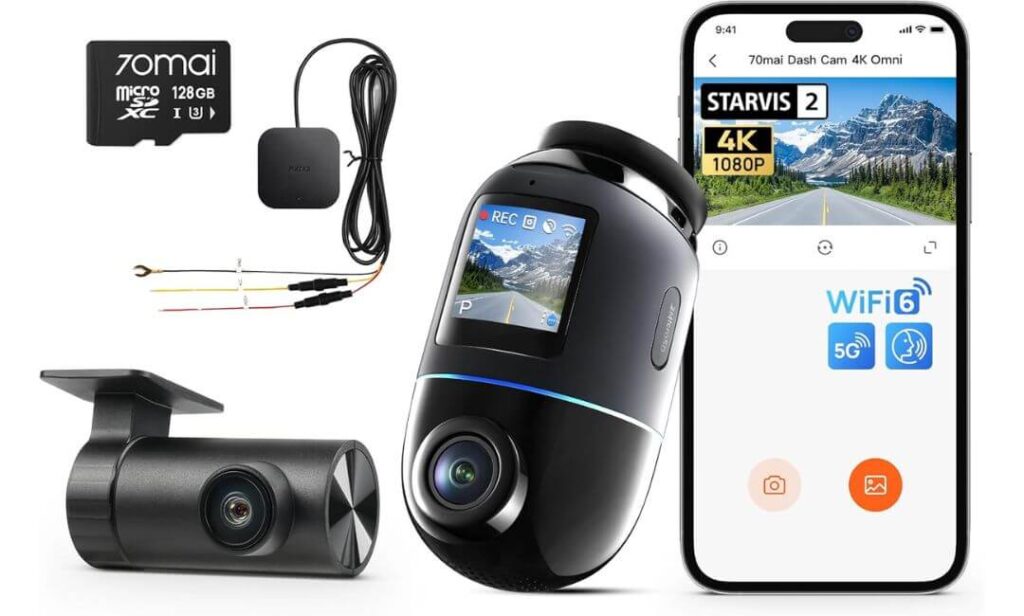
Key Specs:
- Connectivity: 4G LTE (via UP05 Hardwire Kit Module)
- Live View: Yes — Remote App Streaming
- Video Quality: 4K Front (Sony IMX678, 60FPS)
- Coverage: 360° View (340° Rotating Lens)
- Night Vision: STARVIS 2 + Lumi Vision + Night Owl Tuning
- Parking Mode: 24/7 AI Motion Detection Monitoring
- Tracking: GPS Positioning + Route Data
- Transfers: Wi-Fi 6 (5GHz High-Speed Downloads)
- Safety: ADAS Driver Alerts + Emergency Video Lock
- Mounting: Dashboard Mount (Front + Rear Setup)
If the Thinkware feels like a security system, the 70mai Omni feels like a surveillance robot sitting on your windshield. The difference becomes obvious the moment you open the live feed — instead of a fixed viewing angle, the rotating lens actively tracks movement inside the cabin perimeter and around the vehicle. Someone walks past your parked car? The lens pivots. Suspicious motion near the rear quarter? It follows. That dynamic coverage changes how parking monitoring actually works.
The 4K sensor here isn’t just about resolution — it’s about motion clarity. Recording at 60FPS, the Omni captures fast-moving traffic without blur, which matters for plate capture during overtakes or hit-and-runs. 70mai’s ROI (Region of Interest) tech subtly sharpens license plate zones, while the Sony IMX678 sensor paired with STARVIS 2 pulls in noticeably more light after dark. Night footage doesn’t just brighten — it balances glare, keeping headlights from washing out surrounding detail.
Where this system leans heavily into LTE value is AI detection. Instead of bombarding your phone with every leaf movement, it distinguishes between humans, vehicles, and environmental motion. That means when you do get an alert, you actually open it — because it matters. Add in time-lapse parking compression (24 hours condensed into minutes), and you get full-day surveillance without burning through storage.
LTE + AI Monitoring Features That Redefine Parking Security
- 1. Real-Time Remote Live View
Access a rotating, actively tracking camera feed directly from your phone — not just a static parking angle. - 2. AI Human & Vehicle Detection
Filters false alerts and prioritizes real threats like loitering, break-in attempts, or close vehicle movement. - 3. 24/7 Connected Parking Monitor
Hardwire integration keeps the LTE link active around the clock, even when the engine is off. - 4. Remote Location Tracking
Check where your car is parked (or moving) instantly through GPS mapping inside the app. - 5. Cloud Event Backup + Emergency Lock
Impact clips auto-save and lock, ensuring critical footage isn’t overwritten.
One Thing to Consider Before Buying
LTE connectivity depends on the UP05 module (included in this bundle), and long-term cloud/LTE services may require an active data plan after initial coverage — something to factor into ongoing costs.
Pro Tip
Mount the Omni slightly off-center rather than directly behind the mirror. It improves the rotating lens’ side tracking range, allowing AI detection to follow movement deeper into blind parking angles.
Best For: Drivers who want intelligent, AI-driven LTE surveillance with moving camera coverage — ideal for high-risk parking zones, street parking, and users who prefer smart detection over constant false alerts.
#3. Volam 4G LTE Cellular Security Cam
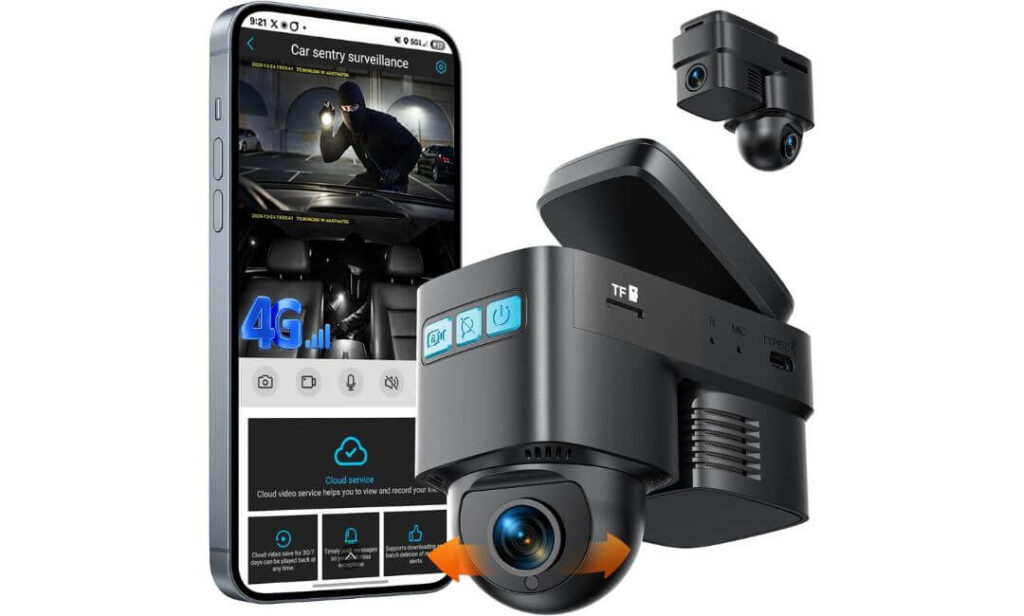
Key Specs:
- Connectivity: Built-in 4G LTE (Integrated SIM Support)
- Live View: Yes — Remote via uboxPro App
- Video Storage: Cloud Backup + 32GB SD Included
- Detection System: AI Human Detection + Microwave Radar
- Parking Mode: 24/7 Proactive Sentry Monitoring
- Tracking: Real-Time GPS + Route Playback
- Audio: Two-Way Voice Intercom
- Alerts: Instant Motion / Impact Notifications
- Power Setup: OBD-II Plug-and-Play (No Hardwire Needed)
- Use Case: Dedicated Vehicle Security Camera
If the first two cameras on this list balance driving footage with connected monitoring, the Volam takes a different route entirely — it’s built first as a vehicle security system, dash cam second. You feel that shift immediately in how it monitors activity. Instead of waiting for an impact to trigger recording, the radar + AI stack watches for approach behavior — someone walking toward the car, lingering too close, or circling suspiciously. Recording starts before contact ever happens.
The built-in LTE connection (with SIM support already integrated) means you’re not configuring add-on modules or external kits. Open the app, and the live feed loads from virtually anywhere — driveway, office parking, airport lot — distance doesn’t matter. And because footage backs up to the cloud automatically, even camera theft doesn’t erase evidence. That extra storage layer quietly solves one of the biggest pain points in standard dash cams: SD card corruption or removal.
Where the Volam system pushes beyond typical LTE cams is interaction. Two-way audio lets you hear what’s happening inside or around the vehicle — and speak through it. Whether it’s guiding a young driver, confronting suspicious activity, or triggering the remote alarm siren, it transforms the camera from passive recorder into active deterrent. It’s less about documenting incidents and more about preventing them.
Connected Security Features That Make It Stand Out
- 1. Proactive Radar Sentry Detection
Microwave radar senses movement approaching the vehicle — not just impact after the fact. - 2. Remote Live Surveillance
Access real-time video anytime through LTE without relying on nearby Wi-Fi networks. - 3. Automatic Cloud Evidence Backup
Event clips upload instantly, keeping footage safe even if the camera is damaged or stolen. - 4. Real-Time GPS Tracking
Track vehicle location, playback route history, and monitor driving patterns remotely. - 5. Two-Way Voice + Remote Alarm
Speak through the camera or trigger a siren alert to deter theft or vandalism attempts.
One Thing to Consider Before Buying
Remote LTE features require an active cellular data plan after the initial trial period. Local recording continues without it, but live view, cloud backup, and tracking rely on ongoing connectivity.
Pro Tip
Install the OBD power cable in a position that isn’t easily visible from outside the cabin. Keeping the camera powered discreetly ensures continuous sentry monitoring without drawing attention to the system itself.
Best For: Owners who prioritize anti-theft protection, vandalism monitoring, and remote vehicle surveillance — especially in street parking, apartment complexes, or long-term unattended parking scenarios.
#4. Garmin Dash Cam X310
Key Specs:
- Connectivity: Wi-Fi + Cloud Vault Access
- Live View: Yes — Remote via Garmin Drive App (Subscription Required)
- Video Quality: 4K Ultra HD Recording
- Field of View: 140° Wide Angle
- Display: 2.4″ Touchscreen LCD
- Lens Tech: Garmin Clarity™ Polarizer
- Parking Alerts: Parking Guard Notifications
- Tracking: GPS Location + Route Data
- Voice Control: Yes (Multi-Language Support)
- Mounting: Low-Profile Magnetic Windshield Mount
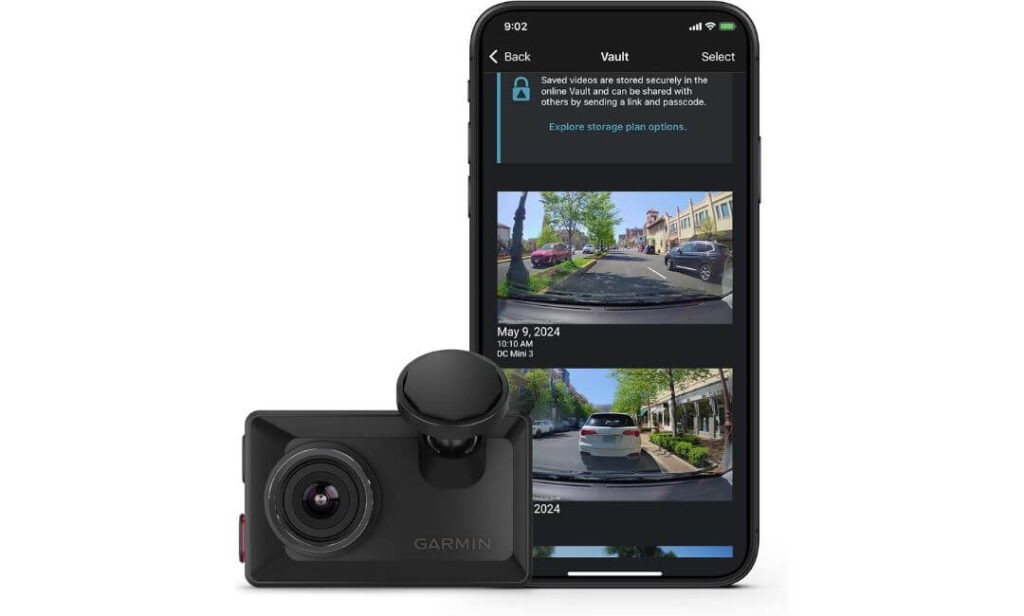
Not everyone wants a bulky, visibly wired surveillance rig sitting on their windshield — and that’s exactly where the X310 finds its lane. It’s compact, almost stealthy once mounted, but the footage it pulls is anything but small. The 4K sensor paired with Garmin’s Clarity polarizer cuts windshield glare in a way you actually notice — reflections drop, plate contrast improves, and bright daylight scenes retain usable detail instead of washing out.
The connected side of this camera leans more toward ecosystem integration than standalone LTE hardware. Through Garmin’s Vault cloud system, important clips auto-upload for remote access and sharing. Tap the app, and you can pull saved footage or access live view while the car is parked (provided the unit has constant power and Wi-Fi connectivity). It’s less about 24/7 cellular surveillance and more about smart remote access layered onto premium recording.
What also separates the X310 from typical connected dash cams is its driver-assist ecosystem. Lane departure warnings, forward collision alerts, and speed camera notifications turn it into a hybrid between a dash cam and a driving awareness system. Add voice commands — “Save Video,” “Start Recording,” — and it reduces the need to physically interact with the unit mid-drive.
Connected Monitoring & Cloud Features
- 1. Remote Live View Access
Check in on your parked vehicle through the Garmin Drive app when connected to power and network. - 2. Cloud Vault Clip Storage
Critical footage uploads automatically, making sharing and retrieval quick without manual file transfers. - 3. Parking Guard Notifications
Impact or motion events trigger phone alerts while the vehicle is unattended. - 4. Multi-Cam Ecosystem Sync
Pair up to four Garmin dash cams and view synchronized footage from multiple angles. - 5. GPS-Stamped Incident Recording
Each saved clip logs speed, date, time, and location data for evidence documentation.
One Thing to Consider Before Buying
Advanced remote features — including live view and Vault storage — require an active subscription and Wi-Fi connection. Unlike dedicated LTE cameras, it doesn’t maintain independent cellular connectivity on its own.
Pro Tip
If you plan to use Parking Guard and live monitoring regularly, pair the X310 with a constant power cable rather than standard ignition power — it keeps cloud syncing and alert notifications active even when the vehicle is parked long-term.
Best For: Drivers who want premium 4K recording with cloud-connected monitoring inside a compact, low-profile design — especially those already invested in Garmin’s ecosystem or multi-camera setups.
#5. MasTrack Live LTE
Key Specs:
- Connectivity: Built-in 4G LTE (Nano-SIM Support)
- Live View: Yes — Remote Mobile Streaming
- Video Quality: 1080p @ 25FPS
- Storage: Up to 128GB Local + Cloud Backup
- Tracking: Built-In GPS Location Monitoring
- Alerts: Push Notifications + Event Clips
- Field of View: 140° Wide Angle
- Install Type: Plug-and-Play Vehicle Port Power
- Mounting: Dashboard Mount
- Service Plan: Required for LTE + Cloud Features
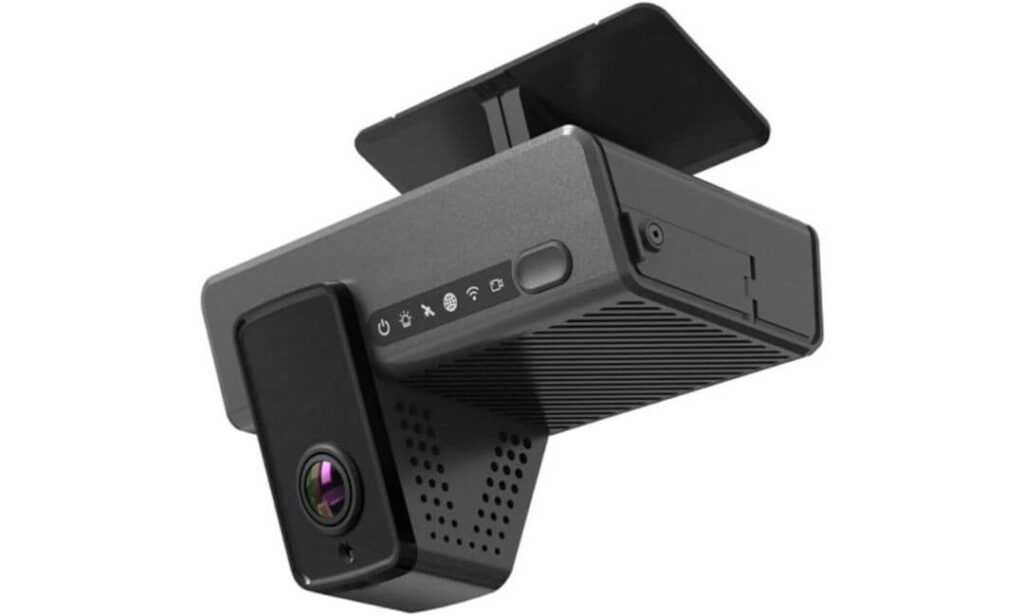
Not every buyer stepping into LTE dash cams is chasing 4K resolution or AI detection grids — some just want one simple thing: the ability to check on their vehicle (or driver) from anywhere without dealing with complicated installs or premium-tier pricing. That’s exactly where the MasTrack Live fits. It strips the concept of connected dash cams down to its core purpose — live visibility and location awareness.
Setup is refreshingly straightforward. No hardwire kits, no external antennas, no deep install. It plugs directly into the vehicle’s power port and comes online through its built-in LTE module. Once the nano-SIM is active, live view, push alerts, and GPS tracking all operate through the companion platform. For parents monitoring young drivers or businesses tracking vehicles on duty, that simplicity matters more than cinematic video quality.
Footage records in 1080p — which sounds modest compared to 4K units above — but for its intended use (live monitoring, route tracking, event capture), clarity holds up where it counts. You can review driving paths, confirm vehicle stops, and access cloud-backed clips remotely. The 140° field of view balances road coverage without over-distorting edges, making playback easier to interpret when reviewing incidents.
LTE Monitoring & Tracking Features
- 1. Built-In 4G LTE Connectivity
No add-on module required — insert a nano-SIM and the camera stays connected for live access. - 2. Real-Time Live Streaming
View what’s happening inside or in front of the vehicle directly from your phone. - 3. GPS Location Tracking
Monitor vehicle position, routes, and movement history remotely. - 4. Cloud Backup + Local Storage
Important clips upload to the cloud while simultaneously saving to onboard memory. - 5. Push Event Notifications
Receive instant alerts when motion or driving incidents occur.
One Thing to Consider Before Buying
LTE connectivity, GPS tracking, and cloud features require an active monthly service plan (around $39.99/month). Without it, the camera functions more like a standard local recorder.
Pro Tip
Position the camera slightly higher on the dash rather than low-mounting it. It improves road visibility in live view and gives GPS event footage better contextual perspective during playback.
Best For: Families monitoring teen drivers, small fleet operators, and budget buyers who want straightforward LTE live view + GPS tracking without stepping into premium 4K pricing tiers.
Best LTE Dash Cam Comparison (4G + Cloud + Live View)
Here’s a side-by-side comparison of the best LTE dash cams based on connectivity stability, live view speed, parking surveillance, and cloud access features.
| Dash Cam | Connectivity | Live View | Video Quality | Parking Surveillance | Cloud Storage | GPS Tracking | Best Use Case |
|---|---|---|---|---|---|---|---|
|
Thinkware U3000 PRO LTE Best Overall |
Built-in LTE Module | Yes (App Access) | 4K Front + 2K Rear | Dual Radar Parking Mode | Yes | Yes | Full Vehicle Security + Radar Monitoring |
|
70mai 4K Omni LTE Best AI Detection |
4G LTE (UP05 Module) | Yes | 4K 60FPS | AI Motion + 360° Rotation | Yes | Yes | Smart Parking + Moving Surveillance |
|
Volam LTE Security Cam Best Anti-Theft |
Built-in LTE SIM | Yes | 1080p | Radar Sentry Mode | Yes | Yes | Vandalism & Theft Monitoring |
|
Garmin Dash Cam X310 Premium Compact |
Wi-Fi + Cloud | Yes* | 4K Ultra HD | Parking Guard Alerts | Vault Cloud | Yes | Compact Cloud Recording |
|
MasTrack Live LTE Best Budget LTE |
Built-in 4G LTE | Yes | 1080p | Motion Alerts | Yes | Yes | Family & Fleet Tracking |
Buying Guide: How to Choose an LTE Dash Cam in 2026
By this point in the article, you’ve probably realized LTE dash cams aren’t just about video quality anymore — they’re connected security systems sitting inside your vehicle. And like any always-online device, the real ownership experience goes far beyond resolution numbers or brand names.
Here’s what actually separates a smart purchase from an expensive regret in 2026.
1. The Hidden Cost Most Buyers Miss — Data Plans & SIM Support
Every LTE dash cam needs a cellular connection to deliver live view, cloud backup, alerts, and GPS tracking. That means one thing: an active data plan.
Some cameras ship with built-in SIM cards and trial subscriptions, while others require you to insert your own Nano-SIM or activate an eSIM through the brand’s platform. Monthly costs vary widely depending on features — basic live alerts sit on the lower end, while continuous cloud streaming and fleet tracking push plans higher.
It’s important to look beyond the camera price and calculate long-term connectivity cost. Over two to three years, subscription fees can rival the hardware itself if you’re using live monitoring daily.
2. Power Consumption & Battery Drain Reality
Unlike standard dash cams that sleep when the engine turns off, LTE units stay partially awake — maintaining network pings, motion detection, and cloud syncing.
That constant connection draws power 24/7.
Hardwiring to the vehicle battery is common, but it introduces risk if voltage cutoff isn’t configured correctly. Extended parking monitoring — especially in extreme temperatures — can strain smaller car batteries.
This is why many long-term users step up to dedicated external battery packs (LiFePO4 units in particular). They power the camera independently, extend parking coverage, and reduce stress on the vehicle’s electrical system. It’s not mandatory for everyone, but for overnight street parking or airport parking scenarios, it’s a smart upgrade.
3. Cloud Storage — Event-Only vs Continuous Recording
Not all cloud systems function the same, even if brands market them similarly.
Some LTE dash cams only upload “event clips” — motion triggers, impacts, or AI detections. This keeps data usage low but means you won’t have full timeline playback unless something triggered recording.
Higher-tier systems offer continuous or buffered cloud recording, where footage uploads at intervals or stores rolling history. It’s far more comprehensive but consumes more data and usually sits behind premium subscription tiers.
Understanding which model you’re buying matters — especially if your goal is vandalism monitoring rather than accident recording.
4. Network Stability Over Raw Specs
A 4K LTE dash cam sounds impressive — until you tap live view and wait ten seconds for buffering.
Signal recovery speed, app server reliability, and stream compression efficiency matter more than sensor resolution in connected use. Cameras that reconnect instantly after tunnels or basement parking deliver a far better real-world monitoring experience than spec-heavy units with weak cloud infrastructure.
Always prioritize connection stability over marketing numbers.
5. Installation Type & Long-Term Practicality
LTE cameras come in three main power setups:
- Hardwire kits → Clean install, full parking mode
- OBD plug systems → Easier install, moderate coverage
- Cigarette port power → Basic use, limited parking monitoring
If remote surveillance is your priority, constant power access isn’t optional — it’s foundational. Without it, LTE features only work while driving.
Final Buyer Insight
Choosing an LTE dash cam in 2026 isn’t just about buying a camera — it’s about choosing a connected ecosystem that includes data infrastructure, cloud storage architecture, power management, and app reliability.
Get those four pillars right, and you’re not just recording your drives anymore — you’re remotely safeguarding your vehicle around the clock.
Installation & Technical Setup — Getting Your LTE Dash Cam Fully Connected
Buying an LTE dash cam is only half the equation. The real experience — live view speed, parking surveillance uptime, alert reliability — is shaped by how well the camera is installed and how stable its network connection remains once the engine turns off.
A poor install doesn’t just look messy — it limits core LTE functionality.
Here’s how to set it up the right way.
Power Source Setup — OBD-II vs Fuse Box Hardwiring
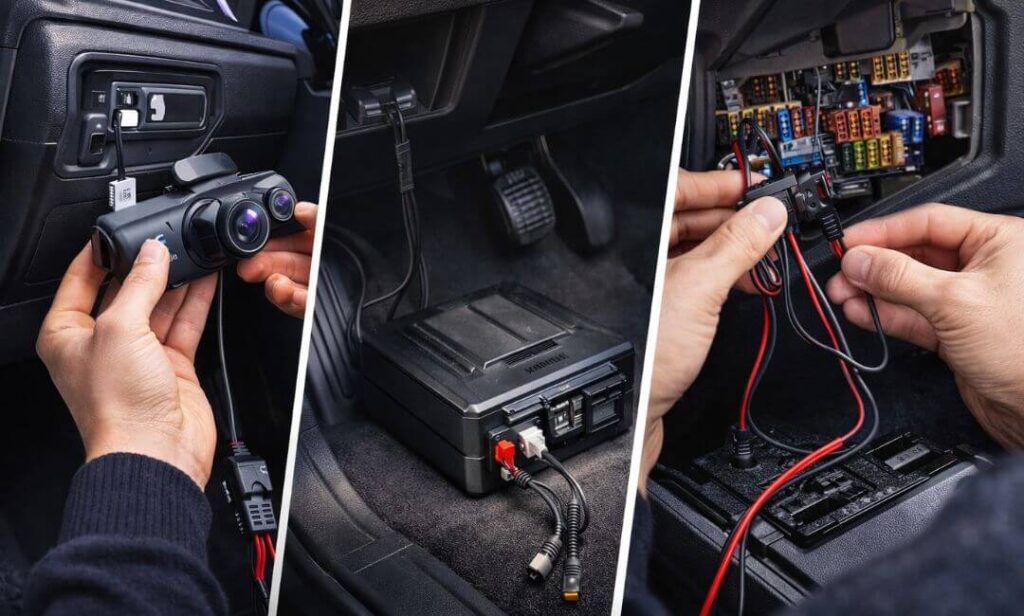
The biggest difference between a standard dash cam install and an LTE system comes down to continuous power delivery. Because 4G cameras stay connected even when the car is parked, they need a power source that doesn’t shut off with the ignition.
You’ve got two primary installation routes:
OBD-II Plug Power (Simplest Setup)
This is the plug-and-play route. The camera draws power directly from the vehicle’s OBD port — no wiring cuts, no fuse tapping.
It’s quick to install and ideal for users who want LTE parking monitoring without touching the fuse box. Most OBD kits also include voltage protection to prevent battery drain.
But there’s a trade-off — power output is moderate. Extended 24/7 parking surveillance may be shorter compared to full hardwire installs, especially in older batteries.
Best suited for:
Short-term parking monitoring, family tracking setups, leased vehicles.
Fuse Box Hardwiring (Full-Power Surveillance Setup)
This is the professional-grade install — drawing direct power from the vehicle’s fuse panel.
Hardwiring allows the dash cam to run in true parking surveillance mode with stable LTE connectivity for longer durations. Voltage cutoff modules protect the battery, shutting the camera down if power drops below safe levels.
It’s the preferred route for high-end LTE systems running radar detection, AI monitoring, or continuous cloud sync — because it delivers consistent power without port limitations.
Best suited for:
Street parking, overnight monitoring, theft-prone zones, fleet vehicles.
Network Selection — Why Carrier Choice Impacts Live View Performance
LTE dash cams rely entirely on cellular infrastructure — so your camera’s performance is only as strong as the network it’s connected to.
This becomes obvious the first time you tap live view.
On strong networks, video loads in 2–3 seconds. On congested or weak carriers, buffering delays stretch longer — defeating the purpose of real-time monitoring.
Signal strength around your typical parking zones matters more than national coverage maps. Basement parking, gated societies, underground offices — these environments expose weak carriers instantly.
If you’re choosing your own SIM, prioritize:
- Strong urban signal density
- Low latency data response
- Stable indoor penetration
In India, users often lean toward Jio or Airtel for urban coverage strength. In the U.S., Verizon and AT&T typically deliver stronger real-time streaming consistency.
A Practical Setup Insight Most Buyers Learn Late
Before finalizing installation, test LTE signal strength in your primary parking location using your phone. If live streaming struggles there, your dash cam will behave the same — regardless of how premium the hardware is.
Network stability defines the remote experience more than camera price ever will.
LTE Data Usage, SIM Compatibility & Parking Runtime — What to Expect Daily
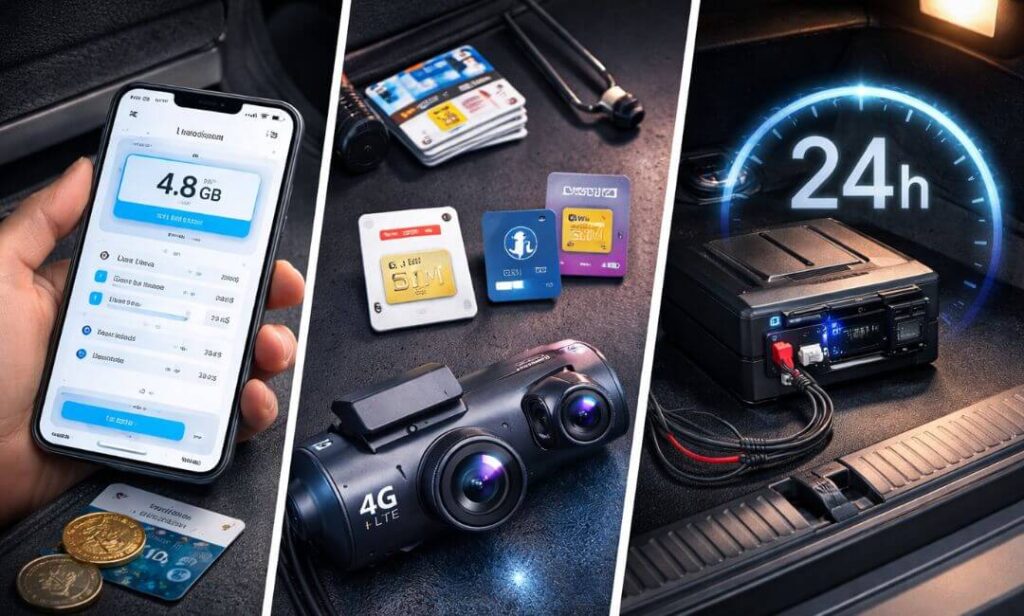
Once installation is sorted, the real ownership questions begin — how much data the camera consumes, which SIM works best, and how long it can actually monitor your vehicle while parked.
These three factors quietly define whether your LTE dash cam feels like a security upgrade… or an expensive gadget draining power.
LTE Data Usage — Real Monthly Consumption
Data usage depends entirely on how often you interact with the camera remotely.
Here’s a realistic breakdown based on typical user behavior:
| Usage Type | Estimated Data Consumption |
|---|---|
| Idle Connected Standby | ~300–500 MB / month |
| Motion Alerts + Event Uploads | ~1–2 GB / month |
| Daily Live View Checks | ~3–5 GB / month |
| Frequent Streaming / Fleet Use | 8–15 GB / month |
Live streaming consumes the most data — especially in 4K-enabled cameras. Even though cloud feeds are compressed, extended viewing sessions stack usage quickly.
For most personal users, a 5GB monthly plan is enough. Fleet monitoring or commercial tracking setups usually scale higher.
SIM Compatibility — Nano, eSIM & Built-In Modules
LTE dash cams fall into three connectivity categories:
1. Built-In SIM Systems
Cameras ship with pre-installed SIMs + bundled trial plans. Activation is app-based — no manual carrier setup required.
2. Nano-SIM Supported Units
You insert your own carrier SIM — giving flexibility to choose cheaper or stronger networks locally.
3. eSIM / Cloud-Linked Plans
Subscription activates connectivity remotely through the brand’s ecosystem without physical SIM handling.
Before buying, always confirm:
- Carrier band compatibility
- Data plan flexibility
- Roaming support (if traveling)
Parking Mode Runtime — How Long Can LTE Stay Active?
Runtime depends on power source — not just camera efficiency.
Here’s how setups compare:
| Power Setup | Average LTE Parking Coverage |
|---|---|
| Cigarette Port | Parking mode inactive |
| OBD Power | 6–12 hours |
| Hardwire Kit | 12–24 hours |
| External Battery Pack | 24–72+ hours |
Radar detection, AI monitoring, and continuous cloud sync consume more power than basic motion detection — reducing runtime accordingly.
If overnight surveillance is your goal, external battery packs dramatically extend monitoring duration without draining the vehicle battery.
A Real-World Ownership Insight
Most buyers underestimate how often they’ll use live view once LTE is available. Checking parking alerts, confirming valet handling, monitoring long-term parking — usage naturally increases.
Choosing a slightly higher data plan upfront avoids throttling speeds later — especially when you need instant footage access during incidents.
FAQs — LTE Dash Cams
Do LTE dash cams work without a subscription plan?
Yes — but only partially. Without an active data plan, the camera continues recording locally to the SD card just like a standard dash cam. What you lose are the connected features — live view, cloud backup, instant alerts, and GPS tracking. In other words, it still records incidents, but you won’t be able to monitor your vehicle remotely or receive real-time notifications until LTE service is active again.
How much internet data does an LTE dash cam actually use per month?
For most personal users, data consumption stays lower than expected. Idle connectivity with motion alerts typically falls under 1–2GB monthly. Live view streaming is what increases usage — especially if you frequently check parked footage. Commercial fleet users or drivers who rely on continuous monitoring may see higher consumption, but casual security monitoring rarely exceeds mid-tier mobile data plans.
Can LTE dash cams monitor my car 24/7 while parked?
They can — but only if constant power is supplied. LTE connectivity, motion detection, and cloud syncing require the camera to remain active even when the engine is off. Hardwiring or external battery packs enable true 24/7 parking surveillance. Without continuous power, LTE features shut down once the vehicle is turned off, limiting monitoring to driving hours only.
Is live view really instant, or does it lag?
That depends more on network strength than the camera itself. On strong LTE carriers, live view loads within a few seconds and feels close to real time. In weak coverage areas — basements, underground parking, rural zones — stream delays increase. Choosing a reliable carrier and ensuring signal strength where the car is usually parked plays a major role in live-view responsiveness.
What happens if someone steals the dash cam itself?
This is where LTE systems justify their price. Most connected dash cams automatically upload event footage to the cloud the moment an impact or tampering attempt is detected. Even if the camera is physically removed, recorded clips remain accessible through the app. It turns the device from a passive recorder into an evidence-preserving security layer.
Are LTE dash cams worth it over Wi-Fi dash cams?
If your priority is remote monitoring, theft alerts, or checking on your car while away — LTE is in a different league. Wi-Fi cameras only connect when you’re near the vehicle. LTE models stay accessible from anywhere, making them better suited for street parking, airport parking, fleet tracking, and high-risk environments. For basic accident recording, Wi-Fi is enough — but for vehicle security, LTE holds a clear advantage.
Final Thoughts — Staying Connected to Your Car in 2026
LTE dash cams have quietly redefined what in-car security looks like. What started as simple incident recorders has evolved into always-connected surveillance systems — capable of streaming live footage, tracking vehicle movement, and preserving evidence before you even reach the parking lot. Once you experience that level of visibility, going back to offline recording feels outdated.
Choosing the right model ultimately comes down to how you use your vehicle. If full-scale remote security is the goal, radar monitoring and cloud-backed LTE systems lead the pack. If AI detection or rotating coverage matters more, intelligent monitoring cameras offer a different edge. And for families or fleet tracking, simpler LTE setups still deliver peace of mind without premium complexity.
Either way, the shift is clear — in 2026, the best dash cam isn’t just the one that records the road… it’s the one that keeps watching when you’re no longer there.