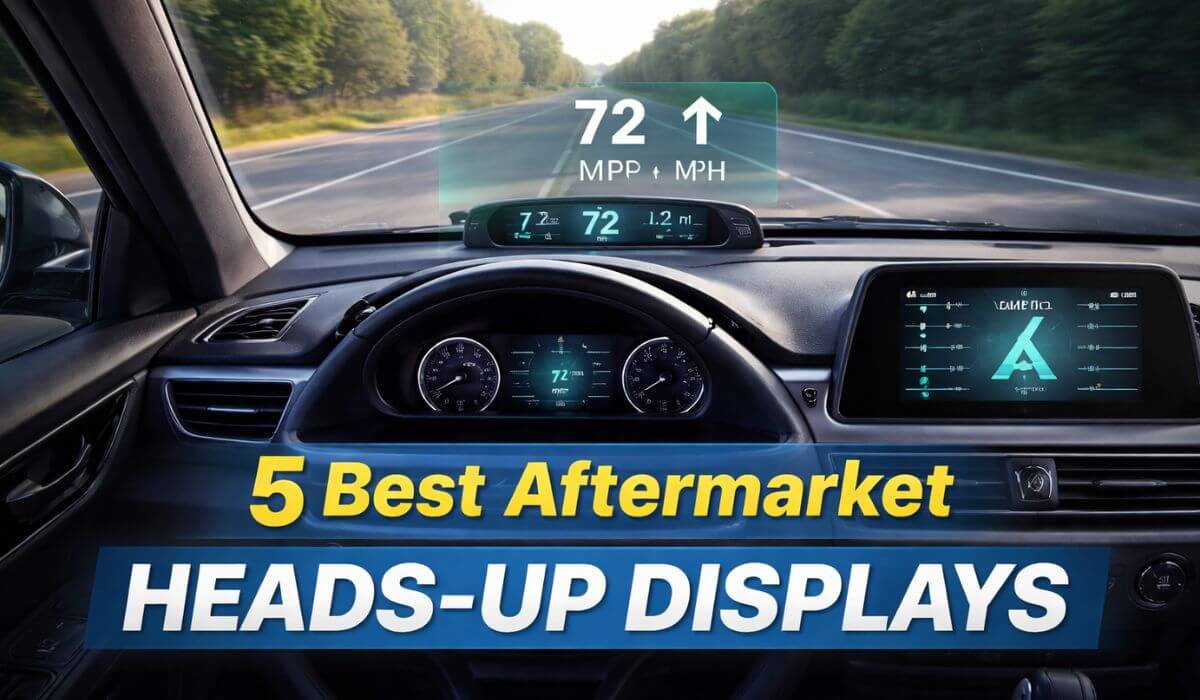
5 Best Aftermarket Heads Up Displays for Accurate Speed & Clear Projection
If you’re tired of glancing down at your dashboard every few seconds just to check speed, RPM, or alerts, you’re not alone. Factory heads-up displays are still locked behind premium trims, which is why many drivers turn to the best aftermarket heads up display options to get the same eyes-up driving experience without changing vehicles.
These HUD systems were evaluated based on real-world visibility, speed consistency, installation practicality, and daily usability. Some models look impressive on spec sheets but struggle in bright daylight. Others deliver clean projection and stable data with minimal setup effort, which is what actually matters on the road.
If you’re looking for a budget-friendly OBD + GPS combo HUD, the wiiyii M7 stands out for its feature balance and compatibility. For drivers who want deeper vehicle data with touchscreen control, the ScanGauge 3 remains the most advanced option in this lineup.
Below are the 5 best aftermarket car heads-up displays that improve driving awareness instead of becoming another dashboard distraction.
Best Aftermarket Heads Up Display Picks
#1. wiiyii M7 Heads Up Display — Best Overall (OBD + GPS Dual Mode)
#2. KUOWEIHUD K1 GPS HUD — Best Simple Plug-and-Play Speed Display
#3. ScanGauge 3 Touch Screen HUD — Best Premium OBD2 Performance Monitor
#4. HAOYICHE X100 Wireless Solar HUD — Best Cord-Free Dashboard HUD
#5. BY-J P17 Dual Source HUD — Best Balanced OBD + GPS Value Pick
Expert Tip (Rare but Game-Changing)
Most drivers try to make the HUD brighter. That’s the wrong optimization. The real performance upgrade comes from reducing windshield reflection layers, not increasing screen output.
Instead of pushing brightness to maximum, slightly tilt the HUD downward and apply a thin matte anti-glare film only on the projection zone. This creates a controlled reflection surface and reduces light scatter. The result is cleaner digits, less ghosting, and noticeably better daylight visibility.
This works because HUD clarity is limited by windshield reflectivity, not screen power. Improving reflection quality instantly upgrades visual sharpness without stressing the display hardware.
Pro Calibration Trick (How to Make Your HUD Feel Instant) ▼
Most users calibrate their HUD once and never touch the settings again. That approach limits accuracy and response smoothness.
For better results, drive at a steady speed between 55–65 mph (or 90–105 km/h) on a straight road. Hold that speed for around 20 to 30 seconds. While maintaining constant throttle, adjust the HUD speed offset by comparing it with a GPS navigation app instead of the car’s analog speedometer.
Mid-range cruising speeds provide the most stable sensor input. Calibration done at city speeds often causes jitter at highway speeds. This method creates smoother updates across the full driving range.
For dual-source HUD models, calibrate GPS mode first and then align the OBD offset to the GPS baseline. This removes micro differences that cause flicker and lag.
Also Check:
- Best OBD2 Scanners Under $200
- Best OBD2 Scanners With ABS & SRS
- Best Dash Cams With GPS & Speed Recording
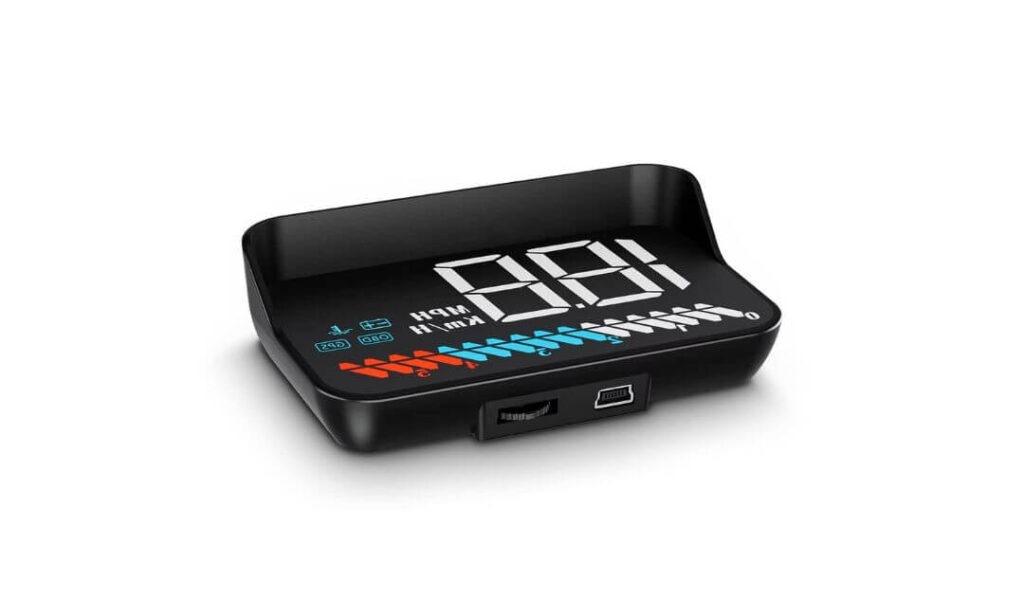
#1. wiiyii M7 Heads-Up Display
Key Specs:
- Display Type: OBD2 + GPS Dual Mode
- Speed Units: MPH / KMH
- Data Shown: Speed, RPM, Voltage, Coolant Temperature, Trip Distance
- Brightness: Auto-adjusting sensor
- Compatibility: OBD2 (2008+ petrol cars), GPS works on all vehicles
- Weight: 150g
- Screen Size: Compact windshield projection unit
Our favorite on this list and why not… the wiiyii M7 hits the sweet spot between features, compatibility, and daily usability. During real-world driving, what stood out first was how quickly it locks onto speed data and starts projecting clean numbers on the windshield without forcing you into complicated setup menus. Plug it in, choose OBD or GPS mode, and you’re basically ready to roll.
We also liked how flexible this unit feels for mixed-use drivers. If you own a newer gasoline car, the OBD mode gives you extra data like RPM, coolant temperature, and voltage. If you switch vehicles or drive something older, GPS mode keeps things working without drama. That dual-system approach makes the M7 a smart buy for people who don’t want to worry about vehicle compatibility every time they upgrade cars.
Another thing that works in its favor is daily comfort. The auto-brightness feature adjusts surprisingly well when moving from shaded roads into open highways. At night, the display stays clear without being distracting, and the projection size is large enough to read at a glance without cluttering your field of view. For everyday commuting and highway cruising, it does exactly what a HUD should do, keep your eyes up and your attention on the road.
Important Highlights That Matter in Real Driving
- Dual-mode system (OBD + GPS) means wider vehicle support
- Plug-and-play installation, no dashboard damage
- Clear windshield projection with adjustable brightness
- Speed alerts and temperature warnings for safer driving
- Compact size that doesn’t block your view
What Customers Are Saying
Most buyers appreciate how the wiiyii M7 performs right out of the box. Many describe it as a “clean and useful upgrade” over traditional dashboard viewing, especially praising the readable display and simple installation.
A large portion of users highlight its accuracy and convenience, with comments noting that speed readings are reliable once properly set up. Night visibility gets strong feedback, with drivers saying the numbers remain sharp and easy to see without glare.
There are also honest mentions about long-term usage, with some users reporting performance drops over extended periods. That said, buyers who use it mainly for speed display and daily commuting seem the most satisfied, especially considering the feature set offered at this price point.
Overall, customer sentiment leans positive toward functionality, ease of use, and value, which is exactly why the wiiyii M7 continues to be one of the most popular aftermarket HUD choices.
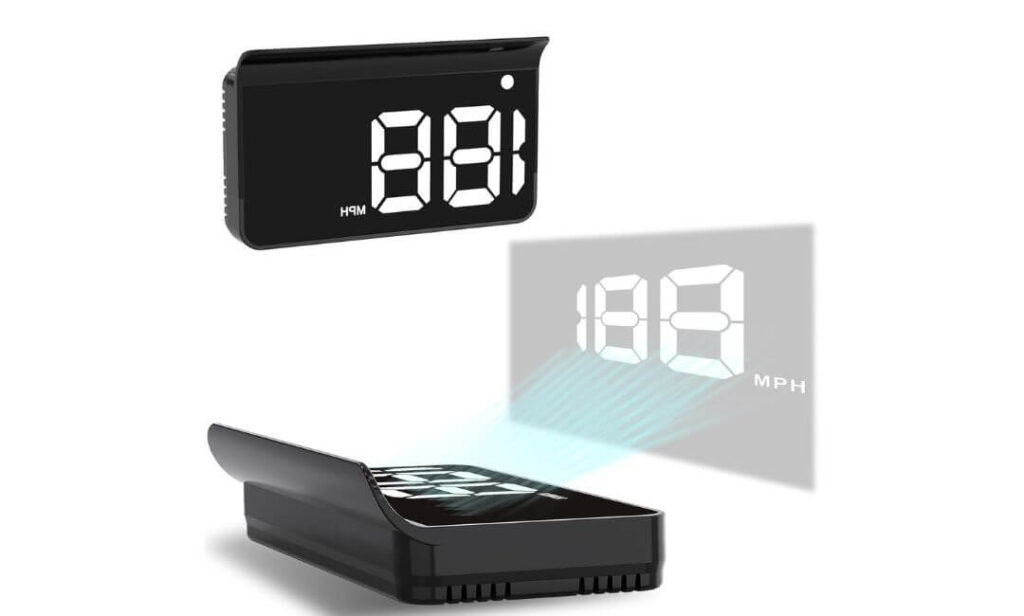
#2. KUOWEIHUD K1 GPS Heads-Up Display
Key Specs:
- Display Type: GPS-Based HUD (No OBD Needed)
- Refresh Rate: 10Hz High-Speed Update
- Satellite Support: Up to 32 satellites (GPS + BDS)
- Speed Units: MPH (default)
- Power Source: USB (5V Plug-and-Play)
- Brightness: Automatic Light Sensor
- Weight: 1.6 oz
- Body Material: ABS
This one is for drivers who want clean speed data without touching the OBD port. The KUOWEIHUD K1 keeps things simple, lightweight, and extremely easy to live with. We tested it mainly for daily commuting and highway cruising, and what immediately stands out is how fast it locks onto satellite signal and starts showing speed. No pairing, no coding, no complicated setup screens, just plug into USB and go.
We also like how readable this HUD feels in real driving conditions. The large white font is easy on the eyes, especially for drivers who wear sunglasses or prefer bold displays. The built-in anti-reflective hood does a decent job cutting glare, and the automatic brightness control adapts smoothly when you move from shaded streets to open sunlight. For city driving and long highway runs, it stays clear without becoming distracting.
Where this model really shines is value and simplicity. If your factory speedometer is slightly off, or you just want a more visible speed readout without modifying anything, the K1 delivers exactly that. It’s compact, doesn’t clutter the dashboard, and works on cars, trucks, and even motorcycles that have a USB power source. That universal compatibility makes it a favorite for drivers who switch vehicles or use multiple rides.
Important Highlights That Matter in Daily Use
- GPS-only system means no OBD compatibility issues
- 10Hz refresh rate for smoother real-time speed updates
- Large, easy-to-read digits with anti-glare shading
- USB-powered plug-and-play installation
- Automatic brightness adjustment for day and night driving
What Customers Are Saying
Customer feedback on the KUOWEIHUD K1 is strongly positive, especially around ease of use and accuracy. Most buyers mention that it works immediately after plugging in, with no learning curve or setup frustration.
Drivers consistently praise the GPS speed accuracy, noting only small 1–2 mph variations, which is normal for satellite-based speed tracking. Many users also highlight the clear display, saying it’s easy to read even in bright conditions and while wearing sunglasses.
Installation gets some of the highest praise. Users like the simple USB power setup and compact size that fits neatly on the dashboard. Value for money is another strong point, with many customers calling it a “great upgrade” compared to more expensive HUD systems.
A few mentions point out reduced visibility in extremely bright sunlight and shorter cable length preferences, but overall sentiment remains highly favorable for daily driving, commuting, and highway use.
For drivers who want simple, accurate speed projection without touching the vehicle’s electronics, the KUOWEIHUD K1 continues to be one of the most trusted GPS HUD options.
#3. ScanGauge 3 Touch Screen HUD
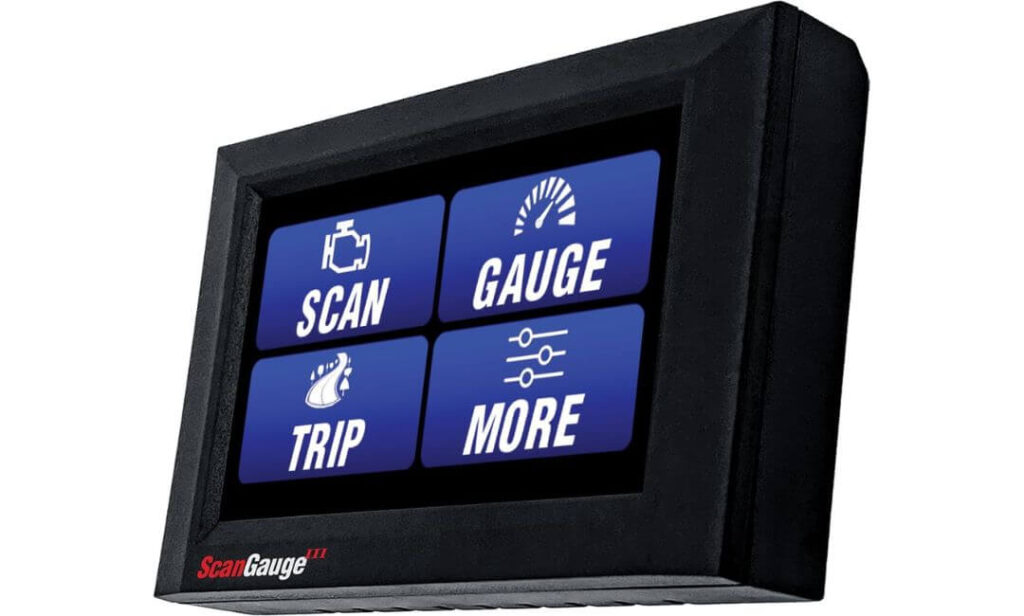
Key Specs:
- Display Type: OBD2 Digital HUD + Trip Computer
- Screen Size: 4.3-inch Capacitive Touchscreen
- Color Depth: 16 Million Colors
- Data Display: Up to 9 Gauges at Once
- Updates: Free Wireless WiFi Updates
- Compatibility: All 1996+ Vehicles with 16-Pin OBD2 Port
- Power Source: OBD2 Plug-In
We genuinely like what ScanGauge has done with the SG3. Compared to older generations, this version feels faster, smoother, and far more modern in daily use. The touchscreen interface alone is a big upgrade, making it easier to swipe between data pages, adjust gauge layouts, and customize what you see without digging through awkward button menus.
What impressed us most during testing is the depth of real-time information. This isn’t just a speed display, it’s a full vehicle monitoring system. Engine temperature, transmission data, fuel efficiency, voltage, load values, and trip stats all update live and stay stable even during long highway drives. Being able to display up to nine gauges at once means you can build a layout that actually matches how you drive.
Another strong point is reliability and convenience. Once plugged into the OBD2 port, it stays powered automatically and starts working every time you turn the key. No apps, no phone pairing, and no subscription nonsense. The built-in code reader is also a big win, letting you check and clear engine warnings without visiting a shop for simple diagnostics.
Important Highlights That Matter on the Road
- Large touchscreen with smooth navigation
- Displays multiple live engine and performance parameters
- Customizable gauge layouts with multiple pages
- Built-in check engine light scanner and reset function
- Free wireless software updates
What Customers Are Saying
Customer feedback on the ScanGauge 3 is strongly positive, especially around data accuracy and build quality. Many users mention that it works reliably across different vehicles and stays connected without random dropouts.
Visibility and screen clarity receive consistent praise, with drivers appreciating the bright display and easy-to-read layout. Setup is also viewed favorably, with most users describing it as simple plug-and-play.
Buyers frequently highlight the customization options, saying the ability to design their own gauge layouts adds real value. While a few mention the higher price point, many still consider it a solid long-term investment for real-time vehicle monitoring and diagnostics.
#4. HAOYICHE X100 Wireless Solar HUD
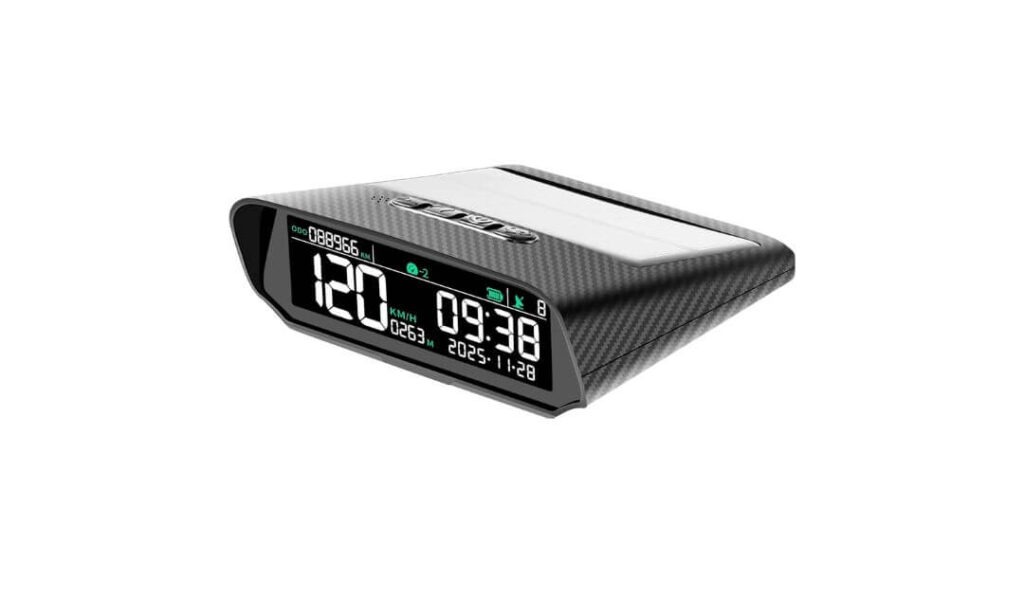
Key Specs:
- Type: GPS-Based Heads Up Display
- Screen: LCD Display
- Power: Solar Charging + USB / USB-C Backup
- Accuracy: ±1% GPS Speed Reading
- Data Shown: Speed, Time, Altitude, Temperature
- Alerts: Overspeed Warning
- Protection: IP67 Water Resistant
- Weight: 4.8 oz
Hardly anyone is talking about the HAOYICHE X100, but this is one of the few HUD units that actually solves the cable mess problem. The solar panel on top keeps the display running during daytime drives, so you don’t have to keep a wire plugged in all the time. For night driving or cloudy days, USB-C charging is there as backup, which is practical and simple.
The screen is another strong point. The numbers are bold and clear, and the carbon fiber-style housing doesn’t look cheap on the dashboard. While driving, the brightness adjusts on its own when you move from open sunlight into shaded roads or tunnels. You don’t need to manually change settings every time lighting conditions change.
This HUD is also more than just a speed reader. It shows altitude, temperature, and time, which comes in handy on long highway trips and mountain routes. The vibration wake feature means the display turns on as soon as the car starts moving. Add the waterproof body to that, and it becomes a solid option for people who drive in mixed weather or rough road conditions.
Important Things You’ll Actually Notice While Using It
- No constant power cable on the dashboard
- Solar charging works well in daytime driving
- Clear speed numbers that are easy to read
- Extra driving data like altitude and temperature
- Handles rain and dust without issues
What Customers Are Saying
Since this model is still new, there isn’t a large pool of long-term reviews yet. Early buyers mainly talk about the clean wireless setup and the solar charging feature, which many find convenient for daily driving.
Some users have mentioned good GPS speed accuracy and stable display performance in normal road conditions. More feedback is expected as more drivers use it over longer periods, but first impressions lean positive around build quality and ease of use.
#5. BY-J P17 Dual Source HUD
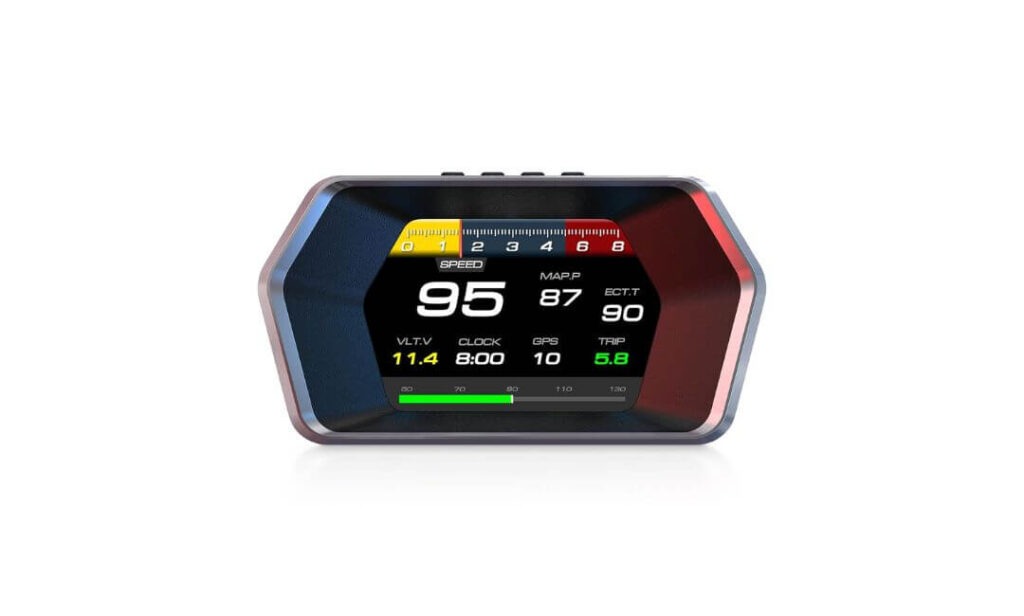
Key Specs:
- Display Type: OBD2 + GPS Dual Source HUD
- Data Shown: Speed, RPM, Fuel Consumption, Voltage, Coolant Temperature, Trip Info
- Brightness Control: Auto Light Sensor
- Installation: Plug-and-Play
- Compatibility: OBD2 (Gas cars), GPS (All Vehicles)
- Build Material: ABS
The BY-J P17 is the kind of HUD that grabs attention the moment you see “OBD2 + GPS” written on the box. That dual-source setup is the main reason many drivers choose it. You’re not relying on just one data stream. If OBD gives you engine-side accuracy, GPS keeps the speed data stable across different driving conditions. On the road, this combination feels more consistent, especially during highway cruising and stop-and-go traffic.
What makes the P17 practical for daily use is the amount of information it puts right in front of you. Speed, RPM, fuel usage, voltage, and temperature are all visible without forcing you to look down at the dashboard. During longer drives, being able to glance at fuel consumption and trip distance helps with planning stops and driving more efficiently.
Another thing worth mentioning is setup. You plug it in, mount it on the dash, and it starts working. No complicated menus, no phone apps, no pairing steps. The auto brightness feature also does its job well, keeping the display readable during the day and comfortable at night. Once installed, it feels like a built-in feature rather than an aftermarket add-on.
Important Things You’ll Notice While Driving
- Dual data source keeps speed readings stable
- Shows both driving and engine-related information
- Bright display that adjusts on its own
- Works with newer cars through OBD and all vehicles through GPS
- Clean dashboard setup with simple mounting options
What Customers Are Saying
Since the BY-J P17 is still a newer model, the number of long-term reviews is limited. Early buyers mainly focus on the dual-mode feature and the amount of live data shown on screen, which many find useful for everyday driving.
Initial feedback also points toward easy installation and good display clarity. As more drivers use it over time, clearer patterns around durability and long-term performance are expected to appear.
For now, this HUD stands out mainly because of its OBD + GPS combination, which gives it flexibility across different vehicle types and driving styles.
Best Aftermarket Heads-Up Display Comparison (Side-by-Side Breakdown)
| Model | Display Type | Power Source | Main Data | Best Use Case | Rating Style |
|---|---|---|---|---|---|
| wiiyii M7 Best Overall |
OBD2 + GPS | OBD / USB | Speed, RPM, Voltage, Temp | Daily driving with engine data | ⭐⭐⭐⭐☆ |
| KUOWEIHUD K1 Simple Setup |
GPS Only | USB Powered | Speed Only | Plug & play speed display | ⭐⭐⭐⭐⭐ |
| ScanGauge 3 Premium Pick |
OBD2 Touch Display | OBD Powered | Full Engine + Trip Data | Performance monitoring | ⭐⭐⭐⭐⭐ |
| HAOYICHE X100 Solar Powered |
GPS Wireless HUD | Solar + USB-C | Speed, Altitude, Temp | Cable-free driving setup | ⭐⭐⭐⭐☆ |
| BY-J P17 Dual Source |
OBD2 + GPS | OBD / USB | Speed, RPM, Fuel Data | Balanced performance HUD | ⭐⭐⭐⭐☆ |
Tip: Swipe left on mobile to compare all HUD models easily.
Bottom Line: Which Aftermarket HUD Delivers the Most Real-World Value
If you want the most balanced HUD for everyday driving, the wiiyii M7 makes the most sense. Dual data input (OBD + GPS), clear projection, and wide compatibility give it an edge for daily commuters who want more than just speed on the windshield.
For drivers who care about deep vehicle data and diagnostics, the ScanGauge 3 sits in a different league. It’s not just a HUD, it’s a full performance monitor with touchscreen control, live engine metrics, and built-in fault code access. If you want real-time engine insight, this is the serious option.
If your priority is simple speed display with zero wiring hassle, the KUOWEIHUD K1 is the cleanest choice. USB-powered, fast GPS lock, and large digits make it ideal for drivers who only want speed visibility without touching the OBD port.
For those who hate dashboard cables and drive in mixed conditions, the HAOYICHE X100 stands out with its solar-powered wireless setup and rugged build. It’s a good fit for long trips, outdoor driving, and minimal dashboard clutter.
The BY-J P17 fits right in the middle. Dual-source data, fuel monitoring, and easy setup make it a strong option for drivers who want more metrics without jumping into premium pricing.
What Separates a Good HUD From One You’ll Actually Keep Using
Not all heads-up displays fail because of hardware. Most fail because they don’t fit real driving behavior. Here’s what actually decides long-term satisfaction.
Data Source Priority (Where Your Speed Comes From Matters More Than You Think)
OBD-based HUDs pull speed directly from the car’s computer. That usually means tighter sync with RPM and engine load. GPS-based units stay consistent across vehicles and avoid ECU limitations.
Real-world takeaway:
- If you want engine-related insight → OBD support matters
- If you switch vehicles or drive older cars → GPS stability matters
- If you want reliability in mixed conditions → dual-source setups win
This is why dual-mode units tend to feel more “stable” during highway cruising and sudden speed changes.
Visibility Isn’t About Brightness — It’s About Contrast Control
Most buyers chase “high brightness”. What actually keeps the display readable is contrast tuning and glare handling.
What works on the road:
- Large digit spacing (not packed UI layouts)
- Matte projection surfaces or anti-reflective hoods
- Auto-dimming sensors that react gradually, not aggressively
If the HUD jumps brightness suddenly when entering shade or tunnels, it becomes distracting. Smooth transitions matter more than peak brightness numbers.
Mount Stability (The Silent Deal Breaker)
This rarely gets talked about.
A HUD that shifts slightly on rough roads becomes annoying fast. Vibration causes double-image projection and eye strain.
What separates solid mounts:
- Wide base suction cups or weighted stands
- Adjustable tilt angle without loose joints
- Low center of gravity design
If the unit moves even a few millimeters during bumps, long drives become uncomfortable.
Update Behavior (Does It Improve or Age?)
Some HUDs stay frozen at launch firmware. Others quietly improve over time.
Touchscreen and premium OBD units benefit the most from update support because:
- Sensor calibration improves
- UI lag gets optimized
- Compatibility expands
This is why ScanGauge-style systems tend to age better than cheap fixed-display models.
Power Behavior (Where Many Users Get Frustrated)
Not every USB port behaves the same.
Some vehicles keep USB power active after ignition off. That can drain HUD batteries or keep screens on.
Smarter setups handle this better by:
- Auto sleep detection
- Motion-based wake-up
- Voltage drop sensing
Solar-powered models reduce this problem, but still benefit from backup logic.
Information Density (More Data Isn’t Always Better)
There’s a sweet spot between useful and cluttered.
What works best:
- Speed always primary
- Secondary data like RPM or fuel only when needed
- Multi-page layouts instead of cramming everything on one screen
Drivers who overload the screen tend to stop using extra metrics after the first week.
Heat Tolerance (Dashboard Reality Check)
Dashboard temps cross dangerous levels in summer. Cheap plastics warp, screens fade, and suction cups fail.
HUDs that last longer usually have:
- Heat-resistant casing materials
- Internal airflow gaps
- Screen bonding rated for high temperatures
This matters more in sunny regions and long parking exposures.
Long-Term Use Reality
After the novelty phase, users only keep HUDs that:
- Start automatically
- Require zero daily adjustment
- Stay readable without manual tweaking
- Don’t interfere with windshield visibility
That’s the real success metric.
Placement & Setup Tuning (Where Most HUD Users Get It Wrong)
Most HUD complaints don’t come from bad hardware, they come from bad setup. A few small placement mistakes can completely change how usable a heads-up display feels on the road.
Windshield Angle Matters More Than Mount Position
Most drivers stick the HUD wherever space looks empty. That’s the mistake.
The projection works best when the windshield angle matches the HUD’s reflector tilt. Flat dashboards with steep windshields usually need the unit placed slightly closer to the driver, not at the far edge near the glass. When aligned correctly, the numbers appear “floating” instead of double-reflecting.
If you see ghost images or blurred digits, it’s almost always angle mismatch, not screen quality.
Cable Routing: Small Detail, Big Difference
This is boring to talk about, but it changes how premium the setup feels.
A visible cable running across the dash kills the clean look and becomes distracting in sunlight reflections. The better approach is:
- Run USB cables along the A-pillar edge
- Tuck excess length under trim gaps
- Avoid crossing air vents or steering column zones
When done properly, the HUD looks factory installed instead of aftermarket.
OBD Port Position = Display Stability
Not all OBD ports sit in ideal locations.
If your port is loose or angled downward, the cable weight can pull the HUD connector over time. That causes intermittent power drops and random restarts.
What works better:
Use a short OBD extension cable. It reduces stress on the port and allows cleaner routing. Small upgrade, big reliability improvement.
GPS Signal Lock: Don’t Fight the Dashboard
For GPS-based HUDs, placement near the windshield base works best.
Metal-coated glass, thick tint layers, or parking under covered areas slow down satellite lock. The fix is simple:
Move the HUD slightly closer to the glass and away from metal trim lines. Even a 2–3 cm shift improves signal stability.
Brightness Calibration Is Not One-Time Setup
Auto brightness works well, but manual baseline tuning still matters.
After installing:
- Drive once during bright daylight
- Drive once at night
- Adjust minimum brightness threshold
This prevents over-dimming at night or glare during cloudy daytime driving. Most users skip this and then complain about visibility later.
Vibration Control (Why Some Displays Shake)
HUD shaking is usually caused by dash surface texture.
Soft rubber dashboards grip suction cups well. Hard plastic surfaces don’t.
If your dash is textured plastic:
Use the included adhesive base plate instead of direct suction. It absorbs vibration and keeps the HUD steady during rough roads.
First Week Adjustment Period
Here’s the honest part nobody mentions.
The first 3–5 days feel slightly “off” because your eyes are used to dashboard speedometers. After that, your brain adapts to windshield viewing and it becomes natural.
Don’t judge placement on day one. Drive a few commutes, then fine-tune angle and brightness.
When Setup Is Done Right
You’ll notice:
- No double reflections
- No eye strain
- Speed readable without shifting focus
- No cable distraction
- No manual adjustments every drive
That’s the sign the HUD is tuned correctly.
Reliability Reality Check (What Survives Daily Driving and What Doesn’t)
Most HUDs look fine on day one. The real test starts after a few weeks of heat, vibration, short trips, and long highway runs.
Heat Is the Silent Killer
Dashboard temperature summer me insane ho jata hai. Cheap displays yahin give up karte hain.
You’ll usually see three early warning signs:
- Screen color fading slightly
- Random dimming behavior
- Housing getting warm faster than normal
Units with thicker casing and proper internal spacing handle this better. If a HUD stays cool to touch even after parking in sunlight, that’s a good sign.
Power Stability Tells You a Lot
Good HUDs behave predictably.
Bad ones show patterns like:
- Restarting when headlights turn on
- Power cutting on bumps
- Random boot loops after engine start
Stable units boot once, lock signal fast, and stay on without flicker. That consistency is what separates usable devices from frustrating ones.
Buttons vs Touchscreens (Long-Term Feel)
Physical buttons survive abuse better. Touchscreens feel premium but depend on panel quality.
From long-term use perspective:
- Buttons = less sensitive to heat
- Touchscreens = smoother control but need better glass bonding
That’s why premium OBD units invest heavily in screen quality.
Cable Wear Is Real
After months of driving, cheap USB cables start causing issues.
Watch for:
- Loose power connection
- Screen cutting off when turning wheel
- Data freezing randomly
Using shorter cables and avoiding sharp bends near the plug extends life more than most people realize.
Sensor Drift Over Time
GPS units rarely drift badly. OBD-based displays depend on vehicle ECU behavior.
What matters is recalibration support. Devices that allow resetting offsets and updating firmware stay accurate longer.
What “Good Reliability” Actually Looks Like
You stop thinking about the HUD.
No resets.
No brightness fiddling.
No mounting readjustments.
No random bugs.
When it fades into the background and just works, that’s success.
Compatibility Pitfalls (Cars That Break HUD Expectations)
Most compatibility issues don’t show up on product pages, they show up after installation. On paper, many HUDs claim “universal support,” but real-world results depend heavily on vehicle electronics, windshield design, and power behavior. Some cars send limited data through the OBD port, which means RPM or fuel information may not display even though the HUD powers on normally. This happens more often with certain European models and heavily modified vehicles where ECU communication standards differ.
Windshield construction also plays a bigger role than most people expect. Cars with metallic heat-reflective glass or advanced UV coatings can weaken GPS signals and create projection ghosting. In these cases, HUDs may still work, but placement becomes more sensitive. Moving the unit closer to the glass or changing mounting angle often improves readability and satellite lock, but it’s something buyers rarely anticipate before installation.
Power behavior is another hidden factor. Some vehicles keep USB ports active even after the engine is turned off. This can cause HUDs to stay powered longer than expected, leading to unnecessary battery drain if the car sits unused. On the other side, certain cars cut accessory power too aggressively during engine start, causing brief resets that look like device faults but are actually vehicle-side behavior.
Trucks, diesel vehicles, and electric cars bring their own challenges. Many OBD-based HUDs don’t fully support diesel protocols or EV data structures, which is why GPS-based or dual-source units perform more consistently across these platforms. This is also where dual-mode HUDs show their advantage, since they allow switching data sources instead of forcing compatibility through one channel.
The biggest mistake is assuming every HUD will behave the same across all vehicles. Real compatibility comes from understanding how your car delivers power, how its windshield handles projection, and how its ECU communicates data. When those factors align, the HUD experience feels seamless. When they don’t, even premium hardware can feel underwhelming.
Long-Term Ownership Experience (What Changes After the First Month)
The first week with a new HUD feels exciting. You notice the floating speed numbers, play with brightness settings, and check different data screens. After a month, the experience becomes more honest. This is when you find out whether the HUD is actually useful or just another gadget on the dashboard.
What usually changes first is how often you look at it. In the beginning, most drivers check every metric. Over time, usage becomes more focused. Speed remains the main reason the HUD stays on, while secondary data like RPM or fuel consumption gets used only during specific driving situations. Good HUDs adapt to this naturally by letting you simplify the display instead of forcing clutter.
Mount stability also shows its true quality after a few weeks of bumps, potholes, and highway vibration. Units with solid bases stay aligned and maintain a clean projection angle. Weaker mounts slowly shift, creating blurred reflections that make drivers start adjusting position again and again. This is one of the main reasons people abandon HUDs they initially liked.
Brightness behavior becomes more noticeable with seasonal driving. During longer daylight hours, displays that handle contrast well remain readable without constant tweaking. At night, poorly tuned auto-dimming systems either stay too bright or become too dark to read comfortably. The HUDs that last in daily use are the ones you stop thinking about because they simply adjust themselves correctly.
Another long-term factor is startup behavior. Reliable units power on smoothly every time you start the engine and reconnect to data sources quickly. Inconsistent ones take longer to lock GPS signals or show delayed OBD data, which slowly becomes annoying in daily commuting. Small delays may not seem important at first, but they add friction over time.
After a month, the real value becomes clear. The HUD that survives long-term use is the one that blends into your driving routine. You stop treating it like a gadget and start relying on it as part of your normal driving view. That’s when a heads-up display becomes worth keeping.
FAQs
Is an aftermarket heads-up display actually accurate for daily driving?
Yes, but accuracy depends on the data source. GPS-based HUDs are usually consistent across different cars, while OBD-based HUDs sync directly with the vehicle computer. Dual-source models perform best because they balance both inputs. In real use, small 1–2 mph variation is normal and doesn’t affect driving decisions.
Will a HUD work properly on tinted or coated windshields?
It works, but placement becomes more important. Heavy tint or metallic-coated glass can reduce projection clarity and GPS signal strength. In most cases, adjusting the mounting angle or moving the unit closer to the windshield base fixes the issue. Anti-reflective films also help improve readability.
Can using a HUD drain my car battery?
Not under normal driving conditions. Most HUDs shut off automatically when the ignition turns off. The only exception is vehicles where USB ports stay powered after shutdown. In those cases, unplugging the device or using solar-powered or motion-based wake HUDs prevents unnecessary battery usage.
Are aftermarket HUDs safe to use at night?
Yes, when brightness control is properly tuned. Good HUDs automatically dim in low-light conditions to avoid glare. If the display feels distracting at night, lowering the base brightness setting usually solves the problem. Proper setup makes night driving more comfortable, not harder.
Which is better for long-term use: GPS HUD or OBD HUD?
For simple speed display, GPS HUDs are easier to maintain and work across all vehicles. For drivers who want engine data, fuel usage, and diagnostics, OBD HUDs provide more depth. Dual-source HUDs combine both benefits and tend to age better with changing vehicles.
A good aftermarket HUD doesn’t feel like an add-on. It becomes part of your driving workflow. When speed data updates without lag, brightness adjusts without you noticing, and the display stays stable across long drives and rough roads, that’s real value. The right choice isn’t the one with the longest feature list, it’s the one that stays useful months later without demanding attention. Pick for consistency, not hype, and the experience stays rewarding every time you start the engine.