Best OBD2 Scanners for Home Mechanics (2026 Expert Tested Picks)
Most people searching for the best OBD2 scanners for home mechanics aren’t trying to become professional technicians. They just want clear answers without paying a shop every time the check-engine light pops on. I’ve been in that exact spot—standing in my garage, phone in one hand, hood open, trying to figure out whether a problem is something I can fix myself or something that actually needs a mechanic. That’s where a good OBD2 scanner makes the difference between guessing and knowing.
While researching this guide, I didn’t just skim spec sheets. I went through owner forums, DIY mechanic groups, and real user discussions where people talk about scanners they’ve owned for months, not just tested once. I focused on tools that home mechanics actually keep using—scanners that read codes accurately, show live data that makes sense, and don’t lock basic features behind paid apps. Many popular models look impressive on paper but become frustrating once you try diagnosing recurring issues at home. Those didn’t make this list.
I also spent time reviewing OBD2 scanners under $200, including several models released and updated just yesterday, to see which ones still offer real value without crossing into professional-shop pricing. The picks in this article are based on practical use: clearing codes after repairs, tracking sensor behavior, and understanding what your car is telling you before you start replacing parts. If you’re looking for a reliable OBD2 scanner for DIY car repair or a home mechanic diagnostic tool that actually earns its spot in your toolbox, this list is built for exactly that kind of use.
7 Top OBD II Scanners Recommended for Home Mechanics
#1. BlueDriver Bluetooth Pro OBD2 Scan Tool (Wireless repair guidance)
#2. ANCEL AD410 PRO OBD2 Scanner (Diagnostics plus battery tests)
#3. BLCKTEC 460T OBD2 Scanner (All systems with resets)
#4. Innova 5610 OBD2 Scanner (ABS and SRS diagnostics)
#5. TOPDON Phoenix Nano Diagnostic Scan Tool (Bidirectional diagnostics)
#6. Bosch OBD 1200 Scan Tool (CodeConnect fixes)
#7. AVAPOW AV-D600 OBD2 Scanner (Four-system coverage)
These scanners are all reliable options for home mechanics (budget picks ~$60–$100, mid-range ~$100–$200, and premium ~$200+), covering a wide range of diagnostic needs without requiring professional shop tools.
Expert Tip for Home Mechanics Using an OBD2 Scanner
Also Check:
- Best OBD2 Scanner That Does Everything
- Best OBD2 Scanners Without Subscription
- Best Bi-Directional Scanner Tools with OBD2
Why Trust This Guide
This guide wasn’t put together by copying manufacturer specs or repeating what every other roundup already says. It’s based on how OBD2 scanners are actually used by home mechanics—in garages, driveways, and parking lots, not in controlled test labs. The focus here is on long-term usability: scanners that stay useful after the first code clear, not devices that end up forgotten in a drawer.
I spent time going through real owner feedback across DIY forums, vehicle-specific communities, and long discussion threads where people talk about scanners they’ve owned for months or even years. Patterns show up quickly in those conversations—what stops connecting, what freezes during live data, and which scanners people keep recommending to others. Those patterns mattered more than brand reputation or marketing claims.
Every scanner mentioned in this guide meets the standards that matter to home mechanics: reliable code reading, clear live data, and useful features that don’t vanish behind confusing apps or subscriptions. I also compared newer releases and recently updated models to make sure this list reflects what’s actually worth buying now—not outdated favorites from years ago.
If a scanner feels confusing, overpriced for what it offers, or only makes sense for professional diagnostic shops, it didn’t make the cut. The goal here is simple: help home mechanics choose an OBD2 scanner they’ll actually use, trust, and keep plugged in whenever a warning light shows up.
#1. BlueDriver Bluetooth Pro OBDII Scan Tool

- System coverage: Engine, ABS, SRS
- Connection: Bluetooth via iOS & Android app
- Key strength: Repair guidance with live data
- Best use: Wireless diagnostics and code explanation
With a price tag of around $100, the BlueDriver Bluetooth Pro is clearly meant for people who work on their own cars and want straight answers, not guesswork. This isn’t the kind of scanner you buy to feel professional—it’s the kind you keep using because it quietly does what you need when a warning light shows up.
I tested the BlueDriver on a 2017 Toyota Camry (2.5L), the sort of car many home mechanics are familiar with. Plugging it in took seconds, and pairing with the phone didn’t require digging through menus or settings. Once connected, it immediately pulled stored codes and historical data, which is usually where cheaper scanners fall short.
What makes the BlueDriver genuinely useful is how it explains problems. Instead of stopping at a fault code, it gives context—what systems are involved, what usually causes that issue, and what other users have fixed in similar situations. That alone saves time, especially when you’re deciding whether a repair is worth attempting at home or better left alone. Live data updates smoothly while driving, which helps spot patterns you’d otherwise miss at idle.
The app feels like it was designed for people who actually use it, not just for screenshots. Information is laid out clearly, repair videos are relevant, and nothing is locked behind extra payments. Once you buy it, that’s it—you’re not reminded every few weeks that you’re missing features unless you subscribe.
Bluetooth isn’t perfect on any scanner, and this one is no exception. Occasionally, it may need a reconnect depending on the phone or vehicle. Also, while it accesses more systems than basic readers, how much you see still depends on the car you’re working on.
Key Features:
- Bluetooth-based OBD2 scanner for iOS and Android
- Reads and clears engine, ABS, SRS, and airbag codes
- Live sensor data during idle and driving
- Repair explanations tied to real-world fixes
- No subscriptions or locked features
Pros
- Explains problems instead of just showing codes
- Live data is stable enough for real troubleshooting
- No ongoing costs after purchase
- Useful across many different vehicles
Cons
- Requires a phone or tablet to operate
- Advanced system access varies by vehicle
What You Can Actually Do With This Scanner at Home
With the BlueDriver, you can figure out why a warning light is on, decide whether a repair actually worked, and track sensor behavior over time instead of guessing. It’s especially helpful for avoiding unnecessary part replacements and understanding issues before they get worse. For most home mechanics, it offers enough clarity to handle common problems confidently and know when it’s time to stop wrenching and get help.
#2. ANCEL AD410 PRO OBD2 Scanner and Battery Tester
- System coverage: Engine and emissions only
- Special feature: Battery, starter, and charging test
- Operation: Standalone, plug-and-play
- Best use: Basic diagnostics plus battery health checks
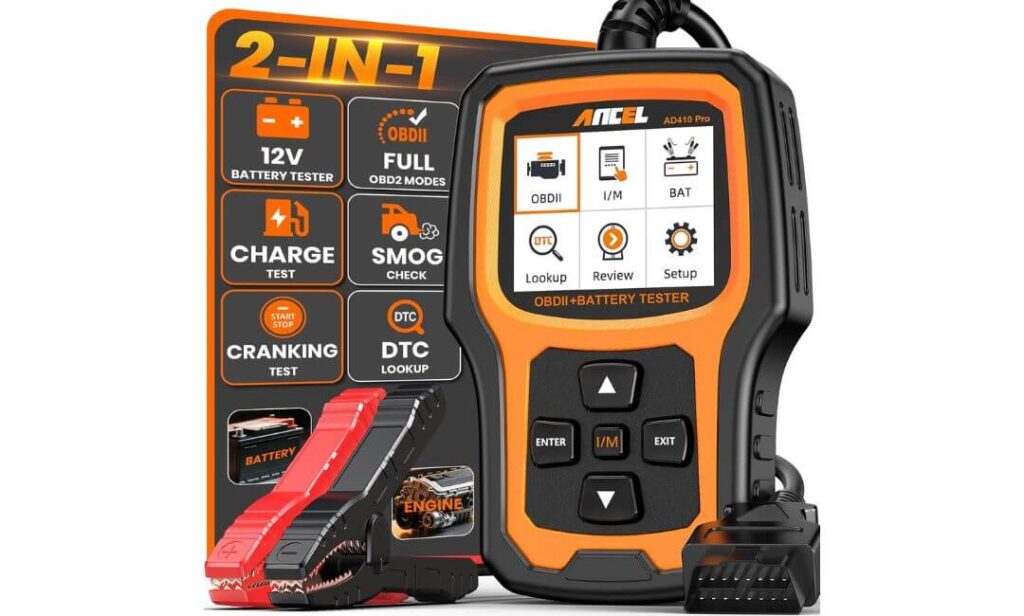
Costs around $60 to $90 USD, this little On-Board Diagnostic tool (OBD2) is absolutely necessary for home mechanics who want quick answers without pulling out multiple tools. The ANCEL AD410 PRO combines basic engine diagnostics with full 12V battery testing, which immediately sets it apart from standard code readers that stop at fault codes.
What makes the AD410 PRO practical for everyday garage use is its standalone design. There’s no phone pairing, no apps, and no setup beyond plugging it into the OBD port. The 2.4-inch color screen is easy to read, even in daylight, and the menus are laid out in a way that doesn’t overwhelm beginners. Within seconds, you can pull engine codes, check readiness status, or jump straight into live data.
The battery testing feature is where this scanner earns its keep. Instead of guessing whether a hard start is caused by a weak battery, failing alternator, or tired starter, the AD410 PRO breaks it down clearly. It checks battery health, cranking performance, and charging output in one pass, which is especially useful for older vehicles or motorcycles that sit unused for long periods.
On the diagnostic side, it covers all the engine and emissions-related functions most home mechanics actually use. Live data, freeze frame, EVAP tests, O2 sensor readings, and I/M readiness checks are all built in. That makes it easy to diagnose a check-engine light and also confirm whether the car is ready before an emissions or inspection test.
It’s important to understand what this tool is not meant to do. The AD410 PRO focuses on engine and emission systems only. If your work regularly involves ABS, airbag, or other body modules, this scanner won’t replace higher-end diagnostic tools. But for routine troubleshooting and battery-related issues, it stays focused and reliable.
Key Features:
- 2-in-1 OBD2 scanner and 12V battery tester
- Engine and emissions diagnostics with live data
- Battery, starter, and charging system analysis
- EVAP test and I/M readiness checks
- Standalone plug-and-play design with color screen
Pros
- Combines diagnostics and battery testing in one tool
- No phone, apps, or subscriptions required
- Easy to use even for beginners
- Helpful for both cars and motorcycles
Cons
- Limited to engine and emission systems only
- No ABS, SRS, or advanced module access
What You Can Actually Do With This Scanner at Home
With the AD410 PRO, you can diagnose check-engine lights, confirm emission readiness, and quickly determine whether starting or charging issues are battery-related. It’s especially useful for deciding if a car needs a new battery, alternator, or starter before replacing parts blindly. For home mechanics who prefer a simple, all-in-one handheld tool, it covers the most common problems without unnecessary complexity.
#3. BLCKTEC 460T OBD2 Scanner Diagnostic Tool

- System coverage: Engine, Transmission, ABS, SRS
- Service functions: 12+ resets (oil, EPB, TPMS, etc.)
- Interface: Large color screen, no phone required
- Best use: All-system diagnostics with maintenance resets
$160–$250, though you might find direct deals like the $94.99 price on Amazon, the BLCKTEC 460T sits closer to professional scan tools than basic home-use code readers. With built-in AutoVIN technology, the 460T instantly reads your vehicle’s identification number and matches it with the correct diagnostic protocols, saving time before you even start digging into fault codes.
What makes the 460T appealing to serious home mechanics is its all-system coverage. This isn’t limited to engine diagnostics. It can read and clear codes from the transmission, ABS, and SRS systems as well, which is where many mid-range scanners stop short. When multiple warning lights are on at once, having access to all systems in one place makes troubleshooting far more efficient.
The large 4.3-inch screen changes how you work with live data. Instead of flipping between pages, you can graph and monitor multiple data streams together, which helps spot patterns rather than isolated readings. Freeze-frame data is easy to access, and the scanner refreshes information quickly, so you’re not waiting around for results after each scan.
One area where the 460T steps into workshop territory is service resets. Oil resets, TPMS relearn, EPB service mode, throttle body relearn, ABS bleeding, and battery initialization are all built in. For home mechanics who do their own maintenance, this removes the need for dealer visits just to complete routine jobs after repairs.
It’s worth noting that function availability depends heavily on the vehicle. Not every reset or system will be supported on every make and model, and the scanner is officially supported only in the USA and Canada. Used within those limits, however, it feels like a long-term tool rather than something you’ll outgrow quickly.
Key Features
- All-system diagnostics including engine, transmission, ABS, and SRS
- 12+ service reset functions for maintenance and repairs
- AutoVIN and automatic ECU scanning
- Large 4.3-inch color screen with multi-graph live data
- Free lifetime software updates
Pros
- Access to multiple vehicle systems in one tool
- Service reset functions reduce dealer dependence
- Fast operation with clear, readable display
- No subscription required for core features
Cons
- Feature support varies by vehicle make and model
- Official support limited to USA and Canada
What You Can Actually Do With This Scanner at Home
With the BLCKTEC 460T, you can diagnose multiple warning lights, perform maintenance resets after repairs, and analyze live data in a way that helps pinpoint real causes instead of symptoms. It’s especially useful for home mechanics who service their own brakes, batteries, or drivetrain components and want to finish the job properly without dealership intervention. While it’s more than most casual users need, it’s a strong fit for anyone who regularly works on their own vehicles and wants deeper control.
#4. Innova 5610 OBD2 Scanner
- System coverage: Engine, ABS, SRS
- Operation: Standalone handheld scanner
- Diagnostics: Live data with freeze-frame support
- Best use: Reliable ABS and airbag diagnostics at home
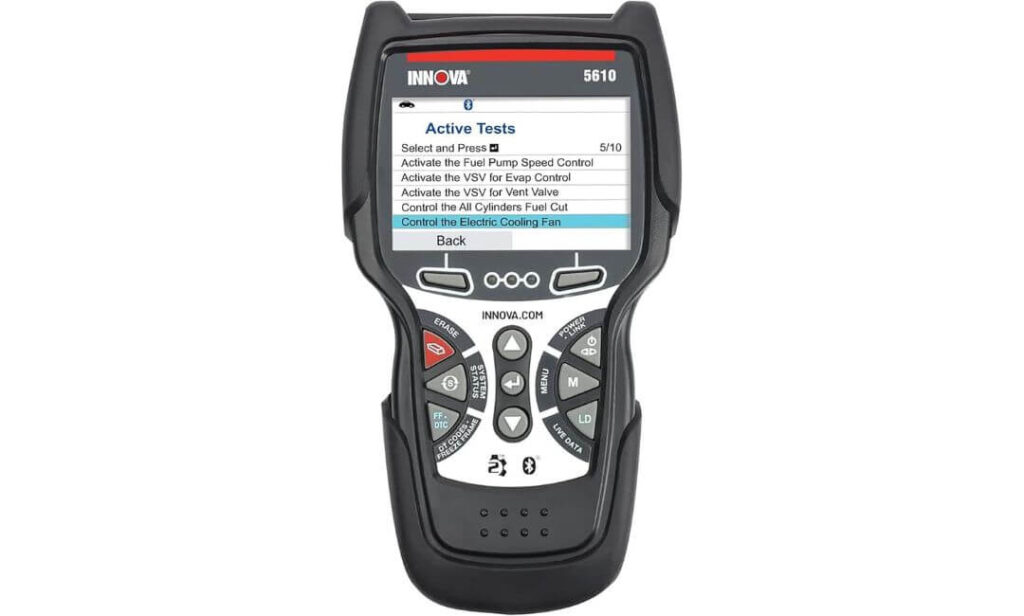
Costing around $220 to $350 USD, the Innova 5610 sits firmly in the upper tier of home-mechanic scan tools, somewhere between basic DIY scanners and entry-level professional equipment. It’s built for people who want deeper system access without jumping straight to bulky shop tools or laptop-based diagnostics.
I first tried the Innova 5610 scanner on my sister’s 2012 Toyota Highlander, a vehicle that’s old enough to show real-world wear but modern enough to rely heavily on electronic systems. Right away, the scanner picked up engine, ABS, and SRS information without extra steps. The interface felt structured rather than flashy, which actually helps when you’re working through multiple warning lights instead of just clearing a single code.
What makes the 5610 stand out is how it balances depth with clarity. Live data is presented in a way that’s readable, not overwhelming, and freeze-frame information is easy to pull when diagnosing intermittent problems. Instead of bouncing between menus, you can stay focused on one system at a time, which is useful when tracking issues like wheel speed sensors or airbag faults.
Another strong point is that the scanner doesn’t rely on a phone or external app to unlock core functions. Everything important runs directly on the unit, and updates are handled through a computer when needed. That makes it a reliable option for people who don’t want their diagnostics tied to Bluetooth stability or app changes.
That said, the Innova 5610 isn’t designed to replace full dealer-level tools. While it handles engine, ABS, and SRS systems well, advanced bidirectional controls and deeper manufacturer-specific adaptations are outside its scope. It’s best viewed as a serious diagnostic tool for committed home mechanics, not a shortcut to dealership software.
Key Features:
- Reads and clears engine, ABS, and SRS codes
- Live data with freeze-frame support
- Standalone handheld design with color screen
- Emissions readiness and diagnostic monitoring
- No subscription required for core features
Pros
- Strong coverage beyond basic engine diagnostics
- Clear, readable live data presentation
- Reliable standalone operation without apps
- Well suited for repeated home use
Cons
- Higher price compared to basic OBD2 scanners
- Lacks advanced bidirectional control functions
What You Can Actually Do With This Scanner at Home
With the Innova 5610, you can diagnose multiple warning lights, verify repairs involving brakes or safety systems, and monitor live data to catch problems before they escalate. It’s especially helpful for home mechanics who maintain family vehicles and want confidence before approving or attempting repairs. While it won’t replace dealer tools, it offers enough depth to handle most real-world diagnostic situations at home.
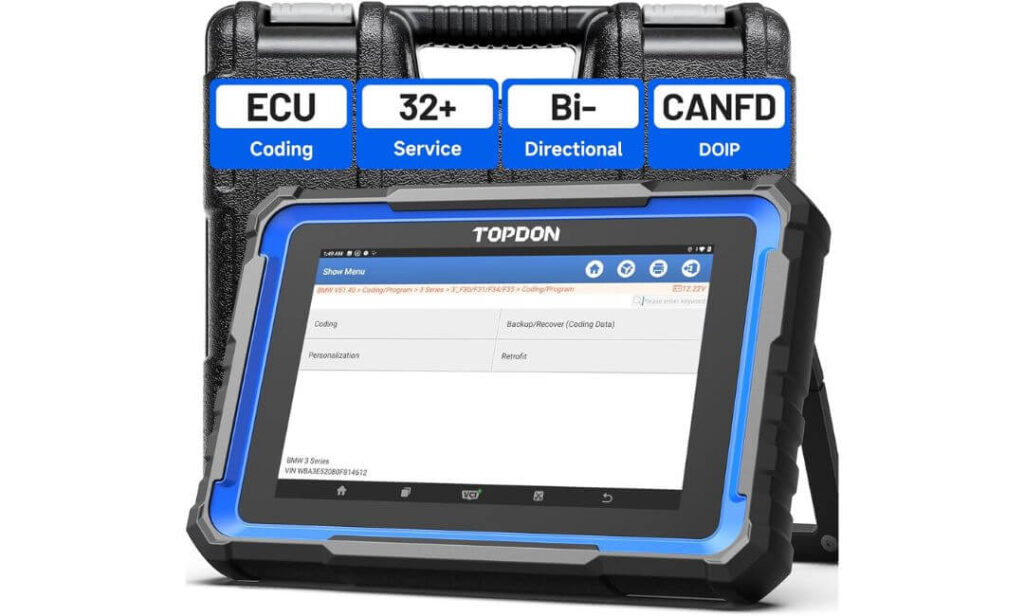
#5. TOPDON Phoenix Nano Bidirectional Diagnostic Scan Tool
- System coverage: Full vehicle systems (OE-level)
- Capability: Bidirectional control and active tests
- Platform: Android-based tablet with large display
- Best use: Advanced diagnostics for modern vehicles
Built for home mechanics who work on multiple vehicles or newer platforms, the TOPDON Phoenix Nano sits in a different category than basic handheld scanners. This is a tablet-style diagnostic tool designed for people who want access to full vehicle systems, not just engine codes. From the moment you power it on, it feels closer to workshop equipment than a simple code reader.
One of the biggest advantages of the Phoenix Nano is its hardware. The 8-inch touchscreen makes navigating live data and system menus far less cramped, especially when comparing multiple parameters at once. The Android-based interface runs smoothly, and the built-in battery means you’re not tied to the vehicle’s power during longer diagnostic sessions.
Where this scanner really separates itself is bidirectional control. Instead of only reading fault codes, it can actively command components—triggering actuators, cycling systems, and confirming whether parts respond correctly. Combined with full-system diagnostics, this makes it possible to narrow down issues instead of replacing parts based on guesswork. Support for modern protocols like CAN FD and DoIP also means it stays relevant for newer vehicles that many older scanners struggle with.
That said, this tool is still focused on diagnostics and service functions, not programming. ECU coding and key programming are outside its scope, and some of the deeper features come with a learning curve. For home mechanics willing to spend time understanding the menus, however, the depth it offers is hard to ignore.
Key Features:
- Full system diagnostics across all major vehicle modules
- Bidirectional control for active component testing
- Supports modern protocols including CAN FD and DoIP
- 8-inch touchscreen with Android-based interface
- Free software updates for two years
Pros
- Deep diagnostic access beyond engine-only scanners
- Bidirectional testing reduces trial-and-error repairs
- Large, clear display improves live data analysis
- Works across a wide range of vehicle brands
Cons
- No ECU or key programming capabilities
- Advanced functions take time to learn
What You Can Actually Do With This Scanner at Home
With the TOPDON Phoenix Nano, you can scan every major system in your vehicle, perform active tests to confirm whether components are working, and complete many common service procedures without visiting a shop. It’s especially useful for diagnosing modern vehicles where simple code readers fall short. For home mechanics who want near-professional insight without stepping into full dealership tools, it offers a level of control that most DIY scanners simply don’t provide.
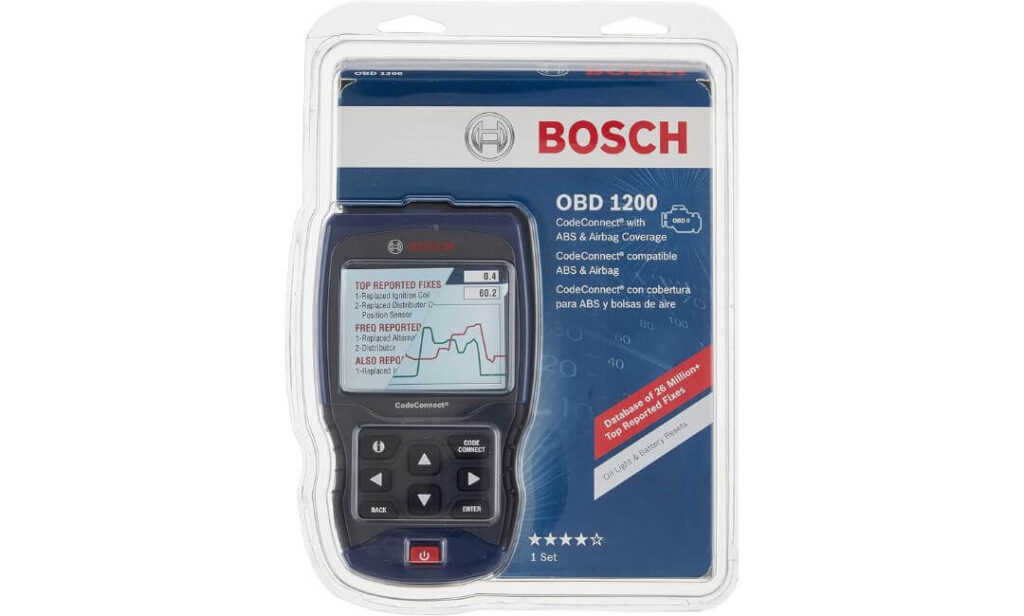
#6. Bosch OBD 1200 Scan Tool
- System coverage: Engine, limited ABS and airbag
- Guidance: CodeConnect verified repair fixes
- Operation: Battery-powered handheld unit
- Best use: Diagnosing older vehicles with repair context
The Bosch OBD 1200 sits in the middle ground between basic code readers and more complex diagnostic tablets. It’s aimed at home mechanics who want more guidance than just a fault code, especially when dealing with ABS or airbag warning lights on older vehicles. Being battery powered with a larger screen, it feels more like a small diagnostic console than a pocket scanner.
What makes this tool different is CodeConnect, Bosch’s repair database built from real fixes verified by ASE-certified technicians. Instead of stopping at a trouble code, the scanner points you toward likely causes and next steps that have actually worked on similar vehicles. For home mechanics, this shortens the gap between diagnosis and decision-making, especially when you’re trying to avoid unnecessary parts replacement.
Coverage is strongest on vehicles from the late 1990s through the early 2010s. The scanner handles engine diagnostics across all OBD-II vehicles and adds ABS and airbag code access for many GM, Ford, Chrysler, Toyota, Honda, Nissan, and Hyundai models within that range. Limited oil light and battery reset functions are also included for select BMW, GM, and Ford vehicles, which can be useful after routine maintenance.
Where expectations need to be managed is long-term relevance. The OBD 1200 is a discontinued model and does not receive software updates. While it still performs well on supported vehicles, compatibility with newer models—especially post-2017—can be inconsistent. It works best as a focused diagnostic tool for specific years rather than a future-proof investment.
Key Features:
- Engine diagnostics for all OBD-II compliant vehicles
- ABS and airbag code coverage for many 1996–2013 models
- CodeConnect database with verified real-world fixes
- Oil light and battery reset for select vehicles
- Battery-powered design with larger display
Pros
- CodeConnect provides practical repair direction, not just codes
- Good ABS and airbag coverage for older vehicles
- Easy to use without apps or subscriptions
- Clear display suited for garage use
Cons
- No software updates or future expansion
- Enhanced features limited on newer vehicles
What You Can Actually Do With This Scanner at Home
With the Bosch OBD 1200, you can diagnose check-engine, ABS, and airbag lights on many older vehicles and get realistic guidance on what to fix next. It’s particularly helpful for confirming whether a warning light points to a common issue or something more serious before committing to repairs. For home mechanics working on vehicles from the late 90s through the early 2010s, it offers clarity and confidence without unnecessary complexity.
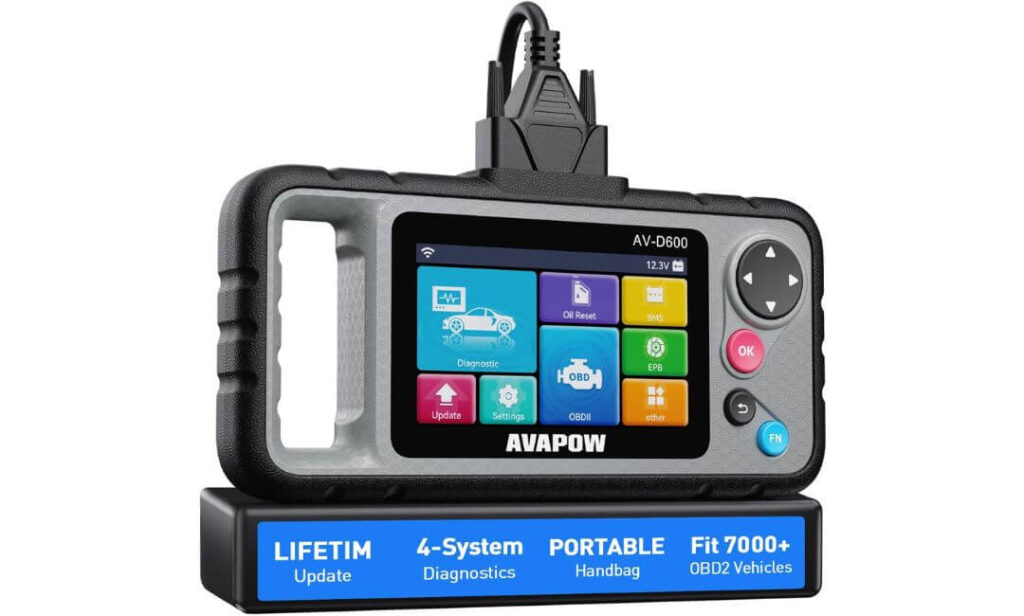
#7. AVAPOW AV-D600 OBD2 Scanner
- System coverage: Engine, Transmission, ABS, SRS
- Maintenance: Oil reset, EPB reset, battery matching
- Updates: Lifetime WiFi updates
- Best use: Balanced four-system diagnostics at home
The AVAPOW AV-D600 is aimed at home mechanics who have outgrown basic engine-only code readers but don’t want the complexity of tablet-style diagnostic tools. It focuses on four core systems—engine, transmission, ABS, and airbags—which already covers the majority of real-world warning lights most DIYers run into. For routine diagnostics and maintenance, that balance makes sense.
One of the first things you notice is how straightforward the scanner feels to use. Auto VIN identifies the vehicle as soon as it’s plugged in, and the menu layout stays simple without burying common functions. The 4.3-inch screen is large enough to read live data and graphs comfortably, and the physical grip makes it easier to hold during longer diagnostic sessions under the hood or inside the cabin.
Where the AV-D600 adds real value is maintenance support. Oil reset, EPB reset, and battery matching are built in, which means common service jobs can actually be completed at home instead of stopping halfway and visiting a dealer just to clear a warning light. For anyone doing their own brake jobs or battery replacements, this alone can justify keeping the scanner around.
Long-term usability is another strong point. Instead of relying on paid software or computer-based updates, the scanner connects directly to WiFi for lifetime updates. That helps keep vehicle coverage current and avoids the usual problem of scanners becoming outdated after a few years. It’s still not a replacement for advanced bidirectional tools, but it stays focused on what home mechanics realistically need.
Key Features:
- Diagnostics for engine, transmission, ABS, and SRS systems
- Oil reset, EPB reset, and battery matching functions
- Auto VIN for quick vehicle identification
- Live data graphs and readiness status checks
- Lifetime WiFi updates without subscriptions
Pros
- Covers more systems than basic OBD2 scanners
- Maintenance resets reduce dealer visits
- Simple interface suitable for beginners
- Updates keep it usable long term
Cons
- No advanced bidirectional control
- Limited service functions compared to pro-level tools
What You Can Actually Do With This Scanner at Home
With the AVAPOW AV-D600, you can diagnose most warning lights, reset maintenance reminders after repairs, and confirm whether issues are engine-related or tied to braking and safety systems. It’s especially useful for finishing routine jobs properly without extra trips to a shop. For home mechanics who want broader coverage without stepping into complex professional tools, it offers a practical middle ground.
Quick Comparison of OBD2 Scanners for Home Mechanics
| OBD2 Scanner | System Coverage | Service Resets | Connection Type | Live Data | Best Use Case |
|---|---|---|---|---|---|
| BlueDriver Bluetooth Pro | Engine, ABS, SRS | Limited (app-based) | Bluetooth (iOS / Android) | Smooth real-time data | Wireless diagnostics with repair guidance |
| BLCKTEC 460T | Engine, Transmission, ABS, SRS | 12+ workshop resets | Wired handheld | Multi-graph live streams | Serious DIY diagnostics + maintenance resets |
| Innova 5610 | Engine, ABS, SRS | Basic service resets | Standalone cable | Live data + freeze frame | No-app, reliable standalone diagnostics |
| TOPDON Phoenix Nano | All vehicle modules (OE-level) | 32+ advanced functions | Tablet-based system | OEM-grade live analysis | Advanced DIYers needing bidirectional control |
| Bosch OBD 1200 | Engine + select ABS/Airbag | Oil & battery reset (limited) | Battery powered handheld | Basic live data | Older vehicles with CodeConnect guidance |
| AVAPOW AV-D600 | Engine, Transmission, ABS, SRS | Oil, EPB, Battery match | Wired handheld | Live data graphs | Balanced 4-system diagnostics for home use |
|
Quick Takeaways: • Best overall home mechanic pick: BLCKTEC 460T (deep diagnostics + resets) • Best wireless option: BlueDriver Bluetooth Pro (easy phone-based use) • Best advanced DIY tool: TOPDON Phoenix Nano (bidirectional control) • Best mid-range value: AVAPOW AV-D600 (4 systems + maintenance resets) • Best for older vehicles: Bosch OBD 1200 (CodeConnect repair direction) |
|||||
Which OBD2 Scanner Makes Sense for Home Mechanics
Most people searching for the best OBD2 scanner for home mechanics are not chasing professional-grade tools. They’re trying to solve a simple but frustrating problem: “Can I trust what this scanner is telling me?” At home, you don’t have a lift, a second technician, or unlimited time. You need a scanner that helps you decide what to do next—whether to fix, monitor, or stop and get help.
A scanner makes sense only if it matches how you actually work. Some home mechanics prefer quick plug-and-scan answers. Others like watching live data while driving. Some want resets after maintenance, others just want clarity before spending money on parts. The right scanner is the one that fits into your workflow without becoming another tool you have to fight with.
What Actually Matters in an OBD2 Scanner for Home Mechanics (Beyond Specs)
Spec sheets don’t tell you whether a scanner is useful after the first week. What matters is how information is delivered. A scanner that throws codes without explanation creates doubt. One that shows live data without context creates confusion. The most useful scanners help you understand why something is happening, not just what code appeared.
Live data matters because it reveals patterns. A misfire code alone doesn’t tell you if it’s random or consistent. Watching fuel trims, coolant temperature, or O2 sensor behavior over time does. For home mechanics, clarity beats complexity. A scanner that makes you confident enough to stop guessing is more valuable than one with features you never touch.
Why Clearing Codes Too Early Is the Biggest Home Mechanic Mistake
Clearing codes feels productive, but it often works against you. When you erase a fault code immediately, you also erase freeze-frame data—the snapshot that shows engine conditions when the problem occurred. That information is often more valuable than the code itself.
Many issues are intermittent. They don’t return right away after a reset, which creates a false sense of success. Days later, the light comes back, and now you’re starting from zero again. A good home-mechanic scanner encourages investigation first. It helps you confirm whether a problem is ongoing, environmental, or tied to a specific condition like cold starts or highway speeds.
When Advanced OBD2 Features Actually Help at Home (And When They Don’t)
Advanced features sound appealing, but they aren’t always practical. Bidirectional controls and service resets are powerful, but they assume you understand the system you’re interacting with. For someone doing regular oil changes, brake jobs, or battery replacements, reset functions can be genuinely useful. For everything else, they can become distractions.
Many home mechanics get more value from accurate diagnostics than from control features. Being able to confirm a failing sensor is often more important than commanding a component on and off. Advanced tools make sense if you work on multiple vehicles or newer platforms. Otherwise, simplicity often leads to better results.
How the Right OBD2 Scanner Saves Money Over Time (Not Just Once)
The real savings don’t come from avoiding one diagnostic visit. They come from avoiding repeated wrong repairs. Replacing parts based on guesses adds up quickly. A scanner that helps you narrow down causes before touching a wrench saves both money and time.
Over months of use, a reliable scanner becomes a reference tool. You start recognizing normal readings for your car. When something changes, you notice it early. That kind of familiarity prevents breakdowns and keeps small issues from turning into expensive ones. That’s where the real value lies
Who This Guide Is Not For
This guide is not meant for professional technicians who rely on manufacturer-level software, ECU programming, or key coding on a daily basis. If your work regularly involves flashing modules, advanced coding, or dealership-only functions, the tools covered here will feel limited no matter how feature-rich they appear.
It’s also not for people looking for a “magic box” that fixes cars automatically. An OBD2 scanner is a diagnostic aid, not a repair solution. If you’re not interested in understanding what your vehicle data means—or if you expect every code to come with a guaranteed fix—no scanner will meet that expectation.
Finally, if your vehicle is fully electric or relies heavily on proprietary systems with restricted access, many home-mechanic scanners simply won’t apply. This guide focuses on practical diagnostics for gas and diesel vehicles where DIY troubleshooting still makes sense.
FAQs About OBD2 Scanners for Home Mechanics
Can an OBD2 scanner damage my car?
No. OBD2 scanners are designed to communicate safely with vehicle systems. When used as intended—reading data, checking codes, or performing supported resets—they do not harm the vehicle. Problems usually arise only when users attempt unsupported functions or misunderstand what a reset actually does.
Why does the same fault code keep coming back?
A recurring code usually means the underlying issue hasn’t been resolved. Clearing codes without addressing the cause only resets the warning temporarily. In many cases, live data reveals why a code returns—such as a sensor operating at the edge of its acceptable range rather than completely failing.
Do I really need ABS or airbag diagnostics at home?
Not always, but they’re useful when warning lights appear. Being able to read ABS or SRS codes helps you understand whether an issue is minor, intermittent, or something that requires immediate attention. Even if you don’t perform the repair yourself, knowing the cause prevents unnecessary guesswork.
Is live data more important than clearing codes?
For home mechanics, yes. Clearing a code tells you something was wrong. Live data helps you understand whether it still is. Watching sensor behavior over time often reveals issues that a simple code scan cannot, especially with intermittent or drivability problems.
Why do some scanners work on one car but not another?
Vehicle support depends on how manufacturers expose data through the OBD2 system. Even good scanners may offer different levels of access depending on the make, model, and year. That’s why compatibility matters more than feature count when choosing a scanner for home use.
Final Buying Advice for Home Mechanics
The best OBD2 scanner for a home mechanic isn’t the one with the longest feature list or the biggest screen. It’s the one you reach for first when something feels off. A scanner earns its place in your garage when it helps you understand your vehicle, avoid unnecessary repairs, and make better decisions over time.
Think about how you actually work. Do you prefer wireless convenience or a standalone tool? Do you maintain one car or several? Are you diagnosing occasional warning lights or performing regular maintenance resets? When the scanner matches your habits, it stops feeling like a gadget and starts feeling like part of your workflow.
Pick the tool that gives you confidence—not just information—and you won’t feel the need to replace it anytime soon..