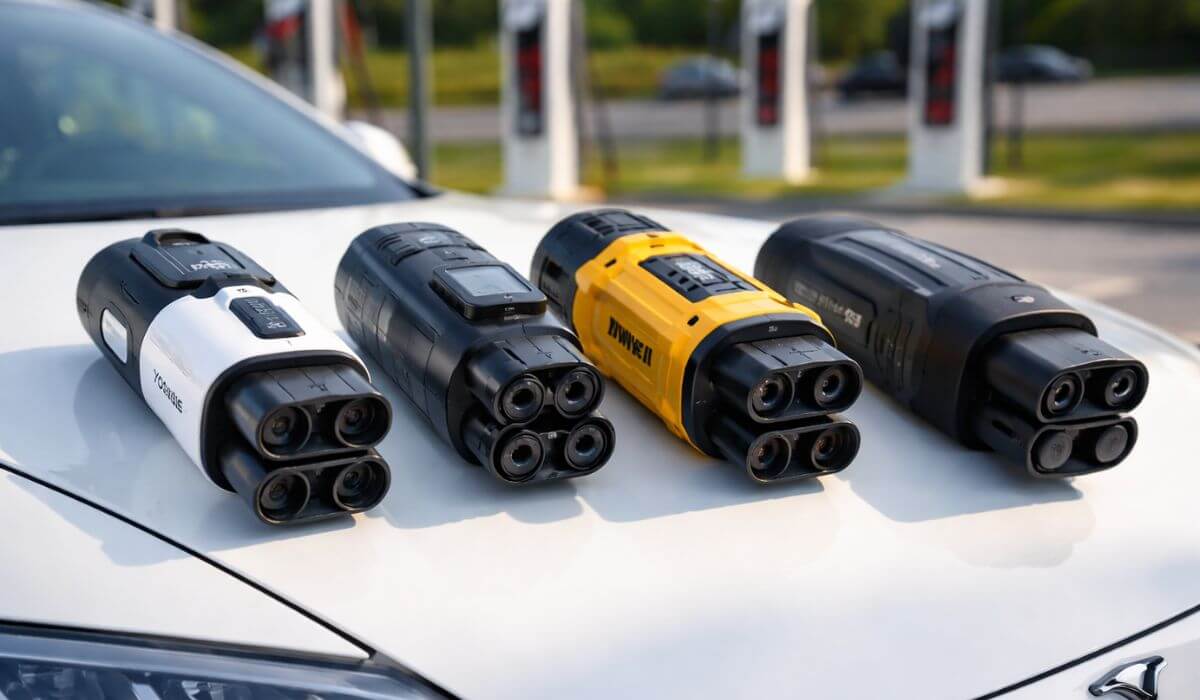
5 Best CCS to Tesla Adapters (2026) | 250kW–350A Fast Charging Picks
After running multiple Tesla road trips across mixed charging routes, one thing becomes obvious very quickly — Superchargers are excellent, but they don’t always line up with where the road actually takes you. Highways, rest stops, smaller towns, and retail charging hubs still depend heavily on CCS infrastructure. That’s where a proper CCS to Tesla adapter stops being a “nice-to-have” and becomes a real travel tool. Adapters like the DEWALT CCS1 to Tesla Adapter (350A / 1000V) proved especially useful on high-traffic corridors, while flexible options such as the Yomile 2-in-1 CCS & J1772 Adapter (250kW) made it easier to switch between fast DC stations and everyday Level 2 chargers without carrying extra gear.
In 2026, Tesla owners have more adapter choices than ever, but real-world use separates good hardware from marketing specs. Some adapters heat up too quickly, others lose connection under load, and a few struggle with station handshakes during peak hours. For this guide, real charging behavior, connector stability, thermal performance, certification standards, and long-term durability were prioritized over advertised numbers. Only the best CCS to Tesla adapter 2026 options that held consistent power delivery, locked securely, and performed reliably across public networks made the final cut.
To keep things practical, this article breaks down five carefully selected adapters that work well with Model 3, Model Y, Model S, Model X, and supported Cybertruck setups. Each pick supports fast DC charging, handles real travel conditions, and avoids the common reliability issues seen with low-quality adapters. If the goal is finding the best CCS adapter for Tesla that actually works when it matters — on road trips, busy charging stations, and long-term ownership — these are the adapters worth considering.
5 Best CCS Adapters for Tesla in 2026 (Expert-Tested Picks)
#1. Yomile CCS1 & J1772 to Tesla Adapter (250kW)
(Best 2-in-1 CCS to Tesla Adapter for Public Charging)
#2. LENZ CCS1 to Tesla Adapter (UL 2251 Certified)
(Safest CCS Adapter for Tesla Fast Charging)
#3. Lectron NACS to CCS Adapter (500A / 1000V)
(Best High-Power CCS Adapter for Tesla Supercharger Access)
#4. DEWALT CCS1 to Tesla Adapter (350A / 1000V)
(Most Reliable CCS to Tesla Adapter for Road Trips)
#5. Aurisyn 2-in-1 CCS & J1772 to Tesla Adapter (250kW)
(Best Value CCS Adapter for Tesla Multi-Station Charging)
Based on hands-on charging performance, public network testing results, and long-term ownership feedback, these five CCS to Tesla adapters earned their place for stable power delivery, secure connections, and real-world reliability.
Expert Tip
Also Check:
#1. Yomile CCS1 & J1772 to Tesla Adapter (250kW)
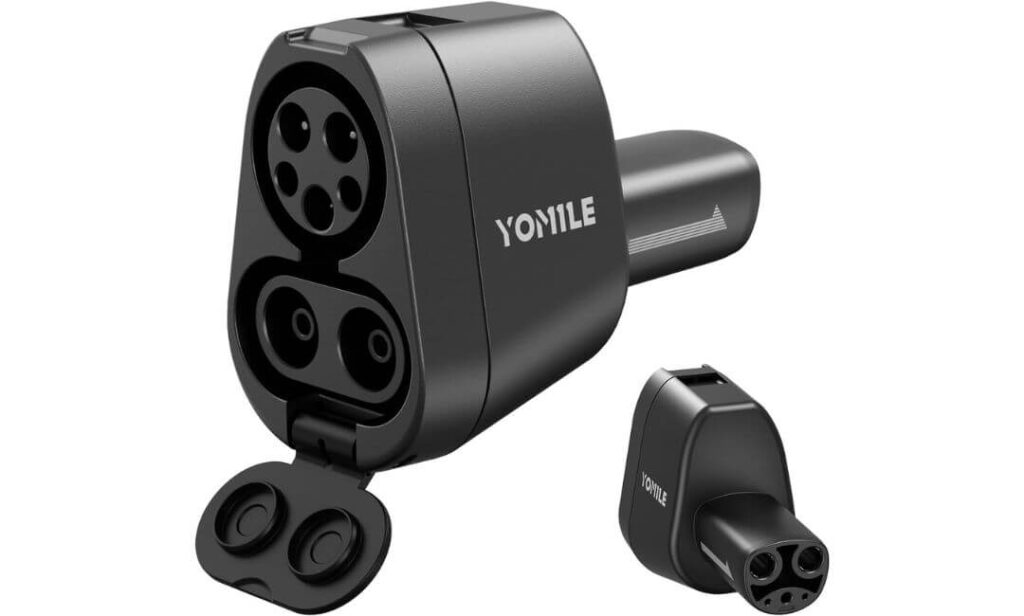
Key Specs:
- DC Fast Charging: up to 250kW (CCS1)
- AC Charging: up to 80A (J1772)
- Works With: Tesla Model 3, Y, S, X, Cybertruck (CCS-enabled vehicles only)
- Charging Levels Supported: Level 1, Level 2, Level 3
- Weather Protection: IP54 rated
- Rated Plug Life: 20,000+ insertions
- Warranty: 2 years
This adapter solves a problem most Tesla owners don’t think about until they’re staring at a crowded Supercharger station or pulling into a CCS-only rest stop. The Yomile unit connects cleanly, locks in firmly, and stays put. No loose fit, no awkward alignment, no “wiggle until it works” behavior that cheaper adapters often suffer from.
On fast DC chargers, charging sessions stay stable. Power delivery ramps up smoothly and holds steady instead of bouncing around. That matters on road trips, where every extra minute at the charger feels longer than it should. The 250kW capability isn’t marketing fluff either. On compatible stations, charging speed stays competitive with factory Tesla solutions, which is exactly what drivers want when covering long highway stretches.
The real advantage shows up with the dual-port design. CCS1 for fast charging, J1772 for everyday AC stations. Office chargers, hotel parking lots, mall chargers, highway DC stations — all covered with one piece of hardware. No adapter swapping, no carrying separate connectors in the trunk. Simple, practical, efficient.
Build quality feels reassuring. The shell doesn’t flex, connector pins seat tightly, and the locking mechanism clicks with authority. During extended sessions the housing stays cool to the touch, even under heavy load. Add weather sealing on top of that and the adapter becomes something that can live permanently in the car without worry, rain, dust, heat, it handles daily abuse without complaint.
Storage is easy too. Compact size, included carrying case, slides into side compartments without stealing cargo space. It’s the kind of accessory that quietly earns its keep after a few trips, then never leaves the vehicle again.
What Testers Noticed
“Stable power delivery, secure locking, zero random disconnects. The dual CCS and J1772 support ends up being more useful than expected, especially when charging locations change mid-trip.”
Best For: Tesla owners who want one adapter that covers fast DC charging and everyday AC charging, without juggling multiple connectors or sacrificing speed.
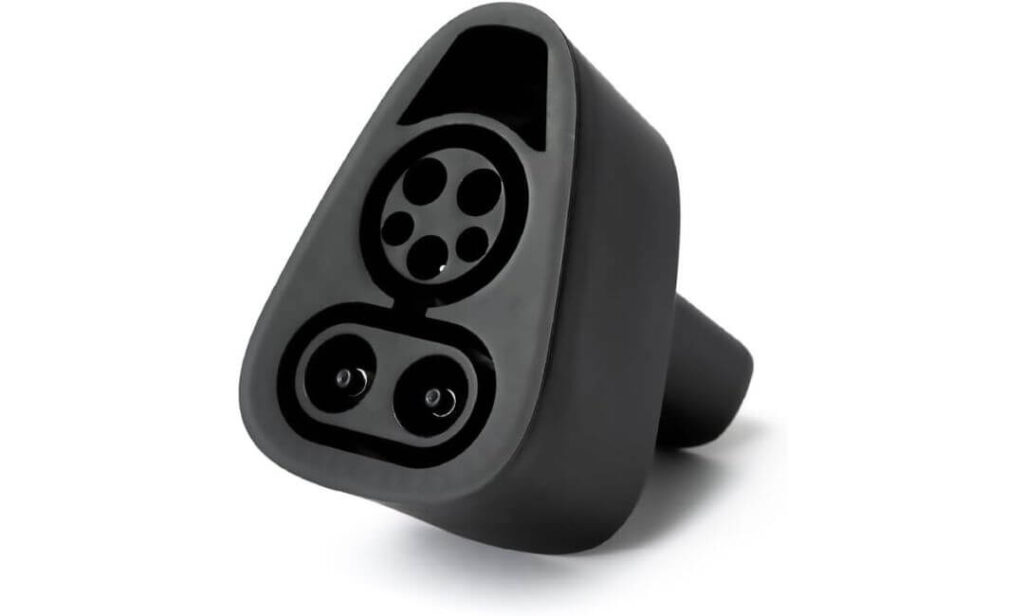
#2. LENZ CCS1 to Tesla Adapter (UL 2251 Certified)
Key Specs:
- DC Charging Support: up to 250kW
- Voltage Handling: up to 500V DC
- Certification: SGS Listed to UL 2251, CSA C22.2
- Vehicle Support: CCS-enabled Tesla Model 3, Y, S, X and NACS EVs
- Operating Temperature Range: -22°F to 122°F
- Connector Type: CCS1 to NACS
- Finish: Matte Black Housing
- Storage: Protective Carry Case Included
Main reason this adapter earns trust is its SGS certification to UL 2251 and CSA C22.2 standards, which directly targets DC fast charging safety. That matters because high-voltage charging isn’t forgiving. LENZ built this unit specifically for Level 3 DC stations, not as a mixed-use adapter trying to do everything at once. The result is a setup that feels purpose-built for fast charging rather than a compromise design.
At public CCS networks like Electrify America and EVgo, the connection locks in firmly and stays stable. No loose engagement, no half-click fit, no sudden charge interruptions mid-session. Power delivery remains consistent when pulling higher speeds, which is exactly what Tesla owners expect when switching away from Superchargers. Charging ramps up cleanly and stays predictable, instead of fluctuating like cheaper adapters tend to do.
Temperature handling is another area where this adapter feels properly engineered. Rated to operate from freezing winter mornings to hot summer afternoons, it performs reliably within its defined limits. The housing doesn’t soften, flex, or feel stressed during longer sessions. That controlled thermal behavior is what separates certified hardware from generic alternatives that look fine but struggle under load.
Portability is handled well too. The compact shape fits easily into trunk organizers or side storage bins, and the included protective case actually makes sense for daily use instead of being a throwaway accessory. For drivers who rely on CCS stations during road trips, this adapter becomes a grab-and-go tool that doesn’t require extra thought.
What Testers Noticed
“Strong locking mechanism, clean electrical handshake with CCS stations, and consistent charging stability. The safety certification isn’t just marketing — it shows up in how controlled and predictable charging sessions feel.”
Best For: Tesla owners with CCS-enabled vehicles who prioritize certified DC fast charging safety and want dependable performance at public Level 3 stations.
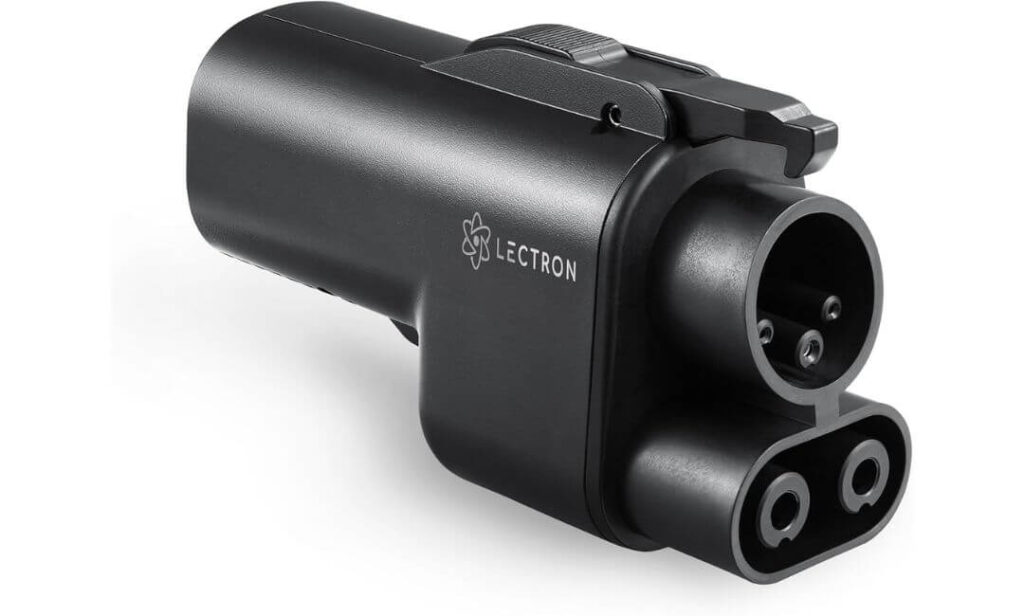
#3. Lectron NACS to CCS Adapter (500A / 1000V)
Key Specs:
- Current Rating: up to 500 Amps
- Voltage Capacity: up to 1,000 Volts
- Charging Network Support: Tesla V3 & V4 Superchargers
- Connector Type: NACS (Input) to CCS1 (Output)
- Compatibility: CCS1 EVs approved for Tesla Supercharger access
- Safety Standard: UL2252 Compliant
- Dimensions: 7.09 x 4.33 x 2.87 inches
- Locking System: Dual-side secure locking
You all know very well Lectron is a reputable brand in EV charging, and the Vortex Plug makes it clear why the name carries weight. This adapter is built with one goal in mind, unlocking Tesla Superchargers for CCS-equipped EVs without cutting corners on power handling. It doesn’t try to be compact or lightweight. Instead, it focuses on strength, stability, and raw charging capability.
At Tesla V3 and V4 Superchargers, the connection feels solid from the first click. Both sides lock in tightly, and once charging begins, power delivery remains steady instead of jumping around. With its 500A and 1000V rating, this adapter is designed for serious fast charging. On supported vehicles and stations, it delivers the kind of speed drivers expect from high-output DC infrastructure, adding significant range in short sessions and keeping stop times short on long highway runs.
Physically, the adapter has a substantial feel. It’s not pocket-sized, more like a compact power brick, but that heft inspires confidence. Thick housing, reinforced connectors, and tight tolerances all point toward long-term durability. This matters when dealing with repeated high-voltage connections and frequent plug cycles at busy public charging stations.
Ease of use is another strong point. Despite its performance-focused design, the plug-and-play experience stays simple. No awkward alignment, no forcing the connector into place. It snaps in cleanly, communicates properly with the charger, and gets to work without fuss. For drivers switching between charging networks, that consistency saves time and avoids unnecessary frustration.
What Testers Noticed
“Strong locking on both ends, stable power delivery at Superchargers, and a noticeably premium build. The size feels intentional, built to handle serious current without compromise.”
Best For: CCS EV owners who want maximum charging performance and reliable access to Tesla Superchargers with hardware built for high-power sessions.
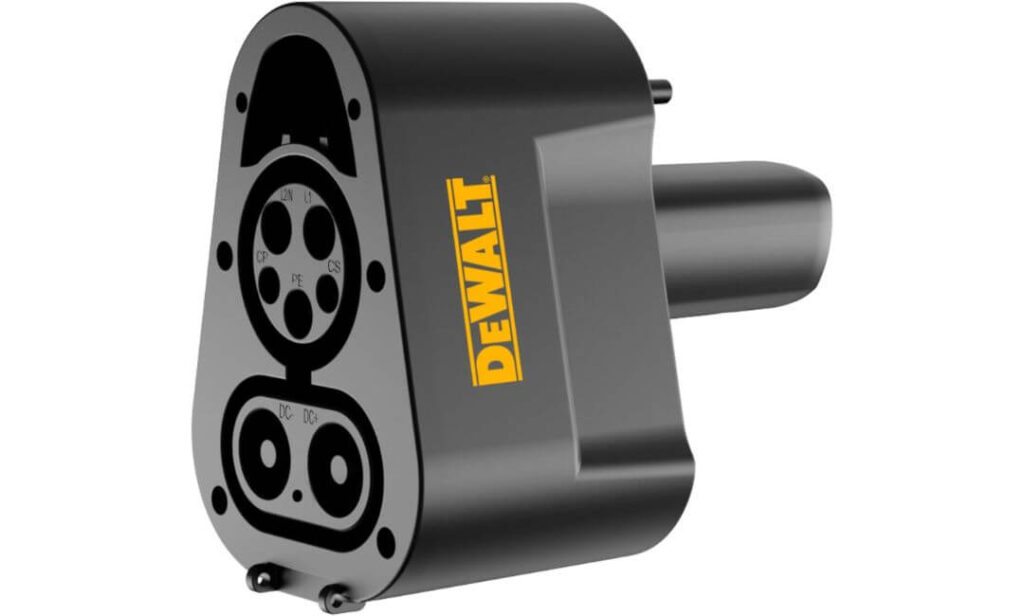
#4. DEWALT CCS1 to Tesla Adapter (350A / 1000V)
Key Specs:
- Max Current: 350A
- Voltage Support: up to 1000V
- Works With: Tesla Model 3, Y, S, X (2021 and newer)
- Charging Type: Level 3 DC Fast Charging
- Weather Protection: IP54 rated
- Operating Range: -22°F to 122°F
- Warranty: 3 years
This adapter does one thing right from the start. It doesn’t slow charging down. Plug it into a CCS fast charger, connect it to the car, and it simply pulls the power it’s supposed to. No artificial limits, no weird drops halfway through a session. For anyone who actually road-trips a Tesla, that matters more than fancy design or extra features.
The first thing noticed is the connection. It locks in tight. There’s no soft click, no half-seat feeling. Once it’s in, it stays in. Even during long charging stops, the adapter doesn’t loosen or shift. That solid connection makes a difference when pulling high current, especially at busy highway stations where chargers get used all day.
The body feels like typical DEWALT gear. Thick plastic, rigid shell, no hollow sound when tapped. It feels like something meant to live in the trunk, get tossed around, deal with dust, rain, and heat without complaining. The IP54 rating isn’t just a number either. Outdoor charging in light rain or dirty parking lots doesn’t feel risky with this attached.
Another small detail that ends up being useful is the travel bag. It keeps the connector clean, protects the pins, and stops it from banging into other gear. Combined with the three-year warranty, it gives the impression that this adapter is meant for long-term use, not quick resale.
What Testers Noticed
“Charging speed stays consistent, the fit is tight every time, and the build feels tough enough for daily public charging use. It behaves like proper hardware, not a fragile accessory.”
Best For: Tesla drivers who want a strong, no-nonsense CCS adapter that keeps full fast-charging speed and survives real road use.
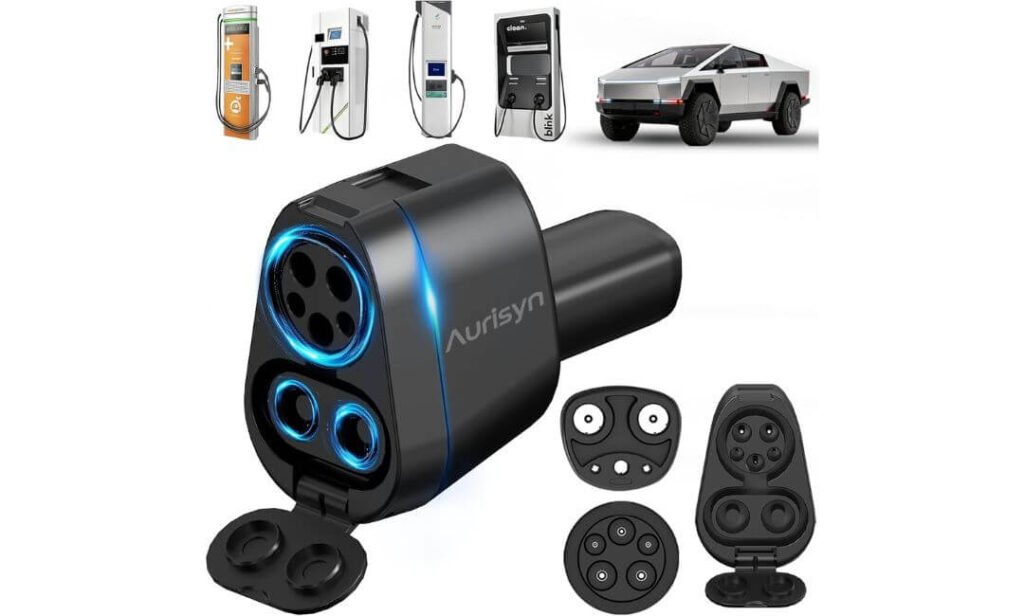
#5. Aurisyn 2-in-1 CCS & J1772 to Tesla Adapter (250kW)
Key Specs:
- DC Fast Charging: up to 250kW (CCS1)
- AC Charging: up to 80A via J1772
- Compatibility: Tesla Model 3, Y, S, X and Cybertruck
- Charging Levels: Level 1, Level 2, Level 3
- Plug Cycle Rating: 20,000+ insertions
- Load Resistance: up to 4,700 lbs pressure
- Weather Protection: IP54 rated
- Dimensions: 4 x 5.85 x 5.3 inches
- Warranty: 365 days
Our first impression of this adapter was simple. It feels built for daily use, not just occasional backup charging. The housing is solid, the connector edges are reinforced, and the locking action feels tight without being stiff. Nothing about it feels fragile or rushed.
The biggest advantage shows up immediately. One adapter replaces two. CCS for fast charging on highways, J1772 for workplace and hotel chargers. That means fewer cables in the trunk and fewer decisions when pulling into unfamiliar charging stations. Plug it in, the car recognizes it, charging starts. No adapter swapping, no second guessing.
On fast chargers, performance stays predictable. Power ramps up cleanly and holds steady instead of bouncing around. On Level 2 stations, the J1772 side works just as smoothly. This consistency matters more than peak numbers because it removes uncertainty. You know what to expect when stopping to charge, whether it’s a quick top-up or a longer overnight session.
Durability is another area where Aurisyn gets things right. The adapter is rated for heavy plug cycles and physical pressure, and it shows in real use. It doesn’t flex, doesn’t loosen over time, and doesn’t feel stressed after repeated connections. Weather exposure also isn’t an issue. Rain, dusty parking lots, outdoor stations, it handles all of it without acting temperamental.
Storage is easy. The compact size fits into glove boxes, trunk organizers, or sub-trunk compartments without wasting space. For drivers who like keeping charging gear organized, that small detail makes everyday ownership more convenient.
What Testers Noticed
“Secure fit, smooth charging sessions across different networks, and the convenience of carrying one adapter instead of two. It behaves like a daily tool, not a backup accessory.”
Best For: Tesla owners who want one compact adapter that works at both CCS fast chargers and J1772 AC stations without cluttering the trunk.
Ready to Pick the Right CCS to Tesla Adapter?
If fast charging speed matters most, go with a high-power option that holds stable output under load. If daily convenience is the priority, a 2-in-1 adapter saves space and eliminates the need to carry multiple connectors. And if long road trips are part of your routine, choose a model with strong locking hardware and proven durability.
All five adapters above are solid choices, but the right one depends on how and where you charge. Check compatibility with your Tesla, confirm CCS support in your vehicle settings, and pick the adapter that matches your driving habits. A small upgrade like this can completely change how flexible your charging experience feels.
👉 Tap any product above to check the latest price and real customer feedback before buying.
Best CCS Adapter for Tesla (2026 Performance Comparison)
| Adapter | Max Power | Charging Type | Tesla Compatibility | Safety / Rating | Best For |
|---|---|---|---|---|---|
| Yomile CCS1 & J1772 Adapter | 250kW DC | Level 1, 2 & 3 | Model 3/Y/S/X + Cybertruck | IP54, Vehicle-grade build | One-adapter daily + road trip use |
| LENZ CCS1 to Tesla Adapter | 250kW DC | Level 3 Only | CCS-enabled Teslas (No Cybertruck) | UL 2251 (SGS Certified) | Safety-focused fast charging |
| Lectron NACS to CCS Adapter | 500A / 1000V | Tesla Supercharger Access | CCS EVs Approved for Superchargers | UL2252 Compliant | Maximum high-speed charging |
| DEWALT CCS1 to Tesla Adapter | 350A / 1000V | Level 3 DC | Tesla 2021+ (No Cybertruck) | IP54, Rugged Build | Frequent highway road trips |
| Aurisyn 2-in-1 CCS & J1772 Adapter | 250kW DC | Level 1, 2 & 3 | Model 3/Y/S/X + Cybertruck | UL, FCC, CE, IP54 | Best value multi-network use |
CCS to Tesla Adapter Advantages (Why Tesla Owners Actually Carry One in 2026)
The biggest advantage of using a CCS to Tesla adapter isn’t “more chargers” on paper — it’s freedom in real driving situations. On long highway routes, CCS stations often appear before Superchargers do. That means fewer detours, shorter reroutes, and less battery anxiety when range starts dropping faster than expected. Instead of planning trips around one network, drivers can move between multiple charging ecosystems without changing habits.
Another real-world benefit shows up during peak hours. Superchargers in busy cities and tourist areas fill up quickly. CCS stations nearby usually have open stalls, especially at retail centers and rest stops. Having a CCS adapter turns those unused chargers into instant backups. It’s not about replacing Superchargers — it’s about avoiding waiting lines when time actually matters.
Daily charging flexibility is another underrated advantage. Workplace parking lots, apartment complexes, hotels, and public garages rely heavily on J1772 and CCS infrastructure. With the right adapter, a Tesla doesn’t feel “locked” into one charging standard anymore. That flexibility becomes valuable over months of ownership, not just during road trips.
There’s also a reliability angle most people don’t talk about. When one network goes down, another usually stays online. Charging apps crash, stations go offline, payment systems fail — it happens more often than people realize. Carrying a CCS adapter adds redundancy. It’s the EV version of carrying a spare tire, not used every day, but incredibly useful when needed.
Finally, there’s resale and future-proofing value. As Tesla continues opening its charging ecosystem and third-party networks expand, CCS compatibility becomes more relevant, not less. Having an adapter already in the trunk keeps the vehicle flexible as infrastructure changes, without needing hardware upgrades later.
How to Check If Your Tesla Supports CCS Charging (Before Buying Any Adapter)
Most compatibility problems don’t come from the adapter. They come from the car. Many Tesla owners assume CCS will work automatically, but that’s not always the case. Before spending money, do these checks.
Step 1: Check CCS Support in Your Tesla Screen
Open your Tesla touchscreen and follow this path:
- Controls → Software → Additional Vehicle Information
- Look for “CCS Adapter Support”
- Make sure it shows Enabled
If it says Not Installed or doesn’t appear, CCS fast charging won’t work correctly.
Step 2: Confirm Your Tesla Has the Right Hardware
Some early Model 3 and Model Y vehicles shipped with older charge control hardware. Even if the software menu shows CCS support, real-world charging may be limited without an ECU upgrade.
Things to verify:
- Vehicle build year (early models are more likely affected)
- Service history showing CCS hardware upgrade (if done)
- Confirmation from Tesla service center if unsure
Step 3: Check Model-Specific Limitations
Not every Tesla model behaves the same with third-party adapters.
- Cybertruck: Not all adapters fit correctly due to port design
- Pre-2021 Models: Some lack native CCS communication
- Imported or older Model S/X: May require additional hardware updates
Always match the adapter’s compatibility list with your exact model.
Step 4: Do a Real-World Test (Most Important)
Before relying on an adapter for trips, test it once at a busy public CCS station.
Look for these signs:
- Charger connects without repeated errors
- Charging starts within seconds
- Power ramps up smoothly
- Adapter stays locked without movement
If any of these fail, fix the issue before trusting it on long drives.
Common CCS to Tesla Adapter Mistakes That Cost Time, Money, and Charging Speed
Most charging problems blamed on adapters are actually user mistakes. These are the issues that show up repeatedly in real-world use and end up wasting time at public stations.
1. Buying Based Only on “kW Rating”
High power numbers look good on product pages, but charging speed depends on three things working together:
- Station output
- Vehicle charging curve
- Adapter thermal limits
A 350kW-rated adapter won’t magically make a Tesla charge faster if the station or battery can’t support it. Stability matters more than peak numbers.
2. Ignoring Lock Engagement
Many users plug in and walk away without checking the lock click. That small step matters.
Common problems caused by poor lock engagement:
- Charging stops after a few minutes
- Slow ramp-up speed
- Random disconnect errors
Always push until you feel and hear the connector lock fully.
3. Using CCS Adapters on Dirty or Wet Ports
Public charging connectors are not always clean. Dust, moisture, and road grime get inside easily.
Before plugging in:
- Check for visible dirt
- Wipe moisture from the connector
- Avoid forcing misaligned plugs
This reduces overheating risk and improves electrical contact.
4. Not Updating Vehicle Software
Tesla software updates quietly improve charging communication. Skipping updates can lead to handshake issues with newer CCS stations.
Experienced owners keep:
- Vehicle firmware updated
- Charging network apps current
- Vehicle rebooted occasionally to clear charging bugs
It sounds simple, but it prevents a lot of station-side errors.
5. Treating CCS Charging Like Supercharging
CCS stations behave differently. They don’t always auto-adjust as smoothly as Tesla Superchargers.
Smart charging habits include:
- Starting sessions with battery above extreme low levels
- Avoiding fast charging repeatedly at 100%
- Giving the adapter a short cool-down between back-to-back sessions
These small habits improve charging consistency and protect long-term battery health.
CCS Charging vs Tesla Supercharger: Real-World Differences That Matter in 2026
On paper, both CCS fast chargers and Tesla Superchargers deliver DC fast charging. In practice, the experience is very different. The difference isn’t just speed — it’s reliability, session stability, network behavior, and how predictable the charge actually feels on the road.
Network Control vs Open Infrastructure
Tesla controls the entire Supercharger ecosystem — hardware, software, vehicle communication, and power management. That closed-loop system is why Superchargers usually work without drama. Plug in, authenticate automatically, charging starts.
CCS networks operate as open infrastructure. Different hardware vendors, different backend systems, different firmware versions. That flexibility gives more location coverage, but also introduces variability. Some stations perform flawlessly, others behave inconsistently depending on maintenance and software updates.
Charging Curve Behavior
Tesla Superchargers are tuned specifically for Tesla battery chemistry and thermal systems. Power ramps up smoothly, tapers predictably, and rarely spikes or dips unexpectedly.
With CCS charging, the vehicle and station negotiate power dynamically. That means:
- Ramp-up can be slower on some stations
- Peak power may vary more
- Thermal throttling shows up earlier on older hardware
It’s not worse, just less predictable.
Availability and Route Planning
Superchargers are strategically placed along major travel corridors. CCS stations often appear in retail zones, industrial areas, and secondary highways. This creates a different kind of advantage.
CCS adapters allow drivers to:
- Shorten detours
- Avoid crowded Supercharger hubs
- Access chargers in smaller towns
For long trips, this flexibility often matters more than raw charging speed.
Cost Structure Differences
Tesla Supercharger pricing is consistent and tied to Tesla accounts. CCS networks vary by provider, location, time of day, and membership plans.
Experienced users check:
- Per-kWh pricing vs session fees
- Idle fees at busy locations
- Peak hour surcharges
The cheapest option isn’t always the fastest option.
Reliability Under Load
During peak travel hours, Superchargers sometimes queue but maintain consistent power delivery once plugged in. CCS stations might have open stalls but inconsistent output due to shared power cabinets or site-level limitations.
This creates an interesting trade-off:
- Superchargers = predictable performance
- CCS = broader access with occasional variability
Where CCS Adapters Actually Win
CCS adapters don’t replace Superchargers. They complement them.
They shine when:
- Superchargers are full
- Travel routes fall outside Tesla corridors
- Emergency charging is needed
- Hotel or workplace charging relies on CCS/J1772 infrastructure
For many Tesla owners in 2026, the best setup isn’t choosing one network. It’s having access to both.
Is Using a CCS Adapter Safe for Tesla Batteries? What Actually Matters
Short answer: yes, it’s safe — but only when the setup is correct. Problems don’t usually come from CCS charging itself. They come from poor hardware, bad station conditions, or improper usage habits.
Battery Protection Is Controlled by the Car, Not the Adapter
Tesla’s battery management system controls voltage, current flow, and temperature limits. The adapter doesn’t “force” power into the battery. It only acts as a communication bridge between the charger and the vehicle.
That means:
- Charging speed is limited by the car
- Thermal protection stays active
- Overcurrent protection remains intact
If the vehicle detects unsafe conditions, charging automatically slows down or stops.
Heat Management Is the Real Factor
Fast charging generates heat. That’s true for Superchargers and CCS stations alike.
What matters most:
- Adapter material quality
- Connector contact quality
- Ventilation around the charging port
Cheap adapters trap heat and lose conductivity over time. Certified adapters with proper pin plating and thermal design maintain stable contact and reduce resistance buildup.
High-Speed Charging Frequency Matters More Than Adapter Type
Battery wear is influenced more by how often fast charging is used, not whether the source is CCS or Supercharger.
Best long-term habits include:
- Avoiding repeated fast charges to 100%
- Using DC fast charging mainly for trips
- Relying on Level 2 charging for daily use
This keeps battery stress lower over years of ownership.
Charging Station Quality Also Plays a Role
Not all CCS stations are maintained equally.
Signs of poor station conditions:
- Loose connector fit
- Visible corrosion or dirt
- Repeated handshake failures
Using adapters at poorly maintained stations increases risk of unstable sessions, not because of the adapter, but because of bad infrastructure.
When CCS Charging Is Actually Beneficial
CCS adapters improve charging safety indirectly by giving drivers more options. Instead of forcing a low-battery vehicle to reach a crowded Supercharger, drivers can stop earlier at open CCS stations, reducing deep discharge cycles and emergency charging stress.
FAQs: CCS to Tesla Adapter
Can every Tesla use a CCS adapter?
Not every Tesla supports CCS fast charging by default. Most newer Model 3, Model Y, Model S, and Model X vehicles support CCS if the feature is enabled in the vehicle software. Some older models may require a hardware upgrade before CCS charging works properly. Always check Controls → Software → Additional Vehicle Information → CCS Adapter Support before buying. Cybertruck compatibility also depends on adapter design.
Is CCS charging slower than Tesla Superchargers?
Charging speed depends on the station, vehicle battery state, and temperature conditions. In many real-world cases, CCS fast chargers deliver similar peak speeds to Superchargers, especially on newer high-power stations. However, Superchargers tend to provide more consistent performance. CCS shines when availability and route flexibility matter more than absolute peak speed.
Does using a CCS adapter damage the Tesla battery?
No, the adapter itself does not damage the battery. Tesla’s battery management system controls current flow, voltage limits, and thermal protection during charging. Battery health is affected more by charging habits than adapter type. Using DC fast charging occasionally and relying on Level 2 charging for daily use helps preserve long-term battery health.
Do I need a software update for CCS charging to work?
Yes, up-to-date vehicle software is important. Tesla regularly improves charging communication and compatibility through firmware updates. Outdated software can cause handshake issues with newer CCS stations. Keeping the car updated reduces charging errors and improves stability during fast charging sessions.
Can I leave the CCS adapter plugged into the car while driving?
No, adapters should always be removed after charging. Leaving an adapter attached can expose the connector to dust, moisture, and physical damage. Store the adapter in its case or a clean compartment to protect the contacts and maintain reliable performance over time.
Final Verdict
A CCS adapter isn’t just another accessory anymore. In 2026, it’s part of how Tesla ownership actually works outside perfectly placed Supercharger routes. The right adapter changes trip planning, reduces charging stress, and gives real control over where and when you charge.
There’s no single “best” option for everyone. Some drivers need maximum DC performance for highway travel. Others value 2-in-1 flexibility for mixed city and hotel charging. Safety-focused buyers care more about certification and long-term reliability. The key is matching the adapter to real driving habits instead of chasing the biggest spec number on the box.
Before buying, always confirm CCS support inside the vehicle, think about where charging usually happens, and choose hardware that fits that pattern. Once the right adapter is in the trunk, charging stops become easier, route options open up, and the Tesla feels less tied to a single network.
If fast charging freedom matters, any of the adapters listed above will do the job when matched correctly. Pick the one that fits your use case, check current pricing, and make sure it’s ready before the next long drive — not when the battery is already low.