
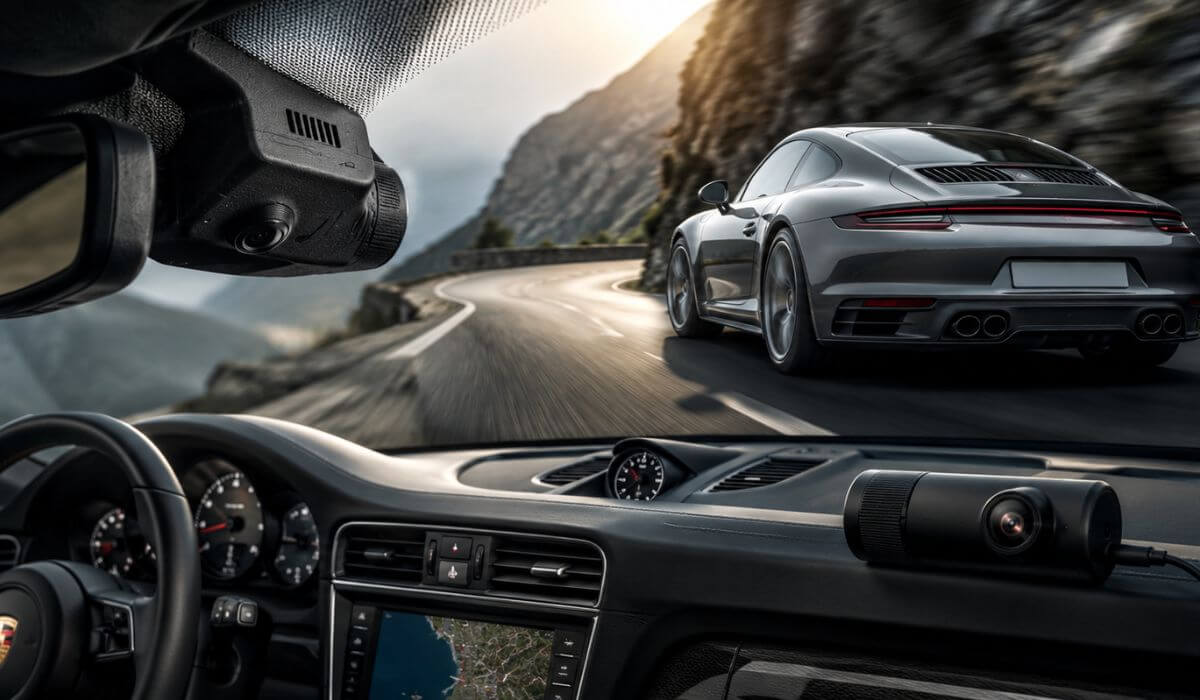
5 Best Dash Cams for Porsche 911 in 2026: Hidden OEM Design With Sharp 4K Capture
If you’ve spent any time looking for the best dash cam for a Porsche 911, you’ve probably noticed that most recommendation lists miss one important detail—they treat every 911 the same. They aren’t. A 992.5 (2025–2026) has different trim integration than an earlier 992 (2020–2024), and if you care about preserving the clean interior Porsche is known for, fitment matters just as much as video quality.
For this guide, we focused on dash cams that actually make sense for Porsche 911 Carrera, Carrera S, GTS, Turbo, Turbo S and GT3 owners. Factory-style integration, stable 4K recording, dependable app support, clean cable routing, and everyday usability mattered more than flashy marketing claims. We also considered whether a camera is a dedicated OEM-style solution or a universal premium option, so you know exactly what you’re getting before buying.
The result is a shortlist of five dash cams that fit today’s 911 lineup without compromising the cabin’s premium look. Whether you drive a daily Carrera or a weekend GT3, these picks were chosen to give you reliable footage, simple installation, and features that genuinely improve ownership—not just a longer spec sheet.
Best Porsche 911 Dash Cams: Top 2026 Picks for OEM Fit and 4K Recording
#1. Fitcamx Front 4K + Rear 1080P Dash Cam
Best Dash Cam for Porsche 911 2025–2026 With Factory OEM Look, Dual-Channel 4K Recording, Clean Hidden Installation and Reliable Parking Mode
#2. Mangoal Front 4K & Rear 1080P Dash Cam
Premium Porsche 911 Dash Cam for 2020–2024 Models Offering OEM Integration, WiFi Connectivity and Crisp Front & Rear Video
#3. FUVYMYT OEM Style 4K & 1080P Dash Cam
Value-Focused Porsche 911 OEM Dash Cam With Hidden Factory Styling, Dual Cameras and Everyday Driving Protection
#4. KBSYNT Front 4K Dash Cam
Front-Only Porsche 911 Dash Cam With OEM Design, Easy Installation and Sharp 4K Driving Footage for 992 Models
#5. 70mai 4K Dash Cam Front and Rear
Advanced 4K Dash Camera for Porsche 911 Owners Who Want STARVIS 2 Night Vision, WiFi 6, GPS and LTE Remote Access
Expert Tip
If your Porsche 911 is parked outside overnight or spends time in public parking lots, don’t choose a dash cam just because it records in 4K. The biggest difference between a camera you trust and one you eventually stop using is how well it fits the car. An OEM-style installation keeps the windshield uncluttered, reduces windshield reflections, and is far less likely to attract attention from outside. We would rather recommend a camera that records consistently every drive than one packed with features you’ll rarely use. A dash cam only protects you when you forget it’s even there.
How We Chose the Best Dash Cams for Porsche 911
A Porsche 911 isn’t an ordinary daily driver, so we didn’t build this list like an ordinary dash cam roundup. Many popular cameras record excellent video, but they simply don’t suit the way most 911 owners use and care for their cars. Our first filter wasn’t price—it was compatibility.
We started by checking model coverage across the current 911 generation, including 992 (2020–2024) and the updated 992.5 (2025–2026). If a camera required awkward mounting, blocked factory sensors, or looked obviously aftermarket inside the cabin, it didn’t make this list.
Next came OEM integration. Porsche interiors are clean, driver-focused and free from unnecessary clutter. That’s why the majority of our recommendations use factory-style housings or hidden installations that blend naturally with the rear-view mirror area instead of leaving wires hanging across the windshield.
Video quality was evaluated beyond the advertised resolution. A 4K badge means very little if number plates become unreadable after sunset. We prioritised cameras with proven HDR processing, dependable image sensors, balanced exposure, and stable recording in changing light because those are the moments that matter after an incident.
We also looked at everyday ownership, not just specifications on a product page. Reliable WiFi connectivity, responsive mobile apps, smooth loop recording, parking mode support, firmware stability, included storage, and straightforward installation all carried significant weight. A premium sports car deserves hardware that works consistently without constant troubleshooting.
Finally, we intentionally included both dedicated Porsche OEM-style dash cams and one premium universal option. Some owners want the cleanest possible factory appearance, while others care more about advanced technologies such as STARVIS 2 imaging, GPS, LTE connectivity, and WiFi 6. Including both approaches makes this guide more useful because the right choice depends on how you actually use your 911—not simply which product has the longest feature list.
That’s why every recommendation here earned its place for a specific reason. We weren’t looking for the camera with the most marketing claims—we were looking for the ones we’d genuinely be comfortable installing in a Porsche 911 and relying on every time we turned the key.
#1. Fitcamx Front 4K + Rear 1080P Dash Cam
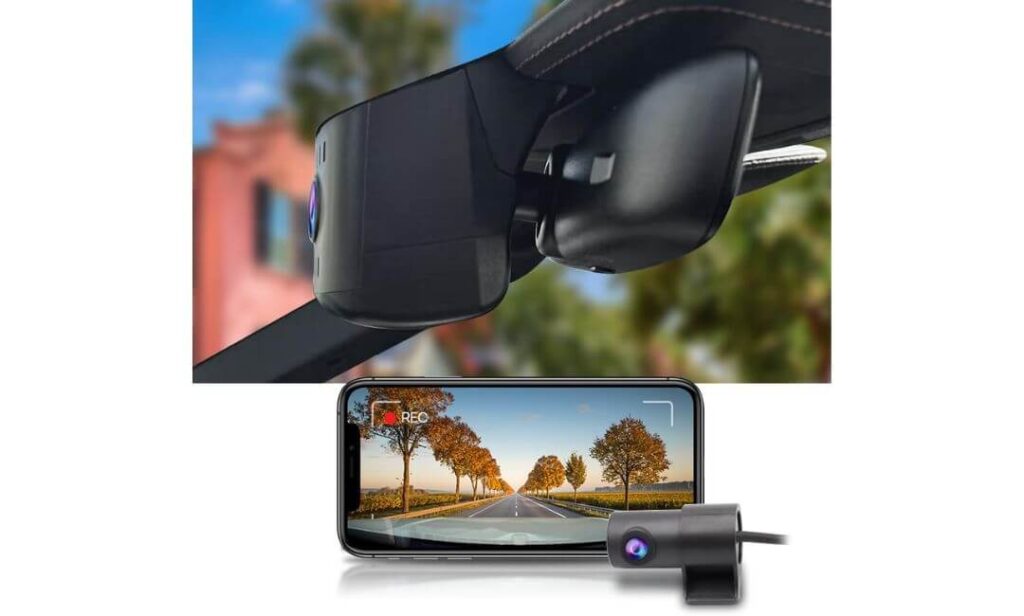
Quick Specs:
- Designed exclusively for Porsche 911 (992.5) including Carrera, Carrera 4S, GTS, Targa, GT3, GT3 RS, Turbo and Turbo S
- Factory-style housing that replaces the mirror cover instead of sticking another camera to the windshield
- 4K front (2160P) + 1080P rear recording with a bright f/1.6 lens
- Built-in WiFi with the FITCAMX app for wireless video access
- 128GB memory card included (expandable up to 256GB)
- Plug-and-play installation using the factory mirror power connection
- Loop recording with parking recording support
- Operating temperature: -20°C to 85°C for year-round reliability
When you spend this much on a Porsche 911, the last thing you want is a bulky dash cam hanging from the windshield. That’s exactly where this model stands out. Instead of looking like an accessory, it becomes part of the cabin. Once installed around the rear-view mirror, most passengers won’t even notice it’s there, which is exactly how an OEM-style dash cam should feel.
The recording quality also makes sense for the way most 911s are driven. The 4K front camera captures fine road detail, while the 1080P rear camera keeps an eye on traffic behind you. Combined with the f/1.6 aperture and wide dynamic range processing, it performs confidently during early morning drives, tunnels and night-time motorway journeys without constantly blowing out highlights.
Daily usability is equally impressive. The FITCAMX mobile app lets you preview and download footage over WiFi without removing the memory card, while automatic recording starts as soon as the ignition comes on. Because it draws power from the factory mirror connection, there are no hanging cables, no fuse tapping and no effect on CarPlay or Bluetooth, making ownership refreshingly straightforward.
(If your priority is keeping the Porsche interior looking exactly as Stuttgart intended while quietly adding reliable video protection, this is one of the cleanest solutions currently available.)
Genuine Reasons It Earned a Place on Our List
- Looks factory-installed instead of like an aftermarket add-on.
- Purpose-built for the latest Porsche 911 (992.5) rather than being a universal camera.
- 4K front recording delivers excellent daytime detail while the rear camera adds useful coverage.
- WiFi transfers are quick and convenient, especially after an incident.
- Installation is genuinely cleaner than most universal dash cams because it uses the mirror housing.
One Thing Worth Knowing Before Buying
- It is designed specifically for compatible 992.5 mirror housings, so confirming your Porsche’s exact model year and mirror design before ordering is essential.
Porsche 911 Compatibility Notes
This camera is built specifically for the 992.5-generation Porsche 911, covering models such as Carrera, Carrera 4S, Carrera GTS, Targa, GT3, GT3 RS, Turbo and Turbo S. That dedicated fit is one of its biggest advantages because the housing matches the factory mirror assembly instead of relying on universal adhesive mounts.
Installation is straightforward, but it’s still worth taking a few minutes to confirm your mirror housing matches the manufacturer’s compatibility guide before ordering. Since the power comes from the factory mirror connection, no cutting or wire splicing is normally required.
The Insider Pro-Tip
Many buyers compare dash cams by resolution alone. For a Porsche 911, that’s the wrong place to start. Cabin integration matters just as much because anything that looks out of place becomes noticeable every time you drive. A factory-style installation usually ages much better than a universal camera with exposed wiring.
If your goal is to protect the car without changing the character of the interior, an OEM-fit solution like this is often the smarter long-term choice. You’ll appreciate it every time you get in the driver’s seat—not because you notice it, but because you don’t.
#2. Mangoal Front 4K & Rear 1080P Dash Cam
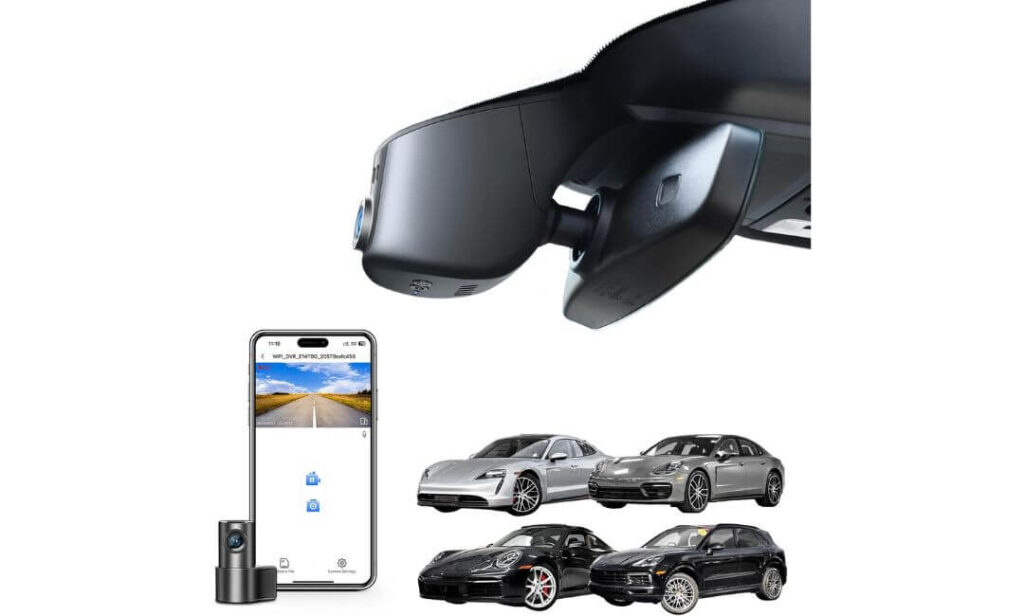
Quick Specs:
- Designed for Porsche 911 (992) with factory-style mirror integration
- 4K front + 1080P rear recording at 30fps
- Sony IMX335 STARVIS sensor with f/1.8 lens
- 150° wide viewing angle for broader road coverage
- Built-in WiFi with companion mobile app
- Loop recording, G-Sensor and parking monitoring
- 128GB microSD card included
- Supercapacitor design for improved durability in extreme temperatures
What immediately stands out here isn’t the resolution—it’s how naturally the camera becomes part of the car. Once installed around the mirror housing, the cabin still feels unmistakably Porsche. There are no loose wires across the glass, no oversized suction mount, and nothing that distracts from the clean dashboard layout. For many 911 owners, that alone makes a noticeable difference every time they get behind the wheel.
The hardware is equally reassuring. A Sony IMX335 STARVIS sensor, 4K front recording, 1080P rear coverage, and a bright f/1.8 lens work together to produce balanced footage throughout the day while keeping night recordings cleaner than many ordinary OEM-style cameras. The 150-degree field of view also helps capture activity entering from adjacent lanes without creating the excessive edge distortion seen on wider lenses.
Living with it day after day is refreshingly simple. The built-in WiFi lets you review or download clips from your phone, while loop recording, automatic impact detection, and the supercapacitor-based design provide confidence that the camera keeps working quietly in the background. It feels less like an accessory and more like something Porsche could have installed from the factory.
(For owners who want factory-style integration without giving up dependable image quality, this strikes one of the best balances in the entire category.)
Why This Camera Deserves a Spot in Our Recommendations
- Factory-style installation preserves the clean Porsche 911 interior.
- Sony IMX335 STARVIS sensor delivers dependable image quality in changing light.
- Supercapacitor design is generally more durable than battery-powered alternatives.
- Fast WiFi access makes reviewing footage straightforward after a drive.
- Includes a 128GB memory card, so it’s ready to use straight out of the box.
One Thing Worth Knowing Before Buying
- This version is designed around the 992 interior layout, so owners of newer facelift models should verify mirror housing compatibility before ordering.
Porsche 911 Compatibility Guide
This model is intended for the Porsche 911 (992) generation and integrates neatly into the mirror assembly for a factory-inspired appearance. If maintaining the original cabin design is high on your priority list, this is one of the cleaner installations available.
Before fitting the camera, it’s worth confirming your mirror housing and interior trim match the supported configuration, especially if your vehicle has recently updated equipment or a facelifted interior. Spending a minute checking compatibility can save unnecessary returns later.
The Insider Pro-Tip
Many OEM-style dash cams look similar in photos, but the image sensor is often what separates an average camera from one you’ll still appreciate years later. A well-tuned STARVIS sensor, stable firmware and a supercapacitor usually contribute more to everyday reliability than a longer list of marketing features.
If you’re buying a dash cam for a Porsche 911, choose the one that quietly does its job every single drive. The best compliment an OEM camera can receive is that you stop noticing it’s there—until the day you genuinely need the footage.
#3. FUVYMYT OEM Style 4K & 1080P Dash Cam
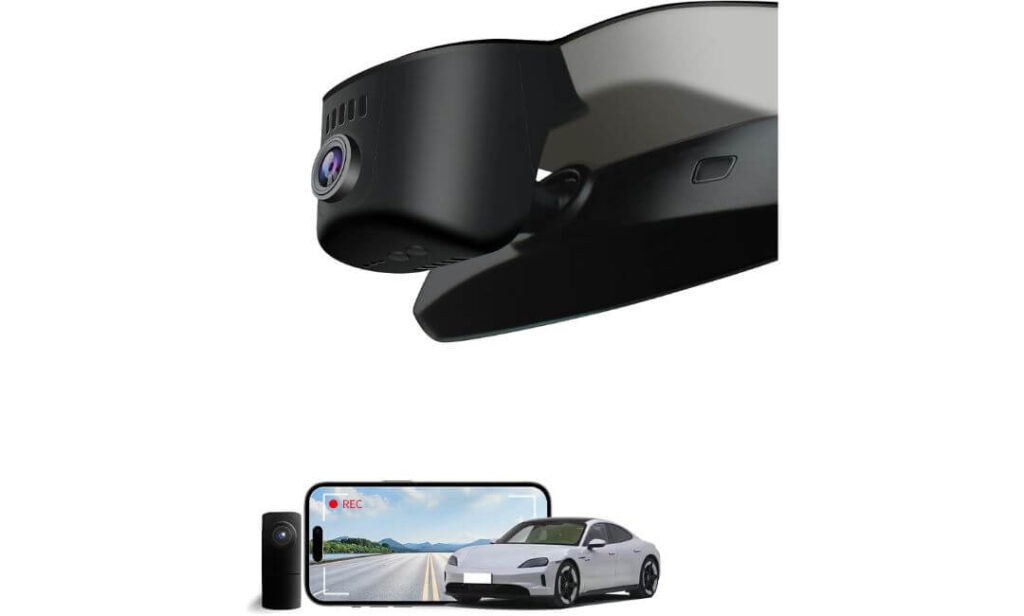
Quick Specs:
- OEM-style fit for Porsche 911 (992) with hidden rear-view mirror installation
- 4K front (2160P) + 1080P rear recording with an f/1.6 lens
- 145° viewing angle for balanced front-road coverage
- Built-in WiFi with smartphone app control
- 128GB memory card included (supports up to 256GB)
- Loop recording and G-Sensor emergency file protection
- Optional parking monitoring available with a dedicated hardwire kit
- Plug-and-play installation using the factory mirror connection
One of the easiest mistakes when shopping for a Porsche 911 dash cam is assuming every OEM-style model feels the same after installation. They don’t. What impressed us here is how cleanly everything comes together once fitted. The camera sits discreetly behind the mirror, leaves the windshield uncluttered, and keeps the cabin looking remarkably close to stock without turning the installation into a weekend project.
Recording performance is equally well judged for everyday driving. The 4K front camera, paired with a 1080P rear unit, captures plenty of road detail, while the f/1.6 aperture and enhanced night processing help maintain clarity when driving after dark. Add the 145-degree viewing angle, and you get wide enough coverage for real-world traffic without the exaggerated distortion often seen on ultra-wide lenses.
From an ownership perspective, it covers the essentials exceptionally well. The WiFi-enabled mobile app makes downloading footage straightforward, loop recording works automatically in the background, and the G-Sensor protects important clips if a collision is detected. If you later decide you want continuous parking surveillance, you can also expand the system with the optional hardwire kit instead of replacing the entire camera.
(This feels like the kind of OEM-style upgrade that quietly does its job every day while keeping the Porsche interior looking exactly as it should.)
Why It Earned a Place in Our Lineup
- Factory-style design blends naturally with the Porsche 911 dashboard and mirror housing.
- 4K front recording delivers sharp everyday footage without unnecessary complexity.
- WiFi app control makes reviewing and saving clips quick after every drive.
- Includes a 128GB memory card, so there are no extra purchases before installation.
- Optional hardwire support allows owners to add parking monitoring whenever they choose.
One Thing Worth Knowing Before Buying
- Continuous parking monitoring requires the optional hardwire kit, so it’s worth factoring that into your budget if parked recording is important to you.
Porsche 911 Compatibility Notes
This camera is designed around the Porsche 911 (992) interior and uses a dedicated mirror-mounted housing instead of a universal windshield mount. The result is a much cleaner installation that suits the character of the cabin far better than traditional dash cams.
Before ordering, spend a moment comparing your rear-view mirror housing with the compatibility images supplied by the manufacturer. A quick fitment check is the easiest way to ensure the installation stays as straightforward as intended.
The Insider Pro-Tip
The difference between an OEM-style dash cam you’ll recommend and one you’ll regret usually isn’t found on the specification sheet. It’s the quality of the installation. A camera that fits correctly, records automatically and never gets in your line of sight quickly becomes part of the ownership experience rather than another gadget stuck to the glass.
For most Porsche 911 owners, that’s exactly the balance worth aiming for—factory appearance, dependable recording and enough flexibility to expand later if your needs change.
#4. KBSYNT Front 4K Dash Cam
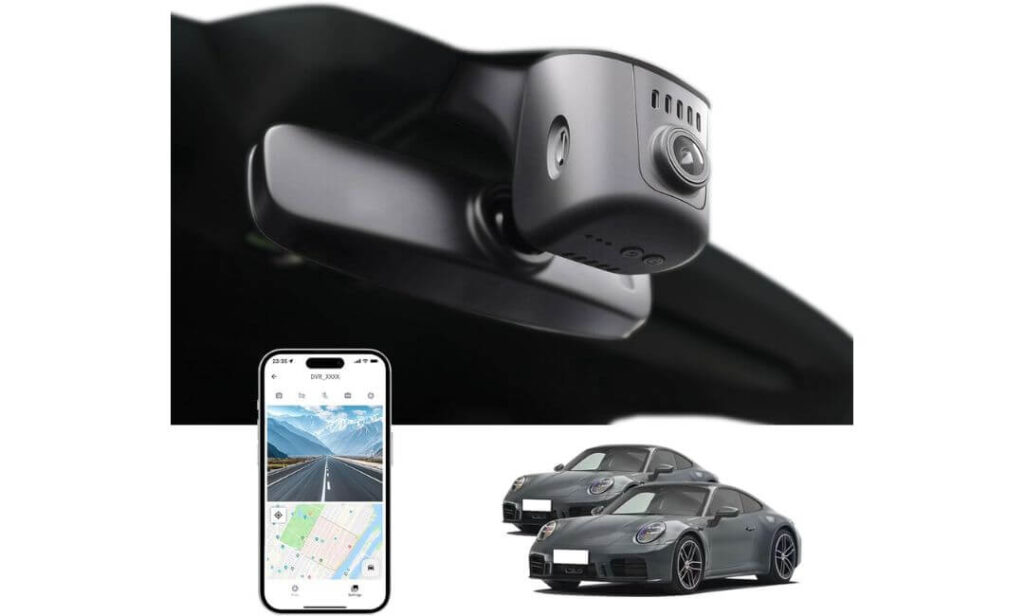
Quick Specs:
- OEM-style front dash cam designed for Porsche 911 (992) 2020–2024
- True 4K (2160P/30fps) front recording with an f/1.6 lens
- 170° wide viewing angle for broader forward coverage
- Built-in WiFi with dedicated smartphone app
- HDR night recording with automatic exposure adjustment
- 64GB memory card included (supports up to 256GB)
- Supercapacitor design for improved long-term reliability
- Loop recording, G-Sensor and optional parking monitoring (hardwire kit required)
There’s something refreshing about a dash cam that focuses on doing one job exceptionally well instead of trying to be everything at once. This model is built around high-quality front recording, making it a practical choice for Porsche 911 owners who care most about capturing what’s happening ahead while keeping the installation almost invisible inside the cabin.
The camera records in true 4K resolution using an f/1.6 aperture, backed by HDR image processing that helps preserve detail as lighting conditions change throughout a drive. The 170-degree viewing angle provides generous road coverage without leaving obvious blind spots, while automatic exposure adjustments help maintain balanced footage during tunnels, sunrise drives and night journeys.
Day-to-day ownership remains pleasantly uncomplicated. The built-in WiFi allows footage to be viewed directly through the mobile app, loop recording quietly manages storage, and the G-Sensor immediately protects important clips after sudden impacts. The inclusion of a supercapacitor is another welcome touch, as it generally offers better durability in demanding temperatures than battery-powered designs.
(If your priority is a discreet factory-style front camera rather than a dual-channel system, this delivers a surprisingly polished ownership experience.)
Why We Still Recommend It
- Purpose-built for drivers who prefer a dedicated front-facing 4K camera.
- OEM-inspired installation keeps the Porsche cabin clean and uncluttered.
- HDR processing improves recording consistency in changing light.
- 170° field of view captures a wider section of the road ahead.
- Supercapacitor-based hardware is designed for dependable long-term use.
One Thing Worth Knowing Before Buying
- This version is intended for Porsche 911 (992) model years 2020–2024, so owners of 992.5 facelift models should choose a newer mirror-specific version instead.
Porsche 911 Compatibility Guide
This dash cam is designed specifically for the 2020–2024 Porsche 911 (992) and integrates neatly around the rear-view mirror area for a factory-inspired appearance. If you own one of these model years, the installation is clean and requires far less visible hardware than a traditional windshield-mounted camera.
Before ordering, take a moment to compare your mirror housing with the manufacturer’s compatibility images. Porsche introduced interior updates with the 992.5 generation, so confirming fitment first is the easiest way to avoid ordering the wrong version.
The Insider Pro-Tip
One detail many buyers overlook is that buying the correct generation-specific housing is often more important than buying the most expensive dash cam. A camera that fits perfectly will almost always provide a better ownership experience than a premium model that was never designed around your mirror assembly.
If you drive a 2020–2024 Porsche 911 (992) and only want dependable forward recording without adding unnecessary hardware to the cabin, this is one of the cleaner OEM-style options available today.
#5. 70mai 4K Dash Cam Front and Rear
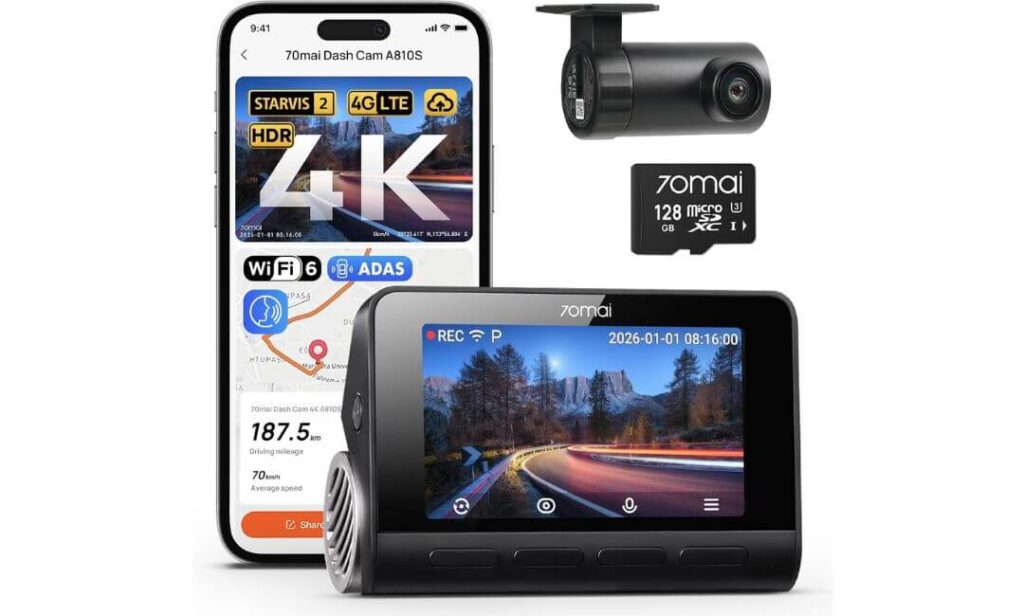
Quick Specs:
- Universal dual-channel dash cam compatible with Porsche 911 and most passenger vehicles
- True 4K front + 1080P rear recording
- Sony STARVIS 2 sensors (IMX678 front + IMX662 rear)
- WiFi 6 with ultra-fast wireless transfers
- Built-in GPS with five satellite positioning systems
- HDR night recording with Lumi Vision image processing
- Optional 4G LTE remote monitoring (hardwire kit required)
- Voice control, ADAS, AI motion detection and parking surveillance
Not every Porsche 911 owner is looking for an OEM-style installation. Some care more about having the newest imaging technology available, and that’s exactly where this camera separates itself from the rest of this guide. It doesn’t blend into the mirror housing like the previous options, but it offers a level of imaging hardware and connected features that very few factory-style cameras can currently match.
The standout feature is the combination of Sony STARVIS 2 IMX678 and IMX662 sensors, paired with 4K front recording, HDR processing, and a bright f/1.7 lens. Together they deliver excellent licence plate readability, cleaner night footage and more balanced exposure when driving through tunnels, heavy rain or poorly lit roads. Add WiFi 6, built-in GPS, and support for five satellite positioning systems, and reviewing journeys becomes fast and effortless.
Where this model really moves beyond a traditional dash cam is its smart ecosystem. With the optional 4G LTE hardwire kit, you can remotely check your vehicle, receive motion alerts and monitor its location through the mobile app. Features such as AI motion detection, voice commands and ADAS assistance make it feel closer to an advanced driver monitoring system than a conventional recorder.
(If cutting-edge technology matters more to you than a factory-hidden appearance, this is easily the most feature-rich camera in this comparison.)
Why It Still Earned Our Recommendation
- Outstanding STARVIS 2 imaging delivers some of the strongest night performance available.
- WiFi 6 and built-in GPS noticeably improve everyday usability.
- Optional 4G LTE remote access adds a level of security most OEM-style cameras simply don’t offer.
- Voice control and ADAS functions provide genuinely useful driving assistance.
- A great long-term option for owners who regularly upgrade their in-car technology.
One Thing Worth Knowing Before Buying
- Unlike the earlier cameras in this guide, this is a universal windshield-mounted dash cam, so the installation is more visible and requires careful cable routing to achieve a clean finish.
Porsche 911 Installation Considerations
Although this model isn’t designed exclusively for the Porsche 911, it can be installed successfully with thoughtful cable management around the headliner and A-pillar. Owners who don’t mind spending a little extra time on installation can achieve a tidy result without affecting day-to-day usability.
If your priority is preserving the factory appearance of the 911 interior, one of the dedicated OEM-style cameras earlier in this guide will feel more integrated. If your priority is maximum recording performance and advanced connected features, this universal option offers capabilities that currently go well beyond most model-specific alternatives.
The Insider Pro-Tip
There’s a reason we placed this camera after the dedicated Porsche models rather than at the top of the list. For most 911 owners, factory integration usually creates the better ownership experience. However, if image quality, remote monitoring and next-generation recording technology matter more than an invisible installation, this becomes an easy recommendation.
Think of it this way: the earlier cameras are designed to disappear into your Porsche, while this one is designed to outperform them. The right choice simply depends on which of those two priorities matters more every time you head out for a drive.
Best Porsche 911 Dash Cam Comparison Chart: OEM Fit vs Smart Features
| Comparison Point | Fitcamx | Mangoal | FUVYMYT | KBSYNT | 70mai |
|---|---|---|---|---|---|
| Our Verdict | Best Overall OEM Choice | Premium OEM Alternative | Best Value Pick | Best Front Camera | Best Smart Features |
| Best For | Owners wanting a factory-installed appearance with front and rear recording. | Drivers who want premium OEM integration and dependable image quality. | Buyers looking for excellent value without sacrificing OEM styling. | Owners who only need high-quality forward recording. | Drivers wanting the latest technology and connected features. |
| Porsche 911 Compatibility | 992.5 (New Generation) | 992 | 992 | 992 | Universal Fit |
| Factory OEM Appearance | Excellent | Excellent | Excellent | Excellent | Average |
| Recording Resolution | 4K Front + 1080P Rear | 4K Front + 1080P Rear | 4K Front + 1080P Rear | 4K Front | 4K Front + 1080P Rear |
| Image Hardware | f/1.6 Lens + WDR | Sony IMX335 STARVIS | CMOS + f/1.6 Lens | HDR + f/1.6 Lens | Sony STARVIS 2 IMX678 + IMX662 |
| Night Driving Performance | Very Good | Excellent | Very Good | Very Good | Outstanding |
| Hidden Cable Installation | Factory Hidden | Factory Hidden | Factory Hidden | Factory Hidden | Requires Manual Cable Routing |
| WiFi App | FITCAMX App | Mangoal App | FUVYMYT App | KBSYNT / Viidure | 70mai App |
| GPS | No | No | No | No | Built-In |
| Parking Recording | Supported | Supported | Optional Hardwire | Optional Hardwire | Advanced Smart Parking |
| Memory Card Included | 128GB | 128GB | 128GB | 64GB | 128GB |
| Installation Difficulty | Very Easy | Easy | Easy | Easy | Moderate |
| Who Should Buy It? | Drivers who want the cleanest OEM finish with minimal effort. | Owners looking for excellent image quality while keeping the cabin completely factory-like. | Anyone wanting strong value and everyday reliability. | Drivers who only care about front-road protection and simple installation. | Technology enthusiasts who value STARVIS 2, GPS, LTE, AI features and maximum recording performance. |
Buying Guide: How to Choose the Right Dash Cam for Your Porsche 911 Without Compromising the Driving Experience
One of the biggest reasons Porsche 911 owners return universal dash cams is not because the video quality disappoints—it’s because the installation changes the character of the cabin. A true OEM-style dash cam is designed to integrate around the rear-view mirror housing instead of attaching another bulky device to the windshield. When installed correctly, it should look like it was there from the day the car left the factory.
An OEM-style setup also eliminates most of the issues commonly seen with universal cameras, including exposed wiring, suction cups that lose grip over time, and cameras hanging within your field of vision. Besides looking cleaner, hidden installations are generally less distracting while driving and far less noticeable from outside the vehicle.
However, not every product marketed as “OEM” is built the same. Always check whether the housing is designed specifically for your 911 generation, especially if you’re choosing between 992 (2020–2024) and 992.5 models. Small differences around the mirror assembly can affect compatibility far more than many buyers realise.
Why a 4K Dash Cam Makes More Sense in a Porsche 911 Than Lower-Resolution Alternatives
The Porsche 911 isn’t typically driven the same way as an average commuter car. Higher motorway speeds, spirited weekend drives, mountain roads, and occasional track-day use all place greater demands on image quality. In these situations, 4K recording provides noticeably more usable detail, particularly when reviewing licence plates, road signs, lane markings and distant traffic.
Resolution alone isn’t enough, though. The quality of the image sensor, HDR processing, lens aperture and software tuning often determine whether footage remains readable when sunlight, tunnels or rain constantly change the lighting. That’s why we prioritised cameras combining 4K recording with quality optics, rather than recommending products based only on their advertised resolution.
If you regularly drive after sunset, sensor quality becomes even more important. Cameras equipped with Sony STARVIS or STARVIS 2 technology generally maintain cleaner night footage with less noise and improved exposure than basic CMOS alternatives.
Front and Rear Recording: Finding the Right Balance for Everyday Driving
Many insurance claims involve impacts that happen behind the vehicle, not just in front of it. A dual-channel dash cam records both directions simultaneously, giving you a more complete record of what happened before and after an incident.
For most Porsche 911 owners, a 4K front camera paired with a 1080P rear camera offers the best balance between image quality, storage efficiency and long-term reliability. It keeps file sizes manageable while still capturing useful detail where it matters most.
If you mainly use your 911 for weekend drives or occasional touring, a premium front-only camera can still be a sensible choice. However, if your car spends time in city traffic, public parking areas or daily commuting, rear coverage quickly becomes worthwhile.
Parking Mode: The Feature You’ll Appreciate Long After Buying the Camera
A surprising number of vehicle incidents happen when the engine isn’t running. Parking bumps, shopping trolley damage, attempted theft and hit-and-run incidents rarely happen while you’re sitting behind the wheel.
Good parking protection depends on more than simply activating parking mode. The camera also needs stable power management, reliable impact detection and firmware that records consistently without draining the vehicle unnecessarily. Some models require a dedicated hardwire kit, while others integrate more seamlessly with factory power connections.
If your Porsche is parked overnight outdoors or regularly left in public car parks, investing in a properly configured parking recording system often proves more valuable than upgrading to an even higher recording resolution.
Porsche 911 Installation Tips That Many Buyers Overlook
Before placing an order, always confirm which 911 generation you own. A dash cam designed for the 992 may not fit the revised mirror housing found on the 992.5, even though the cars look very similar from the outside.
If you choose a universal camera, spend extra time routing the power cable behind the headliner and down the A-pillar instead of leaving it exposed. A cleaner installation not only improves the appearance of the cabin but also reduces the chances of vibration or accidental cable movement over time.
Owners with factory driver-assistance systems should also ensure the camera does not obstruct forward-facing sensors or reduce the effectiveness of rain and light sensors mounted near the rear-view mirror. Taking a few extra minutes during installation usually results in a setup that feels factory-fitted rather than obviously aftermarket.
Storage, WiFi and Everyday Features That Matter More Than Marketing Claims
After choosing the right fitment, pay attention to the features you’ll actually use every week. Built-in WiFi makes it much easier to download footage immediately after an incident without removing the memory card. A responsive mobile app can save valuable time when you need to share evidence with insurers or authorities.
Likewise, don’t overlook storage capacity. A 128GB card is generally a better starting point for dual-channel 4K recording than smaller cards, especially if you take longer road trips. Features such as GPS logging, HDR recording, G-Sensor protection and loop recording also contribute far more to long-term ownership than flashy specifications that rarely get used.
The best Porsche 911 dash cam isn’t necessarily the one with the longest feature list—it’s the one that fits your specific model properly, records reliably every single drive and feels like it belongs in the car from the moment it’s installed.
Installation Deep Dive: Porsche 911 Dash Cam Installation From First Cable to Final Recording Check
Installing a dash cam in a Porsche 911 deserves a little more attention than installing one in a typical family car. The cabin is compact, visibility is excellent, and the interior trim is designed to fit together with very tight tolerances. A rushed installation can leave exposed wiring, create unwanted rattles or interfere with factory sensors around the mirror assembly. Taking a careful, methodical approach not only produces a cleaner result but also helps the camera perform exactly as intended for years to come.
Whether you choose one of the dedicated OEM-style cameras recommended earlier or a premium universal model, the goal should always be the same: a secure installation that looks factory-finished, records reliably and never distracts you while driving.
Plan the Installation Before Removing Any Interior Trim
Before opening the box, verify that the camera matches your Porsche 911 generation. The mirror housing on a 992 (2020–2024) differs from the updated 992.5, so confirming compatibility first can prevent unnecessary frustration later.
Lay out every component on a clean surface, including the power cable, rear camera cable (if supplied), memory card and installation tools. It is also worth cleaning the inside of the windshield and rear glass before mounting the cameras because fingerprints or dust trapped behind the lens can affect image clarity.
If you’re fitting an OEM-style dash cam, compare the supplied mirror cover with your existing one before beginning. Taking a few extra minutes here is much easier than discovering a fitment issue halfway through the installation.
Choosing the Right Power Method for Your Driving Style
The power source you choose has a direct impact on both installation difficulty and available features.
A plug-and-play OEM dash cam that connects through the rear-view mirror assembly is usually the cleanest option. It eliminates visible cables, avoids unnecessary interior disassembly and starts recording automatically every time the ignition is switched on.
A 12V accessory socket adapter is another straightforward solution for universal dash cams. Installation is quicker and requires no changes to the vehicle’s electrical system, making it ideal for owners who simply want reliable recording while driving.
If continuous parking surveillance is important, a dedicated hardwire kit remains the better choice. Hardwiring allows the camera to receive controlled power while the vehicle is parked, enabling parking mode, impact recording and time-lapse features that are unavailable through a standard accessory socket.
Cable Routing That Preserves the Factory Appearance
A premium sports car deserves an installation that looks intentional rather than improvised.
Begin by securing the power cable along the headliner, keeping it tucked neatly behind the trim instead of allowing it to hang across the windshield. Continue routing the cable carefully down the A-pillar, ensuring it stays behind the interior trim without interfering with curtain airbags.
From there, guide the cable beneath dashboard panels until it reaches the chosen power source. Avoid sharp bends, stretched wiring or areas where the cable may rub against moving components over time.
For universal cameras, taking extra time with cable management often creates the biggest visual improvement. Once completed properly, passengers should struggle to notice any wiring at all.
Positioning the Front Camera for the Best Recording Angle
The front camera should always be mounted directly behind or immediately beside the rear-view mirror, allowing it to capture a clear view of the road while remaining outside the driver’s normal line of sight.
Aim the lens so that approximately 60% of the image shows the road ahead, while the remaining portion captures the horizon and surrounding traffic. Mounting the camera too high can reduce useful road coverage, while mounting it too low often captures unnecessary dashboard reflections.
After positioning the camera, review several sample recordings during both daytime and night-time driving. Minor adjustments of only a few millimetres can noticeably improve licence plate readability and overall image balance.
Rear Camera Placement for the Clearest Coverage
If your dash cam includes a rear camera, positioning it correctly is just as important as installing the front unit.
Mount the camera high on the rear window, keeping it centred wherever possible. This location generally provides the widest field of view while reducing interference from passengers, luggage or the rear parcel shelf.
When routing the rear cable, avoid areas where repeated opening and closing of the rear hatch or engine compartment could place unnecessary strain on the wiring. Leaving a small amount of movement at transition points helps prevent long-term cable fatigue.
Porsche-Specific Wiring and Fuse Box Considerations
Owners choosing a hardwire installation should always consult the correct fuse layout for their specific Porsche 911 model year before connecting any power supply.
Whenever possible, use an add-a-fuse adapter rather than modifying the factory wiring. This approach is cleaner, easier to reverse and significantly reduces the risk of electrical problems later.
Pay close attention to components located around the mirror assembly, including rain sensors, light sensors and forward-facing driver assistance cameras. These systems should remain completely unobstructed after installation to ensure factory safety features continue operating normally.
If you’re uncomfortable working around the fuse box or interior trim, professional installation is often a worthwhile investment on a vehicle of this value.
Final Checks Before You Consider the Job Complete
Once everything is installed, don’t assume the camera is ready simply because it powers on.
Format the memory card using the dash cam itself, confirm the camera is recording at the intended resolution, and verify that both front and rear channels are saving footage correctly. If your camera includes GPS, allow sufficient time for the initial satellite lock before your first drive.
Next, connect the mobile app, install any available firmware updates and confirm that WiFi transfers work reliably. If you’ve installed a hardwire kit, test parking mode, impact recording and automatic wake-up functions before relying on them in everyday use.
Finally, take the car for a short drive and review the footage carefully. Look for unwanted dashboard reflections, excessive sky exposure, vibration or alignment issues. Spending ten extra minutes making small adjustments now is far easier than discovering poor footage after the camera is needed for an actual incident.
Best Practices and Hidden OEM Design Tips for a Porsche 911 Dash Cam That Looks Factory Installed
Buying the right dash cam is only half the job. The difference between a setup that feels premium and one that constantly reminds you it’s there usually comes down to the details after installation. Porsche has spent decades refining the 911’s cabin to minimise distractions, maximise visibility and keep every control exactly where it belongs. A dash cam should respect that philosophy instead of working against it.
The recommendations in this guide were selected because they either integrate cleanly with the factory mirror assembly or offer genuinely worthwhile technology upgrades. Following the practices below will help you get the most from whichever option you choose while preserving the look and feel that makes the Porsche 911 interior so distinctive.
Creating a Factory-Like Installation Instead of an Aftermarket Look
The cleanest Porsche 911 installations are the ones that disappear into the cabin rather than becoming another object attached to the windshield. Whenever possible, position the front camera close to the rear-view mirror so it naturally blends into the existing sensor housing instead of drawing attention from the driver’s seat.
If you’re using an OEM-style dash cam, take the time to align every trim panel carefully after installation. Even a small gap around the mirror cover can stand out inside an otherwise perfectly assembled cabin. A properly fitted housing should sit flush with the surrounding trim, maintain factory panel gaps and remain completely stable over rough roads.
For owners choosing a universal camera, spending extra time routing cables behind the headliner and interior trim can dramatically improve the finished result. A premium dash cam deserves an installation that reflects the quality of the car itself.
Cable Management That Protects Both the Cabin and Safety Systems
Good cable management isn’t only about appearance—it also protects the vehicle’s safety systems.
As the wiring passes down the A-pillar, make sure it remains behind the interior trim without crossing the deployment path of the curtain airbags. Airbags expand with tremendous force during a collision, and poorly positioned wiring can interfere with their operation or become damaged during deployment.
Similarly, avoid routing cables where they may interfere with the sun visors, mirror adjustments or overhead console controls. Once the installation is complete, open and close every visor, adjust the mirror through its full range of movement and confirm nothing catches or pulls against the wiring.
Small details like these often separate a professional-looking installation from one that feels unfinished.
Keep the Camera’s Software as Reliable as Its Hardware
Modern dash cams rely just as much on software as they do on image sensors.
Before using the camera regularly, connect it to the manufacturer’s mobile application and check for available firmware updates. Updates frequently improve recording stability, WiFi performance, GPS accuracy, parking mode behaviour and compatibility with newer smartphones.
It is equally important to download the official application from a trusted source rather than installing unofficial versions. Using the manufacturer’s app helps reduce security risks while ensuring firmware updates are installed correctly without affecting stored recordings.
Whenever a major firmware update is completed, format the memory card inside the camera and record several short test videos before relying on it during everyday driving.
Protect Your Footage Before You Ever Need It
A dash cam is only valuable if the important recording is still available when you need it.
Get into the habit of downloading significant clips soon after an incident instead of leaving them on the memory card indefinitely. Although loop recording is designed to overwrite older files automatically, saving important footage immediately eliminates the risk of accidental loss.
If your camera includes GPS data, parking recordings or event detection, occasionally verify these features are still functioning correctly after firmware updates or memory card replacements. A quick monthly check takes only a few minutes and provides confidence that every feature is operating exactly as expected.
Choose Features That Improve Ownership, Not Just the Specification Sheet
It’s easy to be distracted by long feature lists, but the best Porsche 911 dash cam is rarely the one advertising the highest number of functions. Features that genuinely improve ownership include stable recording, fast WiFi transfers, reliable parking mode, quality image sensors, responsive app support, and an installation that preserves the clean character of the cabin.
For many owners, an OEM-style camera with dependable performance will provide a better long-term experience than a feature-packed universal model that requires more visible hardware. On the other hand, drivers who prioritise STARVIS 2 imaging, GPS tracking, LTE connectivity and advanced remote monitoring may find those technologies worth the additional installation effort.
The right choice isn’t simply about specifications—it’s about selecting a camera that complements the way you actually use your Porsche 911. When the installation looks factory-fitted, the software remains up to date and every recording is there when you need it, the dash cam quietly becomes part of the ownership experience rather than another gadget competing for your attention.
Porsche 911 Parking Mode Guide: How to Maximize Surveillance Without Compromising Battery Health
For many Porsche 911 owners, the most valuable recording doesn’t happen while driving—it happens after the engine has been switched off. A shopping centre car park, hotel driveway, airport parking structure or even your own garage can be where unexpected damage occurs. Door dings, hit-and-run incidents, attempted theft, vandalism and suspicious activity often happen when no one is around to witness them.
That’s why parking mode deserves just as much attention as video resolution. Every camera in this guide supports parked-vehicle protection in one form or another, but the overall experience depends on how the camera receives power, how intelligently it records and how efficiently it manages energy during long periods of inactivity.
How Parking Mode Works on the Dash Cams Featured in This Guide
Parking mode is designed to keep the dash cam alert even after the ignition has been turned off. Rather than recording continuously at full quality all day, modern systems monitor the vehicle using impact sensors, motion detection or low-power standby modes before automatically saving footage whenever activity is detected.
The dedicated OEM-style Porsche dash cams in this guide focus on simple, dependable event recording while preserving the factory appearance of the cabin. Some models activate parking functions through an optional hardwire kit, while others integrate more directly with their intended power source.
The 70mai A810S goes a step further by adding AI motion detection, time-lapse recording, remote notifications and optional 4G LTE monitoring, allowing owners to check on the vehicle even when they’re away from it. If remote access is important, this is where a premium universal camera can offer advantages over traditional OEM-style solutions.
Power Management: Protecting the Battery While Protecting the Car
One of the biggest concerns Porsche owners have about parking mode is battery health, and for good reason. A high-performance vehicle deserves an electrical system that remains stable, especially if the car isn’t driven every day.
A properly installed hardwire kit with low-voltage protection is the safest way to run parking mode for extended periods. These systems automatically disconnect the dash cam once battery voltage falls below a preset threshold, preventing unnecessary battery drain while still allowing useful surveillance whenever the vehicle is parked.
If your Porsche 911 spends several weeks in storage or is driven only occasionally, consider limiting parking mode duration or using an intelligent battery maintainer. Continuous recording for long periods offers little benefit if the vehicle isn’t being used, whereas preserving battery condition always remains the better long-term decision.
Choosing the Right Parking Recording Mode for Your Driving Routine
Not every owner uses their Porsche 911 in the same way, so parking mode should match your routine rather than simply being left on at the highest setting.
If the car spends most nights inside a secure private garage, impact-triggered recording is usually sufficient. It consumes less power while still protecting the vehicle if someone accidentally contacts it.
Owners who regularly leave their car at airports, hotels, shopping centres or public parking structures may benefit from motion detection, time-lapse recording or remote monitoring, particularly if those features are paired with reliable hardwired power.
The key isn’t recording everything—it’s recording the moments that genuinely matter while managing battery usage responsibly.
The Kind of Footage That Actually Helps After an Incident
A dash cam isn’t there to create cinematic driving videos. Its real purpose is to provide clear, credible evidence when questions arise later.
The most valuable recordings usually show vehicle position, direction of travel, traffic signals, road markings, surrounding vehicles, pedestrian movement and the sequence of events leading up to an incident. In parking situations, footage showing when another vehicle entered the frame, how contact occurred and whether the other driver remained at the scene can become especially useful.
High-quality 4K recording, HDR processing and reliable timestamp information all contribute to building a clearer picture of what actually happened. When combined with GPS data on supported models, the footage becomes even more useful for documenting location and travel history.
Build a Recording System You Can Depend On Every Day
Parking mode is only as dependable as the entire system supporting it. A correctly installed hardwire kit, a healthy memory card, current firmware and occasional maintenance checks all play an important role in long-term reliability.
Every few weeks, review several parking clips, confirm event detection is working correctly and ensure the memory card continues recording without errors. Replacing a worn memory card before it fails completely is far less expensive than discovering missing footage after an incident.
Ultimately, the goal isn’t to record more footage—it’s to ensure the right footage is available when it matters most. A well-configured parking mode quietly protects your Porsche 911 in the background, giving you greater confidence every time you walk away from the car.
FAQs About Porsche 911 Dash Cam
Is an OEM-style dash cam actually better than a premium universal camera for a Porsche 911?
For most Porsche 911 owners, yes—but not for the reason many people assume. The biggest advantage isn’t simply appearance; it’s long-term ownership. An OEM-style camera is designed around the mirror housing, which means fewer exposed cables, less windshield clutter and a setup that feels like part of the car rather than an accessory added afterwards.
That said, there are situations where a premium universal camera is the smarter investment. If features such as STARVIS 2 imaging, built-in GPS, WiFi 6, AI motion detection or remote LTE monitoring matter more than a hidden installation, a high-end universal model can deliver capabilities that most OEM-style cameras still don’t offer. The right choice depends on whether you value factory integration or cutting-edge technology more.
Can installing a dash cam affect Porsche 911 driver-assistance systems or factory sensors?
It can—but only if the camera is positioned incorrectly or the wiring is routed carelessly.
Before completing the installation, always check these areas:
- Keep the camera clear of the rain and light sensors behind the mirror.
- Avoid blocking any forward-facing assistance cameras if your 911 is equipped with them.
- Make sure wiring does not interfere with the A-pillar curtain airbags.
- Confirm the rear-view mirror can still move freely through its full adjustment range.
A properly installed OEM-style camera should integrate around these components rather than covering them. Taking a few extra minutes during installation is far easier than discovering sensor errors after everything has been reassembled.
How much storage does a Porsche 911 owner realistically need for 4K front and rear recording?
Many buyers underestimate this. While smaller cards will technically work, dual-channel 4K recording generates large files surprisingly quickly, especially if you drive long motorway distances or regularly save protected event clips.
For most owners, 128GB is the practical starting point because it balances recording time, reliability and file management. If you frequently travel, attend track events or rely heavily on parking mode, a 256GB card can significantly reduce how often older footage is overwritten. Whatever capacity you choose, use a high-quality memory card and format it inside the camera periodically to maintain stable recording performance.
If I occasionally take my Porsche 911 to track days, should I configure the dash cam differently?
Absolutely. Track driving places different demands on a dash cam than everyday road use.
Before heading to a circuit, it’s worth checking a few settings:
- Confirm the camera is recording at its highest available resolution.
- Use a high-endurance microSD card if you’ll be recording extended sessions.
- Make sure the camera mount is firmly secured to prevent vibration.
- Disable unnecessary voice prompts or alerts that could become distracting.
- Verify the lens angle before every session, especially after transporting the car.
These small adjustments help ensure the footage remains stable and usable without compromising your focus behind the wheel.
What’s the biggest mistake buyers make when choosing a Porsche 911 dash cam?
Most people compare specification sheets instead of comparing how the camera will actually live inside the car.
A camera with a longer feature list isn’t automatically the better purchase if it leaves visible wiring, blocks part of the windshield or becomes annoying to use every day. Likewise, the most expensive model isn’t always the best choice if it isn’t designed around your specific 911 generation.
The strongest long-term setup is usually the one that combines correct model compatibility, dependable image quality, stable firmware, straightforward app support and an installation that preserves the clean Porsche interior. When those elements come together, the dash cam becomes something you rarely think about—which is exactly how the best ones should feel until the day the footage is genuinely needed.
Final Thoughts: Choosing the Right Dash Cam for Your Porsche 911
A Porsche 911 deserves more than a dash cam with an impressive specification sheet. It deserves one that fits the car properly, records consistently and feels like it belongs there every time you open the door. That’s exactly why the recommendations in this guide focus on real-world compatibility, OEM integration, dependable image quality and long-term usability instead of chasing marketing buzzwords.
If maintaining the factory appearance of your 911 is your highest priority, the dedicated OEM-style models we covered are difficult to beat. They preserve the clean interior design while delivering the everyday protection most owners actually need. On the other hand, if your focus is maximum recording performance, STARVIS 2 technology, GPS, LTE connectivity and advanced smart features, a premium universal option may be the better long-term investment despite the more involved installation.
The most important takeaway is simple: buy the camera that matches both your Porsche and the way you drive it. A perfectly integrated OEM dash cam for a weekend Carrera can be a smarter purchase than a feature-packed universal model you’ll never fully use, while a technology-first driver may happily trade hidden installation for the latest imaging hardware and connected features.
Whichever option you choose, take the time to install it correctly, keep the firmware updated, use a quality memory card and test the recordings occasionally. Those small steps matter far more than another line on a specification sheet, and they’re what turn a good dash cam into one you can genuinely rely on when it counts.
Also Check:


