
6 Best 4-Channel Dash Cams in 2026: 4K, AI & Fast Wi-Fi for Every Angle
If you are shopping for a 4-channel dash cam, the biggest mistake is to look only at the “4K” badge. Four cameras can give you something a conventional dash cam cannot: front, rear, left and right coverage at the same time. But that extra coverage is only useful when the side cameras are positioned properly, the footage remains clear at night, and the system can handle four recording streams without making storage and file management a headache. That is where the PAPAGO G680 4-Channel Dash Cam stands out on paper, combining 4K front recording with dedicated rear and side cameras rather than treating four-channel coverage as a simple marketing label.
That matters across older and newer cars alike. These systems are designed around normal 12V vehicle power, but installation still deserves attention, especially if you want parking recording. A plug-in setup is straightforward for driving, while 24-hour parking mode normally needs a compatible hardwire kit and proper low-voltage protection. Storage is another point people often overlook; four cameras can fill a memory card much faster than a front-only dash cam, so the included capacity and supported card size are worth checking before you buy.
For this list, I looked beyond the headline resolution and compared the things that actually affect ownership: four-way coverage, front and side recording quality, low-light hardware, Wi-Fi transfer, GPS, storage, parking mode and installation requirements. That is why the most suitable camera is not always the one with the biggest number on the box. A well-designed four-channel system should make it easier to capture what happened around your vehicle and, just as importantly, make the footage easy to retrieve when you actually need it.
Best 4-Channel Dash Cams in 2026 for 4K, GPS, WiFi, 4-Way Coverage and Parking Mode
#1. PAPAGO G680 4-Channel Dash Cam
Best 4-Channel 4K Dash Cam with Front, Rear, Left & Right Recording, 5.8GHz WiFi, Built-In GPS, HDR Night Recording and 128GB Storage
#2. HUPEJOS V8Pro AI 4-Channel Dash Cam
4-Channel Dash Cam with 4K Front Recording, Sony STARVIS 2 IMX675, AI Driver Monitoring, GPS, 5GHz WiFi, Infrared Night Vision and 24-Hour Parking Mode
#3. KEYROO 360° 4K 4-Channel Dash Cam
4-Channel Dash Cam with 360° Four-Way Coverage, 4K Front Camera, 5.8GHz WiFi, GPS, App Control, Adjustable Cameras, Parking Mode and 128GB Storage
#4. Icesky M04 4K 4-Channel Dash Cam
4-Channel Dash Cam with 4K Front Recording, 1080P Rear and Side Cameras, WiFi 6 Connectivity, GPS Tracking, 8 IR Lights, 128GB Storage and 24-Hour Parking Mode
#5. Neideso N700 4-Channel Dash Cam
4-Channel Dash Cam with 4-Way Front, Rear and Side Coverage, 3K Front Recording, 1080P Rear and Side Cameras, 5GHz WiFi, GPS, Voice Control and 24-Hour Parking Recording
#6. IIWEY N5 4-Channel Dash Cam
4-Channel Dash Cam with 4-Way Recording, 2.5K Front Camera, 1080P Rear and Side Views, 170° Wide-Angle Coverage, 5GHz WiFi, IR Night Vision, 128GB Storage and Parking Mode
Expert Tip
A four-channel dash cam is one of those products where the spec sheet can be slightly misleading if you read only the biggest number. A camera advertised as 4K does not automatically give you four 4K views, and a “360°” label does not mean every part of the car is recorded with the same clarity.
Before buying, look at the recording resolution of each individual camera, not just the headline resolution. Also check how the side cameras are positioned in your particular vehicle. On a sedan, SUV or pickup, the ideal mounting position can be quite different because of the cabin shape, B-pillars and rear-window angle.
One more thing I would not overlook: if you want parking mode, treat the power installation as part of the purchase rather than an afterthought. A four-camera system can draw more power than a basic front-only dash cam, so a proper hardwire installation and a healthy vehicle battery matter just as much as the camera itself.
How We Chose These 4-Channel Dash Cams
We did not select these cameras simply because their product pages use the words 4K, 360° or AI. With newer four-channel systems, those headline specifications can make two cameras look almost identical on paper when their actual strengths are quite different.
Our first filter was genuine four-channel recording. Every camera here needs to provide a way to record the front, rear and both side areas rather than simply using a wide front lens and calling the system “360°.” That distinction matters if your reason for buying a four-channel dash cam is to capture what happens around the car, not just what happens directly ahead.
From there, we looked at the resolution of each recording channel. This is why the list is not arranged around one simple “highest resolution wins” rule. PAPAGO’s G680, for example, pairs a 4K front camera with 1080P rear, left and right cameras, giving the main forward-facing view more detail while retaining four-direction coverage. That is a very different proposition from a system that advertises 4K but does not give the same resolution to every camera.
We also paid attention to how you actually get the footage off the camera. Four-channel recording creates considerably more video to manage, so Wi-Fi becomes more than a convenience feature. Models offering 5GHz Wi-Fi, higher transfer speeds or newer wireless hardware have a practical advantage when you need to review several clips on a phone rather than repeatedly removing the memory card.
The same thinking applies to GPS and parking mode. GPS can add useful location and speed information to recordings, while parking mode matters only if the camera is installed and powered correctly. We therefore treated these as functional features rather than simply ticking them off as marketing badges.
Another reason the models are not ranked purely by resolution is feature specialization. HUPEJOS brings AI driver monitoring into the equation. KEYROO combines 4K recording with 5.8GHz Wi-Fi, GPS, app connectivity, parking mode and included 128GB storage. Icesky brings Wi-Fi 6 into a four-camera setup. Neideso offers different recording configurations rather than forcing you into one resolution combination. IIWEY, meanwhile, uses a supercapacitor-based design and includes 128GB storage, which is a useful consideration for a camera that may spend long periods inside a hot vehicle.
We also considered the difference between useful hardware and impressive wording. A larger memory card is helpful, but it does not improve image quality. Faster Wi-Fi does not make the recorded footage sharper. AI features can be useful, but they should not outweigh poor camera placement or weak night footage. And a higher front resolution does not necessarily make a four-channel system better for someone whose priority is capturing activity alongside the vehicle.
That is why this list includes products with different strengths instead of pretending that one specification tells the whole story. The right four-channel dash cam depends on what you want the extra cameras to do. If forward detail is your priority, one type of system makes more sense. If you want easier phone transfers, wireless performance matters more. If you regularly leave the vehicle parked, installation and parking support become much more important.
Most importantly, we have not treated limited third-party feedback as proof that a newer camera is automatically better. Several of these models are relatively new or have a smaller independent review footprint, so we have kept the selection grounded in documented hardware, recording modes and useful features rather than repeating unverified claims.
That is the standard behind this list: what the camera actually records, how you will use that footage, and whether its strongest features solve a real problem for the driver.
#1. PAPAGO G680 4-Channel Dash Cam
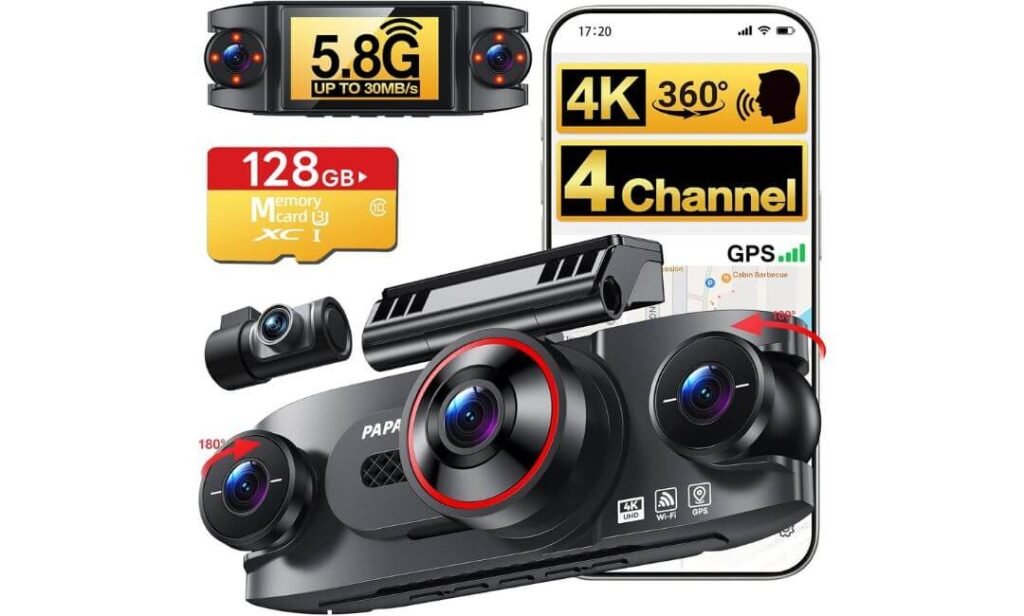
Quick Specs:
- Camera Setup: 4-channel — Front, Rear, Left & Right
- Front Resolution: 4K 3840×2160
- Rear Resolution: 1080P Full HD
- Left/Right Resolution: 1080P Full HD
- Front Aperture: F1.6
- Rear Aperture: F1.8
- Side Aperture: F2.0
- Night Recording: HDR + 8 invisible IR LEDs on left/right cameras
- Wi-Fi: 5.8GHz + 2.4GHz, up to 30MB/s transfer
- GPS: Built-in
- Storage: 128GB high-endurance card included; supports up to 256GB
- Display: 3-inch multi-view display
- Parking Mode: Time-Lapse + Impact Detection
- App: PAPAGO app for iOS and Android
- Voice Control: Yes
- Loop Recording: Yes
- Warranty: 24 months
The useful thing about this setup is not simply the 4K badge on the box. You are getting four cameras recording simultaneously: 4K 3840×2160 at the front, with 1080P cameras covering the rear, left and right. For someone who specifically wants more than a conventional front-and-rear dash cam, that difference matters because an incident does not always happen directly ahead of the vehicle.
The optical details are also worth paying attention to. The front camera uses an F1.6 aperture, the rear uses F1.8 and the side cameras use F2.0. The left and right cameras additionally use eight invisible infrared LEDs, which is particularly useful for recording the cabin and side areas when there is very little ambient light. It is a much more practical approach than assuming a wide-angle lens alone will solve every night-recording problem.
Then there is the footage-management side of ownership. The built-in 5.8GHz and 2.4GHz Wi-Fi connects to the PAPAGO app, with transfer speeds of up to 30MB/s listed by the manufacturer. With four cameras producing footage at once, this is not a throwaway feature. It can save a lot of time when you need several clips from the same event. Built-in GPS adds route, location and speed information, while voice commands and physical controls give you quick ways to save important footage.
What We Like About the Setup
- True four-channel recording gives you front, rear and both side views simultaneously.
- 4K front recording puts the highest available detail where it is normally most useful.
- 5.8GHz Wi-Fi up to 30MB/s makes moving large recordings to your phone much easier.
- 128GB high-endurance card included lets you start recording without buying a card immediately.
- IR-equipped side cameras give the less-visible angles useful low-light capability.
The Installation Detail You Should Know
The main thing to plan around is parking mode. The camera supports both time-lapse recording at 1 fps and impact-detection recording, but the required hardwire kit is sold separately. So if your goal is 24-hour monitoring, factor the hardwire installation into the overall setup rather than treating parking mode as something that automatically works from the standard power connection.
For ordinary driving, installation is considerably simpler. For parking protection, however, I would have the hardwire kit installed correctly by someone familiar with automotive fuse systems. That is better for the camera and the vehicle than trying to improvise a permanent power connection.
Why the Four-Channel Coverage Matters
A lot of dash cams stop being useful once an incident moves outside the forward field of view. This setup approaches the problem differently. The left and right cameras are there specifically to capture activity alongside the vehicle, while the rear camera covers what happens behind you. That makes the system particularly interesting for crowded streets, parking areas, lane changes and incidents where another vehicle approaches from the side.
The 3-inch display also has a practical purpose. It can show the front, rear, left and right feeds together, so you can check camera positioning without opening the phone app. It is not a touchscreen, but that is not necessarily a drawback here; physical controls can be simpler to operate while sitting in the vehicle.
Loop recording handles normal storage by overwriting older footage, while important event files can be locked. That gives the camera a sensible everyday workflow: record continuously, overwrite what is no longer needed, and protect footage that matters.
The Insider Pro-Tip
Before permanently hiding the wiring, sit in the driver’s seat and physically check all four views. This is especially important with the left and right cameras. Their usefulness depends heavily on mounting angle, and a camera that is technically recording 1080P is not much help if the pillar, seat or door frame occupies too much of its actual view.
I would also install the 128GB card, set the four-channel recording mode and make a short test drive before relying on the system. Check the front plate detail, rear framing and both side views separately. If you are buying this mainly for parking protection, do that test again after the hardwire kit is installed. Four cameras give you more evidence only when all four are positioned and powered correctly.
#2. HUPEJOS V8 MAX AI 4-Channel Dash Cam
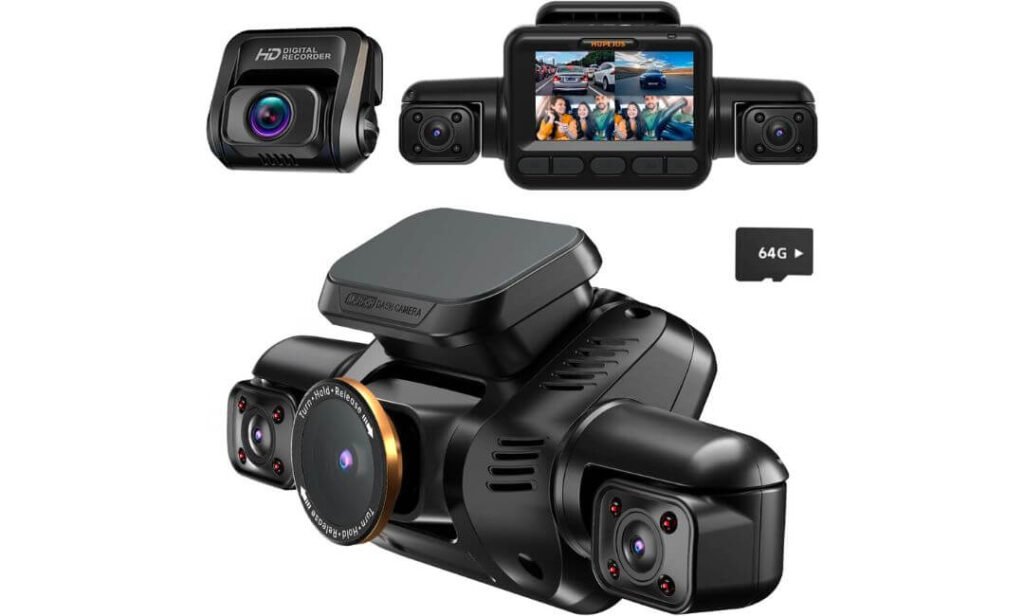
Quick Specs:
- Camera Setup: 4-channel — Front, Rear, Left & Right
- Front Resolution: 4K 3840×2160
- Rear Resolution: 1080P Full HD
- Left/Right Resolution: 1080P Full HD
- Front Field of View: 150°
- Image Sensor: Sony STARVIS 2 IMX675
- Night Recording: HDR/WDR + 8 IR lights
- Wi-Fi: 5GHz
- GPS: Built-in
- Display: 3-inch touchscreen
- Storage: 64GB card included; supports up to 512GB
- Parking Mode: Radar motion detection + impact detection + time-lapse
- Driver Monitoring: AI DMS for fatigue, yawning, distraction and phone-use detection
- Recording: 3-minute loop recording
- Controls: Touchscreen, physical buttons and voice commands
- Warranty: 18 months
- Hardwire Kit: Required for parking mode; sold separately
There is a reason this model deserves attention in a four-channel roundup: it combines the usual 4K front + 1080P rear/left/right arrangement with something the other cameras on this list do not focus on in the same way — an AI Driver Monitoring System. The system is designed to watch for signs such as fatigue, yawning, distraction and phone use, with the monitoring function able to be switched off when you do not want it.
The actual camera arrangement is also properly four-channel. The front camera records in 4K UHD through a 150° field of view, while the rear and both side cameras record simultaneously in 1080P. That distinction is important because a wide-angle front camera is not the same thing as having dedicated side cameras. Here, the side views are separate recording channels, which is exactly what you want when an incident develops beside the vehicle.
The Sensor and Night Hardware Deserve Attention
The Sony STARVIS 2 IMX675 sensor is one of the more interesting pieces of hardware here, particularly for the front camera. It is paired with HDR/WDR processing to help handle difficult changes between bright headlights, street lighting and darker areas.
The eight IR lights are aimed at the low-light side of the system, rather than simply being another specification on the front-camera sheet. That matters because the side and interior views can become much harder to expose correctly after dark. The result will still depend on camera positioning and the surrounding light, but the hardware gives those channels something more useful to work with than a basic interior camera.
What We Like About This Model
- AI driver monitoring gives it a genuinely different purpose beyond recording incidents.
- 4K front + three 1080P cameras provides a sensible balance between forward detail and four-way coverage.
- STARVIS 2 IMX675 + HDR/WDR + IR lighting gives the system serious low-light hardware.
- 5GHz Wi-Fi and built-in GPS make footage management and trip information more useful.
- Up to 512GB storage support gives you considerably more room for a four-camera recording workload.
One Practical Caveat Before You Buy
The AI functions are the feature I would test rather than blindly rely on. Driver-monitoring systems depend on factors such as camera position, lighting and how the system interprets driver behaviour. Think of the alerts as an additional reminder, not as a replacement for paying attention to the road.
There is also a more straightforward buying consideration: the included card is 64GB, while four cameras can generate a lot of footage. If you regularly record long journeys, a suitable higher-capacity card may make more sense, especially because the camera supports up to 512GB.
Where This Camera Makes More Sense Than a Conventional Four-Channel Setup
The strongest argument here is the combination of vehicle coverage and driver awareness. You are not only recording what is happening around the vehicle; the system is also designed to monitor the driver. That makes the feature set particularly relevant to people who spend long hours behind the wheel, including rideshare and professional drivers.
The 3-inch touchscreen is another useful difference. You can review footage and change settings directly from the camera, while physical buttons remain available when you want a more dependable control method. Voice commands add another option for basic hands-free actions, so you are not forced to use the touchscreen for every small operation.
The parking system is also more sophisticated than simple impact recording. With the appropriate hardwire installation, the camera can use radar motion detection, impact detection and time-lapse recording to keep watching the vehicle while parked. The hardwire kit is separate, so this should be considered part of the installation rather than an included accessory.
The Insider Pro-Tip
If you are buying this primarily for the AI driver monitoring, spend more time positioning the driver-facing camera than you normally would with a conventional dash cam. The system needs a sensible view of the driver’s face to interpret fatigue, yawning or distraction; mounting the camera too far off-axis or behind an obstruction can undermine the very feature that makes this model different.
And before committing to a long trip, test every channel separately at night. Check the front plate detail, rear visibility, both side views and the driver-monitoring alerts. With a four-camera system, the installation is effectively part of the camera’s performance. A perfectly capable sensor cannot compensate for a poorly positioned lens.
For parking protection, remember one simple point: the radar and impact features need the proper hardwire setup. If you want the camera to watch the vehicle while it is switched off, budget for that installation from the beginning rather than assuming the included power cable provides 24-hour protection.
#3. KEYROO R4 360° 4K 4-Channel Dash Cam
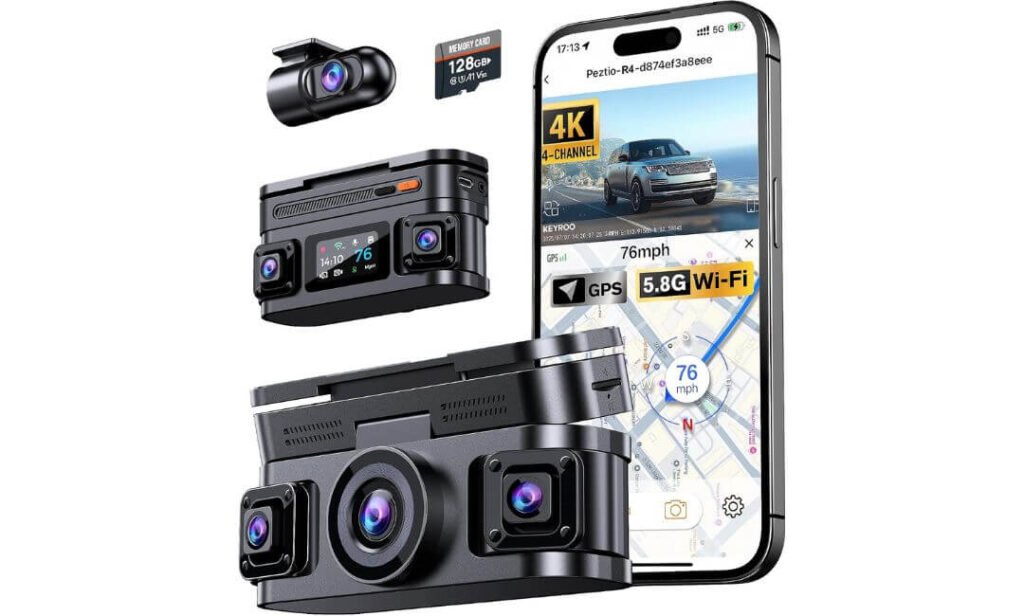
Quick Specs:
- Camera Setup: 4-channel — Front, Rear, Left & Right
- Front Resolution: 4K 3840×2160
- Rear Resolution: 1080P Full HD
- Left/Right Resolution: 1080P Full HD
- Field of View: Up to 160°
- Night Recording: F1.6 aperture + WDR + IR
- IR Lighting: 4 infrared LEDs
- Wi-Fi: 5.8GHz, up to 8MB/s transfer
- GPS: Built-in
- Storage: 128GB card included; supports up to 512GB
- Display/App: Smartphone app + GPS Player
- Parking Mode: Low-frame-rate recording with compatible hardwire kit
- G-Sensor: 3-axis impact detection
- Cameras: Four adjustable cameras
- Loop Recording: Yes
- Extra USB Port: Yes
- Support: Lifetime technical support
A four-channel dash cam only works as well as the angles you give it, and that is where this model makes a practical case for itself. The setup records 4K from the front and 1080P from the rear, left and right cameras simultaneously, so you are not depending on one extremely wide front lens to cover the sides of the vehicle.
The four cameras can also be rotated to adjust their viewing angles, which is useful because a compact sedan, large SUV and pickup do not present the same mounting geometry. The left and right cameras especially benefit from this flexibility. Instead of accepting whatever view you get after sticking the camera in place, you can fine-tune the lenses around your vehicle’s pillars, doors and cabin shape.
5.8GHz Wi-Fi Is Useful Here for a Different Reason
The built-in 5.8GHz Wi-Fi is rated for transfers of up to 8MB/s, and the accompanying app lets you review, download and manage recordings without taking the memory card out of the camera. That is not the fastest transfer specification among four-channel cameras, but it is still much more practical than physically removing the card every time you want a clip on your phone.
Built-in GPS adds another useful layer. Speed, location, time and route information can be recorded and reviewed through the app or GPS Player. If you ever need to establish where an event occurred, that information can be more useful than simply having a video file with no location context.
What We Like About This Setup
- 4K front + three 1080P cameras gives you genuine four-direction recording rather than simulated wide coverage.
- Adjustable four-camera design makes it easier to tailor the system to different vehicle interiors.
- 5.8GHz Wi-Fi and app access make everyday footage retrieval considerably easier.
- 128GB card included means the camera is ready to use without an immediate storage purchase.
- F1.6 front aperture, WDR and IR lighting give the system useful hardware for difficult nighttime scenes.
The Part I Would Not Overlook
The 8MB/s Wi-Fi transfer speed is useful, but do not confuse it with the fastest wireless systems in this category. Four-camera footage can add up quickly, especially when the front channel is recording in 4K. If you regularly download long clips, expect transfers to take some time rather than assuming every 4K recording will move to your phone instantly.
The other practical consideration is parking mode. The camera can provide low-frame-rate parking recording, but the Type-C hardwire kit is sold separately. If parked-vehicle monitoring is one of your main reasons for buying a four-channel camera, include that installation in your budget from the beginning.
Where This Four-Camera Design Makes Sense
The strongest part of the R4 is the combination of four independent views and adjustable positioning. Side cameras become far more useful when you can actually aim them where your particular vehicle needs coverage. That can make a difference in a crowded parking lot, a tight urban intersection or a situation where another vehicle approaches from the side.
The included 128GB card is another sensible touch. With four cameras recording together, storage consumption is naturally higher than with a single-channel camera. The ability to use cards up to 512GB gives you room to extend recording capacity later instead of being locked into a small storage limit.
The 3-axis G-sensor also has a straightforward job: when it detects a significant impact, the relevant footage can be locked so normal loop recording does not simply overwrite it. That is exactly the kind of feature that should work quietly in the background rather than requiring the driver to manage files manually.
The Insider Pro-Tip
Before you permanently route the cables, set the four cameras exactly where you think they should go and take a short drive. Then check the footage from all four channels separately. The front view may look perfect while one side camera is actually aimed too high, too low or partially blocked by the vehicle’s interior trim.
I would also test the G-sensor and loop-recording behaviour with the 128GB card installed before relying on the camera for important evidence. A four-channel dash cam creates a surprisingly large amount of footage, so confirming that every channel is recording continuously is more valuable than spending another hour adjusting settings you may never use.
If parking protection is the reason you are considering this model, have the compatible hardwire kit installed properly and test the parking mode before leaving the vehicle unattended. The camera can provide the feature, but the installation determines whether you actually have dependable protection when the ignition is off.
#4. ICESKY S03 4K 4-Channel Dash Cam
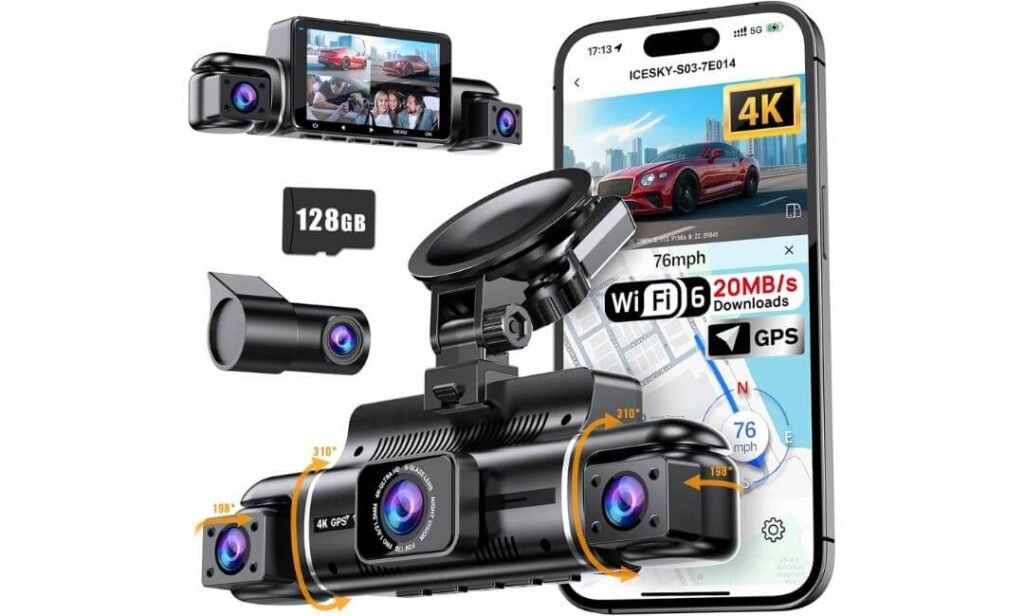
Quick Specs:
- Camera Setup: 4-channel — Front, Rear, Left & Right
- Front Resolution: 4K 3840×2160
- Rear Resolution: 1080P Full HD
- Left/Right Resolution: 1080P Full HD
- Display: 3-inch multi-view screen
- Wi-Fi: 5.8GHz WiFi 6, up to 20MB/s
- GPS: Built-in GPS with route playback
- Storage: 128GB card included; supports up to 512GB
- Night Recording: 8 IR lights for left/right cameras
- Parking Mode: 24-hour parking mode; hardwire kit required
- G-Sensor: Yes
- Loop Recording: Yes
- Voice Alerts: Yes
- Camera Adjustment: Adjustable cameras
- App: View, download and share recordings
- Vehicle Compatibility: Sedans, SUVs, trucks, vans and rideshare vehicles
The S03 gets one important thing right for a four-channel camera: it treats footage management as part of the product, not something you figure out later. Four cameras continuously recording means there can be a lot of video to sort through, so the combination of 5.8GHz WiFi 6 and advertised transfer speeds of up to 20MB/s makes phone-based playback and downloads considerably more practical.
The recording setup itself is straightforward: 4K at the front and 1080P at the rear, left and right. That gives you the higher-resolution view where forward detail matters while keeping dedicated cameras watching the other three directions. The 3-inch display can show the four feeds together, which is particularly handy during installation because you can immediately see whether one of the side cameras is aimed at the wrong part of the vehicle.
Side Cameras Get the Night-Vision Attention
One detail I would pay attention to here is the eight IR lights assigned to the left and right cameras. Side cameras are often the weak point of a multi-camera setup after dark, simply because there may not be enough light around the doors and cabin area.
The S03 allows the left and right infrared modes to be controlled independently. That does not magically turn nighttime footage into daytime footage, but it gives you more control over the two views that are most likely to struggle when ambient lighting disappears. The front and rear cameras can continue operating normally while the side cameras use their IR assistance.
What We Like About This Model
- True four-channel recording gives the vehicle dedicated front, rear and side coverage.
- WiFi 6 at up to 20MB/s is a meaningful advantage when managing several channels of footage.
- 128GB card included with support for up to 512GB gives you useful storage headroom.
- Independent side-camera IR control is a thoughtful feature for nighttime four-way coverage.
- Built-in GPS and route playback add useful context to recorded incidents.
The One Setup Cost You Should Remember
The camera supports 24-hour parking mode, but that does not mean it will operate continuously from the standard cigarette-lighter connection after the ignition is switched off. A compatible hardwire kit is required and sold separately.
That is worth knowing before ordering because parking mode is often advertised prominently on dash cams while the power requirement is buried further down the specification list. If parking surveillance is important to you, consider the camera and hardwire kit as one installation rather than two unrelated purchases.
Why This Four-Channel Arrangement Works
The S03 makes sense for someone who wants a four-camera system without making the setup unnecessarily complicated. The front camera handles the highest-resolution recording, while the other three cameras concentrate on what is happening behind and alongside the vehicle. That is the real reason to move from a conventional two-channel dash cam to this type of system.
The 3-inch multi-view display also makes installation easier than relying entirely on a smartphone. After mounting the cameras, you can immediately check all four perspectives and make adjustments before hiding the cables. That is a small feature, but with four lenses it can save you from discovering later that one side camera is pointed at the headliner or door frame.
The included 128GB card is another sensible choice. Four-channel recording produces more data than a front-only system, and the ability to move up to a 512GB compatible card later gives you room to extend recording time if your driving routine demands it.
The Insider Pro-Tip
Do not judge the side cameras from the live preview alone. After installation, take the car out in both daylight and darkness and inspect the saved footage from the left and right channels. What looks like a wide view on the screen can reveal a very different usable area once the vehicle is moving.
I would also leave the camera in its intended four-channel recording mode for a full test drive before permanently routing the wiring. Check that all four files are being recorded continuously, the GPS data is appearing correctly, the side IR behaves as expected and the card is saving footage without interruptions.
And if you live somewhere that gets very hot inside the vehicle, pay attention to the installation environment rather than relying on a generic temperature claim. Keep the camera and wiring positioned sensibly, avoid unnecessary exposure to direct heat where possible, and make sure the parking-mode hardwire installation is done properly. The best four-channel camera is still only as dependable as the footage it actually manages to save.
#5. Neideso N300 4-Channel Dash Cam
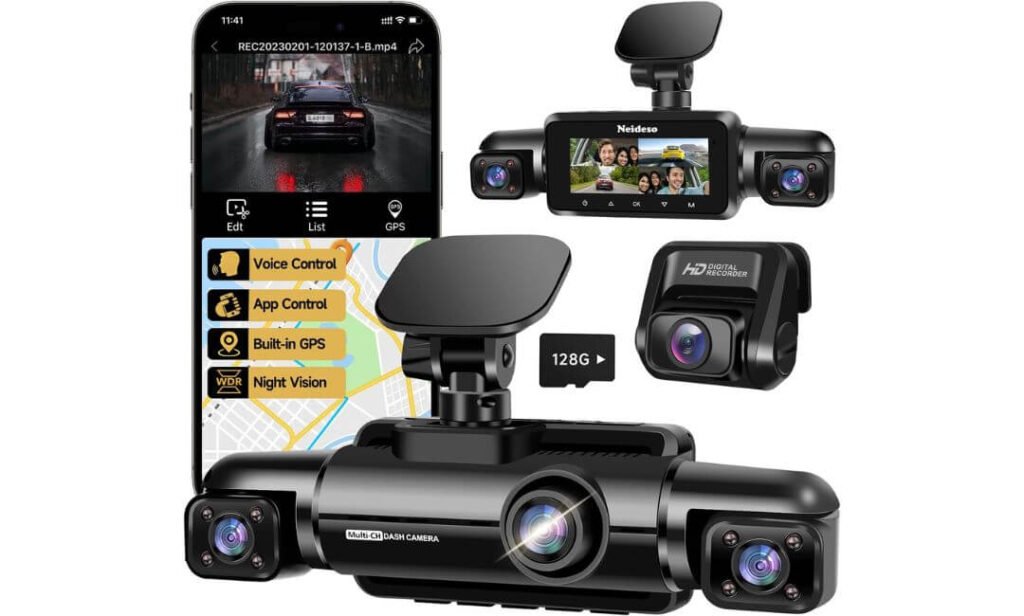
Quick Specs:
- Camera Setup: 4-channel — Front, Rear, Left & Right
- Recording Modes: 4K + 1080P / 4K + 1080P + 1080P / 2K + 1080P ×3
- Front Resolution: Up to 4K
- Rear/Side Resolution: Up to 1080P depending on recording mode
- Night Recording: Night Vision 3.0 + WDR + 8 IR LEDs
- Wi-Fi: 5GHz, up to 10MB/s
- GPS: Built-in GPS
- Storage: 128GB card included; supports up to 256GB
- Display: Built-in display
- Parking Mode: 24-hour monitoring with hardwire kit
- G-Sensor: Yes
- Loop Recording: 3-minute clips
- Voice Control: English voice commands
- App: View, download and share recordings
- Cloud Storage: No
- Remote Monitoring: No
- OTA Updates: Supported through the Tscam app
- Camera Adjustment: Adjustable viewing angles
Most four-channel cameras make you choose one fixed recording configuration and live with it. The N300 takes a more flexible route. You can select between 4K + 1080P, 4K + 1080P + 1080P, or 2K + 1080P ×3 recording modes, depending on how much resolution and storage you actually need.
That is a genuinely useful feature rather than something that simply looks good in a specification list. If you care most about the forward view, you can prioritize the 4K front camera. If you want a more balanced multi-camera setup, another recording mode may make more sense. With four cameras generating footage at once, having that choice also gives you some control over storage consumption.
The cameras themselves can be rotated and adjusted, which matters more than it sounds. A side camera positioned a few degrees incorrectly can lose useful coverage behind a pillar or across the door area. Being able to physically adjust the angles makes it easier to adapt the setup to a sedan, SUV, truck or van instead of assuming one mounting position works for every vehicle.
Night Recording Is Built Around the Side Views
The N300 combines Night Vision 3.0, WDR and eight infrared LEDs to improve recording when lighting becomes difficult. The IR hardware is particularly relevant to the left and right cameras because those areas can become extremely dark compared with the forward road view.
WDR also has a practical job here. Headlights, streetlights and dark surroundings can all appear in the same frame, so the camera needs to handle large changes in brightness rather than simply increasing exposure everywhere. It will not eliminate every difficult nighttime scene, but the combination of WDR and IR gives the system useful tools for dealing with them.
What We Like About This Model
- Three recording configurations let you decide how to balance front resolution, four-camera coverage and storage.
- 5GHz Wi-Fi up to 10MB/s provides convenient local access to recordings through the app.
- Built-in GPS records route, speed, location and time information.
- Eight IR LEDs + WDR give the side cameras additional low-light capability.
- 128GB card included with support for up to 256GB gives you a usable starting point for four-channel recording.
One Important Expectation to Set
This is a local Wi-Fi dash cam, not a cloud-connected security camera. You can connect your phone to the camera’s Wi-Fi and use the app to view or download recordings, but the product does not provide cloud storage or remote monitoring.
That distinction matters if you are imagining yourself checking the vehicle from somewhere else. The Wi-Fi is there to communicate with the camera when you are nearby; it is not an internet connection that lets you watch the car remotely from home.
Parking mode also needs the appropriate hardwire kit, which is sold separately. The camera can provide 24-hour parking monitoring, but it needs continuous power after the vehicle is switched off. I would treat that kit as part of the installation if parking surveillance is one of your reasons for buying a four-channel system.
Why the Recording Modes Are Its Real Strength
The most interesting part of the N300 is the ability to change the recording balance instead of being locked into one setup. Four cameras recording continuously can produce a lot of data, and not every driver needs maximum resolution on every channel.
For example, someone who spends most of the time on highways may prefer to prioritize the 4K front view, while someone driving in dense urban traffic may value having more balanced coverage around the vehicle. The N300 gives you room to make that decision yourself.
The GPS and app combination also keeps the everyday workflow straightforward. You can review footage, download clips and see route information without removing the card every time. Loop recording takes care of ordinary storage by overwriting older unlocked files, while the G-sensor can protect footage associated with a detected impact.
The OTA update support is another small but worthwhile detail. Connecting the camera to the Tscam app and checking for available firmware updates is sensible when setting it up for the first time, particularly with a feature-heavy four-camera system.
The Insider Pro-Tip
Before deciding which recording mode you want permanently, record the same short drive in each available configuration and compare the files on a computer or large screen. You may find that one mode gives you the balance you actually need without wasting storage on resolution you will rarely use.
And do not buy this camera expecting Wi-Fi to work like a remote security service. It is local camera-to-phone connectivity. If your goal is downloading an accident clip while standing beside the car, that is exactly what the feature is for. If your goal is watching the vehicle from miles away, you need a completely different type of connected system.
For parking mode, install the compatible hardwire kit properly and test it before relying on it overnight. With a four-channel camera, the real test is simple: leave the car parked, trigger the system as intended, then check whether the expected footage was actually saved. That small test is worth doing before you trust any dash cam with an important incident.
#6. IIWEY N5 4-Channel Dash Cam
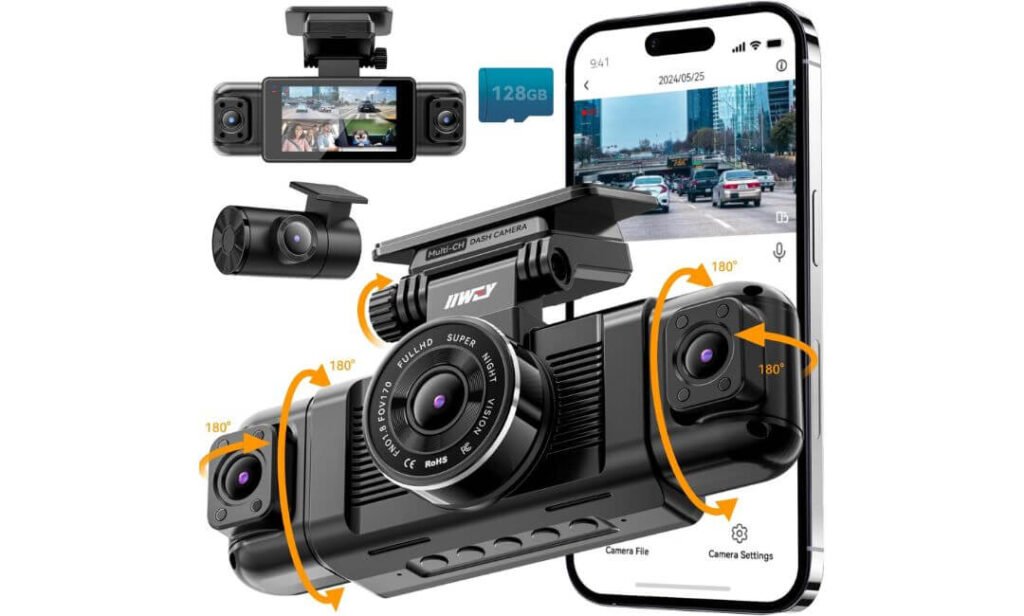
Quick Specs:
- Camera Setup: 4-channel — Front, Rear, Left & Right
- Front Resolution: 2.5K 2560×1440
- Rear Resolution: 1080P Full HD
- Left/Right Resolution: 1080P Full HD
- Front/Rear Field of View: 170°
- Side Field of View: 150°
- Display: 3-inch IPS screen
- Wi-Fi: 5GHz + 2.4GHz
- GPS: No
- Storage: 128GB card included; supports up to 256GB
- Night Recording: IR lighting
- Parking Mode: Time-Lapse + Impact Detection; hardwire kit required
- G-Sensor: Yes
- Loop Recording: Yes
- Supercapacitor: Yes
- Front Bracket Adjustment: 90°
- Rear Camera Adjustment: 360°
- Apps: IIWEY and Viidure
- Warranty: 12 months
The N5 is not trying to compete with the 4K-front cameras above it. Its approach is simpler: 2.5K at the front and 1080P across the remaining three channels, giving you four-camera coverage without pushing every channel toward higher-resolution recording.
That can actually make sense for someone whose first priority is seeing what is happening around the entire vehicle. The front and rear cameras use 170° views, while the side cameras use 150° angles. More importantly, the side cameras can be adjusted independently, so you have some control over exactly what those additional channels are watching.
There is also a second recording option that brings all four channels to 1080P. That gives you a practical choice between putting more detail into the forward-facing camera or keeping the four feeds at a more uniform resolution.
The Supercapacitor Is the Detail I Would Notice
Instead of using a conventional internal battery, this camera uses a supercapacitor. That is worth knowing if the vehicle spends a lot of time sitting in a hot cabin because there is no lithium battery inside the camera to manage.
The manufacturer lists an operating range of -4°F to 167°F (-18°C to 75°C). That does not mean you should deliberately expose the camera to extreme temperatures, but the supercapacitor design is a sensible hardware choice for a device that may remain mounted inside a vehicle through large temperature swings.
What We Like About This Model
- True four-channel recording covers the front, rear and both sides simultaneously.
- 2.5K front recording gives you more detail than a standard 1080P front camera.
- Independently adjustable side cameras make it easier to tailor coverage to the vehicle.
- 128GB card included with support for up to 256GB gives you a useful starting point for storage.
- Supercapacitor construction is a thoughtful choice for a camera that stays inside the vehicle.
The Missing Feature You Should Know About
There is no GPS on the N5. That means the camera cannot add route, location or speed information to your recordings like the GPS-equipped models in this roundup.
That is not automatically a reason to reject it. If your main requirement is four-way video coverage, GPS may not matter much. But if you want location data attached to footage for documenting a journey or an incident, this is one area where the N5 is clearly behind the other options.
There is also an important connectivity quirk: the camera’s Wi-Fi needs to be manually activated when you want to connect the app, and the Wi-Fi automatically switches off after five minutes without an app connection. That is designed to help manage heat, but it makes phone-based footage retrieval less seamless than simply leaving Wi-Fi available all the time.
Why the Four-Camera Setup Still Makes Sense
The strongest reason to choose this model is coverage rather than headline resolution. You get a dedicated front camera, rear camera and two side cameras, with the side lenses adjustable independently. For someone dealing with crowded city traffic, tight parking spaces or frequent lane changes, those additional views can be more useful than another jump in front-camera resolution.
The 3-inch IPS display also makes setup straightforward. You can check the views directly on the camera, adjust the bracket and rear lens, and make sure the side cameras are actually looking where you want them before hiding the wiring.
The 128GB card is already installed, while loop recording automatically replaces older footage as storage fills. When the G-sensor detects a significant impact, emergency footage can be locked so it is not overwritten during normal loop recording.
For parking protection, the N5 offers time-lapse recording and impact-detection mode, but a compatible hardwire kit is required. The standard cigarette-lighter charger is the specified power method for normal operation; the manufacturer specifically warns against powering the camera through a USB or Type-C cable.
The Insider Pro-Tip
If you are choosing the N5, buy it for its four-camera coverage and heat-conscious hardware—not because you expect premium connectivity. The lack of GPS and the extra step required to activate Wi-Fi are real trade-offs, and it is better to know that before buying than to discover them after installation.
During setup, connect the included car charger exactly as specified, then test all four channels before routing the rear cable permanently. I would also deliberately test the Wi-Fi connection, loop recording and emergency-lock function during the first few drives. With a dash cam, five minutes spent confirming that everything is actually saving footage is worth far more than assuming the specification sheet tells the whole story.
If you intend to use parking mode, install the proper hardwire kit and test it while the car is parked. The N5’s strongest argument is simple: four useful views, adjustable side coverage and a supercapacitor-based design—provided you are comfortable giving up GPS and accepting a more hands-on Wi-Fi experience.
Best 4-Channel Dash Cams in 2026 Compared
| What You’re Comparing | PAPAGO G680 | HUPEJOS V8 MAX | KEYROO R4 | ICESKY S03 | Neideso N300 | IIWEY N5 |
|---|---|---|---|---|---|---|
| Overall Setup | 4-channel 4K setup Front + Rear + Left + Right Dedicated four-camera recording | AI-focused setup Front + Rear + Left + Right Adds driver monitoring | Adjustable 360° setup Front + Rear + Left + Right Four adjustable cameras | Connectivity-focused Front + Rear + Left + Right WiFi 6 plus four-way coverage | Flexible recording Front + Rear + Left + Right Three recording configurations | Coverage-focused Front + Rear + Left + Right 2.5K front with 1080P surround views |
| Front Camera | 4K 3840×2160 F1.6 |
4K 3840×2160 150° view · STARVIS 2 IMX675 |
4K 3840×2160 Wide-angle recording |
4K 3840×2160 High-detail front view |
Up to 4K Mode-dependent |
2.5K 2560×1440 170° view |
| Other Three Cameras | 1080P × 3 Rear + Left + Right |
1080P × 3 Rear + Left + Right |
1080P × 3 Rear + Left + Right |
1080P × 3 Rear + Left + Right |
Up to 1080P Depends on recording mode |
1080P × 3 Rear + Left + Right |
| Recording Flexibility | Fixed 4-channel format | Multiple recording modes 4K + 1080P combinations |
Standard 4-channel | Standard 4-channel | 3 modes 4K+1080P · 4K+1080P+1080P · 2K+1080P×3 |
2 modes 2.5K front or 1080P all-channel |
| WiFi & Transfer | 5.8GHz · up to 30MB/s | 5GHz App connectivity |
5.8GHz · up to 8MB/s | WiFi 6 · up to 20MB/s | 5GHz · up to 10MB/s | 5GHz + 2.4GHz Manual WiFi activation |
| GPS | Built-in Route · speed · location |
Built-in Route · speed · location |
Built-in Route · speed · location |
Built-in Route playback |
Built-in Map-based route data |
No GPS No route or speed logging |
| Night Coverage | 8 IR LEDs Side cameras · HDR |
STARVIS 2 + 8 IR HDR/WDR |
4 IR LEDs WDR · F1.6 |
8 IR LEDs Independent side IR |
8 IR LEDs Night Vision 3.0 · WDR |
IR lighting Low-light four-camera recording |
| Included Storage | 128GB Up to 256GB |
64GB Up to 512GB |
128GB Up to 512GB |
128GB Up to 512GB |
128GB Up to 256GB |
128GB Up to 256GB |
| Parking Mode | Time-Lapse + Impact Hardwire kit required |
Radar + Impact + Time-Lapse Hardwire kit required |
Low-frame-rate monitoring Hardwire kit required |
24-hour parking mode Hardwire kit required |
24-hour monitoring Hardwire kit required |
Time-Lapse + Impact Hardwire kit required |
| Driver Assistance | Voice control | AI Driver Monitoring Fatigue · yawning · distraction · phone use |
Voice control | Voice alerts | English voice control | App control |
| Notable Hardware Detail | 3-inch display Four-view display |
STARVIS 2 IMX675 3-inch touchscreen |
Adjustable cameras Extra USB charging port |
3-inch display Adjustable cameras |
Adjustable cameras OTA firmware updates |
Supercapacitor No internal battery |
| The Trade-Off | Parking hardwire kit is separate. | AI features add complexity and should be tested rather than blindly relied upon. | 8MB/s WiFi is useful, but not the fastest here. | Parking mode needs separate hardwire installation. | No cloud or remote monitoring; WiFi is local to the camera. | No GPS and WiFi needs manual activation. |
| Best Fit For | High-detail 4K + fast transfers | AI-focused long-distance driving | Adjustable four-way coverage | Fast WiFi 6 + balanced coverage | Flexible recording control | Simple 360° coverage + heat-conscious hardware |
Buying Guide: How to Choose the Right 4-Channel Dash Cam
A four-camera dash cam is useful because it can cover the front, rear, left and right sides of the vehicle at the same time. But that does not mean every four-channel system gives the same level of evidence. A camera can advertise 4K and still have weaker side footage, limited storage, slow file transfers, or a parking mode that is only practical after additional installation.
The right way to compare these systems is to look at the complete recording setup rather than one headline specification. Resolution, sensor quality, field of view, Wi-Fi, GPS, storage, night recording, parking functionality, installation and the way the four channels share processing power all matter.
Start With the Four Cameras, Not the 4K Badge
The first question should be simple: what resolution does each camera actually record at?
Many four-channel systems use a 4K front camera with 1080P rear and side cameras. That is not necessarily a problem. The front camera normally handles the longest-distance detail, while the side cameras are primarily there to document adjacent traffic, lane changes, parking incidents and activity around the doors.
What matters is understanding the difference between these two specifications:
| Specification | What it tells you | Why it matters |
|---|---|---|
| Front resolution | Detail available ahead of the vehicle | Useful for plates, signs and incidents farther away |
| Rear resolution | Detail behind the vehicle | Important for rear impacts and following traffic |
| Side resolution | Detail beside the vehicle | Particularly useful for lane changes and side incidents |
| Field of view | How much area each camera captures | Wider is not automatically better because extreme wide-angle views can reduce distant detail |
| Frame rate | How frequently frames are captured | Higher frame rates can make moving footage easier to analyse |
| HDR/WDR | How the camera handles difficult lighting | Helpful with headlights, shadows and bright skies |
For most buyers, a 4K front camera with three 1080P auxiliary cameras is a perfectly sensible configuration. I would not automatically reject one because the side cameras are not 4K. Instead, check whether those side cameras are positioned correctly and whether their field of view actually covers the areas you want recorded.
Image Quality Depends on the Sensor Too
Resolution is only part of the image-quality equation.
A camera sensor determines how the system handles light, motion and difficult scenes. This becomes particularly important after sunset, under street lighting, or when headlights are coming directly toward the camera.
Sony STARVIS and STARVIS 2 sensors are commonly used in higher-end dash cams because they are designed for low-light imaging. The Sony STARVIS 2 IMX675, for example, appears in the HUPEJOS V8 MAX and gives that model a more meaningful hardware specification than simply saying “4K night vision.”
Still, do not treat a sensor name as a guarantee of perfect nighttime footage. Lens aperture, image processing, HDR/WDR implementation, exposure control and camera placement all influence the final recording.
For a four-camera system, I would specifically check:
- Front camera sensor and resolution.
- Lens aperture, particularly for the front camera.
- HDR or WDR support.
- Whether the side cameras have dedicated infrared lighting.
- Whether the rear camera remains usable at night rather than being treated as an afterthought.
- Whether the camera maintains useful detail when vehicles are moving across the frame.
- Whether the recording format remains stable when all four channels are active.
AI Features Are Useful, But Do Not Confuse Them With Evidence
AI driver monitoring can be useful if you specifically want alerts for things such as fatigue, yawning, distraction or phone use. It is a different feature from ordinary video recording.
The important point is that AI should be treated as an assistance feature, not as something you blindly rely on. Camera positioning, lighting, sunglasses, driver posture and software interpretation can all affect how an alert behaves.
If you are buying a four-channel camera primarily for accident documentation, the fundamentals still come first:
- Clear video from all four channels.
- Reliable loop recording.
- Proper event locking.
- Adequate storage.
- GPS if you want location and speed information.
- A practical way to retrieve footage.
AI can be an additional benefit, but it should not compensate for weak recording hardware.
Wi-Fi Matters More on a Four-Channel Camera
Wi-Fi is more useful here than it is on a basic front-only dash cam because four cameras can generate a considerable amount of footage.
Removing the memory card every time you want to check a short clip is inconvenient. A camera with 5GHz or faster Wi-Fi can make it easier to preview and transfer recordings directly to a phone.
The models in this comparison illustrate why the actual transfer specification matters:
- PAPAGO G680 supports 5.8GHz and 2.4GHz Wi-Fi, with transfer speeds stated up to 30MB/s.
- ICESKY S03 uses WiFi 6, with transfer speeds stated up to 20MB/s.
- Neideso N300 uses 5GHz Wi-Fi, with transfer speeds stated up to 10MB/s.
- KEYROO R4 uses 5.8GHz Wi-Fi, with speeds stated up to 8MB/s.
- IIWEY N5 supports 5GHz and 2.4GHz Wi-Fi.
- HUPEJOS V8 MAX uses 5GHz Wi-Fi.
Those numbers are more useful than simply writing “Wi-Fi enabled.” Actual transfer speed can vary with the phone, distance, file size and surrounding wireless interference, so treat advertised speeds as specifications rather than guaranteed real-world results.
Also remember that Wi-Fi and cloud storage are not the same thing. Most of these systems are designed for local phone-to-camera transfers. A Wi-Fi connection does not automatically mean that you can remotely watch your vehicle from anywhere.
GPS Is Worth Having If You Want More Than Video
GPS is not required to record video, but it adds useful context.
A GPS-equipped dash cam can associate footage with information such as location, route and vehicle speed, depending on the model and software. That can make footage easier to understand later, particularly when reviewing a longer drive.
Five of the six cameras in this comparison provide built-in GPS, while the IIWEY N5 does not.
If you do not care about route data or speed information, the absence of GPS may not matter. But if you are buying a four-channel system specifically for documentation, I generally consider built-in GPS a useful feature rather than an unnecessary extra.
Parking Mode Requires More Than a Menu Setting
This is one area where dash-cam buying guides often make things sound easier than they really are.
A camera may advertise 24-hour parking mode, impact detection or time-lapse recording, but continuous parking surveillance normally requires a compatible hardwire kit and an appropriate installation.
A normal cigarette-lighter connection generally only powers the camera while the vehicle accessory circuit is active. If you want the camera to continue monitoring after the engine is switched off, the installation needs to provide suitable power while also protecting the vehicle battery.
Parking systems can use different approaches:
- Impact detection records when the camera detects a physical event.
- Motion detection can record when movement is detected in the camera’s field of view.
- Time-lapse parking mode continuously captures at a reduced recording rate.
- Low-frame-rate recording reduces storage consumption while maintaining a broader parking record.
- Some systems combine more than one of these approaches.
Before buying, check whether the required hardwire kit is included. With the models covered here, the parking installation requirement should not be treated as an included free feature simply because “24-hour parking” appears in the product description.
Memory and Storage: Why 128GB Makes More Sense for Four Channels
A four-channel dash cam can consume storage much faster than a front-only camera because multiple video streams are being recorded simultaneously.
That makes 128GB a practical starting point for many buyers. It does not mean 128GB will provide a fixed number of hours, because recording time depends on resolution, bitrate, frame rate, compression and whether audio is enabled.
As a general buying rule, look at the complete storage specification rather than only the included card:
| Storage Point | What to Check |
|---|---|
| Included card | 64GB, 128GB or another capacity |
| Maximum supported capacity | Check the manufacturer’s stated limit |
| Card type | Use a suitable high-endurance microSD card |
| Recording load | Four simultaneous cameras create more write activity |
| Loop recording | Older footage is normally overwritten automatically |
| Event files | Locked clips may remain until manually removed |
| Card health | Regularly check and replace heavily used cards |
The HUPEJOS V8 MAX includes 64GB but supports up to 512GB, while PAPAGO G680, KEYROO R4, ICESKY S03, Neideso N300 and IIWEY N5 include 128GB cards with different maximum capacities.
That difference matters if you drive frequently. A 64GB card can be consumed relatively quickly when four cameras are recording continuously.
Choose a High-Endurance microSD Card
Do not treat the memory card like ordinary phone storage.
Dash cams repeatedly write, overwrite and lock video files, which creates a much heavier workload than occasional smartphone photography. A high-endurance microSD card designed for continuous recording is therefore a better choice than an inexpensive general-purpose card.
Before replacing the included card, verify:
- Maximum supported capacity.
- Supported microSD specification.
- Recommended speed class.
- High-endurance suitability.
- Whether the camera requires the card to be formatted inside the device.
A larger card is not automatically better if the camera does not officially support it.
Four-Channel Dash Cam Installation Tips That Actually Matter
Installation is where a good four-camera system can become frustrating if you rush the job.
The front camera is usually straightforward, but the rear and side cameras require more planning. You need to route multiple cables without obstructing airbags, interfering with moving parts or leaving loose wiring around the cabin.
Before permanently attaching anything, test the entire system.
Test Every Camera Before Hiding the Cables
Power the system and check the live view from all four cameras. Confirm that:
- The front camera is level.
- The rear camera shows the correct direction.
- The left camera covers the intended blind-side area.
- The right camera covers the intended blind-side area.
- None of the views are blocked by trim, pillars or tint.
- The image is not excessively tilted.
- Night footage is usable.
- All four channels are actually being recorded.
This takes a few minutes and can save hours of removing trim later.
Keep Airbag Areas Clear
Cable routing should never interfere with side-curtain airbags, A-pillar airbags or other safety equipment.
Do not simply push a cable wherever there appears to be space. The correct routing method depends on the vehicle, so the vehicle’s service information and the dash-cam installation instructions should take priority.
The same applies to the rear camera. Avoid routing cables across areas where they could interfere with moving components or become pinched.
Give the Side Cameras Extra Attention
The side cameras are one of the biggest reasons to buy a four-channel system, so their positioning deserves more attention than simply pointing them outward.
You want useful coverage of the areas beside the vehicle without wasting too much of the frame on the car’s own door, pillar or interior trim.
After installation, sit in the driver’s seat and check the actual side-camera views. Then test them from outside the vehicle by walking around the areas you want covered.
That practical check is far more useful than assuming a camera’s advertised field-of-view number guarantees perfect coverage.
Hardwiring Should Be Done Properly
If you are adding parking mode, use a compatible hardwire kit and install it according to the vehicle and dash-cam requirements.
The important considerations include:
- Correct fuse location.
- Correct fuse-tap installation.
- Proper grounding.
- Suitable voltage protection.
- Cable routing away from moving or hot components.
- Correct parking-mode configuration.
- Testing that the camera shuts down or enters parking mode correctly.
If you are not comfortable working around the vehicle’s fuse box, professional installation is the sensible option. A poorly installed hardwire connection is not worth saving a little money.
Do Not Ignore Heat and Power Design
Dash cams spend long periods inside a vehicle where temperatures can become considerably higher than normal room temperature.
This makes the power design important. Some cameras use a supercapacitor rather than a conventional internal battery, which can be advantageous for a device that repeatedly experiences heat cycles.
The IIWEY N5, for example, specifies a supercapacitor. That does not automatically make it the right choice for every buyer, but it is a meaningful hardware detail when comparing cameras that may remain installed in a vehicle year-round.
The same principle applies to parking mode. A camera that records for hours while the vehicle is parked needs a properly designed power solution, not simply a larger battery inside the camera.
Match the Camera to How You Actually Drive
There is no need to pay for every feature if you will never use it.
A useful way to narrow the choice is to start with your driving situation:
- Mostly highway driving: prioritize front image quality, GPS and reliable storage.
- Frequent city driving: strong side coverage becomes particularly useful.
- Rideshare or passenger transport: four-camera coverage and interior/side positioning deserve extra attention.
- Frequent overnight parking outdoors: prioritize a practical parking system and proper hardwire installation.
- Frequent footage transfers: faster Wi-Fi becomes more valuable.
- Long-distance driving: larger supported storage and GPS can make the system easier to manage.
- Hot-weather parking: pay closer attention to power design, installation and operating-temperature specifications.
- Drivers who want additional alerts: AI or voice features can be useful, but should remain secondary to recording quality.
The main takeaway is simple: buy the recording system, not the marketing badge. A 4K label, 5GHz Wi-Fi or “24-hour parking” feature only tells you part of the story. The better question is whether all four cameras, the storage, connectivity and installation method work together for the way you actually use the vehicle.
Installation Guide: How to Install a 4-Channel Dash Cam Properly
A four-channel dash cam is more involved to install than a conventional front-and-rear system because you are dealing with four separate camera positions and several cable runs. The cameras need to be aligned before the wiring is hidden, and the side cameras deserve particular attention because a few inches of positioning can change how much of the blind spot they actually capture.
The cleanest installation is not simply the one where no cables are visible. It is the one where the cameras have useful views, the cables are safely routed, the power connection is reliable, and nothing interferes with airbags, pedals, steering components or moving trim.
Before You Start the Installation
Before sticking anything permanently to the vehicle, lay out the complete system and identify which cable belongs to each camera.
For a typical four-channel arrangement, you will have:
- Front camera.
- Rear camera.
- Left-side camera.
- Right-side camera.
- Main power cable.
- Rear-camera cable.
- Left-camera cable.
- Right-camera cable.
- GPS antenna or GPS connection, if supplied separately.
- Hardwire kit, if parking mode is being installed.
Read the camera’s installation instructions first. Cable lengths, connector types and camera mounting methods differ between models, so do not assume that a cable intended for one channel can simply be swapped with another.
Before routing anything, also check whether your vehicle has curtain airbags or side airbags along the A-pillars, B-pillars, C-pillars or roofline. Cable routing should never interfere with an airbag’s deployment path.
Step 1: Test the Complete System Before Mounting Anything
This is one of the most useful steps and one of the easiest to skip.
Connect the camera system temporarily and confirm that all four cameras are recognized. Insert the memory card, power the unit and check the live view or recorded files.
Test:
- Front recording.
- Rear recording.
- Left-side recording.
- Right-side recording.
- Audio, if you intend to use it.
- Wi-Fi connection.
- GPS signal.
- Display and buttons.
- Loop recording.
- Emergency or event locking.
- Parking mode, if you have already installed the required power connection.
Record a short clip from all four channels and play the files back. You want to verify that four separate views are actually being recorded, rather than assuming the live screen means everything is functioning correctly.
This is particularly important with multi-camera systems because troubleshooting a loose connector is much easier while the wiring is still exposed.
Step 2: Choose the Front Camera Position
The front camera should normally sit high on the windshield without blocking the driver’s view.
A position around the upper central portion of the windshield is generally practical, but the exact location depends on the vehicle’s windshield shape, mirror housing and any factory camera or sensor system.
Before attaching the mount:
- Sit in the normal driving position.
- Check the driver’s forward visibility.
- Make sure the camera does not obstruct important factory sensors.
- Keep the lens away from areas heavily covered by windshield tint or frit.
- Check that the camera can be adjusted without hitting the mirror or surrounding trim.
- Confirm that the windshield area is clean and dry.
The camera should be level with the road, rather than noticeably tilted upward or downward.
A slight angle adjustment is normal. A major tilt can make the footage less useful because the camera will devote too much of the frame to the sky or the vehicle’s hood.
Step 3: Mount the Rear Camera
The rear camera requires more planning because the cable has to travel from the front section of the cabin to the rear of the vehicle.
For a sedan or SUV, the rear camera is commonly positioned near the upper portion of the rear glass. For vehicles with a tailgate or hatch, make sure the cable has enough flexibility for the hatch to open and close.
Before fixing the camera permanently, check:
- The rear glass is clean.
- The defroster lines are not being unnecessarily covered.
- The camera has a clear rearward view.
- The hatch or trunk movement does not pull the cable.
- The cable has enough slack at the moving hinge area.
- The camera is not pointing too far toward the sky.
Do not stretch the cable tightly across a moving hatch. A cable that looks perfectly tidy when the hatch is closed can become stressed every time the hatch opens.
Step 4: Position the Left and Right Cameras Carefully
This is where four-channel installation becomes substantially different from a normal dash cam.
The left and right cameras should be positioned so they actually record the areas beside the vehicle. Simply mounting them somewhere near the front doors does not guarantee useful side coverage.
Before fixing either camera, check its live view while sitting in the driver’s seat.
You want to see enough of:
- Adjacent traffic.
- The side of the vehicle.
- Areas around the front and rear doors.
- Nearby vehicles during lane changes.
- Objects approaching from the side.
At the same time, avoid pointing the camera so far inward that a large part of the image is occupied by the vehicle’s own interior.
The field-of-view specification is only part of the story. A 150° or 170° lens can cover a large area, but the actual mounting angle determines where that coverage falls.
Step 5: Clean the Mounting Surfaces
Once you are satisfied with the camera positions, clean each mounting area properly.
Use a suitable glass or surface cleaner and allow the area to dry completely before applying adhesive.
Do not repeatedly remove and reposition adhesive mounts after they have been installed. If the manufacturer provides replacement adhesive pads, keep them available in case a mount needs to be repositioned.
For cameras using suction mounts, check the seal after installation and periodically inspect it if the vehicle experiences large temperature changes.
Step 6: Route the Front Camera Power Cable
The front power cable is usually the simplest cable to hide.
Start near the camera and work toward the power source rather than beginning at the fuse box and trying to estimate the required length.
A typical routing path is:
Front camera → upper windshield edge → A-pillar area → lower dashboard → power connection
The important part is the A-pillar.
Do not simply force the cable deeply behind the pillar trim. If the vehicle has a curtain airbag there, the cable should not be positioned where it could interfere with deployment.
Use existing trim channels where appropriate, while keeping the cable secure and away from moving components.
Step 7: Route the Rear Camera Cable
The rear-camera cable normally travels along the roofline or upper interior trim toward the back of the vehicle.
A practical route can be:
Front camera area → headliner edge → B-pillar/C-pillar area → rear hatch or rear glass
The exact path depends on the vehicle.
Do not run the cable across the middle of the headliner where it could become visible or loose. Tuck it carefully along appropriate trim edges without compressing it excessively.
At the rear, leave enough slack for hatch movement if the camera is mounted on a hatch or tailgate.
Step 8: Route the Left and Right Camera Cables Separately
With four-channel systems, cable management can quickly become messy if all three auxiliary camera cables are routed together without planning.
Route the left and right camera cables along the appropriate sides of the vehicle.
For example:
Left camera → left-side trim → front or central connection point
Right camera → right-side trim → front or central connection point
Keep the cables:
- Away from pedals.
- Away from steering mechanisms.
- Away from seat tracks.
- Away from door hinges.
- Away from window mechanisms.
- Away from sharp metal edges.
- Away from hot components.
- Clear of airbags and their deployment paths.
Use small cable clips or suitable automotive trim-routing methods where necessary. Avoid crushing the cable underneath a trim panel simply because it is difficult to see.
Step 9: Manage Extra Cable Length Properly
Do not leave several feet of cable loosely stuffed behind the dashboard.
Excess cable should be arranged into a loose, controlled loop and secured somewhere appropriate.
Avoid tightly wrapping cables around themselves because excessive bending can place unnecessary stress on the wiring. Also keep excess cable away from areas that become hot.
The goal is not merely cosmetic. A cable that moves around behind the dashboard can eventually rub against another component, develop a loose connector or create unwanted noise.
Step 10: Choose Your Power Method
There are two practical approaches for most installations: plug-in power and hardwired power.
Plug-In Power
The easiest installation uses the supplied vehicle power adapter.
This is suitable if you mainly want the camera operating while driving.
Advantages include:
- Simple installation.
- No fuse-box work.
- Easy removal.
- Lower installation complexity.
The main limitation is that it generally does not provide the same continuous power arrangement required for true parked-vehicle monitoring.
If you are not interested in parking surveillance, this can be the most sensible approach.
Hardwire Power
A hardwire kit is the more appropriate solution when you want parking mode to operate after the vehicle is switched off.
A typical hardwire kit has connections for:
- Constant battery power.
- Switched or accessory power, depending on the kit.
- Ground.
The exact connections depend on the dash cam and hardwire kit, so follow the manufacturer’s wiring diagram rather than copying a generic fuse-box diagram from another vehicle.
Step 11: Use Fuse Taps Correctly
A fuse tap can provide a cleaner installation than running a cable directly to a battery connection, but it needs to be installed correctly.
Before touching the fuse box, identify:
- The vehicle’s fuse-box location.
- Which circuits are switched.
- Which circuits remain powered when the vehicle is off.
- The correct fuse type.
- The fuse-tap orientation.
- The hardwire kit’s required fuse rating and wiring arrangement.
Do not assume that every empty fuse slot is suitable for a dash cam.
Also avoid using safety-critical circuits simply because they are conveniently located. Circuits associated with airbags, braking systems, steering systems or other critical vehicle functions should not be used unless the vehicle manufacturer and installation documentation specifically permit it.
Step 12: Ground the Hardwire Kit Properly
The ground connection needs a solid electrical connection to an appropriate chassis ground point.
A painted surface or loose mounting location can create an unreliable connection.
The correct ground point should be:
- Electrically suitable.
- Securely attached to the vehicle chassis.
- Free from paint or insulating material where the connection requires metal-to-metal contact.
- Positioned away from moving components.
If the fuse box is unfamiliar to you, professional installation is preferable to experimenting with different circuits.
Step 13: Configure Parking Mode After Installation
Do not assume parking mode is working simply because the camera shows a parking-mode option in its settings.
After the hardwire installation, turn the vehicle off and observe what the camera does.
Depending on the model, you may see:
- Immediate shutdown.
- Transition into parking mode.
- Time-lapse recording.
- Impact monitoring.
- Motion-based recording.
- Low-frame-rate recording.
Test the system according to the manufacturer’s instructions.
Most importantly, verify that the hardwire kit’s low-voltage protection is configured correctly where applicable. Parking surveillance should not be treated as unlimited battery power.
Step 14: Check Every Camera Again After Cable Routing
This final camera check is worth doing before reinstalling every trim panel.
Look at the recorded footage rather than only the live screen.
Check:
Front:
The horizon should look natural, and important road detail should not be excessively high or low in the frame.
Rear:
The view should remain clear when the trunk or hatch is closed, with no cable hanging into the image.
Left:
The camera should cover the intended adjacent traffic area without being dominated by the vehicle’s own body.
Right:
The same principle applies on the opposite side.
Also check whether vibration, cable tension or trim movement has changed the camera angles.
Best Practices for a Clean and Reliable Installation
A professional-looking installation usually comes down to a few simple habits rather than complicated equipment.
- Test before permanently mounting: Verify all four cameras before hiding cables.
- Route around safety equipment: Never interfere with curtain or side-airbag deployment areas.
- Leave movement allowance: Rear hatch cameras need cable slack for opening and closing.
- Avoid sharp bends: Do not force camera cables around tight corners.
- Keep cables away from heat: Especially around the fuse box, engine bay and other hot areas.
- Secure excess wiring: Prevent loose cables from rattling behind trim.
- Do not overload a circuit: Use the hardwire kit and fuse arrangement specified for the camera.
- Use the correct fuse tap: Fuse types and layouts vary between vehicles.
- Check the memory card: Format and test the card according to the camera manufacturer’s instructions.
- Test night footage: Daytime alignment does not tell you how the side cameras will perform after dark.
- Test Wi-Fi: Make sure you can actually retrieve a recording from the camera before finishing the installation.
- Test parking mode: Confirm the camera changes modes correctly after the vehicle is switched off.
- Keep the windshield clean: A dirty area directly in front of the lens can make a good camera look considerably worse.
- Recheck the installation after a few drives: Look for loose trim, cable movement or cameras that have shifted.
One Important Four-Channel Installation Mistake to Avoid
Do not install all four cameras based solely on where the cables are easiest to hide.
It is tempting to route everything first and then adjust the cameras afterward, but that can leave you with attractive wiring and poor coverage. Camera positioning should come first, cable management second.
The side cameras especially deserve a real-world check. Stand beside the vehicle, walk through the blind-spot areas and look at what each camera records. If a person or vehicle disappears from the frame sooner than expected, change the camera angle before securing the cable permanently.
A four-channel dash cam is ultimately a coverage system. The installation is successful when the front, rear, left and right recordings work together as one useful view of what happened around the vehicle, not simply when the wiring is hidden.
Parking, Security and Parking Mode: What a 4-Channel System Can Really Do
A four-channel dash cam becomes considerably more useful when the vehicle is parked because the cameras can monitor more than just what is directly in front of the windshield. With the right parking setup, the front, rear, left and right cameras can provide a much broader record of activity around the vehicle.
There is an important distinction, though: a dash cam with parking mode is not the same thing as a dedicated security camera. It normally records locally to a microSD card, has limited battery or hardwire power protection, and may not provide remote live viewing. The exact parking behaviour also varies between models, so it is worth understanding what the camera actually does rather than relying on the phrase “24-hour parking mode.”
How Four-Channel Parking Mode Works
When the vehicle is running, the dash cam normally records all four channels continuously according to its selected recording configuration.
After the ignition is switched off, a compatible system can transition into a parking mode. Depending on the model, this can involve:
- Impact-triggered recording.
- Motion-triggered recording.
- Time-lapse recording.
- Low-frame-rate recording.
- A combination of these approaches.
The major advantage of four channels is the coverage area. A conventional front-only camera may capture an impact approaching from ahead but provide little useful evidence about what happened beside or behind the vehicle. A four-camera system can potentially record activity from all four directions.
That does not mean every camera continuously records at full resolution while parked. Some parking modes deliberately reduce recording activity to conserve storage and vehicle power.
Impact-Triggered Parking Recording
Impact detection is designed to react when the camera’s G-sensor detects a sudden movement or shock.
For example, if another vehicle hits your parked car, the system may lock a recording around the detected event rather than allowing it to be overwritten during normal loop recording.
This can be particularly useful for:
- Parking-lot collisions.
- Minor rear impacts.
- Door or side impacts.
- Vehicle movement against your parked car.
- Sudden knocks or disturbances.
The important limitation is that impact detection only helps when the event produces a detectable change in the vehicle. A person walking past the car or someone approaching it without making contact may not trigger an impact-based recording.
That is why impact detection should not be confused with continuous security monitoring.
Motion-Triggered Parking Recording
Motion detection works differently.
Instead of waiting for the vehicle itself to experience an impact, the system can react when movement is detected within the camera’s field of view.
This can be useful when someone:
- Walks toward the vehicle.
- Approaches a door.
- Moves around the front or rear.
- Comes close to one of the side cameras.
However, motion detection has practical limitations. Headlights, shadows, passing traffic, pedestrians and changing lighting conditions can potentially create additional recordings depending on how the camera’s detection system works.
A busy parking lot can therefore produce considerably more footage than a quiet driveway.
Time-Lapse Parking Mode
Time-lapse parking mode takes a different approach.
Instead of storing normal continuous video at the camera’s regular recording rate, the system captures frames at intervals and creates a condensed record of what happened while the vehicle was parked.
This can significantly reduce storage requirements compared with recording full-resolution video continuously.
The trade-off is straightforward: you may not capture every moment between the recorded frames.
Time-lapse is therefore useful when you want a broader overview of the parking period, but it should not be considered identical to continuous full-frame-rate recording.
Four Cameras Give Parking Mode a Different Advantage
The real reason to consider a four-camera parking system is the additional coverage.
With a front, rear, left and right arrangement, the camera can potentially document:
| Parking Area | Relevant Camera | What It Can Help Document |
|---|---|---|
| In front of vehicle | Front | Approaching vehicles, pedestrians and front impacts |
| Behind vehicle | Rear | Rear impacts and activity behind the car |
| Driver side | Left | Side approaches, parking incidents and door-area activity |
| Passenger side | Right | Side approaches, parking incidents and door-area activity |
The exact coverage depends heavily on camera placement and field of view.
A wide-angle specification alone does not guarantee that the camera will capture everything beside the vehicle. The side cameras need to be positioned properly, and the vehicle’s own bodywork should not consume too much of the image.
Why Camera Position Matters Even More During Parking
During normal driving, the vehicle is moving and the camera is primarily concerned with the road.
During parking, the vehicle itself becomes the stationary reference point. That means the side-camera angles can become particularly important.
For example, a side camera pointed too far toward the vehicle can record a large portion of the door and leave less useful space for the area beside the car. Point it too far outward, and you may lose useful context immediately around the vehicle.
Before finalising the installation, test each side camera from outside the vehicle.
Walk around the front, rear and both sides while watching the live view or reviewing a short recording. This gives you a much better idea of the actual parking coverage than simply reading a 150° or 170° field-of-view specification.
Parking Mode Needs Proper Power
This is the part of parking surveillance that should not be overlooked.
A dash cam cannot reliably operate for extended periods after the vehicle is switched off unless it has an appropriate power source. For most installations, that means a compatible hardwire kit connected to the vehicle’s electrical system.
The hardwire arrangement normally needs to distinguish between ignition-on and ignition-off conditions and should include suitable low-voltage protection where supported.
That protection matters because the dash cam is using the vehicle’s battery while parked. The objective is to allow parking surveillance without allowing the camera to continue drawing power indefinitely.
Do not assume that plugging the supplied power adapter into a constant-power outlet automatically creates a safe 24-hour parking installation.
Continuous Recording vs Event Recording
These two approaches solve different problems.
Continuous recording attempts to maintain a recording throughout the parking period. It provides a more complete record but consumes substantially more storage and power.
Event-triggered recording waits for a trigger such as an impact or detected movement. It uses less storage and can reduce unnecessary footage, but there is a possibility that an event outside the trigger conditions will not be recorded.
For buyers who want a broad record of everything around the vehicle, continuous or time-lapse recording may make more sense. For someone primarily concerned about a collision while parked, impact-triggered recording can be a more storage-efficient approach.
How to Set Up Continuous Parking Recording
If your particular camera supports continuous parking recording, the basic process is:
- Install the compatible hardwire kit correctly.
- Confirm that the camera receives power after the ignition is switched off.
- Enable the appropriate parking-recording mode in the camera settings.
- Select continuous or time-lapse recording if offered.
- Confirm that all four channels remain active in that mode.
- Check the available storage capacity.
- Verify that low-voltage protection is functioning correctly.
- Leave the vehicle parked and perform a controlled test.
- Review the recordings from all four cameras afterward.
That final check is important. Some cameras change their recording behaviour when entering parking mode, so do not assume that the same resolution or recording configuration used while driving remains unchanged while parked.
How to Use Event-Triggered Recording Properly
If you prefer impact or motion-triggered parking recording, test the trigger before relying on it.
For an impact-based system, follow the manufacturer’s instructions for testing rather than deliberately hitting the vehicle.
For motion detection, perform a controlled walk-around test:
- Approach from the front.
- Approach from the rear.
- Walk along the left side.
- Walk along the right side.
- Check whether the relevant camera records the movement.
- Confirm that the event is saved rather than immediately overwritten.
This is especially important with a four-camera system because the four views may not have identical detection characteristics.
Storage Becomes More Important During Parking
Parking surveillance can consume a surprising amount of storage because the vehicle may remain parked for many hours.
A 128GB card is a sensible capacity for many four-channel systems, but the actual recording duration depends on the camera’s resolution, bitrate, frame rate, compression and parking mode.
The six cameras in this comparison do not all have the same storage configuration:
- PAPAGO G680 includes 128GB and supports up to 256GB.
- HUPEJOS V8 MAX includes 64GB but supports up to 512GB.
- KEYROO R4 includes 128GB and supports up to 512GB.
- ICESKY S03 includes 128GB and supports up to 512GB.
- Neideso N300 includes 128GB and supports up to 256GB.
- IIWEY N5 includes 128GB and supports up to 256GB.
If parking surveillance is a major reason for buying the camera, pay attention to the maximum supported card capacity and recording mode, not simply the size of the card included in the box.
Use a High-Endurance Card for Parking Duty
Parking recording can create a heavy write workload because the camera may repeatedly write, overwrite and lock files.
A high-endurance microSD card designed for continuous recording is therefore a sensible choice.
Before installing a replacement card, verify the manufacturer’s supported capacity and specification. Using a card that is larger than the camera officially supports can create compatibility or reliability problems.
It is also good practice to format the card using the camera’s own formatting option when the manufacturer recommends doing so.
What a Parking Dash Cam Cannot Guarantee
A four-channel parking camera is useful evidence equipment, but it should not be treated as an invisible security guard.
It may not record an event if:
- The vehicle battery protection shuts the camera down.
- The event occurs outside the cameras’ fields of view.
- Motion detection does not classify the movement as a trigger.
- An impact is too minor for the G-sensor threshold.
- The memory card is full or has developed a fault.
- The camera loses power.
- A camera cable becomes disconnected.
- The parking mode uses time-lapse and the event occurs between captured frames.
This is why it is better to think of parking mode as additional vehicle documentation, not a guarantee that every activity around the car will be captured.
Wi-Fi Helps You Check Parking Footage
Wi-Fi becomes particularly convenient after a parking incident.
Instead of removing the microSD card and finding a computer, you can normally connect your phone to the camera’s local Wi-Fi network and retrieve the relevant file through the manufacturer’s application.
The faster Wi-Fi systems in this comparison can make large four-channel recordings easier to transfer, but there is an important distinction:
Wi-Fi does not automatically mean remote surveillance.
Unless the particular system explicitly supports cloud connectivity and remote access, you generally need to be physically near the vehicle to connect to the dash cam.
The Neideso N300, for example, is designed around local Wi-Fi access rather than cloud-based remote monitoring. That is a useful distinction to understand before buying.
Best Practices for Reliable Parking Surveillance
A few habits can make the parking system considerably more dependable:
- Use a proper hardwire kit rather than improvising a constant-power connection.
- Verify low-voltage protection before leaving the camera active overnight.
- Use a suitable high-endurance microSD card.
- Format the card periodically according to the manufacturer’s instructions.
- Check all four cameras after installation and after major cable adjustments.
- Test parking mode manually before relying on it.
- Review event files to confirm that important recordings are actually being locked.
- Keep the camera lenses clean, especially the side cameras.
- Check available storage if using continuous or time-lapse parking recording.
- Review footage through the app occasionally so you know the Wi-Fi connection and card are functioning.
- Do not assume a 24-hour label means unlimited recording; the actual operating time depends on power, storage and the selected parking mode.
The Real Value of Four-Channel Parking Coverage
The strongest reason to choose a four-camera system for parking is not the phrase “24-hour parking mode.” It is the ability to build a much wider record around the vehicle.
A front-only camera can tell you what happened ahead. A front-and-rear camera adds another important direction. A properly installed four-channel system goes further by adding both sides, which can be valuable in crowded parking lots, apartment parking areas, roadside parking and other situations where activity can happen beside the vehicle.
But the cameras only provide that advantage if they are correctly positioned, continuously powered when required, equipped with suitable storage and configured for the parking mode you actually intend to use.
That is the real test of a four-channel parking system: not whether the product page says “24-hour protection,” but whether all four cameras, the power system, storage and recording method still work together when the engine is off and you actually need the footage.
Connectivity and Smart Features: Wi-Fi, GPS, Cloud and Night Recording
Modern four-channel dash cams are no longer just cameras that save video to a memory card. Wi-Fi makes footage easier to transfer, GPS can add location and speed information, and better sensors can improve low-light recording. Some products also advertise cloud storage, app-based control and other connected features.
The important thing is to separate useful connectivity from marketing terminology. A four-channel camera can have Wi-Fi without offering remote access, GPS without providing perfect speed accuracy, and “night vision” without producing genuinely useful nighttime footage. The features need to be considered together with the camera hardware and the way you actually intend to use the system.
4 Channel Dash Cam With Wi-Fi: What You Actually Get
Wi-Fi is particularly useful on a four-channel dash cam because there can be a lot of footage to manage.
Instead of removing the microSD card and connecting it to a computer, you can normally connect your smartphone directly to the dash cam’s Wi-Fi network, open the manufacturer’s application and browse or download recordings.
A typical workflow looks like this:
- Stop the vehicle safely.
- Activate the camera’s Wi-Fi.
- Connect your phone to the camera’s Wi-Fi network.
- Open the manufacturer’s application.
- Browse the available recordings.
- Select the relevant front, rear or side file.
- Download the clip to your phone.
- Disconnect from the camera when finished.
This is much more convenient when you only need one incident rather than the entire contents of the memory card.
5GHz and 5.8GHz Wi-Fi Are More Useful for Large Files
Four-camera systems generate more data than conventional front-only cameras, so wireless transfer speed becomes more important.
Several models in this comparison use faster wireless connections:
- PAPAGO G680: 5.8GHz and 2.4GHz Wi-Fi, with advertised transfers up to 30MB/s.
- ICESKY S03: WiFi 6, with advertised transfers up to 20MB/s.
- Neideso N300: 5GHz Wi-Fi, with advertised transfers up to 10MB/s.
- KEYROO R4: 5.8GHz Wi-Fi, with advertised transfers up to 8MB/s.
- HUPEJOS V8 MAX: 5GHz Wi-Fi.
- IIWEY N5: 5GHz and 2.4GHz Wi-Fi.
These advertised figures should not be interpreted as guaranteed phone-to-camera performance. Your smartphone, distance from the camera, wireless interference, file size and application can all affect actual transfer speeds.
Still, there is a practical reason to prefer faster Wi-Fi on a four-channel camera: you are dealing with more footage.
App Control Is More Than a Convenience Feature
A good companion application should make routine footage management easier.
Useful functions can include:
- Viewing recorded clips.
- Downloading individual files.
- Changing camera settings.
- Reviewing different camera channels.
- Checking GPS information.
- Managing memory-card settings.
- Accessing event recordings.
- Updating firmware where supported.
You should not expect every app to offer exactly the same functionality. Some applications are fairly basic, while others provide a more detailed playback and settings interface.
For a four-camera system, I would pay particular attention to whether the app makes it easy to identify which camera produced a particular recording. That sounds minor until you have dozens of files from front, rear, left and right cameras.
Live View Is Useful, But Understand Its Limitations
Some four-channel systems allow you to view the camera feed through the app.
This can be helpful during installation because you can use your phone to check whether the left and right cameras are actually pointing at the areas you intended to cover.
It can also help when adjusting the front and rear camera angles.
However, local Wi-Fi live view should not automatically be interpreted as remote vehicle monitoring. In most cases, your phone needs to be physically near the camera and connected to its local wireless network.
The difference is important:
Local Wi-Fi:
Phone connects directly to the dash cam while you are near the vehicle.
Cloud-connected remote access:
Camera sends information through an internet connection so you can potentially access it from another location.
Most ordinary Wi-Fi dash cams fall into the first category.
4 Channel Dash Cam With GPS: Why It Matters
GPS adds another layer of information to your recordings.
Depending on the model and software, GPS data can provide:
- Vehicle location.
- Route information.
- Speed information.
- Travel history.
- Location markers during playback.
This can make a recording much easier to interpret.
For example, instead of having a video with no context about where it was recorded, GPS playback can associate the footage with a route and location.
The important point is that GPS is supporting evidence and contextual information, not a replacement for the video itself.
GPS Speed Data Should Be Treated as Supporting Information
A GPS-based speed reading is useful, but it should not be treated as an independently verified measurement in every situation.
Signal quality, satellite reception, vehicle movement and software processing can influence the displayed information.
That means you should not buy a dash cam solely because its product page prominently displays GPS speed data. The feature is most useful when combined with reliable video, accurate timestamps and proper GPS reception.
If you specifically want GPS route playback, make sure the model includes GPS hardware and that its application or playback software actually exposes the information you want.
Four of the Six Models Have a Clear GPS Advantage
GPS is built into the PAPAGO G680, HUPEJOS V8 MAX, KEYROO R4, ICESKY S03 and Neideso N300.
The IIWEY N5 does not include GPS, so it cannot provide the same location and route information.
That does not automatically make a non-GPS camera unsuitable. If your priority is four-way recording, Wi-Fi and storage rather than route information, GPS may simply be a feature you do not need.
But for drivers who want a more complete driving record, built-in GPS is a useful specification to have.
4 Channel Dash Cam With Cloud Storage: Read the Fine Print
Cloud storage deserves more scrutiny than Wi-Fi because the two features are often confused.
A camera can have Wi-Fi and a smartphone application while storing every recording locally on the microSD card. That is not cloud storage.
True cloud functionality generally requires some method of sending information beyond the local camera, which introduces additional requirements such as internet connectivity, account access, subscription fees or a compatible connected service.
Before buying a camera advertised with cloud storage, check:
- Whether cloud service is actually included.
- Whether a subscription is required.
- Whether all four camera channels are uploaded.
- Whether only event clips are uploaded.
- How long files are retained.
- Whether continuous recording is supported in the cloud.
- Whether remote live view is available.
- What happens if the internet connection disappears.
- How your recordings are deleted.
- Whether the service has separate privacy settings.
Do not assume that “Wi-Fi” on the product page means that you can watch your vehicle from anywhere.
Privacy Is Part of the Cloud Storage Decision
Cloud storage can be convenient, but it changes the privacy equation because recordings may leave the physical memory card and be transferred to an external service.
Four-channel recordings can contain considerably more information than a front-facing camera. Depending on the camera positions, footage could include:
- Vehicle registration plates.
- Pedestrians.
- Passengers.
- Neighbours.
- Locations you visit.
- Home or workplace surroundings.
- Audio, if microphone recording is enabled.
If cloud storage is offered, read the provider’s privacy policy and understand how recordings are stored, retained and deleted.
For buyers who prefer maximum local control, a local microSD-based system with Wi-Fi for nearby downloads can be a simpler arrangement.
Do Not Pay for Cloud Features You Will Not Use
Cloud connectivity can sound impressive, but it is not automatically necessary for a four-channel dash cam.
If your main purpose is accident documentation, local recording may already provide everything you need:
Camera → microSD card → Wi-Fi → smartphone
That setup avoids relying on a permanent internet connection and can be easier to understand.
Cloud connectivity becomes more relevant when you specifically want features such as remote access, connected alerts or off-site storage, assuming the particular camera genuinely supports those functions.
4 Channel Dash Cam With Night Vision: Look Beyond the Label
“Night vision” is one of the most overused phrases in dash-cam marketing.
A camera can technically have night vision and still produce footage that is not particularly useful in difficult conditions.
For a four-channel camera, nighttime performance depends on several factors:
- Sensor quality.
- Lens aperture.
- HDR or WDR processing.
- Infrared illumination.
- Camera placement.
- Exposure control.
- Headlight handling.
- Image processing.
- Ambient lighting.
This is why I would look at the complete night-recording setup rather than treating “night vision” as a yes-or-no feature.
Infrared Is Particularly Relevant to the Side Cameras
Infrared illumination can be especially useful for the left and right cameras because those cameras may be monitoring darker areas around the vehicle rather than a road illuminated by headlights.
Several models in this comparison use dedicated infrared lighting.
The PAPAGO G680 uses 8 invisible IR LEDs on its side cameras, while the ICESKY S03 also specifies 8 IR lights for side coverage. HUPEJOS V8 MAX uses 8 IR lights as part of its night-recording setup, while KEYROO R4 uses 4 IR LEDs.
The exact implementation matters. Infrared illumination can improve visibility in very dark environments, but it does not turn a small dash-cam sensor into a professional surveillance camera.
HDR and WDR Help With Difficult Lighting
Night driving is not simply about making a scene brighter.
A dash cam also has to cope with bright headlights, streetlights, dark surroundings and sudden changes between light and shadow.
HDR and WDR processing are intended to help manage these differences.
For example, a camera facing a vehicle with bright headlights needs to preserve as much useful information as possible without allowing the entire scene to become severely overexposed.
Again, these features are helpful rather than magical. A camera with HDR or WDR can still produce poor footage if the sensor, lens, exposure settings or installation are inadequate.
Sony STARVIS and STARVIS 2: Why the Sensor Matters
Sony STARVIS sensors are widely associated with low-light camera applications because they are designed to capture useful image information under challenging lighting conditions.
The HUPEJOS V8 MAX uses a Sony STARVIS 2 IMX675 sensor for its front camera. That is a meaningful specification because the sensor is part of the actual imaging hardware rather than simply a marketing mode added through software.
But there is an important distinction:
Sony STARVIS does not automatically mean perfect night footage.
The final result still depends on the lens, aperture, image processor, HDR implementation, bitrate and camera positioning.
A well-designed 1080P camera can sometimes produce more useful footage in a particular low-light situation than a poorly implemented higher-resolution camera. Resolution and sensor quality have to be considered together.
Why Aperture Still Matters at Night
Lens aperture affects how much light reaches the sensor.
For example, the PAPAGO G680 specifies:
- Front lens: F1.6
- Rear lens: F1.8
- Side lenses: F2.0
The front camera’s F1.6 aperture is useful because the front view generally carries the greatest requirement for long-distance detail.
But do not compare aperture numbers in isolation. Lens design, sensor size and image processing all influence the final result.
What to Test Before Trusting Night Recording
If you install one of these cameras, perform your own nighttime test rather than relying entirely on daytime footage.
Drive or test in several conditions:
- A well-lit urban road.
- A darker residential road.
- A parking area with overhead lighting.
- A road with approaching headlights.
- A situation with vehicles passing beside the car.
- A dark area where the side cameras have little ambient light.
Then review all four channels.
Pay particular attention to whether:
- Number plates remain reasonably readable at an appropriate distance.
- Headlights completely wash out the image.
- Side cameras remain useful in dark areas.
- Rear footage retains enough detail.
- The camera produces excessive glare.
- The image becomes unusually noisy.
- The four-channel recording mode changes the available resolution or recording quality.
This real-world check tells you much more than a product page simply saying “super night vision.”
Connectivity Features Worth Prioritising
For most buyers, I would separate smart features into genuinely useful functions and features that sound impressive but may not change everyday use.
| Feature | Practical Value | What to Check |
|---|---|---|
| 5GHz / 5.8GHz Wi-Fi | High for frequent footage transfers | Actual transfer speed and app quality |
| WiFi 6 | Useful for faster local transfers | Device compatibility and real-world app performance |
| GPS | Useful for route and speed context | GPS hardware and playback support |
| Local app | Very useful | File browsing and download process |
| Live view | Useful during installation | Local versus remote access |
| Cloud storage | Situational | Subscription, retention and privacy |
| AI alerts | Situational | What the AI actually detects |
| HDR/WDR | Useful for difficult lighting | Night footage quality, not just the label |
| IR lighting | Useful for dark side/interior areas | Number and placement of IR lights |
| STARVIS / STARVIS 2 | Useful hardware indicator | Sensor plus lens and processing |
The Real Smart-Feature Test
The best connected feature set is not necessarily the one with the longest specification list.
For a four-channel dash cam, I would prioritise features in this order:
Reliable four-camera recording → useful image quality → practical storage → easy footage retrieval → GPS if required → dependable parking mode → additional smart features.
That order matters because connectivity cannot rescue a recording that was never captured properly.
A fast Wi-Fi connection is excellent when you need to send a clip to your phone. GPS is useful when you need route information. A good sensor helps when the incident happens at night. Cloud storage can be valuable for specific use cases. But the foundation remains the same: all four cameras need to record useful footage when you actually need them.
FAQs About 4-Channel Dash Cams
Is a 4-channel dash cam actually useful in a BMW X7, or is front-and-rear coverage enough?
A four-channel system makes the most sense when side coverage is something you will genuinely use, not simply because four cameras sound better on a specification sheet. In a larger SUV such as the BMW X7, the extra left and right cameras can document areas beside the vehicle that a front-and-rear system simply cannot see. That can be useful during tight parking, lane changes, crowded parking lots and side-impact situations.
There is a catch, though: four cameras do not automatically mean four equally useful recordings. Most systems in this category use a higher-resolution front camera and lower-resolution side cameras, so the side views are primarily about coverage rather than maximum distant detail. Installation also matters enormously. If the side cameras are pointed too far inward, you end up recording a lot of the vehicle itself; point them too far outward and you can lose useful context close to the car.
For a large vehicle, I would therefore judge a four-channel setup by the actual side-camera framing, night performance, storage capacity and cable installation—not by the number “4” on the product box.
Does a 4-channel dash cam make sense for a Toyota Tundra if I mainly want protection while parked?
It can, particularly if the vehicle spends significant time parked in open parking areas, driveways or locations where activity can happen beside the truck. The advantage is that the cameras can potentially monitor the front, rear, left and right sides, rather than leaving the two sides largely undocumented.
But this is where “24-hour parking protection” needs some real-world interpretation. A four-channel camera still depends on its parking mode, power supply, storage and detection method. Impact detection may capture a collision but miss someone simply walking around the truck. Motion detection can react to activity but may create unnecessary recordings. Time-lapse provides broader coverage while using less storage, but it does not capture every instant at normal recording rates.
For a Tundra-sized vehicle, I would also pay extra attention to side-camera positioning. The larger body can create more blind areas if the cameras are mounted without checking their actual view. After installation, walk around the parked vehicle and verify what the left and right cameras can see. That test is more meaningful than simply seeing “24-hour parking mode” in the specifications.
Can a 4-channel dash cam with 4K front recording actually capture license plates at night?
Sometimes, but 4K by itself does not guarantee readable license plates.
At night, plate readability can be affected by vehicle speed, distance, headlights, exposure, motion blur, reflections and the camera’s image processing. A high-resolution front camera can provide more pixels to work with, but if an approaching vehicle’s headlights overwhelm the sensor or the vehicle is moving quickly, the plate may still be difficult to read.
This is why a proper evaluation should consider the entire imaging system:
- Sensor quality, including Sony STARVIS or STARVIS 2 where specified.
- Lens aperture.
- HDR or WDR implementation.
- Shutter behaviour in low light.
- Bitrate and recording quality.
- Camera positioning.
- The distance and speed of the vehicle being recorded.
A useful real-world test is to review actual nighttime footage rather than a daytime sample. Look at vehicles approaching from different directions and check whether the image retains useful detail when headlights are present. That tells you much more about the camera than a 4K badge ever will.
If all four cameras record simultaneously, does a 128GB card become too small?
It can become limiting, especially if you drive frequently and the camera is recording all four channels at relatively high quality. Four-channel recording creates considerably more data than a conventional front-only camera, so the storage requirement should be considered as part of the system rather than as an afterthought.
A 128GB card is a reasonable starting point for many of these cameras, but there is no universal number of recording hours. Actual retention depends on the resolution of every channel, bitrate, frame rate, compression, audio settings and whether parking recordings are being stored.
The maximum supported capacity also differs between models. Some of the cameras in this comparison support cards up to 256GB, while others support up to 512GB.
One important detail is often overlooked: the quality and endurance of the microSD card matter just as much as capacity. A four-channel camera continuously writes and overwrites data, so a high-endurance card intended for surveillance or dash-cam use is a more sensible choice than simply buying the largest inexpensive card you can find.
Is 5GHz Wi-Fi really worth paying attention to on a four-camera dash cam, or is it mostly marketing?
It is one of the more practical smart features on a four-channel system, but only if you actually transfer footage to your phone.
Four cameras can generate large video files, so a faster local wireless connection can make downloading a specific incident considerably easier than removing the microSD card every time. This is particularly useful when you only need a short clip from the front, rear or side camera.
However, 5GHz Wi-Fi does not automatically mean remote vehicle monitoring. In most conventional dash cams, the phone connects directly to the camera’s local Wi-Fi network. You generally need to be physically near the vehicle.
There is also a difference between simply advertising “5GHz Wi-Fi” and providing a genuinely useful transfer experience. The app, connection stability, file-management system and actual transfer speed all matter. Some cameras in this comparison advertise substantially different transfer rates, while WiFi 6 is used by the ICESKY S03.
So I would treat Wi-Fi as a workflow feature, not a camera-quality feature. It makes good footage easier to retrieve; it does not make weak footage better.
Final Verdict: What Actually Matters in a 4-Channel Dash Cam
A four-channel dash cam is worth considering when you genuinely want front, rear, left and right coverage from one recording system. That extra coverage is the main reason to buy one. It can fill the side-view gap that remains with a conventional front-only or front-and-rear setup, particularly around busy streets, parking areas and side-impact situations.
But after comparing these systems, I would not choose one simply because it says 4K, AI, Wi-Fi 6 or 24-hour parking on the box. Those features sound impressive individually, but the useful question is how they work together. A 4K front camera with weaker side positioning is not necessarily more useful than a well-balanced four-camera system. Similarly, fast Wi-Fi matters when you regularly download footage, while GPS matters if you want route and speed information. If you never use those features, they should not decide the purchase.
The biggest practical difference between these cameras is how they approach the same four-channel idea. Some put more emphasis on front-camera hardware, some on AI driver monitoring, some on wireless transfers, some on flexible recording modes, and some on straightforward four-way coverage. That is why there is no single specification that tells the whole story.
The Part Most Buyers Miss
Installation is arguably just as important as the camera itself.
A side camera positioned a few inches incorrectly can change the useful coverage considerably. A badly routed cable can create problems around trim or airbags. A parking mode without a properly installed hardwire kit is not a complete parking solution. And a four-channel camera with inadequate storage can leave you constantly managing old recordings.
So before buying, I would check these things in this order:
- All four camera views: Make sure the front, rear, left and right channels genuinely cover the areas you care about.
- Actual recording resolution: Look beyond the headline 4K specification and check what the rear and side cameras record.
- Night hardware: Sensor, aperture, HDR/WDR and infrared lighting matter more than the words “night vision.”
- Storage: Four simultaneous channels generate a lot of footage, making a suitable high-endurance microSD card important.
- Wi-Fi: Particularly valuable if you expect to download footage frequently.
- GPS: Worth having if route and speed information are useful to you.
- Parking mode: Check the recording method and remember that continuous parked recording normally requires proper hardwire installation.
- Vehicle-specific installation: Do not route cables through airbag deployment paths simply to make the installation look cleaner.
Which Features Are Worth Paying Attention To?
The answer depends on how you drive, but the comparison makes one thing clear: a feature is valuable when it solves a real problem for you.
If your priority is detailed front footage and quick file transfers, the PAPAGO G680’s combination of 4K front recording and faster Wi-Fi is relevant. If driver-monitoring features are important, the HUPEJOS V8 MAX adds AI functionality and a Sony STARVIS 2 IMX675 front sensor. If adjustable camera positioning matters, the KEYROO R4 gives you more flexibility around the four individual views.
The ICESKY S03 places more emphasis on WiFi 6, GPS and storage capacity, while the Neideso N300 is interesting for buyers who want more control over recording configurations. The IIWEY N5 takes a different approach with 2.5K front recording, 128GB storage, IR lighting and a supercapacitor, while giving up GPS.
Those differences are more meaningful than simply saying one camera has “more features.”
One Last Reality Check Before You Buy
Do not expect a four-channel dash cam to behave like a professional multi-camera security system.
It is still a compact vehicle camera system operating from a memory card, with limited storage, vehicle-power requirements and camera-specific parking modes. Even the best-positioned four cameras cannot record an area they cannot see, and no motion or impact system can guarantee that every event will trigger a recording.
What a properly installed four-channel dash cam can give you is something much more practical: a substantially wider record of what was happening around your vehicle, with easier access to footage and, depending on the model, GPS, better low-light hardware and useful parking coverage.
That is ultimately what I would buy around—the quality and usefulness of the entire recording system, not the longest feature list. If the four cameras are properly positioned, the storage is reliable, the night footage is usable, the power installation is done correctly and you can quickly retrieve an incident when you need it, then the system is doing the job that actually matters.
Also Check:


