Best 2-Channel 4K Dash Cams in 2026: 60FPS, STARVIS 2 & Smarter Rear Coverage
If you are buying a 2-channel 4K dash cam, the real question is not which camera has the biggest “4K” claim on the box. What matters is whether the complete system can preserve useful detail when traffic is moving quickly, headlights are creating glare, a license plate is several car lengths away, or an incident happens behind you instead of in front. That is why this list focuses on newer systems with Sony STARVIS 2 sensors, HDR, 4K front recording and capable 2K-class rear cameras, rather than treating resolution alone as proof of better footage.
There is another part of ownership that is easy to overlook. These cameras generally use supercapacitors rather than conventional rechargeable batteries, which makes more sense for electronics that remain inside a vehicle through repeated heat and temperature cycles. Installation matters too: front-camera placement, rear-camera positioning and cable routing can directly affect what the lens actually sees. Parking protection deserves the same attention, because extended parking recording usually depends on the correct power setup, low-voltage protection and the camera’s specific parking technology rather than simply switching on a menu option.
I selected the five cameras below by looking at what you are actually getting once the camera is installed, not just how impressive the specification sheet looks. That includes front and rear image hardware, low-light performance, HDR, frame-rate options, storage, GPS, WiFi, file transfer and parking behaviour. In other words, the goal is not to find the camera with the most features—it is to identify the systems that make the most sense when you eventually need the footage to tell the complete story.
Best Dual Channel 4K Dash Cams (2026) With GPS, WiFi and Advanced Parking Mode
#1. VIOFO A329S 2CH 4K 60FPS Dash Cam
Best Dual Channel 4K Dash Cam with 4K 60FPS Front Recording, 2K Rear Camera, Sony STARVIS 2 HDR and WiFi 6
#2. VIOFO A229 Pro 2CH 4K Dash Cam
Best 4K Front and Rear Dash Cam with Dual Sony STARVIS 2 Sensors, HDR, 5GHz WiFi, GPS and Buffered Parking Recording
#3. BlackVue Elite 9 2CH Dash Cam
Premium 4K Dash Cam with Rear Camera, True 2K QHD Recording, Dual STARVIS 2 HDR, GPS, WiFi and Low Power Parking Mode
#4. THINKWARE U3000 2CH Dash Cam
Best 4K Dash Cam with Parking Mode, 2K Rear Recording, Sony STARVIS 2, Built In GPS, WiFi and Radar Based Parking Detection
#5. ROVE R2 4K DUAL PRO Dash Cam
Dual Channel Dash Cam with WiFi 6, 4K Front and 2K Rear Recording, Sony STARVIS 2 HDR, GPS and 24 Hour Parking Protection
Must Check: Best 3-Channel Dash Cam
Expert Tip
Do not choose a 2 channel dash cam simply because the product page says 4K. In real driving, the difference often comes down to what happens after the obvious marketing number: how clean the rear footage remains at night, whether HDR can control headlights and reflections, how quickly you can pull a clip from the camera, and whether parking mode is actually practical for the way you leave your car.
One thing I would check before ordering is the complete camera and hardwire setup, not just the camera itself. A good dash cam can still become frustrating if the parking mode requires an additional kit you did not budget for, or if the rear camera cable is awkward to route through your particular vehicle. For a daily driver, I would rather have a camera whose features I will genuinely use than pay extra for a specification that will spend most of its life untouched.
How We Choose These 2 Channel 4K Dash Cams
We did not choose these five cameras by simply taking the newest names available or picking the products with the longest feature lists. The starting point was much simpler: what does a driver actually get from a front and rear camera when something happens on the road?
First, we looked at the actual recording hardware. A 4K front camera is useful, but it is only part of the story. The rear camera has to produce footage that is good enough to identify what happened behind you. That is why the list includes cameras offering 2K rear recording, while the VIOFO A229 Pro and A329S also bring Sony STARVIS 2 technology into the equation. We paid attention to the sensor and recording combination rather than treating every “4K” label as equivalent.
We then looked at motion and detail. The A329S stands out because its front camera can record at 4K 60FPS, something that matters when vehicles, motorcycles and number plates are moving quickly through the frame. We did not automatically make 60FPS a requirement for every camera, though. The A229 Pro’s combination of 4K HDR front recording and a STARVIS 2 rear camera can be more meaningful for someone who drives regularly at night than simply having a higher frame rate.
Night recording was another major filter. This is where specifications on a product page can become misleading if you do not look at the whole system. HDR and sensor performance matter when a bright headlight is sitting next to a dark road, and that is why the A229 Pro, A329S and BlackVue Elite 9 are particularly interesting in this group. We considered how the cameras are designed to deal with difficult lighting rather than judging daytime 4K footage alone.
We also considered parking protection separately from normal driving recording. The THINKWARE U3000 deserves attention here because its design puts considerably more emphasis on parking surveillance, including its low power parking approach and radar based detection. That is a different buying priority from someone who mainly wants the cleanest possible footage while driving. We kept that distinction in the rankings rather than pretending one camera has to be perfect at everything.
Connectivity was another practical consideration. WiFi, GPS and phone access sound like secondary features until you actually need an incident clip. Being able to locate a recording, transfer it to your phone and review the footage without repeatedly removing the memory card can make a surprisingly large difference in ownership. The A329S’s WiFi 6 is therefore more than a specification we added for decoration, while the other cameras were assessed according to what their own connectivity systems actually provide.
Finally, we looked at what comes with the camera and what you may need to buy separately. Storage, hardwiring requirements, parking mode accessories and the rear-camera installation all affect the real cost of owning a 2 channel system. The ROVE R2 4K DUAL PRO, for example, makes sense for a buyer who wants 4K front and 2K rear recording with a strong set of everyday features, while the U3000 makes more sense when parking protection is high on the priority list.
That is ultimately how we built this list: not around the biggest number on the box, but around the complete system you will actually install in your car and rely on later. These are newer generation cameras, so we have also been careful not to treat a small number of early reviews as proof that one model is universally better. Hardware, recording capability and useful ownership features give us a much firmer basis for comparison than review counts alone.
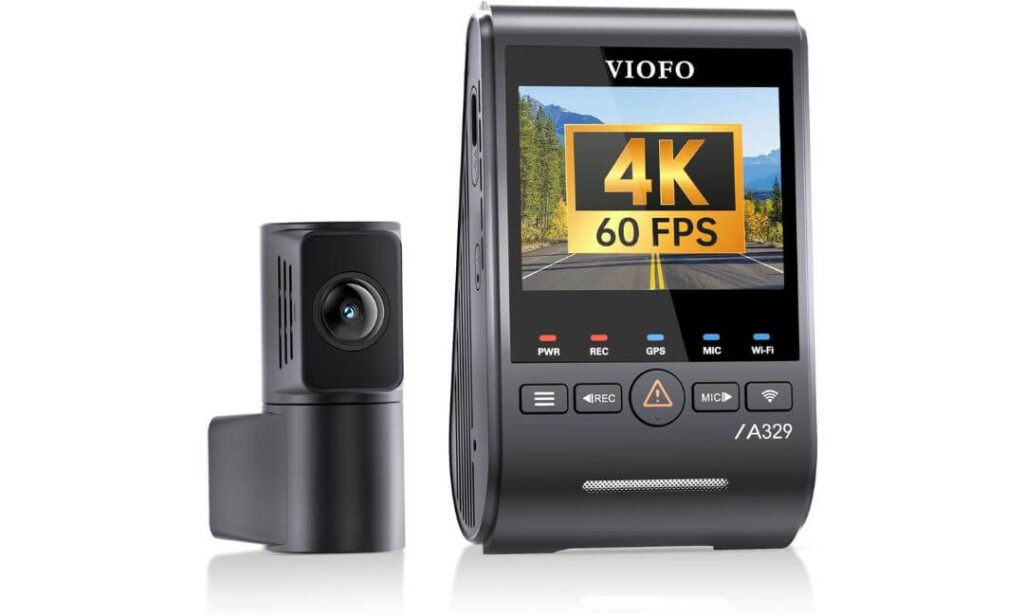
#1. VIOFO A329S 4K 60FPS Dash Cam Front and Rear
Quick Specs:
- Front Camera: 4K at 60FPS with Sony STARVIS 2 IMX678
- Rear Camera: 2K at 30FPS with Sony STARVIS 2 IMX675
- Recording: 4K front + 2K rear simultaneously
- HDR: Dual channel HDR
- Night Performance: Dual STARVIS 2 sensors
- Connectivity: WiFi 6 with up to 30MB/s transfer speed
- Storage: Up to 512GB microSD or 4TB external SSD
- Parking Protection: Low power impact detection, motion detection and time lapse
- GPS: GPS, BeiDou, Galileo and GLONASS
- Other Useful Features: Voice control, CPL filter and 2.8mm coaxial cables
- Power: Supercapacitor
- Installation: HK4 or HK6 hardwire kit for parking mode
The interesting part about this camera is that 4K 60FPS is not just a number added to the product name. When you are driving through busy traffic, vehicles can move through the frame surprisingly quickly, and the higher frame rate gives the footage a smoother sequence of those moments. There is one trade-off worth knowing before buying: the front camera cannot run 4K 60FPS and HDR simultaneously. In bright daytime conditions, I would favour 60FPS; when headlights, shadows and glare become the bigger problem, HDR at 4K 30FPS becomes the more useful choice.
The other reason this setup deserves attention is the dual STARVIS 2 hardware. The front uses Sony’s IMX678, while the rear uses the IMX675, so the rear camera is not simply there to tick the “2 channel” box. You get a proper 2K rear view with hardware designed for low-light performance and wider dynamic range. That becomes particularly valuable when the incident you need to review happens behind the vehicle rather than directly in front of it.
There is also a practical ownership advantage here that is easy to overlook. WiFi 6 can transfer footage at up to 30MB/s on 5GHz, while support for up to 512GB microSD or a 4TB external SSD gives frequent drivers considerably more room for recordings. The SSD is optional, however, so buyers should treat that 4TB figure as the system’s expansion capability rather than included storage.
The Details You Notice After Installation
- 4K 60FPS recording gives smoother footage when traffic is moving quickly.
- Dual STARVIS 2 sensors give both cameras meaningful imaging capability.
- WiFi 6 makes large 4K files easier to retrieve after an incident.
- 4TB SSD support is genuinely useful for long trips and heavy recording.
- The supplied CPL filter helps reduce reflections across the windshield.
One Installation Detail I Would Not Ignore
The parking system is where you need to plan ahead. HK4 or HK6 hardwiring is required for the extended parking functions, and the kit is not included. The camera also needs separate storage, so the real purchase cost is not simply the price of the main unit.
Why the Rear Camera Matters as Much as the Front
A front camera can record an excellent view of the road and still leave you with half the story. Here, the 2K IMX675 rear camera gives the system a dedicated view of following traffic, while the 4K IMX678 handles the main forward scene. That makes more sense than judging a 2 channel camera purely by its front resolution.
The installation itself is fairly manageable because the rear connection uses a slim 2.8mm coaxial cable. The standard 6m cable will work for many cars and SUVs, but a longer 8m or 10m option may be worth considering for larger vehicles or complicated routing. The front CPL is already supplied, so there is one less accessory to think about when setting everything up.
A Better Way to Set Up the Recording Modes
For daytime highway driving, 4K 60FPS is the setting I would start with because moving vehicles benefit from the smoother capture. Once you regularly drive after dark, in strong glare or through rapidly changing light, HDR becomes more valuable than simply chasing the highest frame rate.
For parking protection, I would not treat the hardwire kit as an optional afterthought. If the reason you are buying a premium dual camera is to have footage when the car is unattended, install the proper hardwire kit with voltage protection and use a high-endurance memory card or suitable SSD. That is where the difference between owning a capable camera and actually having a dependable recording system starts to show.
(The real appeal is the combination of 4K 60FPS, dual STARVIS 2, WiFi 6 and expandable SSD storage—features that work together rather than simply making the specification sheet look impressive.)
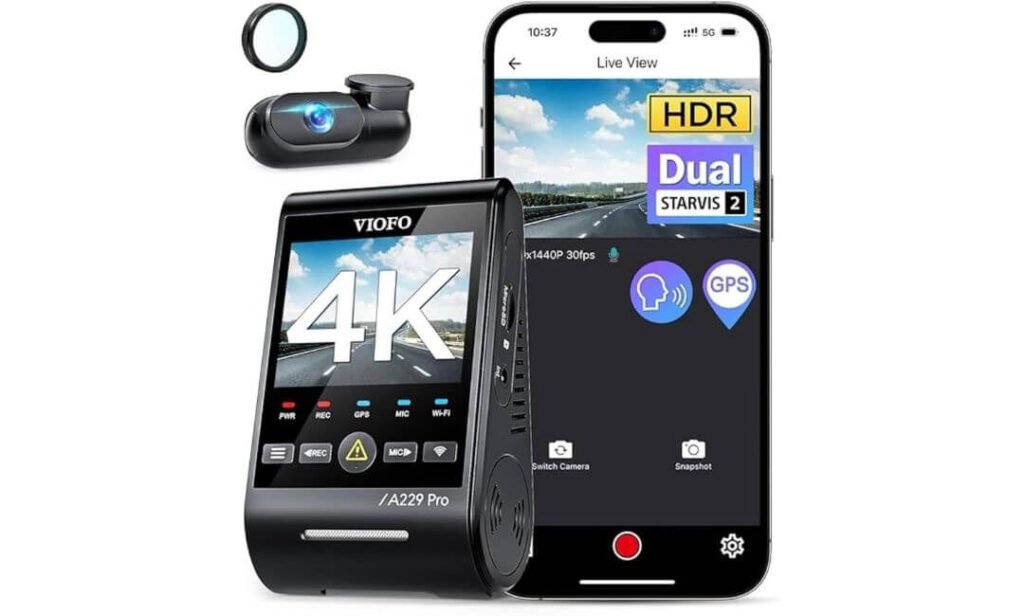
#2. VIOFO A229 Pro 4K HDR Dash Cam
Quick Specs:
- Front Camera: 4K at 30FPS with Sony STARVIS 2 IMX678
- Rear Camera: 2K at 30FPS with Sony STARVIS 2 IMX675
- Recording: 4K front + 2K rear simultaneously
- HDR: HDR recording on both front and rear cameras
- Night Performance: Dual STARVIS 2 sensors with improved low light and dynamic range
- Connectivity: 5GHz WiFi with VIOFO mobile app control
- Storage: Supports up to 512GB microSD
- Parking Protection: Auto Event Detection, Low Bitrate and Time Lapse with buffered recording
- GPS: GPS, BeiDou, Galileo and GLONASS
- Voice Control: 12 hands-free voice commands
- Other Useful Features: CPL filter, emergency video lock and loop recording
- Power: Supercapacitor, rated for approximately 5°F to 149°F
- Installation: HK4 hardwire kit required for parking mode and sold separately
The A229 Pro takes a different approach from a camera chasing 4K 60FPS. Its real strength is getting the exposure right across both cameras. The front records 4K at 30FPS, while the rear records 2K, and both cameras use Sony STARVIS 2 sensors with HDR. That becomes particularly useful when you move from an evenly lit road into a situation with headlights, deep shadows or bright signs. Instead of judging this camera purely by resolution, I would pay more attention to how much useful detail remains when the lighting gets difficult.
The sensor combination is one of the strongest reasons it belongs near the top of a 2 channel comparison. The IMX678 front sensor and IMX675 rear sensor give the two cameras capable hardware rather than making the rear view an obvious downgrade. For someone who wants evidence from both directions, that matters. A beautifully detailed front recording is not much help if the rear footage becomes difficult to read when a vehicle approaches with its headlights on.
Parking recording is another area where this camera gets more serious. With the appropriate hardwire installation, it offers Auto Event Detection, Low Bitrate and Time Lapse modes, while buffered recording can capture footage before and after a detected event. The supplied supercapacitor is also designed for the temperature extremes a camera experiences inside a parked vehicle. The important point is that the HK4 hardwire kit and microSD card are separate purchases, so they should be considered part of the actual setup rather than optional extras you may never need.
The Details That Give It an Edge
- HDR on both channels makes the 2K rear camera more useful in difficult lighting.
- The IMX678 + IMX675 STARVIS 2 combination gives both cameras serious low light capability.
- Buffered parking recording can preserve what happened immediately before an event, not just the aftermath.
- 5GHz WiFi makes reviewing and transferring clips much easier than removing the card every time.
- 12 voice commands let you lock footage, take photos or control WiFi without reaching for the camera.
One Setup Cost to Remember
The camera does not include the HK4 hardwire kit or memory card. If parking protection is important to you, the hardwire kit is effectively part of the package you should budget for. For storage, I would also use a high endurance microSD card designed for continuous dash cam recording rather than treating this like an ordinary action-camera setup.
Where This Camera Makes More Sense Than Chasing 60FPS
The biggest advantage here is balanced image quality from both directions. The A329S above is the camera to look at when 4K 60FPS is your priority; this one makes more sense when you care about 4K front recording, 2K rear recording and HDR across both views.
That distinction is important. On a dark road with a vehicle approaching from behind, having a capable rear sensor with HDR can be more valuable than simply having a higher front frame rate. The front camera handles the main scene with the IMX678, while the rear IMX675 gives you a genuinely useful second perspective instead of a token rear feed.
The physical installation is also fairly straightforward for most vehicles. The included 6m rear cable should cover many cars and SUVs, while longer 8m or 10m cable options can make sense for larger vehicles. The included CPL filter is another small but practical touch, particularly if your windshield produces noticeable reflections during daytime driving.
The Insider Pro Tip
If you drive a lot at night, do not compare this camera with another 4K model using daytime footage alone. The more useful test is what happens when headlights enter the frame, because that is where HDR and sensor performance start separating cameras that look almost identical in a product listing.
I would also treat the memory card as part of the camera’s reliability setup, not an afterthought. A dash cam is constantly writing and overwriting data, so a high endurance card with the appropriate capacity is a much more sensible choice than simply buying the cheapest large-capacity card available. If you are going to use buffered parking mode, have the hardwire installation done properly as well; the camera can only be as dependable as the power and storage setup supporting it.
(Its real appeal is dual STARVIS 2 hardware with HDR on both channels, giving the front and rear cameras a more balanced job when lighting gets difficult.)
#3. BlackVue Elite 9 4K+2K Dash Cam Front and Rear
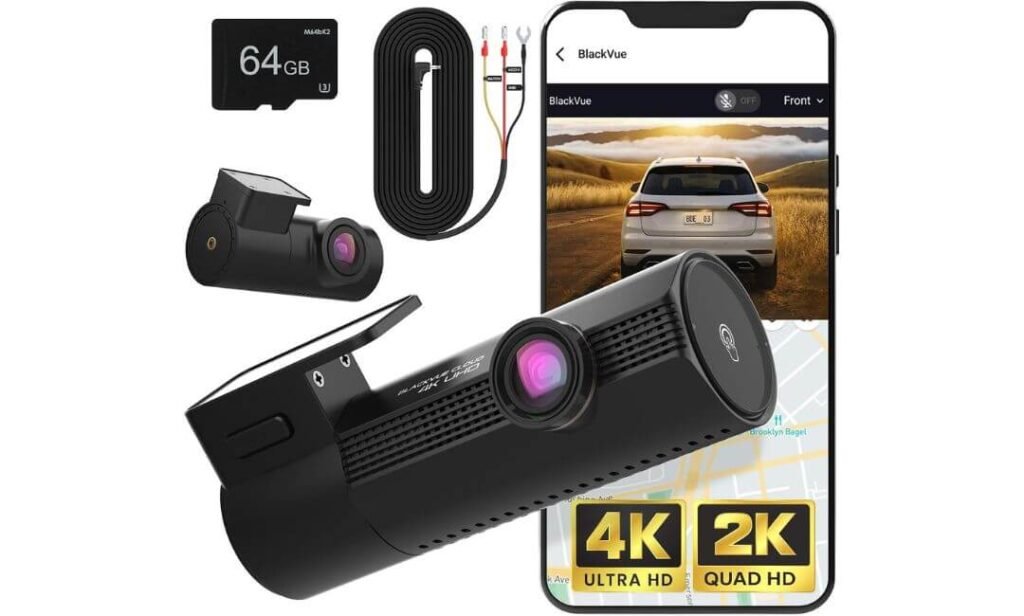
Quick Specs:
- Front Camera: True 4K UHD at 30FPS with Sony STARVIS 2
- Rear Camera: True 2K QHD at 60FPS with Sony STARVIS 2
- Recording: 4K front + 2K rear simultaneously
- HDR: Dual HDR with BlackVue image tuning
- Lens: F1.7 front and F2.0 rear
- Connectivity: Built in 2.4GHz and 5GHz WiFi
- Cloud: 5GB free cloud storage with optional connected features
- Storage: Up to 1TB microSD
- Parking Protection: Low power parking mode with instant wake
- Event Recording: 10 seconds before + 50 seconds after an event
- GPS: Built in GPS
- Protection: Low voltage protection and thermal shutdown
- Operating Temperature: Approximately −20°C to 65°C
- Included: 64GB microSD card, hardwire cable and rear camera cable
The interesting thing about the Elite 9 is that its strongest selling point is not simply 4K recording. BlackVue has built this one around what happens when the car is parked or when something happens unexpectedly. The front camera gives you true 4K footage, while the rear records in 2K, and both use STARVIS 2 sensors with HDR. The F1.7 front lens also gives the main camera a wide aperture that can be useful when the road gets genuinely dark rather than perfectly illuminated for a product photograph.
The parking system is where the difference becomes easier to understand. In parking mode, the camera is designed to operate at very low power and can wake when an event occurs, with the system recording 10 seconds before and 50 seconds after a detected event. That pre-event footage is important because an impact clip that starts only after the collision can miss the vehicle approaching. The system can also protect multiple event files from being overwritten, which is exactly the sort of detail you appreciate when you are trying to recover footage days after an incident.
Then there is the BlackVue cloud ecosystem, which gives this model a very different ownership experience from a basic WiFi dash cam. You get 5GB of free cloud storage, while connected features can provide event backups, alerts and Live View when the required connection is available. It is worth keeping expectations realistic, though: the more advanced remote features depend on an LTE module or suitable WiFi hotspot, so the free cloud storage does not mean every cloud function works remotely with no additional setup.
What Makes This One Different in Real Ownership
- True 4K front and 2K rear recording gives you strong detail from both directions.
- Dual STARVIS 2 with HDR helps retain useful detail through headlights, shadows and low light.
- The 0.89 second parking wake time is particularly interesting for impact detection.
- 5GB free cloud storage provides a useful backup option without immediately requiring a subscription.
- The included hardwire cable and 64GB card reduce the number of extra purchases needed to get started.
The Premium Feature You Should Understand Before Buying
The cloud system is useful, but it is not magic. Live View, event alerts and remote cloud features require the appropriate connectivity, such as an LTE module or WiFi hotspot. If you only want excellent local recording and phone access, you do not need to build your entire setup around the cloud.
Where the Elite 9 Earns Its Place
The real appeal here is the combination of high quality recording and serious parked vehicle protection. The 4K front camera handles the main road view, while the 2K rear camera keeps an independent record of what happens behind you. That becomes more valuable in busy parking lots, apartment garages and roadside stops where an incident may happen while you are nowhere near the car.
The low power system is another thoughtful part of the design. The camera includes vehicle battery protection and temperature monitoring, with thermal shutdown designed to protect the hardware in extreme heat. That matters because a dash cam sitting behind a windshield can experience very different conditions from the temperature outside the vehicle.
The Insider Pro Tip
If you are mainly buying this for parking protection, do not judge the Elite 9 against other cameras only by daytime 4K footage. The more meaningful comparison is what happens after you switch the engine off. Its low power parking operation, fast wake response and pre-event recording are the features that can make the premium price easier to justify for someone who regularly parks in public areas.
One other thing I would do before relying on the cloud system is test the entire chain yourself: parking mode, event detection, phone alerts, connectivity and footage backup. A feature that works perfectly on paper is not necessarily useful if your parking location has poor connectivity. If you mainly want local evidence, the included 64GB card and WiFi access are already enough to keep the ownership experience relatively straightforward.
(The standout here is the combination of dual STARVIS 2 HDR, fast parking wake, pre-event recording and built-in cloud capability rather than simply having another 4K camera on the windshield.)
#4. THINKWARE U3000 4K Dash Cam Front and Rear
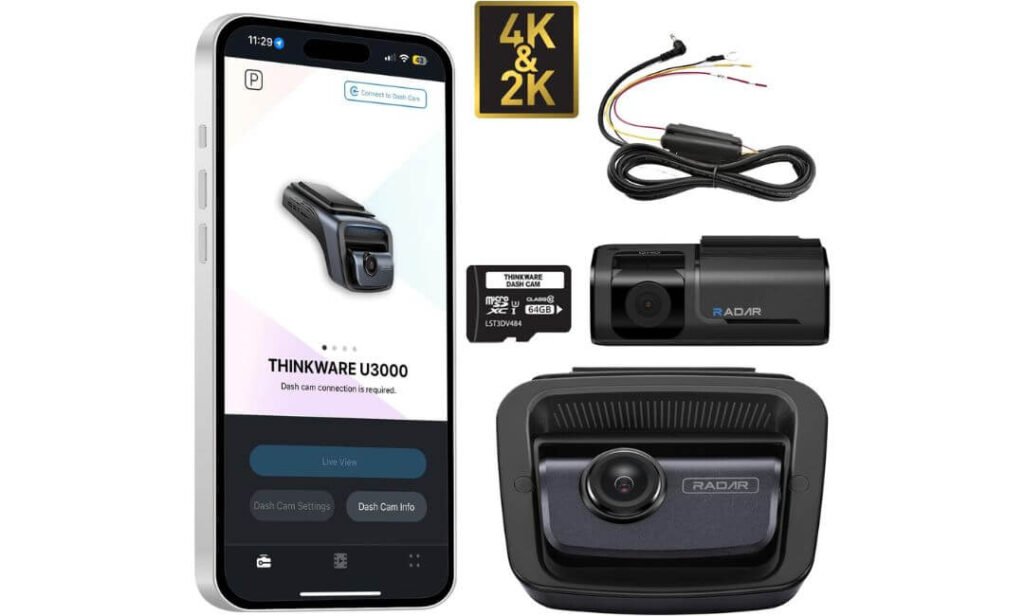
Quick Specs:
- Front Camera: 4K UHD with Sony STARVIS 2
- Rear Camera: 2K with Sony STARVIS 2
- Recording: 4K front + 2K rear simultaneously
- Night Performance: Super Night Vision 4.0 with STARVIS 2 processing
- Field of View: 152° front
- Connectivity: Built in WiFi and Bluetooth
- GPS: Built in GPS with speed and location data
- Parking Protection: Built in radar based parking mode
- Remote Features: Live View and impact notifications through Thinkware Connected when internet access is available
- Alerts: Speed camera and red light camera alerts
- Storage: microSD card based recording
- Power: Supercapacitor
- Included: Rear camera, hardwiring cable and installation accessories
The U3000 is interesting because its strongest reason to buy it is not another claim about 4K sharpness. It is the way Thinkware has built the camera around parking protection. You get 4K front and 2K rear recording through STARVIS 2 sensors, but once the engine is switched off, the built in radar becomes the feature that separates this setup from a more conventional dual camera.
That matters if your car spends a lot of time parked outside, in a shopping centre, on the street or in a shared parking area. The radar can detect movement while keeping power consumption low, allowing the camera to react when something happens rather than continuously recording everything around the vehicle. The supplied hardwire cable also means you do not have to add the basic parking power kit separately, although the installation still needs to be done correctly.
The other strong point is Super Night Vision 4.0. The STARVIS 2 hardware is combined with Thinkware’s image processing to improve low light recording, while the adjustable bitrate gives you some control over how much detail you want to preserve versus how quickly storage is consumed. Add GPS, Bluetooth, WiFi and the Connected features, and this is clearly aimed at someone who wants the dash cam to do more than simply record a file to a memory card.
Where the Hardware Feels Purpose Built
- Super Night Vision 4.0 is the feature to pay attention to if you regularly drive after dark.
- Built in radar parking detection gives the parking system a different approach from standard motion detection.
- 4K front + 2K STARVIS 2 rear keeps both directions useful.
- The included hardwire cable makes the package easier to install without immediately buying another power accessory.
- GPS speed and red light or speed camera alerts add useful driving information beyond ordinary recording.
The Software Is the Part I Would Test First
The hardware is strong, but the app experience deserves a little more patience. Thinkware uses separate functions across its Thinkware Link and Thinkware Connected ecosystem, so it is not as straightforward as opening one app and having absolutely everything in one place. Remote Live View also depends on an appropriate internet connection. If phone-based control is a major part of your buying decision, I would test the apps during the return period rather than assuming the experience will suit everyone.
Why This One Makes Sense for Parked Cars
The U3000’s real personality appears when the ignition goes off. The radar based parking mode, low power operation and hardwire setup are all aimed at protecting the vehicle while it is unattended. That is useful for drivers who care about parking lot knocks, suspicious activity around the car or having an event captured without leaving the camera recording at full power all night.
The camera also uses a supercapacitor rather than a conventional rechargeable battery, which is an important detail for a device that spends hours sitting behind a windshield. Add the STARVIS 2 sensors and Super Night Vision processing, and the hardware is clearly designed around the realities of a parked car rather than just daytime road recording.
The Insider Pro Tip
If parking protection is your main reason for buying a premium 2 channel camera, I would put the U3000 on your shortlist even if another model has a more impressive specification sheet. The built in radar changes how the parking system behaves, and the included hardwire cable means you are starting with a more complete installation package.
But before permanently hiding the wiring behind your vehicle’s trim, spend some time with the Thinkware apps and parking detection. Set up the camera, test Live View if you intend to use it, trigger the parking functions and make sure notifications behave the way you expect. A premium dash cam should fit the way you actually use your car, and this model makes the most sense when its parking and connected features are genuinely useful to you.
(The real reason to consider it is STARVIS 2 night recording combined with radar based parking protection, not simply the 4K badge on the front camera.)
#5. ROVE R2-4K Dual PRO Dash Cam Front and Rear
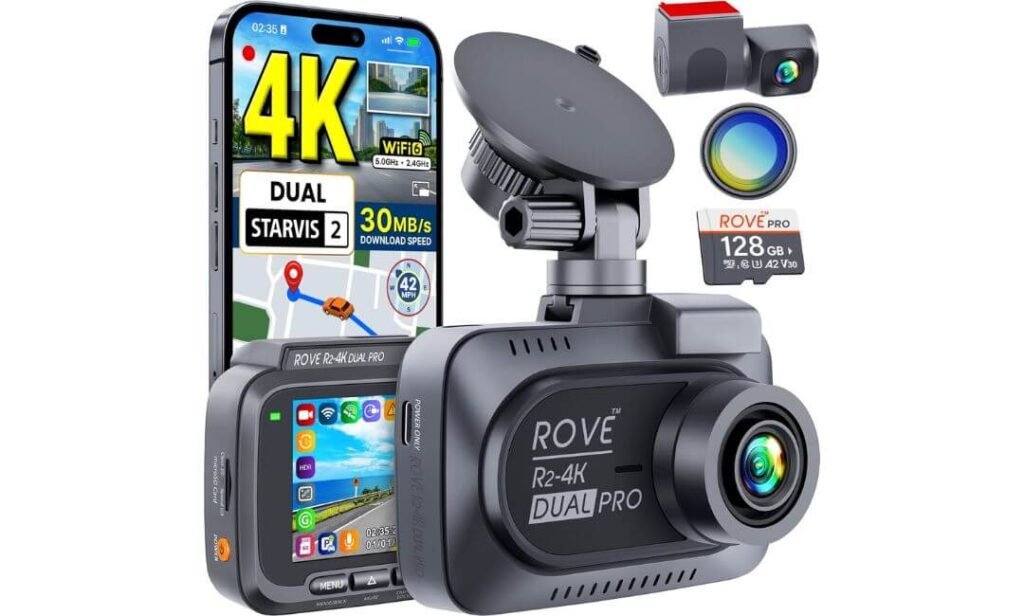
Quick Specs:
- Front Camera: 4K at 30FPS with Sony STARVIS 2 IMX678
- Rear Camera: 2K at 30FPS with Sony STARVIS 2 IMX675
- Recording: 4K front + 2K rear simultaneously
- HDR: HDR imaging on front and rear
- Lens: F1.7 front and F1.55 rear
- Field of View: 150° front and 140° rear
- Connectivity: Dual band WiFi 6 with up to 30MB/s transfer speed
- Storage: 128GB ROVE PRO microSD included, supports up to 1TB
- Parking Protection: 24 hour parking mode with Time Lapse, Motion Detection and Collision Detection
- GPS: Quad mode GPS with GPS, BeiDou, Galileo and GLONASS
- Other Useful Features: CPL filter, GPS player and OTA firmware updates
- Power: Supercapacitor
- Installation: Hardwire kit required for 24 hour parking mode and sold separately
What makes this one interesting is how much of the important hardware is included without turning the setup into something complicated. The front camera records 4K at 30FPS through the Sony IMX678, while the rear uses the IMX675 for 2K recording. Both cameras use STARVIS 2, so the rear view is not based on a much weaker sensor simply to make the specification sheet say “dual channel.”
The lens setup is also worth noticing. The front uses an F1.7 aperture, while the rear gets an unusually wide F1.55 lens, helping both cameras gather more light when conditions become difficult. You also get HDR and wide viewing angles, with 150° at the front and 140° at the rear. That combination is useful when a vehicle enters from the edge of the frame or when headlights and changing light levels make ordinary footage harder to interpret.
Then there is the ownership side. WiFi 6 with up to 30MB/s transfer speeds, a supplied 128GB high endurance card and a CPL filter mean you can start using the camera without immediately building a shopping list of accessories. The 24 hour parking system offers three different approaches, but remember that continuous parking protection still requires the separate hardwire kit. That is one of those small details that is easy to miss when comparing the cameras purely from their product pages.
Where the Package Gets Surprisingly Complete
- Dual STARVIS 2 sensors give both cameras strong imaging hardware.
- WiFi 6 at up to 30MB/s makes transferring large 4K clips much quicker.
- The included 128GB microSD card means you can start recording immediately.
- Quad mode GPS records speed, route and location information with the footage.
- The included CPL filter is genuinely useful for reducing windshield reflections and glare.
The Extra Cost to Keep in Mind
The hardwire kit is not included, so 24 hour parking protection adds an installation cost. That does not make the parking system less useful, but it is worth calculating the complete setup price before comparing it with a camera that already includes its parking power solution.
Why the Rear Camera Deserves Attention
The rear camera is where this setup makes more sense than many inexpensive dual camera kits. You get the Sony IMX675 STARVIS 2 sensor, 2K resolution and an F1.55 lens, giving the rear view a much stronger foundation for night recording than cameras that use a basic secondary sensor.
At the front, the IMX678 4K sensor handles the main road scene, while the 150° viewing angle gives you plenty of surrounding road coverage. It is a sensible combination for everyday city driving, highway trips and situations where you need to understand not only what happened ahead but also what the vehicle behind you was doing.
The included 128GB card is another practical advantage. You can move straight into installation without having to guess which card will work properly with continuous recording. If you record heavily or take long road trips, the ability to move up to 1TB storage gives you plenty of room to expand later.
The Insider Pro Tip
If you are comparing this directly with the more expensive VIOFO and THINKWARE options, look beyond the camera price and calculate the complete setup. Here, you already get the 128GB card and CPL filter, which are two accessories you may otherwise have to purchase separately. The one thing you still need to account for is the hardwire kit if parking mode matters to you.
I would also test the front and rear recordings separately during your first few drives, especially at night. The front 4K footage will naturally have more detail than the 2K rear view, so do not judge the system by the front screen alone. Check the rear plates, headlights and darker scenes before hiding the wiring permanently. That five-minute test can tell you far more about whether the setup suits your car than another page of specification numbers.
(The real attraction is the combination of dual STARVIS 2, WiFi 6, included 128GB storage and 4K plus 2K recording without making the overall setup unnecessarily complicated.)
Best 2 Channel 4K Dash Cams for (2026) Compared for 4K, STARVIS 2 and HDR
| What You’re Comparing |
VIOFO A329S
4K 60FPS
WiFi 6
|
VIOFO A229 Pro
Dual HDR
STARVIS 2
|
BlackVue Elite 9
Cloud Ready
Fast Wake
|
THINKWARE U3000
Radar Parking
Night Vision
|
ROVE R2-4K DUAL PRO
128GB Included
WiFi 6
|
|---|---|---|---|---|---|
| Front Recording | 4K 60FPS4K 30FPS when HDR is enabled | 4K 30FPSHDR available | True 4K 30FPSF1.7 lens | 4KSTARVIS 2 front camera | 4K 30FPSSony IMX678 |
| Rear Recording | 2K 30FPSSony IMX675 STARVIS 2 | 2K 30FPSSony IMX675 STARVIS 2 | 2KSony STARVIS 2 rear camera | 2KSony STARVIS 2 rear camera | 2K 30FPSSony IMX675 |
| Sensor Setup | Dual STARVIS 2IMX678 front + IMX675 rear | Dual STARVIS 2IMX678 front + IMX675 rear | Dual STARVIS 2Front and rear | STARVIS 2Front and rear | Dual STARVIS 2IMX678 front + IMX675 rear |
| HDR & Night Recording | Dual channel HDR60FPS front mode requires HDR off | HDR front + rearStrong low-light focus | Dual HDRBlackVue image tuning + wide apertures | Super Night Vision 4.0STARVIS 2 low-light processing | HDRF1.7 front + F1.55 rear |
| What Makes It Different | 4K 60FPS + WiFi 6Also supports external SSD storage | Dual HDR + buffered parkingBalanced front and rear image quality | Cloud + very fast parking wakeDesigned around connected vehicle protection | Built-in radar parkingHardwire cable included in this bundle | Strong feature bundle128GB card + CPL included |
| Parking Protection | Low-power impact detectionHK4/HK6 hardwire kit required | 3 parking modesBuffered event recording with hardwire setup | Low-power parking modeFast event wake + pre-event recording | Radar-based parkingHardwire cable included | 3 parking modesHardwire kit required |
| Connectivity | WiFi 6Up to 30MB/s on 5GHz | 5GHz WiFiApp control + voice commands | 2.4GHz / 5GHz WiFiCloud and smartphone connectivity | WiFi + BluetoothThinkware Link and Connected features | Dual-band WiFi 6Up to 30MB/s + OTA updates |
| GPS | 4 satellite systemsGPS, BeiDou, Galileo, GLONASS | 4 satellite systemsGPS, BeiDou, Galileo, GLONASS | Built-in GPSSpeed and location data | Built-in GPSAlso supports camera alerts | Quad-mode GPSGPS player with route overlay |
| Storage You Actually Get | Up to 512GB microSDUp to 4TB external SSD; storage sold separately | Up to 512GB microSDMemory card sold separately | Up to 1TB microSD64GB card included in the listed package | microSD recordingCard requirement depends on package | Up to 1TB microSD128GB ROVE PRO card included |
| Power Design | SupercapacitorDesigned for dash-cam temperature cycles | SupercapacitorNo conventional rechargeable battery | Battery protection + thermal protectionTemperature monitoring built in | SupercapacitorDesigned for high-temperature vehicle interiors | SupercapacitorDesigned for continuous vehicle recording |
| Included Extras | CPL filterHardwire kit and storage sold separately | CPL filterHardwire kit and storage sold separately | 64GB card + hardwire cablePremium package focused on easier setup | Hardwire cable + rear cameraInstallation kit included in bundle | 128GB card + CPL filterUseful accessories included from the start |
| Best Fit For | High Detail Drivers who want 4K 60FPS and serious storage flexibility. |
Balanced Imaging Drivers who value HDR on both views and buffered parking recording. |
Connected Protection Drivers who want cloud features and fast parking response. |
Parking First Drivers who put radar parking protection and night recording high on the list. |
Complete Package Drivers who want strong hardware plus useful accessories included. |
| The Trade-Off | Parking kit and storage add to the real setup cost. | 5GHz WiFi rather than WiFi 6, with storage and hardwire accessories extra. | Advanced cloud features depend on the required internet connection. | Connected features can feel less straightforward because of the app ecosystem. | 24-hour parking requires a separate hardwire kit. |
Why a 2 Channel 4K Dash Cam Matters
A good 2 channel 4K dash cam is not really about having two cameras or seeing a bigger resolution number on a product page. It is about having usable evidence from both directions when the situation is over in a few seconds. The front camera records what you are approaching, while the rear camera gives you the missing context: the vehicle following too closely, a rear impact, a sudden lane change, or what happened behind you immediately before an incident.
4K Front Detail Is Useful When the Scene Is Moving
A 4K front camera gives you substantially more image information than a lower-resolution camera, but its real value appears when you need to inspect a recording later. Road signs, lane markings, vehicle details and license plates can occupy only a small portion of the frame, so having more captured detail gives you more useful information to work with.
That does not mean every 4K camera will produce identical footage. Lens quality, sensor size, aperture, HDR processing, exposure and the amount of light available all affect the final recording. That is why the cameras in this list use combinations such as Sony STARVIS 2 sensors, wide-aperture lenses and HDR, rather than choosing them simply because they advertise 4K.
The Rear Camera Gives You the Part a Front Camera Cannot
This is the reason I would not buy a front-only camera if your goal is proper incident documentation. A front recording might show that your car was stopped when another vehicle hit you, but the rear recording can show the approach, following distance and actual moment of impact.
The rear camera also becomes valuable in less dramatic situations. Someone changing lanes into you, a vehicle following aggressively, a rear-end collision in slow traffic, or an incident in a car park can all happen outside the front camera’s field of view. A proper 2 channel system gives you that second perspective continuously instead of asking you to reconstruct what happened afterward.
Where 60FPS Actually Helps
The VIOFO A329S is the standout here because its front camera can record 4K at 60FPS. The advantage is not that “60” magically makes everything clearer. Higher frame rates give you more frames during the same period of movement, which can make fast-moving scenes easier to follow.
That can matter when a vehicle is passing across your view, when traffic is moving quickly, or when you later step through footage frame by frame. There is, however, a trade-off: the A329S cannot record 4K 60FPS with front HDR enabled. In difficult lighting, HDR at 4K 30FPS can be the more sensible choice because preserving highlight and shadow detail may matter more than capturing additional frames.
So I would not tell every buyer to leave 60FPS switched on permanently. Use the mode that suits the driving conditions, rather than treating the highest frame rate as automatically being the best recording mode.
Why STARVIS 2 Matters After Sunset
This is one of the biggest differences between a modern premium dash cam and an older camera that simply happens to have a 4K label. Sony STARVIS 2 sensors are designed to improve sensitivity and dynamic range, helping the camera retain more useful information when available light drops.
That becomes especially important at night. Headlights can be extremely bright while the surrounding road is almost black, and a camera has to deal with both at the same time. HDR can help balance those extremes, while the sensor and lens determine how much actual information reaches the image processor in the first place.
There is also a reason several cameras here use STARVIS 2 in both the front and rear. The rear camera should not become an afterthought simply because it records at 2K. When an incident happens behind you at night, a strong rear sensor can be the difference between having a useful recording and having a dark clip that tells you very little.
GPS Turns a Video Into a More Complete Record
GPS is easy to ignore until you actually need the footage. A camera with GPS can associate the recording with vehicle speed, location, time and route information, giving you more context when reviewing an incident.
The five cameras do not all approach this feature in exactly the same way. The VIOFO models and ROVE offer multi-system positioning using GPS, BeiDou, Galileo and GLONASS, while the THINKWARE U3000 adds useful speed and red-light camera alerts. These features are not substitutes for the video itself, but they can make the recording considerably more informative when you are trying to understand where and when something happened.
WiFi Is More Useful Than It Sounds
A dash cam can record an excellent 4K clip and still be frustrating if getting that clip onto your phone takes forever. This is why WiFi speed and app access matter more than they first appear.
The A329S and ROVE R2-4K DUAL PRO stand out with WiFi 6 and transfer speeds of up to 30MB/s, while the A229 Pro uses 5GHz WiFi for faster wireless access. BlackVue and THINKWARE take connectivity further with their respective connected ecosystems.
The practical benefit is simple: after an incident, you can preview the footage, find the relevant clip and save it to your phone without repeatedly removing the memory card. That sounds like a convenience feature until you are standing beside the car trying to send an important recording to someone.
Parking Mode Is a Different Kind of Protection
Normal recording protects you while you are driving. Parking mode is there for everything that happens when you are not in the driver’s seat.
That is why the parking systems deserve to be judged separately. The A229 Pro offers buffered event recording with multiple parking modes, the A329S provides low-power parking options, ROVE offers time-lapse, motion and collision detection, BlackVue focuses heavily on low-power parking with fast event wake-up, and the THINKWARE U3000 uses radar-based parking detection.
The power setup matters here as well. Several of these cameras require a hardwire kit for their parking functions, while the U3000 bundle includes its hardwiring cable and the BlackVue package is designed around a more complete parking setup. This is something worth checking before purchase because a camera’s advertised parking capability means little if you have not accounted for the power installation required to run it properly.
Storage Matters More With 4K and Two Cameras
There is another part of 2 channel 4K ownership that does not get enough attention: storage consumption. A 4K front recording combined with a 2K rear recording produces considerably more footage than a basic single-camera setup.
The cameras therefore differ quite noticeably in storage flexibility. The A329S supports up to 512GB microSD and up to 4TB external SSD storage, while the ROVE supports up to 1TB microSD and includes a 128GB card. BlackVue supports up to 1TB, and the VIOFO A229 Pro supports up to 512GB.
For ordinary commuting, a suitable high-endurance microSD card may be perfectly adequate. If you regularly take long road trips or want to retain several days of footage, larger storage becomes much more practical.
The Best Setup Is the One That Matches How You Drive
There is no single feature here that makes every camera automatically suitable for every driver. If you spend most of your time on highways and care about moving detail, 4K 60FPS has a genuine use case. If nighttime driving is your bigger concern, STARVIS 2 and HDR deserve more attention. If your car spends hours parked in public places, the parking system and power management become much more important.
That is why this comparison includes five different approaches to the same basic job. They all give you 4K front and 2K-class rear coverage, but the ownership experience changes depending on whether you prioritise frame rate, low-light recording, fast file transfers, cloud connectivity, parking protection or a more complete out-of-the-box package.
Buying Guide for a Dual Channel 4K Dash Cam
Buying a 2 channel 4K dash cam is slightly more complicated than choosing a camera with the highest resolution on the box. You are buying a complete recording system, including two image sensors, lenses, processing hardware, storage, power management, wiring and software. A camera can look impressive in a specification sheet and still be a poor fit if the rear footage is weak, the parking system is difficult to power, or the app makes retrieving footage unnecessarily frustrating.
The five cameras in this comparison take different approaches to those details. Use the points below to judge the system as a whole rather than buying purely on 4K, frame rate or feature count.
Start With the Sensors, Not the Resolution Number
The phrase 4K dash cam front and rear can be misleading because most dual-camera systems do not actually record 4K from both cameras. In this category, the more sensible configuration is usually 4K at the front and 2K at the rear.
That is not necessarily a disadvantage. The front camera has the longest viewing distance and is normally where you need the highest level of detail, particularly for vehicles ahead, road signs and license plates. A good 2K rear sensor can still provide plenty of useful information when it is paired with a quality lens and image processing.
For this group, look at the actual sensor combination:
| What to check | Why it matters in real use |
|---|---|
| 4K front recording | Provides more detail for distant vehicles and road scenes |
| 2K rear recording | Gives useful rear incident coverage without excessive storage use |
| Sony STARVIS 2 | Particularly valuable for low-light performance and dynamic range |
| HDR | Helps manage bright headlights, shadows and high-contrast scenes |
| Lens aperture | A wider aperture can help the sensor collect more light |
| Frame rate | Higher frame rates can make fast-moving footage easier to analyse |
| Bitrate | Affects how much image information is retained during compression |
The sensor and processing combination matters more than the 4K label by itself. A well-tuned 4K camera with a good sensor can produce more useful footage than a poorly implemented camera making aggressive resolution claims.
60FPS Is Valuable, But It Is Not a Requirement
If you regularly drive on motorways or busy roads, 60FPS can be genuinely useful. Recording more frames per second means there are more individual moments available when you pause or analyse a fast-moving event.
The important distinction is that 60FPS improves temporal detail, not necessarily low-light image quality. In fact, recording modes can involve compromises between frame rate, HDR and exposure.
The A329S is particularly interesting because its front camera can record 4K at 60FPS, while its 4K HDR mode operates at 30FPS. That gives you a choice rather than forcing you into one setting.
For most drivers:
- 4K 30FPS with HDR makes sense when lighting is difficult and dynamic range matters.
- 4K 60FPS makes more sense when smooth motion and fast-moving detail are the priority.
- 2K rear recording at 30FPS is generally sufficient for continuous rear coverage.
- Do not choose a camera solely because its specification sheet contains the number “60FPS.”
That last point is worth emphasising. A higher frame rate does not compensate for poor exposure, weak night processing or an inferior rear camera.
Dual Channel Coverage Is About Context
A single front camera can document what happened ahead of you, but it cannot show what was happening behind your vehicle at the same time.
A 2 channel dash cam records both directions continuously, which changes the usefulness of the footage after an incident. Consider a rear-end collision. The front camera may show that you were stationary, but the rear camera can show the approaching vehicle, its lane position and the moment it made contact.
The same applies to:
- A vehicle changing lanes into your rear quarter.
- Aggressive following or sudden braking behind you.
- A collision at a junction where vehicles approach from different directions.
- A rear impact while waiting in traffic.
- A parking-lot incident that happens behind the vehicle.
- Someone damaging or approaching the car while it is parked.
There is also a practical limitation: two cameras do not mean 360-degree coverage. A dual-channel system primarily covers the forward and rearward directions. If you specifically need interior or side coverage, that becomes a different camera configuration.
Look at the Rear Camera as Carefully as the Front
This is one of the easiest buying mistakes to make.
People often spend time comparing front-camera specifications and then accept whatever rear camera comes in the box. For a genuine dual-camera setup, I would look at the rear sensor, resolution, HDR capability, lens and field of view just as carefully.
A 4K dash cam with rear camera becomes considerably more useful when the rear unit is capable of recording clear footage at night rather than simply providing a secondary video feed.
That is why dual STARVIS 2 configurations are particularly interesting in this category. Using a capable image sensor at the rear can help maintain useful detail when the vehicle behind you has headlights on or when the road is poorly illuminated.
WiFi Should Make File Retrieval Easier
A dual channel dash cam with WiFi can save you a surprising amount of frustration.
Without convenient wireless access, retrieving a clip usually means removing the memory card, finding an adapter, connecting it to another device and locating the correct file manually. That is not something most drivers want to do immediately after an incident.
With WiFi, you can generally connect the camera to a smartphone and:
- Preview recorded clips.
- Download important footage.
- Adjust camera settings.
- Check recordings without removing the memory card.
- Save evidence directly to your phone.
- Share a relevant clip when necessary.
The faster WiFi implementations used by some of these cameras are particularly useful because 4K files are large. The A329S and ROVE R2-4K DUAL PRO, for example, use WiFi 6 and advertise high transfer speeds, while the A229 Pro uses 5GHz WiFi.
Do not confuse WiFi with cellular cloud connectivity, though. WiFi usually means short-range phone-to-camera communication. Cloud access is a separate feature that depends on the camera’s connectivity architecture and, in some cases, an additional LTE or internet connection.
GPS Adds Useful Evidence and Organisation
A 4K dash cam with GPS can attach location and speed information to recordings, giving you more context than video alone.
GPS is useful for confirming where a recording was made and can make long journeys easier to organise. Some systems also provide speed or safety-camera information through their software.
However, I would treat GPS as a supporting feature rather than a reason to buy a particular camera. A strong image recording system comes first. GPS cannot rescue footage that is badly exposed or too compressed to identify what happened.
It is also worth checking how the GPS information is presented. Some systems make it easy to review route and speed information through their software, while others mainly use GPS for metadata and on-screen stamps.
Parking Mode Needs More Attention Than a Marketing Badge
A 4K dash cam with parking mode is not automatically a complete parking-protection solution.
Parking recording requires the camera to remain powered while the vehicle is switched off, and that means you need to understand the power arrangement before installation.
Common parking approaches include:
- Impact or event detection
The camera stays in a low-power state and wakes or records when an impact is detected. - Motion detection
Recording starts when movement is detected within the camera’s field of view. - Time-lapse recording
The camera captures frames at intervals to create a continuous overview while using less storage. - Buffered parking recording
The system can retain footage from immediately before and after an event, which is particularly useful because the important action often starts before the impact itself. - Radar-assisted parking detection
Some systems use radar to detect nearby movement while the vehicle is parked, allowing more controlled recording with lower power consumption.
This is where the individual cameras in this comparison begin to separate themselves. The A229 Pro, A329S, ROVE, BlackVue and THINKWARE systems do not all use the same parking strategy, so buyers should compare the actual parking modes and power requirements, not simply whether the product page says “parking mode.”
Hardwiring Is Often the Missing Part of the Budget
If you want proper parking protection, check whether the required hardwire kit is included.
Some cameras require a separately purchased hardwire cable. Others come with the necessary wiring in the bundle. That difference affects the real installation cost.
A proper hardwire installation also needs an appropriate low-voltage protection system so the camera does not continue drawing power until the vehicle battery is excessively discharged. The exact installation method depends on the vehicle, fuse configuration and hardwire kit.
For a clean permanent installation, the usual setup involves:
- Power connected through the vehicle’s fuse system.
- Cable routed behind interior trim.
- Rear-camera cable hidden along the headliner and trim.
- Camera mounted without obstructing the driver’s view.
- Power management configured correctly for parking mode.
- Excess cable secured rather than left loose behind panels.
If you do not need parking recording, a conventional power connection can be simpler. But if parking protection is one of your main reasons for buying the camera, do not treat the power installation as an afterthought.
Storage Becomes More Important With Two Cameras
A 4K front recording combined with continuous rear recording produces a lot of data. The higher the bitrate and the longer you drive, the faster the memory card fills.
Look for:
- High-capacity microSD support.
- A card designed for continuous recording.
- Loop recording.
- Emergency file protection.
- Reliable file management.
- Easy formatting through the camera or app.
Loop recording means the camera can automatically overwrite older unprotected footage once the card becomes full. That is essential for a dash cam because you should not have to manually delete ordinary driving footage every few days.
Emergency locking is equally important. When the camera detects a significant event, the relevant file can be protected from automatic overwriting.
One important real-world point: do not assume any cheap high-capacity microSD card will survive continuous dash-cam recording. Dash cams repeatedly write large amounts of data, often while operating inside a hot vehicle. A suitable high-endurance card is a much more sensible choice.
Heat Resistance Matters More Than Most Buyers Realise
A dash cam can spend hours sitting behind a windscreen in direct sunlight. That makes thermal design important, particularly for a camera that remains installed permanently.
Look for:
- Supercapacitor-based power systems.
- Stated operating-temperature ranges.
- Thermal protection.
- Reliable shutdown behaviour.
- Firmware designed for continuous recording.
Supercapacitors are particularly useful because they are designed to tolerate temperature fluctuations better than conventional rechargeable batteries and provide enough reserve power for the camera to finish saving files and shut down safely.
This does not mean a supercapacitor camera is immune to heat. No electronics should be treated as completely unaffected by a hot parked vehicle. Good thermal protection, sensible mounting and proper installation still matter.
Mounting and Wiring Should Look Factory Installed
The best dash cam is still annoying if the installation leaves wires hanging across the dashboard.
Before buying, check the length of the rear-camera cable and consider how that cable will travel through your specific vehicle. Sedans, SUVs and large trucks can have very different routing requirements.
A clean installation normally hides the cable:
Front camera → headliner → A-pillar area → door or roof trim → rear cabin → rear camera
Do not route cables where they can interfere with airbags, pedals, steering components or normal visibility. In vehicles with curtain airbags, cable routing around the A-pillar deserves particular care.
The rear camera should also be positioned so that the image is not dominated by a heating element, excessive tint or a rear wiper’s unused area. The best mounting position is one that provides a clear, stable view of the road behind you while keeping the camera itself unobtrusive.
Choose the Power Method Around Your Actual Use
There are two broad approaches.
| Power setup | Best suited to | Main consideration |
|---|---|---|
| 12V accessory socket | Simple installation and driving-only recording | Usually not suitable for full parking protection |
| Hardwire kit | Permanent installation and parking mode | Requires correct fuse and low-voltage protection setup |
| Professional hardwire installation | Vehicles where clean routing matters | Higher installation cost but cleaner result |
If you are buying mainly for evidence while driving, the simpler setup may be perfectly adequate. If parking protection is one of your primary reasons for buying, I would plan the hardwire installation from the beginning rather than treating it as an optional upgrade later.
App Quality Is Part of the Ownership Experience
A camera’s hardware can be excellent and still feel frustrating if its companion app is poorly designed.
You should be able to connect without unnecessary steps, locate the correct recording quickly and download footage without repeatedly losing the connection.
This becomes particularly important with large 4K files. A camera that records excellent footage but makes it difficult to retrieve that footage is not as convenient in everyday use as its specification sheet suggests.
Cloud systems add another layer. Remote notifications, live viewing and cloud storage can be useful, but they may depend on internet access, a connected hotspot, an LTE accessory or a subscription, depending on the system. Always separate basic WiFi functionality from true remote cloud connectivity when comparing cameras.
Brand Support, Firmware and Warranty Are Not Minor Details
Dash cams are long-term electronics rather than disposable accessories. The camera may sit in your vehicle for years, continuously recording through temperature changes and thousands of recording cycles.
That makes manufacturer support worth considering.
A sensible checklist includes:
- Length and terms of the warranty.
- Availability of firmware updates.
- Availability of replacement cables and mounts.
- Memory-card compatibility information.
- Clear installation documentation.
- Customer support for technical problems.
- Whether accessories such as hardwire kits are readily available.
Firmware support is especially relevant for modern connected cameras. Updates can improve stability, compatibility and app functionality, although you should not buy a camera solely on the promise of future software improvements.
The Real Buying Decision Comes Down to Your Driving
If you want the simplest way to narrow down this category, think about what you need the recording to prove.
For frequent highway driving, front detail and smooth motion become more important. For night driving, sensor performance, HDR and lens quality deserve more attention. For a vehicle parked outdoors for long periods, parking detection and proper hardwiring should move much higher on your list.
And if you simply want a reliable front and rear 4K dash cam system without getting lost in specifications, focus on these six things first:
- Front image quality — not just the advertised resolution, but the sensor, lens, HDR and real-world exposure.
- Rear recording quality — because the second camera should provide useful evidence, not merely satisfy a specification.
- Parking protection — including the actual detection method and power requirements.
- Storage and reliability — high-endurance memory, loop recording and sensible file protection.
- Connectivity — fast WiFi and a usable app can make important footage much easier to retrieve.
- Installation quality — clean wiring, safe cable routing and appropriate power management are part of the camera system.
The biggest mistake is choosing the camera with the longest specification list. A dash cam earns its value when something unexpected happens and the footage is actually clear, complete and easy to retrieve. That is the standard I would use when comparing these five systems, rather than treating 4K, WiFi or parking mode as standalone checkboxes.
Use Case Scenarios for Choosing the Right 2 Channel 4K Dash Cam
The right dash cam can change depending on how and where you drive. A person who spends most of the week in city traffic has different priorities from someone covering hundreds of highway miles, while a rideshare driver may care more about connectivity and parked-vehicle protection.
That is why I would not choose between these five systems by simply counting features. Think about the situations you actually encounter, then give more weight to the camera characteristics that will matter when those situations happen.
City Driving and Busy Urban Roads
City driving creates a particular type of dash cam challenge. You are dealing with short following distances, frequent lane changes, pedestrians, motorcycles, junctions, traffic lights and vehicles entering the frame from several directions.
Here, the front camera’s ability to resolve detail at relatively short distances matters more than simply chasing the highest possible frame rate. A strong 4K front camera can help preserve useful information from vehicles ahead, while a capable rear camera gives you evidence when traffic behind you becomes part of an incident.
I would pay particular attention to:
- 4K front recording with a quality image sensor.
- HDR for scenes containing bright sunlight and deep shadows.
- A useful rear field of view without excessive distortion.
- Good low-light performance for evening urban traffic.
- Fast WiFi so clips can be retrieved quickly.
- GPS if you want location and speed information attached to recordings.
- A compact mounting design that does not interfere with visibility.
There is also a practical advantage to having a rear camera in heavy traffic. When cars are constantly moving around you, an incident may develop behind the vehicle just as easily as in front of it. A front-only camera simply cannot document that part of the event.
Motorway and Highway Driving
Highway driving changes the priority. Vehicles can move quickly through the frame, following distances are greater and license plates may occupy a relatively small part of the image.
This is where high-quality 4K recording and higher frame rates become particularly useful. The A329S stands apart here with its 4K 60FPS front recording, giving you more individual frames when analysing fast-moving traffic.
However, there is an important distinction. If the lighting becomes difficult, I would not automatically favour 60FPS over HDR. A 4K 30FPS HDR recording can provide more balanced information when you are dealing with strong sunlight, headlights, reflections or rapidly changing exposure.
For long-distance driving, I would also look closely at:
- Front sensor quality.
- Lens aperture and exposure control.
- HDR performance.
- Rear-camera image quality.
- GPS accuracy and route information.
- Large-capacity storage.
- Reliable loop recording.
- Fast WiFi for transferring large files.
For someone regularly covering long highway distances, storage capacity is easy to underestimate. Two cameras continuously recording at high resolution can fill a memory card much faster than a basic front-only dash cam.
Night Driving and Poorly Lit Roads
Night driving is where specifications can become particularly misleading.
A camera can advertise 4K resolution and still produce disappointing nighttime footage if its sensor, lens and image processing are not capable of handling limited light. This is why Sony STARVIS 2, HDR and lens performance deserve serious attention when night driving is a regular part of your routine.
Headlights create another problem. The camera has to record a dark road while also dealing with extremely bright points of light from approaching and surrounding vehicles.
A strong night-driving setup should therefore provide:
- A sensitive image sensor.
- Good dynamic range.
- Effective HDR processing.
- A wide enough aperture to collect useful light.
- Controlled exposure around headlights.
- A rear camera that remains useful after dark.
- Stable recording without excessive processing artefacts.
The rear camera deserves special attention here. A weak rear sensor can leave you with a clear daytime recording but a noisy or overly dark image at night, exactly when a rear incident may be difficult to reconstruct from the front camera alone.
This is one reason dual STARVIS 2 setups are attractive in this category. The sensor technology is being used on both ends of the vehicle rather than reserving the better hardware exclusively for the front.
Rideshare and Professional Driving
Rideshare drivers, delivery drivers and people who spend many hours behind the wheel have a different set of priorities. The camera is no longer simply a device that records the occasional road trip; it becomes a piece of equipment that may be running for most of the day.
For this use, I would put more emphasis on reliability, easy footage retrieval, GPS, storage capacity and power management than on one headline specification.
A useful setup should make it easy to:
- Find a particular recording quickly.
- Transfer footage to a smartphone.
- Confirm the time and location of an event.
- Continue recording reliably over long driving sessions.
- Protect important clips from being overwritten.
- Manage large amounts of footage.
- Use parking protection when the vehicle is left unattended.
WiFi is particularly practical here because a professional driver may not want to remove the memory card every time a passenger-related road incident needs to be documented.
GPS can also provide useful trip context, although it should be viewed as supporting information rather than a replacement for clear video evidence.
Fleet Vehicles and Business Use
Fleet applications introduce another consideration: the vehicle is part of a larger operation.
A fleet manager may care less about having the absolute highest video specification and more about whether footage can be retrieved efficiently, whether the system records consistently and whether the installation can be standardised across multiple vehicles.
Important considerations include:
- Consistent front and rear recording.
- GPS information.
- Reliable loop recording.
- Large and dependable storage.
- Parking protection.
- Simple footage retrieval.
- Stable power management.
- Clear installation procedures.
- Cloud or remote-access capability where required.
This is also where you should distinguish between ordinary WiFi and genuine remote connectivity. A WiFi-enabled camera can communicate with a nearby smartphone, but that does not necessarily mean a fleet manager can access the vehicle remotely from another location.
BlackVue and THINKWARE offer more developed connected features than a basic WiFi-only system, but the exact remote functions depend on the hardware, internet connection and service configuration. Do not assume “WiFi” on the specification sheet means remote fleet monitoring.
Parking Protection While You Are Away
If your vehicle spends long periods parked outside, at work, on the street or in a public car park, parking mode can become more important than another increment in driving resolution.
The key question is not simply, “Does it have parking mode?”
Ask instead:
How does it detect an event, how quickly does it respond, what footage does it save, and how is the camera powered while the engine is off?
Different systems use different approaches, including:
- Impact detection.
- Motion detection.
- Time-lapse recording.
- Buffered event recording.
- Low-power monitoring.
- Radar-assisted detection.
Buffered recording is particularly useful because an impact does not necessarily begin at the exact moment the sensor detects it. Having footage from before the event can show the vehicle approaching or the circumstances immediately preceding the impact.
The power system matters just as much. A parking mode that requires a hardwire kit should be evaluated together with the installation and low-voltage protection requirements.
Tight Parking Spaces and Reversing
A rear camera can be useful when manoeuvring, but there is an important distinction between dash-cam recording and a dedicated reversing camera.
The rear camera in these systems is primarily designed to record what happens behind the vehicle. It should not automatically be treated as a replacement for the vehicle’s factory reversing camera or parking sensors.
For tight parking areas, however, the rear recording can still provide useful visual context, particularly when you want a record of what was behind the vehicle during a manoeuvre.
When assessing this use case, look for:
- A sufficiently wide rear field of view.
- A stable rear-camera image.
- Good low-light performance.
- Clear mounting placement.
- A rear cable long enough for your vehicle.
- Parking-mode event detection.
- Reliable power management.
If your vehicle already has parking sensors or a factory camera, the dash cam should complement those systems rather than replace them.
Parking Lots, Shopping Centres and Public Areas
Parking-lot incidents are one of the strongest arguments for having rear coverage.
Vehicles move unpredictably in these areas, pedestrians cross between parked cars and other drivers may reverse without seeing your vehicle. A front-only camera may record part of the event but miss the actual movement behind you.
For this environment, parking detection, rear coverage and low-light performance are more important than having the most aggressive front recording specification.
A useful parking setup should ideally preserve enough footage before and after a detected event to show what actually happened rather than recording only the final impact.
Long Road Trips and Touring
Long-distance travel puts more pressure on storage, heat management and continuous recording reliability.
You may be driving for several hours at a time, which means both cameras can generate a substantial amount of data. This makes a high-endurance memory card, suitable capacity and dependable loop recording important.
I would also consider:
- Supercapacitor-based power management.
- Wide operating-temperature support.
- GPS logging.
- Fast WiFi.
- Larger supported memory cards.
- A rear cable suitable for the vehicle’s size.
- Easy access to recordings without removing the camera.
The A329S is particularly interesting for this type of use because of its combination of high-resolution front recording, strong storage flexibility and fast WiFi. But that does not automatically make it the correct choice for every touring driver; someone prioritising connected services or a more integrated parking system may value different characteristics.
Drivers Who Mostly Park Outdoors
If your vehicle spends most nights outdoors rather than inside a garage, I would move parking protection and thermal reliability higher on the buying list.
The camera can remain exposed to heat during the day and low temperatures at night, so operating-temperature specifications and power management become more meaningful than they might be for someone who parks in a climate-controlled garage.
You also want the installation to be permanent and tidy. Loose wiring, poor power connections or an incorrectly installed hardwire kit can create more problems than the camera itself.
For this use, the sensible priority is:
Parking detection → power management → thermal behaviour → rear coverage → night performance → storage → connectivity.
That does not mean front image quality becomes unimportant. It simply reflects what the camera is likely to be doing for most of its unattended operating time.
The Bottom Line Depends on Your Driving Pattern
There is no single “ideal” 2 channel setup for every driver because the value of each feature changes with the environment.
| Your main use | Give more attention to | Why |
|---|---|---|
| Busy city traffic | 4K front, rear coverage, HDR | Frequent lane changes and close-range incidents |
| Motorway driving | 4K detail, 60FPS, GPS | Fast-moving traffic and distant vehicles |
| Night driving | STARVIS 2, HDR, rear sensor quality | Better handling of darkness and headlights |
| Rideshare | WiFi, GPS, storage, reliability | Frequent recording and easy file retrieval |
| Fleet use | GPS, connectivity, storage, power management | More efficient vehicle and footage management |
| Outdoor parking | Parking mode, hardwiring, low-power operation | Protection while the vehicle is unattended |
| Tight parking | Rear camera, parking detection, existing sensors | Better awareness and incident documentation |
| Long road trips | Storage, heat resistance, GPS, WiFi | Long recording periods and large amounts of footage |
The important thing is not to buy according to the scenario you wish you drove in. Buy according to the one you actually encounter most often. A driver doing mostly city commuting may gain more from strong HDR and rear coverage than from 4K 60FPS, while a highway driver may genuinely benefit from the additional temporal detail. That is the kind of distinction that matters when choosing between otherwise very capable dual-channel dash cams.
How to Install and Set Up a 2 Channel 4K Dash Cam
A good installation is part of getting good footage. Even an excellent 4K camera can produce disappointing results if the lens is mounted too high, the rear camera is pointed through a poor section of glass, or the power cable is routed incorrectly.
The goal is not simply to make the cameras turn on. You want stable camera positioning, clean wiring, reliable power, correct recording settings and enough storage so the system can be left alone and trusted to work when you need it.
Choose the Front Camera Position Before Running Any Cables
The front camera should normally sit high on the windscreen, close to the centre of the vehicle, while remaining within the legally permitted windscreen area for your location.
A position near the rear-view mirror is usually a sensible starting point because it keeps the camera unobtrusive and gives the lens a relatively central view of the road.
Before permanently fixing the mount:
- Sit in your normal driving position.
- Check that the camera does not obstruct your view.
- Make sure the lens has a clear view through the windscreen.
- Adjust the angle so the horizon sits naturally within the frame.
- Check that the dashboard does not occupy an excessive portion of the image.
- Confirm that the camera’s display or controls remain accessible if required.
- Clean the glass around the mounting area before attaching the adhesive mount.
A common mistake is mounting the camera too low because it looks convenient from outside. That can give you a large amount of dashboard in the recording while reducing the useful view of the road.
Do not use the camera’s screen as your only reference. Sit in the driver’s seat and judge the final field of view from the actual driving position.
Position the Rear Camera for a Clear Road View
The rear camera should be mounted high enough to provide a useful view through the rear glass without being blocked by the vehicle’s interior trim, headrests or luggage.
If your vehicle has a rear wiper, check where the wiper clears the glass. Mounting the camera within the cleaned area can help maintain a clearer view during rain or road spray.
The rear camera should generally show:
- A useful portion of the road behind the vehicle.
- Enough surrounding area to understand lane position.
- Minimal obstruction from headrests or interior trim.
- A stable image without excessive vibration.
- A clear view through the rear glass.
Do not position it simply because that is where the cable happens to reach. The rear camera’s mounting position directly affects the value of having a second channel.
For vehicles with heavy rear tint, confirm that the camera can still produce acceptable footage through the glass, particularly at night. Very dark tint can reduce the amount of light reaching the sensor.
Plan the Rear Cable Route Before You Start Hiding It
This is where installation can become vehicle-specific.
Most dual-channel dash cams use a long cable running from the front camera to the rear camera. The cleanest installation usually routes this cable behind the headliner and interior trim rather than leaving it visible across the cabin.
A typical route is:
Front camera → headliner → A-pillar area → side or roof trim → rear cabin → rear camera
However, there is one important safety consideration: do not blindly tuck cables behind an airbag.
Modern vehicles can have curtain airbags along the A-pillar and roofline. The cable should be routed according to the vehicle manufacturer’s interior-trim and airbag arrangement, keeping it away from areas where it could interfere with airbag deployment.
If you are not comfortable removing trim around airbags, professional installation is the sensible option.
Choose Between a 12V Adapter and Hardwiring
The easiest installation is normally the supplied 12V accessory or cigarette-lighter adapter.
This approach makes sense when:
- You mainly want recording while driving.
- You do not need permanent parking surveillance.
- You want to install the camera yourself quickly.
- You may move the camera between vehicles.
The limitation is that the accessory socket may lose power when the ignition is switched off. In that situation, the camera cannot provide continuous parking protection unless the vehicle’s socket remains powered and the camera is configured appropriately.
A hardwire installation is more suitable when parking mode is important.
A hardwire kit can connect the camera to the vehicle’s fuse system and provide the controlled power required for parking operation. A proper kit should also incorporate low-voltage battery protection, so the camera does not continue drawing power indefinitely and leave the vehicle with insufficient battery charge to start.
Do not assume that every hardwire kit works identically. Check the required kit for the specific camera and verify that the vehicle’s fuse arrangement is compatible.
Complete the Wiring Without Creating a Safety Problem
Once the route is planned, the cables should be tucked neatly behind suitable trim panels.
Avoid routing cables:
- Across the driver’s line of sight.
- Near pedals or foot controls.
- Around steering components.
- Across sharp metal edges.
- In locations where trim can crush the cable.
- Directly through an airbag deployment path.
- Where the cable can become loose and interfere with driving.
The objective is a factory-style installation, not simply hiding every centimetre of wire.
Use the supplied cable clips or suitable trim-routing techniques where necessary. Do not force interior panels back into place if the cable is creating pressure behind them.
Install the Memory Card Before Initial Setup
Before relying on the camera, install a high-endurance microSD card that meets the manufacturer’s capacity and speed requirements.
This matters more with a dual-channel 4K system because the camera is continuously writing footage from two sensors.
After inserting the card, use the camera’s own formatting function rather than assuming a card formatted on another device is ready for continuous dash-cam recording.
A sensible first setup is:
- Insert the compatible microSD card.
- Power on the camera.
- Enter the storage or system settings.
- Format the card inside the camera.
- Confirm that both front and rear channels are recording.
- Make a short test recording.
- Play the recording back before completing the installation.
That final step catches surprisingly simple problems, such as a loose rear-camera connection or an incorrect camera orientation.
Update the Firmware Before You Depend on the Camera
If a newer official firmware version is available, it is worth checking before the camera becomes part of your daily routine.
Firmware can affect:
- Recording stability.
- Camera compatibility.
- WiFi behaviour.
- Parking-mode operation.
- GPS performance.
- App connectivity.
- Memory-card handling.
- Image-processing behaviour.
Follow the manufacturer’s update procedure exactly. Do not interrupt power during a firmware update, and do not assume that firmware from another model in the same product family is interchangeable.
After updating, check the settings again. Firmware updates can sometimes reset or alter selected options.
Pair the Camera With Its Smartphone App
The next step is connecting the camera to its companion application.
For cameras with WiFi, enable the camera’s WiFi function and connect your phone according to the manufacturer’s instructions. Some systems use a direct camera-to-phone connection, while others have additional connected or cloud-based services.
Once paired, test the functions you are most likely to need:
- Live preview.
- Video playback.
- File download.
- Camera settings.
- Firmware updates.
- GPS information where supported.
- Parking-event access where supported.
Do not stop after successfully pairing the app. Download an actual 4K recording to your phone and play it back. That confirms that the complete process works before you need it.
Set the Front and Rear Recording Quality Correctly
For this type of camera, I would generally start with the highest practical front resolution and the manufacturer’s recommended rear resolution, then adjust only when there is a specific reason to do so.
For the cameras in this comparison, that generally means a 4K-class front recording combined with a 2K-class rear recording.
If the camera offers multiple recording modes, check exactly what changes when you enable them. Some high-performance modes can affect HDR availability, frame rate, bitrate or other features.
This is particularly important with the A329S. Its front camera can record 4K at 60FPS, but its 4K HDR mode operates at 30FPS. Rather than assuming 60FPS should always be enabled, choose between smooth motion and HDR according to the driving environment.
Decide Whether 60FPS Is Right for Your Driving
If you primarily drive in daylight and want smoother capture of fast-moving vehicles, 4K 60FPS can be a useful setting where supported.
If you regularly drive at night or through high-contrast environments, 4K HDR at 30FPS may be the more sensible choice when that combination is available.
There is no need to obsess over the number.
The useful question is:
Will additional frames help me more than improved dynamic range in the conditions where I actually drive?
For many drivers, HDR will be the more important feature once the sun goes down.
Configure HDR and Exposure Before Your First Long Drive
If the camera provides HDR, use it where it is appropriate, particularly when driving through environments with strong differences between bright and dark areas.
After installation, review a few recordings during:
- Bright daylight.
- Evening traffic.
- Night driving.
- Direct sunlight.
- Traffic with strong headlights.
Look for excessive glare, overexposed license plates, very dark shadows or an unnecessarily large amount of dashboard.
If the camera provides exposure adjustment, make small changes rather than making aggressive corrections. The objective is a balanced road image, not a recording that simply looks brighter on your phone.
Turn On GPS and Check the Data
Enable GPS if you want location and speed information associated with your recordings.
Then take a short drive and verify that the camera is actually receiving a GPS signal. Depending on the system, the information may appear on the video, inside the application or within the recording metadata.
If GPS is important to you, do not simply enable the option and forget about it. Check one finished recording and confirm that the information is being captured correctly.
Configure Parking Mode Only After the Power Setup Is Ready
Parking mode should be configured after the camera’s power arrangement is understood.
If you are using a suitable hardwire kit, check which parking modes the camera supports and what each one actually records.
For example, you may have options such as:
- Impact detection.
- Motion detection.
- Time-lapse recording.
- Low-bitrate recording.
- Buffered event recording.
- Radar-assisted detection.
Do not automatically select the most aggressive mode. Continuous or highly sensitive monitoring can consume more storage and power and may create more event files.
The better approach is to select the mode according to where you park and what you want to capture.
For a vehicle parked in a busy public area, event detection can be useful. For a vehicle left in a quiet location for long periods, a lower-power approach may make more sense.
Test Parking Mode Before Trusting It
This is one setup step I would not skip.
After installation, switch the vehicle off and confirm that the camera actually enters its intended parking state. Then create a controlled test around the vehicle and verify that an event is detected and saved correctly.
Check:
- Whether parking mode activates after ignition-off.
- Whether the camera remains powered correctly.
- Whether the event is recorded.
- Whether pre-event footage is retained where supported.
- Whether the vehicle exits parking mode correctly when restarted.
- Whether low-voltage protection is functioning as intended.
A parking mode icon appearing on the screen is not enough. You want to know that the entire system works when the vehicle is actually parked.
Set Loop Recording and Emergency Protection
Loop recording should normally remain enabled for everyday use.
This allows the camera to replace older ordinary recordings when the memory card reaches capacity. Important event files should be protected from automatic overwriting when the camera detects an impact or when you manually lock a recording.
After setup, deliberately test the emergency-lock function if the manufacturer provides a manual method. It is better to understand how protected files are created before an actual incident occurs.
Check the Final Camera Angle From the Driver’s Seat
Once everything is installed, make one final adjustment.
The front image should contain a useful amount of the road without allowing the dashboard to dominate the lower portion of the frame. The horizon should look natural, and the camera should not be pointing excessively toward the sky or road surface.
For the rear camera, check that the road behind is clearly visible and that the image is not heavily blocked by headrests, luggage or interior trim.
Then take a short drive and review both recordings side by side.
This is the stage where you can catch small installation errors that are difficult to notice while looking at the camera itself.
Do a Real World Test Before Calling the Installation Finished
I would give the system one proper test drive before considering the installation complete.
Record during daylight, then review a night clip if possible. Check front and rear footage, GPS information, audio if enabled, WiFi downloads and parking operation.
Use this final checklist:
- Front camera is securely mounted.
- Rear camera has a clear view.
- Neither camera obstructs the driver’s vision.
- Rear cable is safely routed.
- Airbag deployment paths have been respected.
- Compatible high-endurance microSD card is installed.
- Card has been formatted inside the camera.
- Firmware is current.
- Smartphone app is paired.
- Front and rear channels are recording.
- HDR and frame-rate settings have been checked.
- GPS is receiving and recording information.
- Loop recording is enabled.
- Emergency file protection works.
- Parking mode has been tested if installed.
- Hardwire low-voltage protection has been verified where applicable.
- A real recording has been downloaded to the phone.
The final test is important because installation quality can influence the footage just as much as the camera specification. A correctly positioned, properly powered and fully tested 2 channel 4K dash cam is far more useful than an expensive camera that was installed quickly and never properly configured.
FAQs About 2 Channel 4K Dash Cams
Is the VIOFO A329S actually better than a 4K 30FPS 2 channel dash cam for highway driving?
Not automatically, but its 4K 60FPS front recording gives it a genuinely different advantage for drivers who spend a lot of time on fast roads. More frames can make a passing vehicle, sudden lane change or fast-moving incident easier to examine frame by frame. The important catch is that its 4K HDR mode operates at 30FPS, so you are making a choice between higher temporal detail and HDR recording rather than getting every advantage simultaneously.
For normal daytime motorway driving, I would consider 60FPS a meaningful feature rather than marketing decoration. If you regularly drive at night, however, I would not automatically sacrifice HDR simply because 60FPS sounds more advanced. A clean, well-exposed 30FPS HDR recording can be more useful than a darker 60FPS clip when headlights, reflections and unlit roads are involved.
This is also why I would not compare the A329S with a conventional 4K 30FPS camera using resolution alone. The real difference is how you intend to use the footage: fast-moving daytime traffic favours additional frames, while difficult lighting can make dynamic range more important.
Does a 2 channel 4K dash cam really need STARVIS 2 in the rear camera, or is a good 2K rear camera enough?
A good 2K rear camera can absolutely be useful, but the quality of the sensor matters more than the 2K label. The rear camera is not merely there to provide a second video file; it may become the only useful evidence when the incident happens behind your vehicle.
The VIOFO A229 Pro, for example, pairs a 4K Sony STARVIS 2 IMX678 front sensor with a 2K Sony STARVIS 2 IMX675 rear sensor and HDR on both channels. That is a much more convincing dual-camera design than treating the rear unit as an inexpensive accessory.
The real-world reason is simple. At night, the rear camera may be looking through tinted glass at a dark road with headlights appearing directly behind you. A capable sensor and good HDR processing can preserve considerably more useful information in that situation.
I would therefore judge the rear camera on sensor quality, low-light performance, lens, HDR and field of view, not just whether the specification says 2K. The twist is that you may spend 95 percent of your time looking at the front footage, but during a rear-end collision, that remaining 5 percent can become the most important recording on the entire memory card.
If I hardwire a 2 channel 4K dash cam, can parking mode drain my car battery even when the camera has low-power protection?
Yes, it is still something you should understand rather than assuming “parking mode” means zero battery risk. Proper hardwire systems use voltage protection and/or timed shutdown to stop the camera from drawing power once the vehicle battery reaches the configured limit.
For example, VIOFO’s current A329S parking system can use a hardwire kit with a low-voltage cutoff and parking timer, while its low-power impact mode keeps the camera in standby and wakes it when an impact is detected. Thinkware similarly uses dedicated power arrangements for parking operation rather than treating a normal accessory connection as equivalent to a proper parking installation.
There is an important installation truth here: the hardwire kit, fuse selection, vehicle battery condition and cutoff setting all matter. A perfectly good dash cam can still create problems if it is installed incorrectly or connected to an unsuitable circuit.
I would also be cautious with a cigarette-lighter connection if the socket remains permanently powered. VIOFO specifically warns that a continuously powered accessory socket can create a battery-drain risk when used for parking recording.
So if parking protection is one of your main reasons for buying a 2 channel camera, budget for the power installation as part of the system. The camera is only half of the parking solution.
Why can a 2 channel 4K dash cam still miss an important incident even when both cameras are recording?
Because two channels are not the same thing as complete vehicle coverage.
A front and rear system gives you two important perspectives, but it does not directly record the sides of the vehicle or everything happening beside you. A car changing lanes into your rear quarter, a cyclist approaching from the side, or an incident occurring outside both lenses can still fall outside the useful portion of the frame.
There is another less obvious limitation: field of view and lens placement involve compromises. A very wide lens captures more of the surrounding scene but can introduce more distortion and make distant objects appear smaller. A narrower view can preserve more apparent detail at distance but gives you less surrounding context.
That is why I would not chase the widest possible field of view simply because it looks impressive in a specification table.
For a 2 channel system, the practical goal is:
- Front camera: enough detail to identify what is happening ahead.
- Rear camera: enough coverage to document vehicles approaching from behind.
- Mounting position: high and stable enough to maintain a clear road view.
- Lens selection: wide enough for context without turning distant vehicles into tiny objects.
- Installation: positioned so tint, headrests, wipers or interior trim do not compromise the rear recording.
If your priority is genuine side or interior coverage, that is when you should start looking beyond a conventional 2 channel system rather than expecting front and rear cameras to do a job they were never designed to do.
Is 4K front and 2K rear still the right configuration in 2026, or should I only consider dual 4K dash cams?
For most drivers, 4K front plus a strong 2K rear remains a very sensible configuration. Dual 4K sounds superior on paper, but the extra resolution is not automatically useful enough to justify greater storage consumption, larger files and potentially higher processing and power requirements.
The front camera generally benefits more from the additional resolution because it is looking farther down the road. The rear camera is still extremely important, but a well-designed 2K unit with a capable sensor, HDR and a suitable lens can provide substantial incident detail.
That is also why I would rather have a high-quality 4K + 2K system with strong night recording and dependable parking protection than a dual-4K camera whose rear image looks impressive in a specification table but performs poorly after dark.
There is a genuine trend toward higher-resolution rear cameras, including dual-4K systems, so buyers who regularly need to inspect distant rear plates or want maximum image detail may have a reason to step up. But for everyday commuting, highway driving and parked-vehicle protection, the difference is not as simple as “4K + 4K equals twice as good.”
The better question is: Does the rear camera give you enough usable detail to understand an incident when you actually need the recording? If the answer is yes, 2K should not be dismissed simply because 4K exists.
Final Verdict on the Best 2 Channel 4K Dash Cams
A good 2 channel 4K dash cam should not impress you only when you are reading its specification sheet. It should make sense when you are looking at the footage after something has actually happened. That is the standard that matters.
Across this comparison, the important differences are not simply 4K versus 2K. They are the way each system handles fast-moving traffic, difficult night scenes, rear incidents, parking surveillance, storage, connectivity and everyday ownership.
The VIOFO A329S takes the most interesting approach for drivers who genuinely value higher frame rates, with 4K 60FPS recording at the front and fast WiFi 6. The A229 Pro is a more balanced dual-camera design, particularly for buyers who want strong STARVIS 2 hardware and HDR across both channels. BlackVue brings a stronger connected and parking-focused ownership experience, while THINKWARE puts considerable attention on intelligent parking protection and its broader connected ecosystem. The ROVE R2-4K DUAL PRO keeps the specification package competitive while adding useful extras such as a larger included memory card and WiFi 6.
But here is the part that is easy to miss.
The best camera is not necessarily the one with the most expensive hardware or the longest feature list. It is the one whose strengths match the situations you actually drive through.
If most of your driving happens during the day on fast roads, 4K detail and 60FPS can carry more weight. If you regularly drive after dark, I would put much more emphasis on STARVIS 2, HDR, exposure control and the quality of the rear camera. If your vehicle spends hours unattended outside, parking detection and the hardwire installation become far more important than another specification-number increase.
And I would not underestimate the rear camera. You may spend most of your time looking through the windscreen, but the footage behind you can become the most important recording on the memory card when the incident comes from behind. That is why this comparison has treated rear image quality, not merely rear-camera availability, as a core part of the buying decision.
There is also a final ownership reality worth keeping in mind: a dash cam is a system, not just a camera. The memory card, mounting position, wiring, power management, firmware, smartphone connectivity and parking configuration all contribute to whether it actually works when you need it.
So before buying, ask yourself one simple question:
If something happened tomorrow, would this particular setup give me clear footage from the right direction, at the right moment, and would I be able to retrieve it without fighting the camera?
If the answer is yes, you are looking at the right kind of dash cam. That’s ultimately more valuable than having the biggest number printed on the box.
Also Check:


