5 Best Dash Cams With Parking Mode in 2026 (24/7 Car Security Picks)
You don’t buy a dash cam for the drive anymore. You buy it for the hours your car sits alone.
Office basements. Apartment lots. Street parking under a dead CCTV. That’s where the real risk lives now — hit-and-runs, mirror swipes, bumper taps, even straight-up vandalism. Insurance claims drag, witnesses vanish, and without footage… you’re just another story no one can prove.
That’s exactly why parking mode has gone from a “nice extra” to the main buying reason in 2026.
Today’s top dash cams don’t just wake up after impact — they watch, buffer, detect motion, record pre-collision seconds, and even push alerts to your phone. With radar detection, STARVIS 2 night sensors, buffered recording, and cloud connectivity, modern parking surveillance feels closer to having a security guard than a camera.
And manufacturers know it. The 2026 generation is built differently:
- AI-assisted motion filtering (fewer false alerts)
- Radar-based detection before impact
- Buffered recording that captures pre-event footage
- Cloud + LTE remote monitoring
- Heat-resistant parking recording for all-night coverage
So this list isn’t about basic dash cams that “also” park record.
These are purpose-built parking surveillance machines — tested around the features that actually matter when your car is unattended: detection accuracy, night clarity, battery protection, and real-world hit-and-run capture.
Our Top 2 Recommendations (If You Want the Shortlist First)
If you don’t want to read the full breakdown, start here:
Best Overall Parking Surveillance Beast — THINKWARE U3000 PRO
Radar-assisted buffered parking mode changes the game. It detects motion before impact, records pre-event footage, and avoids battery drain better than most rivals. If parked security is your #1 priority, this is the most advanced system on the road right now.
Best 3-Channel Coverage for Full Vehicle Protection — Vantrue N4 Pro
Front, rear, and cabin recording with STARVIS 2 night sensors gives near-360° documentation. Ideal for street parking, ride-share vehicles, or anywhere blind spots equal risk.
Both sit at the top for one reason: they don’t just record incidents — they document the entire event timeline.
And that’s what wins insurance battles.
Best Dash Cams With Advanced Parking Mode Surveillance (2026 Buyer’s Picks)
#1. THINKWARE U3000 PRO — Best Radar Buffered Parking Mode Dash Cam
#2. Vantrue N4 Pro — Best 3-Channel Parking Surveillance Dash Cam
#3. Nextbase 622GW — Best Premium 4K Parking Mode Dash Cam
#4. Garmin Dash Cam 67W — Best Compact Parking Mode Dash Cam
#5. VIOFO A229 Pro 2CH — Best Dual STARVIS 2 Parking Mode Dash Cam Bundle
What Actually Makes a “Best” Parking Mode Dash Cam in 2026?
Parking mode isn’t one feature anymore — it’s a stack of surveillance technologies working together while your car sits unattended. In 2026, the gap between basic parking recording and true vehicle security is massive.
Here’s what separates a real parking surveillance system from a dash cam that just records when bumped.
Radar Detection (Advanced) — Smarter Than Motion Sensing, Easier on Your Battery
Traditional motion detection relies on pixel change. A shadow moves, headlights pass, rain falls — the camera wakes up and records. That means false alerts, unnecessary clips, and worst of all… battery drain.
Radar-based parking mode flips that logic.
Instead of waiting for visual motion, radar sensors actively scan proximity around your vehicle. The system detects physical presence — a person walking toward your car, a vehicle pulling close — before impact even happens.
Real-world advantage:
- Records earlier than motion-only systems
- Filters out irrelevant visual triggers
- Uses less power because the camera isn’t constantly recording
- Extends parking surveillance hours without killing the battery
In dense parking environments — malls, apartments, office basements — radar detection is the difference between catching the suspect approaching… or only recording the aftermath.
Sony STARVIS 2 Sensors — Night Parking Clarity Finally Catches Up
Most parking incidents happen after dark. And older dash cams struggled here — grainy footage, blown highlights, unreadable plates.
STARVIS 2 changed that.
Sony’s latest low-light sensor architecture dramatically improves:
- Light sensitivity
- Dynamic range
- Plate readability under streetlights
- Color accuracy in near-dark scenes
Compared to first-gen STARVIS, STARVIS 2 captures cleaner shadows and reduces motion blur — critical when a car passes or someone walks by at night.
In parking mode specifically, this matters more than driving footage because lighting is inconsistent, cars often have headlights off, and incidents happen slowly, not at speed.
If your dash cam can’t see clearly at 2 AM, parking mode becomes evidence you can’t use.
Buffered Recording — The Seconds That Insurance Companies Care About
Impact-only recording tells you what happened.
Buffered recording tells you how it happened.
A non-buffered cam wakes up after impact — you see the shake, maybe the vehicle leaving.
A buffered system is always passively recording in the background. When triggered, it saves footage from 10–15 seconds before the event.
That pre-impact window shows:
- The vehicle approaching
- Driving behavior before collision
- License plate before motion blur
- Direction of escape
In hit-and-run cases, those seconds often matter more than the collision itself.
Cloud Alerts — When Your Dash Cam Talks to Your Phone
Parking surveillance used to be passive. You checked footage later — if you even knew something happened.
Cloud-connected dash cams changed that dynamic.
With LTE or Wi-Fi cloud integration, your camera can:
- Send instant impact notifications
- Alert you when motion is detected
- Upload clips remotely
- Let you view live parking footage
Real-world use cases include instant alerts when someone hits your parked car, live monitoring if suspicious activity happens nearby, and automatic backup of overnight vandalism footage.
It turns your dash cam into a remote vehicle monitoring system.
Must Check:
- Best Battery Powered Dash Cams
- Best Rated Dash Cam for Semi Trucks
- Best Wireless Dash Cam Front and Rear
#1. THINKWARE U3000 PRO
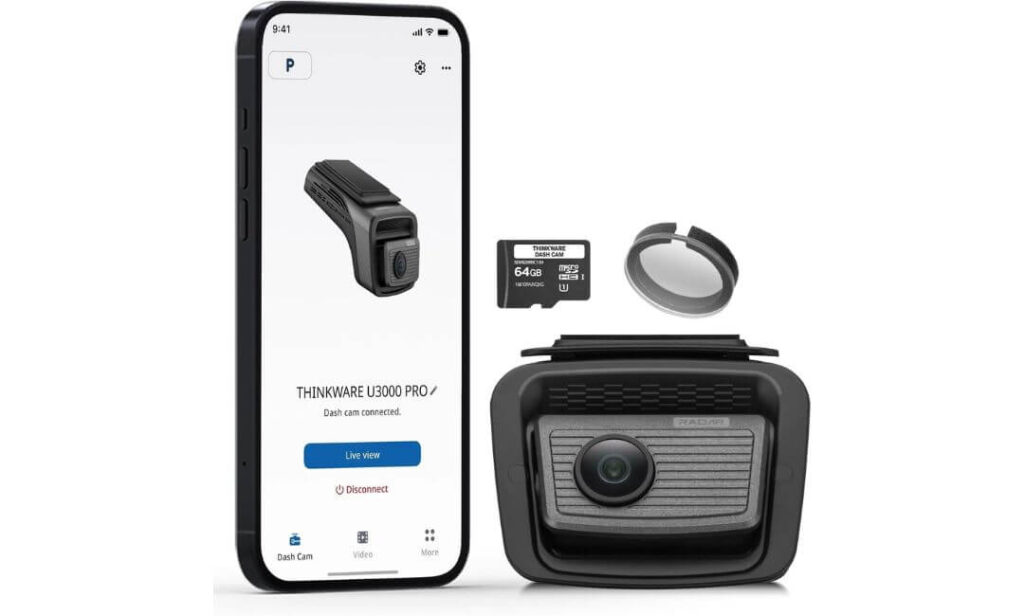
Key Specs:
- Video Resolution: True 4K (2160p) Front Recording
- Sensor: Sony STARVIS 2 + Ambarella CPU
- Parking Mode: Built-in Radar + Buffered Recording
- Field of View: 147.2° Wide Angle
- Night Tech: Super Night Vision 4.0 + HDR
- Connectivity: 5GHz Dual-Band Wi-Fi + GPS
- Cloud Access: Thinkware Connected LTE Compatible
- Power Setup: Hardwiring Cable Included
- Storage: 64GB microSD Included
The U3000 PRO isn’t built like a regular dash cam that “adds” parking mode later. This thing is engineered around parked-car surveillance first — driving footage comes second.
What stands out immediately is the built-in radar system. Unlike motion-only cams that wake up after pixels change, the U3000 PRO actively scans the area around your vehicle. Someone walks toward your bumper, a car creeps too close — the system detects presence early and prepares recording before contact even happens. In real parking scenarios — tight basements, mall lots, apartment rows — that early detection is the difference between catching a plate… or just recording the hit.
Video clarity backs it up. The Sony STARVIS 2 sensor paired with Ambarella processing delivers sharp plate capture even under poor lighting. Night footage doesn’t wash out under street lamps, and HDR balances glare from headlights without blowing exposure. Plates, faces, vehicle color — details stay usable, not just visible. That matters when footage becomes insurance evidence, not just YouTube clips.
Daily usability also feels thought through. Dual-band 5GHz Wi-Fi makes clip transfers fast, and the Thinkware app lets you pull footage without sitting inside the car. Add optional LTE cloud connectivity and the cam can send live parking alerts, impact notifications, even remote live view. It starts behaving less like a recorder and more like a vehicle security system that happens to mount on your windshield.
Parking Mode Performance — Where the U3000 PRO Leads
- Radar-Assisted Motion Detection
Built-in 64GHz radar monitors physical proximity instead of relying only on visual motion — fewer false alerts, earlier event detection. - Buffered Event Recording
Captures pre-impact footage so you see what happened before the collision, not just the aftermath. - Ultra-Low Power Monitoring
Radar scanning consumes less power than continuous video recording, extending parking coverage hours. - Impact + Motion Trigger Capture
Automatically records 20-second secured clips when contact or movement is detected near the vehicle. - Time-Lapse & Energy Saving Modes
For extended overnight parking, time-lapse recording stretches surveillance without draining the battery.
One Thing to Consider
Premium pricing + radar tech adds cost.
If you only need basic motion parking recording, this system may feel overbuilt — you’re paying for advanced detection hardware, not just video resolution.
Pro Tip
If you’re installing the U3000 PRO, don’t rely on cigarette-lighter power — hardwire it properly from day one. Radar parking mode is designed for long-hour surveillance, and a direct hardwire setup ensures voltage monitoring, battery cutoff protection, and uninterrupted detection while the car is parked overnight or for full workdays.
Also, if your parking environment is high-risk — apartment streets, public lots, basement garages — pairing the cam with Thinkware’s LTE cloud module adds a completely different layer of awareness. Instead of discovering damage later, you get instant impact alerts, motion triggers, and even remote live view access straight from your phone.
Best For: Drivers who park in high-risk areas — apartment complexes, public streets, office basements — and want the most advanced buffered + radar parking surveillance available, not just motion clips after impact.
#2. Vantrue N4 Pro
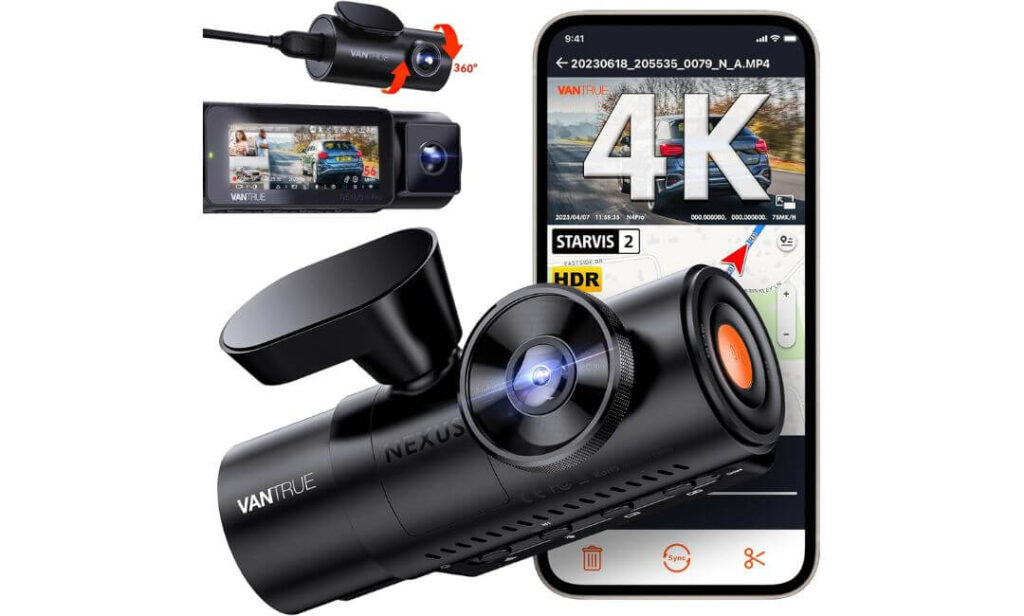
Key Specs:
- Video Resolution: 4K + 1080P + 1080P (Front, Cabin, Rear)
- Sensor: Sony STARVIS 2 IMX678 (Front)
- Parking Mode: Buffered 3-Channel Recording (Hardwire Required)
- Field of View: 165° Wide Angle (Front)
- Night Tech: PlatePix™ + HDR + IR Cabin Vision
- Connectivity: 5GHz Wi-Fi + GPS
- Voice Control: Yes (12 Commands)
- Storage Support: Up to 512GB
- Power Type: Supercapacitor (Heat Resistant)
If the Thinkware is built to watch your car from the outside, the N4 Pro is built to watch everything — front, rear, and inside the cabin at the same time.
That triple-channel coverage changes how parking surveillance works in real life. Street parking? You capture rear impacts. Basement lots? Front + side movement still gets documented. Ride-share or taxi use? Cabin incidents are recorded too. It’s not just about hit-and-runs — it’s about documenting the full environment around the vehicle when you’re not there.
Video performance holds its ground too. The front cam runs Sony’s STARVIS 2 IMX678 sensor paired with Vantrue’s PlatePix processing, tuned specifically for license plate capture. Night footage stays sharp under low light, and HDR balances glare from headlights or parking lamps without washing out detail. Plates remain readable even when vehicles pass slowly in dark lots — which is exactly when most parking incidents happen.
Then there’s flexibility. You can run 4K front + rear, or 4K front + cabin, depending on use. The interior cam uses IR LEDs to record passengers even in pitch darkness — useful for ride-share drivers or anyone wanting full interior documentation while parked. Add voice control, OTA firmware updates, and app access, and the system feels modern without being complicated to manage day-to-day.
Parking Mode Coverage — Built for Full-Vehicle Monitoring
- 3-Channel Buffered Recording
All three cameras record simultaneously, capturing 10 seconds before and 30 seconds after motion or impact events. - Adjustable Motion Detection Zones
Customize detection areas to avoid false alerts from passing traffic, trees, or lighting shifts. - Collision Detection Lock Files
G-sensor automatically secures impact footage to prevent overwrite. - Low Bitrate & Low Framerate Modes
Extends recording duration during long parking hours without consuming storage rapidly. - True 24/7 Monitoring (Hardwire Required)
With a proper hardwire kit installed, the system maintains continuous surveillance while parked.
One Thing to Consider
Hardwire kit is mandatory for parking mode.
Without direct power installation, you won’t unlock full 24-hour surveillance — cigarette power won’t sustain multi-channel monitoring.
Pro Tip
If you’re installing the N4 Pro mainly for parking protection, run all three cameras even if you don’t think you need cabin recording. Interior footage often captures side movement through windows — people approaching doors, attempted break-ins, or activity that front/rear cams can’t see directly.
Also, use a high-endurance 256GB or 512GB card from the start. Triple-channel buffered recording consumes storage faster than dual setups, and a larger card ensures longer parking coverage windows without constant overwrite — especially if your vehicle stays parked overnight or for full work shifts.
Best For: Drivers who want maximum coverage around a parked vehicle — especially ride-share owners, street parkers, and anyone needing front, rear, and cabin surveillance documented simultaneously.
#3. Nextbase 622GW
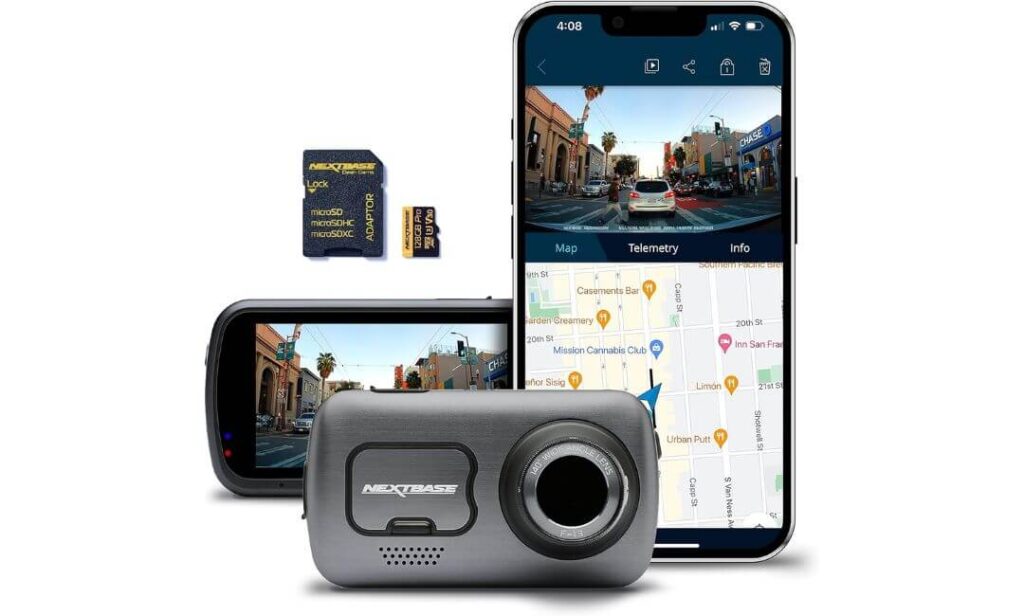
Key Specs:
- Video Resolution: True 4K UHD (30fps)
- Sensor Processing: Nextbase Image Stabilization Engine
- Parking Mode: Intelligent Motion + Impact Detection
- Field of View: 140° Wide Angle
- Connectivity: Bluetooth 5.0 + Dual-Band Wi-Fi
- Voice Control: Built-in Alexa
- Storage: 128GB microSD Included
- Mounting: Windshield Adhesive Mount
- Weather Mode: Extreme Weather Recording Enhancement
The 622GW takes a slightly different approach compared to radar-heavy or multi-channel systems. Instead of building parking surveillance around sensors alone, Nextbase leans hard into video processing — clarity, stabilization, and environmental visibility.
And you notice it immediately in footage quality.
The 4K recording isn’t just sharp — it’s stabilized. Digital Image Stabilization smooths micro-vibrations that usually blur parked footage when nearby vehicles pass or doors slam. Plates stay readable, objects stay defined, and footage looks controlled rather than shaky. Add Extreme Weather Mode and the camera actively enhances visibility through fog, rain, or glare-heavy environments — useful for outdoor overnight parking.
Connectivity and usability feel premium too. Bluetooth + 5GHz Wi-Fi pairing is fast, clip transfers don’t lag, and built-in Alexa voice control lets you lock clips, start recording, or control playback hands-free. It’s one of the few dash cams that blends driving tech with smart-device integration — convenient if you want voice commands instead of manual controls.
Where it fits best is drivers who want clean, stabilized, high-detail footage first — with parking monitoring layered in as a security net rather than the sole focus.
Parking Mode Behavior — How It Protects Your Parked Vehicle
- Intelligent Motion Detection
Automatically activates when the vehicle is parked and records when movement is detected near the car. - Impact Detection Recording
G-sensor locks and saves footage when physical contact or vibration is detected. - Auto Power Parking Activation
Switches into parking surveillance once ignition power is cut. - Long Standby Monitoring
Internal battery support allows extended standby surveillance coverage. - Multi-Event Recording Capture
Records consecutive triggered incidents while parked for continuous documentation.
One Thing to Consider
Parking monitoring here is motion + impact based — no radar detection or buffered pre-impact recording. It captures incidents effectively, but won’t record as early as radar-assisted systems.
Pro Tip
Mount placement matters more on the 622GW than most cams. Because parking detection relies on motion + vibration sensing, installing it on a firm windshield zone (center upper glass) improves trigger accuracy and reduces false alerts from door shuts or external vibrations.
Also, keep Extreme Weather Mode enabled if your car is parked outdoors overnight. It noticeably improves plate visibility in fog, rain haze, and sodium street lighting — conditions where standard parking footage usually loses usable detail.
Best For: Drivers who want premium stabilized 4K footage with reliable motion-based parking monitoring — especially those parking outdoors in variable weather where visibility matters as much as surveillance.
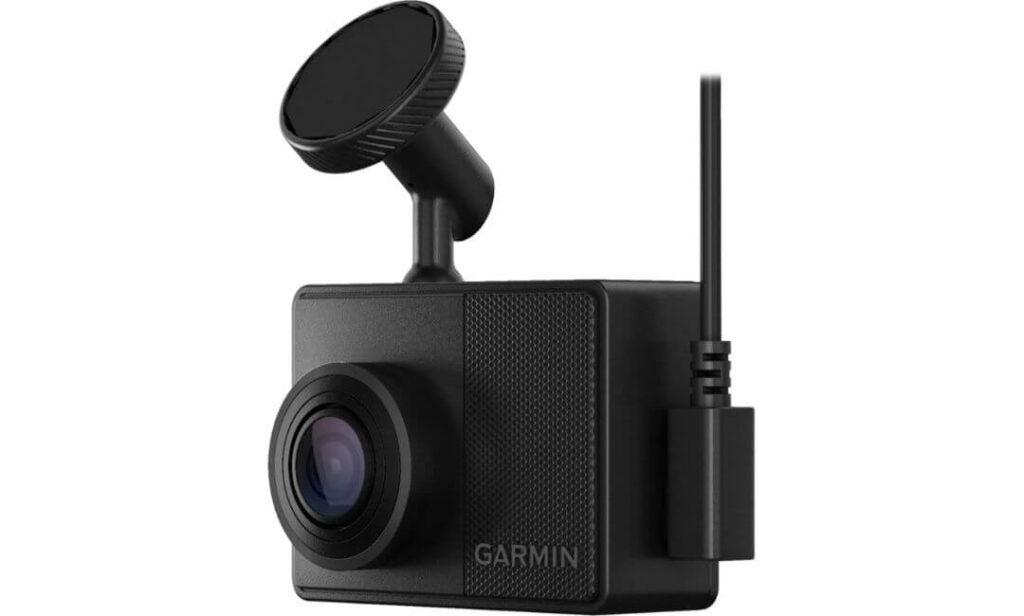
#4. Garmin Dash Cam 67W
Key Specs:
- Video Resolution: 1440p HD Recording
- Lens Coverage: Extra-Wide 180° Field of View
- Parking Mode: Parking Guard Motion + Impact Detection
- Pre-Event Capture: 15 Seconds Before + After Incidents
- Connectivity: Wi-Fi + Bluetooth App Access
- Cloud Storage: Secure Online Vault Upload
- Live View: Remote Monitoring Supported
- Voice Control: Yes
- Storage Included: 16GB microSD Card
The 67W is built on a completely different philosophy compared to bulky multi-channel or radar-heavy dash cams. This one is about staying invisible — small footprint, discreet mounting, zero windshield clutter — while still keeping a watchful eye when you’re away from the car.
And that compact design actually works in its favor for parking surveillance. Smaller cameras attract less attention, which matters in public street parking or high-footfall areas where visible electronics can invite theft. Mounted high near the windshield edge, the 67W blends in so well most people don’t even notice it’s recording.
Coverage is where it punches above its size. The 180-degree ultra-wide lens captures more side-angle activity than traditional 140–150° cameras. That wider environmental view helps document door dings, side swipes, or people moving near fenders — incidents that narrower lenses often miss entirely. Paired with Garmin Clarity HDR optics, footage stays detailed in mixed lighting, parking garages, or sun-glare conditions.
Connected features add another layer. Through the Garmin Drive app, saved incidents upload automatically to the secure cloud vault, and Live View lets you remotely check on your parked vehicle when constant power is connected. It’s less about continuous surveillance and more about smart incident capture backed by remote awareness.
Parking Mode Monitoring — How the 67W Watches Your Car
- Parking Guard Motion Detection
Detects movement or activity around the parked vehicle using built-in sensors. - Impact Event Recording
Automatically saves footage when contact or vibration is detected. - Buffered Incident Capture
Records 15 seconds before and after triggered events for context. - Remote Live View Access
Check real-time parking footage via smartphone when connected to Wi-Fi power. - Cloud Vault Storage
Incident clips upload securely online for backup and remote access.
One Thing to Consider
Continuous parking recording isn’t its strength. The system is incident-triggered rather than always recording — designed for event documentation instead of full-time surveillance coverage.
Pro Tip
If parking protection is your main goal, pair the 67W with Garmin’s Constant Power Cable or a hardwire setup instead of relying on internal battery support. Continuous external power unlocks Live View monitoring and ensures Parking Guard stays active longer in overnight or workday parking situations.
Also, mount it as high and centered as possible on the windshield. The ultra-wide 180° lens works best when it has an unobstructed field — lower mounting angles reduce side capture and defeat one of this camera’s biggest surveillance advantages.
Best For: Drivers who want discreet, low-profile parking monitoring with ultra-wide coverage — ideal for street parking, urban environments, and anyone who prefers a compact dash cam that doesn’t draw attention.
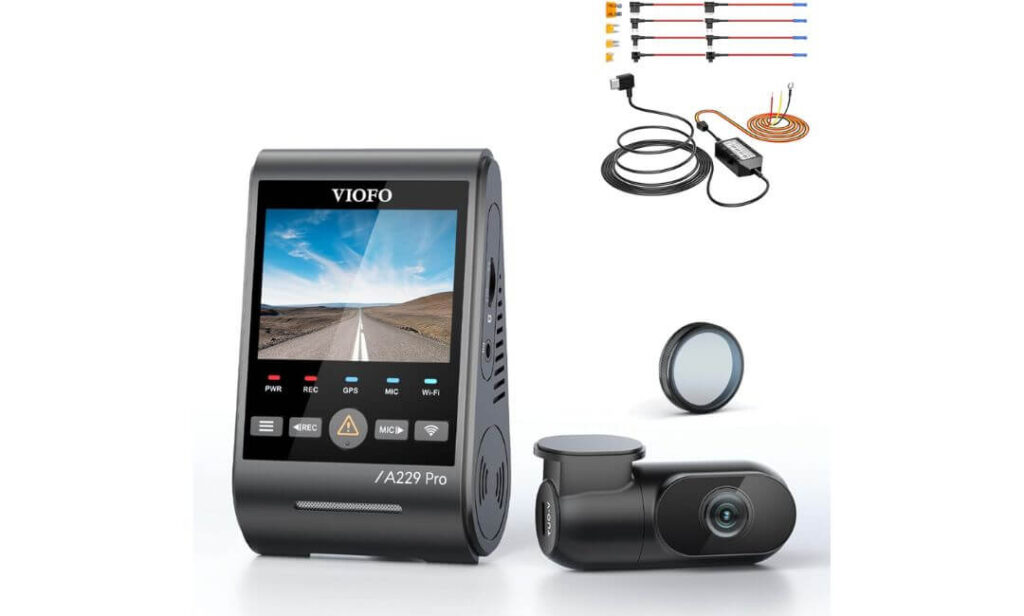
#5. VIOFO A229 Pro 2CH
Key Specs:
- Video Resolution: 4K Front + 2K Rear Recording
- Sensors: Dual Sony STARVIS 2 (IMX678 + IMX675)
- Parking Mode: Buffered Auto Event + Low Bitrate + Time-Lapse
- Field of View: 135° Wide Angle
- Night Tech: Dual HDR Night Vision 2.0
- Connectivity: 5GHz Wi-Fi + GPS
- Voice Control: Yes
- Power Setup: HK4 Hardwire Kit Included
- Channel Coverage: Front + Rear (2CH)
If you’re looking for that balance between premium surveillance tech and realistic pricing, the A229 Pro sits right in the sweet spot.
This bundle matters because it arrives parking-mode ready out of the box. No separate wiring hunt, no extra accessory cost — the HK4 hardwire kit is already included, meaning you can unlock true 24/7 surveillance from day one. That alone makes it more practical for buyers who want proper parked monitoring without building a setup piece by piece.
Video performance is where it earns credibility. Dual Sony STARVIS 2 sensors — one handling the front in 4K, the other covering the rear in 2K — create consistent clarity across both ends of the vehicle. Night footage stays balanced, HDR prevents highlight blowouts, and plate capture remains readable whether headlights hit directly or vehicles pass slowly behind you in dark lots.
And unlike single-channel parking cams, rear coverage adds real-world security value. Most parking hits happen from behind — reversing cars, tight-space taps, bumper scrapes — exactly the blind zone basic dash cams ignore. With dual-channel recording running buffered surveillance, incidents are captured with full approach context, not just post-impact shakes.
Parking Mode Coverage — Built for Real 24/7 Monitoring
- Buffered Auto Event Detection
Records 15 seconds before and 30 seconds after motion or impact triggers. - Motion Detection Surveillance
Automatically activates recording when movement is detected near the vehicle. - Low Bitrate Recording Mode
Maintains continuous monitoring while conserving storage capacity. - Time-Lapse Parking Recording
Captures long-hour parking sessions efficiently without large file loads. - Hardwire-Powered 24/7 Protection
Included HK4 kit enables constant power delivery with voltage cutoff protection.
One Thing to Consider
Field of view is slightly narrower than ultra-wide rivals, so side-angle capture isn’t as expansive as 160°–180° lens systems.
Pro Tip
Install the rear camera cable cleanly along the headliner rather than door seals. Stable rear positioning improves motion detection accuracy and prevents vibration blur in parking recordings — especially important for buffered capture where pre-event clarity matters.
Also, enable Low Bitrate mode if your car stays parked for full workdays or overnight. It keeps surveillance active without filling the card too quickly, while still preserving motion-triggered buffered clips in full quality when incidents occur.
Best For: Drivers who want premium dual-channel STARVIS 2 surveillance with true buffered parking protection — especially those prioritizing front + rear incident coverage without stepping into ultra-premium pricing tiers.
Best Dash Cams With Parking Mode — Side-by-Side Comparison
| Dash Cam | Video Quality | Channels | Parking Mode Type | Buffered Recording | Night Sensor | Cloud / Remote | Best Use Case |
|---|---|---|---|---|---|---|---|
|
THINKWARE U3000 PRO
Radar Parking Beast
|
True 4K | 1CH (Expandable) | Radar + Motion + Impact | Yes | STARVIS 2 | LTE Cloud Ready | High-risk street & apartment parking |
|
Vantrue N4 Pro
3-Channel Coverage
|
4K + FHD + FHD | 3CH | Motion + Impact | Yes | STARVIS 2 | App Remote | Ride-share & full vehicle monitoring |
|
Nextbase 622GW
Premium 4K
|
True 4K | 1CH | Motion + Impact | No | HDR Enhanced | Wi-Fi Cloud | Outdoor weather parking |
|
Garmin 67W
Compact Guard
|
1440p | 1CH | Parking Guard Alerts | Partial | Garmin HDR | Live View + Vault | Discreet urban parking |
|
VIOFO A229 Pro 2CH
Dual STARVIS 2
|
4K + 2K | 2CH | Motion + Time-Lapse | Yes | Dual STARVIS 2 | App Remote | Front + rear incident capture |
Dash Cam Buying Guide — How to Choose the Right Parking Mode Setup (2026)
Before you click “Buy Now,” this is the part most buyers skip — and regret later.
Parking mode performance isn’t decided by resolution alone. It depends on coverage, power architecture, storage endurance, and how well the camera survives heat while your car sits parked for hours.
Here’s what actually matters when choosing a dash cam for parked-car protection in 2026.
Channel Coverage — Single vs Dual vs 3-Channel Surveillance
Coverage decides how much of the incident you’ll actually capture.
- Single Channel (Front Only)
Records what happens ahead of the vehicle. Enough for basic parking monitoring, but blind to rear impacts — which statistically happen more often in tight parking spaces. - Dual Channel (Front + Rear)
The sweet spot for most drivers. Covers forward approach and rear collisions — ideal for apartment parking, office basements, and street parking where bumper hits and reverse scrapes are common. - 3-Channel (Front + Rear + Interior)
Full-cabin + exterior documentation. Best for ride-share drivers, taxis, fleet vehicles, or anyone wanting interior activity recorded while parked. Also useful for capturing side movement through windows.
If parking security is your priority, dual-channel is the minimum. Triple-channel adds situational awareness but increases power draw and storage consumption.
Parking Mode Power Setup — Hardwire vs OBD vs Battery Packs
Parking surveillance only works as long as the camera has power.
- Hardwire Kits
Direct fuse-box connection with voltage cutoff protection. This is the most stable and recommended setup for true 24/7 parking monitoring. - OBD Power Cables
Plug into the vehicle’s OBD port. Easier installation, but less configurable than hardwire setups. - External Battery Packs
Independent power sources that charge while driving and power the dash cam while parked — useful for luxury vehicles or owners avoiding fuse modifications.
If you’re serious about buffered or radar parking mode, hardwiring is non-negotiable. Cigarette-lighter power cuts off when ignition turns off, disabling surveillance completely.
Storage Requirements — Why High-Endurance Cards Matter in 4K Parking Mode
Modern parking surveillance records far more footage than driving mode.
Buffered clips, motion triggers, time-lapse recording — all stack up fast, especially in 4K or multi-channel setups.
That’s why standard microSD cards fail early.
Look for:
- V30 minimum for 4K single-channel cams
- V60 recommended for dual or triple-channel recording
- High-Endurance / Surveillance-grade cards
- 128GB minimum, 256GB–512GB ideal
Lower-rated cards overheat, corrupt footage, or overwrite locked parking clips — exactly the evidence you need most.
In parking surveillance, storage reliability matters more than storage size.
Heat Resistance — Supercapacitors vs Lithium Batteries
If your car sits in outdoor parking — especially in hot climates — internal power design matters more than most buyers realize.
- Lithium-Ion Batteries
Common in budget dash cams. Cheaper, but degrade faster in high heat. Long-term parking exposure can cause swelling, shutdowns, or failure. - Supercapacitors
Built for extreme temperature endurance. They don’t store power long-term but handle heat far better — making them more reliable for parked monitoring in hot regions.
For countries with intense summers or vehicles parked under direct sun, supercapacitor-powered dash cams last longer and operate more consistently in parking mode.
Parking Mode Types — Not All Surveillance Is Equal
Different dash cams monitor parked vehicles in different ways:
Motion Detection — Records when visual movement occurs
Impact Detection — Records when vibration/contact happens
Buffered Recording — Saves footage before impact
Time-Lapse Mode — Continuous low-frame monitoring
Radar Detection — Detects proximity before motion
The strongest setups combine buffered recording with motion or radar detection — ensuring incidents are captured before and after they occur.
Cloud Connectivity — Remote Monitoring vs Passive Recording
Some parking incidents are only discovered hours later.
Cloud-enabled dash cams reduce that delay.
With Wi-Fi or LTE connectivity, you can:
- Receive instant impact alerts
- View live parking footage
- Download clips remotely
- Backup vandalism evidence online
It’s not mandatory for everyone — but for high-risk parking zones, remote alerts add real peace of mind.
Installation Practicality — Why Setup Quality Affects Parking Coverage
Even the best dash cam fails if installed poorly.
Key installation factors:
- Center windshield mounting for balanced detection
- Clean rear camera cable routing
- Proper fuse selection for hardwire kits
- Voltage cutoff calibration
Bad wiring or loose mounting leads to false triggers, missed impacts, or corrupted parking recordings.
A clean install = reliable surveillance.
Parking Mode Installation & Setup — What Most Buyers Get Wrong
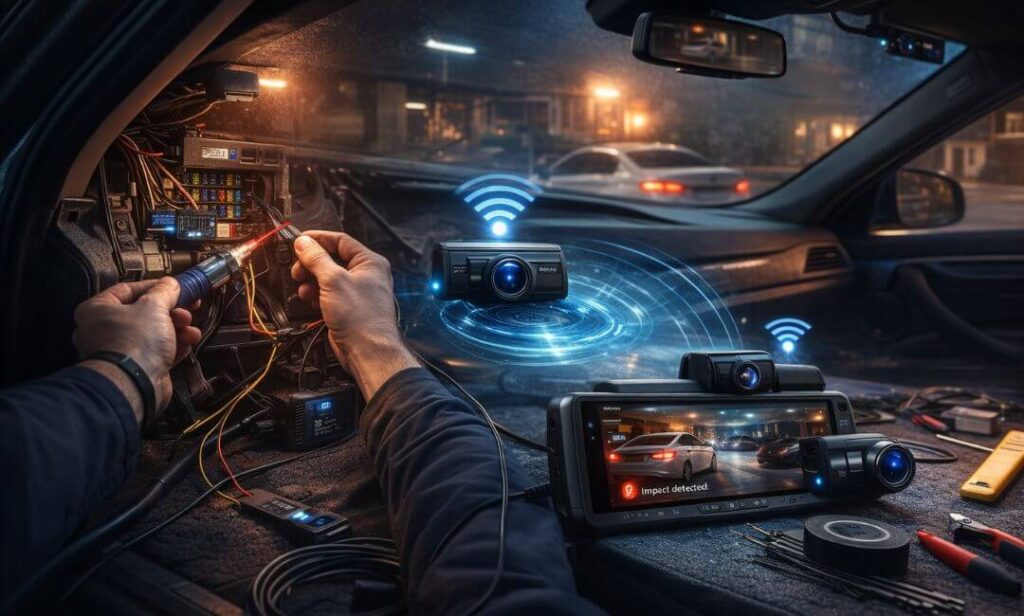
Buying the right dash cam is only half the job. Parking mode performance depends heavily on how the system is installed and powered.
A lot of buyers invest in buffered or radar-enabled cameras expecting full-time surveillance — then realize weeks later the cam never recorded anything while parked. Not because the camera failed… but because the setup was incomplete.
Here’s what actually determines whether your parking mode works reliably in real-world conditions.
Hardwire Installation — The Backbone of True Parking Surveillance
Parking mode needs continuous power even when the ignition is off. Cigarette lighter ports shut down with the engine, which instantly disables parking monitoring.
That’s why hardwiring matters.
A proper fuse-box hardwire kit keeps the camera powered while the car is parked, allowing motion detection, buffered recording, and radar monitoring to stay active.
Most premium dash cams — especially buffered or multi-channel systems — require hardwire installation to unlock full 24/7 surveillance capability.
If parking protection is your main buying reason, hardwiring isn’t optional — it’s mandatory.
Voltage Cutoff Settings — Protecting Your Car Battery
Continuous recording can drain a vehicle battery if left unmanaged. That’s where voltage cutoff protection comes in.
Hardwire kits include adjustable cutoff thresholds (usually 11.8V–12.4V). When battery voltage drops below the set level, the dash cam automatically shuts down to preserve enough charge to start the car.
Choosing the right cutoff depends on:
- Parking duration
- Battery health
- Climate conditions
Higher cutoff = safer battery protection
Lower cutoff = longer surveillance coverage
Balancing both ensures your camera records overnight without leaving you stranded in the morning.
Fuse Selection — Where Most Installations Go Wrong
Not all fuse slots behave the same.
A correct hardwire install uses:
- One constant power fuse (always live)
- One ACC fuse (ignition-switched)
Mixing these incorrectly can cause:
- Parking mode not activating
- Camera shutting off randomly
- Battery draining faster than expected
Using fuse taps with proper amperage matching keeps power delivery stable and protects vehicle electronics long term.
Rear Camera Cable Routing — Stability Affects Recording Quality
Dual and triple-channel setups rely heavily on rear camera placement. Loose routing or poorly secured cables introduce vibration — especially when nearby vehicles move or doors slam.
That vibration affects parking footage clarity, particularly buffered recordings where pre-impact detail matters most.
Clean routing along the headliner, pillar trims, and factory wire paths keeps footage stable and detection triggers accurate.
It’s a small install detail that makes a big difference in evidence quality.
Wi-Fi & Cloud Configuration — Unlocking Remote Parking Alerts
Many buyers install the hardware but skip the software setup.
Without configuring the companion app, Wi-Fi pairing, and cloud permissions, features like:
- Impact alerts
- Motion notifications
- Remote live view
- Cloud clip backup
won’t function at all.
Cloud-connected parking mode turns passive recording into active monitoring — especially valuable if your car is parked in public streets, office complexes, or high-risk areas.
Parking Mode Testing — The Step Most People Skip
Once installed, parking mode should always be tested before relying on it.
Quick real-world checks include:
- Walking around the vehicle to trigger motion recording
- Light bumper taps to test G-sensor capture
- Reviewing buffered clips for pre-impact footage
- Checking app alerts for remote notifications
Testing confirms detection zones, voltage cutoff behavior, and recording reliability before an actual incident happens.
Proper installation isn’t just about making the camera turn on — it’s about ensuring parking surveillance works exactly when you’re not there to see what’s happening.
With hardwire power, correct fuse selection, stable camera routing, and cloud setup configured, parking mode transforms from a feature… into real vehicle security coverage.
FAQs — Parking Mode Dash Cams
Do dash cams record all night in parking mode?
Not always — it depends on the parking mode type and power setup. Motion-only systems record only when movement is detected, while buffered or time-lapse modes can monitor continuously in low power states. For true overnight coverage, the camera must be hardwired or connected to an external battery pack. Otherwise, ignition cut-off will stop recording completely. Higher-end systems with radar or low-bitrate modes can stretch monitoring for many hours without draining the vehicle battery.
Does parking mode drain the car battery?
It can — but only if voltage protection isn’t configured properly. Hardwire kits include low-voltage cutoff settings that shut the camera down before the battery drops below safe starting levels. Radar-based and energy-saving parking modes consume far less power than continuous recording systems. Battery health, parking duration, and weather conditions also affect drain rates. When installed correctly, most setups can monitor overnight without starting issues the next day.
Which is better for parking protection — buffered or motion detection?
Buffered recording is significantly stronger for evidence capture. Motion detection starts recording after movement begins, which can miss critical pre-impact moments. Buffered systems continuously record in the background and save footage from several seconds before the trigger event. That pre-collision window often captures license plates, approach angles, and driver behavior — details insurance companies rely on when evaluating hit-and-run claims.
Do I need front and rear cameras for parking mode?
If parking surveillance is your priority, dual-channel coverage is highly recommended. Most parking incidents — bumper taps, reverse scrapes, tight-space collisions — happen from the rear. A front-only dash cam documents limited angles and can miss the actual impact source. Dual or triple-channel systems provide broader situational coverage, especially in apartment parking, office basements, or street environments where vehicles maneuver in tight proximity.
Can I get parking alerts on my phone in real time?
Yes — but only with cloud-connected dash cams. Cameras with Wi-Fi or LTE cloud support can send instant impact or motion notifications directly to your smartphone. Some systems also allow remote live view and clip downloads while the car is parked. Without cloud connectivity, footage is stored locally and can only be reviewed later from the memory card or mobile app after reconnecting to the camera.
How long does parking footage stay saved?
Storage retention depends on recording resolution, number of channels, and SD card capacity. A single-channel 4K cam may store 24–48 hours of mixed driving and parking clips on a 128GB card, while triple-channel setups can overwrite footage faster. Using high-capacity (256GB–512GB) high-endurance cards extends retention time. Locked event clips — such as impacts — are usually protected from overwrite unless storage becomes completely full.
Final Thoughts — Parking Protection Isn’t Optional Anymore
Parking mode used to be an add-on feature buyers barely considered. In 2026, it’s the main reason most dash cams get installed in the first place. Because the reality is simple — your car spends more time parked than driven, and that’s when it’s most vulnerable.
The models in this guide weren’t picked just for video quality, but for how seriously they take parked-car surveillance — radar detection, buffered recording, STARVIS 2 night capture, multi-channel coverage, and cloud alerts that keep you aware even when you’re miles away.
Choose based on how and where you park. Street parking demands wider coverage. Apartment lots benefit from buffered detection. High-risk areas justify radar or cloud-connected systems.
Set it up right, power it properly, and parking mode stops being a spec on paper — it becomes the silent witness that speaks when you’re not there to see what happened.
And when that day comes, you’ll be glad your dash cam was watching.
Also Check: