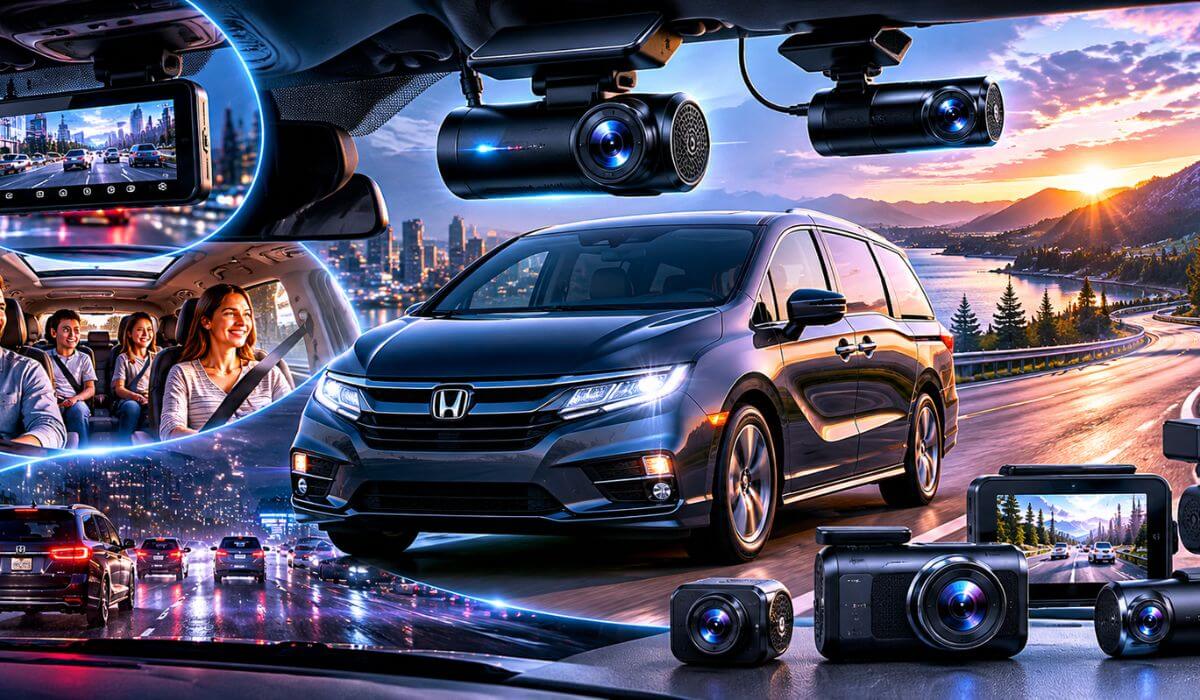
5 Best Dash Cams for Honda Odyssey in 2026: 4K Recording, STARVIS 2 Night Vision & Parking Protection
The Honda Odyssey isn’t the kind of vehicle that spends most of its life sitting in a garage. For many families, it’s the daily school shuttle, the weekend road-trip machine, the airport runner, and the vehicle trusted with the most important passengers on board. That changes what matters in a dash cam. A model that works well in a compact sedan isn’t always the best fit for a large family minivan with a bigger cabin and more glass around the vehicle.
Whether you own an older 2018–2020 Odyssey or a newer 2021–2026 model, installation is generally straightforward thanks to the Odyssey’s spacious windshield layout and generous mirror area. The biggest upgrades come from features that help in real-world driving rather than on a spec sheet—STARVIS 2 sensors for cleaner night footage, HDR processing for difficult lighting, reliable parking protection, GPS tracking, and strong rear-camera coverage for a vehicle this size.
For this guide, we prioritized dash cams that make sense specifically for Odyssey owners. Some focus on complete front, rear, and cabin coverage for family use, while others deliver class-leading image quality or a cleaner factory-style appearance. The goal wasn’t to find the most expensive dash cam available—it was to find the options that provide the most confidence every time you back out of the driveway, head out on a long trip, or leave your Odyssey parked overnight.
Best Honda Odyssey Dash Cams: Top 2026 Picks With STARVIS 2 Sensors & Smart Parking Mode
#1. REDTIGER F17 Elite 4K Dash Cam
Best Front and Rear Dash Cam for Honda Odyssey Families Seeking Complete 3-Channel Coverage and Advanced Parking Protection
#2. Vantrue N4 Pro S 4K Dash Cam
Best Honda Odyssey Dash Camera for STARVIS 2 Night Vision, Cabin Recording and Long-Distance Family Travel
#3. VIOFO A329S 4K 60FPS Dash Cam
Best 4K Dash Cam for Honda Odyssey Drivers Wanting Premium Video Quality and High-Speed Recording Performance
#4. THINKWARE ARC 700 Dash Cam
Best Parking Mode Dash Cam for Honda Odyssey Owners Looking for Smart Alerts and Reliable Daily Protection
#5. Fitcamx Front 4K + Rear 1080P Dash Cam
Best OEM-Style Honda Odyssey Dash Cam for 2021–2026 Models with Factory-Look Installation and Easy Setup
Expert Tip
If you use your Honda Odyssey the way most owners do—family trips, school runs, vacations, and daily errands—don’t focus only on front-camera resolution. A clean 4K front recording is great, but the footage people end up needing most often comes from the rear camera, parking mode, or interior camera. That’s why several of our top picks prioritize full-vehicle coverage rather than chasing the highest resolution number on the box.
In our experience, the difference between a good dash cam and one you’ll still appreciate three years from now usually comes down to three things: night performance, parking protection, and reliability on hot summer days. Those are the areas where premium sensors like STARVIS 2 and well-developed parking systems consistently separate themselves from budget alternatives.
How We Chose These Dash Cams for Honda Odyssey Owners
There are hundreds of dash cams on the market, but we didn’t build this list by comparing spec sheets alone. The reality is that a Honda Odyssey creates a different set of demands than a compact car or commuter sedan. The cabin is larger, the vehicle is often carrying family members, and many owners spend long hours on highways, road trips, and crowded parking lots.
The first thing we looked at was real-world coverage. A three-row family vehicle benefits more from complete visibility than almost any other segment. That’s one reason models like the REDTIGER F17 Elite and Vantrue N4 Pro S ranked so highly. Front, rear, and cabin recording can provide a much clearer picture of what actually happened during an incident than a front camera alone.
Next came nighttime performance. Manufacturers can advertise 4K all day long, but if a camera struggles to capture license plates after sunset, the extra resolution doesn’t matter. We gave significant weight to models equipped with Sony STARVIS 2 sensors, HDR processing, and proven low-light performance, because those features tend to make the biggest difference during actual ownership.
We also paid close attention to parking protection, especially because many Odyssey owners leave their vehicles at airports, hotels, schools, shopping centers, and public parking lots. A dash cam that stops protecting the vehicle once the engine shuts off simply doesn’t provide the level of security many families expect today.
Another factor was long-term usability. Features such as stable smartphone apps, fast Wi-Fi transfers, GPS tracking, voice control, and reliable file management might not seem exciting on day one, but they become extremely important months later when you actually need to find and save a recording.
Finally, we didn’t try to force every buyer into the same category. Some owners want the strongest overall protection available. Others care more about image quality, while some simply want a clean factory-style installation that looks like it came with the vehicle from Honda. That’s why this list includes both premium multi-camera systems and a dedicated OEM-style option.
Most importantly, we avoided ranking products solely because they were newer, more expensive, or loaded with marketing claims. Every dash cam on this list earned its place because it solves a specific need that Honda Odyssey owners commonly have, whether that’s complete family-vehicle coverage, exceptional night visibility, advanced parking surveillance, or a cleaner factory-style setup. That’s the standard we used from start to finish.
#1. REDTIGER F17 Elite 4K Dash Cam
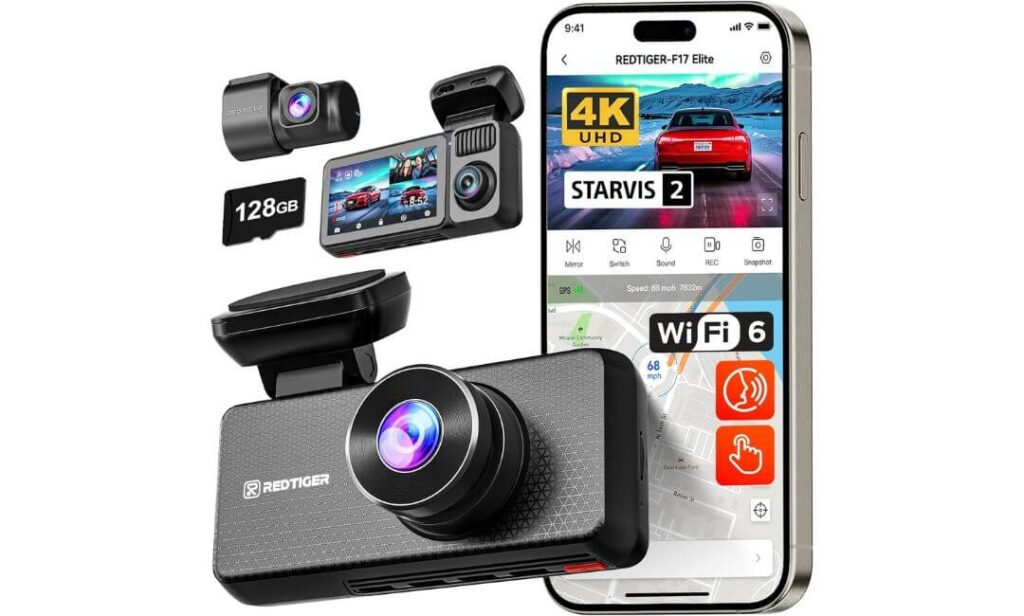
Quick Specs:
- True 4K Front + 2.5K Rear + 1080P Cabin recording
- Premium Sony STARVIS 2 IMX678 + IMX675 sensors
- Full-Color Night Vision (front and cabin)
- HDR processing for difficult lighting conditions
- Built-in GPS tracking
- Ultra-fast 5GHz Wi-Fi 6 connectivity
- Voice control and touchscreen operation
- 128GB memory card included in the box
- Supercapacitor design for hot-weather durability
- Parking surveillance with impact detection
- Adjustable front, rear, and interior camera coverage
Some dash cams impress you on a spec sheet. This one makes more sense the longer you think about how a Honda Odyssey is actually used.
Most Odyssey owners aren’t looking for a camera that records only what’s happening in front of the vehicle. They’re transporting kids, relatives, friends, luggage, sports gear, and sometimes spending entire weekends on the road. That’s where the combination of 4K front recording, 2.5K rear coverage, and a dedicated cabin camera starts feeling less like a luxury and more like a smart investment.
The biggest surprise here is the night performance. Many dash cams advertise night vision, but once darkness arrives the footage often becomes soft, grainy, or difficult to use. Thanks to the STARVIS 2 IMX678 front sensor and IMX675 rear sensor, recordings remain impressively clean after sunset. Street signs stay readable, vehicle shapes remain defined, and bright headlights don’t overwhelm the image the way they often do on lower-tier cameras.
What ultimately pushed it above the competition for Odyssey owners is balance. You get premium image quality, GPS logging, voice control, Wi-Fi 6 transfers, parking protection, and a pre-installed 128GB card without immediately needing additional purchases. For many families, it’s one of the few systems that feels complete right out of the box.
(If your Odyssey spends as much time parked in school lots, airports, hotels, and shopping centers as it does on the road, the full-vehicle coverage here is genuinely valuable.)
Where It Stands Out Most
- Three-camera coverage protects the front, rear, and cabin simultaneously
- STARVIS 2 sensors deliver noticeably stronger low-light clarity
- Full-color night vision provides more useful footage after dark
- Included 128GB card means no immediate extra expense
- Wi-Fi 6 and GPS make footage management significantly easier
- Supercapacitor design is better suited for temperature extremes than many battery-based alternatives
A Small Thing Worth Knowing
- Parking mode reaches its full potential when paired with an optional hardwire kit
Honda Odyssey Compatibility Notes
The windshield layout of the Honda Odyssey works particularly well with this setup because there is enough space to mount the front unit cleanly without creating a distracting presence while driving. The adjustable cabin camera also benefits from the Odyssey’s larger interior compared to most vehicles.
For models equipped with Honda Sensing, proper placement matters. Installing the camera slightly below the factory sensor housing helps maintain a clean field of view while avoiding interference with driver-assistance equipment.
The Insider Pro-Tip
Many buyers focus exclusively on the front camera resolution and stop comparing after they see “4K.” That’s understandable—but it misses the biggest advantage of this system.
On a vehicle like the Honda Odyssey, the rear camera and cabin camera often end up being just as important as the front lens. If an incident happens while loading passengers, backing out of a crowded parking lot, or while the vehicle is parked overnight, those additional viewing angles can become the footage you’re most thankful to have. That’s exactly why this model sits at the top of our rankings. It doesn’t just record the drive—it records the parts of ownership where problems tend to happen.
For Odyssey owners who want one purchase that covers nearly every scenario without needing to upgrade again later, this is the benchmark other options on this list have to beat.
#2. Vantrue N4 Pro S 4K Dash Cam
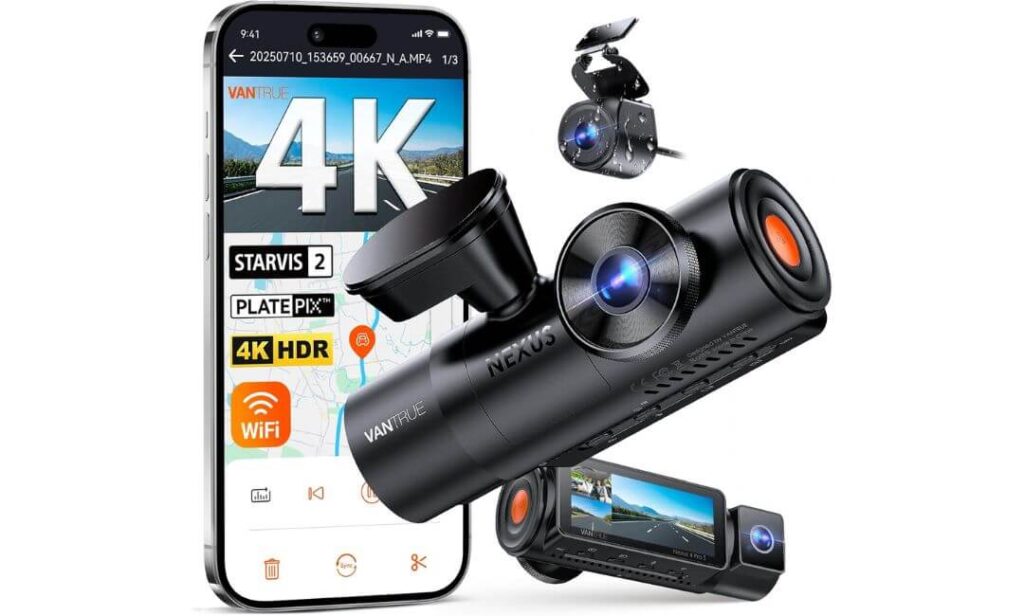
Quick Specs:
- True 4K Front + 1080P Cabin + 2.5K Rear recording
- Triple Sony STARVIS 2 sensor setup
- Advanced HDR and Night Vision 4.0 processing
- Dedicated PlatePix license plate enhancement technology
- IP67 weather-resistant 2.5K rear camera
- 5GHz Wi-Fi with app control
- GPS route and speed logging
- OTA firmware updates through the app
- Buffered parking mode recording
- Supercapacitor-powered design
- Supports memory cards up to 1TB
Here’s what stood out immediately during our evaluation: this feels like a dash cam designed by people who understand what drivers actually complain about after six months of ownership.
A lot of systems can record in 4K. Far fewer can maintain clarity when conditions get difficult. The combination of triple STARVIS 2 sensors, adaptive HDR processing, and Vantrue’s PlatePix technology is what makes this model different. Whether you’re driving through rain, dealing with oncoming headlights, or navigating poorly lit roads, the footage remains impressively usable when details matter most.
There’s also something Odyssey owners will appreciate on longer family trips. When cabin recording isn’t needed, the system can switch into a dedicated 4K front and 2.5K rear configuration, allocating more resources to the road ahead and behind. That flexibility makes it feel like two different dash cams in one package depending on how you use your vehicle.
What ultimately secured its position near the top of our rankings is consistency. The IP67-rated rear camera, buffered parking protection, OTA updates, GPS tracking, and support for massive storage capacities all point toward a product built for years of use rather than short-term excitement.
(For drivers who value evidence quality above almost everything else, this is one of the strongest video-focused systems currently available.)
Where It Separates Itself From Most Alternatives
- Triple STARVIS 2 sensors across all three cameras
- Exceptional nighttime license plate capture performance
- Flexible recording modes for family driving and long-distance travel
- Buffered parking protection captures moments before an event occurs
- Weather-resistant rear camera adds extra durability
- Supports up to 1TB of storage for extended recording periods
A Small Thing Worth Knowing
- To unlock the full benefit of 24-hour parking surveillance, a dedicated hardwire kit is recommended
Honda Odyssey Installation Perspective
The Odyssey’s larger windshield and spacious cabin work especially well with a three-channel setup like this. The interior camera has enough room to monitor the cabin effectively without feeling cramped, while the rear camera benefits from the vehicle’s broad rear visibility.
Owners of Honda Sensing-equipped models should simply pay attention to mounting position during installation. Keeping the front unit below the factory camera housing helps preserve the intended operation of the vehicle’s driver-assistance systems.
The Insider Pro-Tip
One detail many shoppers overlook is how much recording quality can change once a vehicle is fully loaded with passengers, luggage, and gear. Family vehicles create more reflections, more lighting challenges, and more distractions than most sedans.
That’s where this system quietly earns its reputation. The combination of STARVIS 2 sensors, HDR tuning, and dedicated plate-enhancement technology isn’t there for marketing purposes—it helps preserve details when conditions become less than perfect. In real ownership, that’s often the difference between footage that’s merely recorded and footage that’s actually useful.
If your priority is collecting the clearest possible evidence during both daytime drives and late-night road trips, this is one of the most confidence-inspiring options on this entire list.
#3. VIOFO A329S 4K 60FPS Dash Cam
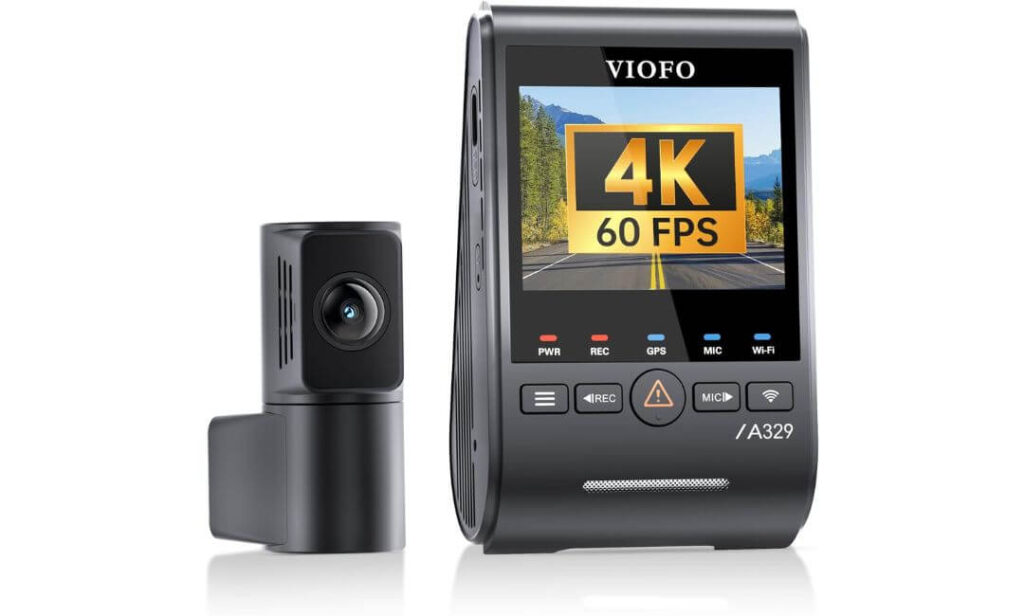
Quick Specs:
- 4K 60FPS Front + 2K Rear recording
- Dual Sony STARVIS 2 IMX678 + IMX675 sensors
- HDR support for front and rear cameras
- Next-generation Wi-Fi 6 connectivity
- Built-in GPS with multi-satellite support
- Supports up to 4TB SSD storage
- Impact-detection power-saving parking mode
- Voice control functionality
- Included anti-glare CPL filter
- Slim coaxial cable installation system
- Supports up to 512GB microSD cards
Something interesting happens when you start comparing premium dash cams side by side. After a while, the marketing claims begin to sound the same. Then a model comes along that reminds you why certain products develop such a loyal following among enthusiasts.
This is one of those cameras.
Instead of focusing on extra gimmicks, the emphasis here is clearly on capturing the cleanest possible footage. The combination of 4K recording at 60 frames per second, dual STARVIS 2 sensors, and HDR processing creates an image that looks noticeably smoother and more detailed than many competing systems. Fast-moving traffic, highway signs, lane changes, and license plates simply appear sharper, especially when reviewing footage frame by frame.
Storage is another area where this setup feels built differently. Most drivers will never fill a standard memory card, but Odyssey owners who spend weeks traveling, commuting, or taking family road trips may appreciate the ability to connect an external SSD up to 4TB. That’s a level of recording capacity few competitors currently offer, and it dramatically reduces concerns about storage management during extended travel.
(For drivers who care more about image quality, recording performance, and long-term storage flexibility than cabin monitoring, this is one of the strongest options available today.)
Areas Where It Quietly Excels
- Outstanding 4K 60FPS recording smoothness
- Dual STARVIS 2 sensors provide excellent day and night clarity
- Massive SSD storage support for extended recording
- Wi-Fi 6 significantly speeds up video transfers
- Included CPL filter helps reduce windshield reflections
- Slim cable design makes cleaner installations easier
A Small Thing Worth Knowing
- Unlike the higher-ranked three-channel models, this system focuses entirely on front and rear coverage rather than interior recording
Honda Odyssey Installation Perspective
The Honda Odyssey is an excellent match for this setup because the long cabin and large rear glass benefit from the included rear camera system. The supplied rear cable length is more than sufficient for clean routing from the windshield to the rear hatch area.
The compact front unit is also easier to position around Honda Sensing-equipped windshields than some larger dash cams. Once installed, it blends into the windshield area without drawing unnecessary attention during everyday driving.
The Insider Pro-Tip
Many buyers assume higher resolution automatically means better footage. In reality, frame rate often matters just as much.
When a vehicle is moving at highway speeds, important details can appear and disappear surprisingly quickly. That’s where 4K 60FPS recording creates a noticeable advantage. Fast-moving vehicles, lane changes, road signs, and license plates tend to remain clearer because the camera is capturing twice as many frames compared to standard 30FPS systems.
That’s why this model occupies a unique position in our rankings. It isn’t trying to be the most feature-packed dash cam on the market. Instead, it focuses on producing some of the cleanest and most detailed road footage available. For Odyssey owners who prioritize recording quality above everything else, that’s a compelling reason to pay attention.
#4. THINKWARE ARC 700 Dash Cam
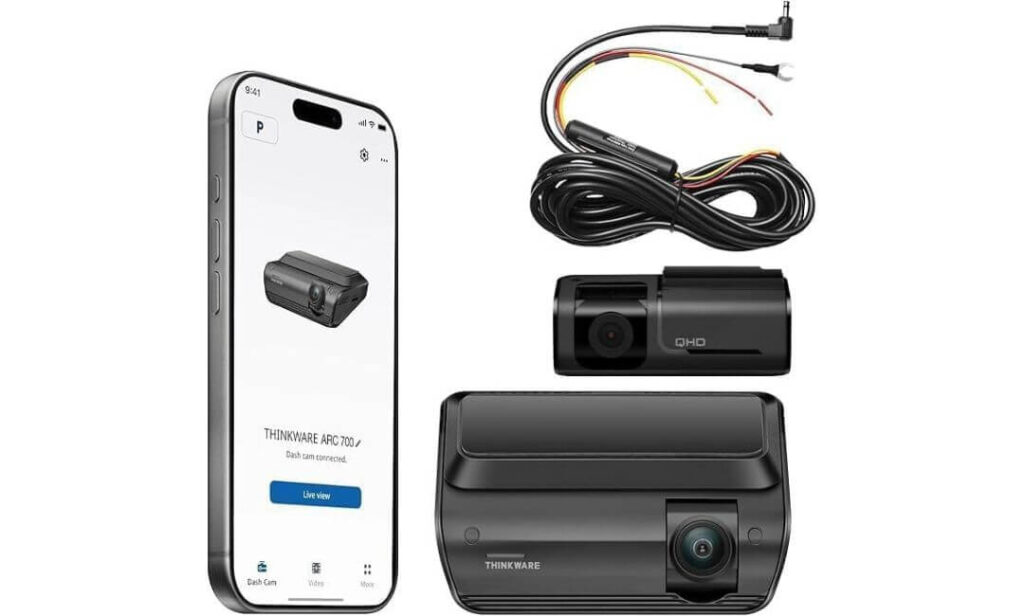
Quick Specs:
- 4K Front + 2K Rear recording
- Sony STARVIS IMX415 image sensor
- Dual HDR processing front and rear
- Super Night Vision 3.0 technology
- Built-in GPS tracking
- 5GHz Wi-Fi connectivity
- Hardwiring cable included in the box
- Multiple 24/7 parking surveillance modes
- Speed camera and red-light camera alerts
- Energy Saving 3.0 parking protection
- Bluetooth app pairing support
Not every great dash cam tries to impress you with giant numbers or flashy marketing. Some simply focus on doing the important things exceptionally well.
That’s the feeling this system gives from the moment you start looking at its feature set.
While several competitors on this list emphasize maximum channels or extreme storage capacity, this model focuses on something many Odyssey owners value just as much: dependability during everyday driving and parking situations. The combination of a Sony STARVIS sensor, Dual HDR processing, and Super Night Vision 3.0 creates footage that remains clean and balanced in situations where cheaper cameras often struggle with blown-out headlights, deep shadows, or uneven lighting.
What also stood out during our evaluation was the parking system. Many vehicles spend far more time parked than moving, especially family-oriented vehicles like the Odyssey. Here, THINKWARE offers multiple surveillance options including motion detection, impact recording, time-lapse monitoring, and an energy-saving mode designed to extend battery protection. It’s the kind of feature set that feels practical rather than promotional.
(If your biggest concern is protecting your vehicle while it’s sitting unattended, few options on this list feel as purpose-built for that job.)
Areas Where It Earns Its Reputation
- Excellent balance between driving protection and parking surveillance
- Dual HDR improves visibility in difficult lighting conditions
- Super Night Vision 3.0 delivers cleaner low-light footage
- Hardwiring cable included from the start
- Built-in GPS simplifies incident documentation
- Safety camera alerts add useful daily-driving assistance
A Small Thing Worth Knowing
- A memory card isn’t included, which gives owners the flexibility to choose the storage capacity that best matches their recording needs
Honda Odyssey Installation Perspective
The compact windshield design makes installation straightforward inside the Odyssey, and the included hardwire cable helps create a cleaner finished appearance compared with setups that rely solely on a power adapter.
For Honda Sensing-equipped models, proper placement remains important. Positioning the camera below the factory sensor cluster helps preserve visibility while maintaining full use of the vehicle’s driver-assistance systems.
The Insider Pro-Tip
Many buyers naturally focus on image quality first. That’s important—but after years of ownership, parking protection often becomes the feature people appreciate most.
A vehicle can spend twenty hours parked for every hour it’s driven. School parking lots, airports, hotels, shopping centers, sporting events, and crowded public areas all create opportunities for incidents that occur when nobody is inside the vehicle.
That’s why this model continues to attract loyal owners. The camera quality is strong, but the real value comes from the way the surveillance system works together as a complete package. For Odyssey owners who want confidence both on the road and while parked, that’s a combination that’s difficult to overlook.
#5. Fitcamx Front 4K + Rear 1080P Dash Cam
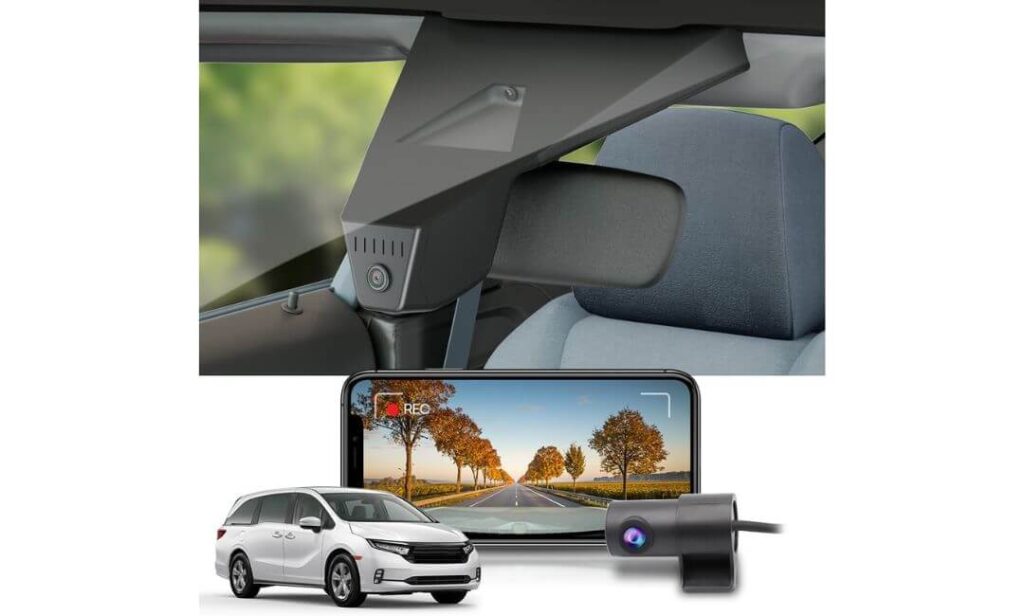
Quick Specs:
- Custom-designed for Honda Odyssey models
- OEM-style integrated factory appearance
- 4K Front + 1080P Rear recording
- Included 128GB memory card
- Built-in Wi-Fi and smartphone app
- Wide-angle front and rear coverage
- WDR-enhanced night recording
- Loop recording functionality
- G-Sensor event protection
- Temperature-resistant construction
- No interference with CarPlay or Bluetooth systems
Let’s be honest—some people love technology, while others simply want protection without turning their windshield into a science project.
That’s exactly why this option made our list.
Unlike the other models featured here, this system isn’t trying to win a specification war. Instead, it solves one of the most common complaints Odyssey owners have about aftermarket dash cams: visible wires, bulky mounts, and devices that look obviously added after the vehicle left the factory.
Because it’s designed specifically around the Odyssey’s mirror housing area, the finished result looks remarkably close to something Honda could have installed themselves. Once fitted, most passengers won’t even realize a dash cam is present. That level of integration is surprisingly rare in this category.
The recording hardware remains practical as well. You get 4K front recording, 1080P rear coverage, WDR-assisted night performance, built-in Wi-Fi, smartphone access, and an included 128GB memory card. More importantly, everything works without affecting factory systems like CarPlay or Bluetooth connectivity, which is often a concern among owners considering an OEM-style solution.
(If aesthetics matter just as much as functionality, this is easily the cleanest-looking option in the entire lineup.)
Where It Delivers Something Different
- Factory-style appearance that blends into the interior
- Specifically engineered for Honda Odyssey fitment
- No dangling wires across the windshield area
- Included 128GB card keeps setup simple
- Wi-Fi app control makes video access easy
- Maintains a clean OEM-like cabin appearance
A Small Thing Worth Knowing
- The focus here is seamless factory-style integration rather than advanced multi-camera features found on some premium enthusiast-oriented models
Honda Odyssey Integration Notes
This is the only model in our rankings built specifically around the Odyssey itself, which changes the ownership experience considerably. Instead of adapting a universal dash cam to the vehicle, the installation feels far more natural and intentional.
Owners who value a clean cabin environment tend to appreciate this approach immediately. The camera integrates neatly into the mirror area, preserves visibility, and avoids the aftermarket appearance that some windshield-mounted systems can create.
The Insider Pro-Tip
Most buyers spend hours comparing resolution numbers and technical specifications. Yet after installation, many end up caring about something much simpler: whether the dash cam feels like it belongs in the vehicle.
That’s where this model earns its place on the list.
The best dash cam isn’t always the one with the longest feature list. Sometimes it’s the one you never have to think about. It starts recording when you drive, stays out of your line of sight, works with the vehicle’s existing technology, and quietly does its job every day.
For Odyssey owners who prioritize a factory-quality appearance and a hassle-free ownership experience, this approach may be more appealing than any extra specification on a product box.
Best Honda Odyssey Dash Cam Features Compared: GPS, STARVIS 2, Wi-Fi and Parking Surveillance
| What Matters Most | REDTIGER F17 Elite | Vantrue N4 Pro S | VIOFO A329S | THINKWARE ARC 700 | Fitcamx OEM |
|---|---|---|---|---|---|
| Best Match For |
Complete Family Protection
BEST OVERALL
|
Evidence-Focused Drivers
BEST NIGHT CLARITY
|
Video Quality Enthusiasts
BEST VIDEO PERFORMANCE
|
Parking Security Priority
BEST PARKING MODE
|
Factory-Look Upgrade
BEST OEM DESIGN
|
| Recording Setup | 4K Front + 2.5K Rear + Cabin | 4K Front + 2.5K Rear + Cabin | 4K 60FPS Front + 2K Rear | 4K Front + 2K Rear | 4K Front + 1080P Rear |
| Night Driving Performance | Excellent | Class-Leading | Excellent | Very Strong | Good |
| Cabin Recording | Yes | Yes | No | No | No |
| Parking Protection | Advanced Monitoring | Buffered Recording | Impact Detection | Multiple Surveillance Modes | Basic Monitoring |
| GPS Tracking | Included | Included | Included | Included | Not Included |
| Wireless Experience | Wi-Fi 6 | 5GHz Wi-Fi | Wi-Fi 6 | 5GHz Wi-Fi | Built-In Wi-Fi |
| Storage Advantage | 128GB Included | Supports 1TB | Supports 4TB SSD | User-Selected Storage | 128GB Included |
| Installation Style | Traditional Multi-Camera | Traditional Multi-Camera | Low-Profile Setup | Clean Hardwired Setup | OEM Integrated Fit |
| Road Trip Suitability | Excellent | Excellent | Outstanding | Very Good | Good |
| Our Verdict | Best overall balance of coverage, features, value, and family-focused protection. | Ideal for drivers wanting maximum evidence quality day and night. | Best choice for buyers prioritizing pure video performance. | Excellent option for long-term parking security and daily peace of mind. | Perfect for Odyssey owners who want an OEM factory appearance. |
Buying Guide: How to Choose the Best Dash Cam for Your Honda Odyssey
The Honda Odyssey is not a typical daily commuter. It’s a family vehicle, a road-trip machine, a school-run shuttle, and for many owners, one of the most heavily used vehicles in the household. That changes what matters when shopping for a dash cam.
A camera that works well in a compact sedan may not necessarily be the best choice for a larger three-row minivan. Cabin size, parking habits, passenger capacity, and long-distance travel all influence which features deserve the most attention. Before choosing a dash cam, here are the factors that genuinely matter for Odyssey owners.
Video Resolution and Overall Image Quality
The first specification most buyers notice is video resolution, and for good reason. Clear footage makes it easier to identify license plates, road signs, lane positions, and other important details if an incident occurs.
For a vehicle as frequently used as the Honda Odyssey, we generally recommend prioritizing 4K front recording whenever possible. Cameras equipped with premium sensors such as Sony STARVIS 2 tend to deliver cleaner footage not only during the day but also in difficult lighting situations where lesser cameras struggle.
That said, resolution alone doesn’t tell the whole story. Factors such as HDR processing, sensor quality, frame rate, lens performance, and image tuning often have just as much impact on real-world footage as the resolution number printed on the box.
Front and Rear Coverage Is Usually Worth It
One of the biggest mistakes buyers make is focusing exclusively on the front camera.
The Odyssey is a larger vehicle with a substantial rear profile, making rear coverage especially valuable when reversing, parking, navigating crowded lots, or dealing with rear-end incidents. A quality front and rear dash cam for Honda Odyssey owners often provides significantly more useful evidence than a front-only setup.
Some drivers may also benefit from a third cabin-facing camera. Families, rideshare operators, and owners who frequently transport passengers may appreciate the additional visibility provided by a three-channel system.
Parking Protection Matters More Than Most Buyers Expect
A surprising number of incidents happen when the vehicle isn’t moving.
Shopping centers, airports, schools, hotels, stadiums, and public parking areas can all expose your Odyssey to potential damage. That’s why a strong parking mode dash cam for Honda Odyssey owners can be just as important as recording quality while driving.
Look for features such as motion detection, impact detection, buffered event recording, time-lapse monitoring, and energy-efficient parking modes. These systems help capture activity around the vehicle even after the engine has been turned off.
If parking protection is a priority, remember that many advanced systems require a hardwire kit to unlock their full surveillance capabilities.
Low-Light Performance Should Never Be Overlooked
Many drivers spend a significant amount of time driving after sunset, during storms, or in poorly lit parking facilities.
This is where sensor technology becomes extremely important. Cameras equipped with STARVIS 2 night vision technology consistently perform better when lighting conditions become challenging. Better low-light performance can help preserve details that may otherwise be lost due to noise, glare, shadows, or excessive headlight brightness.
Night performance is often the difference between footage that simply exists and footage that can actually be used when needed.
Storage Capacity, GPS Tracking, and Data Logging
Storage requirements vary significantly depending on how often the vehicle is used.
For occasional drivers, a standard memory card may be perfectly adequate. For families that regularly travel long distances, larger storage capacities become much more valuable. Some premium systems now support extremely large memory cards and even external SSD storage for extended recording periods.
GPS functionality is another feature worth considering. A quality GPS dash cam for Honda Odyssey owners can record location, speed, route information, and timestamps directly into the footage. This additional information may provide valuable context if footage ever needs to be reviewed later.
For road-trip enthusiasts and frequent travelers, these features often become more useful than initially expected.
Installation Simplicity and Vehicle Compatibility
Fortunately, the Honda Odyssey is generally an easy vehicle for dash cam installation.
The windshield offers ample mounting space, rear-camera routing is straightforward, and most modern dash cams integrate well with the vehicle. However, owners should always pay attention to the placement of Honda Sensing components and ensure the dash cam does not obstruct factory safety systems.
Some drivers prefer traditional windshield-mounted cameras, while others prefer OEM-style solutions that blend seamlessly into the interior. Neither approach is inherently better; the right choice depends on personal preference and desired appearance.
Reliability Is Especially Important for Family Vehicles
A family vehicle places unique demands on electronics.
Long road trips, summer heat, daily commuting, frequent stop-and-go driving, and extended parking periods can expose weaknesses in poorly designed products. That’s why reliability often becomes more important than flashy features over time.
We recommend prioritizing cameras with proven thermal management, supercapacitor power systems, stable mobile apps, dependable firmware support, and strong customer service. These factors may not generate attention during shopping, but they often determine whether a dash cam remains dependable years later.
Focus on Real-World Protection, Not Just Specifications
The best dash camera for a Honda Odyssey is rarely the one with the longest feature list.
Instead, it’s the model that best matches how you actually use your vehicle. For some owners, that means complete front, rear, and cabin coverage. For others, it means superior night vision, stronger parking surveillance, factory-style integration, or industry-leading video quality.
The dash cams featured in this guide were selected because they address those real-world ownership needs rather than simply chasing specifications. When viewed through that lens, choosing the right dash cam becomes much easier—and much more likely to provide lasting value long after installation day.
Honda Odyssey Dash Cam Installation and Setup Guide
One reason the Honda Odyssey remains a popular choice among families is how practical it is to live with every day. The same applies when installing a dash cam. Compared with many vehicles, the Odyssey provides generous windshield space, relatively straightforward cable routing, and enough interior room to accommodate front, rear, or even three-channel camera systems without creating a cluttered appearance.
The good news is that most modern dash cams can be installed in an afternoon with basic tools and patience. The difference between an average installation and a professional-looking one usually comes down to camera placement, cable routing, and power management rather than technical difficulty.
Choosing the Best Mounting Position
The first step is selecting the correct location for the front camera.
For most Odyssey owners, the ideal mounting position is directly behind or slightly below the rearview mirror. This location keeps the camera within the windshield’s sweep area, provides a clear forward view, and minimizes distraction while driving.
If your vehicle is equipped with Honda Sensing, pay close attention to the factory camera and sensor housing near the upper center portion of the windshield. The dash cam should never obstruct those systems or interfere with their field of view.
For rear cameras, positioning the lens near the center of the rear glass usually produces the most balanced coverage while minimizing blind spots.
Cabin-facing cameras should be adjusted to capture seating areas without unnecessarily recording portions of the interior that add little value to the footage.
Selecting the Right Power Option
Most Honda Odyssey owners will choose between two common power methods.
The simplest option is using the included 12V power adapter. Installation is faster, requires no electrical modifications, and works perfectly for drivers who only need recording while driving.
The second option is a hardwire installation. This method connects the dash cam directly to the vehicle’s fuse box and provides a cleaner appearance because no power cable remains visible near the dashboard or center console.
Hardwiring also unlocks advanced features on many premium dash cams, including parking surveillance, impact detection, buffered recording, motion monitoring, and energy-saving parking modes.
For owners investing in higher-end systems such as the REDTIGER F17 Elite, Vantrue N4 Pro S, VIOFO A329S, or THINKWARE ARC 700, hardwiring is often the best way to maximize the camera’s capabilities.
Routing Cables for a Factory-Like Appearance
Clean cable management is what separates professional-looking installations from rushed ones.
The most common approach involves routing cables along the headliner, down the A-pillar, and behind interior trim panels whenever possible. This keeps wiring hidden while maintaining a tidy factory appearance.
For rear-camera systems, the cable can typically be routed along the headliner toward the rear hatch area. The Odyssey’s long roofline actually makes this process easier than it is in many smaller vehicles.
When routing cables, avoid placing them directly in front of airbags or safety equipment. If uncertain, consult the owner’s manual or installation guide for your specific vehicle configuration.
Taking an extra thirty minutes to secure cables properly often results in an installation that looks significantly cleaner for years to come.
Honda Odyssey Dash Cam Installation Checklist
Before finishing the installation, it is worth reviewing the following points:
- Confirm the front camera does not block Honda Sensing equipment.
- Verify the camera remains inside the windshield wiper coverage area.
- Check that the rear camera has a centered view through the rear glass.
- Ensure all cables are secured and do not interfere with airbags.
- Confirm GPS functionality if the dash cam includes location tracking.
- Verify memory card detection and recording status.
- Test Wi-Fi connectivity and mobile app access.
- Check daytime and nighttime footage quality.
- Verify parking mode operation if using a hardwire kit.
- Confirm voice control features function correctly, if equipped.
Completing these checks immediately after installation can prevent small issues from becoming frustrating problems later.
Memory Card and Recording Setup Tips
Even the best dash cam performs poorly if recording settings are overlooked.
After installation, take a few minutes to format the memory card, verify recording resolution, enable GPS if available, and review parking-mode settings. Many premium cameras offer multiple recording options, and choosing the right configuration can significantly improve storage efficiency.
For drivers who travel frequently, higher-capacity memory cards or SSD-supported systems can reduce the need for frequent file management while preserving more footage between overwrite cycles.
Periodic memory card maintenance is also a good habit. Reformatting the card occasionally helps maintain recording reliability over the long term.
Safety and Legal Considerations
Dash cams are widely used, but laws regarding recording, audio capture, privacy, and footage retention can vary depending on location.
Before activating audio recording features, it is wise to review local regulations regarding in-vehicle conversations and consent requirements. Certain jurisdictions impose specific rules concerning recorded audio.
Footage retention policies may also differ depending on personal use, commercial operation, insurance claims, or legal proceedings. If footage captures an incident, preserving the original file is generally advisable until the matter is fully resolved.
Most importantly, the dash cam should never obstruct visibility or interfere with factory safety systems. Driver visibility and vehicle safety should always take priority over camera placement.
A Final Installation Tip Worth Remembering
The best dash cam installation is usually the one you stop noticing after a few days.
If the camera records automatically, the cables remain hidden, the footage is easy to access, and the system operates without drawing attention to itself, the installation has probably been done correctly.
That is especially true in a family vehicle like the Honda Odyssey, where convenience, reliability, and everyday usability matter just as much as image quality. Taking the time to install the camera properly from the beginning often pays off every single day afterward.
How to Get the Most Value From Your Honda Odyssey Dash Cam
Buying a high-quality dash cam is only half of the equation. The other half is making sure the system is configured correctly, maintained properly, and used in a way that actually benefits you when it matters most.
One thing we’ve noticed over the years is that many owners invest in excellent hardware, install it correctly, and then never revisit the settings again. Unfortunately, that’s often how useful features remain disabled, storage fills faster than expected, and important footage becomes difficult to locate when needed.
A few small habits can dramatically improve the long-term value of any dash cam, whether you’re using a premium three-channel system, a dual-camera setup, or an OEM-style integrated solution.
Getting Parking Mode Right From Day One
Parking mode is one of the most valuable features available on modern dash cams, especially for a vehicle like the Honda Odyssey that frequently spends time in school parking lots, airports, hotels, shopping centers, sports complexes, and crowded public spaces.
The first step is ensuring the feature is actually enabled. Many cameras include parking protection capabilities, but they often require configuration through the mobile app or installation of a hardwire kit before the system becomes fully operational.
Once activated, spend a few minutes reviewing the available options. Depending on the camera, you may have access to:
- Motion detection recording
- Impact-triggered event recording
- Buffered recording that captures footage before an event occurs
- Time-lapse surveillance
- Energy-saving monitoring modes
- Low-power impact detection systems
For most Odyssey owners, a balanced configuration typically works best. Aggressive motion sensitivity can generate unnecessary recordings in busy parking lots, while settings that are too conservative may miss useful footage.
The goal is reliable protection without creating thousands of unnecessary clips that become difficult to manage later.
Create a Footage Backup Routine Before You Need One
The best footage is worthless if it disappears before you realize you need it.
Most dash cams continuously overwrite older recordings as storage fills, which is completely normal. The problem occurs when an important event is discovered days later after the relevant footage has already been replaced.
For daily driving, automatic loop recording is perfectly adequate. However, if you experience an accident, close call, unusual road event, vehicle damage, or insurance-related incident, save the footage immediately.
A simple routine works well:
- Save important clips to your smartphone.
- Transfer critical recordings to a computer.
- Back up valuable footage to cloud storage.
- Keep original files untouched whenever possible.
Following this process takes only a few minutes and can prevent a great deal of frustration later.
Long Road Trip Storage Strategies
Road trips place unique demands on dash cam storage systems.
A family vacation can generate hundreds of gigabytes of footage over several days, especially when recording in 4K. For Odyssey owners who travel frequently, storage planning becomes much more important than many buyers initially expect.
Before a long trip:
- Confirm available storage capacity.
- Format the memory card if appropriate.
- Verify recording settings.
- Test GPS functionality.
- Confirm the rear camera is functioning properly.
- Ensure parking mode is configured correctly.
Drivers using cameras with larger storage capacities, SSD support, or higher-capacity memory cards will generally spend less time managing files during extended travel.
If the trip includes particularly memorable routes, scenic drives, or important events, consider periodically transferring footage to a laptop or external drive rather than relying solely on the memory card.
Keep Firmware Updated
Firmware updates rarely receive much attention, but they can significantly improve the ownership experience.
Manufacturers regularly release updates that improve stability, refine parking mode behavior, enhance app performance, increase compatibility, and occasionally add entirely new features.
Many modern systems, including several cameras featured in this guide, now support app-based updates that can be completed in only a few minutes.
Checking for updates every few months is usually sufficient for most owners.
Ignoring updates won’t necessarily create problems, but staying current often helps maximize reliability over the long term.
Clean the Lens More Often Than You Think
This sounds obvious, yet it is one of the most overlooked aspects of dash cam ownership.
A small amount of dust, fingerprints, haze, or residue on the lens can noticeably reduce image quality, particularly at night when headlights and streetlights become more prominent.
Every few weeks, inspect:
- Front camera lens
- Rear camera lens
- Cabin camera lens (if equipped)
- Windshield area directly in front of the camera
- Rear glass surrounding the rear camera
A quick cleaning with a quality microfiber cloth often restores image clarity immediately.
Many complaints about declining video quality can actually be traced back to lens contamination rather than camera performance.
Build a Simple Maintenance Calendar
One of the easiest ways to avoid problems is to treat the dash cam like any other important vehicle accessory.
A basic maintenance schedule might include:
Monthly:
- Verify recording operation.
- Review a few recent clips.
- Clean camera lenses.
- Check cable connections.
Every Three Months:
- Inspect memory card health.
- Confirm parking mode operation.
- Review storage settings.
- Check GPS accuracy.
Every Six Months:
- Install firmware updates.
- Reformat memory cards if recommended by the manufacturer.
- Verify app functionality.
- Review emergency recording settings.
These checks require very little time but can dramatically reduce the likelihood of discovering an issue after an important event has already occurred.
The Habit That Matters Most
The most effective dash cam owners tend to do one thing consistently: they occasionally review their footage.
Not because they expect something to be wrong, but because a quick review confirms everything is working exactly as intended.
A two-minute check once a month can reveal storage issues, recording problems, lens obstructions, GPS errors, or parking-mode configuration mistakes before they become serious inconveniences.
In the end, the best dash cam is not simply the one with the highest resolution or longest feature list. It’s the one that is properly configured, properly maintained, and ready to capture clear, reliable evidence whenever you need it. For a vehicle as heavily relied upon as the Honda Odyssey, that extra attention is almost always worth the effort.
FAQs About Honda Odyssey Dash Cam
Is a three-channel dash cam actually worth it for a Honda Odyssey, or is a front-and-rear setup enough?
For many vehicles, a front-and-rear system is perfectly adequate. The Honda Odyssey is a little different because of how it’s typically used. Families, carpools, airport runs, youth sports trips, and long-distance vacations create situations where cabin coverage can become unexpectedly valuable.
That’s why models like the REDTIGER F17 Elite and Vantrue N4 Pro S ranked so highly in this guide. The additional cabin camera isn’t something most owners need every day, but when a disputed incident, unexpected passenger situation, or parking-lot event occurs, having that extra angle can completely change the usefulness of the recorded footage.
The simplest way to think about it is this:
- Front camera protects what happens ahead.
- Rear camera protects what happens behind.
- Cabin camera protects what happens inside and around the vehicle.
For a vehicle that regularly carries people, the third camera often provides more value than many buyers initially expect.
Does Honda Sensing affect dash cam installation on the Honda Odyssey?
This is one of the smartest questions Odyssey buyers can ask because it is often overlooked.
Honda Sensing relies on cameras and sensors mounted near the upper windshield area. Installing a dash cam directly in front of those systems is never recommended. Fortunately, modern dash cams are compact enough that proper placement is rarely a problem.
The key is positioning the camera slightly below or adjacent to the factory sensor housing rather than directly in front of it.
In our experience, most premium dash cams work extremely well with Honda Sensing-equipped Odysseys when installed correctly. The challenge is not compatibility—it’s simply taking a few extra minutes to choose the mounting location carefully during installation.
Why do some dash cams with similar 4K specifications produce noticeably different footage?
This is where many buyers get misled by marketing.
Two cameras can both advertise 4K recording while producing dramatically different results in real-world driving. Resolution is only one piece of the equation. Sensor quality, HDR processing, dynamic range, lens design, image tuning, bitrate, and frame rate all influence the final recording.
That’s why cameras using technologies such as:
- STARVIS 2 sensors
- Advanced HDR processing
- 4K 60FPS recording
- Improved low-light optimization
often outperform products that appear similar on paper.
A good example is the difference between reading a license plate parked in daylight and reading one at highway speed during a rainy night drive. Both cameras may technically record in 4K, but only one may capture usable evidence.
What is the biggest mistake people make after installing a new dash cam?
Most owners never verify their recordings.
The camera gets installed, the app connects successfully, and the assumption is that everything will continue working forever. Months later, they discover a memory card issue, recording error, incorrect date stamp, or disabled parking mode after they actually need the footage.
A simple monthly review prevents most of these problems.
Take two minutes to:
- Open a recent recording.
- Check front and rear camera views.
- Confirm GPS data is accurate.
- Verify parking mode remains active.
- Make sure footage is being saved properly.
It sounds simple, but this single habit probably prevents more dash cam frustrations than any feature found on the camera itself.
For long family road trips, what matters more: storage capacity or video quality?
Most buyers immediately answer “video quality,” but the real answer is balance.
Exceptional image quality is important, but it becomes less useful if valuable footage is overwritten before you have a chance to save it. Families using a Honda Odyssey often spend significantly more time on the road than the average driver, which means storage becomes increasingly important.
For extended travel, the ideal setup usually includes:
- Strong image quality for evidence capture.
- Reliable GPS logging.
- Large-capacity storage.
- Efficient file management.
- Easy smartphone or laptop backup options.
This is one reason cameras such as the VIOFO A329S stand out. Its ability to support extremely large storage capacities gives owners more flexibility during multi-day trips when thousands of miles of footage may accumulate.
In real-world ownership, the best dash cam isn’t necessarily the one that records the sharpest single frame. It’s the one that still has the footage available when you need it a week later.
Final Thoughts
After spending time comparing today’s strongest options for the Honda Odyssey, one thing became clear: there isn’t a single “perfect” dash cam for every owner.
Some families will benefit most from the complete front, rear, and cabin coverage offered by the REDTIGER F17 Elite. Others may place a higher value on the exceptional low-light performance of the Vantrue N4 Pro S, the video-focused approach of the VIOFO A329S, the parking-focused protection of the THINKWARE ARC 700, or the factory-style integration of the Fitcamx system.
What matters most is choosing a dash cam that matches how your Odyssey is actually used.
If your vehicle regularly handles school runs, family vacations, weekend road trips, airport pickups, and crowded parking lots, the conversation quickly becomes bigger than video resolution alone. Features such as reliable parking surveillance, strong night performance, GPS tracking, stable software, and long-term dependability often end up providing more value than headline specifications.
The good news is that every model featured in this guide clears that higher standard. None were selected simply because they are new, expensive, or packed with marketing buzzwords. They earned their place because they address real situations Honda Odyssey owners encounter every day.
A dash cam is one of those purchases you hope never has to prove its worth. But when the unexpected happens—a parking-lot incident, a disputed accident, road debris, an insurance claim, or a memorable family road trip—you’ll be glad the footage is there.
Choose the option that best fits your driving habits, install it properly, spend a few minutes configuring it correctly, and let it do its job quietly in the background. For most Honda Odyssey owners, that’s one of the simplest upgrades that can continue paying off every time the vehicle leaves the driveway.
Also Check: