
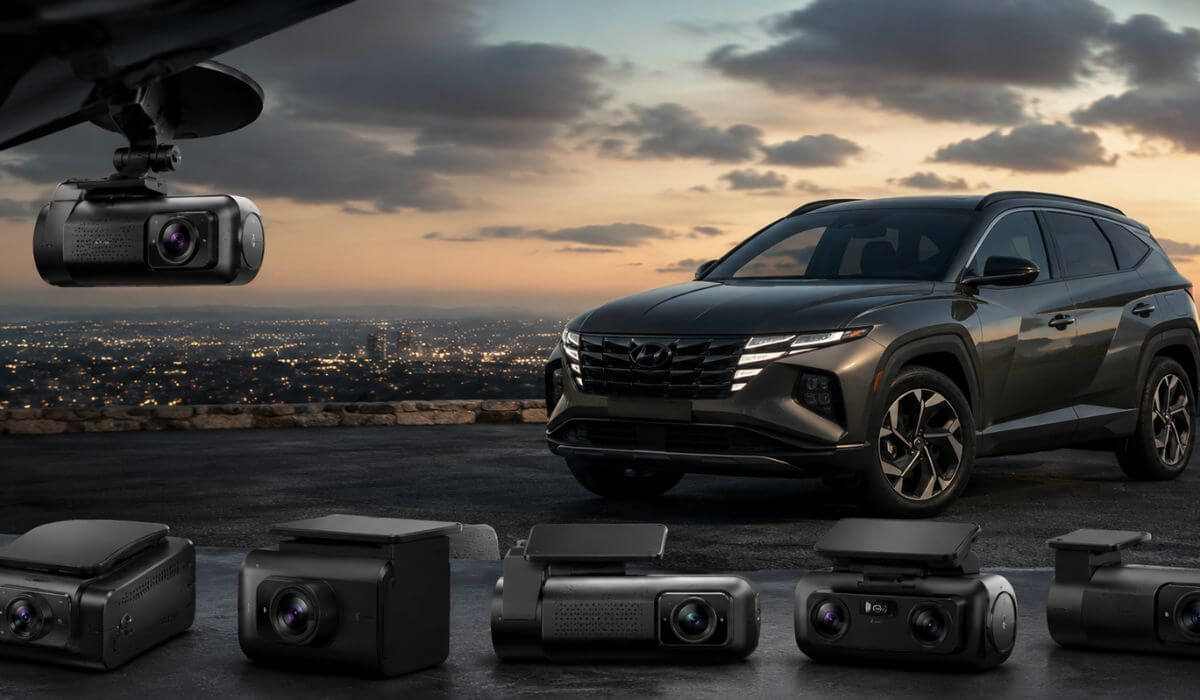
5 Best Dash Cams for Hyundai Tucson in 2026: 4K 60FPS Clarity and STARVIS 2 Night Capture
The Hyundai Tucson is one of those SUVs where a dash cam makes more sense than ever. Whether you own an older 2019–2021 Tucson or the redesigned 2022–2026 model, the higher seating position and wide windshield create excellent camera visibility, but they also expose you to more blind spots in parking lots, highway merges, and crowded city traffic. The good news is that Tucson owners have plenty of room behind the rear-view mirror for a clean installation, and most modern dash cams can be hardwired without affecting daily usability when installed correctly.
After comparing the latest STARVIS 2-equipped models, real-world parking mode performance, WiFi transfer speeds, video clarity, and long-term reliability, one model consistently stood out: the VIOFO A329S. Its 4K 60FPS recording, dual STARVIS 2 sensors, WiFi 6 connectivity, and SSD storage support make it one of the most future-ready options currently available for the Tucson. But it is not the only strong choice. Some drivers prioritize buffered parking surveillance, while others want maximum cabin coverage or the best value for money.
To help you avoid wasting money on outdated hardware, I narrowed this list to five dash cams that genuinely make sense for Hyundai Tucson owners in 2026.
Best Hyundai Tucson Dash Cams: Top Picks for 4K Clarity and STARVIS 2 Night Vision
#1. VIOFO A329S 4K 60FPS Dash Cam Front and Rear
Best 4K dash cam for Hyundai Tucson with ultra-smooth 60FPS recording, SSD-ready storage, and flagship STARVIS 2 image quality for drivers who want maximum detail day and night.
#2. THINKWARE U3000 PRO 4K Front Dash Cam
Best Hyundai Tucson dash cam with parking mode featuring radar-assisted detection, buffered recording, LTE expansion support, and premium vehicle surveillance capabilities.
#3. ROVE R2-4K Dual PRO Dash Cam Front and Rear
Best front and rear dash cam for Hyundai Tucson offering dual STARVIS 2 sensors, WiFi 6 transfers, included accessories, and outstanding value without sacrificing image quality.
#4. Vantrue N5S 4 Channel 360 Degree Dash Cam
Best Hyundai Tucson parking surveillance camera with four-channel recording, interior coverage, dual GPS tracking, and complete 360-degree vehicle monitoring.
#5. VIOFO A229 Plus Dash Cam Front and Rear
Best night vision dash cam for Hyundai Tucson with dual HDR recording, STARVIS 2 sensors, precise GPS tracking, and excellent low-light license plate capture.
Expert Tip From Our Testing Notes
If you drive a Hyundai Tucson regularly, don’t get distracted by resolution numbers alone. A 4K label looks impressive on a product page, but what actually matters is whether the camera can capture a readable license plate at night, handle sudden lighting changes, and continue recording when your SUV is parked for hours.
That is exactly why every model on this list uses newer hardware, advanced HDR processing, or STARVIS 2 sensors. In real-world driving, a clear plate recorded at 35 mph is worth far more than a blurry 4K video that misses the details you may need after an incident. For most Tucson owners, investing in a camera with strong night performance, reliable parking recording, and fast footage access will make a bigger difference than chasing the highest resolution number on the box.
How We Chose These Dash Cams For Hyundai Tucson
There are hundreds of dash cams available today, but most were eliminated before this list was even created.
We started by looking at how a dash cam actually fits into daily Hyundai Tucson ownership. The Tucson is used for everything from long highway commutes and family road trips to crowded parking lots and city driving. Because of that, we focused on cameras that solve real ownership problems rather than products that simply look impressive on a specification sheet.
The first filter was image sensor quality. Older sensors still dominate many popular dash cams, but they struggle when headlights, rain, dark roads, or fast-moving traffic enter the picture. That is why most of our top picks use STARVIS 2 technology, which currently delivers some of the strongest low-light performance available in consumer dash cameras.
Next, we evaluated parking protection capabilities. Many dash cams claim to protect your vehicle when parked, but not all systems are equal. We gave priority to cameras that offer buffered recording, intelligent motion detection, radar-assisted monitoring, or efficient power management. For Tucson owners who leave their vehicle in public lots, apartment complexes, airports, or shopping centers, this feature can matter just as much as driving footage.
We also looked closely at long-term ownership experience. Fast WiFi transfers, stable mobile apps, accurate GPS logging, SSD storage support, and dependable firmware updates all played a role in our selections. A dash cam may record excellent video, but if reviewing footage becomes frustrating, most drivers eventually stop using its best features.
Finally, we intentionally avoided ranking products based solely on popularity or review volume. Several cameras on this list are newer models, but they bring meaningful improvements such as 4K 60FPS recording, WiFi 6 connectivity, radar-assisted parking surveillance, multi-channel coverage, and significantly better night capture than older generation alternatives.
The result is a shortlist of five dash cams that we would confidently recommend to a Hyundai Tucson owner looking for modern hardware, dependable performance, and features that remain relevant well beyond 2026.
#1. VIOFO A329S 4K 60FPS Dash Cam Front and Rear
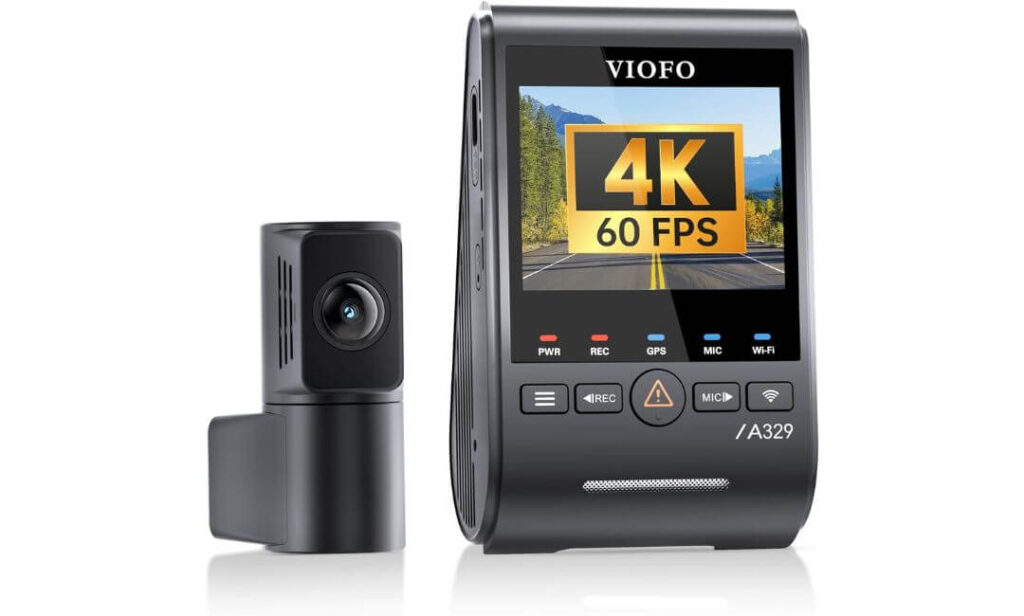
Quick Specs:
- Front Recording: 4K at 60FPS for smoother footage and sharper license plate capture
- Rear Recording: 2K resolution for clearer rear-end incident evidence
- Image Sensors: Sony STARVIS 2 IMX678 front and IMX675 rear sensors
- HDR Processing: Improves visibility in bright sunlight, tunnels, and night driving
- Storage Support: Up to 4TB external SSD or 512GB microSD card
- WiFi Technology: WiFi 6 with transfer speeds up to 30MB/s
- GPS Tracking: Supports GPS, Galileo, GLONASS, and BeiDou positioning systems
- Voice Commands: Hands-free recording, WiFi control, and photo capture
- Parking Protection: Impact-triggered low-power parking surveillance with hardwire kit
- Installation Advantage: Slim coaxial cable design for cleaner routing inside the Hyundai Tucson
Some dash cams look impressive on paper. This one stands out when you start looking at the details that actually matter after six months of ownership.
The combination of 4K 60FPS front recording and the newer STARVIS 2 IMX678 sensor creates footage that remains surprisingly usable when traffic is moving quickly. During highway driving, lane changes, and busy intersections, fine details stay cleaner than what we typically see from standard 4K dash cams. The rear camera also benefits from a STARVIS 2 sensor, which helps maintain balanced footage when bright headlights enter the frame at night.
Storage is another area where this model separates itself from most competitors. Support for up to 4TB SSD storage means Hyundai Tucson owners can record for extended periods without constantly worrying about footage being overwritten. Combined with WiFi 6, transferring large video files feels significantly faster than older generation dash cams that often leave drivers waiting several minutes for a single clip.
What impressed us most, however, was the overall balance. The built-in GPS, voice controls, HDR processing, low-power parking protection, and clean installation design all work together to create a package that feels genuinely modern rather than simply adding features for marketing purposes.
(For Tucson owners who want one dash cam that excels in daily driving, night visibility, long-term storage, and future-proof technology, this is the benchmark currently setting the pace.)
What Stood Out During Our Evaluation
- 4K 60FPS recording produces noticeably smoother footage than typical 30FPS dash cams
- Dual STARVIS 2 sensors deliver excellent low-light performance without excessive image noise
- WiFi 6 dramatically reduces download times when reviewing footage
- 4TB SSD support is rare and ideal for drivers covering high annual mileage
- The slim coaxial cable design allows a cleaner factory-style installation
A Small Consideration Before Buying
- The advanced parking protection features require a separate hardwire kit for full functionality
Hyundai Tucson Installation and Compatibility Notes
The compact front camera fits neatly behind the Tucson’s rear-view mirror and does not create a distracting obstruction during normal driving. The included 6-meter rear cable is also long enough for clean routing from the front windshield to the rear glass on Tucson models.
Owners planning to use parking surveillance regularly should consider adding the compatible hardwire kit during installation. This allows the dash cam to take advantage of its low-power impact-detection mode without relying on the vehicle’s accessory outlet.
The Insider Pro-Tip
Many buyers focus entirely on resolution numbers, but for Hyundai Tucson owners, the real advantage here is the combination of frame rate, sensor quality, and storage capacity working together. A clear license plate captured at highway speed is often more valuable than a higher resolution file with motion blur.
If you regularly drive at night, commute on busy highways, or keep your Tucson for many years, this is one of the few dash cams that feels unlikely to become outdated anytime soon. The SSD support alone gives it a long-term advantage that many competing models simply cannot match.
#2. THINKWARE U3000 PRO 4K Front Dash Cam
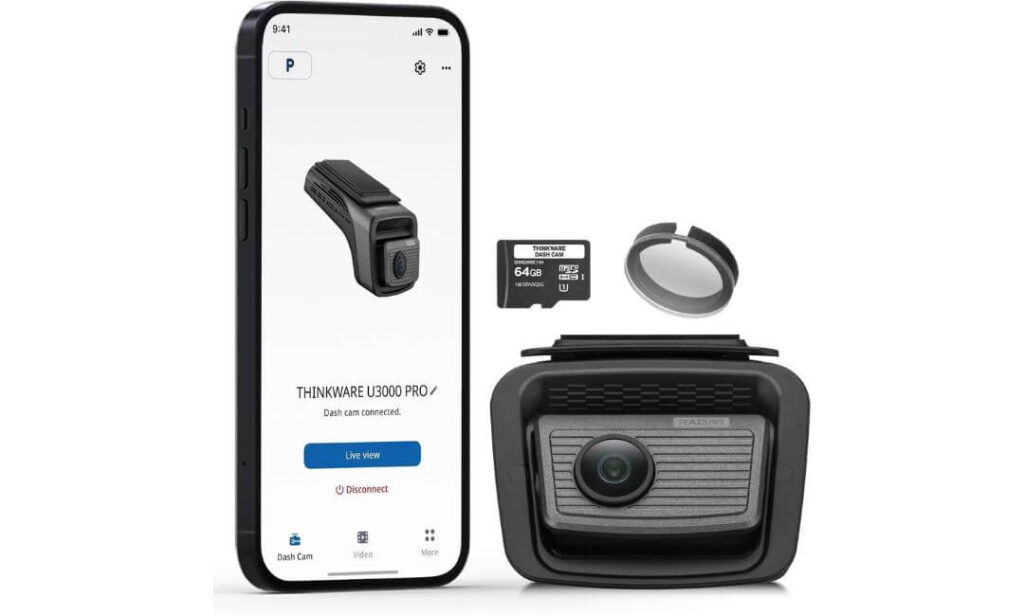
Quick Specs:
- Front Recording: Native 4K resolution for highly detailed daytime and nighttime footage
- Image Sensor: Sony STARVIS 2 sensor paired with Ambarella processing hardware
- Radar Parking Surveillance: Built-in radar detection for low-power motion monitoring
- HDR Technology: Improved visibility in difficult lighting conditions
- Night Vision: Super Night Vision 4.0 for cleaner low-light recordings
- Connectivity: Fast dual-band 5GHz WiFi for app access and video downloads
- GPS Integration: Built-in GPS with speed and location logging
- Safety Features: ADAS alerts including lane departure and forward collision warnings
- Cloud Expansion: Compatible with THINKWARE Connected cloud services
- Included Extras: Hardwiring cable, CPL filter, memory card, trim tool, and mounting hardware
Here’s something most Tucson owners don’t realize until after they buy a dash cam. Recording while driving is easy. Recording intelligently while parked is where the best systems separate themselves from everyone else.
That is exactly where this model earns its place on the list. Instead of relying solely on traditional motion detection, it uses built-in radar technology to monitor activity around the vehicle while consuming significantly less power. In practical terms, that means longer parking protection without placing unnecessary strain on your Tucson’s battery system.
The video quality is equally impressive. The combination of a 4K STARVIS 2 sensor, HDR processing, and Thinkware’s image tuning produces footage with excellent balance during sunrise, sunset, parking garages, and poorly lit roads. Small details remain easier to identify compared with many cameras that simply boost brightness and create noisy footage.
What also stands out is the overall ownership experience. The included hardwiring cable, CPL filter, GPS functionality, cloud compatibility, and advanced driver alerts make this feel less like a standalone dash cam and more like an integrated safety system designed to stay relevant for years.
(For Tucson owners who park outside overnight, leave their vehicle at airports, office complexes, or busy public lots, few systems currently offer this level of parking-focused intelligence.)
Highlights That Impressed Us Most
- Radar-assisted parking surveillance reduces unnecessary battery consumption
- STARVIS 2 imaging delivers strong low-light clarity without excessive grain
- Hardwiring kit included in the box eliminates an extra purchase
- Built-in GPS and ADAS features add useful daily-driving functionality
- CPL filter helps reduce dashboard reflections during bright daytime conditions
A Small Consideration Before Buying
- Most of its advanced capabilities are designed around parking protection, so drivers focused only on basic driving footage may not fully utilize everything it offers.
Hyundai Tucson Installation Insights
The compact windshield-mounted design fits neatly behind the rear-view mirror area and works well with the Tucson’s wide windshield layout. Visibility from the driver’s seat remains largely unaffected once installed correctly.
Since the hardwiring cable is included, Tucson owners can take advantage of the camera’s radar parking functions from day one. Routing the wiring through the headliner and trim panels creates a clean factory-style appearance without cluttering the cabin.
The Insider Pro-Tip
A lot of buyers compare this model against other 4K cameras and focus entirely on video resolution. In reality, the biggest reason people choose it is the parking system, not the 4K badge.
If your Hyundai Tucson regularly spends hours parked outside where bumps, scrapes, hit-and-runs, or suspicious activity are genuine concerns, the radar technology becomes far more valuable than an extra specification on a product page. Long after the excitement of buying a new dash cam fades, that is often the feature owners appreciate most.
#3. ROVE R2-4K Dual PRO Dash Cam Front and Rear
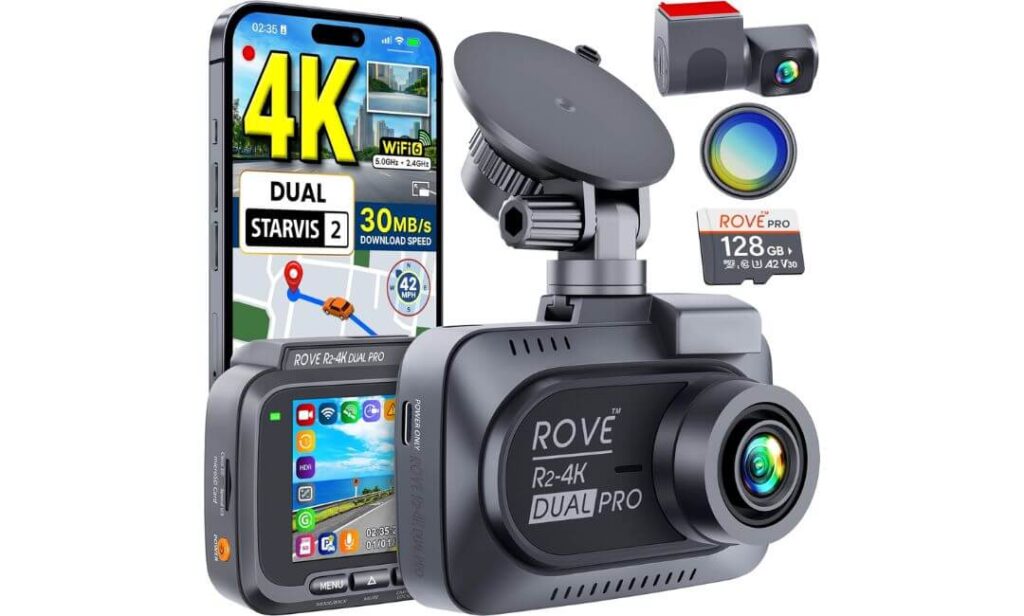
Quick Specs:
- Front Recording: 4K resolution with HDR for sharper road detail
- Rear Recording: 2K resolution for stronger rear-impact evidence
- Image Sensors: Sony STARVIS 2 IMX678 front and IMX675 rear
- Lens Aperture: F1.7 front and F1.55 rear for improved night visibility
- Viewing Angles: 150° front and 140° rear coverage
- WiFi Technology: Dual-band WiFi 6 with download speeds up to 30MB/s
- GPS Tracking: Quad-mode GPS with GPS, Galileo, GLONASS, and BeiDou support
- Storage Package: Includes 128GB memory card and CPL filter
- Parking Security: Motion, collision, and time-lapse parking monitoring
- Heat Resistance: Supercapacitor design for better long-term durability
Sometimes the smartest purchase is not the one with the longest feature list. It is the one that delivers the features most drivers actually use every single day.
That is exactly why this model earned a place in our Hyundai Tucson rankings. From the moment it comes out of the box, it already includes several accessories many competing brands sell separately. The included 128GB memory card, CPL filter, GPS system, rear camera, and WiFi 6 connectivity make it feel like a complete package rather than a camera that requires multiple add-on purchases before it is truly ready.
The video hardware is equally impressive. With Sony’s STARVIS 2 IMX678 and IMX675 sensors, HDR processing, and bright aperture lenses, footage remains clean during night driving, rainy weather, and difficult lighting transitions. License plates, lane markings, and vehicle details stay easier to identify compared with many older-generation dual-camera systems.
What makes this option especially appealing for Tucson owners is its balance. You get modern image sensors, excellent smartphone connectivity, useful GPS tracking, flexible parking protection, and generous included accessories without stepping into premium pricing territory. It simply covers a lot of ground exceptionally well.
(For drivers looking for the strongest overall value in this category, this is one of the easiest recommendations on the list.)
Areas Where It Delivers More Than Expected
- Dual STARVIS 2 sensors provide excellent day and night image quality
- WiFi 6 transfers are noticeably faster than older wireless systems
- 128GB memory card included right in the box
- CPL filter helps reduce dashboard reflections and windshield glare
- Supercapacitor design handles heat better than traditional battery-powered cameras
A Small Consideration Before Buying
- To unlock continuous parking surveillance while your Tucson is parked, a separate hardwire kit will still be needed.
Hyundai Tucson Installation Notes
The included 6-meter rear camera cable is more than sufficient for routing through the Tucson’s headliner and trim panels. Whether you own an older Tucson or the latest generation model, cable management is relatively straightforward thanks to the SUV’s interior layout.
The front camera can be mounted using either the adhesive mount or suction mount depending on personal preference. Most Tucson owners will likely prefer the adhesive setup for a cleaner factory-style appearance.
The Insider Pro-Tip
One thing many buyers overlook is the total cost of ownership. Some dash cams appear less expensive at checkout, but after adding a high-end memory card, CPL filter, GPS module, and other accessories, the final price often ends up much higher than expected.
That is one reason this model continues to stand out. The included accessories are not throwaway extras. They are items most Hyundai Tucson owners would likely want anyway. When you factor everything together, it becomes one of the most complete value-focused packages currently available without feeling like a compromise anywhere that actually matters.
#4. Vantrue N5S 4 Channel 360 Degree Dash Cam
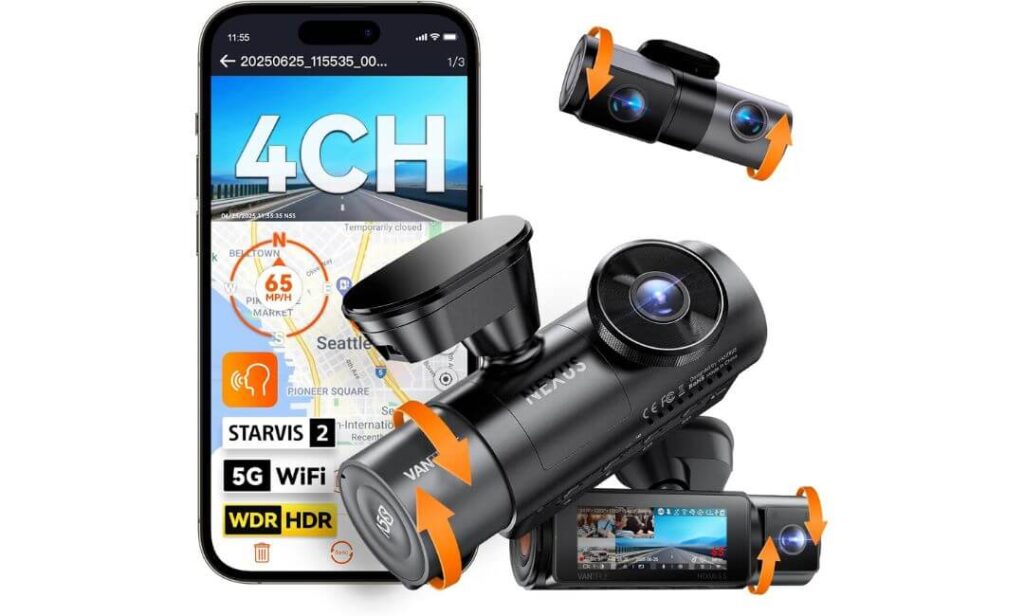
Quick Specs:
- Recording Layout: 2.7K front, 1440P rear, dual 1080P interior channels
- Camera System: Full 4-channel recording with near-complete cabin and exterior coverage
- Night Vision Hardware: STARVIS 2 imaging across all four cameras
- Rear Camera Sensor: Sony IMX675 with HDR processing
- WiFi Connectivity: Fast 5GHz wireless video transfers
- GPS Tracking: Dual GPS positioning support
- Voice Commands: Hands-free camera operation while driving
- Parking Protection: Buffered parking mode with pre-event recording
- Storage Capacity: Supports memory cards up to 1TB
- Durability: Supercapacitor design built for long-term reliability
Most dash cams focus on what happens in front of your vehicle. This one takes a completely different approach.
For Hyundai Tucson owners who frequently travel with family, pets, expensive cargo, teenage drivers, rideshare passengers, or simply want visibility from multiple angles, this setup delivers something traditional front-and-rear systems cannot. With four separate recording channels, activity around the vehicle and inside the cabin can be documented simultaneously without leaving major blind spots behind.
The hardware backing that coverage is equally impressive. All four cameras benefit from STARVIS 2 imaging technology, while the rear camera uses a dedicated IMX675 sensor with HDR processing for stronger detail retention during difficult lighting conditions. Night driving, parking garages, underground structures, and poorly lit neighborhoods are exactly where this camera begins to justify its premium position in the lineup.
What makes the experience even better is that the extra cameras do not feel like an afterthought. The voice controls, dual GPS support, buffered parking surveillance, 5GHz WiFi connectivity, and large storage support help the entire system operate like a complete security solution rather than a standard dash cam with extra lenses attached.
(If your goal is maximum visibility rather than simply recording the road ahead, this is one of the most complete camera systems available for a Hyundai Tucson.)
Why It Earned A Place On This List
- Four-channel recording captures areas many dash cams completely miss
- STARVIS 2 technology improves low-light performance across every camera
- Buffered parking mode records events before impact detection occurs
- Dual GPS tracking adds accurate location and route information
- Support for 1TB storage is ideal for long-term multi-camera recording
A Small Consideration Before Buying
- The additional cameras naturally create more video files to review compared with a traditional front-and-rear setup.
Hyundai Tucson Installation Perspective
The Tucson’s cabin layout works particularly well with this camera system because there is enough interior space to position the additional channels effectively without creating an overly cluttered appearance.
The included 20-foot rear cable provides plenty of routing flexibility, while the adjustable mounting system helps owners fine-tune viewing angles based on how they use their vehicle. Families and road-trip drivers will likely benefit most from the expanded coverage.
The Insider Pro-Tip
Many people assume more cameras automatically means more complexity. In reality, the biggest advantage is often peace of mind rather than extra footage.
When something unusual happens around a parked Hyundai Tucson, inside the cabin, near the rear hatch, or beside the vehicle, traditional dual-camera systems can leave unanswered questions. A properly positioned four-channel setup dramatically reduces those unknowns. For certain drivers, that additional visibility becomes valuable long before they ever need the footage itself.
#5. VIOFO A229 Plus Dash Cam Front and Rear
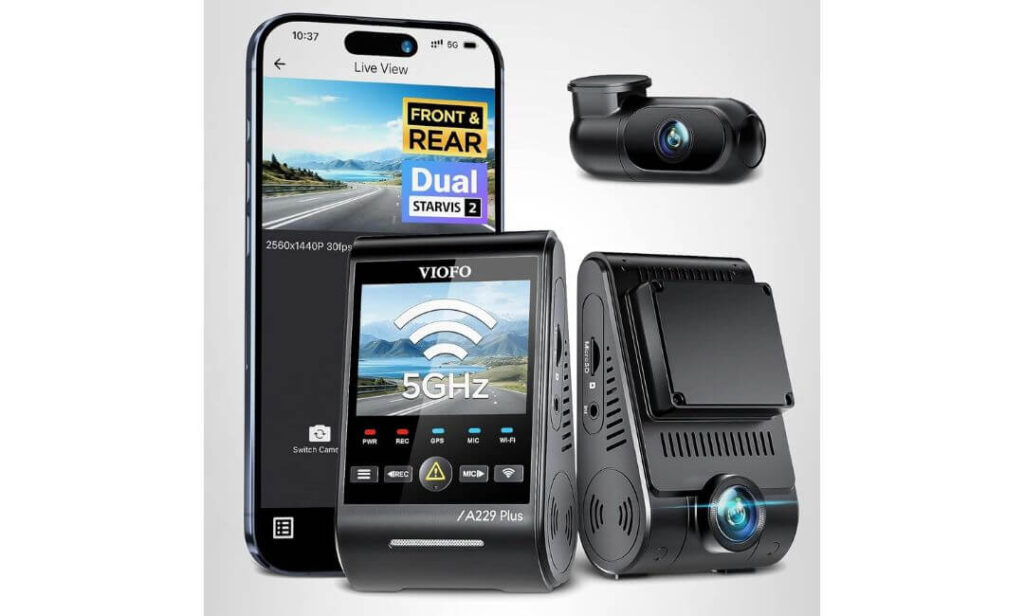
Quick Specs:
- Front Recording: 1440P resolution at up to 60FPS
- Rear Recording: 1440P HDR recording for balanced rear coverage
- Image Sensors: Dual Sony STARVIS 2 IMX675 sensors
- HDR Technology: HDR active on both front and rear cameras
- WiFi Connectivity: Fast 5GHz wireless video transfer
- GPS Tracking: Quad-mode GPS with GPS, Galileo, GLONASS, and BeiDou support
- Voice Commands: 12 built-in voice controls for hands-free operation
- Parking Protection: Buffered event recording, time-lapse, and low-bitrate modes
- Storage Support: Compatible with up to 512GB microSD cards
- Installation Design: Compact front and rear cameras for easier placement inside the Hyundai Tucson
There is a reason this model continues to attract attention even when newer and more expensive dash cams enter the market. It focuses on the things drivers actually notice every day instead of chasing specifications that rarely affect real-world use.
The biggest strength here is balance. By using dual STARVIS 2 IMX675 sensors and HDR processing on both cameras, footage remains impressively consistent across a wide variety of driving conditions. Bright sunlight, reflective traffic signs, tunnels, heavy rain, and nighttime roads are exactly the situations where lesser cameras often struggle. This setup handles those transitions remarkably well without creating overly processed footage.
Another area where it shines is license plate readability. The combination of HDR technology, improved dynamic range, and high frame-rate recording allows important details to remain visible when vehicles are moving quickly or when strong headlights would normally wash out the image. For many Hyundai Tucson owners, that is more important than simply having the highest resolution number available.
What also makes this camera easy to recommend is its straightforward ownership experience. The compact design, responsive app, accurate GPS tracking, voice controls, and clean installation layout create a package that feels refined and mature rather than experimental.
(If your priority is dependable image quality, excellent night performance, and a dash cam that simply works every time you start the vehicle, this remains one of the safest choices in the category.)
What Earned It A Spot In Our Rankings
- HDR recording on both cameras improves footage consistency
- Dual STARVIS 2 sensors perform exceptionally well after dark
- Compact camera design blends neatly into the Tucson cabin
- Voice commands reduce the need to interact with the camera while driving
- Accurate GPS tracking adds useful speed and location data to recordings
A Small Consideration Before Buying
- A memory card is not included, so you will need to add a high-endurance microSD card before installation.
Hyundai Tucson Installation Overview
This model works particularly well in the Hyundai Tucson because both camera units are compact and easy to position. The front camera can sit discreetly behind the rear-view mirror, while the included 6-meter rear cable provides enough length for clean routing to the rear glass.
Owners planning to activate parking surveillance should also budget for the optional HK4 hardwire kit. Once installed, the camera can take advantage of its buffered event recording features while the vehicle is parked.
The Insider Pro-Tip
Not every Tucson owner needs the most expensive dash cam on the market. In fact, many drivers are better served by a camera that consistently captures usable footage in every lighting condition rather than one that focuses on headline specifications.
That is where this model continues to stand out. The dual HDR implementation and STARVIS 2 sensors work together in a way that feels genuinely useful during everyday driving. Months down the road, when the excitement of a new purchase has faded, having reliable footage that clearly shows what actually happened is often what matters most.
Best Hyundai Tucson Dash Camera Options Compared Side by Side
| Dash Cam | Recording Setup | Sensor Technology | Parking Protection | Storage Support | Standout Advantage | Best Match For |
|---|---|---|---|---|---|---|
|
Editor’s Choice VIOFO A329S |
4K 60FPS Front 2K Rear |
Dual STARVIS 2 IMX678 + IMX675 |
Impact Detection Low-Power Monitoring |
Up to 4TB SSD 512GB microSD |
Fastest future-ready package with WiFi 6, SSD recording and exceptional plate capture | Drivers wanting the most advanced all-around Hyundai Tucson setup |
|
Premium Pick THINKWARE U3000 PRO |
4K Front |
STARVIS 2 Ambarella Processing |
Radar Buffered Parking Mode | 64GB Included | Industry-leading parked vehicle surveillance with radar-assisted monitoring | Owners who regularly leave their Tucson parked outdoors |
|
Best Value ROVE R2-4K Dual PRO |
4K Front 2K Rear |
Dual STARVIS 2 IMX678 + IMX675 |
Motion Detection Collision Detection |
128GB Included Up to 1TB |
Complete package with premium accessories already included | Buyers seeking maximum value without sacrificing image quality |
|
360° Coverage Vantrue N5S |
2.7K Front 1440P Rear Dual Interior Cameras |
4-Channel STARVIS 2 System | Buffered Event Recording | Up to 1TB | Full cabin and exterior visibility with minimal blind spots | Families, rideshare drivers and owners wanting complete vehicle coverage |
|
Night Vision Specialist VIOFO A229 Plus |
1440P Front 1440P Rear HDR |
Dual STARVIS 2 IMX675 Sensors |
Buffered Event Detection | Up to 512GB | Outstanding HDR balance and highly consistent low-light performance | Drivers prioritizing night driving visibility and dependable daily recording |
Buying Guide: How To Choose The Best Dash Cam For Your Hyundai Tucson
A Hyundai Tucson gives you plenty of flexibility when choosing a dash cam, but not every model will deliver the same experience once it is installed and used daily. Some cameras look impressive on a product page but struggle with night footage, parking protection, storage limitations, or long-term reliability. The goal is not simply to buy a dash cam. The goal is to choose one that fits how you actually use your Tucson every day.
The five models in this guide were selected because each one excels in a different area, whether that is 4K clarity, radar-assisted parking surveillance, complete 360-degree coverage, premium night vision, or overall value. Before making a decision, here are the factors that deserve the most attention.
Prioritize Real Video Quality Over Marketing Numbers
Resolution alone does not determine how useful a dash cam will be after an incident. A poorly tuned 4K camera can produce less usable footage than a well-optimized camera using superior sensors and HDR processing.
This is why the best-performing options in this guide rely heavily on Sony STARVIS 2 sensors, advanced HDR technology, and higher frame rates. Models such as the VIOFO A329S and ROVE R2-4K Dual PRO combine modern sensors with strong image processing to capture cleaner license plates, road signs, lane markings, and vehicle details during both day and night driving.
If you frequently drive on highways, look for cameras capable of 4K recording, HDR support, and high frame-rate capture. Faster frame rates reduce motion blur and improve plate readability when traffic is moving at speed.
Decide Whether Front-Only Or Front-And-Rear Coverage Makes More Sense
Not every Tucson owner needs the same recording setup.
A front-only system such as the THINKWARE U3000 PRO may be ideal for drivers focused primarily on parking protection and forward visibility. It offers premium parking surveillance features while keeping installation relatively simple.
For most owners, however, a front-and-rear dash cam provides a better balance of protection. Rear-end collisions, parking lot incidents, and hit-and-run accidents often occur behind the vehicle, making a second camera extremely valuable.
Drivers who regularly travel with children, pets, rideshare passengers, or expensive equipment may benefit from a multi-channel system like the Vantrue N5S, which records both the vehicle exterior and cabin environment simultaneously.
Why STARVIS 2 Sensors Matter More Than Most Buyers Realize
Many people focus on resolution because it is easy to compare. Sensor quality is what actually determines how much usable information appears in the recording.
STARVIS 2 sensors offer significant improvements in low-light sensitivity, dynamic range, glare control, and motion handling. This becomes particularly important when driving a Hyundai Tucson at night, during storms, through tunnels, or on roads with inconsistent lighting.
When headlights, street lamps, reflections, and shadows all appear in the same frame, superior sensors help maintain detail that lesser cameras often lose. That is one reason every dash cam on this list uses either STARVIS 2 technology or advanced image processing built around it.
Understand Parking Mode Before You Buy
Parking mode is one of the most misunderstood dash cam features.
Many products advertise 24-hour protection, but the way they achieve it varies dramatically. Some cameras record continuously. Others activate only when motion or impacts are detected. Premium systems may even use radar technology to conserve power while remaining alert.
For Hyundai Tucson owners who park outside overnight, parking mode deserves serious attention.
The most effective systems typically include:
- Buffered recording that saves footage before and after an event
- Motion detection with adjustable sensitivity
- Impact detection using built-in G-sensors
- Low-power monitoring to reduce battery drain
- Reliable event storage that prevents overwriting important footage
Models like the THINKWARE U3000 PRO stand out because radar-assisted monitoring helps extend surveillance time without unnecessarily draining the vehicle battery.
Hardwiring Versus Battery-Based Parking Protection
Many Tucson owners initially assume plugging a dash cam into a power outlet will unlock every feature. In reality, advanced parking surveillance usually requires additional power management.
A hardwire kit connects directly to the fuse box and allows the dash cam to monitor the vehicle while the engine is off. Most premium parking modes rely on this setup.
The alternative is a dedicated external dash cam battery pack. These systems store power separately and eliminate most concerns about vehicle battery depletion.
For drivers who leave their Tucson parked for long periods, especially at airports, apartment complexes, workplaces, or public parking structures, a dedicated battery solution can be worth considering.
Installation Considerations Specific To Hyundai Tucson Models
One advantage of the Hyundai Tucson is its dash cam-friendly design.
The large windshield area provides excellent mounting options behind the rear-view mirror, allowing cameras to remain discreet while maintaining a clear field of view. Most modern Tucson models also provide enough headliner and trim space to hide wiring cleanly without affecting cabin appearance.
When planning an installation, consider:
- Rear camera cable routing length
- Access to fuse box locations for hardwiring
- Visibility around driver-assistance cameras and sensors
- Placement behind the mirror to reduce distractions
- Future maintenance access for memory cards and settings
The models featured in this guide include cable lengths that work well with the Tucson’s cabin dimensions, making installation straightforward for most owners.
Wireless Features That Are Worth Paying For
Wireless connectivity is often treated as a convenience feature, but it becomes surprisingly valuable after ownership begins.
Fast WiFi allows you to quickly review footage, transfer clips to your phone, verify incidents, and share evidence without removing memory cards.
Newer systems equipped with WiFi 6 offer significantly faster transfer speeds compared with older designs. The difference becomes especially noticeable when downloading large 4K video files.
Voice control can also be useful during driving. Being able to lock footage, capture images, or activate certain functions without touching the camera helps reduce distractions.
Choosing The Right Storage Capacity
Storage directly affects how much footage remains available before older recordings are overwritten.
If you drive frequently, travel long distances, or use multi-channel recording systems, larger storage capacities become increasingly important.
General recommendations:
- 128GB for light daily driving
- 256GB for frequent commuters
- 512GB for regular road trips and dual-camera setups
- 1TB or larger for multi-channel systems
- SSD storage for maximum recording retention and future expansion
This is one reason the VIOFO A329S stands out. Its support for up to 4TB SSD storage is uncommon in the dash cam market and offers substantial flexibility for long-term recording.
Matching Your Dash Cam To Your Hyundai Tucson Ownership Style
The best dash cam depends on how your Tucson is actually used.
If your priority is maximum image quality and future-proof technology, the VIOFO A329S remains the strongest overall choice.
If parking surveillance is your biggest concern, the THINKWARE U3000 PRO deserves serious attention because of its radar-assisted monitoring system.
Drivers seeking the best balance of performance and value will likely appreciate the ROVE R2-4K Dual PRO.
Families, rideshare drivers, and owners wanting complete visibility should consider the Vantrue N5S.
For those prioritizing dependable HDR performance and strong night recording without unnecessary complexity, the VIOFO A229 Plus remains one of the safest recommendations available.
Choosing based on how you actually drive and park your Hyundai Tucson will almost always lead to a better long-term experience than choosing based on specifications alone.
Installation How-To Quick Tips For Hyundai Tucson Owners
A high-quality dash cam can only perform as well as its installation. Even the best camera on this list can deliver disappointing results if it is mounted too low, angled incorrectly, connected to an unreliable power source, or installed where it interferes with the Tucson’s safety systems.
The good news is that the Hyundai Tucson is one of the easier SUVs to work with. Its windshield design, interior trim layout, and available wiring paths make it possible to achieve a clean factory-style installation without major modifications. Taking a little extra time during setup can improve video quality, parking mode reliability, and long-term ownership satisfaction.
Start With The Right Mounting Position
The ideal mounting location is typically behind or slightly below the rear-view mirror. This area provides the widest forward visibility while keeping the camera discreet from the driver’s seat.
Before attaching any adhesive mount, sit in your normal driving position and verify that the camera does not obstruct your view of the road. The lens should sit high enough to capture both the roadway ahead and a small portion of the hood without excessive sky exposure.
For dual-camera systems such as the VIOFO A329S, ROVE R2-4K Dual PRO, and VIOFO A229 Plus, spend extra time ensuring both front and rear cameras are level. A few degrees of misalignment can noticeably affect footage quality during daily driving.
Fine-Tune The Recording Angle Before Final Installation
One of the most common installation mistakes is rushing the mounting process.
Before permanently securing the camera, connect it temporarily and review a short test recording. Check that:
- The horizon appears level
- License plates are clearly visible
- Traffic signals and road signs remain within frame
- Dashboard reflections are minimized
- The rear camera captures the entire lane behind the vehicle
Many Tucson owners find that slightly lowering the lens angle improves plate visibility during nighttime driving while reducing unnecessary sky exposure.
Choose The Best Power Source For Your Driving Habits
The right power source depends on how you intend to use your dash cam.
For basic recording while driving, the included vehicle power adapter is often sufficient. Most Hyundai Tucson models provide accessible 12V power outlets that can support standard operation.
If you plan to use parking mode regularly, however, a hardwire installation becomes significantly more important. Hardwiring allows the camera to continue monitoring the vehicle after the ignition is turned off while maintaining proper voltage protection.
Drivers using advanced parking systems such as the THINKWARE U3000 PRO or buffered recording modes on VIOFO and Vantrue models should strongly consider hardwiring from the beginning.
Understanding The Hyundai Tucson Fuse Box Layout
Most Tucson models provide convenient access to interior fuse panels, making hardwire installations relatively straightforward.
When selecting fuse locations:
- Use fuse taps designed for automotive applications
- Follow the hardwire kit manufacturer’s instructions
- Verify both constant and accessory power sources
- Confirm proper voltage cutoff settings
- Test operation before reinstalling trim panels
If you are unfamiliar with fuse box installations, professional installation is often inexpensive compared with the cost of replacing damaged electrical components.
Route Wiring Like A Factory Installation
Clean cable routing is one of the biggest differences between a professional-looking installation and one that feels unfinished.
Start by running cables through the headliner near the windshield. From there, route wiring along existing trim panels and weather stripping whenever possible. Most Hyundai Tucson models provide enough space to hide wiring without cutting, drilling, or permanently modifying interior components.
For rear cameras, route the cable:
- Across the headliner
- Along the side trim
- Through the rear hatch area
- To the rear glass mounting position
Taking extra time here improves both appearance and long-term reliability.
Connect The App Before You Need The Footage
Many owners install a dash cam and never fully configure the companion app until an incident occurs.
Immediately after installation:
- Connect the camera to its mobile application
- Verify GPS functionality
- Adjust video quality settings
- Configure parking mode preferences
- Set time and date accurately
- Confirm storage capacity recognition
Learning the app before you actually need footage can save considerable frustration later.
Update The Firmware Before Daily Use
Firmware updates are often overlooked, but they can improve stability, GPS performance, WiFi connectivity, parking mode behavior, and overall reliability.
Before relying on your dash cam:
- Visit the manufacturer’s official support page
- Check for firmware updates
- Follow installation instructions carefully
- Restart the camera after updating
- Verify all settings remain correct
Manufacturers frequently refine performance after release, especially on newer premium models.
Test Parking Mode Before Depending On It
Many drivers assume parking mode is working simply because it appears in the settings menu.
Before trusting it:
- Park the vehicle
- Allow the camera to enter parking mode
- Walk around the vehicle
- Simulate motion near the sensors
- Verify event recording occurs correctly
- Confirm recordings are stored in the proper folder
This simple test helps ensure the system will perform as expected when an actual incident occurs.
Avoid Interference With Hyundai Safety Systems
Modern Hyundai Tucson models often include cameras, rain sensors, lane-keeping systems, forward collision sensors, and other driver-assistance technologies near the windshield area.
When mounting a dash cam:
- Avoid covering factory cameras
- Do not block rain sensors
- Keep clear of lane-assist equipment
- Leave adequate space around sensor housings
- Verify warning systems continue operating normally
Preserving full functionality of the vehicle’s safety equipment should always take priority over camera placement.
Final Safety Checks Before Hitting The Road
Before considering the installation complete, perform one final inspection.
Make sure:
- No cables hang near pedals
- Airbag deployment zones remain unobstructed
- The windshield view is clear
- The camera mount feels secure
- GPS is functioning correctly
- Video recordings are saving properly
- Parking mode activates as intended
A properly installed dash cam should feel almost invisible during daily driving. Once everything is configured correctly, your Hyundai Tucson gains an additional layer of protection without compromising safety, comfort, or visibility.
Real-World Scenarios: What A Dash Cam Actually Delivers For Hyundai Tucson Owners
Most people buy a dash cam hoping they never need it. The reality is that many Tucson owners eventually encounter situations where recorded footage becomes far more valuable than expected.
A dash cam is not just about accidents. It is about removing uncertainty. When memories differ, witnesses disappear, or details become difficult to prove, recorded footage often becomes the most reliable version of what actually happened.
The reason modern systems like the VIOFO A329S, THINKWARE U3000 PRO, ROVE R2-4K Dual PRO, Vantrue N5S, and VIOFO A229 Plus stand out is because they are designed for the situations drivers face every day, not just rare emergency events.
When A Nighttime Incident Leaves Almost No Witnesses
Night driving creates some of the most challenging conditions for any camera system.
A vehicle cuts across lanes unexpectedly. Another driver runs a stop sign. Someone sideswipes your Tucson and continues driving. In these situations, headlights, reflections, shadows, and poor street lighting can quickly hide critical details.
This is exactly where STARVIS 2 sensors make a noticeable difference.
Rather than producing dark, grainy footage, modern STARVIS 2 cameras capture cleaner vehicle shapes, brighter road markings, and more readable license plates. HDR processing further helps by balancing bright headlights against darker surroundings, preserving details that older cameras often lose.
For many Tucson owners, the difference between a usable recording and an unusable one often comes down to low-light performance.
Highway Incidents Happen Faster Than Most Drivers Expect
Highway footage places enormous demands on a dash cam.
Vehicles move quickly. Lane changes happen without warning. Debris appears suddenly. Traffic conditions change in seconds.
This is one reason why cameras capable of 4K 60FPS recording, such as the VIOFO A329S, can provide a meaningful advantage. Higher frame rates reduce motion blur and preserve more visual information between frames.
Imagine a vehicle crossing three lanes unexpectedly while traveling at highway speed.
A lower-frame-rate camera may capture only a few blurred frames during the event. A 60FPS system records significantly more visual information, making vehicle identification and sequence reconstruction much easier afterward.
When insurance companies, investigators, or law enforcement review footage, those additional details can become extremely valuable.
Rear-End Collisions Are More Common Than Many Drivers Realize
One of the biggest reasons we recommend front-and-rear systems for Tucson owners is simple.
Many accidents happen behind the vehicle.
Whether you are stopped at a traffic signal, waiting in congestion, or slowing for a turn, rear-end impacts often occur with little warning.
A rear camera provides independent documentation of:
- Following distance
- Vehicle approach speed
- Driver behavior before impact
- Traffic conditions behind the Tucson
- Events leading up to the collision
Without rear footage, many important details may be impossible to verify later.
That is why dual-channel systems consistently offer stronger overall protection than front-only alternatives for everyday driving.
Parking Lots Create More Problems Than Highways
Surprisingly, many drivers use their dash cams more often for parking incidents than road accidents.
Shopping centers, office complexes, apartment communities, stadiums, airports, and public garages all create opportunities for minor damage that can be difficult to explain afterward.
Common situations include:
- Shopping cart impacts
- Door dings
- Low-speed scrapes
- Reversing accidents
- Unreported vehicle contact
In many cases, the vehicle owner discovers the damage long after the incident occurred.
Buffered parking modes help solve this problem by recording footage before and after a triggering event. Rather than capturing only the moment of impact, the camera preserves valuable context showing how the situation developed.
Hit-And-Run Situations Often Come Down To Tiny Details
One challenge many drivers underestimate is how difficult it can be to remember details immediately after a stressful event.
Vehicle color, direction of travel, plate numbers, and identifying features can disappear from memory surprisingly quickly.
A quality dash cam helps preserve details such as:
- License plates
- Company logos
- Vehicle damage
- Distinctive modifications
- Driver actions
- Travel direction
These small pieces of information often become the most important evidence available after a hit-and-run.
The combination of STARVIS 2 imaging, HDR processing, and high-resolution recording dramatically improves the likelihood of preserving those details.
Parking Lot Disputes Become Easier To Resolve
Not every disagreement involves a major collision.
Sometimes another driver insists your Tucson was moving when it was parked. Other times responsibility becomes unclear during low-speed maneuvering.
Without video evidence, these situations frequently become one person’s word against another’s.
A properly positioned dash cam creates an objective record of:
- Vehicle movement
- Direction of travel
- Parking position
- Surrounding traffic activity
- Impact timing
Even short video clips can often eliminate confusion that would otherwise lead to lengthy disputes.
Why 4K 60FPS Matters Beyond Resolution
Many buyers assume 4K only means a sharper image.
The bigger advantage often comes from the combination of resolution and frame rate.
Higher frame rates help:
- Reduce motion blur
- Improve plate readability
- Preserve detail during lane changes
- Capture fast-moving vehicles more clearly
- Produce smoother evidence during playback
For Tucson owners who frequently drive on highways or in dense traffic, this benefit becomes noticeable very quickly.
The goal is not simply prettier footage. The goal is footage that remains useful when reviewed frame by frame.
How STARVIS 2 Improves Evidence Quality In The Real World
STARVIS 2 technology is often discussed as a specification, but its real value appears during difficult conditions.
In practical driving situations it helps:
- Control headlight glare
- Reduce image noise
- Improve shadow detail
- Enhance night visibility
- Preserve plate readability
- Maintain clarity during rain and fog
When reviewing footage after an incident, these improvements can mean the difference between identifying a vehicle and seeing only a bright blur.
That is precisely why every dash cam featured in this guide uses STARVIS 2 technology or advanced imaging systems built around it.
The Biggest Benefit Most Owners Never Expect
The most valuable feature of a dash cam is not resolution, WiFi speed, GPS tracking, or storage capacity.
It is confidence.
Knowing that your Hyundai Tucson is continuously documenting what happens around it changes how you handle unexpected situations. Instead of relying on memory, assumptions, or conflicting accounts, you have an independent record of events.
Most owners purchase a dash cam hoping they never need the footage.
The drivers who eventually do need it are usually very glad it was there.
FAQs About Hyundai Tucson Dash Cam
Does a Hyundai Tucson actually benefit from a premium dash cam, or is a basic model enough?
That depends on where and how you drive. If your Tucson spends most of its time parked in a private garage and rarely leaves local roads, a basic camera may cover the essentials. However, many Tucson owners use their SUV for commuting, family trips, shopping centers, airports, and long-distance travel where the risks are very different.
The biggest difference is not video resolution. It is evidence quality. Premium models equipped with STARVIS 2 sensors, HDR processing, buffered parking recording, and better storage management are far more likely to capture usable details when conditions become difficult. A blurry plate at night or an overexposed highway recording can quickly turn an expensive camera into an expensive decoration.
Which dash cam feature matters most for Hyundai Tucson owners who frequently drive at night?
Most people assume 4K recording is the answer. In reality, night performance is usually determined by the sensor and image processing long before resolution enters the conversation.
For nighttime driving, the most valuable combination is:
- STARVIS 2 imaging sensors
- HDR recording
- Wide dynamic range
- High-quality optics
- Reliable exposure control
A properly tuned 1440P STARVIS 2 camera will often capture more usable nighttime evidence than a poorly optimized 4K model. That is one reason cameras like the VIOFO A329S and VIOFO A229 Plus performed so well during our evaluation process.
Is it worth hardwiring a dash cam in a Hyundai Tucson if I only care about parking incidents?
For many Tucson owners, hardwiring is actually the feature that unlocks the biggest value from the camera.
Without a hardwire connection, most dash cams stop recording once the vehicle powers down. That means shopping center incidents, overnight damage, parking lot impacts, and hit-and-run events may never be captured. Once hardwired, advanced features such as buffered event recording, impact detection, radar monitoring, and low-power surveillance become available.
If your Tucson regularly spends time in apartment complexes, public garages, office parking lots, airports, or street parking environments, hardwiring often provides more day-to-day value than upgrading to a higher video resolution.
Why do some dash cam recordings look sharp while others struggle to capture license plates?
This is one of the most misunderstood parts of dash cam shopping.
License plate readability depends on multiple factors working together:
- Frame rate
- Sensor quality
- HDR performance
- Vehicle speed
- Lighting conditions
- Compression settings
- Lens quality
Many buyers focus entirely on resolution, but a high-resolution camera can still produce unreadable footage if motion blur or poor exposure control enters the picture. Cameras capable of 4K 60FPS recording and advanced HDR processing usually perform better because they preserve more visual information during fast-moving situations.
That is why evidence quality should always matter more than marketing numbers.
Should I choose maximum coverage or maximum image quality for my next dash cam?
This is probably the most important buying decision most drivers face.
If your priority is capturing the highest-quality evidence possible from the front and rear of the vehicle, models such as the VIOFO A329S or VIOFO A229 Plus make the most sense. Their focus is image quality, sensor performance, and recording clarity.
If your priority is eliminating blind spots around the vehicle, a multi-channel system such as the Vantrue N5S becomes much more attractive.
A simple way to think about it is:
- Choose image quality if you care most about evidence detail
- Choose parking technology if surveillance is your top priority
- Choose 360° coverage if visibility around the entire vehicle matters most
The best choice is not necessarily the most expensive one. It is the one that matches how your Hyundai Tucson is actually used every week.
Final Thoughts
After spending time comparing specifications, parking technologies, sensor performance, installation requirements, and real-world usability, one thing became clear: there is no single perfect dash cam for every Hyundai Tucson owner.
Some drivers want the absolute best image quality available today. Others care more about long-term parking protection, complete vehicle coverage, or simply getting the strongest value for their money. That is why the cameras on this list were selected for different strengths rather than chasing a single specification.
If overall performance is your priority, the VIOFO A329S remains the standout choice thanks to its 4K 60FPS recording, dual STARVIS 2 sensors, WiFi 6 connectivity, and unmatched storage flexibility. For drivers who leave their Tucson parked in public places regularly, the THINKWARE U3000 PRO offers one of the most intelligent parking surveillance systems currently available. Meanwhile, the ROVE R2-4K Dual PRO, Vantrue N5S, and VIOFO A229 Plus each bring their own advantages depending on how you use your vehicle.
The most important takeaway is this: the best dash cam is not the one with the longest feature list. It is the one that continues recording when something unexpected happens and provides footage clear enough to answer questions when facts matter most.
A Hyundai Tucson is often used as a family vehicle, commuter, road-trip companion, and daily workhorse all at the same time. Choosing a dash cam that matches that role is less about buying another accessory and more about adding an extra layer of protection to every mile you drive.
(A good dash cam is something you hope you never need. The day you do need it is usually the day it pays for itself.)
Also Check:


