
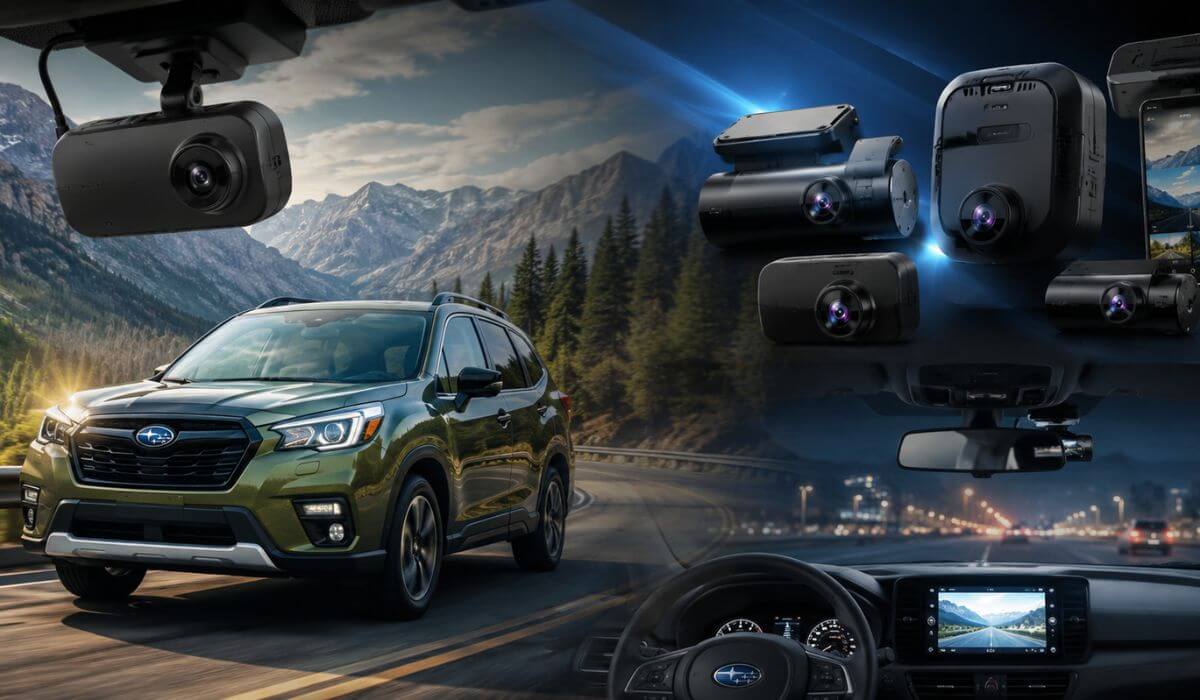
5 Best Dash Cams for Subaru Forester in 2026: 4K HDR Recording Dual STARVIS 2 and Radar Parking Mode
If you drive a Subaru Forester, you already know it is the kind of SUV that gets used for everything—daily commuting, family trips, mountain roads, camping weekends, and long highway drives. That versatility is exactly why choosing the right dash cam matters. A camera that works well in a small sedan may not deliver the same coverage, parking protection, or visibility in a Forester’s taller cabin and larger rear glass area.
For this guide, we focused on dash cams that suit both newer Subaru Forester models (2019–2026) and older generations still on the road today. We paid special attention to factors that matter to Forester owners, including compatibility with Subaru’s EyeSight driver-assist system, low-power parking monitoring, night-time license plate capture, wireless connectivity, and wider field-of-view coverage. We also looked beyond marketing claims and prioritized models with proven imaging hardware, reliable parking features, and recording quality that can actually help when an incident occurs.
The result is a carefully selected list of dash cams that offer the right balance of video quality, coverage, ease of installation, and long-term reliability for real-world Subaru Forester ownership.
Best Subaru Forester Dash Cams: Top Choices for STARVIS 2 Night Vision and Wide Coverage
#1. THINKWARE U3000 2CH 4K Dash Cam
Best Subaru Forester parking mode dash cam for owners who want dependable long-term vehicle monitoring, radar-assisted detection, cleaner installation around the EyeSight system, and exceptional low-light evidence capture.
#2. VIOFO A329S 4K 3 Channel Dash Cam
Ideal front and rear dash cam for Subaru Forester drivers who also want cabin coverage, larger storage potential, and wider recording angles for family travel and extended road trips.
#3. BlackVue Elite 9 4K+2K Dash Cam
Premium 4K dash cam for Subaru Forester owners looking for refined app connectivity, high-end image processing, remote access features, and strong day-to-night recording consistency.
#4. Vantrue N5S 4 Channel 360 Degree Dash Cam
Excellent Subaru Forester parking surveillance solution with multi-angle recording designed to capture activity around the vehicle that traditional front-and-rear systems may miss.
#5. ROVE R2-4K Dual PRO Dash Cam
Smart best value dash cam for Subaru Forester shoppers seeking modern STARVIS 2 imaging, fast WiFi transfers, sharp footage, and everyday reliability without premium-level pricing.
Expert Tip for Subaru Forester Owners
Most Subaru Forester owners focus on resolution first, but after testing and comparing dozens of modern dash cams, we’ve found that camera placement, low-light performance, and parking coverage matter far more than chasing the biggest resolution number on the box.
The Forester’s upright windshield, large glass area, and EyeSight system create different requirements than many other compact SUVs. A well-positioned camera with a high-quality sensor will usually provide more useful evidence than a higher-resolution camera mounted in the wrong location. If your Forester spends time in parking lots, apartment complexes, hiking trail parking areas, or on long road trips, prioritize dependable parking surveillance and strong night-time image quality before anything else. Those are the moments when a dash cam proves its value.
How We Chose the Best Dash Cams for Subaru Forester
There are hundreds of dash cams on the market, but most were never designed with Subaru Forester owners in mind. Instead of building this list around advertising claims or popularity alone, we focused on the features that genuinely matter in everyday Forester ownership.
EyeSight-Friendly Installation
One of the biggest concerns for Forester owners is avoiding interference with Subaru’s EyeSight safety system. We prioritized cameras that offer compact mounting designs, flexible positioning options, and installation layouts that work well around the factory driver-assistance hardware.
Real-World Night Visibility
Specifications look impressive on product pages, but what matters is whether a camera can capture useful details when conditions become difficult. That’s why every model we selected uses advanced imaging technology such as STARVIS 2 sensors, HDR processing, or both. We focused on cameras capable of handling dark roads, headlight glare, bad weather, and low-light parking environments where cheaper models often struggle.
Smarter Parking Surveillance
A Subaru Forester is often used for commuting, travel, outdoor adventures, and family duties. That means it spends plenty of time parked away from its owner. We gave strong preference to models offering buffered recording, intelligent motion detection, radar-assisted monitoring, and efficient power management to help protect the vehicle when nobody is around.
Coverage That Fits Different Driving Styles
Not every Forester owner needs the same type of protection. Some drivers want a simple front-and-rear setup, while others prefer interior recording or wider multi-angle coverage. Our selections include dual-channel, triple-channel, and four-channel systems so buyers can choose the level of visibility that matches how they use their vehicle.
Recording Reliability Over Marketing Claims
A dash cam is only useful if it records consistently when something happens. We looked beyond feature lists and paid close attention to storage support, recording stability, heat resistance, software maturity, and long-term dependability. These factors often matter more than flashy specifications that rarely affect everyday use.
Strong Value at Every Price Point
Rather than recommending only premium models, we compared what each camera delivers for its cost. Some earned their place through advanced technologies like radar-assisted parking monitoring and multi-channel recording, while others stood out because they offer excellent performance without requiring a premium budget.
Every dash cam on this list solves a specific need for Subaru Forester owners. Whether you want the advanced parking intelligence of the THINKWARE U3000, the wider coverage of the VIOFO A329S, the connected experience of the BlackVue Elite 9, the multi-angle protection of the Vantrue N5S, or the outstanding value of the ROVE R2-4K Dual PRO, each recommendation was selected because it delivers a meaningful advantage in real-world ownership.
#1. THINKWARE U3000 2CH 4K Dash Cam
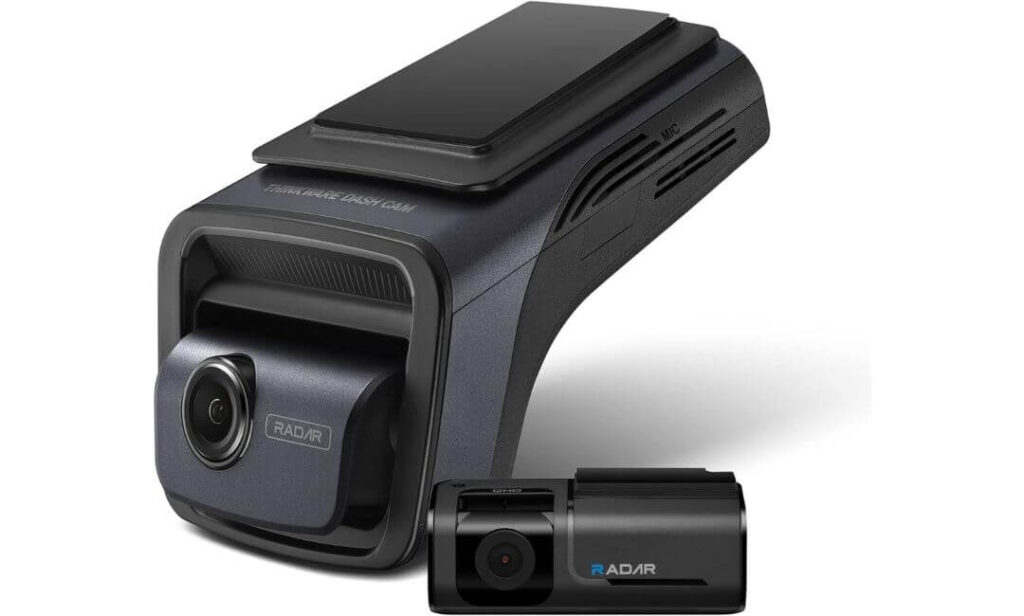
Quick Specs:
- Video Quality: 4K Front + 2K Rear Recording
- Image Sensor: Sony STARVIS 2
- Parking Protection: Radar Parking Mode + Impact Detection
- Coverage: 156° Wide Front View
- Connectivity: 5GHz WiFi, Bluetooth, GPS
- Storage Included: 64GB MicroSD Card
- Installation: OBD Cable Included for Parking Mode
- Extra Included: CPL Filter for Reduced Windshield Glare
- Best For: Subaru Forester owners wanting premium parking surveillance and night-time clarity
The first thing that stands out here is not the 4K resolution. It is the way this camera has been designed around situations where most dash cams struggle. Dark parking lots, poorly lit roads, heavy rain, bright headlights coming the other way — these are the moments where the STARVIS 2 sensor and Thinkware’s image processing start earning their reputation.
What makes this model particularly interesting for Subaru Forester owners is the Radar Parking Mode. Instead of recording continuously and draining power unnecessarily, it stays in a low-power monitoring state and wakes up when activity is detected near the vehicle. For owners who regularly park at airports, trailheads, apartment complexes, or shopping centers, that extra efficiency can make a noticeable difference over time.
Another reason this camera made it to the top of our list is its balanced design. The front unit remains compact enough to work around the Forester’s EyeSight camera area while still delivering sharp footage and reliable GPS tracking. Add fast 5GHz WiFi, included OBD power support, and a CPL filter right in the box, and it feels like a package built for long-term ownership rather than short-term marketing appeal.
(This is one of the few systems on this list that combines premium imaging hardware, intelligent parking monitoring, and a complete installation package without requiring additional accessories.)
Where This Model Stands Out Most
- Radar-assisted parking monitoring helps reduce unnecessary battery consumption.
- STARVIS 2 imaging delivers cleaner footage in challenging lighting conditions.
- OBD power connection makes parking mode setup easier for many Forester owners.
- 5GHz WiFi transfers reduce the frustration of downloading large video files.
- Included CPL filter helps cut windshield reflections during bright daytime driving.
One Thing Buyers Should Know
- The initial setup process offers many customization options, so first-time users may spend a little extra time fine-tuning settings to match their preferences.
Subaru Forester Installation Notes
The included OBD cable is one of the biggest advantages for Forester owners. Instead of hardwiring into the fuse box immediately, many drivers can enable parking mode through the OBD connection while retaining low-voltage battery protection.
The front camera can typically be positioned beside or slightly below the EyeSight housing area depending on the model year and windshield layout. Taking a few extra minutes to plan placement before routing cables usually results in the cleanest installation.
The Insider Pro-Tip
Many buyers focus entirely on front-camera resolution, but with a Subaru Forester, parking coverage often ends up being more important than an extra specification on the box. The taller rear profile and large rear glass make rear-camera footage surprisingly valuable during parking incidents and low-speed impacts.
If your Forester spends nights outdoors, prioritize the radar parking feature from day one and pair it with the included OBD connection. That combination is the main reason this model consistently stays near the top of enthusiast and long-term ownership discussions. It is not necessarily the flashiest dash cam available, but it is one of the few that feels genuinely engineered around how people actually use their vehicles every day.
#2. VIOFO A329S 4K 3 Channel Dash Cam
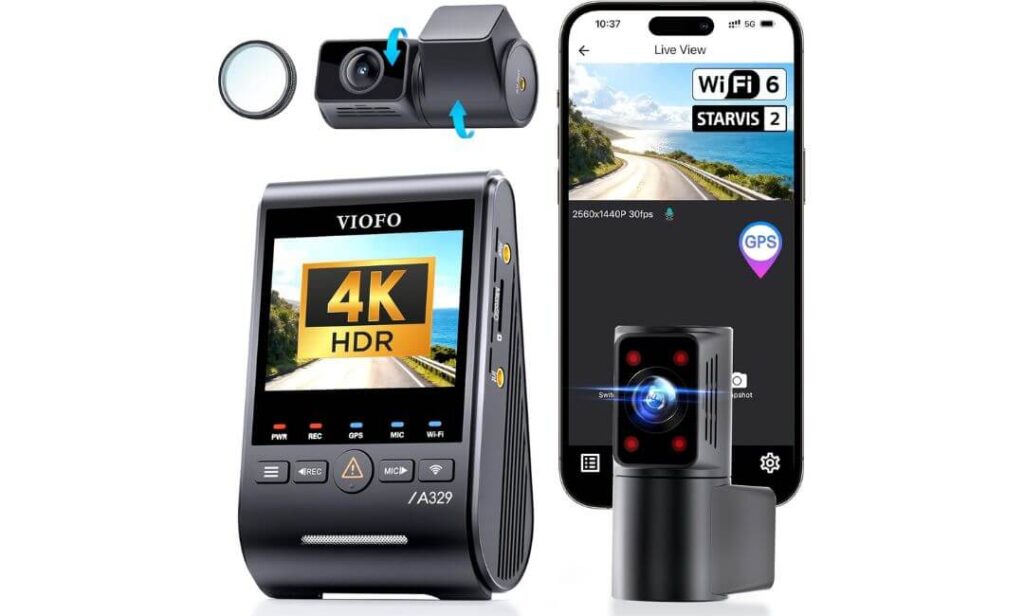
Quick Specs:
- Recording Setup: 4K Front + 2K Cabin + 2K Rear
- Coverage: 210° Cabin View + Full Front and Rear Recording
- Image Sensors: Triple STARVIS 2 Configuration
- Storage Support: Up to 4TB SSD or 512GB microSD
- Connectivity: WiFi 6 + Built-In GPS
- Parking Security: Power-Saving Impact Detection Mode
- Voice Features: Hands-Free Voice Commands
- Installation Advantage: Slim Coaxial Cable System
- Best For: Forester owners wanting maximum coverage and extended recording capacity
What immediately separates this model from typical front-and-rear systems is simple. It records more of what actually happens around you.
The combination of 4K front recording, a dedicated 2K rear camera, and a massive 210-degree interior fisheye lens creates a level of visibility that very few dash cams can match. For Subaru Forester owners who regularly travel with family, pets, outdoor gear, or passengers, that extra coverage becomes surprisingly valuable once you start reviewing footage. Blind spots that normally disappear on traditional systems remain visible here.
The imaging hardware deserves equal attention. Instead of using a premium sensor only for the front camera, VIOFO equipped all three channels with STARVIS 2 technology. The result is more balanced footage throughout the system, especially during sunrise, sunset, parking garages, tunnels, and poorly lit roads. Combined with HDR processing and the large dynamic range of the IMX678 and IMX675 sensors, the footage stays impressively clean when lighting conditions become difficult.
Storage is another reason this model feels different from most competitors. Support for external SSD storage up to 4TB means long-distance travelers can record for weeks without constantly worrying about overwriting footage. Add WiFi 6 transfers that can download large files in seconds and you get a camera that feels built for people who actually review and use their recordings rather than simply collecting them.
(If your priority is capturing as much visual evidence as possible from every angle of the vehicle, this is easily one of the most complete recording systems available today.)
Areas Where It Truly Excels
- Three-channel recording captures activity in front, behind, and inside the vehicle simultaneously.
- 210-degree cabin lens dramatically reduces interior blind spots.
- All-channel STARVIS 2 sensors maintain strong image quality across every camera.
- WiFi 6 connectivity makes video transfers noticeably faster than older systems.
- 4TB SSD support is ideal for road trips, fleet use, and extended recording periods.
One Thing Buyers Should Know
- To unlock the most advanced parking monitoring features, many owners choose to add the optional hardwire kit, which is sold separately.
Subaru Forester Installation Notes
The slim coaxial cable design works particularly well inside the Subaru Forester because it allows cleaner cable routing through factory trim panels while minimizing clutter around the windshield area.
Most owners can begin using the camera immediately through the factory 12V outlet. Those who want continuous parking protection typically add the optional HK4 or HK6 hardwire kit, while some prefer a mirror-powered adapter for an even cleaner installation.
The Insider Pro-Tip
A surprising number of buyers focus entirely on front-camera resolution and overlook storage capacity. In real-world ownership, storage often becomes the deciding factor between keeping important footage and losing it to automatic overwriting.
This is one of the few systems in its class that genuinely benefits from SSD storage support. If your Forester is frequently used for road trips, outdoor adventures, rideshare work, or extended highway travel, the ability to record massive amounts of footage without interruption becomes far more valuable than most people realize during the buying process.
#3. BlackVue Elite 9 2CH Dash Cam
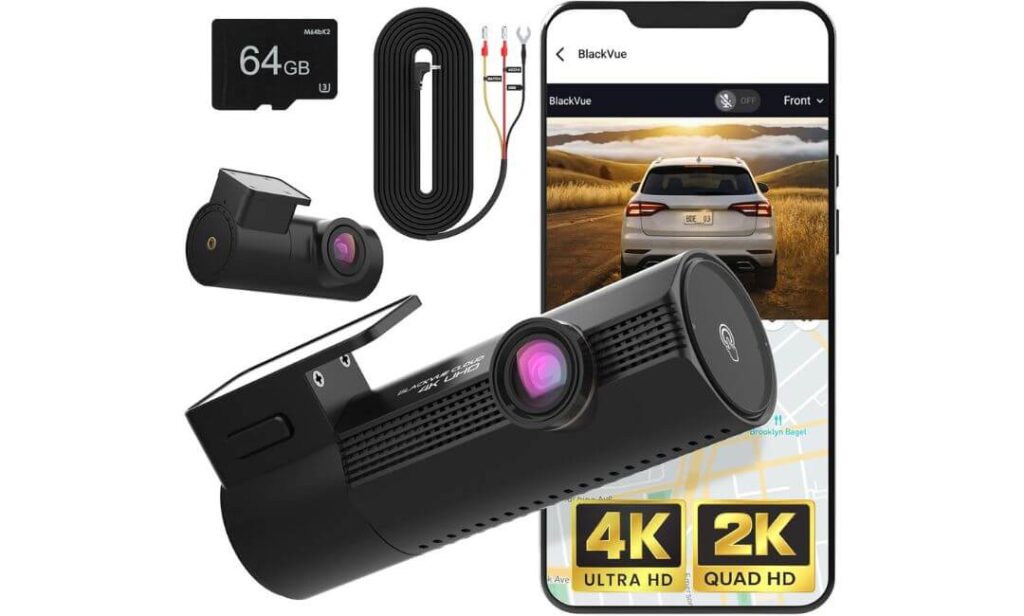
Quick Specs:
- Recording Quality: 4K Front + 2K Rear
- Imaging Hardware: Dual STARVIS 2 Sensors
- Image Processing: Advanced Dual HDR
- Parking Protection: Ultra-Low-Power Parking Mode
- Response Time: 0.89-Second Instant Wake
- Connectivity: WiFi, GPS, Mobile App Access
- Cloud Features: Free 5GB Event Backup Storage
- Storage Support: Up to 1TB microSD
- Included Extras: 64GB Card + Hardwire Cable
- Best For: Forester owners wanting premium connectivity and remote monitoring
Interestingly, the biggest strength of this system is not the 4K recording. It is how quickly it reacts when something actually happens.
Most parking incidents occur before many dash cams have fully powered on. BlackVue approached the problem differently. In its low-power parking state, this camera remains ready to wake in less than a second when activity is detected. For Subaru Forester owners who regularly leave their vehicle in public parking areas, airport lots, shopping centers, or apartment complexes, that quick response can become far more important than an extra feature buried inside a specification sheet.
Video quality is equally impressive. The combination of true 4K front recording, 2K rear coverage, dual STARVIS 2 sensors, and BlackVue’s HDR image tuning creates footage that feels remarkably balanced in difficult lighting. Instead of crushing shadows or blowing out highlights, it preserves detail where many cameras struggle. Headlights, reflective road signs, parking garage entrances, and changing weather conditions are exactly where this system starts showing its strengths.
What makes this model feel premium is the complete ownership experience. Built-in GPS, WiFi connectivity, cloud backup support, event alerts, live monitoring, and included hardwire accessories remove much of the setup frustration found with competing systems. Rather than simply recording footage, it helps you stay connected to what is happening around your vehicle.
(For drivers who want their dash cam to feel like part of a connected safety system rather than just another accessory on the windshield, few options come together as cleanly as this one.)
Where This Camera Separates Itself
- Dual HDR processing preserves detail in bright and dark areas simultaneously.
- Ultra-fast wake-up response captures events that slower systems may miss.
- Cloud-connected features add an extra layer of monitoring convenience.
- Included hardwire cable simplifies parking mode setup.
- Support for up to 1TB storage allows extended recording retention.
One Thing Buyers Should Know
- To get the most from the cloud monitoring features, the camera benefits from a WiFi hotspot or optional LTE connection when the vehicle is away from home.
Subaru Forester Installation Notes
The compact cylindrical design works particularly well inside the Subaru Forester because it occupies less windshield space than many screen-based dash cams. This often results in a cleaner appearance once installed.
Since the hardwire kit is already included, owners interested in continuous parking monitoring can enable advanced parking features without purchasing additional power accessories. The rear camera cable also routes neatly through the Forester’s cabin trim and rear hatch area.
The Insider Pro-Tip
Many buyers compare premium dash cams based only on image quality. The reality is that most high-end models now produce excellent footage during daytime driving.
The real difference often appears months later during ownership. Faster event access, reliable parking recordings, cloud backups, remote alerts, and easier video retrieval are the features owners tend to appreciate most over time. That is exactly where this system earns its place in the lineup. It is designed not only to record important moments but also to make finding and using that footage as effortless as possible when you actually need it.
#4. Vantrue N5S 4 Channel Dash Cam
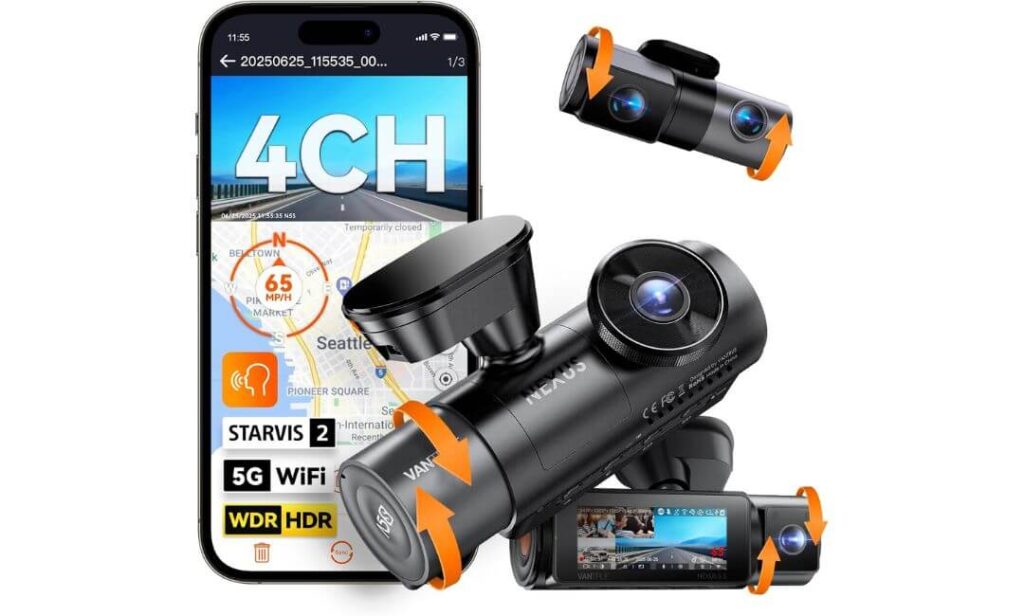
Quick Specs:
- Recording System: 2.7K Front + 1080P Cabin + 1080P Rear + 1440P Interior
- Coverage Area: Full 4-Channel 360° Recording
- Image Hardware: All-Camera STARVIS 2 Sensors
- Parking Features: Buffered Parking Recording with Pre-Event Capture
- Connectivity: 5GHz WiFi + Dual GPS
- Voice Functions: Hands-Free Voice Commands
- Storage Capacity: Up to 1TB microSD
- Display: 3.19-Inch Built-In Screen
- Durability: Supercapacitor Design for Extreme Temperatures
- Best For: Forester owners wanting the widest possible coverage around the vehicle
Here’s something many buyers discover only after owning a dash cam for a while. The footage you need most often comes from the angle you weren’t recording.
That is exactly why the N5S earns a place in this lineup. Instead of focusing exclusively on front-camera resolution, it approaches vehicle protection from a completely different direction. With four active recording channels covering the front, rear, cabin, and rear cabin areas, it creates a level of visibility that few systems can match. For Subaru Forester owners carrying passengers, pets, outdoor equipment, bicycles, luggage, or valuable cargo, that extra perspective can be incredibly useful.
The hardware underneath is equally impressive. Every camera benefits from STARVIS 2 imaging technology, while HDR processing helps maintain clarity in difficult lighting conditions. Night drives, underground parking structures, rural roads, and poorly lit parking areas are where the system begins to separate itself from many traditional dual-channel setups. The additional interior and rear-facing cabin cameras also provide visibility through side windows and cargo areas that would otherwise remain completely unrecorded.
Another reason this model stands out is flexibility. You can operate it as a one-channel, two-channel, three-channel, or full four-channel system depending on your needs. Combined with support for up to 1TB of storage, voice controls, OTA updates, dual GPS tracking, and high-speed WiFi transfers, it feels less like a standard dash cam and more like a complete vehicle recording platform.
(For drivers who prefer maximum visibility over minimalist setups, this is one of the most comprehensive recording systems currently available.)
Standout Advantages in Everyday Use
- Four-camera coverage helps reduce blind spots around the vehicle.
- STARVIS 2 sensors on all channels improve consistency across recordings.
- Buffered parking recording captures events before and after detection.
- Dual GPS tracking provides additional route and location accuracy.
- Voice commands allow hands-free operation while driving.
One Thing Buyers Should Know
- To unlock continuous parking monitoring, most owners choose to add the optional hardwire kit, which is available separately.
Subaru Forester Installation Notes
The Subaru Forester’s spacious cabin layout works particularly well with this system because there is enough room to take full advantage of the additional recording channels without creating a cluttered appearance.
The included installation accessories make cable routing relatively straightforward, especially for owners who want coverage extending toward the rear cargo area. For those planning to use parking monitoring regularly, adding the hardwire kit during installation usually creates the cleanest long-term setup.
The Insider Pro-Tip
Most people shopping for a dash cam compare image quality first. Experienced owners often look at something completely different — how many angles remain visible after an incident occurs.
That is where this model earns its reputation. In many real-world situations involving parking damage, side impacts, break-ins, cargo theft, or activity around the rear of the vehicle, additional camera angles often provide context that a traditional front-and-rear setup simply cannot capture. If your Forester regularly serves as a family vehicle, adventure vehicle, or gear hauler, those extra perspectives can become far more valuable than a small increase in front-camera resolution.
#5. ROVE R2-4K Dual PRO Dash Cam
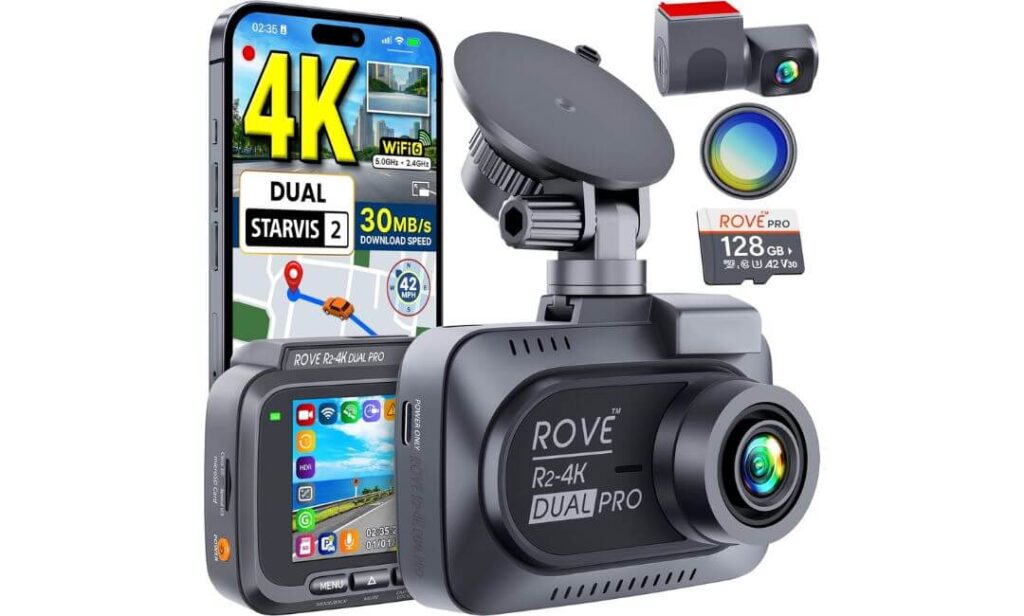
Quick Specs:
- Recording Quality: 4K Front + 2K Rear
- Image Sensors: Sony STARVIS 2 IMX678 + IMX675
- Viewing Angles: 150° Front + 140° Rear
- Connectivity: Dual-Band WiFi 6
- Transfer Speed: Up to 30MB/s Downloads
- Navigation Data: Quad-Mode GPS Tracking
- Parking Features: Motion, Collision, and Time-Lapse Monitoring
- Storage Included: Free 128GB microSD Card
- Bonus Accessory: CPL Filter Included
- Expansion Support: Up to 1TB microSD
- Best For: Forester owners wanting premium features without premium pricing
What makes this camera interesting is not that it tries to compete with the most expensive models on the market. It is that it quietly includes many of the features buyers usually have to pay significantly more to get.
The dual STARVIS 2 sensor setup is a perfect example. Instead of treating the rear camera as an afterthought, both front and rear channels receive premium Sony imaging hardware. Combined with HDR processing, wide-aperture lenses, and broad viewing angles, the result is footage that remains impressively detailed whether you’re driving through bright daylight, heavy rain, shaded backroads, or late-night highway traffic. For Subaru Forester owners who simply want dependable evidence without stepping into flagship pricing territory, that balance is difficult to ignore.
The overall ownership experience also feels surprisingly complete. WiFi 6 connectivity delivers fast transfers directly to your phone, while the built-in quad-mode GPS records speed, route, and location data with impressive accuracy. Unlike many competing systems, this one arrives with a 128GB memory card and CPL filter already included. That means fewer additional purchases and a quicker path from unboxing to recording.
Perhaps the strongest argument in its favor is practicality. Everything here feels designed around making everyday use easier. The app is straightforward, footage transfers quickly, parking events are organized clearly, and the included accessories cover most of what Forester owners need for installation.
(For buyers who want the strongest balance between performance, features, and overall value, this is one of the easiest recommendations in this entire guide.)
Reasons It Earned a Spot on This List
- Premium STARVIS 2 sensors on both cameras improve day and night recording.
- WiFi 6 connectivity dramatically reduces video transfer times.
- 128GB card included means you can start recording immediately.
- Quad-mode GPS tracking adds useful route and location data.
- CPL filter included helps reduce windshield glare during daytime driving.
One Thing Buyers Should Know
- Advanced parking monitoring features require the optional hardwire kit, which many owners add during installation for the best long-term experience.
Subaru Forester Installation Notes
This system is particularly beginner-friendly for Forester owners because nearly everything required for a clean setup is included in the box. The long rear camera cable routes comfortably through the cabin, while both suction and adhesive mounting options provide flexibility depending on personal preference.
For daily driving, the included power adapter works perfectly through the Forester’s factory 12V outlet. Drivers who want continuous parking monitoring typically add the optional hardwire kit during installation to unlock all parking-related features.
The Insider Pro-Tip
One of the easiest mistakes buyers make is focusing only on camera specifications while overlooking what is included in the package. Once memory cards, filters, and accessories are added separately, a lower-priced dash cam can quickly become far more expensive than expected.
That is where this model stands out. Between the premium Sony sensors, WiFi 6 connectivity, included 128GB card, CPL filter, GPS tracking, and expandable storage support, it delivers an ownership experience that feels far more complete than its price category would suggest. For many Subaru Forester owners, that combination of capability and value is exactly what makes it such a compelling final recommendation.
Best Subaru Forester Dash Cam Options Compared for Coverage Storage and Smart Features
Why a Dash Cam Is More Important in a Subaru Forester Than Many Owners Realize
The Subaru Forester has built a reputation as one of the most versatile SUVs on the road. It is used for daily commuting, school runs, long-distance travel, outdoor adventures, camping trips, and everything in between. That versatility creates situations where a dash cam becomes far more valuable than many owners initially expect.
Unlike vehicles that spend most of their time parked in a garage or driving predictable routes, Foresters are often found in crowded parking lots, trailhead parking areas, shopping centers, apartment complexes, mountain roads, and unfamiliar destinations. The more environments a vehicle encounters, the more opportunities there are for unexpected incidents, disputed accidents, parking damage, or vandalism.
A quality dash cam does more than simply record the road ahead. It creates an independent record of events when memories fade, stories change, and evidence becomes difficult to find. For many owners, the footage may never be needed. But when it is needed, it often becomes the most important accessory in the vehicle.
Real Evidence Matters More Than Ever
Modern traffic situations are more complicated than they were even a few years ago. Multi-lane highways, distracted drivers, increasing congestion, and crowded parking facilities mean that accidents can happen quickly and without warning.
When an incident occurs, a dash cam provides something that opinions and recollections cannot — objective evidence. Details such as traffic light status, lane position, vehicle speed, road conditions, and driver behavior are preserved in real time. This can be especially valuable when dealing with insurance claims where fault is disputed.
For Subaru Forester owners who regularly travel long distances or spend time on highways, the ability to document events clearly can provide significant peace of mind. High-quality systems using STARVIS 2 sensors and HDR processing are particularly effective at preserving critical details such as license plates and road signs in challenging lighting conditions.
Parking Protection Is Often the Biggest Benefit
Many buyers focus entirely on driving footage, yet parking incidents are often where a dash cam proves its worth.
A Forester’s higher ride height and adventure-focused nature mean it frequently spends time parked in places where traditional surveillance cameras may not exist. Trailheads, campsites, outdoor recreation areas, public parking garages, hotel lots, and busy shopping centers are all common examples.
Modern parking modes allow the camera to monitor activity around the vehicle even when the engine is off. Systems such as the THINKWARE U3000 use radar-assisted monitoring to reduce battery consumption, while models like the BlackVue Elite 9 and Vantrue N5S offer intelligent event detection and buffered recording that captures activity before and after an incident occurs.
In many real-world cases involving hit-and-runs, door dings, shopping cart impacts, or vandalism, parking footage becomes far more valuable than regular driving footage.
The Subaru EyeSight Factor Deserves Special Attention
One area that deserves careful consideration is Subaru’s EyeSight driver-assistance system.
EyeSight uses forward-facing cameras mounted near the top center of the windshield to support features such as adaptive cruise control, lane departure warning, pre-collision braking, and lane centering assistance. Because these cameras require a clear field of view, dash cam placement becomes more important than it might be in other vehicles.
Fortunately, modern dash cams have become significantly more compact. Many of the models featured in this guide, including the THINKWARE U3000, BlackVue Elite 9, and VIOFO A329S, can typically be installed near the EyeSight housing area without interfering with normal operation when positioned correctly.
The key is not simply choosing the right dash cam. It is choosing the right mounting location. Taking a few extra minutes during installation often results in a cleaner setup, better visibility, and fewer long-term issues.
Forester Owners Benefit From Wider Coverage
The Subaru Forester’s spacious interior and large glass area create advantages that many dash cam systems can take full advantage of.
A dual-channel setup allows owners to monitor both front and rear traffic, while advanced systems such as the VIOFO A329S and Vantrue N5S add interior recording and expanded coverage angles. This can be particularly useful for families, pet owners, rideshare drivers, and outdoor enthusiasts who frequently transport valuable gear.
Additional camera coverage also helps provide context during incidents. Instead of seeing only the final impact, owners can often review what happened before, during, and after the event from multiple perspectives.
Choosing the Right Features Matters More Than Chasing Specifications
It is easy to get distracted by marketing terms and resolution numbers, but the most useful dash cam features are often the ones that make ownership easier over time.
Reliable parking protection, strong low-light performance, stable recording, GPS tracking, WiFi connectivity, quality image sensors, and efficient power management usually provide more real-world value than simply choosing the highest resolution available.
That is why every recommendation in this guide was selected based on how well it fits actual Subaru Forester ownership rather than how impressive it appears on a specification sheet. The goal is not just to record video. The goal is to capture useful evidence when it matters most.
Buying Guide: How to Choose the Right Dash Cam for Your Subaru Forester
The Subaru Forester is not the kind of vehicle that spends its entire life driving between home and work. Owners use these SUVs for road trips, family transportation, outdoor adventures, mountain roads, weekend getaways, and daily commuting. Because of that, choosing a dash cam for a Forester requires a different approach than simply buying the first 4K camera you find online.
The best choice depends on how you use your vehicle, where you park it, how important parking protection is to you, and whether your Forester is equipped with Subaru EyeSight. The goal is not to buy the camera with the longest feature list. The goal is to choose a system that works naturally with the way you actually drive and park your vehicle.
Prioritize Real 4K Performance Instead of Resolution Claims
Many dash cams advertise 4K recording, but not all 4K footage is created equally.
When evaluating a 4K dash cam for Subaru Forester ownership, pay attention to the image sensor, HDR performance, lens quality, and nighttime visibility rather than focusing solely on the resolution number. A high-quality STARVIS 2 sensor often delivers more useful evidence than a higher-resolution camera using older imaging hardware.
Models such as the THINKWARE U3000, VIOFO A329S, BlackVue Elite 9, and ROVE R2-4K Dual PRO all combine high-resolution recording with advanced image processing. This becomes especially important when reading license plates at night, dealing with headlight glare, or driving through changing weather conditions.
Frame rate also deserves attention. Smooth motion handling helps preserve details when vehicles move quickly across the frame, particularly during highway driving and lane changes.
Decide How Much Coverage You Actually Need
One of the most important decisions involves choosing the right camera configuration.
For many Forester owners, a front-and-rear setup offers the ideal balance between coverage and simplicity. Systems such as the THINKWARE U3000, BlackVue Elite 9, and ROVE R2-4K Dual PRO provide protection from both directions while keeping installation relatively straightforward.
However, some owners may benefit from expanded coverage. The VIOFO A329S adds an interior camera, making it useful for families, rideshare drivers, and those who frequently carry passengers. The Vantrue N5S goes even further by introducing four-channel recording designed to capture activity around more areas of the vehicle.
The larger cabin and cargo area of the Forester make additional camera angles more useful than they might be in smaller vehicles.
Why STARVIS 2 Sensors Matter More Than Most Buyers Realize
If there is one specification worth paying attention to, it is the image sensor.
Modern STARVIS 2 sensors provide significant improvements in low-light visibility, dynamic range, glare control, and overall image clarity. This matters because many incidents occur during sunrise, sunset, nighttime driving, poor weather, or in parking garages where lighting conditions are far from ideal.
Every camera in this guide uses STARVIS 2 technology because it consistently delivers better real-world evidence than many older sensor designs. The difference is often noticeable when trying to identify license plates, vehicle colors, or important details after dark.
For Forester owners who frequently drive rural roads, wooded areas, or poorly lit highways, strong low-light performance should be considered a necessity rather than a luxury.
Understanding Radar Parking Mode Versus Motion Detection
Parking protection has become one of the most valuable dash cam features available today, but not all systems monitor parked vehicles the same way.
Radar-assisted systems such as the THINKWARE U3000 use low-power radar technology to detect activity around the vehicle while consuming significantly less energy. This approach can be particularly beneficial for owners who leave their Forester parked for extended periods.
Traditional motion detection systems monitor movement through the camera itself. They often provide excellent protection but may consume more power because the camera remains more active while monitoring the environment.
Neither approach is inherently better for everyone. Radar monitoring prioritizes efficiency, while motion-based systems often focus on broader visual monitoring. The right choice depends on how and where the vehicle is parked.
OEM-Style Integration Versus Traditional Aftermarket Installation
Some buyers prefer a clean factory-style appearance while others simply want maximum performance.
OEM-style dash cams are designed to blend into the vehicle’s interior and often appear less noticeable once installed. These systems prioritize aesthetics and subtle integration.
The cameras featured in this guide follow a more traditional aftermarket approach, but several models maintain compact footprints that work exceptionally well inside the Subaru Forester. The BlackVue Elite 9 and THINKWARE U3000 are particularly effective at maintaining a clean, low-profile appearance after installation.
For most buyers, recording quality, parking protection, and reliability should remain the priority over purely cosmetic considerations.
EyeSight Compatibility Should Never Be Overlooked
Subaru EyeSight is one of the most important factors to consider when installing any dash cam.
The EyeSight system relies on forward-facing cameras mounted near the top center of the windshield. These cameras require a clear view of the road to function properly. Poor dash cam placement can potentially interfere with visibility and reduce effectiveness.
Fortunately, modern dash cams have become significantly smaller than older designs. Most quality systems can coexist with EyeSight when installed correctly. The key is thoughtful placement rather than simply attaching the camera wherever space appears available.
Before finalizing installation, always verify visibility from both the driver’s perspective and the EyeSight camera area.
Camera Placement Is Often More Important Than Buyers Expect
Even the best dash cam can perform poorly if mounted incorrectly.
The ideal placement typically provides a clear view of the road while remaining discreet from the driver’s seating position. A properly positioned camera should capture as much roadway as possible without obstructing visibility or interfering with vehicle safety systems.
For Subaru Forester owners, the area near the rearview mirror often provides the best balance between visibility, recording angle, and EyeSight compatibility. Rear cameras should be positioned to maximize rear window coverage while avoiding unnecessary obstructions from cargo or interior accessories.
Spending an extra fifteen minutes planning installation often produces better results than upgrading to a more expensive camera.
Focus on Long-Term Ownership Rather Than Short-Term Features
The best dash cam is rarely the one with the most marketing buzz. It is usually the one that records reliably every day, handles difficult lighting conditions, protects the vehicle while parked, and makes footage easy to access when needed.
That philosophy is exactly why the cameras in this guide were selected. Each model offers a different strength, whether it is radar-assisted parking monitoring, multi-channel coverage, cloud connectivity, expanded storage, or exceptional value. Choosing the one that best matches your driving habits will almost always deliver a better ownership experience than simply chasing specifications.
Installation and Fit: Setting Up a Dash Cam in the Subaru Forester the Right Way
A great dash cam can deliver disappointing results if it is installed poorly. Fortunately, the Subaru Forester is one of the easier SUVs to work with thanks to its upright windshield, spacious cabin, and generous interior trim areas. However, proper placement still matters, especially for vehicles equipped with Subaru EyeSight.
The goal of a good installation is not simply to make the camera work. It should provide a clear view of the road, avoid interfering with safety systems, minimize windshield glare, maintain a clean factory-like appearance, and ensure reliable operation for years rather than months.
Understanding the Basics Before Installation Begins
Before mounting anything to the windshield, it helps to decide how you plan to power the dash cam and whether parking mode is important to you.
If your primary goal is recording while driving, a standard 12V accessory outlet connection is often the easiest solution. Most dash cams in this guide include power adapters that allow immediate use without modifying vehicle wiring.
If you want advanced parking protection, however, a hardwire kit or OBD power connection usually provides the best experience. Models such as the THINKWARE U3000 support OBD-powered installation, while cameras like the VIOFO A329S, Vantrue N5S, and ROVE R2-4K Dual PRO can take advantage of dedicated hardwire kits for continuous parking monitoring.
Making this decision early helps determine how cables will be routed and how much installation work will be required.
OEM-Style Integration Versus Traditional Aftermarket Setups
Many Subaru Forester owners want their dash cam to look as though it came with the vehicle from the factory.
OEM-style installations focus on minimizing visibility. Wires remain hidden behind trim panels, the camera sits discreetly near the rearview mirror, and the overall setup blends naturally into the cabin. Compact cameras such as the BlackVue Elite 9 and THINKWARE U3000 are particularly well suited for this approach.
Traditional aftermarket installations often prioritize flexibility and additional features. Multi-camera systems such as the VIOFO A329S and Vantrue N5S require extra wiring for interior and rear cameras, but the additional effort is usually rewarded with significantly broader coverage.
Neither approach is inherently better. The best option depends on whether appearance or expanded functionality is the higher priority.
Choosing the Right Windshield Mounting Location
Mounting position plays a major role in overall recording quality.
For most Subaru Forester models, the ideal location is generally near the rearview mirror area where the camera remains largely outside the driver’s normal field of vision while still maintaining an unobstructed view of the road.
Owners should avoid placing the camera directly in front of EyeSight cameras, rain sensors, or factory safety equipment. Modern compact dash cams usually fit comfortably beside these systems when positioned carefully.
Before permanently attaching the mount, sit in the driver’s seat and confirm that the camera does not interfere with visibility from any normal driving position.
Powering the Dash Cam: 12V Outlet, OBD Connection, or Hardwire Kit
The power source you choose can significantly affect both convenience and functionality.
A standard 12V outlet connection is the simplest option. Installation is quick, no vehicle modifications are required, and most owners can complete setup within minutes.
OBD-powered installations provide a useful middle ground. Systems such as the THINKWARE U3000 can access parking mode functionality while avoiding more complex fuse-box wiring. For many Forester owners, this offers an excellent balance between simplicity and advanced features.
Hardwire installations remain the preferred solution for maximum parking protection. By connecting directly to the vehicle’s electrical system, the camera can monitor activity while the vehicle is parked and automatically manage battery protection settings.
For owners who park outdoors frequently, the additional installation effort is often worthwhile.
Routing Rear Camera Cables Cleanly Through the Cabin
Rear camera installation is often the step that concerns buyers most, but the Forester’s cabin layout actually makes cable routing relatively straightforward.
Most installations follow a similar path. The cable runs from the front camera toward the headliner, along the top edge of the windshield, through the A-pillar area, across the roofline, and toward the rear hatch.
The spacious interior trim panels found in the Forester provide enough room to conceal cables without creating visible clutter. Taking the time to tuck cables properly behind trim pieces usually produces a cleaner and more professional result.
For three-channel and four-channel systems such as the VIOFO A329S and Vantrue N5S, planning cable routes before installation begins can save considerable time later.
Fuse Box Considerations for Parking Mode Installations
Owners planning to use a hardwire kit should pay close attention to fuse selection.
Most modern hardwire kits include low-voltage protection designed to prevent excessive battery discharge. This allows the dash cam to monitor the vehicle while parked without compromising starting reliability.
Choosing appropriate switched and constant-power fuse locations is important for proper operation. While many experienced DIY owners complete this process themselves, some drivers prefer professional installation for additional peace of mind.
A clean hardwire installation often looks almost invisible once completed.
Reducing Windshield Glare and Improving Recording Quality
Many people focus on camera specifications while overlooking one of the easiest ways to improve image quality.
Windshield reflections can reduce visibility and make footage more difficult to review. Cameras equipped with CPL filters, including several models featured in this guide, help reduce glare from dashboards, glass surfaces, and bright sunlight.
Positioning also matters. Cameras mounted too low may capture more dashboard reflection, while cameras mounted too high may reduce visibility beneath the rearview mirror area.
Taking a few minutes to fine-tune camera angle after installation often produces a noticeable improvement in footage quality.
Avoiding Common Installation Mistakes
The most common installation errors are surprisingly simple.
Some owners mount the camera before confirming the final viewing angle. Others route cables in locations where airbags deploy, creating potential safety concerns. Some position the camera too close to EyeSight hardware without verifying visibility.
A careful installation should prioritize safety first, appearance second, and convenience third. Spending an extra half hour during setup often prevents years of frustration later.
Visibility, Tint Laws, and Safety Considerations
Every dash cam should be installed in a way that preserves the driver’s visibility and complies with local regulations.
Windshield-mounted accessories generally must not obstruct the driver’s view of the road. This becomes particularly important when combined with windshield tint strips, toll transponders, radar detectors, or other mounted equipment.
Forester owners should also ensure that rear cameras remain unobstructed by cargo, bike racks, storage systems, or aftermarket accessories when possible.
The best installation is one you barely notice during daily driving. A properly positioned dash cam should blend into the vehicle, capture a clear view of the road, and operate quietly in the background until the moment its footage is needed.
Subaru Forester EyeSight Compatibility and Dash Cam Considerations
For many Subaru Forester owners, EyeSight compatibility is the single most important factor when choosing a dash cam. Video quality, parking protection, and advanced features are valuable, but none of them matter if the installation interferes with one of Subaru’s most important safety technologies.
The good news is that modern dash cams have become significantly smaller, smarter, and easier to position than earlier generations. With proper installation and careful placement, many high-quality dash cams can work alongside Subaru EyeSight without creating problems. Understanding how the system works, however, is essential before making a purchase.
Understanding What EyeSight Compatibility Actually Means
One of the biggest misconceptions among buyers is that a dash cam either works with EyeSight or it does not.
In reality, EyeSight compatibility is usually determined by installation location rather than the camera itself.
Subaru EyeSight relies on forward-facing stereo cameras mounted near the upper center portion of the windshield. These cameras continuously monitor road markings, surrounding vehicles, pedestrians, and obstacles to support features such as adaptive cruise control, lane centering, lane departure warning, pre-collision braking, and collision avoidance systems.
Because EyeSight depends on a clear field of view, anything placed directly in front of these cameras has the potential to affect system performance. A dash cam does not need to physically touch the EyeSight housing to create issues. Even an improperly positioned mount, cable, or accessory can sometimes obstruct visibility.
When manufacturers and reviewers discuss EyeSight-compatible dash cams, they are generally referring to cameras that can be installed without interfering with the visual field required by Subaru’s safety system.
Why Camera Size Matters More Than Many Buyers Realize
A large display screen may look impressive in product photos, but compact designs often work better inside a Subaru Forester.
Smaller camera bodies provide more flexibility during installation and make it easier to position the device near the rearview mirror area without blocking critical viewing zones. This is one reason why many experienced Subaru owners prefer compact cylindrical or low-profile cameras over oversized screen-heavy designs.
Among the models featured in this guide, the THINKWARE U3000 and BlackVue Elite 9 are particularly well suited for discreet installations due to their compact footprints. The VIOFO A329S also performs well because of its slim design and flexible mounting options.
Even larger systems such as the Vantrue N5S can work successfully when installed carefully, although they may require more attention during positioning.
Potential Interactions Between EyeSight and Dash Cams
In properly installed setups, interactions between EyeSight and dash cams are uncommon. Most reported issues stem from installation mistakes rather than product defects.
Common problems can include:
- Mounting the camera directly within the viewing area of the EyeSight cameras.
- Routing cables across the EyeSight housing.
- Installing oversized mounts too close to the stereo camera assembly.
- Positioning accessories where they cast shadows or reflections into the EyeSight field of view.
- Using poorly placed windshield attachments that reduce visibility during bright sunlight.
These issues are usually preventable through careful planning before installation begins.
A properly mounted dash cam should remain almost invisible to the EyeSight system while still maintaining an unobstructed recording angle.
The Dash Cams From This Guide That Work Well With EyeSight
Every model selected for this guide was chosen in part because it can be installed successfully in a Subaru Forester when proper mounting practices are followed.
The THINKWARE U3000 stands out because of its compact design and flexible installation options. Combined with radar-assisted parking monitoring, it is one of the most Forester-friendly premium systems available.
The BlackVue Elite 9 is another excellent option due to its slim cylindrical design. It occupies very little windshield space and integrates cleanly into most Forester interiors.
The VIOFO A329S offers a good balance between advanced features and installation flexibility, while the ROVE R2-4K Dual PRO remains relatively easy to position thanks to its manageable size and mounting system.
The Vantrue N5S requires additional consideration because of its expanded multi-camera architecture, but many owners successfully install it without affecting EyeSight functionality when placement is planned carefully.
How to Verify Compatibility Before Purchasing
The safest approach is to evaluate compatibility before spending money rather than after installation.
Start by identifying which generation of Subaru Forester you own and whether it is equipped with EyeSight. While most modern Foresters include EyeSight as standard equipment, windshield layouts can vary slightly between model years.
Next, review product dimensions instead of focusing only on specifications. A camera’s physical size often provides more useful information than its feature list when evaluating EyeSight compatibility.
It is also helpful to examine installation photos from owners driving similar Forester model years. Real-world installations frequently reveal positioning solutions that product images do not show.
If possible, choose a camera with adjustable mounting flexibility rather than a fixed installation design. This allows greater freedom when working around the EyeSight camera housing.
Placement Is Ultimately More Important Than Product Choice
Many buyers spend hours comparing specifications while overlooking the factor that matters most.
Placement.
A perfectly compatible dash cam can create problems if installed incorrectly. Meanwhile, a larger system can often work flawlessly when mounted thoughtfully.
The ideal location is typically near the rearview mirror area while remaining outside the direct field of view used by the EyeSight cameras. This approach maintains road visibility, preserves safety system performance, and allows the dash cam to capture the widest possible recording angle.
Before permanently securing any mount, sit in the driver’s seat, inspect visibility from multiple positions, and confirm that neither the camera nor its cables interfere with the EyeSight assembly.
Final Thoughts on EyeSight-Friendly Dash Cam Selection
For Subaru Forester owners, EyeSight compatibility should never be treated as an afterthought.
The best dash cam is not simply the one with the highest resolution or longest feature list. It is the one that works harmoniously with the vehicle’s existing safety technologies while still delivering reliable recording, effective parking protection, and dependable long-term performance.
Fortunately, all five dash cams featured in this guide can meet that standard when installed correctly. The key is selecting a model that matches your coverage needs and then taking the time to position it properly. That combination delivers the safest, cleanest, and most effective ownership experience possible.
Best Practices to Get the Most From Your Subaru Forester Dash Cam
Buying a quality dash cam is only the first step. The difference between a dash cam that records reliably for years and one that eventually misses important footage often comes down to how it is maintained.
Many drivers install a camera, confirm that it powers on, and never think about it again. Unfortunately, that approach can lead to corrupted files, missed recordings, outdated firmware, storage failures, and parking mode issues that are only discovered after an incident has already occurred.
The best dash cams in this guide are capable of delivering excellent long-term performance, but like any electronic device, they benefit from occasional attention. A few simple habits can dramatically improve reliability and help ensure the camera is ready when you actually need it.
Keep Firmware and Mobile Apps Up to Date
One of the most overlooked aspects of dash cam ownership is firmware maintenance.
Manufacturers regularly release firmware updates that improve stability, enhance image processing, fix software bugs, optimize parking mode behavior, and expand compatibility with newer smartphones. Some updates may even improve recording performance without requiring any hardware changes.
This is particularly important for advanced models such as the BlackVue Elite 9, VIOFO A329S, Vantrue N5S, and ROVE R2-4K Dual PRO, which rely heavily on companion applications and wireless connectivity features.
Checking for updates every few months is usually sufficient for most owners. Cameras that support OTA updates make this process especially convenient because updates can often be installed directly through the mobile app.
Keeping both the camera firmware and smartphone application current helps maintain smooth operation and minimizes the risk of unexpected issues.
Develop a Routine for SD Card Maintenance
Storage media works harder inside a dash cam than many people realize.
Unlike a typical memory card that stores photos occasionally, a dash cam memory card is constantly writing, deleting, and rewriting video files. Over time, this continuous activity creates wear that can affect reliability.
A good practice is to format the memory card directly through the dash cam at regular intervals according to the manufacturer’s recommendations. This helps maintain file system integrity and reduces the likelihood of recording errors.
Owners using larger-capacity storage systems, such as the VIOFO A329S with SSD support or cameras capable of handling 1TB cards, should still follow routine maintenance procedures even when storage capacity is abundant.
Periodic card replacement is also worth considering. High-endurance memory cards are designed for continuous recording, but they are not immune to wear over the course of several years.
Do Not Assume the Camera Is Always Recording
One of the most valuable habits any owner can develop is occasional verification.
Every few weeks, review a few recent recordings and confirm that footage is being saved correctly. Check video quality, GPS data, rear camera operation, and audio settings if applicable.
This quick inspection often takes less than a minute but can reveal issues long before an important event occurs.
Many experienced dash cam owners consider this the single most important maintenance habit because it confirms the entire system is functioning exactly as expected.
Understand How Parking Mode Affects Power Consumption
Parking mode is one of the most useful features available today, but it is also the feature most closely connected to battery management.
Different cameras approach parking protection differently. The THINKWARE U3000 uses radar-assisted monitoring designed to reduce unnecessary power consumption, while models such as the BlackVue Elite 9, Vantrue N5S, and ROVE R2-4K Dual PRO rely on various combinations of motion detection, impact sensing, and event-triggered recording.
The more active the camera remains while parked, the greater the power demand typically becomes.
For drivers who leave their Subaru Forester parked for extended periods, understanding these differences can help prevent unnecessary battery stress while still maintaining effective protection.
Pay Attention to Battery Health Over Time
A dash cam and the vehicle battery operate as part of the same system when parking mode is enabled.
Most modern hardwire kits and OBD power accessories include low-voltage cutoff protection that automatically shuts the camera down before battery levels become problematic. Even so, battery condition remains important.
As batteries age, their ability to support extended parking monitoring naturally declines. A camera that operates comfortably for several days on a newer battery may have a shorter monitoring window as the battery gets older.
Owners who rely heavily on parking protection should periodically evaluate overall battery health, particularly if the vehicle experiences slow starts, extended parking periods, or exposure to extreme temperatures.
Protect Footage Before You Need It
One mistake many owners make is waiting until an incident occurs before thinking about backups.
Important recordings should be transferred and stored as soon as possible after any accident, unusual event, or noteworthy road incident. Depending on storage capacity and recording settings, footage can eventually be overwritten through normal loop recording.
Cloud-enabled systems such as the BlackVue Elite 9 provide additional protection through event backups, while WiFi-enabled models make it easier to transfer files directly to a smartphone.
The key is not assuming the footage will remain available indefinitely.
Monitor Camera Position Throughout Ownership
Even the best installation can shift slightly over time.
Temperature changes, windshield replacements, cleaning routines, and everyday vibrations can occasionally alter camera positioning. This is particularly true for vehicles that experience rough roads, off-road travel, or frequent outdoor use.
Every few months, take a moment to confirm that the camera angle still provides proper road coverage and that no new objects are obstructing the lens.
For Subaru Forester owners, this also provides an opportunity to ensure that the camera remains positioned appropriately around the EyeSight camera housing.
Think Long-Term Rather Than Short-Term
The most satisfied dash cam owners are rarely the ones chasing the newest feature every year. They are usually the drivers who maintain their equipment, verify recordings occasionally, and pay attention to storage and power management.
A quality system such as the THINKWARE U3000, VIOFO A329S, BlackVue Elite 9, Vantrue N5S, or ROVE R2-4K Dual PRO can easily provide years of dependable service when treated as a long-term safety tool rather than a set-it-and-forget-it gadget.
That small amount of ongoing attention often becomes the difference between having clear evidence when it matters and discovering a problem only after the moment has already passed.
FAQs About Subaru Forester Dash Cam
Can a dash cam affect Subaru Forester EyeSight performance even if it is not mounted directly in front of the cameras?
Yes, and this is something many owners overlook. EyeSight does not only rely on a clear view directly in front of its cameras. Reflections, poorly routed cables, oversized mounts, and even accessories positioned near the camera housing can sometimes influence visibility under certain lighting conditions.
The good news is that the issue is usually related to installation rather than the dash cam itself. Compact systems such as the THINKWARE U3000, BlackVue Elite 9, and VIOFO A329S can generally coexist with EyeSight very well when positioned thoughtfully. Before finalizing any installation, sit in the driver’s seat during both daytime and nighttime conditions to confirm there are no unexpected reflections or obstructions entering the EyeSight camera zone.
For a Subaru Forester, is radar-based parking protection actually worth paying extra for?
For some owners, absolutely.
If your Forester spends most nights inside a private garage, traditional motion detection may be perfectly adequate. However, drivers who regularly leave their vehicle in apartment complexes, airport parking, hotel lots, hiking trail parking areas, or public garages often benefit from radar-assisted monitoring.
The biggest advantage is efficiency. Rather than continuously watching the environment through the camera sensor, systems such as the THINKWARE U3000 can remain in a low-power monitoring state and react when activity approaches the vehicle. Over long parking periods, this often results in better battery preservation while still maintaining useful protection.
The value becomes much easier to appreciate after owning the system for several months rather than simply comparing specifications online.
Which type of Subaru Forester owner benefits most from a three-channel or four-channel dash cam?
This depends less on driving habits and more on what happens inside and around the vehicle.
A traditional front-and-rear setup is usually enough for commuters. However, additional channels become increasingly valuable for owners who regularly carry passengers, pets, sports equipment, camping gear, bicycles, photography equipment, or other expensive cargo.
Multi-channel systems can provide benefits in situations such as:
- Cargo theft investigations
- Rear hatch incidents
- Parking lot vandalism
- Pet transportation
- Family travel documentation
- Side-window activity while parked
The Vantrue N5S and VIOFO A329S stand out because they capture context that standard two-channel systems simply cannot see.
Why do some premium dash cams look similar on paper but produce noticeably different footage at night?
This is one of the biggest misconceptions in the dash cam market.
Two cameras can advertise 4K recording, STARVIS 2 sensors, HDR processing, and similar viewing angles while producing very different real-world results. The reason is that image quality is influenced by far more than a specification sheet.
Factors that often separate premium systems include:
- Lens quality
- HDR tuning
- Exposure algorithms
- Noise reduction processing
- Dynamic range optimization
- Heat management during extended recording
This is why cameras such as the BlackVue Elite 9 and THINKWARE U3000 often earn strong reputations despite competing against products that appear nearly identical on paper. Real-world image tuning frequently matters more than raw specifications.
What is the most common mistake Subaru Forester owners make after installing a dash cam?
Surprisingly, it is assuming the job is finished once the camera turns on.
Many owners never review recordings after installation. Months later, they discover the camera angle shifted, the memory card developed errors, parking mode was disabled, or important footage was not being saved correctly.
Experienced dash cam users usually follow a simple routine:
- Review a recent recording every few weeks.
- Format the storage card periodically.
- Check for firmware updates.
- Verify parking mode is functioning correctly.
- Confirm the camera angle has not changed.
These small habits take only a few minutes each month, yet they dramatically increase the chances that the dash cam will capture usable evidence when it is actually needed. In long-term ownership, reliability almost always matters more than adding one extra feature to the specification list.
Final Thoughts
After spending time comparing specifications, installation requirements, parking features, image sensors, storage options, and real-world usability, one thing becomes clear: there is no single dash cam that is perfect for every Subaru Forester owner.
The right choice depends on how you use your vehicle. Some owners need the advanced parking intelligence of the THINKWARE U3000. Others may prefer the extensive multi-angle coverage offered by the VIOFO A329S or Vantrue N5S. Drivers who value connected features and remote access may naturally gravitate toward the BlackVue Elite 9, while budget-conscious buyers looking for strong overall value will likely appreciate what the ROVE R2-4K Dual PRO brings to the table.
What matters most is choosing a system that fits your actual driving and parking habits rather than chasing the longest feature list. A dash cam becomes valuable long before a major accident occurs. It can help document parking incidents, preserve evidence after a hit-and-run, provide clarity during insurance disputes, and capture details that are often forgotten once the stress of an event takes over.
For Subaru Forester owners, compatibility with EyeSight, dependable low-light performance, effective parking protection, and clean installation should remain at the top of the priority list. Those factors tend to influence long-term satisfaction far more than minor differences in specifications.
If we had to recommend one overall pick for the widest range of Forester owners, the THINKWARE U3000 stands out because of its balanced combination of image quality, radar-assisted parking monitoring, installation flexibility, and long-term reliability. That said, every camera featured in this guide earned its place for a specific reason, and none were selected simply because of marketing claims or brand recognition.
A good dash cam is easy to forget about during daily driving. The best dash cam is the one that quietly records for months or years without needing attention, then delivers exactly the footage you need on the one day you truly need it. That is ultimately what separates a useful dash cam from a great one, and why investing in the right system for your Subaru Forester is a decision most owners never regret.
Also Check:


