
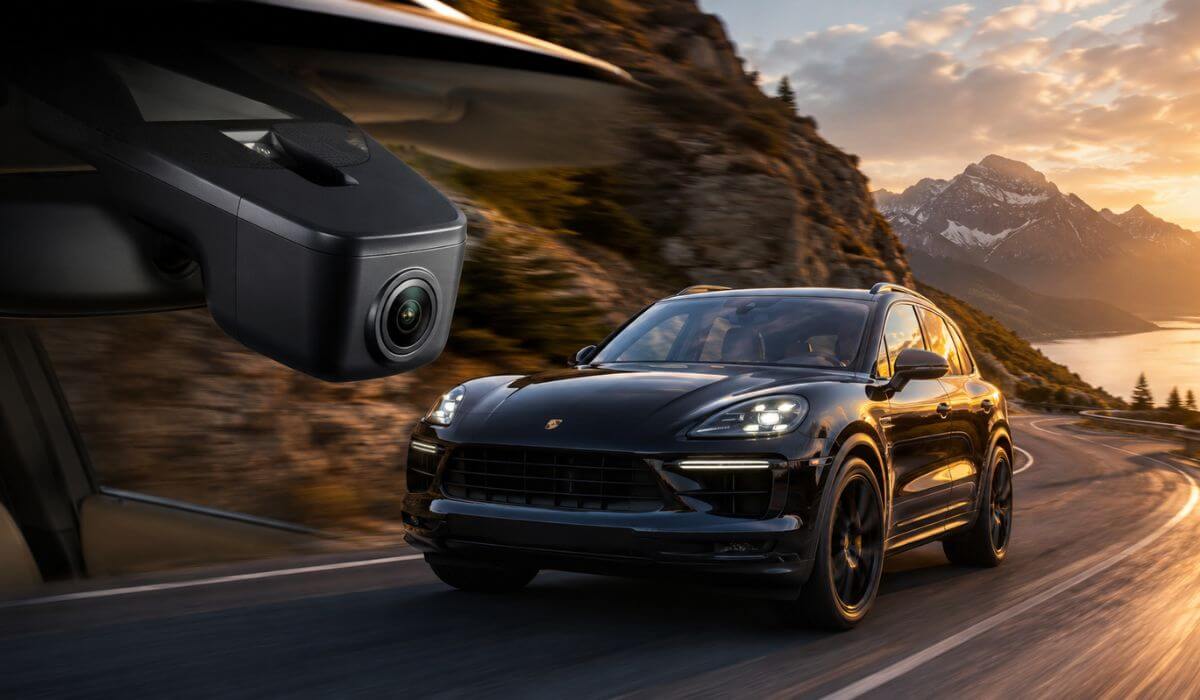
5 Best Dash Cams for Porsche Cayenne in 2026: OEM Fit 4K Clarity and Hidden Factory Look
Choosing a dash cam for a Porsche Cayenne isn’t just about getting the highest video resolution. The Cayenne has a clean, premium cabin with limited space around the rear-view mirror, multiple driver-assistance sensors, and different trim layouts across its generations. A camera that works perfectly in another SUV can look out of place or even interfere with visibility if it isn’t designed with the Cayenne in mind.
That is why this guide focuses on OEM-style dash cams built specifically for the Porsche Cayenne rather than generic windshield-mounted units. Every recommendation below offers a factory-style fit, records in 4K, supports WiFi app access, and installs without leaving a bulky camera hanging from the windscreen. Where available, we’ve also prioritised dual-channel recording for drivers who want front and rear coverage without compromising the clean Porsche interior. The result is a shortlist that looks like it belongs in the vehicle from day one while delivering the everyday recording quality Cayenne owners actually expect.
Best Porsche Cayenne Dash Cams: Top 2026 Picks for OEM Fit and 4K Recording
#1. Fitcamx 4K Dual Dash Cam
Best Porsche Cayenne dash cam with OEM fit, dual-channel recording, factory-style integration and dependable everyday performance.
#2. Mangoal Front 4K & Rear 1080P Dash Cam
Ideal front and rear dash cam for Porsche Cayenne owners who want OEM styling, crisp 4K footage and excellent overall value.
#3. KBSYNT Front 4K Dash Cam
Strong 4K dash cam for Porsche Cayenne featuring a discreet OEM look, clean installation and sharp front-facing video quality.
#4. Inefala 4K Dash Cam
Reliable OEM dash cam for Porsche Cayenne with a seamless factory appearance, WiFi connectivity and detailed 2160P recording.
#5. FUVYMYT OEM Style 4K Dash Cam
Practical Porsche Cayenne OEM-style dash camera offering 4K recording, simple installation and convenient app-based video access.
Expert Tip
If you want your Porsche Cayenne to keep its factory-finished interior, don’t make 4K resolution your first priority. Start with how the camera fits the vehicle. An OEM-style dash cam that replaces the factory trim around the rear-view mirror will usually give you a cleaner view, eliminate dangling power cables, and feel like it was installed by Porsche from the beginning. After that, look for WiFi stability, video consistency in bright sunlight and at night, and a parking mode that works reliably. Those are the things you’ll appreciate every day—not just the numbers on the product box.
How We Chose These Porsche Cayenne Dash Cams
A lot of dash cams can record in 4K, but very few are actually designed around the Porsche Cayenne. For this guide, we ignored generic windshield cameras that rely on suction cups or large adhesive mounts because they often look out of place in a premium cabin and can clutter the driver’s view.
Instead, we focused on OEM-style models that integrate neatly behind the rear-view mirror and preserve the clean factory appearance Porsche owners expect. Every recommendation also had to offer WiFi app support, dependable loop recording, and hardware built specifically for the Cayenne rather than universal compatibility claims.
We also gave extra weight to dual-channel systems because recording both the front and rear adds meaningful protection without changing the vehicle’s interior. For drivers who prefer a simpler setup, we included front-only options only if they delivered a genuinely clean installation and consistently sharp 4K video.
Brand reputation alone wasn’t enough to make this list. Several of these cameras are relatively new, so we looked beyond review counts and compared vehicle-specific fitment, installation design, recording hardware, included accessories, software features, and overall value. A product had to make sense as a complete package—not just look impressive on paper.
Most importantly, every dash cam here is one we would feel comfortable installing in a Porsche Cayenne without compromising the SUV’s premium feel. If a model looked bulky, required visible wiring, or didn’t match the standard expected inside a luxury Porsche, it didn’t make this shortlist. That’s the standard we used from the first recommendation to the last.
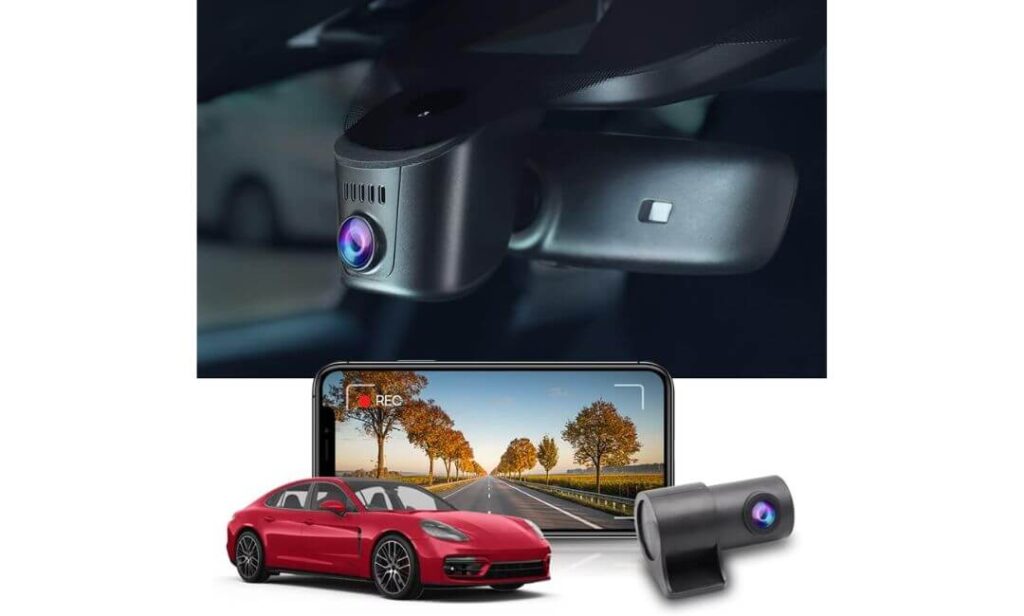
#1. Fitcamx 4K Dual Dash Cam
Quick Specs:
- Best for: Porsche Cayenne owners who want the closest thing to a factory-installed dash cam
- Vehicle compatibility: Porsche Cayenne 9YA / 9Y0 / 9Y3 (Model A trim compatibility)
- Video quality: 4K (2160P) Front + 1080P Rear
- Lens & imaging: f/1.6 aperture, 170° wide-angle, WDR night recording
- Design: OEM-style housing with no visible wiring
- Storage: 128GB microSD included, expandable up to 256GB
- Smart features: Built-in WiFi, FITCAMX App, loop recording, G-Sensor event lock
- Installation: Replaces the factory mirror housing using the supplied trim tool
- Ideal for: Drivers who want premium protection without changing the Cayenne’s interior
The biggest advantage here isn’t the 4K resolution—it’s how naturally everything fits together. Once installed, it blends into the upper mirror housing so well that most passengers won’t even realise a dash camera is there. That matters in a Porsche Cayenne, where the cabin was designed around clean lines rather than accessories hanging from the windscreen.
Video quality is equally convincing. The 2160P front camera, 1080P rear camera, 170-degree field of view, and WDR processing work together to produce footage that stays detailed in bright daylight while handling tunnels, underground parking, and night driving with far better balance than many universal dash cams. Instead of chasing headline numbers, it delivers the kind of recording quality owners actually notice after months of driving.
Day-to-day use also feels polished. The built-in WiFi lets you open the FITCAMX app, preview footage, and save important clips without removing the memory card. Loop recording keeps storage under control, while the G-Sensor automatically protects important files after sudden impacts. The included 128GB card means you can install it and start recording immediately without buying extra accessories. (It feels like a feature Porsche could have offered from the factory rather than an aftermarket add-on.)
Why It Stands Out in Daily Ownership
- Factory-style housing keeps the cabin looking original.
- 4K front and 1080P rear recording provide balanced everyday coverage.
- WDR improves visibility in difficult lighting and night driving.
- Built-in WiFi makes downloading clips fast and convenient.
- Includes a 128GB microSD card, trim removal tool, and all essential installation hardware.
A Small Thing Worth Knowing
- The mirror housing may need a little extra attention during installation to achieve a perfectly flush fit on some Cayenne trims, so taking your time usually gives the best result.
Porsche Cayenne Compatibility
This camera is designed specifically around the Porsche Cayenne 9YA, 9Y0, and 9Y3 platform instead of using a universal windshield mount. Because of that, it preserves the original appearance of the cabin while keeping the driver’s forward view completely unobstructed.
Installation is straightforward for anyone comfortable removing the mirror shroud with the included trim tool. Since it connects within the factory mirror area, there is no need to route long power cables across the windscreen or A-pillar, making the finished installation look significantly cleaner than most aftermarket alternatives.
The Insider Pro-Tip
If your priority is keeping the Porsche interior looking exactly as the designers intended, pay more attention to fitment quality than feature count. A well-integrated OEM-style camera is something you’ll appreciate every single drive because it disappears into the cabin instead of constantly reminding you it was added later.
Before snapping the mirror housing back into place, check that every clip is fully seated and the camera angle is perfectly level. Spending an extra few minutes during installation usually makes the difference between an aftermarket-looking setup and one that genuinely feels factory installed for years to come.
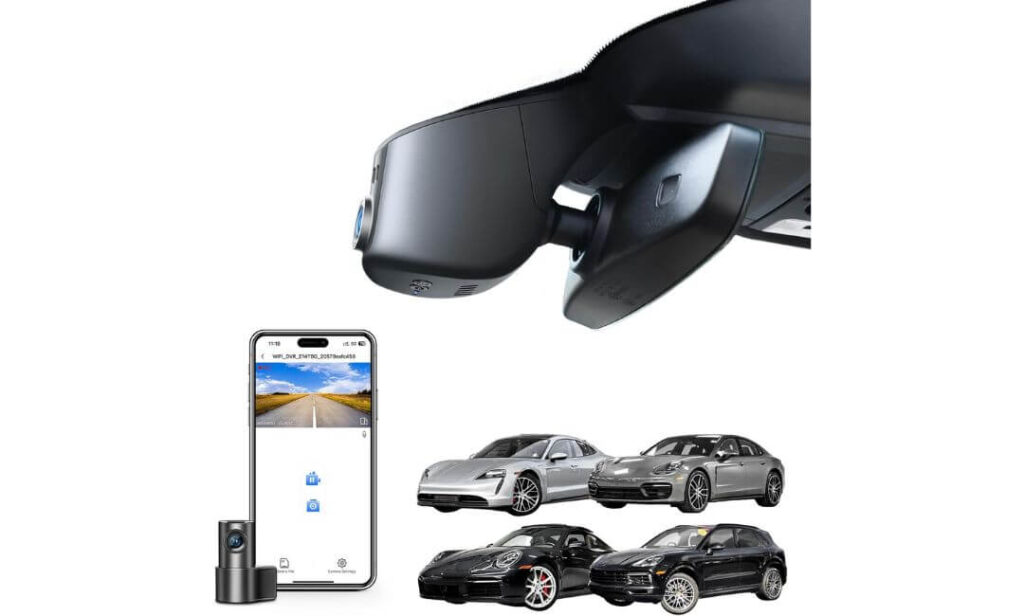
#2. Mangoal Front 4K & Rear 1080P Dash Cam
Quick Specs:
- Best for: Porsche Cayenne owners who want premium dual-camera coverage without sacrificing the factory look
- Vehicle compatibility: Porsche Cayenne E3 (Model A)
- Video quality: 4K Front + 1080P Rear
- Image hardware: Sony STARVIS IMX335 sensor, f/1.8 lens, 150° field of view
- Design: OEM-style housing with hidden wiring
- Storage: 128GB microSD included
- Smart features: Built-in WiFi, mobile app, loop recording, G-Sensor, parking monitoring
- Power: Supercapacitor for improved durability in hot and cold weather
- Ideal for: Drivers who want a factory-looking dual-channel system with dependable day and night recording
Some dash cams look impressive until they’re installed. This one is different because the biggest upgrade isn’t what you see on the screen—it’s what you don’t see inside the cabin. The camera sits neatly behind the rear-view mirror, leaving the Porsche Cayenne interior looking clean and uncluttered instead of adding another gadget to the windscreen.
Recording performance is equally well balanced. The combination of a 4K front camera, 1080P rear camera, Sony STARVIS IMX335 sensor, and f/1.8 lens produces detailed footage with accurate colours and noticeably better control in challenging lighting. Whether you’re driving into direct sunlight, entering a covered car park, or travelling after dark, the camera maintains consistent image quality without excessive noise or motion blur.
Living with it every day is refreshingly simple. The built-in WiFi and companion app make it easy to preview recordings or download important clips directly to your phone, while the included 128GB memory card means there’s nothing extra to buy before installation. Add the supercapacitor, loop recording, and G-Sensor, and you get a setup designed for long-term reliability rather than just impressive specifications. (It strikes a very good balance between factory integration, dependable hardware, and everyday convenience.)
Why We Think It Deserves a Place on This List
- OEM-style installation keeps the Cayenne interior looking original.
- Sony STARVIS IMX335 sensor delivers cleaner footage in difficult lighting.
- 4K front and 1080P rear recording provide complete driving coverage.
- Built-in WiFi and app make accessing footage quick and straightforward.
- Supercapacitor design offers better durability than traditional battery-powered cameras.
One Thing to Keep in Mind
- Installing the rear camera cable takes a little more time than a front-only setup, but the added rear coverage is well worth the extra effort.
Porsche Cayenne Installation Notes
This model is designed specifically for the Porsche Cayenne E3 platform, allowing the front camera to integrate naturally around the factory mirror housing instead of relying on a bulky universal mount. The result is a much cleaner finish that suits the premium interior.
For the best installation, allow a little extra time when routing the rear camera cable through the factory trim panels. It’s not technically difficult, but a patient installation will always produce a neater result and preserve the original appearance of the cabin.
The Insider Pro-Tip
If you’re choosing between a front-only camera and a dual-channel system, think beyond accidents. A rear camera often becomes just as valuable when documenting rear-end incidents, parking damage, or unexpected events behind your vehicle—situations that a front camera can never capture.
Take a few extra minutes to position the rear camera perfectly level before securing the cable permanently. That small adjustment can noticeably improve the quality of the footage you’ll rely on if you ever need it most.
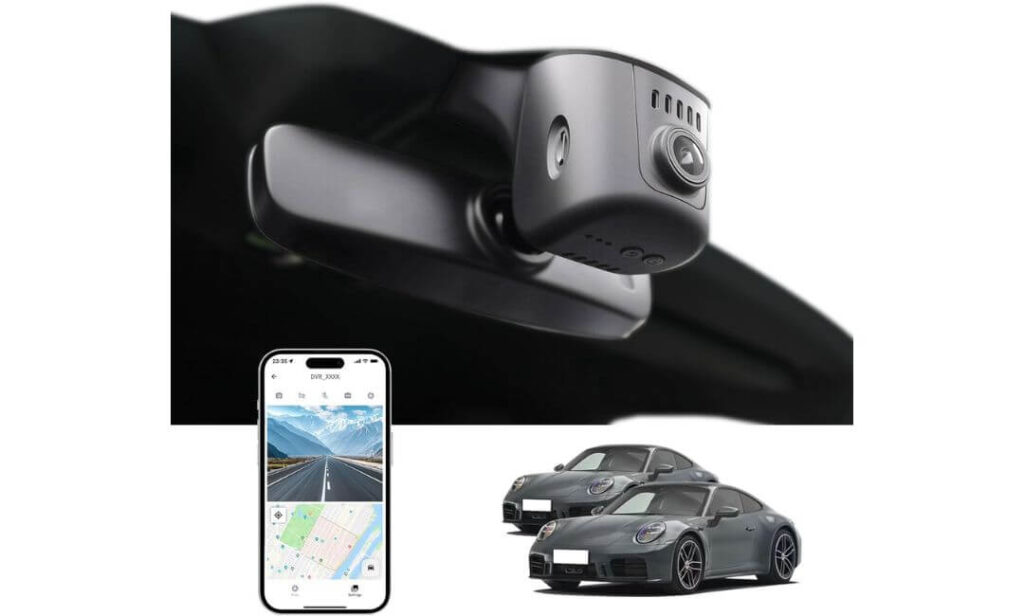
#3. KBSYNT Front 4K Dash Cam
Quick Specs:
- Best for: Porsche Cayenne owners who prefer a clean OEM-style front camera without the complexity of a rear setup
- Vehicle compatibility: Porsche Cayenne E3 (Model A)
- Video quality: 4K Ultra HD (2160P/30fps)
- Lens & imaging: f/1.6 aperture, 170° wide-angle, HDR night recording
- Design: Hidden OEM-style housing with factory-inspired fit
- Storage: 64GB microSD included, expandable up to 256GB
- Smart features: Built-in WiFi, mobile app, loop recording, G-Sensor
- Power: Built-in supercapacitor for improved long-term reliability
- Ideal for: Drivers who want a discreet factory look with dependable front-only recording
Not every Porsche Cayenne owner needs a rear camera. If your priority is keeping installation straightforward while still getting dependable 4K protection, this setup makes a strong case for itself. Instead of adding extra hardware throughout the cabin, everything stays focused on delivering a clean, factory-style appearance around the rear-view mirror.
Image quality is exactly where this camera earns its place. The 2160P recording, f/1.6 lens, 170-degree viewing angle, and HDR processing work together to capture sharp details across changing road conditions. Bright afternoon drives, shaded streets, and evening journeys all benefit from balanced exposure without making the footage look overly processed.
Daily operation stays refreshingly uncomplicated. Connect through the built-in WiFi, open the companion app, and download important recordings directly to your phone whenever needed. The included 64GB memory card gets you started immediately, while loop recording, G-Sensor protection, and support for larger storage cards mean the camera remains practical long after the first installation. (It’s a sensible choice for drivers who value a clean OEM installation more than adding extra cameras they may never use.)
Why It Fits This Guide So Well
- OEM-inspired design keeps the dashboard and windscreen looking uncluttered.
- 4K Ultra HD recording captures excellent front-facing detail.
- HDR helps maintain balanced footage during day and night driving.
- Built-in WiFi makes transferring recordings quick and straightforward.
- Supercapacitor design improves durability in demanding weather conditions.
One Thing Worth Knowing Before You Install
- If you want 24-hour parking monitoring, you’ll need to purchase the optional hardwire harness separately.
Porsche Cayenne Installation Notes
This camera has been designed specifically for the Porsche Cayenne E3 platform, allowing it to fit neatly behind the rear-view mirror instead of hanging below it like a conventional dash cam. That makes a noticeable difference if maintaining the original cabin appearance is one of your priorities.
Installation is generally straightforward using the supplied trim tool and factory-style mounting position. Before securing everything permanently, it’s worth checking that the housing clips are fully engaged and the camera angle is perfectly level for the cleanest finished result.
The Insider Pro-Tip
A high-quality front camera is often the smartest choice for drivers who spend most of their time commuting or travelling on motorways. It keeps the installation simpler, reduces the amount of wiring inside the vehicle, and still captures the incidents that matter most.
When setting up the camera for the first time, connect to the mobile app and confirm the viewing angle before your first drive. A small adjustment during installation can make a noticeable difference in how much of the road the 170° lens captures without including unnecessary dashboard reflections.
#4. Inefala 4K Dash Cam
Quick Specs:
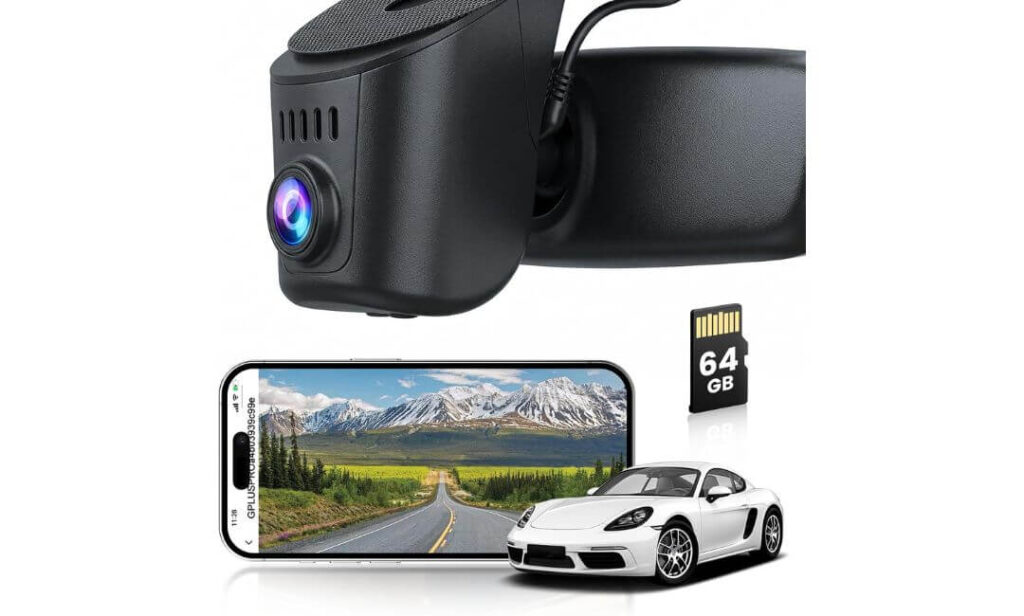
- Best for: Porsche Cayenne owners looking for an OEM-style 4K front camera with clean installation and practical everyday features
- Vehicle compatibility: Porsche Cayenne 9YA / 9Y0 / 9Y3
- Video quality: 4K Ultra HD (2160P/30fps)
- Lens & imaging: f/1.6 aperture, 150° wide-angle lens
- Installation: Factory-style mirror shroud replacement powered through the rain sensor
- Storage: 64GB microSD included, supports up to 256GB
- Smart features: Built-in WiFi, Viidure App, loop recording, G-Sensor
- Parking mode: Optional hardwire kit required for continuous parking monitoring
- Ideal for: Drivers who want a discreet OEM installation without paying for unnecessary extras
One of the easiest ways to spoil a premium cabin is by hanging a large camera beneath the mirror. This setup avoids that completely. By replacing the factory mirror shroud and drawing power directly from the rain sensor, it blends into the Porsche Cayenne in a way that feels intentional rather than aftermarket. Once installed, it’s the kind of upgrade you stop thinking about because it simply belongs there.
Recording quality is equally reassuring. The combination of 2160P 4K recording, a bright f/1.6 lens, and a 150-degree viewing angle captures clear road detail while covering multiple lanes without creating the stretched look that ultra-wide lenses sometimes produce. Whether you’re driving through city traffic or covering long motorway miles, the footage stays balanced and easy to review when it matters.
Using it every day doesn’t require much effort either. Open the Viidure App over the built-in WiFi, review clips, adjust settings, or save important footage directly to your phone without removing the memory card. Loop recording, G-Sensor protection, and the included 64GB card complete a package that focuses on practical ownership rather than unnecessary complexity. (It delivers exactly what most Cayenne owners actually need while keeping the cabin looking factory finished.)
Why It Earned a Place in This Guide
- Factory-style mirror housing creates an exceptionally clean installation.
- 4K Ultra HD recording delivers sharp front-facing footage.
- 150° wide-angle lens captures multiple lanes without excessive distortion.
- Built-in WiFi and Viidure App simplify video access and camera settings.
- Connects through the factory rain sensor for a tidy, wire-free appearance.
One Thing Worth Considering
- Continuous parking monitoring requires purchasing the optional hardwire kit separately.
Porsche Cayenne Installation Notes
Unlike universal dash cams that depend on suction cups or long power cables, this model replaces the factory mirror shroud and connects directly through the rain sensor. That approach keeps the dashboard, A-pillars, and windscreen free from visible wiring while maintaining the premium appearance of the Cayenne’s interior.
The supplied trim tool and pre-formatted memory card make the installation process more straightforward. Before clipping the housing into place permanently, it’s worth checking that the cover sits evenly against the factory trim for the cleanest possible finish.
The Insider Pro-Tip
If preserving the original look of your Porsche matters as much as recording quality, pay close attention to how a camera installs—not just what resolution it offers. A well-integrated OEM-style unit quickly becomes part of the vehicle, while a poorly mounted universal camera tends to stand out every time you get behind the wheel.
After installation, record a short daytime and nighttime test drive before relying on the camera full-time. It’s the quickest way to confirm the viewing angle is correct and that you’re capturing exactly what you expect before you ever need the footage.
#5. FUVYMYT OEM Style 4K Dash Cam
Quick Specs:
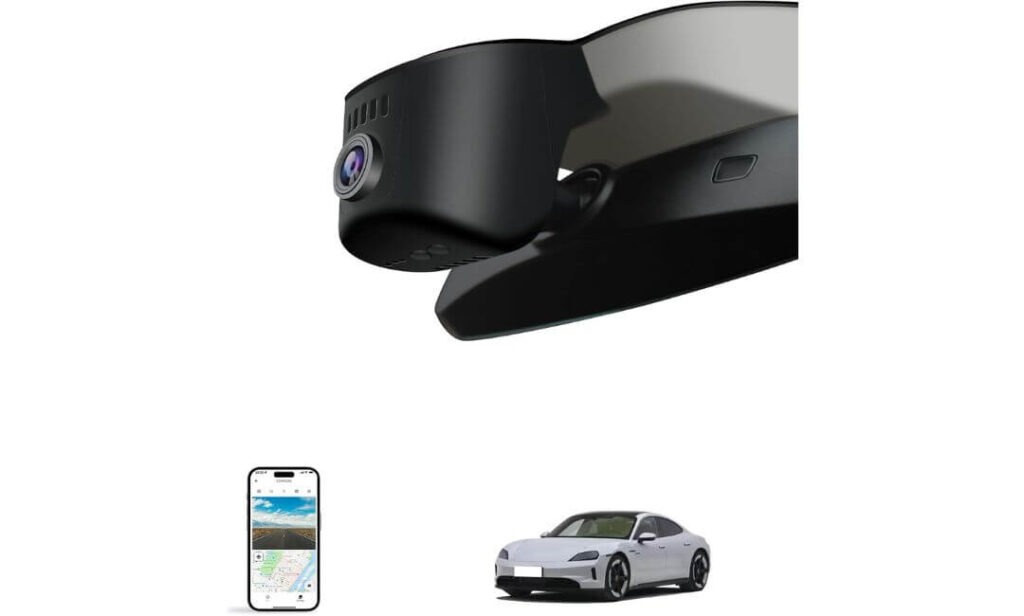
- Best for: Porsche Cayenne owners looking for an affordable OEM-style front dash cam with essential smart features
- Vehicle compatibility: Porsche Cayenne E3
- Video quality: 4K Ultra HD (2160P/30fps)
- Lens & imaging: f/1.6 aperture, 145° field of view, Super Night Vision
- Design: Rear-view mirror integrated OEM-style housing
- Storage: 64GB microSD included, expandable up to 256GB
- Smart features: Built-in WiFi, mobile app, loop recording, G-Sensor
- Parking mode: Optional hardwire kit available for continuous parking monitoring
- Ideal for: Drivers who want factory-style integration at a more budget-friendly price
Ending this list doesn’t make this camera a poor choice—it simply fills a different role. If your goal is to keep the Porsche Cayenne looking factory original while staying within a sensible budget, this is one of the more practical OEM-style options available. It avoids the oversized appearance of universal dash cams and fits neatly behind the rear-view mirror for a much cleaner finish.
The recording hardware covers everything most drivers genuinely need. With 4K Ultra HD recording, an f/1.6 aperture, 145-degree field of view, and Super Night Vision, it captures clear daytime footage while maintaining respectable visibility after dark. The slightly narrower viewing angle also helps reduce edge distortion, giving recordings a more natural perspective on the road ahead.
Everyday operation remains simple thanks to the built-in WiFi and companion app, allowing you to preview, download, and manage recordings directly from your smartphone. Loop recording, G-Sensor protection, the included 64GB memory card, and support for larger storage cards make it easy to install and start using immediately. (For drivers who care more about clean integration than chasing premium extras, it offers excellent day-to-day value.)
Why It Still Earned a Spot on This List
- OEM-style design keeps the Cayenne interior looking uncluttered.
- 4K Ultra HD recording captures dependable front-facing detail.
- Built-in WiFi makes accessing recordings quick and convenient.
- Includes a 64GB memory card and installation accessories in the box.
- Plug-and-play installation avoids complicated rewiring.
One Thing Worth Knowing
- The optional hardwire kit is required if you want continuous parking monitoring while the vehicle is switched off.
Porsche Cayenne Installation Notes
Designed specifically for the Porsche Cayenne E3, this camera installs behind the factory rear-view mirror housing instead of attaching directly to the windscreen. That helps preserve the premium appearance of the cabin while keeping the driver’s forward visibility completely clear.
Before ordering, it’s a good idea to compare your mirror housing with the manufacturer’s compatibility images to ensure the correct version. Once confirmed, installation is straightforward using the included trim tool and supplied wiring accessories.
The Insider Pro-Tip
If this is your first OEM-style dash cam, don’t judge the installation until every trim piece is clipped back into place. These cameras are designed to disappear into the mirror housing, so the finished result often looks dramatically cleaner than it does halfway through the installation process.
After setup, connect to the mobile app and review a few sample recordings before your first long drive. It’s a simple habit that lets you confirm the camera angle, recording quality, and WiFi connection while everything is still easy to adjust.
Best Porsche Cayenne Dash Cam Comparison: OEM Fit, 4K Recording and Key Features
| Dash Cam | Best For | Video Quality | OEM Integration | WiFi App | Memory Card | Parking Support | Overall Verdict |
|---|---|---|---|---|---|---|---|
|
Fitcamx 4K Dual Dash Cam
Editor’s Choice |
Drivers wanting the most complete factory-style setup. | 4K Front 1080P Rear |
Excellent Hidden mirror housing |
Yes | 128GB Included | G-Sensor & Parking Protection | Best balance of premium fit, dual recording and everyday usability. |
|
Mangoal Front 4K & Rear 1080P
Best Value |
Owners wanting premium dual-camera protection. | 4K Front 1080P Rear |
Excellent OEM mirror integration |
Yes | 128GB Included | G-Sensor & Parking Monitor | Outstanding value with STARVIS imaging and clean factory appearance. |
|
KBSYNT Front 4K Dash Cam
Simple Choice |
Drivers who only need reliable front recording. | 4K Front | Excellent Factory-style housing |
Yes | 64GB Included | Optional Hardwire Kit | Ideal if you prefer a cleaner setup without adding a rear camera. |
|
Inefala 4K Dash Cam
OEM Pick |
Drivers focused on discreet installation. | 4K Front | Excellent Rain sensor powered |
Yes | 64GB Included | Optional Hardwire Kit | Very clean installation with dependable everyday recording quality. |
|
FUVYMYT OEM Style 4K Dash Cam
Budget Pick |
Owners seeking OEM styling at a lower price. | 4K Front | Very Good Mirror-mounted design |
Yes | 64GB Included | Optional Hardwire Kit | Strong value for buyers who want factory styling without overspending. |
What Makes a Dash Cam the Right Choice for a Porsche Cayenne
Buying a dash cam for a Porsche Cayenne is different from buying one for an everyday family SUV. You’re protecting a premium vehicle with advanced driver-assistance systems, a carefully designed cabin, and expensive exterior panels. A camera that simply records video isn’t enough—it also needs to look like it belongs in the vehicle, operate reliably over time, and avoid compromising the driving experience.
The models in this guide were chosen because they meet those expectations. Rather than focusing only on headline specifications, we looked at how each camera fits the Cayenne, how practical it is to live with every day, and whether it delivers the kind of quality owners expect from a luxury SUV.
OEM-style installation should always come first
The first thing most Porsche owners notice isn’t the recording quality—it’s whether the camera looks out of place.
A bulky universal dash cam with exposed cables can instantly disrupt the clean dashboard layout of the Cayenne. That’s why an OEM-style dash cam makes far more sense. These models replace or integrate around the factory mirror housing, keeping wiring hidden and preserving the premium appearance of the cabin.
A proper OEM installation also reduces distractions while driving because nothing hangs below the mirror or blocks part of your forward view. The result feels less like an aftermarket accessory and more like equipment that could have been installed during production.
4K recording is more than a marketing feature
A Porsche Cayenne is designed to cover long motorway journeys comfortably and is capable of travelling at higher speeds than many SUVs. In those situations, clear video becomes far more important than simply having a camera.
A genuine 4K dash cam for Porsche Cayenne records noticeably finer details, making licence plates, road signs, lane markings, and surrounding vehicles easier to identify when reviewing footage. Pairing that resolution with a bright f/1.6 or f/1.8 lens, HDR or WDR processing, and a quality image sensor helps maintain clarity across changing lighting conditions instead of producing footage that looks impressive only in perfect daylight.
Decide whether front-only or dual-channel recording suits your driving
Not every driver needs the same recording setup.
A front dash cam is often enough for daily commuting, motorway driving, and documenting incidents that happen ahead of the vehicle. It also keeps installation simpler and avoids routing additional wiring through the rear of the cabin.
A front and rear dash cam for Porsche Cayenne offers broader protection by recording traffic approaching from behind, rear-end collisions, parking incidents, and damage that a front camera cannot capture. If you regularly travel with passengers, park in public areas, or spend time on busy roads, dual-channel recording provides an extra layer of evidence that’s difficult to replace later.
Parking protection matters just as much as driving footage
Many vehicle incidents happen when the engine is switched off rather than while you’re driving.
A dash cam with parking monitoring, motion detection, and a responsive G-Sensor can automatically save important footage if the vehicle is struck or disturbed while parked. Most OEM-style cameras support these functions, although continuous monitoring usually requires an optional hardwire kit to provide power after the ignition has been turned off.
If parked protection is important to you, it’s worth confirming hardwire compatibility before installation instead of discovering the limitation afterwards.
WiFi and app support make everyday ownership much easier
Removing the memory card every time you need a video quickly becomes inconvenient.
Built-in WiFi allows you to preview recordings, download important clips, adjust settings, and manage storage directly from your smartphone. While this may seem like a small feature initially, it becomes one of the functions you’ll use most after months of ownership.
A stable app experience also makes it easier to retrieve footage immediately after an incident, without needing a laptop or separate card reader.
Reliability matters more than an extra feature or two
Premium vehicles deserve hardware that’s designed for long-term use rather than occasional recording.
Look for dash cams built with supercapacitors, dependable loop recording, reliable G-Sensor performance, and consistent software support. These components generally tolerate heat better than battery-powered alternatives and are better suited to vehicles that spend time outdoors during warmer months.
Warranty coverage, replacement accessories, and responsive customer support are also worth considering. Even the best dash cam becomes frustrating if replacement parts or technical assistance are difficult to obtain.
The best dash cam is the one you’ll forget is installed
Ironically, the best upgrade inside a Porsche Cayenne is usually the one you stop noticing.
A well-designed OEM-style dash cam records automatically, stays hidden behind the mirror, transfers footage easily through WiFi, and never interferes with the premium feel of the interior. When a camera quietly does its job every time you drive without drawing attention to itself, that’s usually a sign you’ve chosen the right one.
Buying Guide: How to Choose the Best Dash Cam for Your Porsche Cayenne Without Compromising Factory Fit or Recording Quality
A Porsche Cayenne deserves more than a generic dash cam. This is a luxury SUV built with premium materials, advanced electronics, and a carefully designed interior where every component feels intentional. The wrong camera can leave visible wiring, block part of the windscreen, or simply look out of place. The right one should blend into the vehicle, record consistently in all conditions, and require very little attention once installed.
Before making a purchase, it’s worth looking beyond the advertised resolution and understanding which features genuinely improve everyday ownership.
Start with vehicle-specific compatibility before comparing features
The first thing to confirm isn’t the camera specification—it’s whether the dash cam is actually designed for your Porsche Cayenne.
OEM-style cameras are manufactured around specific mirror housings, rain sensor covers, and trim designs. Even if two vehicles share similar interiors, their mirror assemblies can differ enough to affect fitment. Always compare the mirror housing shown by the manufacturer with your vehicle before ordering.
Choosing a model built specifically for the Cayenne also reduces installation problems and helps maintain the clean, factory appearance that makes these cameras so appealing.
Prioritise recording quality that performs in real driving conditions
Resolution alone doesn’t guarantee better footage.
A quality 4K dash cam for Porsche Cayenne should combine high-resolution recording with a bright f/1.6 or f/1.8 lens, balanced HDR or WDR processing, and a reliable image sensor. These elements work together to preserve details during motorway driving, low winter sun, underground parking, tunnels, and night-time journeys.
Wide viewing angles between 145° and 170° generally provide good road coverage without introducing excessive edge distortion, making footage easier to review if an incident occurs.
Decide whether a front-only or dual-channel system matches your driving habits
Your daily driving routine should influence this decision more than the price.
A single-channel dash cam is often the right choice for drivers who mainly want reliable evidence of incidents ahead of the vehicle while keeping installation simple and discreet.
A front and rear dash cam for Porsche Cayenne offers broader protection by recording traffic approaching from both directions. Rear cameras become particularly valuable for documenting rear-end collisions, parking damage, lane-change incidents, and situations where another vehicle approaches from behind.
If you frequently drive in busy cities, travel long motorway distances, or leave your Cayenne parked in public areas, dual-channel recording provides a level of protection that’s difficult to replace after an incident.
Parking protection can be just as valuable as driving footage
Many insurance claims begin when the vehicle isn’t moving.
Features such as parking mode, motion detection, and a responsive G-Sensor allow the camera to automatically preserve footage if the vehicle experiences an impact while parked. Most OEM-style dash cams support these functions, although continuous recording normally requires an optional hardwire kit connected to the vehicle’s electrical system.
If parked protection is important, factor the cost of the hardwire kit into your purchase rather than treating it as an afterthought.
Built-in WiFi, GPS and cloud features improve long-term ownership
These features rarely influence the buying decision at first, but they often become the ones owners appreciate most.
Built-in WiFi allows you to preview footage, change settings, and download recordings directly to your smartphone without removing the memory card. It’s faster, more convenient, and particularly useful after an incident when you want immediate access to the video.
Some premium dash cams also include or support GPS, allowing recordings to store driving speed and location data alongside the video. Certain brands additionally offer cloud connectivity, enabling remote notifications, cloud storage, or live vehicle monitoring. While cloud features aren’t essential for every driver, they can provide added convenience for owners who regularly leave their Cayenne parked away from home.
OEM integration is usually worth choosing over universal designs
Universal dash cams may appear less expensive initially, but they often introduce compromises that become noticeable every time you drive.
An OEM-style dash cam integrates around the factory mirror housing, hides its wiring, and preserves the original appearance of the dashboard. Universal cameras typically rely on adhesive mounts, exposed power cables, or suction cups that can distract from the premium design of the interior.
For most Porsche Cayenne owners, maintaining the factory look is just as important as recording quality, making OEM integration the more satisfying long-term investment.
Consider the installation before placing your order
Most OEM-style dash cams are designed as plug-and-play upgrades, but that doesn’t mean every installation takes the same amount of time.
Front-only models generally install more quickly because they don’t require cable routing to the rear of the vehicle. Dual-channel systems need additional time to run the rear camera cable neatly through the factory trim while keeping everything hidden.
If you’re comfortable removing interior trim carefully with plastic tools and following installation instructions, many owners complete the installation themselves. However, if preserving every trim clip and achieving a perfect factory finish is your highest priority, professional installation may be worthwhile.
Check compatibility with your Cayenne’s electronics and mirror housing
Modern Porsche Cayenne models include rain sensors, driver-assistance cameras, automatic headlights, and other electronics positioned around the rear-view mirror.
A properly engineered OEM dash cam is designed to work around these systems without obstructing them. It should also operate independently of features such as Apple CarPlay, Android Auto, and the Porsche infotainment system, ensuring your everyday driving experience remains unchanged after installation.
Before ordering, confirm the exact mirror housing style, trim version, and model compatibility listed by the manufacturer. Spending a few minutes verifying fitment now can prevent unnecessary returns and make installation considerably smoother later.
Porsche Cayenne Dash Cam Installation Guide: Achieving a Clean Factory Finish Without Compromising Safety or Interior Quality
Installing a dash cam in a Porsche Cayenne isn’t difficult, but the approach matters. The difference between a setup that looks factory-installed and one that feels obviously aftermarket usually comes down to planning, cable routing, and taking your time during installation. Rushing the process often leads to loose trim, visible wiring, or a camera that’s slightly off-centre—small details that become noticeable every time you drive.
The OEM-style cameras recommended in this guide are designed to simplify installation by integrating around the mirror housing, but there are still a few best practices worth following before you begin.
Prepare everything before removing a single trim panel
A successful installation starts long before the camera is connected.
Take a few minutes to confirm that the dash cam matches your Porsche Cayenne mirror housing, check that the included memory card is installed correctly, and update the companion mobile app if required. It’s also worth reading the installation guide once from beginning to end so you know exactly where every component will be positioned.
For most OEM-style dash cams, you’ll normally need:
- Plastic trim removal tool
- Microfibre cloth for cleaning the mirror area
- Memory card supplied with the camera
- Smartphone for WiFi setup and camera alignment
- Optional hardwire kit if continuous parking monitoring is required
Most owners choose between two power options:
- OEM mirror or rain-sensor connection, used by the cameras in this guide, provides the cleanest installation with no visible wiring.
- Hardwire kit, recommended if you want parking monitoring while the engine is switched off. Always use the correct fuse location and follow the manufacturer’s instructions to protect the vehicle’s electrical system.
Position the camera where Porsche intended the mirror housing to sit
Camera placement has a direct impact on both recording quality and everyday visibility.
The best position is immediately behind the rear-view mirror, where the factory mirror housing naturally hides the camera from the driver’s seating position. This keeps the windscreen uncluttered while allowing the lens to capture the full road ahead.
Avoid positioning the camera lower on the glass simply because it’s easier to reach. Besides looking less professional, it can reduce visibility and create unnecessary distractions during driving.
Before locking the housing into place, confirm that the camera sits level and points straight ahead rather than slightly toward either side of the road.
Keep every cable inside the factory trim whenever possible
Visible wiring is usually the biggest giveaway that a dash cam has been added later.
One advantage of OEM-style cameras is that most of the wiring remains hidden inside the original mirror housing or factory trim panels. If you’re installing a dual-camera system, route the rear camera cable through the headliner and existing interior trim instead of allowing it to cross exposed sections of the cabin.
Take your time when removing trim panels. Modern Porsche interiors fit together precisely, and forcing clips or pulling too aggressively can damage retaining tabs that are expensive to replace.
The goal should always be that someone sitting inside the Cayenne cannot immediately identify where the wiring has been routed.
Installing a rear camera requires patience more than technical skill
Running the rear camera cable usually takes longer than installing the front camera itself.
Guide the cable through the headliner, continue along the factory trim, and avoid placing unnecessary pressure on weather seals or moving tailgate components. Leave a small amount of slack where recommended so the cable isn’t placed under tension each time the rear hatch opens and closes.
Before removing the adhesive backing, sit in the driver’s seat and confirm that the rear camera is perfectly level. A slight adjustment at this stage is much easier than repositioning the camera after the adhesive has fully bonded to the glass.
Configure the camera before your first journey
Once installation is complete, don’t assume everything is ready simply because the camera powers on.
Open the companion app using the built-in WiFi, preview the live image, and confirm that the horizon appears level. Check the recording resolution, verify that loop recording is enabled, and ensure the G-Sensor sensitivity matches your driving conditions rather than leaving every setting at its factory default.
If your camera supports parking monitoring, confirm that the hardwire kit has been configured correctly before relying on the feature.
Perform a real-world recording test before relying on the footage
The final step is the one many owners skip.
Take the Porsche Cayenne on a short drive that includes open roads, traffic, shaded areas, and brighter sunlight. Afterwards, review both the daytime footage and, if possible, another short recording after dark. Pay attention to image sharpness, reflections, camera angle, and whether number plates remain readable during normal driving.
If you regularly park outdoors in warm climates, leave the vehicle in direct sunlight for a while and verify that the camera continues operating normally after the cabin temperature rises. The OEM-style cameras in this guide are designed for demanding conditions, but confirming everything works correctly after installation provides valuable peace of mind.
Spending an extra fifteen minutes checking the finished installation can easily prevent months of frustration later. Once the camera is correctly positioned, securely mounted, and recording consistently, it becomes one of those upgrades you’ll rarely notice—until the day you’re genuinely glad it’s there.
FAQs About Porsche Cayenne Dash Cam
Is an OEM-style dash cam actually better than a universal dash cam for a Porsche Cayenne?
In most cases, yes. The biggest advantage isn’t just appearance—it’s how well the camera integrates with the vehicle. A Porsche Cayenne has a carefully designed mirror housing, rain sensor assembly, and driver-assistance area, so a camera built specifically for that layout usually delivers a cleaner installation, better visibility, and far fewer exposed cables.
An OEM-style camera also tends to feel more natural during daily use because it sits behind the rear-view mirror instead of hanging below it. That means fewer distractions while driving and a cabin that still looks like a Porsche rather than a vehicle with aftermarket accessories attached to the windscreen.
Does a front-only dash cam make sense for a Porsche Cayenne, or is a dual-channel system worth paying extra for?
That depends more on how you use your Cayenne than how much you spend.
A front-only camera is often enough if your priority is documenting motorway driving, commuting, or incidents that happen ahead of the vehicle. It also makes installation quicker and keeps the setup even cleaner.
A front and rear system becomes a smarter investment if you regularly:
- Park in public car parks.
- Drive in heavy urban traffic.
- Carry passengers frequently.
- Travel long motorway distances.
- Want evidence of rear-end collisions or parking damage.
For many owners, the rear camera isn’t something they use every day—but it’s often the footage they’re most grateful to have after an incident.
Will installing an OEM dash cam affect Apple CarPlay, parking sensors, rain sensors, or other Porsche Cayenne electronics?
A properly designed OEM-style dash cam shouldn’t interfere with the normal operation of the vehicle because it’s engineered to work around the existing mirror housing rather than replacing factory electronics. The cameras featured in this guide continue to allow normal use of features such as Apple CarPlay, Bluetooth connectivity, parking sensors, and the Porsche infotainment system when installed correctly.
That said, compatibility always starts with choosing the correct version for your mirror housing. Even small differences between trim levels can affect installation, so confirming the exact fitment before ordering is one of the simplest ways to avoid unnecessary problems later.
What installation mistake causes the biggest disappointment after buying a Porsche Cayenne dash cam?
Surprisingly, it usually isn’t wiring—it’s positioning.
Many owners complete the installation and immediately start driving without checking the live camera view. A camera that’s tilted only a few degrees or mounted slightly too low can reduce useful road coverage, introduce unnecessary dashboard reflections, or make reviewing footage less effective when it’s actually needed.
Before finishing the installation, it’s worth taking a few extra minutes to:
- Preview the live image through the mobile app.
- Confirm the horizon is level.
- Check that the bonnet doesn’t occupy too much of the frame.
- Record a short daytime test drive before securing every trim panel permanently.
Those small checks often make a bigger difference than upgrading to a more expensive camera.
How long should a quality OEM-style dash cam realistically last in a Porsche Cayenne?
Longevity depends far more on build quality than headline specifications.
A well-built camera with a supercapacitor, stable software, reliable loop recording, and good thermal management is generally better suited to years of daily use than one that focuses only on resolution. Heat inside a parked vehicle, repeated vibration, and continuous recording place far more stress on a dash cam than many buyers realise.
The best approach is to treat the camera like any other electronic safety device. Check for firmware updates occasionally, format the memory card every few months if recommended by the manufacturer, and review a few recordings from time to time to confirm everything is still working as expected. That small amount of routine maintenance often does more for long-term reliability than replacing the camera with a newer model every couple of years.
Final Thoughts
Finding the right dash cam for a Porsche Cayenne isn’t about choosing the one with the longest feature list. It’s about finding a camera that feels like it belongs in the vehicle from the moment it’s installed. A clean OEM-style fit, dependable 4K recording, stable WiFi connectivity, and hardware you can rely on every day will always matter more than specifications you’ll rarely use.
If your priority is the most complete overall package, the Fitcamx 4K Dual Dash Cam remains our top recommendation because it combines factory-style integration, front and rear recording, and an ownership experience that suits the premium nature of the Cayenne. The Mangoal Front 4K & Rear 1080P Dash Cam is an excellent alternative for buyers looking for outstanding value with dual-channel coverage, while the remaining options on this list offer sensible choices for drivers who prefer a simpler front-only setup without giving up the clean factory appearance.
The most important advice is surprisingly simple: buy the dash cam that matches your Cayenne, not just your budget. A model designed specifically for your mirror housing, installed carefully, and configured correctly will usually provide a better long-term experience than a more expensive universal camera that never truly feels integrated.
Long after you’ve forgotten the day you installed it, your dash cam will continue recording every journey without asking for attention. And if the unexpected ever happens, you’ll appreciate having clear, reliable footage from a system that quietly did its job exactly as intended. That’s ultimately what makes a dash cam worth fitting to a Porsche Cayenne in the first place.
Also Check:


