
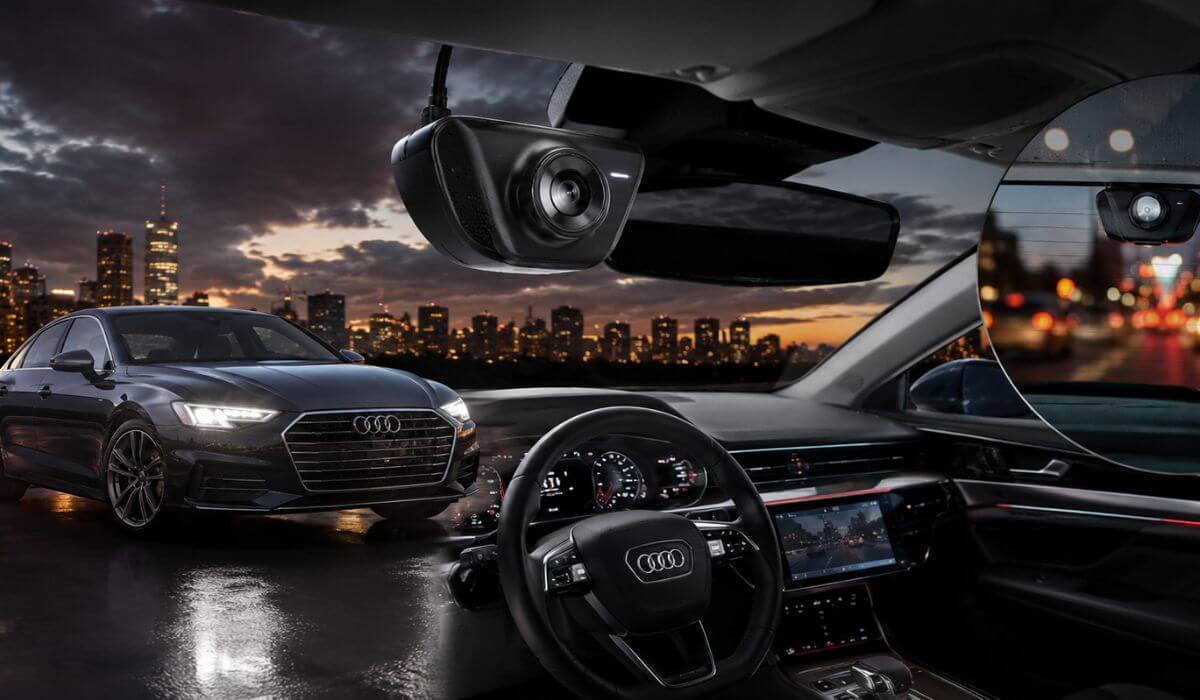
5 Best Dash Cams for Audi A6 in 2026: OEM Fit 4K Recording With Rear Camera
If you own an Audi A6, choosing a dash cam isn’t just about getting the highest resolution. The A6 has a clean, premium cabin with tightly integrated electronics, so a bulky windshield-mounted camera can spoil visibility and often looks out of place. That’s why we focused on OEM-style dash cams designed specifically for the 2019-2026 Audi A6 (C8 generation), where available. These models replace or blend into the factory housing near the rear-view mirror, giving you a factory-installed appearance without cutting wires or cluttering the windshield.
We also looked beyond marketing claims. Since many of these Audi-specific dash cams are relatively new, long-term ownership data is still limited. Instead of relying on early ratings alone, we compared installation design, video hardware, parking mode support, WiFi stability, app usability, GPS availability, included storage, and overall value. The goal was simple: recommend dash cams that genuinely make sense for everyday Audi A6 owners—not just the ones with the longest feature list.
Best Audi A6 Dash Cams: Top OEM 4K Picks With Factory Fit
#1. Fitcamx 4K Dash Cam
Best OEM Dash Cam for Audi A6 (2019-2026) With Factory Integration, 4K UHD Recording, WiFi Control and Reliable Parking Mode
#2. Mangoal Front 4K & Rear 1080P Dash Cam
Best Dual Channel Dash Camera for Audi A6 Owners Wanting OEM Fit, GPS Navigation Data and Front Rear Coverage
#3. KBSYNT Front 4K & Rear 1080P Dash Cam
Best Value Audi A6 Dash Cam With OEM Style Installation, WiFi App Connectivity and Crisp 4K Video Quality
#4. KUTAITAI Front 4K + Rear 1080P Dash Cam
Affordable OEM Dash Cam for Audi A6 Featuring 4K Front Recording, Rear Camera Support and Plug and Play Setup
#5. FUVYMYT Dual Channel 4K & 1080P Dash Cam
Budget Friendly Audi A6 Dash Camera With Factory Look, Dual Channel Recording, WiFi App and Everyday Driving Protection
Expert Tip: If your Audi A6 is your daily driver, don’t choose a dash cam just because it records in 4K. The way it fits the car matters just as much as the video quality. A factory-style camera mounted inside the mirror housing is less noticeable from outside, keeps your windshield uncluttered, and is far less likely to become a distraction while driving. Also, if you plan to use parking mode, budget for the correct hardwire kit. A proper low-voltage cutoff helps protect your vehicle’s battery while still allowing the camera to monitor the car when it’s parked. In our experience, that’s the difference between a setup you forget is there and one that becomes a constant annoyance.
How We Chose the Best Dash Cams for Audi A6
Most “best dash cam” lists simply copy product specifications. That wasn’t our approach.
For this guide, we started with one question: Would we actually install this dash cam in an Audi A6 instead of a universal windshield-mounted camera? If the answer wasn’t clear, it didn’t make the shortlist.
The first thing we evaluated was vehicle compatibility. Every recommendation here is designed for the 2019-2026 Audi A6 (C8 platform) or compatible Audi models using the same mirror assembly. A clean OEM-style installation was a priority because that’s what most Audi owners expect from an aftermarket accessory.
Next, we looked at real-world recording hardware, not just advertised resolution. A camera claiming 4K isn’t automatically better. We compared front and rear recording capability, image clarity in changing light, loop recording reliability, available GPS, WiFi performance, app stability, and how practical each camera is for everyday driving instead of only ideal conditions.
We also paid close attention to the installation experience. Several Audi-specific dash cams look nearly identical on paper, but there are noticeable differences in housing fit, wiring design, included accessories, memory card support, and how naturally they blend into the A6’s interior. Those details have a much bigger impact on long-term satisfaction than another feature listed on the product page.
Because many of these Audi A6 dash cameras are relatively new, we didn’t rely on early review counts alone. Instead, we compared the manufacturer’s reputation, consistency across similar Audi fitment models, software support, firmware history where available, and the overall ownership experience buyers can realistically expect over time.
Finally, we considered overall value, not simply price. Every recommendation earned its place because it offers a combination of factory-style integration, dependable 4K recording, practical features, and an installation that feels like it belongs in the Audi A6, rather than looking like an aftermarket add-on. Our goal was to recommend products we would confidently install in our own vehicle—not simply fill a list with the newest releases.
#1. Fitcamx 4K Dash Cam
Quick Specs:
- Vehicle Compatibility: Audi A6 (Compatible with Model A mirror housing), plus selected Audi A3, A4, A5, A7, A8, Q3, Q5, Q7, Q8, TT and e-tron models
- Video Resolution: 4K Ultra HD (2160P) Front Recording at 30fps
- Lens & Coverage: 170° Wide-Angle Lens with f/1.6 aperture
- Installation Style: OEM mirror housing replacement with no visible windshield wiring
- Image Processing: WDR for balanced daytime and low-light recording
- Connectivity: Built-in WiFi with FITCAMX mobile app
- Storage: 64GB microSD card included, expandable up to 256GB
- Safety Features: Loop Recording, G-Sensor Event Lock and Parking Mode (requires optional hardwire kit)
- Build Quality: Premium PC + ABS housing designed for factory-style fitment
- Operating Temperature: -20°C to 85°C
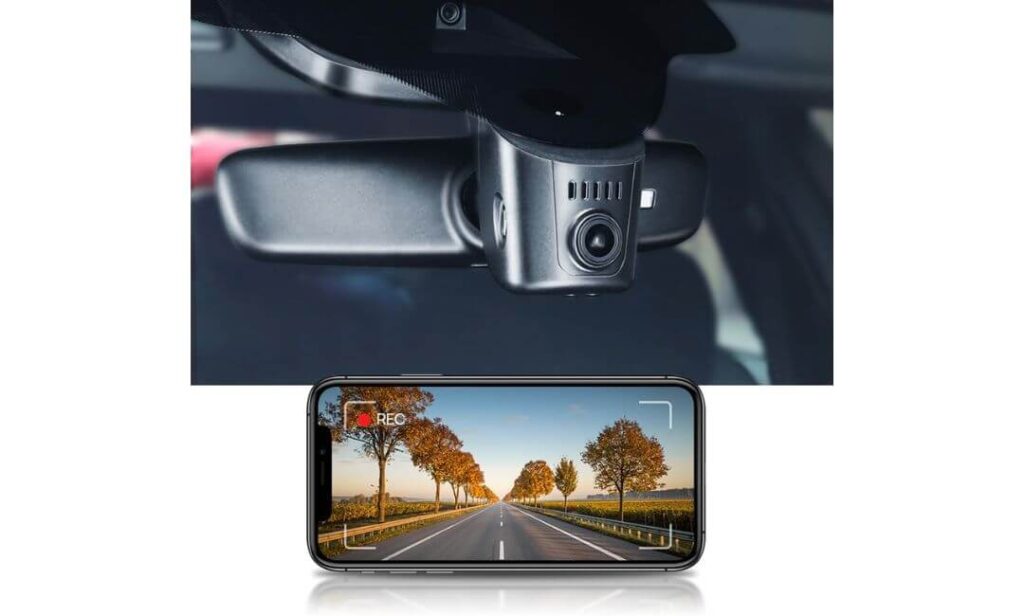
From the moment this camera is installed, it becomes clear why so many Audi owners prefer an OEM-style dash cam over a traditional windshield-mounted model. Instead of adding another device to the cabin, it replaces the factory mirror cover and blends naturally into the interior. If someone gets into your Audi A6 for the first time, there’s a good chance they won’t even realise a dash camera is installed—and that’s exactly the point.
Recording quality also feels well matched to the Audi A6 rather than simply chasing headline numbers. The 4K Ultra HD front camera, 170-degree viewing angle, WDR image processing, and bright f/1.6 lens produce footage that’s detailed enough to capture traffic situations without making colours look overly processed. The built-in WiFi and FITCAMX app mean downloading clips only takes a few taps instead of removing the memory card every time something happens on the road.
Installation deserves an honest mention because it’s different from universal dash cams. This isn’t a suction-cup camera that sticks to the windshield in two minutes. You’ll remove the factory mirror cover, connect the supplied harness to the rain sensor area, and clip everything back into place. Most owners can complete the installation in around 15 to 30 minutes, and the reward is a finish that genuinely looks factory installed rather than aftermarket.
(If keeping the original premium look of your Audi A6 matters just as much as recording quality, this is easily one of the strongest factory-style options currently available.)
Why It Made Our Recommendation List
- One of the cleanest OEM-style installations available for the Audi A6, with no dangling cables or bulky windshield mount.
- Sharp 4K recording combined with WDR technology helps preserve useful detail in bright sunlight, tunnels and night driving.
- Built-in WiFi and the FITCAMX app make reviewing and downloading important clips much quicker than removing the memory card.
- Reliable loop recording and G-Sensor protection ensure important impact footage isn’t overwritten during normal driving.
- Premium housing quality matches Audi’s interior surprisingly well, making it feel closer to an original factory accessory than a typical aftermarket camera.
One Thing Buyers Should Know Before Ordering
If you want parking surveillance while the vehicle is switched off, you’ll need the optional hardwire kit. The camera supports parking mode, but continuous monitoring isn’t available straight out of the box.
Audi A6 Compatibility and Installation Notes
This version is designed for Audi A6 models that use the Model A mirror cover, alongside several other Audi vehicles sharing the same mirror assembly. Before ordering, spend a minute comparing your mirror housing with the product images—it avoids compatibility surprises and makes installation much smoother.
You’ll also need a plastic trim removal tool (usually included or inexpensive to buy) to remove the mirror cover without marking the interior trim. During installation, take extra care when disconnecting the rain sensor connector, as that’s where the camera draws power. No wire cutting or permanent modifications are required, which is one of the biggest reasons this setup remains popular with Audi owners.
The Insider Pro-Tip
Factory-style dash cams work best when they’re treated like factory equipment. Once installed, update the camera settings before your first drive—set the correct time zone, loop recording length, and G-Sensor sensitivity. These small adjustments prevent unnecessary locked files and make it much easier to find important footage later.
One more thing experienced Audi owners often do is record a short drive in both daylight and after dark, then review the footage on the FITCAMX app before putting the trim tools away. It’s a simple five-minute check that confirms the camera angle, image quality and WiFi connection are all working perfectly before you ever need the footage for something important.
#2. Mangoal Front 4K & Rear 1080P Dash Cam
Quick Specs:
- Vehicle Compatibility: Audi A6 (Model A Black mirror housing), plus selected Audi A3, A4, A5, A7, A8, Q3, Q5, Q7, Q8, TT, RS and e-tron models
- Recording Quality: 4K Ultra HD Front + 1080P Rear dual-channel recording
- Image Sensor: Sony STARVIS IMX335 for improved low-light performance
- Viewing Angle: 150° Front and 140° Rear
- Installation Style: OEM-style mirror housing with rain sensor power connection
- Navigation Support: External GPS module included
- Connectivity: Built-in WiFi with companion mobile app
- Storage: 128GB microSD card included
- Driving Features: Loop Recording, G-Sensor, Motion Detection and Parking Monitor
- Power System: Supercapacitor design for improved durability in extreme temperatures
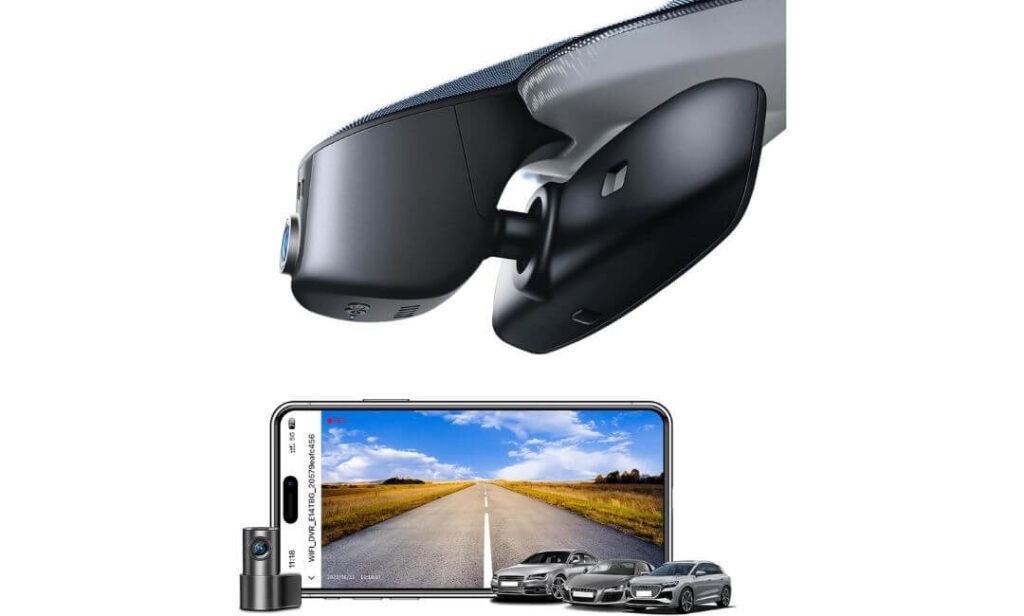
What immediately separates this model from many factory-style dash cams is that it doesn’t stop at a clean installation—it adds a rear camera and dedicated GPS module without making the interior look cluttered. For Audi A6 owners who spend a lot of time on motorways or regularly park in public places, having both front and rear coverage adds an extra level of confidence that a single-camera setup simply can’t provide.
Recording performance is another reason it stands out. The combination of 4K front recording, 1080P rear footage, and the Sony STARVIS IMX335 sensor produces noticeably cleaner night recordings than many generic OEM-style cameras. Number plates remain easier to identify in changing light, while the 150° front and 140° rear viewing angles help reduce blind spots without creating excessive fisheye distortion. Add the built-in GPS, WiFi, and included 128GB memory card, and it arrives ready for daily use rather than requiring immediate upgrades.
Installation is still worth approaching carefully. Like other Audi-specific integrated dash cams, this version depends on selecting the correct mirror housing (Model A Black) before ordering. Once the fitment is confirmed, the supplied rain sensor adapter allows for a tidy installation without cutting factory wiring. It takes more patience than a universal dash cam, but the finished result genuinely looks like part of the original vehicle.
(If front-and-rear recording is high on your priority list, this is one of the most complete factory-style solutions currently available for the Audi A6.)
Why It Deserves a Spot in This Guide
- Dual-channel 4K front and 1080P rear recording provides wider evidence coverage during everyday driving.
- Sony STARVIS IMX335 sensor delivers stronger low-light performance than many entry-level integrated dash cams.
- Built-in GPS records location and driving data without requiring additional accessories.
- 128GB memory card is included, so the camera is ready to use straight out of the box.
- The OEM-style housing keeps the premium Audi A6 interior looking clean without visible wiring across the windshield.
One Thing Worth Checking Before You Order
This camera is available in multiple housing versions, so confirm that your Audi A6 uses the correct Model A Black mirror cover before purchasing. Spending a minute checking compatibility can save a lot of installation frustration later.
Audi A6 Compatibility and Installation Notes
This version is engineered for Audi A6 models equipped with the Model A Black mirror housing and shares compatibility with several other Audi vehicles using the same sensor cover design. Before placing your order, compare your factory mirror cover with the manufacturer’s compatibility images or contact the seller if you’re unsure.
Because this package includes a rear camera, installation takes longer than a front-only system. Along with fitting the main unit near the rain sensor, you’ll also route the rear camera cable through the headliner and rear trim panels. A plastic trim removal tool, patience, and careful cable routing are all you’ll normally need to achieve a clean factory-style finish.
The Insider Pro-Tip
If you’re choosing a dual-channel dash cam, spend an extra few minutes adjusting the rear camera angle instead of accepting the default position. A slight adjustment often captures more of the lane behind your Audi A6 while reducing reflections from the rear glass, especially during night driving.
After installation, take a short drive and review both the front and rear recordings together on the mobile app. It’s one of the easiest ways to confirm that the GPS, WiFi, camera alignment, and rear cable connection are all working correctly before you rely on the system for an important journey.
#3. KBSYNT Front 4K & Rear 1080P Dash Cam
Quick Specs:
- Vehicle Compatibility: Audi A6 (Model A mirror housing) and selected Audi A3, A4, A5, A7, A8, Q3, Q5, Q7, Q8, TT and e-tron models
- Recording Quality: 4K Ultra HD Front + 1080P Rear recording
- Lens: f/1.6 wide-angle lens with 170° field of view
- Image Processing: HDR for improved night-time clarity
- Installation Style: Factory-style hidden installation with no exposed wiring
- Connectivity: Built-in 2.4GHz WiFi with mobile app control
- Storage: 128GB memory card included, expandable up to 256GB
- Driving Protection: Loop Recording, G-Sensor Event Lock and Parking Monitoring (hardwire kit sold separately)
- Power Design: Plug-and-play Y-type adapter for cleaner installation
- Audio: Built-in microphone with optional audio recording
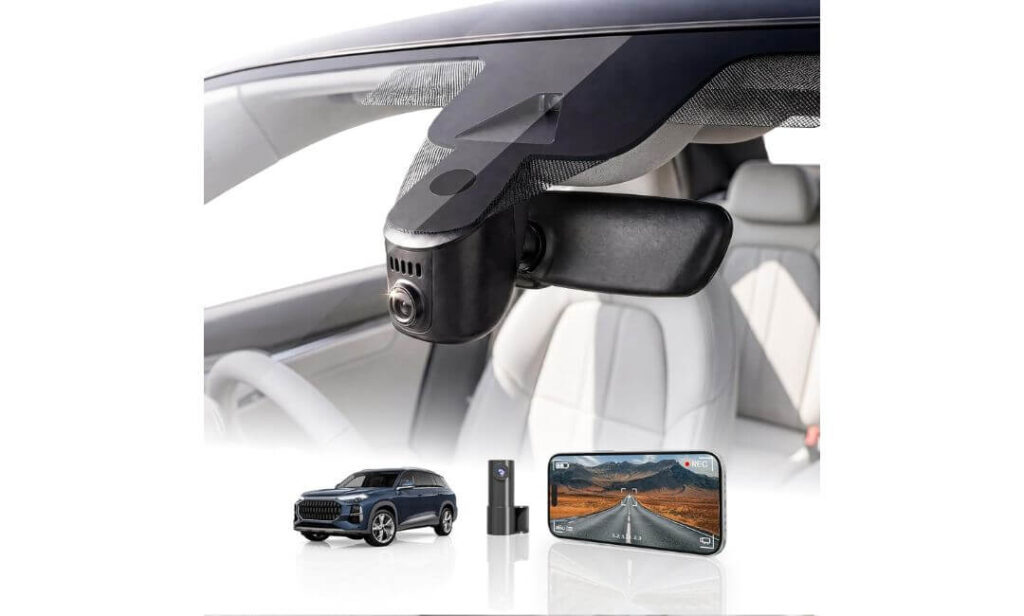
There’s a reason this model sits comfortably in the middle of our recommendations. It doesn’t try to impress with unnecessary extras—instead, it focuses on the features most Audi A6 owners actually use every day. The hidden OEM-style installation, dual-channel recording, and straightforward setup make it a practical choice for drivers who want dependable protection without changing the premium feel of the cabin.
On the road, the hardware delivers exactly what you’d expect from a modern factory-style dash cam. The 4K front camera, 1080P rear camera, 170-degree viewing angle, f/1.6 lens, and HDR image processing work together to produce clear recordings across a wide range of driving conditions. Whether you’re commuting through busy traffic or covering long motorway miles, the footage remains detailed enough to preserve important road information while keeping low-light performance consistent after dark.
The ownership experience is equally easy to live with. Built-in 2.4GHz WiFi lets you access recordings through the companion app without removing the memory card, while the included 128GB storage means you can start recording immediately. Loop recording keeps everyday operation automatic, and the G-Sensor protects important impact footage from being overwritten if an incident occurs.
(For Audi A6 owners who value simplicity, clean installation and reliable everyday performance, this strikes one of the best balances in the entire lineup.)
Why It Earned Our Recommendation
- OEM-style hidden installation keeps the windshield clean and preserves the original Audi interior appearance.
- 4K front and 1080P rear recording provide dependable coverage for both daily commuting and longer journeys.
- HDR processing with an f/1.6 lens improves visibility when driving at night or through changing light conditions.
- Built-in WiFi and mobile app make downloading and reviewing recordings quick without removing the memory card.
- 128GB card included with support for larger storage, allowing the camera to be used straight out of the box.
One Detail to Check Before Buying
This version is intended for Audi models without the factory camera positioned behind the rear-view mirror. Checking your mirror housing before ordering is a simple step that helps ensure a smooth installation.
Audi A6 Compatibility and Installation Notes
This dash cam is designed for Audi A6 models using the Model A mirror cover and shares fitment with several other Audi vehicles built on the same mirror assembly. Before purchasing, compare the mirror housing with the manufacturer’s reference images to confirm compatibility.
Installation is refreshingly straightforward thanks to the included Y-type power adapter, which allows the camera to draw power from the factory rain sensor without cutting or modifying the original wiring. A plastic trim removal tool is all you’ll typically need, although taking your time when removing the mirror cover will help achieve the clean factory finish this camera is designed for.
The Insider Pro-Tip
One setting many owners overlook is HDR mode. Leave it enabled unless you’re testing image quality in bright daylight. HDR does far more than improve night footage—it also helps balance sudden changes in lighting, such as driving out of underground parking areas or through tunnels, where ordinary cameras often struggle.
Before reinstalling every trim panel, connect the app once and confirm that the WiFi connection, live preview, and recording angle all look correct. Spending two extra minutes at this stage is much easier than removing the mirror housing again after everything has been clipped back into place.
#4. KuTaiTai Front 4K + Rear 1080P Dash Cam
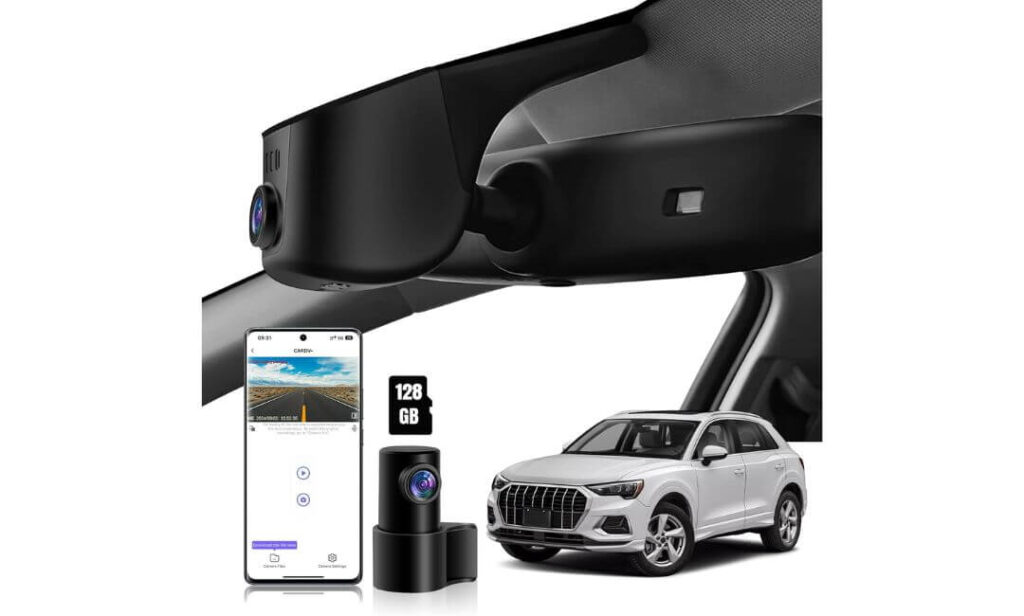
Quick Specs:
- Vehicle Compatibility: Audi A6 (Model A mirror housing) and selected Audi A3, A4, A5, A7, A8, Q3, Q5, Q7, TT, RS and e-tron models
- Recording Quality: 4K Ultra HD Front + 1080P Rear dual-channel recording
- Processor & Lens: Novatek chipset with f/1.8 wide-aperture lens
- Viewing Angle: 170° Front and 140° Rear
- Installation Style: Hidden OEM-style mirror housing with rain sensor power connection
- Connectivity: Built-in WiFi with Android and iOS app support
- Storage: 128GB microSD card included
- Safety Features: Loop Recording, G-Sensor, Parking Monitoring and Time-Lapse Parking Mode (ACC hardwire connection required)
- Installation Kit: ACC fuse cable, rain sensor adapter, rear camera cable and trim tool included
- Power Design: Plug-and-play factory-style installation
Sometimes the biggest selling point isn’t another feature—it’s the fact that almost everything you need comes in one box. That’s exactly where this model stands out. Along with the front 4K camera, 1080P rear camera, and 128GB memory card, it also includes the ACC power cable and rain sensor adapter, making it one of the more complete packages for Audi A6 owners planning a proper factory-style installation from day one.
On the recording side, it delivers exactly what most drivers expect from a modern integrated dash cam. The combination of 4K front resolution, 1080P rear recording, a Novatek processor, f/1.8 lens, and wide 170°/140° viewing angles captures clear footage across city streets, motorways and night drives. Built-in WiFi makes transferring videos straightforward through the companion app, while the included memory card means you can start recording immediately without buying extra storage.
Installation is refreshingly well thought out. The camera takes power directly from the rain sensor assembly, so there are no cables hanging across the windshield once fitted. If you want to use the parking monitoring or time-lapse parking mode, simply connect the supplied ACC fuse cable during installation. It takes a little more time than a basic dash cam setup, but the finished result looks much closer to an original Audi accessory.
(For buyers who prefer receiving a complete installation kit instead of purchasing extra accessories separately, this package offers excellent overall value.)
Why It Deserves Your Attention
- Complete installation package includes the ACC fuse cable, rain sensor adapter and rear camera hardware.
- 4K front and 1080P rear recording provide dependable coverage for both driving and parked situations.
- Novatek processor with f/1.8 lens helps deliver detailed recordings in changing daylight and evening conditions.
- Built-in WiFi and mobile app allow quick access to footage without removing the memory card.
- Time-lapse parking mode offers additional vehicle monitoring when connected with the supplied ACC power cable.
One Thing to Know Before Ordering
Before purchasing, confirm that your Audi A6 uses the correct Model A mirror cover. The hardware is vehicle-specific, so choosing the correct housing version is far more important than the camera specifications themselves.
Audi A6 Compatibility and Installation Notes
This version is designed for Audi A6 models equipped with the Model A mirror housing and several other compatible Audi vehicles using the same rain sensor assembly. Comparing your mirror cover with the manufacturer’s reference images before ordering is the easiest way to avoid installation issues.
One advantage of this package is that it already includes the ACC fuse cable needed for advanced parking functions. If you’re planning to enable parking monitoring or time-lapse recording, there’s no need to purchase an additional wiring kit later. Basic installation can be completed using the rain sensor adapter, while full parking protection simply requires routing the supplied ACC cable to the fuse box.
The Insider Pro-Tip
If you’re already routing the rear camera cable, take a few extra minutes to secure it properly behind the factory trim instead of relying only on clips near the headliner. A neatly routed cable stays quieter over rough roads and gives the installation the same clean finish you’d expect from factory equipment.
After everything is installed, switch between daytime, night-time, and parking mode recordings before considering the job finished. Verifying all three operating modes at the start is much easier than troubleshooting after weeks of everyday driving.
#5. FUVYMYT Dual Channel 4K & 1080P Dash Cam
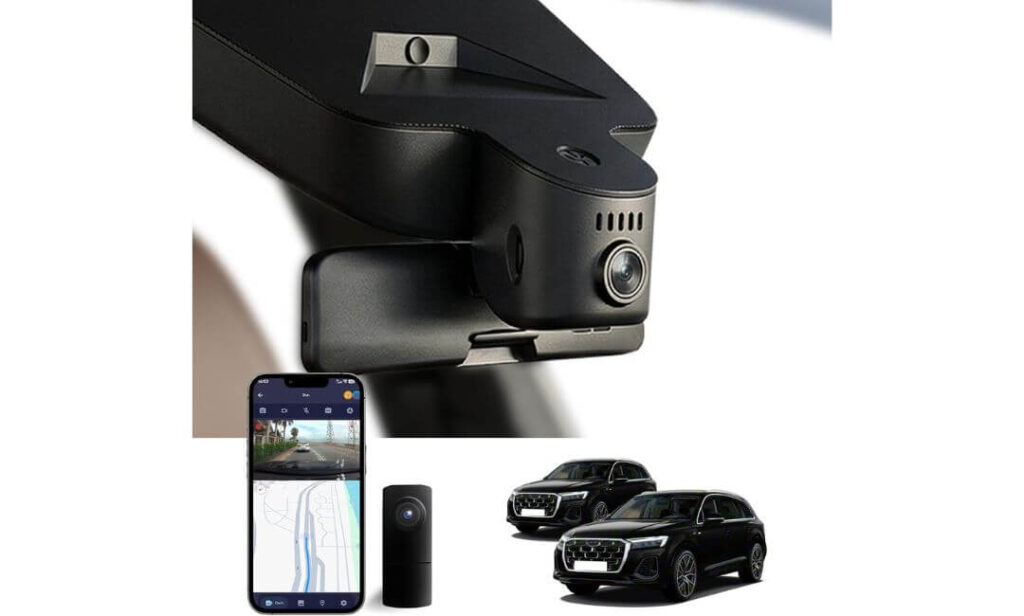
Quick Specs:
- Vehicle Compatibility: Audi A6 (Model A mirror housing) and selected Audi A3, A4, A5, A7, A8, Q3, Q5, Q7, Q8, TT and e-tron models
- Recording Quality: 4K Ultra HD Front + 1080P Rear dual-channel recording
- Lens & Imaging: f/1.6 aperture with HDR and CMOS image sensor
- Installation Style: Hidden OEM-style installation using factory mirror housing
- Connectivity: Built-in WiFi with dedicated mobile app
- Storage: 128GB microSD card included, expandable up to 256GB
- Safety Features: Loop Recording, G-Sensor and Parking Monitoring (hardwire kit available separately)
- Installation Accessories: Y-type power adapter, trim removal tool and card reader included
- Power Design: Plug-and-play installation with no windshield wiring
- Field Use: Designed for everyday driving, commuting and incident recording
Not every Audi A6 owner needs the most expensive factory-style dash cam. Sometimes the smarter choice is a model that covers the essentials well while keeping installation simple and the cabin looking original. That’s exactly where this option fits. It delivers 4K front recording, 1080P rear coverage, and a clean OEM-style finish without adding unnecessary complexity to everyday use.
Recording quality is stronger than you’d expect in this price range. The f/1.6 lens, HDR image processing, and CMOS sensor help maintain good detail during daytime driving while improving visibility in darker conditions. Combined with the rear camera, it gives useful coverage from both directions without cluttering the windshield. Built-in WiFi allows quick access to recordings through the companion app, while the supplied 128GB memory card means the system is ready to record straight after installation.
Installation follows the same factory-inspired approach as the higher-ranked models. The supplied Y-type power adapter connects through the mirror area, helping the camera blend naturally into the Audi A6 interior without visible cables. As with any vehicle-specific integrated dash cam, taking a few minutes to confirm the correct mirror housing before ordering is well worth the effort.
(For buyers who simply want dependable front-and-rear recording with a factory-style appearance at a sensible price, this remains a solid choice.)
Why It Earned a Place in Our Recommendations
- OEM-style hidden design keeps the premium Audi A6 cabin free from hanging wires.
- 4K front and 1080P rear recording provide reliable evidence for everyday driving.
- HDR with an f/1.6 lens improves recording quality in changing light and night-time conditions.
- 128GB memory card and card reader are included, so there’s nothing extra to buy before installation.
- Straightforward plug-and-play installation makes it a practical option for owners fitting the camera themselves.
One Thing Worth Confirming First
Before placing your order, make sure your Audi A6 does not already have a factory camera integrated into the rear-view mirror cover, as this version is designed for vehicles without that original housing configuration.
Audi A6 Compatibility and Installation Notes
This dash cam is intended for Audi A6 models using the compatible Model A mirror housing and shares fitment with several other Audi vehicles built on the same mirror assembly. Comparing your mirror cover with the manufacturer’s compatibility photos before ordering is the easiest way to avoid purchasing the wrong version.
The package already includes a Y-type adapter, trim removal tool, and card reader, making installation straightforward for most DIY users. If you plan to activate parking monitoring, you’ll need the optional hardwire harness, as the standard installation is designed primarily for recording while driving.
The Insider Pro-Tip
If your priority is capturing clear evidence after an incident, don’t overlook the rear camera positioning. Mount it as high and as centrally as possible on the rear glass while keeping the heated window lines from blocking the lens. A better mounting position often improves usable footage more than changing camera settings.
Once everything is installed, format the included memory card inside the camera before your first drive and check for the latest firmware if available. It’s a small step that helps maintain stable recording performance over the long term and reduces the chance of corrupted video files during continuous loop recording.
Best Audi A6 Dash Cam Comparison: Features Specs and Value at a Glance
| Dash Cam | Best For | Video Setup | Factory Integration | Standout Features | Parking Mode | Storage Included | Overall Verdict |
|---|---|---|---|---|---|---|---|
|
Fitcamx 4K Dash Cam
Best Overall
|
Audi A6 owners wanting the closest factory-installed appearance. |
4K Front 170° Lens WDR Night Recording |
Excellent OEM mirror housing fit with no visible wiring. | Reliable mobile app, premium build quality, simple daily operation, excellent interior integration. | Supported (Hardwire kit required) |
64GB Included Up to 256GB |
The strongest all-round package if your priority is long-term ownership, clean installation and dependable recording quality. |
|
Mangoal Front 4K & Rear 1080P
Premium Pick
|
Drivers wanting front and rear recording with built-in GPS. |
4K Front 1080P Rear STARVIS IMX335 |
Excellent OEM appearance with hidden installation. | GPS module, Sony STARVIS sensor, 128GB card, WiFi app, dual-camera protection. | Supported | 128GB Included | One of the most complete dual-channel OEM dash cams for the Audi A6. |
|
KBSYNT Front 4K & Rear 1080P
Best Value
|
Owners looking for balanced features without overspending. |
4K Front 1080P Rear HDR + f/1.6 Lens |
Factory-style hidden installation with plug-and-play design. | HDR recording, WiFi app, included memory card, clean OEM finish. | Supported (Optional harness) | 128GB Included | Offers one of the best feature-to-price combinations in this guide. |
|
KuTaiTai Front 4K & Rear 1080P
Complete Package
|
DIY installers wanting everything included in one box. |
4K Front 1080P Rear Novatek Chip |
OEM mirror replacement with rain sensor connection. | ACC fuse cable included, Time-Lapse Parking Mode, WiFi app, complete installation accessories. | Advanced Parking Mode with supplied ACC cable | 128GB Included | Excellent value for buyers planning a full OEM-style installation from day one. |
|
FUVYMYT Dual Channel 4K & 1080P
Budget Choice
|
Everyday Audi A6 drivers wanting affordable OEM styling. |
4K Front 1080P Rear HDR + f/1.6 Lens |
Hidden installation with factory-inspired appearance. | Simple setup, WiFi control, included card reader, practical everyday recording. | Supported (Optional hardwire kit) | 128GB Included | A sensible choice for buyers who want OEM styling without paying premium prices. |
Buying Guide: How to Choose the Right Dash Cam for Your Audi A6
Buying a dash cam for an Audi A6 isn’t the same as shopping for a universal camera that sticks to the windshield. The A6 has a premium interior, integrated driver-assistance systems, and different mirror housing designs depending on the generation and trim level. Choosing the wrong model can lead to poor fitment, visible wiring, or features you simply won’t use.
The good news is that once you know what actually matters, finding the right dash cam becomes much easier. Here’s what we’d focus on before spending your money.
OEM Dash Cam vs Aftermarket Dash Cam for Audi A6
This is the first decision every Audi A6 owner should make.
An OEM-style dash cam replaces or integrates into the factory mirror housing. Once installed, it looks like original equipment because there are no cables hanging across the windshield or bulky suction mounts blocking your view. Most Audi owners who care about keeping the cabin looking factory-fresh prefer this style, especially if they plan to keep the car for years.
A traditional aftermarket dash cam usually offers more upgrade options, such as multiple channels, cloud storage, or higher-end image sensors, but it comes with compromises. Visible wiring, larger windshield mounts, and a less integrated appearance can take away from the clean interior that makes the Audi A6 feel premium.
For most owners covered in this guide, an OEM-style dash cam is the better long-term choice because it complements the design of the car instead of competing with it.
4K vs 1080P Recording: Does Higher Resolution Really Matter?
Resolution is one of the most advertised features, but it’s only part of the story.
A true 4K front camera captures noticeably more detail than a standard 1080P unit, making licence plates, road signs, and smaller objects easier to identify when conditions are good. That’s particularly useful if you regularly drive on motorways or busy urban roads where vehicles move quickly across the frame.
However, image quality also depends on the image sensor, HDR or WDR processing, lens quality, and low-light performance. A well-tuned 4K camera with a quality sensor will almost always outperform a budget camera that simply advertises a higher resolution.
For the Audi A6, we’d recommend choosing 4K front recording whenever possible. Rear cameras are commonly limited to 1080P, which is perfectly acceptable for documenting traffic behind your vehicle.
Should You Choose a Front-Only or Front-and-Rear Dash Cam?
The answer depends on how you use your Audi.
A front-only dash cam is usually enough if you mainly want evidence during forward collisions, daily commuting, or occasional road trips. It also makes installation quicker and keeps costs lower.
A dual-channel system records both the front and rear simultaneously. If someone rear-ends your Audi while driving or reverses into it in slow-moving traffic, you’ll already have the footage available. Drivers who spend a lot of time in city traffic, multi-storey car parks, or public parking areas generally benefit far more from a front-and-rerear setup.
That’s one of the reasons several recommendations in this guide include 4K front and 1080P rear recording rather than a front camera alone.
Understanding Parking Mode Before You Buy
Parking mode sounds simple, but not every system works the same way.
Some cameras only wake up when the G-Sensor detects an impact, while others support motion detection or time-lapse recording to monitor the vehicle for longer periods with lower power consumption.
It’s also important to understand that many OEM-style dash cams require an optional hardwire kit or ACC fuse connection before parking mode can function while the ignition is off. Buying the camera alone doesn’t always provide continuous parked monitoring.
If overnight protection is one of your priorities, check exactly what type of parking mode the camera supports and whether additional wiring is required.
Why WiFi and Mobile App Quality Matter More Than You Think
Most owners rarely remove the memory card once the camera has been installed.
That’s why a stable WiFi connection and a well-designed mobile app make a real difference. Good app support allows you to preview recordings, download important clips, adjust settings, update firmware, and export videos without dismantling the camera.
If you’re likely to review footage after an incident, reliable app performance is far more valuable than an extra feature you’ll never use.
Power Supply and Factory Integration
One of the biggest advantages of an Audi-specific dash cam is how it receives power.
Instead of running a long cable to a 12V socket, most integrated models connect directly to the rain sensor or mirror assembly using a dedicated adapter. This keeps the installation clean and preserves the premium appearance of the cabin.
If you’re planning to activate parking monitoring, you may also need an ACC hardwire kit that connects to the vehicle’s fuse box. Fortunately, some dash cam packages already include this cable, while others require it as a separate purchase.
Installation and Cable Routing: What to Expect
Installing a factory-style dash cam isn’t particularly difficult, but it does require patience.
Most front-only models can usually be fitted within 15 to 30 minutes, while adding a rear camera naturally takes longer because the cable must be routed through the headliner and rear trim.
A plastic trim removal tool, careful handling of the mirror cover, and taking your time with the rain sensor connector will make the process much smoother. None of the cameras featured in this guide require permanent modifications or cutting the factory wiring when installed correctly.
Audi A6 Compatibility by Generation
Compatibility is just as important as camera specifications.
Audi A6 C7 (2012-2018) uses a completely different mirror housing and electrical layout from newer models. Dash cams designed for the latest Audi models generally won’t fit without major modifications.
Audi A6 C8 (2019 onwards) introduced a redesigned mirror assembly, making it compatible with many of today’s integrated OEM-style dash cams. However, even within the C8 generation, mirror housing designs can vary depending on trim level, market, and optional driver-assistance equipment.
Before ordering any integrated dash cam, compare your mirror cover and rain sensor housing with the manufacturer’s compatibility images. Spending two minutes checking fitment can save hours of frustration later.
How Much Should You Spend?
A lower price doesn’t automatically mean poor value, and a higher price doesn’t guarantee a better ownership experience.
Budget-friendly OEM-style dash cams generally cover the essentials, including 4K recording, WiFi connectivity, and loop recording. Mid-range options usually improve build quality, software stability, and installation accessories, while premium models often add features such as GPS, higher-quality image sensors, or more refined mobile apps.
For most Audi A6 owners, the sweet spot is choosing a dash cam that combines factory-style integration, dependable recording quality, reliable app support, and the features you’ll genuinely use every day. A camera that works consistently for years is ultimately a far better investment than one with a long specification sheet but an inconsistent ownership experience.
Audi A6 Dash Cam Installation Essentials
A quality dash cam can only perform as well as the way it’s installed. Even an excellent camera can become frustrating if the wiring is visible, the viewing angle is incorrect, or the power source isn’t chosen properly. The good news is that the Audi A6 is one of the easier premium sedans to install an OEM-style dash cam in, provided you select the correct mirror housing and take your time during installation.
The recommendations in this guide are designed around factory-style integration, so the installation process is very different from mounting a universal dash cam on the windshield. Here’s what you should know before getting started.
Choosing Between OEM-Style and Aftermarket Installation
The installation experience begins with the type of dash cam you choose.
An OEM-style dash cam replaces or fits around the factory mirror housing, taking power directly from the rain sensor or mirror assembly. Once installed, it becomes part of the interior rather than an accessory attached to the glass. There are no dangling power cables, no suction mounts, and very little visual impact from the driver’s seat.
An aftermarket dash cam, by comparison, is usually attached directly to the windshield with adhesive. While these cameras often fit a wider range of vehicles, they normally require routing a visible power cable across the headliner and down the A-pillar before reaching the power source.
If maintaining the premium appearance of the Audi A6 is important, an OEM-style installation is easily the cleaner and more refined solution.
Selecting the Right Power Source
The power connection you choose determines how the dash cam behaves every day.
The simplest option is the 12V cigarette lighter socket, which powers the camera whenever the ignition is switched on. Installation is quick, but you’ll usually lose advanced parking features because power is cut when the vehicle is turned off.
Many Audi-specific OEM dash cams instead use the factory rain sensor connection behind the rear-view mirror. This is one of the cleanest solutions because it eliminates long power cables and allows the camera to blend naturally into the vehicle’s interior.
If you want parking monitoring, motion detection, or time-lapse recording, you’ll generally need an ACC hardwire kit or fuse tap connected to the fuse box. Some cameras include this harness in the box, while others require it as an additional purchase. Using a hardwire kit with low-voltage battery protection is strongly recommended, as it helps prevent unnecessary battery drain during extended parking.
Keeping Wiring Completely Hidden
One of the biggest advantages of a professional-looking installation is that you shouldn’t notice the wiring at all.
For front cameras, the power cable should be tucked neatly inside the headliner, guided behind the A-pillar trim, and secured without interfering with the side curtain airbags. Avoid pushing cables directly over airbag components, as this can affect deployment in an emergency.
Take your time when reinstalling trim panels. A cable that’s properly seated behind the trim will remain silent over rough roads and won’t create rattles months after installation.
Routing the Rear Camera Cable Properly
Installing the rear camera requires a little more patience, but it’s worth doing correctly.
The cable is typically routed from the front mirror area through the headliner, along the roofline, past the rear door weather seals, and towards the rear window. On Audi A6 Sedan models, leave a small amount of slack near the rear parcel shelf so the cable isn’t placed under unnecessary tension.
If you’re installing the camera on an Audi A6 Allroad or Avant, route the cable carefully through the rear hatch wiring boot, making sure it doesn’t rub against moving hinges or become pinched every time the tailgate opens and closes. Protecting the cable in these high-movement areas helps ensure reliable long-term performance.
Preserving the Factory Look
The reason many owners choose an integrated dash cam is simple—it shouldn’t look like an aftermarket accessory.
Position the camera so it sits naturally behind the rear-view mirror without blocking the driver’s forward visibility. Once the mirror cover is reinstalled, only the recording lens should remain visible from inside the cabin.
Avoid leaving excess wiring behind the mirror housing. Even though it may not be visible from the driver’s seat, poorly managed cables can place unnecessary pressure on connectors and make future maintenance more difficult.
Positioning the Camera for the Best Recording Angle
A perfectly installed camera can still record poor footage if the lens angle isn’t adjusted correctly.
The front camera should capture the road ahead with roughly 60% road and 40% sky visible in the frame. Tilting the camera too high reduces useful road detail, while aiming it too low limits the distance you can see in recordings.
For rear cameras, mount the unit as high and as centrally as possible on the rear glass while avoiding obstruction from heated window elements, tint edges, or trim pieces. A clean, unobstructed view improves the chances of capturing useful evidence after an incident.
Working Around the Audi A6 Interior Electronics
The Audi A6 is equipped with several electronic systems around the mirror area, including the rain sensor, light sensor, and, depending on specification, various driver-assistance features.
Before ordering any integrated dash cam, confirm that it’s designed for your exact mirror housing configuration. Some OEM-style cameras are intended for vehicles without a factory camera behind the mirror cover, while others are designed specifically for cars equipped with additional sensors.
Taking a minute to compare your mirror housing with the manufacturer’s compatibility photos is one of the simplest ways to avoid installation problems.
Does the Dash Cam Integrate with the Audi Infotainment System?
Most OEM-style dash cams for the Audi A6 do not display footage directly through the factory MMI infotainment system. Instead, recordings are managed through the camera’s dedicated WiFi mobile app or by accessing the microSD card on a computer.
In practice, this isn’t a disadvantage. Mobile apps usually provide faster access to video clips, firmware updates, camera settings, and downloadable recordings without needing to interact with the vehicle’s infotainment software.
For most Audi A6 owners, a stable app experience is ultimately more useful than direct MMI integration, especially when you need to retrieve footage quickly after an incident.
Installation How-To: Quick Step Guide for Audi A6 Dash Cams
Installing an OEM-style dash cam in the Audi A6 is much easier when you follow a logical order instead of fitting everything at once. Rushing the installation often leads to loose trim panels, poorly hidden cables, or a camera angle that needs to be adjusted later. Spending an extra 20 minutes during installation is far better than removing the mirror cover again after everything has been clipped back together.
The steps below follow the same approach many experienced installers use to achieve a clean, factory-looking result.
Step 1: Decide How the Dash Cam Will Receive Power
Before removing any trim pieces, decide how you want the camera to operate.
If you only want recording while driving, using the factory rain sensor connection or an ACC-switched power source is usually the simplest option. The camera powers on with the ignition and switches off automatically when the vehicle is parked.
If your priority is parking mode, motion detection, or time-lapse recording, install the recommended hardwire kit or ACC fuse harness supplied by the manufacturer. These kits are designed to provide continuous power while also protecting the vehicle’s battery through built-in low-voltage cut-off.
Choosing the correct power method first helps avoid unnecessary rewiring later.
Step 2: Position the Front and Rear Cameras Before Fixing Them Permanently
Never attach the cameras permanently the moment they come out of the box.
For the front unit, position it directly behind the rear-view mirror, ensuring the lens has a clear view of the road without interfering with the driver’s line of sight. One of the advantages of an OEM-style camera is that, once installed correctly, it almost disappears into the mirror housing.
For dual-channel systems, mount the rear camera as high and as centrally as possible on the rear window. Before removing the adhesive backing, confirm that rear window tint, heated defroster lines, or trim panels won’t block part of the image.
A quick alignment check now saves considerable time later.
Step 3: Hide Every Cable Before Reinstalling the Interior Trim
This is where a professional installation separates itself from an average DIY job.
Route the power cable behind the headliner, continue down the A-pillar, and guide it towards the chosen power source without placing it over curtain airbag components. If you’re installing a rear camera, continue the cable through the roof lining and along the factory trim until it reaches the rear window.
Use the supplied clips or cloth tape where appropriate to keep the wiring secure and eliminate the possibility of rattles over rough roads. Once the trim is reinstalled, the wiring should be completely hidden from normal view.
Step 4: Connect the Camera and Test Every Function Before Final Assembly
Before clipping every panel back into place, connect the camera and carry out a complete function test.
Confirm that the camera powers on correctly, starts recording automatically, recognises the installed memory card, and detects the rear camera if your system includes one. Open the companion mobile app and verify that the WiFi connection, live preview, and video playback all work as expected.
Testing everything now prevents the frustration of removing interior panels a second time if a connector hasn’t been fully seated.
Step 5: Configure the Important Settings Before Your First Drive
The default factory settings are rarely the best long-term setup.
Adjust the date and time, set the correct time zone, choose your preferred loop recording length, and configure the G-Sensor sensitivity to suit the roads you normally drive on. If your dash cam includes GPS, make sure it’s recording location data correctly.
For models equipped with parking mode, enable the feature only after confirming that the hardwire kit or ACC connection has been installed correctly. It’s also worth checking the mobile app for any available firmware updates before relying on the camera for daily use.
Step 6: Review Real Footage and Eliminate Blind Spots
Your installation isn’t truly finished until you’ve reviewed actual recordings.
Take the Audi A6 on a short daytime drive followed by a quick evening drive. Review both the front and rear footage on your phone or computer, checking that licence plates remain readable, the horizon is level, and neither camera is obstructed by the mirror housing, rear headrests, or window trim.
If the front camera captures too much sky or the rear camera misses part of the lane behind the vehicle, make small adjustments before considering the installation complete. Even a slight change in camera angle can significantly improve the quality of the footage you’ll rely on if an incident ever occurs.
Final Installation Check Before You Hit the Road
Before calling the job finished, run through one final inspection.
Confirm that every trim panel is securely clipped back into place, the rear camera cable has enough slack around moving sections of the vehicle, the memory card has been formatted successfully, WiFi connects without interruption, GPS is functioning if equipped, and parking mode activates correctly after the ignition is switched off.
A properly installed OEM-style dash cam should feel like part of the Audi A6 from the very first drive. If nothing rattles, no wiring is visible, the recordings are sharp, and every feature works exactly as expected, you’ve achieved the same result most owners expect from a professional installation.
Performance and Real-World Use Cases for Audi A6 Dash Cams
Buying a dash cam isn’t just about comparing specifications on a product page. What really matters is how the camera performs when you’re driving home after dark, leaving your Audi A6 in a crowded car park, or trying to provide clear evidence after an unexpected incident. That’s where the differences between an average dash cam and a well-designed OEM-style system become much easier to appreciate.
The cameras recommended in this guide all focus on practical, everyday usability rather than chasing impressive-looking specifications that rarely make a difference on the road.
What to Expect During Daytime and Night-Time Recording
Modern 4K dash cams perform exceptionally well during daylight because there’s plenty of available light for the image sensor to work with. Under normal daytime conditions, road markings, traffic signs, lane positions, and surrounding vehicles should appear sharp enough to review comfortably without excessive digital noise.
Night driving is naturally more demanding. Street lighting, oncoming headlights, reflective road signs, and changing exposure all place much greater demands on the camera hardware. That’s why features such as HDR, WDR, Sony STARVIS sensors, bright f/1.6 or f/1.8 lenses, and good image processing become far more important than resolution alone.
In real-world driving, a balanced image with controlled glare is often more valuable than simply recording at a higher resolution. A camera that manages headlights well is usually more useful than one that only performs impressively on paper.
How Parking Mode Helps When Your Audi A6 Is Unattended
Parking mode isn’t only designed for serious accidents.
Many owners discover its value after returning to the car and finding a scratched bumper, a shopping trolley mark, or damage caused by another vehicle in a busy parking area. Depending on the dash cam, parking mode can begin recording after an impact, detect nearby movement, or create time-lapse recordings that compress several hours of parking into a shorter video.
In darker environments such as underground garages or residential streets, image quality depends heavily on the camera’s sensor and available lighting. While no dash cam can completely overcome poor lighting, models equipped with better sensors and HDR processing generally produce cleaner and more usable footage when visibility becomes challenging.
If overnight vehicle protection is important, remember that most integrated OEM dash cams require a hardwire kit or dedicated ACC power connection before parking mode can operate correctly with the ignition switched off.
How Useful Is Dash Cam Footage After an Incident?
One of the main reasons people install a dash cam is to remove uncertainty after an accident.
A clear recording can help establish the sequence of events, vehicle positioning, traffic signal behaviour, and road conditions far more accurately than relying solely on memory. While the exact requirements vary depending on your insurer and local regulations, high-quality footage can often support discussions following incidents involving disputed liability.
Features such as 4K front recording, dual-channel coverage, GPS logging, and G-Sensor event protection all contribute to preserving footage that may become important later. The G-Sensor automatically protects impact recordings from being overwritten, while GPS-equipped models can record useful journey information alongside the video.
Although no dash cam guarantees the outcome of an insurance claim, having clear, uninterrupted footage generally provides much stronger documentation than relying on verbal accounts alone.
Understanding Video File Sizes and Storage Requirements
Higher recording quality naturally requires more storage space.
A 4K front camera produces significantly larger video files than a standard 1080P recorder because each frame contains much more image detail. Adding a rear camera increases storage requirements further since two video streams are being recorded simultaneously.
Fortunately, every dash cam recommended in this guide supports loop recording, meaning the oldest non-protected files are automatically replaced when the memory card becomes full. This allows the camera to continue recording without requiring constant maintenance from the driver.
Most packages already include a 64GB or 128GB microSD card, which is sufficient for everyday driving. However, drivers covering long motorway journeys, using dual-channel recording, or enabling extended parking mode may benefit from upgrading to a 256GB card where supported, as it provides a larger recording history before older footage begins to overwrite.
Which Type of Driver Benefits Most From Each Setup?
Not every Audi A6 owner has the same recording requirements.
If you mainly use the vehicle for commuting, school runs, and local journeys, a 4K front camera with reliable loop recording and WiFi access will comfortably cover most everyday situations.
Drivers who regularly travel on motorways, carry passengers, or leave the vehicle parked in busy public areas often gain much greater value from a dual-channel front-and-rear system. Additional rear coverage helps document rear-end collisions, parking incidents, and events occurring behind the vehicle without relying solely on the front camera.
For owners who keep their Audi A6 for many years, investing in a factory-style dash cam with dependable recording quality, stable app support, and proper parking mode usually delivers the best long-term ownership experience. It’s not just about having another electronic accessory—it’s about knowing that whenever something unexpected happens, your vehicle is already recording the information you’ll most likely wish you had later.
FAQs About Audi A6 Dash Cam
Will an OEM-style dash cam affect any factory sensors or driver assistance systems in the Audi A6?
Not if you purchase the correct version for your mirror housing. This is where many buyers make an expensive mistake. An OEM-style dash cam is designed around a specific rain sensor and mirror cover, so choosing the wrong housing—not the camera itself—is usually what causes installation problems.
The cameras recommended in this guide are designed to work alongside the factory mirror assembly rather than replace or interfere with its electronics. Before ordering, compare your mirror cover with the manufacturer’s compatibility photos, especially if your Audi A6 is equipped with optional driver assistance features. Spending two minutes checking compatibility is far more valuable than trying to force the wrong housing into place later.
Is a front-only 4K dash cam enough for the Audi A6, or is a dual-channel setup worth paying extra for?
If your Audi A6 spends most of its time on open roads and private parking, a quality 4K front camera is often all many owners ever need. It records what’s happening ahead with excellent clarity while keeping installation slightly simpler.
However, if you regularly drive in heavy city traffic, use shopping centres, office parking, airports, or public car parks, a front-and-rear system becomes much easier to justify. Rear-end collisions, reversing impacts and hit-and-run incidents happen more often than many people expect.
A simple way to decide is this:
- Mostly motorway and personal parking: Front 4K is usually enough.
- Daily city driving: Front + rear is the better investment.
- Frequent public parking: Choose dual-channel with parking mode.
- Keeping the car for several years: Buy once rather than upgrading later.
Why do some Audi A6 owners experience WiFi connection problems with integrated dash cams?
In many cases, the dash cam itself isn’t actually faulty.
Most integrated dash cams create a local WiFi network used only for transferring videos between the camera and your phone. That network doesn’t provide internet access, so many smartphones automatically switch back to mobile data, making it appear as though the camera has disconnected.
If the connection seems unstable, temporarily disable mobile data, Bluetooth, or any active VPN, then reconnect through the manufacturer’s app. Once the footage has been downloaded, your phone can return to its normal network connection. It’s a small detail that catches many first-time owners because the behaviour is completely different from connecting to home WiFi.
How large should the memory card be if I use parking mode every day?
The answer depends less on storage capacity and more on how the camera records while parked.
A front-only camera used during normal driving can comfortably operate with the included memory card for most owners. Once you add a rear camera, longer journeys and parking surveillance, storage fills much faster because two video streams are being written continuously.
If your Audi A6 is parked outside overnight, at railway stations, airports, or public car parks on a regular basis, moving to a 256GB card (where supported) gives the camera more recording history before older files begin to overwrite. Regardless of capacity, it’s also good practice to format the memory card inside the dash cam every few weeks. Doing so helps maintain stable recording performance and reduces the risk of corrupted files over long-term use.
If I only plan to install one dash cam in my Audi A6 for the next five years, what should I prioritise?
Don’t start with resolution—start with fitment and long-term reliability.
A camera that fits your exact mirror housing, powers on every time you drive, has a stable mobile app, records consistently in different lighting conditions and blends naturally into the Audi A6 interior will provide far more value than one that simply advertises another feature you’ll rarely use.
Before making your final decision, ask yourself four questions:
- Does it match my exact mirror housing?
- Will I realistically use parking mode, and do I have the correct hardwire kit?
- Does the manufacturer have a history of firmware and customer support?
- Will this installation still look factory-original several years from now?
Those answers usually have a much bigger impact on ownership satisfaction than comparing another specification on the product page. A well-installed OEM-style dash cam is something you should almost forget is there—until the day you genuinely need the footage.
Final Thoughts
Choosing the best dash cam for your Audi A6 isn’t about finding the product with the longest feature list—it’s about finding one that feels like it belongs in the car from the moment it’s installed. A factory-style design, dependable recording quality, stable software, and hassle-free daily use will always provide more long-term value than features you’ll rarely use.
Every recommendation in this guide was selected with that philosophy in mind. We prioritised OEM-style integration, real-world recording performance, installation quality, parking mode practicality, and the overall ownership experience rather than marketing claims alone. That’s why you’ll notice every product here offers a clean factory appearance while still delivering the recording quality today’s Audi A6 owners expect.
Before placing your order, take one final minute to confirm your mirror housing version, decide whether you need front-only or front-and-rear coverage, and consider if parking mode is important enough to justify installing the appropriate hardwire kit. Those three decisions will have a much bigger impact on your satisfaction than choosing between two cameras with nearly identical specifications.
At the end of the day, the right dash cam is the one you never have to think about. It starts recording automatically, stays out of your way, blends seamlessly into the Audi A6 interior, and quietly captures the moments you hope you’ll never need. If a situation ever arises where clear video evidence matters, you’ll be glad you invested in a system designed to protect both your vehicle and your peace of mind.
Also Check: