
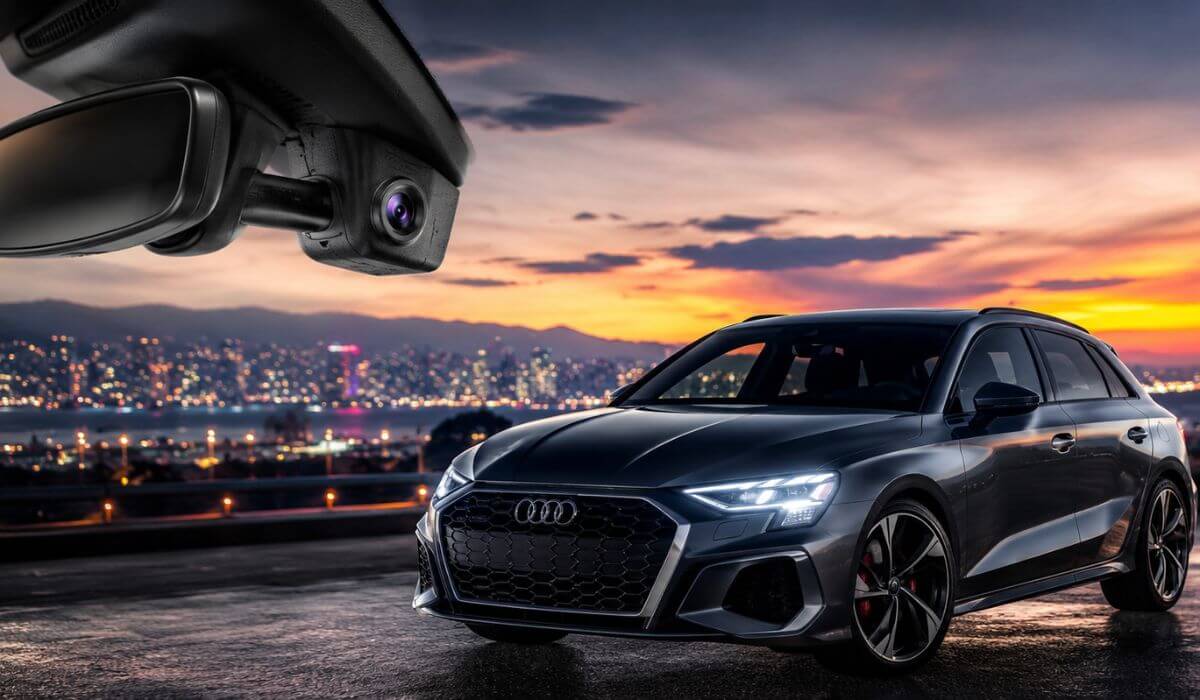
5 Best Dash Cams for Audi A3 in 2026: OEM Fit 4K Recording WiFi and GPS Picks
If you’re looking for the best dash cam for an Audi A3, you’ll quickly notice that most recommendations are universal cameras that never quite look right once they’re installed. They often leave exposed wiring, bulky mounts, or block part of the driver’s view. For a premium car like the 2019–2026 Audi A3, that’s a compromise most owners don’t want to make.
The current-generation Audi A3 uses a compact camera housing behind the rear-view mirror, making OEM-style dash cams the smartest choice. They blend into the factory trim, keep the cabin looking original, and work well with the A3’s 12V electrical system. For this guide, we focused on models that deliver true 4K front recording, Full HD rear coverage, WiFi connectivity, GPS where available, smooth app support, and reliable parking monitoring without sacrificing the clean factory appearance that Audi owners appreciate.
Instead of relying on spec sheets alone, we compared compatibility, installation quality, recording performance, software stability, included accessories, and overall value. Since these are relatively new products with limited long-term reviews, our recommendations prioritize real-world fitment, hardware quality, and practical ownership experience over marketing claims. If you want a dash cam that feels like it came with your Audi A3 from the factory, these are the models worth your attention.
Best Audi A3 Dash Cams: Top 2026 Picks for OEM Fit and 4K Recording
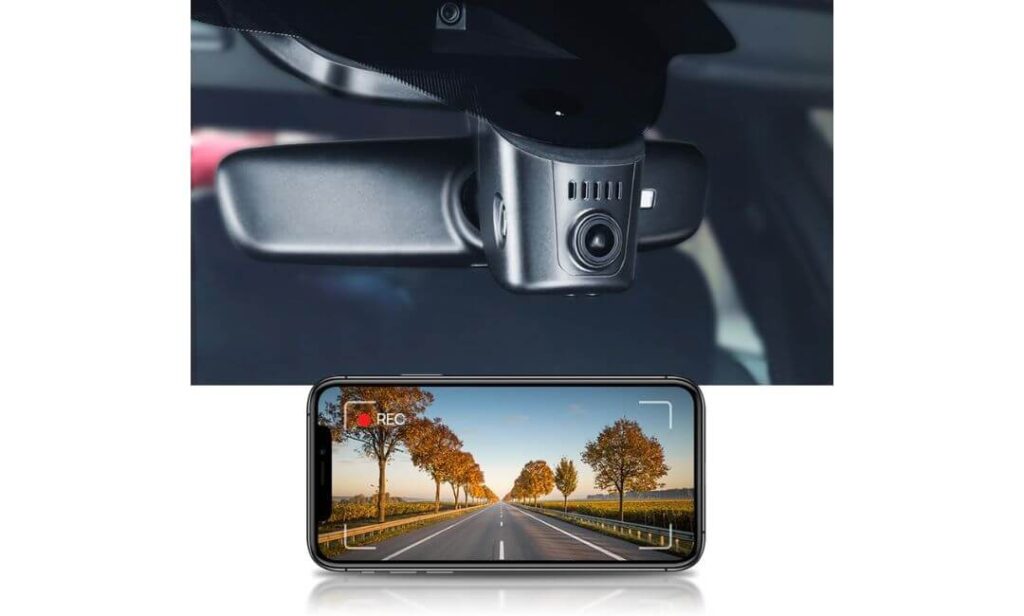
#1. Fitcamx 4K Dash Cam
Best Dash Camera for Audi A3 with Factory OEM Fit, Stable WiFi Performance, Ultra Clear 4K Recording and Seamless Installation.
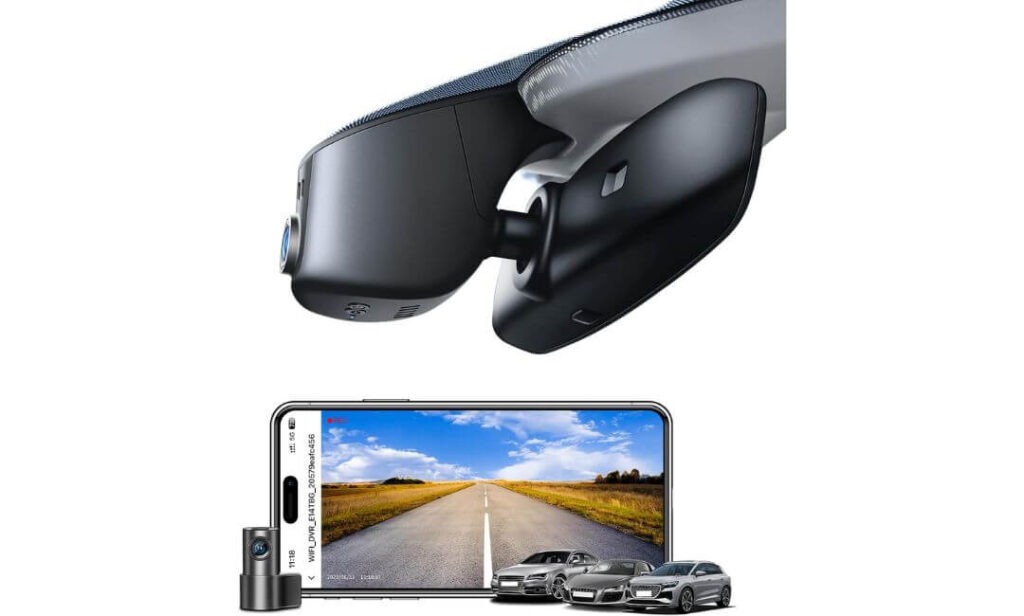
#2. Mangoal Front 4K & Rear 1080P Dash Cam
Audi A3 Dash Cam Combining OEM Design, Built-in GPS, Sharp 4K Video and Excellent Everyday Value.
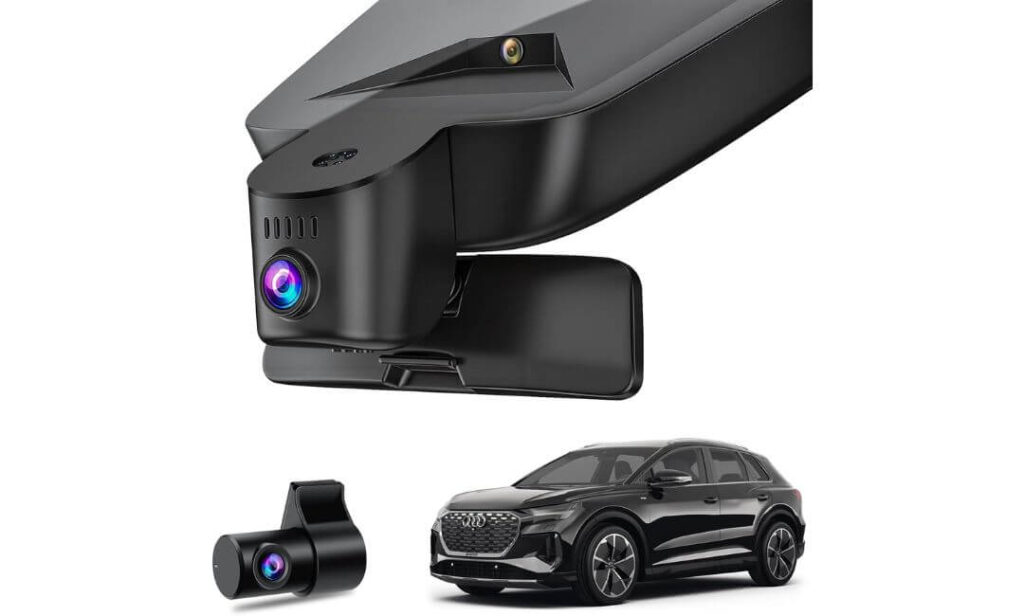
#3. Leadfan 4K+1080P Dash Cam Front and Rear
Front and Rear Dash Cam for Audi A3 with OEM Housing, Dual Camera Coverage and Feature-Rich Performance.
#4. KBSYNT Front 4K & Rear 1080P Dash Cam
4K Dash Cam for Audi A3 Offering Factory-Look Installation, WiFi Connectivity and Reliable Daily Recording.
#5. kutaitai Front 4K + Rear 1080P Dash Cam
Audi A3 Compatible Dash Cam with Hidden OEM Styling, 4K Front Capture and Budget-Friendly Value.
Expert Tip
If your Audi A3 already has the factory rain sensor and mirror housing, don’t choose a dash cam just because it records in 4K. The biggest difference you’ll notice every single day isn’t the resolution—it’s how well the camera integrates with the car. A properly designed OEM-style unit stays hidden behind the mirror, keeps your windshield uncluttered, and is much less likely to attract attention from outside. In our experience, owners are usually happier with a dash cam that looks factory-installed and works consistently than one packed with extra features but mounted with exposed cables and a large suction cup.
How We Chose the Best Dash Cams for Audi A3
Finding a good dash cam for the Audi A3 is surprisingly difficult because many products advertise the same specifications on paper. 4K recording, WiFi, GPS, and parking mode sound impressive, but those features mean very little if the camera doesn’t fit the A3 correctly or becomes frustrating to use after a few weeks.
That’s why our selection started with vehicle compatibility, not marketing. Every camera in this guide is designed around the 2019–2026 Audi A3 mirror housing, giving it an OEM appearance instead of looking like an aftermarket accessory attached to the windshield. For most Audi owners, preserving the clean interior design is just as important as recording quality.
After confirming fitment, we compared the hardware that matters in everyday driving. We looked at front and rear recording quality, video clarity in changing light, WiFi transfer speed, GPS availability, app stability, included storage, loop recording performance, and parking features. We also considered whether each package included the accessories needed for a straightforward installation rather than forcing buyers to purchase multiple extras separately.
Because these are newer OEM-style dash cams, long-term ownership data is still limited compared to older universal brands. Instead of pretending years of reliability data already exist, we focused on the factors that can be verified today—build quality, installation design, feature consistency, software experience, and overall value for an Audi A3 owner. We believe that’s a more honest way to recommend products than simply repeating manufacturer specifications.
Finally, we ranked every model by asking one simple question:
If we wanted to add a factory-looking dash cam to an Audi A3 without compromising the car’s premium interior, which one would we install first?
The cameras in this guide are listed in that exact order. Our goal wasn’t to find the longest feature list—it was to recommend the dash cams that offer the best balance of OEM integration, dependable performance, practical features, and overall ownership experience for Audi A3 drivers.
#1. Fitcamx 4K Dash Cam
Quick Specs:
- Best for: Audi A3 owners wanting a true OEM-style dash cam with no visible wiring
- Vehicle Compatibility: Audi A3 2019–2026 (Model A) including Sportback and Sedan (verify mirror cover before ordering)
- Video Resolution: 4K Ultra HD (2160P) front recording
- Lens: 170° wide-angle with f/1.6 aperture
- Image Quality: WDR technology for balanced daytime and nighttime footage
- Design: Factory-look replacement mirror housing instead of a windshield-mounted camera
- Connectivity: Built-in WiFi with dedicated smartphone app
- Recording Features: Loop recording, G-Sensor, and parking mode support
- Storage: 64GB microSD card included, supports up to 256GB
- Installation: Typically 30–90 minutes using basic trim removal tools
The easiest way to tell whether an OEM-style dash cam is worth buying is to ignore the advertised resolution for a moment and look at how it actually fits the car. That’s where this model stands out. Instead of attaching another bulky camera to the windshield, it replaces the factory mirror cover with a housing designed specifically for the Audi A3, making the installation look as though it came from the factory. Once installed, there are no dangling cables, no suction mounts, and nothing disrupting the premium interior that Audi owners pay for.
Video quality backs up the clean design. The combination of 2160P 4K recording, a 170-degree viewing angle, f/1.6 aperture, and WDR image processing produces clear footage across changing light conditions. Road signs, surrounding traffic, and everyday driving situations remain sharp without the overly processed look found on many budget cameras. Built-in WiFi also makes transferring important clips to your phone quick, eliminating the need to remove the memory card every time you want a recording.
Another reason we ranked this camera first is that it focuses on features owners genuinely use rather than filling the specification sheet with unnecessary extras. You get loop recording, a responsive G-Sensor, parking mode, expandable storage up to 256GB, and a 64GB card already included in the box. For an Audi A3 owner who wants reliable recording while keeping the cabin looking original, it delivers one of the best overall balances of practicality, fitment, and day-to-day usability.
(If your priority is a dash cam that blends into the Audi A3 rather than looking like an aftermarket accessory, this is one of the strongest options currently available.)
Why It Earned a Place on Our List
- Factory-style installation keeps the windshield clean with no exposed wiring.
- Excellent 4K video clarity combined with WDR helps preserve useful detail throughout the day.
- Built-in WiFi makes downloading and sharing recordings straightforward.
- 64GB card included means it’s ready to use immediately after installation.
- Reliable core features including loop recording, G-Sensor, and parking mode without unnecessary complexity.
Things to Know Before Buying
- Confirm your Audi A3 uses the correct Model A mirror cover before ordering, as Audi used different sensor housings across some trims.
Audi A3 Compatibility and Installation Notes
This dash cam is designed around the 2019–2026 Audi A3 (Model A) and integrates into the factory mirror housing, making it one of the cleanest-looking installations available for this platform. Before ordering, compare your existing mirror cover with the product photos to ensure the housing shape matches your vehicle.
Installation doesn’t require permanent modifications, but you’ll need a plastic trim removal tool, a little patience, and roughly 30 to 90 minutes depending on your experience removing interior trim. Taking your time around the mirror housing usually leads to a cleaner and more secure installation.
The Insider Pro-Tip
Many buyers focus on 4K resolution, but long-term satisfaction usually comes from something less obvious—how naturally the camera fits the car. A dash cam that’s hidden behind the mirror is less distracting, less noticeable from outside, and maintains the premium appearance of the Audi A3 every time you drive.
If your A3 already has the correct Model A mirror housing, choosing an OEM-integrated camera like this will usually give you a cleaner ownership experience than a universal dash cam, even if both advertise similar recording specifications.
#2. Mangoal Front 4K & Rear 1080P Dash Cam
Quick Specs:
- Best for: Audi A3 owners who want OEM styling with dual-channel recording
- Vehicle Compatibility: Audi A3 2019–2026 (Model A Black) including Sportback and Sedan
- Video Resolution: 4K front + 1080P rear
- Image Sensor: Sony STARVIS IMX335
- Viewing Angle: 150° front and 140° rear
- Connectivity: Built-in WiFi with smartphone app
- Navigation: External GPS module included
- Storage: 128GB microSD card included
- Recording Features: Loop recording, G-Sensor, parking monitoring
- Installation: Rain sensor powered OEM-style installation with hidden wiring
- Package Extras: GPS module, rear camera, trim tool, rain sensor adapter, installation accessories
There is a noticeable difference between a dash cam that simply fits an Audi A3 and one that actually feels engineered for it. This model falls into the second category. Its OEM-style housing sits neatly behind the rear-view mirror, leaving the cabin looking almost untouched after installation. Instead of dealing with exposed cables running across the windshield, the camera draws power through the rain sensor connection, creating one of the cleanest installations available for this platform.
Where this model separates itself is its balanced hardware package. You get 4K front recording paired with a 1080P rear camera, allowing both directions to be captured without sacrificing front image quality. The Sony STARVIS IMX335 sensor performs well in changing light conditions, while the 150° front and 140° rear viewing angles provide wide road coverage without introducing excessive edge distortion. Built-in WiFi makes reviewing clips straightforward, and the included GPS module automatically records speed and location information for drivers who prefer additional trip data.
Another reason it earned a high position in our rankings is that very little needs to be purchased separately. The package already includes a 128GB memory card, rear camera, GPS module, trim tools, and the required installation accessories. For Audi A3 owners who want a complete OEM-style solution with front and rear recording, this package offers one of the strongest combinations of features, ease of installation, and everyday practicality in its price range. (If preserving the original Audi interior while gaining reliable front and rear coverage is your priority, this is one of the most well-rounded options currently available.)
Why It Stands Out in This Comparison
- Factory-style mirror housing creates a clean OEM appearance without visible wiring.
- Sony STARVIS IMX335 sensor delivers dependable image quality in both daylight and low-light driving.
- Built-in GPS automatically records driving location and speed information.
- Complete installation kit includes the rear camera, GPS module, trim tool, rain sensor adapter, and 128GB memory card.
- Balanced front and rear recording provides comprehensive coverage for everyday driving and parking situations.
Things to Know Before Buying
- Before ordering, confirm your Audi A3 uses the correct Model A Black mirror housing, as compatibility depends on the sensor cover design.
Audi A3 Compatibility and Installation Notes
This dash cam is designed specifically for Audi A3 models equipped with the compatible Model A Black mirror housing. Power is supplied through the factory rain sensor connection, allowing the camera to integrate neatly behind the rear-view mirror without altering the original appearance of the cabin.
Installation is straightforward for most DIY owners. The supplied trim tool, rain sensor adapter, and GPS module simplify the process, while routing the rear camera cable through the headliner and factory trim usually results in a clean factory-style finish. Allow approximately 45 to 90 minutes for installation if you’re taking your time.
The Insider Pro-Tip
The biggest advantage of this package isn’t simply the 4K front recording—it’s how well all of the included components work together. Having the GPS module, 128GB memory card, and installation accessories already included means you can complete the installation properly without searching for additional parts later.
For Audi A3 owners planning to keep their car for several years, an OEM-style system with integrated GPS and dual-channel recording often provides a cleaner, more convenient ownership experience than upgrading a universal dash cam piece by piece later.
#3. Leadfan 4K+1080P Dash Cam Front and Rear
Quick Specs:
- Best for: Audi A3 owners wanting wide viewing angles with an OEM-style installation
- Vehicle Compatibility: Audi A3 2019–2026 (confirm mirror sensor cover before ordering)
- Video Resolution: 4K Ultra HD front + 1080P rear
- Lens: 170° front and 145° rear viewing angles
- Optics: F1.6 aperture, 6-layer optical lens, HDR + WDR
- Night Recording: Full-color Starlight Night Vision
- Connectivity: Built-in WiFi with Viidure App
- Storage: 128GB microSD card included, expandable to 256GB
- Recording Features: Loop recording, G-Sensor, time-lapse parking mode, impact detection
- Installation: Hidden OEM-style mirror housing with rain-sensor power adapter included
The first thing that stands out about this dash cam isn’t a single headline feature—it’s how complete the overall package feels. Instead of focusing only on higher resolution numbers, it combines 4K front recording, a 1080P rear camera, wide viewing angles, and an installation that blends naturally into the Audi A3. Once fitted behind the mirror housing, the cabin keeps its clean factory appearance without loose wiring drawing attention.
Image quality is backed by thoughtful hardware rather than marketing alone. The F1.6 aperture, 6-layer optical lens, HDR, WDR, and full-color Starlight Night Vision work together to improve visibility during early mornings, rainy commutes, and darker roads. The 170° front and 145° rear coverage also help capture more of the surrounding traffic, reducing blind spots without creating the excessive fisheye effect found on some ultra-wide cameras. Built-in WiFi paired with the Viidure app makes reviewing and saving footage straightforward whenever an important clip is needed.
Another advantage is that very little needs to be added after purchase. The box already includes a 128GB memory card, rear camera, trim tool, and rain-sensor power adapter, making installation more convenient for most Audi A3 owners. Loop recording, impact detection, and parking monitoring round out a practical feature set designed for everyday driving rather than simply adding specifications to a product page. (If your priority is broad road coverage without sacrificing the factory appearance of your Audi A3, this package delivers an excellent balance of features and usability.)
Why It Stands Out in This Comparison
- Wide 170° and 145° camera coverage helps capture more surrounding traffic.
- Starlight Night Vision improves low-light recording beyond standard night modes.
- HDR, WDR, and F1.6 optics produce more balanced footage in changing light.
- 128GB card included, so it’s ready to record immediately.
- OEM-style hidden installation preserves the clean interior design of the Audi A3.
Things to Know Before Buying
- Advanced parking recording requires an optional ACC fuse cable, which is not included in the standard package.
Audi A3 Compatibility and Installation Notes
This camera is built for Audi A3 models from 2019 onward that use the matching mirror sensor housing. Before ordering, compare your existing mirror cover with the product images because Audi used different housing designs across certain trims and equipment levels.
Installation is generally straightforward using the supplied trim tool and rain-sensor power adapter. If you’re comfortable removing interior trim panels, the process usually takes 45 to 90 minutes. Taking a few extra minutes to route the rear camera cable carefully will give the cleanest factory-style finish.
The Insider Pro-Tip
Many buyers compare dash cams by looking only at 4K resolution, but for everyday driving, lens quality and viewing angle often make a bigger difference. A camera that captures more of the road with balanced exposure can provide more useful footage than one relying on resolution alone.
If you regularly drive through city traffic, multi-lane highways, or busy parking areas, the combination of wide-angle coverage, HDR, and Starlight Night Vision makes this model a particularly practical fit for the Audi A3.
#4. KBSYNT Front 4K & Rear 1080P Dash Cam
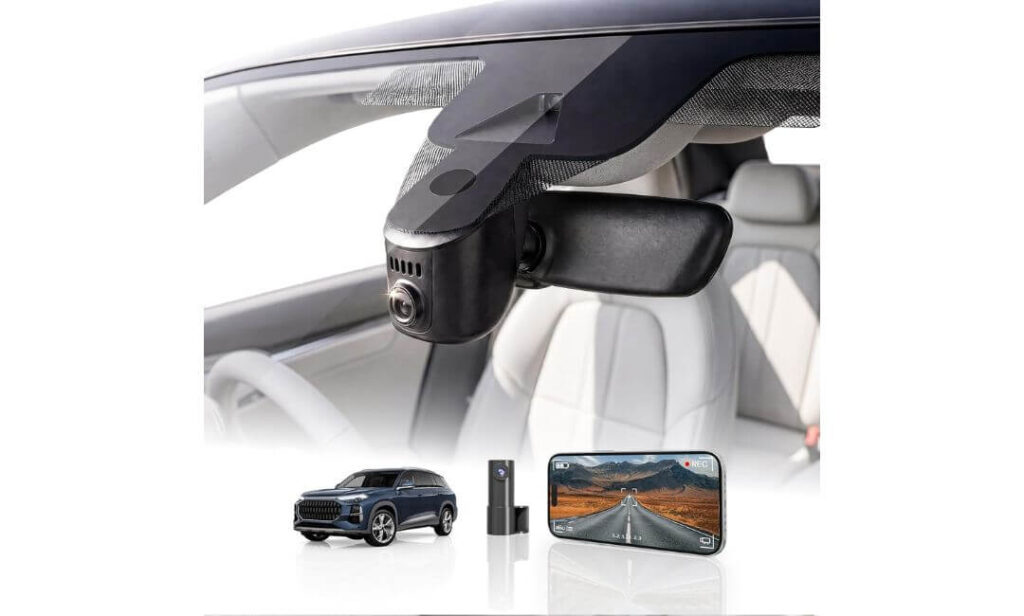
Quick Specs:
- Best for: Audi A3 owners looking for an OEM-style dash cam with simple installation
- Vehicle Compatibility: Audi A3 2019–2026 (Model A) without the factory front camera behind the mirror
- Video Resolution: 4K Ultra HD front + 1080P rear recording
- Lens: 170° wide-angle with f/1.6 aperture
- Image Enhancement: HDR with automatic low-light exposure adjustment
- Connectivity: Built-in WiFi with smartphone app support
- Storage: 128GB memory card included, expandable up to 256GB
- Recording Features: Loop recording, G-Sensor, and parking monitoring (hardwire kit required for extended parking mode)
- Installation: Plug-and-play OEM mirror housing with Y-type power adapter
- Package Includes: Dash cam, rear camera, 128GB card, card reader, trim tool, Y-adapter, user manual
Some dash cams try to stand out by adding more features than most drivers will ever use. This one takes a different approach. It focuses on the essentials that matter every day—a clean factory-style installation, dependable recording quality, and straightforward operation. Once installed behind the rear-view mirror, it blends naturally into the Audi A3 interior, keeping the dashboard and windshield free from visible wiring or bulky mounts.
Recording performance is well suited to everyday driving. The 4K front camera captures detailed footage while the 1080P rear camera keeps an eye on traffic behind you. Combined with the 170° viewing angle, f/1.6 lens, and HDR image processing, it produces balanced footage across bright daylight, tunnels, rainy weather, and evening commutes. Built-in WiFi also allows clips to be transferred directly to your phone, making it easier to review important recordings without removing the memory card.
Another reason this model earned a place in our recommendations is its practical ownership experience. The package already includes a 128GB memory card, card reader, trim removal tool, and the required Y-type power adapter, allowing most Audi A3 owners to complete installation without hunting for extra accessories. Loop recording, impact detection through the G-Sensor, and optional parking monitoring complete a feature set that feels genuinely useful rather than overloaded. (For drivers who value a factory appearance and dependable daily recording over unnecessary extras, this package makes a lot of sense.)
Why It Deserves Consideration
- OEM-style hidden installation keeps the Audi A3 interior looking original.
- 4K front and 1080P rear recording provide balanced front and rear coverage.
- HDR and f/1.6 optics improve visibility during difficult lighting conditions.
- 128GB card and installation accessories are included in the box.
- Simple app connectivity makes reviewing and downloading footage convenient.
Things to Know Before Buying
- Extended parking monitoring requires an additional hardwire harness, so factor that into your installation if you want continuous parking protection.
Audi A3 Compatibility and Installation Notes
This model is designed for Audi A3 vehicles that use the compatible Model A mirror housing and do not have the factory front camera integrated behind the rear-view mirror. Taking a minute to compare your mirror cover with the product photos before ordering can help avoid compatibility issues.
Installation is beginner-friendly if you’re comfortable removing interior trim. The supplied Y-type adapter and trim tool simplify the process, and most owners can complete the installation in about an hour while keeping the factory appearance intact.
The Insider Pro-Tip
When choosing an OEM-style dash cam, the quality of the installation often matters as much as the camera itself. A properly fitted housing stays secure, avoids dashboard vibrations, and looks like it has always been part of the Audi A3 rather than something added later.
If your goal is a clean, factory-looking setup with reliable recording for everyday driving, this model delivers that experience without making the installation unnecessarily complicated.
#5. kutaitai Front 4K + Rear 1080P Dash Cam
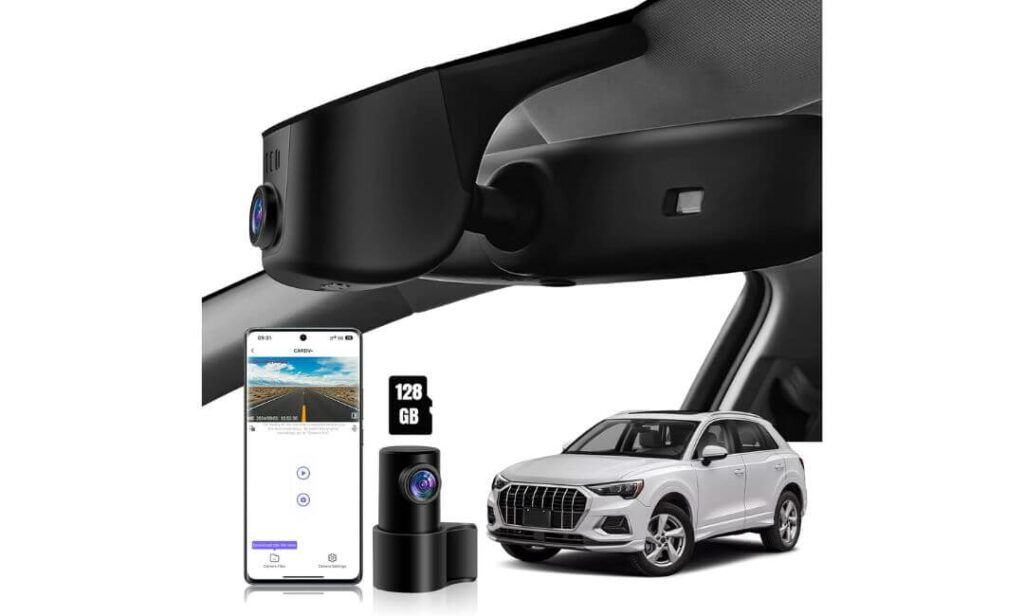
Quick Specs:
- Best for: Audi A3 owners wanting a complete OEM-style dash cam kit with front and rear coverage
- Vehicle Compatibility: Audi A3 2019–2026 (Model A) including Sportback and Sedan (confirm mirror cover before ordering)
- Video Resolution: 4K Ultra HD front + 1080P rear
- Processor & Lens: Novatek chipset, f/1.8 aperture
- Viewing Angle: 170° front and 140° rear
- Connectivity: Built-in WiFi with Android and iOS app
- Storage: 128GB memory card included
- Recording Features: Loop recording, G-Sensor, time-lapse parking mode, impact-triggered parking recording
- Installation: Rain sensor plug-and-play connection with ACC fuse cable included
- Package Includes: Rear camera, lane assist power adapter, ACC fuse cable, trim tool, 128GB card
Sometimes the best value isn’t the camera with the longest feature list—it’s the one that arrives with almost everything needed to finish the installation properly. That’s exactly where this package stands out. Along with 4K front recording and a 1080P rear camera, it also includes the ACC fuse cable, lane assist power adapter, and 128GB memory card, reducing the need to purchase extra accessories before installation even begins.
Daily recording performance is solid and well suited to the Audi A3. The combination of a Novatek processor, f/1.8 lens, and 170° front plus 140° rear viewing angles captures clear footage across city streets, highways, and parking areas. Fine details like road markings and surrounding traffic remain easy to identify, while built-in WiFi makes downloading recordings directly to your phone quick and convenient whenever an important clip needs to be saved.
Another reason this camera made our shortlist is its practical approach to parking protection. It supports both impact-triggered recording and time-lapse parking mode, giving owners flexibility depending on how they use the car. Since the required ACC fuse cable is already included, drivers planning to enable parking monitoring have fewer additional parts to source compared with many competing OEM-style systems. (For Audi A3 owners looking for an all-in-one package with minimal extra purchases, this is one of the more complete kits available.)
Why It Earned a Spot in Our Rankings
- Complete installation kit with ACC fuse cable and power adapters included.
- 4K front and 1080P rear recording provide dependable everyday coverage.
- Novatek chipset and f/1.8 lens deliver consistent image quality in varying conditions.
- Built-in WiFi allows quick access to recordings through the mobile app.
- Flexible parking monitoring options are available without buying extra wiring.
Things to Know Before Buying
- You’ll need to disconnect from wireless CarPlay while using the dash cam’s WiFi, since both connections cannot be active on the phone at the same time.
Audi A3 Compatibility and Installation Notes
This model is designed for Audi A3 vehicles using the compatible Model A mirror housing and draws power directly from the factory rain sensor connection, allowing the camera to remain hidden behind the mirror for a clean OEM appearance.
Before placing your order, compare your mirror sensor cover with the product images. Installation is generally straightforward using the supplied adapters and trim tool, and most owners can complete the process in around one hour without modifying the factory interior.
The Insider Pro-Tip
When comparing OEM-style dash cams, don’t just look at recording quality—look at what’s included in the box. A package that already provides the correct power adapters, fuse cable, memory card, and installation accessories usually results in a smoother installation and fewer unexpected purchases.
If you plan to use parking monitoring from day one, having the required wiring included can save both time and additional expense, making this package a particularly practical choice for many Audi A3 owners.
Best Audi A3 Dash Cam Comparison: OEM Fit Features and Value at a Glance
| Comparison | Fitcamx | Mangoal | Leadfan | KBSYNT | kutaitai |
|---|---|---|---|---|---|
| Overall Rating | ★★★★★ | ★★★★☆ | ★★★★☆ | ★★★★☆ | ★★★★☆ |
| Best Choice For | Factory Finish | Best Value | Feature Rich | Balanced Pick | Complete Kit |
| Video Resolution | 4K Front | 4K + 1080P | 4K + 1080P | 4K + 1080P | 4K + 1080P |
| OEM Factory Appearance | Excellent | Excellent | Excellent | Very Good | Very Good |
| Front Viewing Angle | 170° | 150° | 170° | 170° | 170° |
| Rear Camera | — | 1080P | 1080P | 1080P | 1080P |
| Night Recording Hardware | WDR + f/1.6 | STARVIS IMX335 | Starlight + HDR | HDR + f/1.6 | Novatek + f/1.8 |
| Built-in WiFi App | Yes | Yes | Yes | Yes | Yes |
| GPS Included | Optional | Included | — | — | — |
| Memory Card Included | 64GB | 128GB | 128GB | 128GB | 128GB |
| Maximum Card Support | 256GB | 256GB | 256GB | 256GB | 256GB |
| Parking Recording | Supported | Supported | Supported* | Supported* | Supported |
| Installation Style | Mirror Housing OEM | Rain Sensor OEM | Rain Sensor OEM | Plug & Play OEM | Plug & Play OEM |
| Installation Difficulty | Easy | Moderate | Moderate | Easy | Easy |
| Ready to Install Package | Very Good | Excellent | Excellent | Excellent | Excellent |
| Our Verdict | Best Overall OEM Upgrade | Best Overall Value | Best Feature Package | Best Everyday Choice | Best Complete Bundle |
Why an OEM Style Dash Cam Is a Smart Upgrade for the Audi A3
The Audi A3 has always been designed around a clean, premium interior, and that changes how you should shop for a dash cam. A universal camera may offer similar specifications on paper, but exposed wiring, suction mounts, and oversized brackets can quickly make the cabin look cluttered. That’s why every recommendation in this guide focuses on OEM-style integration, practical features, and real compatibility rather than simply chasing the highest specification sheet.
Whether you drive your A3 through busy city traffic, spend hours on the motorway, or leave it parked in public spaces, a properly chosen dash cam becomes one of the few upgrades you’ll hopefully never need—but will appreciate when something unexpected happens.
Clear 4K Recording Makes Everyday Incidents Easier to Understand
The biggest advantage of modern 4K dash cameras isn’t creating cinematic footage. It’s preserving details that often matter after an incident. Road signs, lane markings, traffic signals, and surrounding vehicles remain noticeably clearer than standard Full HD recordings, especially when footage needs to be reviewed frame by frame.
Most premium OEM-style systems also combine a wide-angle lens, HDR or WDR processing, and a bright f/1.6 or f/1.8 aperture, helping the camera adapt to tunnels, harsh sunlight, rainy weather, and evening commutes. Better image quality doesn’t guarantee every licence plate will always be readable, but it generally provides stronger visual evidence than lower-resolution alternatives.
Factory Integration Is Just as Important as Video Quality
For many Audi A3 owners, appearance matters almost as much as performance. An OEM-style dash cam replaces or integrates with the factory mirror housing, allowing the camera to sit neatly behind the rear-view mirror instead of hanging below it.
That approach offers several practical advantages:
- The windshield remains clean with no visible cables.
- The camera is less distracting from the driver’s seat.
- The installation looks much closer to original factory equipment.
- The camera is less noticeable from outside the vehicle.
- Interior trim usually remains cleaner without additional adhesive mounts.
This is one of the main reasons every model in our comparison follows the same OEM-focused design philosophy.
Parking Features Can Be More Valuable Than Most Drivers Expect
Not every incident happens while you’re driving. Shopping centres, office car parks, apartment complexes, and street parking are common places where minor damage occurs without witnesses.
Most of the cameras in this guide include G-Sensor impact detection, loop recording, and parking monitoring. Depending on the model and wiring setup, some also support time-lapse recording or impact-triggered recording while the vehicle is parked. If you plan to use parking surveillance regularly, remember that many systems require an appropriate hardwire or ACC power connection to unlock their full functionality.
Front and Rear Recording Provides Better Context
A front camera captures what happens ahead, but many insurance claims involve events from behind or alongside the vehicle. That’s why dual-channel recording has become increasingly popular.
Adding a rear camera helps document:
- Rear-end collisions.
- Vehicles approaching from behind.
- Parking lot impacts.
- Hit-and-run incidents.
- Events that a front-facing camera simply cannot record.
For drivers who spend time on congested roads, front and rear recording often provides a more complete picture of what actually happened.
GPS Logging Adds Useful Driving Information
Some OEM dash cams also include GPS recording, while others offer it as an optional accessory. GPS doesn’t make the footage look better, but it can add useful information such as vehicle speed, driving route, and time stamps alongside recorded video.
That additional information can help organise recordings more efficiently and provide extra context when reviewing an incident later.
Choosing the Right Dash Cam Means Looking Beyond Specifications
Many OEM-style Audi A3 dash cams advertise similar features—4K recording, WiFi, parking mode, and mobile apps. The real differences often appear in everyday ownership.
We placed greater importance on factors such as fitment accuracy, installation quality, image consistency, included accessories, app usability, recording stability, and overall value rather than simply counting features. Those are the details that determine whether a dash cam feels like a worthwhile upgrade months after installation, not just during the first day of ownership.
Buying Guide: How to Choose the Right Dash Cam for Your Audi A3
Buying a dash cam for an Audi A3 is different from buying one for an average family car. The A3’s premium interior, factory rain sensor housing, and clean dashboard design mean that fitment, installation quality, and long-term usability are just as important as video resolution. Many cameras advertise similar features, but once installed, the ownership experience can be completely different.
The goal isn’t simply to buy the camera with the highest specifications. It’s to choose one that integrates naturally with the Audi A3, records dependable footage every day, and remains easy to use long after the excitement of a new purchase wears off.
Front and Rear Coverage or Front Camera Only?
One of the first decisions you’ll make is whether to choose a front-only dash cam or a front and rear system.
A single front camera is usually enough if your driving is limited to short commutes and you simply want evidence of incidents happening ahead of the vehicle. It also keeps installation slightly simpler because there is no rear cable to route through the cabin.
However, for most Audi A3 owners, a dual-channel setup offers considerably more value. Rear-end collisions, parking lot incidents, reversing accidents, and hit-and-run situations often happen behind the vehicle. Having footage from both directions creates a much more complete record of what actually occurred.
If you’re already investing in an OEM-style system, choosing front and rear recording generally provides the best long-term value.
Why OEM Compatibility Matters More Than Most Buyers Realise
This is one area many buyers overlook.
The Audi A3 uses different mirror sensor housings depending on trim level and factory equipment. Even if a dash cam lists Audi A3 compatibility, always compare your existing mirror cover with the manufacturer’s fitment photos before ordering.
A properly matched OEM housing provides several advantages:
- The camera sits neatly behind the rear-view mirror.
- No cables hang across the windshield.
- Driver visibility remains unaffected.
- The installation looks almost factory-installed.
- The camera attracts less attention from outside the vehicle.
A poorly matched housing can turn a simple installation into a frustrating project, so compatibility should always be confirmed before looking at features.
Is 4K Recording Really Worth It?
For an Audi A3, we believe the answer is yes.
A genuine 4K dash cam captures noticeably more detail than standard Full HD, particularly when reviewing recordings after an incident. Road markings, vehicle positions, traffic signs, and surrounding vehicles remain clearer during playback.
That said, resolution alone doesn’t determine image quality.
A good camera should also include:
- A quality image sensor.
- HDR or WDR processing.
- A bright f/1.6 or f/1.8 lens.
- Stable video bitrate.
- Consistent exposure during changing lighting conditions.
Higher bitrate recording also creates larger files, which is why storage capacity becomes increasingly important when recording in 4K.
Why GPS and WiFi Are Worth Having
Many buyers assume GPS is only useful for navigation, but its role inside a dash cam is completely different.
A GPS-enabled camera records useful trip information alongside the video, including:
- Vehicle location.
- Speed information.
- Date and time accuracy.
- Route history for supported software.
WiFi provides a different kind of convenience.
Instead of removing the memory card every time you need footage, you can connect directly to the dash cam through its mobile application to preview recordings, download important clips, adjust settings, or update the camera without removing it from the windshield.
Together, GPS and WiFi significantly improve everyday ownership.
Parking Mode Isn’t Just About Recording While Parked
Parking mode has become one of the most requested features, but many buyers misunderstand how it works.
Some systems wake only after detecting an impact.
Others support low-frame-rate time-lapse recording while parked.
Many OEM dash cams also offer adjustable parking sensitivity through the companion application.
It’s equally important to understand the power requirements.
Basic loop recording works while driving without any additional wiring. Continuous parking monitoring, however, usually requires either a dedicated hardwire kit, an ACC fuse connection, or another permanent power solution.
Choosing the correct power setup helps protect the vehicle’s battery while ensuring the camera continues recording when needed.
Installation Quality Makes a Bigger Difference Than You Might Expect
A poorly installed dash cam can create rattles, visible wiring, loose trim panels, and an overall aftermarket appearance.
OEM-style systems avoid many of these problems by integrating directly into the mirror housing.
Before beginning installation, it’s worth confirming:
- Your Audi A3 uses the correct mirror cover.
- The supplied adapters match your vehicle.
- Rear camera cable routing is planned before removing trim.
- Power cables remain hidden throughout the installation.
Taking an extra thirty minutes during installation usually results in a cleaner finish that you’ll appreciate every day.
Choosing the Right Memory Card
Recording in 4K generates considerably larger video files than lower resolutions.
Although many cameras include a memory card, capacity still matters depending on how often you drive.
As a general guide:
- 64GB works well for lighter daily driving.
- 128GB provides a better balance for most owners.
- 256GB is ideal for drivers covering long motorway distances or regularly using parking mode.
Every camera in this guide also supports loop recording, meaning the oldest unlocked footage is automatically replaced when storage becomes full. Important impact recordings remain protected by the G-Sensor until you manually remove them.
Don’t Overlook Software Support After Installation
A dash cam isn’t just hardware anymore.
The quality of the mobile application, firmware updates, and manufacturer support often determines how enjoyable the camera remains months after purchase.
Before making a final decision, consider:
- How stable the companion app is.
- Whether firmware updates are released when needed.
- The length of the product warranty.
- Availability of installation assistance.
- Responsiveness of customer support.
Good support may never be needed, but when questions arise about installation, WiFi connectivity, or firmware, responsive customer service can make ownership significantly easier.
Our Final Buying Advice
After comparing every model in this guide, one thing became clear: the best dash cam for an Audi A3 isn’t necessarily the one with the longest feature list.
The right choice is the one that combines accurate OEM fitment, dependable recording quality, practical parking features, stable app performance, straightforward installation, and reliable long-term usability. Those are the qualities that continue to matter every time you start your Audi A3, not just on the day the camera arrives.
Installation Tips for an Audi A3 Dash Cam: Getting the Cleanest OEM-Style Setup
Installing a dash cam in an Audi A3 isn’t only about making it record properly. A good installation should look as though Audi fitted it at the factory. The camera should stay out of your line of sight, cables should remain completely hidden, and every interior panel should fit back exactly as it did before installation.
The good news is that most OEM-style dash cams for the Audi A3 are designed to make this possible. With a little planning and the correct power connection, you can achieve a professional-looking result without compromising the premium feel of the cabin.
Choose an OEM-Style Installation Whenever Possible
The first decision isn’t where to mount the camera—it’s choosing the right installation style.
Traditional aftermarket dash cams usually attach to the windshield using adhesive pads or suction mounts. While they work well, they often leave visible wiring running across the glass or dashboard.
An OEM-style dash cam replaces or integrates with the factory mirror housing instead.
This approach offers several practical benefits:
- Preserves the original Audi interior design.
- Keeps the windshield free from exposed wiring.
- Reduces driver distraction.
- Makes the camera less visible from outside the vehicle.
- Creates a cleaner, factory-installed appearance.
For most Audi A3 owners, this type of installation provides a noticeably better ownership experience over time.
Select the Right Power Source Before You Begin
Powering the dash cam correctly affects both convenience and available features.
If you only need recording while driving, a standard switched power source is usually sufficient. Many OEM-style Audi A3 cameras simplify installation by using the factory rain sensor or mirror power connection, avoiding additional wiring across the cabin.
If you plan to use parking mode, you’ll generally need a dedicated hardwire kit or ACC fuse connection. This allows the camera to continue monitoring the vehicle after the ignition is switched off while using built-in voltage protection where supported.
Before installing, decide how you expect to use the camera every day. Choosing the correct power method from the beginning avoids having to remove trim panels later.
Hide Every Cable Before Reinstalling Interior Trim
Professional-looking installations are rarely about the camera itself—they’re about cable routing.
For the cleanest finish, route wiring behind existing trim instead of allowing cables to remain visible.
Typical routing includes:
- Along the headliner above the windshield.
- Down the A-pillar while avoiding interference with curtain airbags.
- Behind dashboard trim where practical.
- Under interior panels when routing the rear camera cable.
- Through existing factory wire channels whenever possible.
Avoid pulling cables tightly. Leaving a small amount of controlled slack reduces stress on connectors and helps prevent future rattles.
Position the GPS Module Correctly
Some Audi A3 dash cams include built-in GPS, while others use a separate external module.
If your camera uses an external GPS antenna, position it where it has the clearest possible view through the windshield rather than hiding it beneath thick metal panels.
Good locations typically include:
- Behind the upper dashboard.
- Near the windshield beneath trim.
- Close to the mirror housing if recommended by the manufacturer.
Avoid placing the antenna beneath heavy metal structures, as this may reduce signal quality and slow satellite acquisition.
Keep Cable Management Neat From Day One
One of the biggest differences between an average installation and a professional one is attention to detail.
Secure excess cable using the supplied clips or cable ties rather than pushing large bundles behind trim panels.
Try to:
- Prevent cables from rubbing against moving components.
- Keep wiring away from steering mechanisms.
- Avoid pinching cables between trim panels.
- Leave enough slack near connectors for future servicing.
A tidy installation not only looks better but also reduces the chance of vibrations or intermittent electrical issues over time.
Complete the Initial Camera Setup Before Your First Drive
Physical installation is only half the job.
Before relying on the camera, spend a few minutes completing the software setup.
A good checklist includes:
- Pair the dash cam with its mobile application.
- Install the latest firmware if an update is available.
- Format the microSD card inside the camera.
- Confirm the correct date, time, and time zone.
- Adjust video resolution and recording settings.
- Verify that GPS is working if your model supports it.
- Test both front and rear cameras before replacing all trim panels.
Taking ten extra minutes here can prevent discovering configuration problems after an important recording is needed.
Verify the Camera’s View Before Finishing Installation
Before securing every trim panel, sit in the driver’s seat and review the live image.
Make sure:
- The horizon appears level.
- The hood doesn’t occupy excessive space in the frame.
- Both lanes ahead are clearly visible.
- The rear camera points straight behind the vehicle.
- The mirror housing doesn’t block the lens.
- Windshield stickers or tint strips aren’t visible in the recording.
Small adjustments made during installation usually produce much better recordings than trying to compensate later.
A Few Minutes of Preparation Can Save Hours Later
Many installation problems aren’t caused by the camera—they happen because installation starts before compatibility is confirmed.
Before removing any trim, verify the mirror housing version, check that every supplied adapter matches your Audi A3, identify the planned cable route, and confirm whether your chosen parking mode requires additional wiring.
Approaching the installation methodically usually produces a cleaner result, protects the factory interior, and ensures the dash cam performs exactly as intended from the very first drive.
How to Get the Best Performance From Your Audi A3 Dash Cam
Installing a quality dash cam is only the first step. The way you configure and maintain it has an equally important impact on the footage it records. Many owners leave the factory settings unchanged for years, even though a few simple adjustments can noticeably improve recording quality, make important clips easier to find, and ensure the camera is ready when something unexpected happens.
The good news is that every OEM-style dash cam featured in this guide includes the core features needed for dependable everyday use. Spending a few minutes setting them up properly will help you get the most from your investment.
Enable Front and Rear Recording at the Highest Practical Quality
If your dash cam supports dual-channel recording, always enable both cameras unless you have a specific reason not to.
The front camera documents what happens ahead, while the rear camera records vehicles approaching from behind, parking incidents, and rear-end collisions that would otherwise go unrecorded.
For the front camera, select 4K resolution whenever available. It provides better detail for road markings, traffic signs, surrounding vehicles, and general scene clarity. If your camera allows image quality adjustments, leave bitrate on its highest stable setting rather than reducing quality simply to save storage space.
After changing recording settings, review a short sample clip from both cameras to confirm everything is recording correctly before relying on the system.
Configure Parking Mode Around Your Driving Routine
Parking mode isn’t a feature you simply switch on and forget.
Most OEM-style Audi A3 dash cams allow you to adjust:
- Impact detection sensitivity.
- Motion detection sensitivity where supported.
- Recording duration.
- Time-lapse intervals.
- Low-voltage battery protection if available.
If your Audi A3 spends most nights inside a secure garage, a lower sensitivity setting often reduces unnecessary recordings caused by minor vibrations or passing vehicles.
For drivers who regularly park outdoors, shopping centres, railway stations, or public streets, slightly higher sensitivity can provide better protection without generating excessive clips.
Choosing the correct balance is usually more effective than simply selecting the highest sensitivity available.
Use GPS Data as Supporting Evidence
GPS isn’t just a feature for viewing your route later.
When enabled, GPS information adds valuable context to recorded footage by storing location, speed, direction of travel, and accurate timestamps alongside the video.
This information can make recordings easier to organise and helps create a clearer timeline when reviewing an incident.
If your chosen dash cam includes an external GPS module, periodically confirm that satellite reception is working correctly after installation, especially if the antenna has been moved during interior work.
Manage Your Recordings Before You Need Them
One of the biggest mistakes owners make is assuming every recording will remain on the memory card indefinitely.
Dash cams rely on loop recording, meaning older unlocked files are automatically replaced as storage becomes full. This ensures continuous recording without manual intervention, but it also means important footage can eventually disappear if it isn’t saved.
Whenever an incident occurs:
- Lock the recording if your camera supports manual protection.
- Download the file to your phone using WiFi.
- Back up the original file to a computer or external drive.
- Keep a second copy in cloud storage if the recording is particularly important.
Waiting several days before saving an important recording increases the chance that it may already have been overwritten.
Check Your Memory Card Regularly
Even high-quality memory cards wear over time because dash cams constantly read and write data.
A simple maintenance routine helps prevent recording problems:
- Format the card inside the camera every few weeks if recommended by the manufacturer.
- Replace damaged or ageing cards before they fail completely.
- Use only memory cards that meet the camera’s speed requirements.
- Confirm available storage after major firmware updates.
A healthy memory card is just as important as the camera itself.
Keep the App Connected and Firmware Up to Date
Most modern OEM-style Audi A3 dash cams include dedicated smartphone applications that do much more than download recordings.
The app is also used to:
- Adjust recording quality.
- Change parking mode settings.
- Review live camera views.
- Check storage usage.
- Install firmware updates.
- Access newer features released after purchase.
Checking for firmware updates every few months helps ensure the camera continues operating as intended and may improve app stability or recording performance.
Build a Simple Monthly Maintenance Routine
The most reliable dash cams are usually owned by drivers who spend just a few minutes checking them every month.
A quick inspection should include:
- Confirm both cameras are recording normally.
- Review one recent video from the front and rear cameras.
- Clean fingerprints or dust from both lenses.
- Verify the memory card has available space.
- Check GPS reception if equipped.
- Confirm the correct date and time are still displayed.
- Make sure the camera remains firmly mounted behind the mirror housing.
These simple checks take only a few minutes but greatly reduce the chance of discovering a problem only after an important event has already occurred.
Small Adjustments Make a Big Difference Over Time
The best dash cam isn’t simply the one with the highest specifications—it’s the one that’s configured correctly, maintained regularly, and ready to capture clear footage whenever you need it.
A properly installed OEM-style system, paired with sensible recording settings, regular memory card maintenance, and occasional firmware updates, will generally provide a far better long-term ownership experience than relying entirely on the default factory configuration.
FAQs About Audi A3 Dash Cam
Is an OEM-style dash cam actually a better choice for the Audi A3 than a premium universal dash cam?
In most cases, yes—but not because OEM-style cameras always produce better video. Their biggest advantage is how naturally they integrate with the Audi A3. A properly matched OEM housing sits behind the rear-view mirror, keeps wiring hidden, and preserves the clean interior that Audi owners expect.
When comparing two cameras with similar recording quality, we’d prioritise the one that offers:
- Correct mirror housing compatibility.
- Stable mobile app performance.
- Reliable parking features.
- Good after-sales support.
- Easy access to replacement accessories.
Over years of ownership, those practical differences usually matter more than a small improvement in image quality alone.
Can an Audi A3 dash cam affect battery life if I use parking mode every day?
It can, but only if the power system isn’t configured correctly.
Most OEM-style dash cams consume very little power while driving. Continuous parking recording is different because the camera continues operating after the engine is switched off. That’s why many manufacturers recommend a dedicated hardwire kit or ACC power connection with low-voltage battery protection.
If you regularly leave your Audi A3 parked for several days, consider:
- Enabling battery protection if available.
- Choosing impact-only parking mode instead of continuous recording.
- Reducing parking recording duration where possible.
- Driving the vehicle regularly enough to maintain battery charge.
A properly configured installation is far less likely to create battery-related concerns than simply enabling every available parking feature.
Why do some OEM-style Audi A3 dash cams have almost identical specifications but different real-world performance?
This is one of the biggest reasons buyers become confused.
Many manufacturers advertise the same headline features—4K recording, WiFi, parking mode, and loop recording—yet the overall ownership experience can vary significantly because those specifications don’t tell the whole story.
The differences usually come from areas that aren’t obvious on the product page, including:
- Image sensor quality.
- Video processing and bitrate.
- Mobile app stability.
- Firmware optimisation.
- Installation accessories included in the box.
- Fitment accuracy around the mirror housing.
That’s why two cameras with nearly identical specifications may perform quite differently after several months of everyday use.
Should I replace the included microSD card, or is it safe to use for long-term recording?
Not necessarily.
Many of today’s OEM-style dash cams include perfectly usable memory cards that are suitable for getting started immediately. Rather than replacing the card on day one, it’s usually better to monitor how it performs over time.
The most effective maintenance routine is simple:
- Format the card inside the dash cam periodically.
- Review a recent recording every few weeks.
- Replace the card only if recording errors begin appearing or storage reliability declines.
Regular maintenance generally has a greater impact on recording reliability than replacing a brand-new included card without any evidence of problems.
What’s the most common mistake Audi A3 owners make after installing a new dash cam?
Interestingly, it usually isn’t the installation itself.
Many owners complete the installation, confirm the camera powers on, and never check it again. Months later, they discover the date is incorrect, the memory card is full of corrupted files, GPS isn’t recording, or the firmware is several versions behind.
A five-minute monthly inspection can prevent nearly all of those issues. We recommend checking:
- Front and rear camera alignment.
- Recent recordings from both channels.
- Memory card health and available storage.
- Lens cleanliness.
- App connectivity.
- GPS status if equipped.
- Firmware updates.
A dash cam only provides value when it’s recording correctly. Building a simple maintenance habit is one of the easiest ways to ensure it’s ready when you actually need the footage.
Final Thoughts
Choosing the best dash cam for an Audi A3 isn’t about finding the longest specification sheet or the highest advertised resolution. It’s about finding a camera that feels like it belongs in the car from the moment it’s installed. A clean OEM fit, dependable recording quality, stable app performance, and reliable everyday operation will always deliver a better ownership experience than features you’ll rarely use.
Throughout this guide, we focused on the details that genuinely matter to Audi A3 owners. Instead of ranking products by marketing claims, we compared factory-style integration, real installation experience, recording performance, included accessories, parking features, WiFi usability, storage support, and overall long-term value. Those are the factors you’ll notice every time you drive, not just during the first week after purchase.
If your priority is the best overall OEM-style experience, the Fitcamx 4K Dash Cam remains our top recommendation thanks to its factory-like appearance, dependable 4K recording, and polished day-to-day usability. If you want front and rear coverage with built-in GPS and excellent value, the Mangoal Front 4K & Rear 1080P Dash Cam is a compelling alternative. The remaining cameras in this guide each fill a different role, whether your focus is wider viewing angles, a complete installation package, or budget-friendly OEM integration.
Before placing your order, spend a few minutes confirming your Audi A3’s mirror housing design, the required power connection for parking mode, and the accessories included with your chosen camera. That small step often determines whether the installation feels effortless or unnecessarily complicated.
A well-chosen dash cam is one of those upgrades you’ll probably forget is there—until the day it captures footage that would have been impossible to recreate. When that moment comes, you’ll appreciate having a system that records clearly, fits the Audi A3 properly, and works reliably every time you start the engine.
Also Check:


