
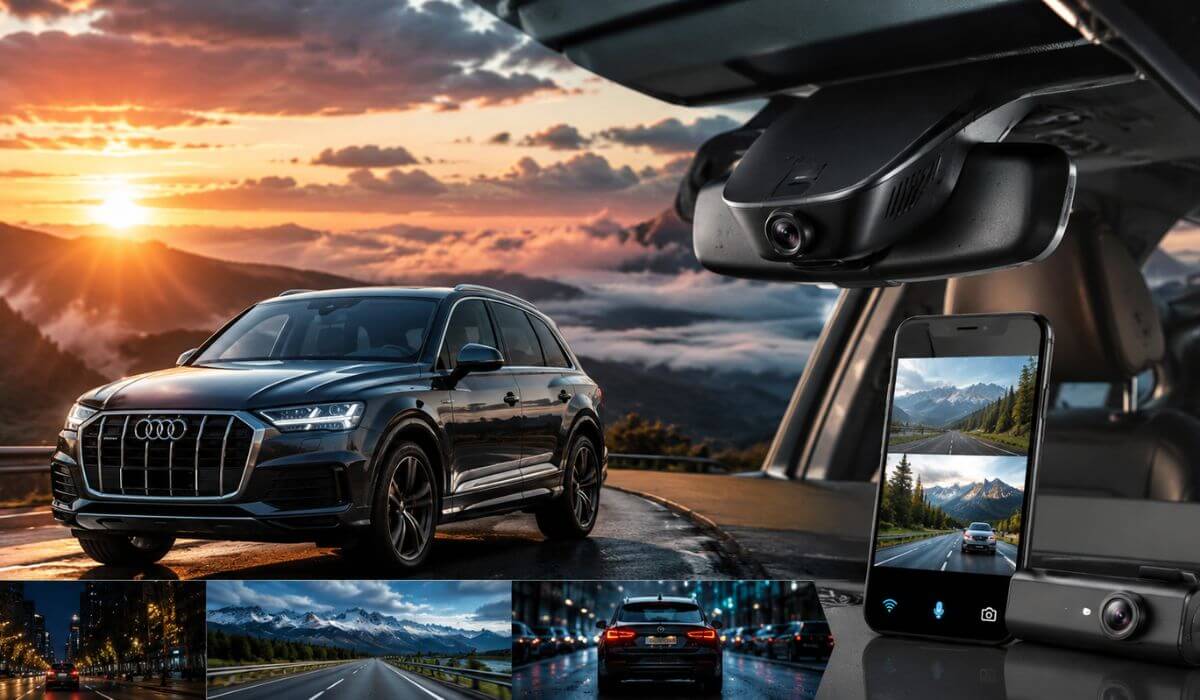
5 Best Dash Cams for Audi Q7 in 2026: OEM Look with 4K Dual Channel Clarity
If you drive an Audi Q7, you already know this isn’t the kind of SUV where any generic dash cam makes sense. The Q7’s clean cabin design, integrated driver-assistance sensors, and wide windshield mean the wrong camera can look out of place, obstruct visibility, or leave cables hanging across the dashboard. That’s why we focused on OEM-style dash cams that blend into the factory interior while delivering the video quality you’d expect from a premium vehicle.
This guide is written for 2019-2026 Audi Q7 models, including both the facelift and earlier versions that share the same mirror housing (Model A). Every recommendation supports a factory-style installation and offers features that matter in everyday driving—4K front recording, dual-channel coverage, WiFi connectivity, loop recording, and app control. We also looked at practical details like installation quality, rear camera routing, parking mode compatibility, included storage, GPS availability, and overall ease of ownership instead of simply comparing spec sheets.
Whether you’re protecting a brand-new Q7 or upgrading an older model, the goal is simple: choose a dash cam that looks like it came from the factory, records reliably every time you drive, and doesn’t compromise the premium feel of your Audi.
Best Audi Q7 Dash Cams: Top 2026 Picks for OEM Fit and 4K Recording
#1. Fitcamx 4K Dash Cam
Best Audi Q7 Dash Cam for 2019-2026 Models with Factory OEM Fit, 4K UHD Recording and Dependable Everyday Performance
#2. Mangoal Front 4K & Rear 1080P Dash Cam
Premium Front and Rear Dash Cam for Audi Q7 with Built-in GPS, Hidden OEM Installation and Dual-Channel Protection
#3. kutaitai Front 4K & Rear 1080P Dash Cam
Value-Focused 4K Dash Cam for Audi Q7 with OEM Factory Look, WiFi App Control and Included 128GB Card
#4. FUVYMYT Dual Channel 4K & 1080P Dash Cam
Smart Audi Q7 Dual Channel Dash Cam for 2019-2026 Models with Factory-Style Integration and Easy Installation
#5. KBSYNT Front 4K & Rear 1080P Dash Cam
Affordable OEM Fit Dash Cam for Audi Q7 with WiFi Connectivity, Loop Recording and Clean Factory Appearance
Expert Tip: If your Audi Q7 has a premium interior, don’t judge a dash cam by resolution alone. A 4K sensor is valuable, but an OEM-style housing that fits around the factory mirror is what you’ll appreciate every single day. It keeps your windshield uncluttered, preserves forward visibility, and looks like it belonged there from day one. In our experience, owners rarely regret spending a little more on a clean factory-style installation—but they often regret buying a bulky universal camera that never quite feels right in a luxury SUV.
How We Chose the Best Dash Cams for the Audi Q7
The Audi Q7 deserves more than a generic “top picks” list. Instead of collecting the highest advertised specifications, we looked at how each dash cam actually fits the vehicle and whether it complements the ownership experience. Every model included here is compatible with 2019-2026 Audi Q7 (Model A) and was selected because it offers an OEM-style installation that integrates with the factory mirror housing instead of leaving exposed brackets and hanging wires across the cabin.
Our first priority was factory integration. The Q7 has a refined dashboard and excellent forward visibility, so products that preserve that clean appearance ranked much higher than conventional windshield-mounted cameras. A dash cam should protect your vehicle without constantly reminding you that it has been added later.
We also focused on real-world recording quality, not marketing numbers. That’s why every recommendation provides 4K front recording, while the dual-channel models add rear coverage for parking incidents, rear-end collisions, and everyday driving. Features like WiFi app control, loop recording, and available GPS were treated as practical advantages because they’re the features owners actually use after installation—not just on the day they unbox the camera.
Another factor was ownership convenience. Products that include a microSD card, offer straightforward installation, and provide stable mobile app support scored better than options that require extra accessories or complicated setup. A premium SUV deserves a solution that works reliably without becoming another project to maintain.
Finally, we deliberately avoided recommending products simply because they had the longest feature list. Since this category is still relatively new, we preferred dash cams from manufacturers that have shown consistent OEM-fit designs, reliable hardware, and specifications that genuinely match the Audi Q7, rather than making claims that sound impressive on paper but add little value in everyday use.
The result is a shortlist of dash cams we would be comfortable recommending to someone who wants their Audi Q7 to look exactly as it left the factory—while gaining the security of high-resolution front and rear recording whenever it’s on the road.
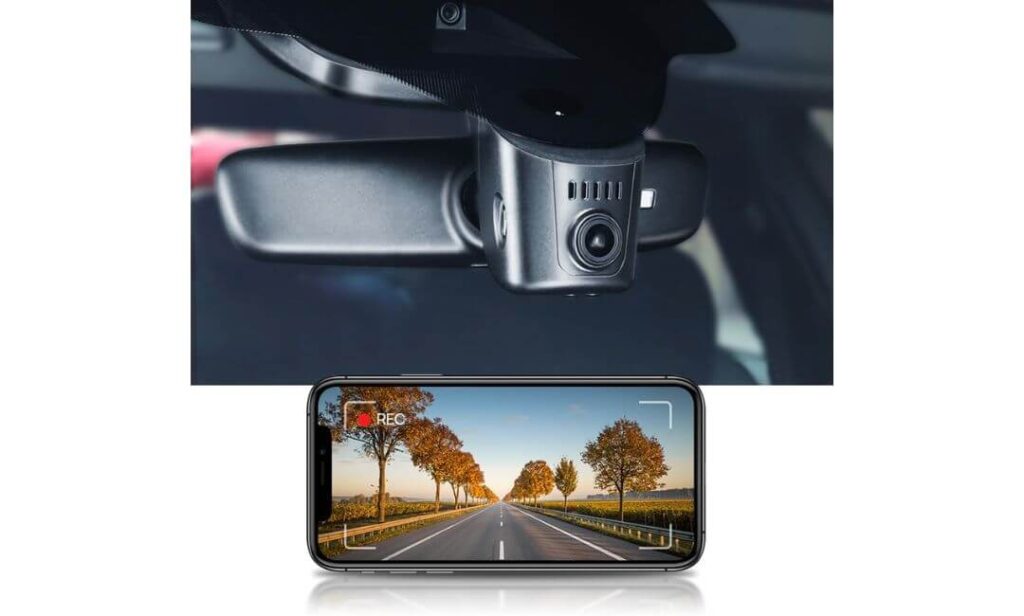
#1. Fitcamx 4K Dash Cam
Quick Specs:
- Best For: Audi Q7 owners who want a true OEM factory appearance without a bulky windshield-mounted camera
- Vehicle Compatibility: Audi Q7 Model A (2019+) with factory mirror sensor cover
- Recording Quality: 4K Ultra HD (2160P) front camera at 30fps
- Lens: 170° wide-angle with f/1.6 aperture
- Image Processing: WDR technology for clearer day and night footage
- Design: Hidden OEM-style housing with no visible hanging wires
- Connectivity: Built-in WiFi with Fitcamx mobile app for video playback and downloads
- Recording Features: Loop recording, G-Sensor, and parking mode support
- Storage: 64GB microSD card included, expandable up to 256GB
- Installation: Replaces the original mirror cover using the factory housing (a plastic trim removal tool makes installation easier)
The biggest reason this model earned the top spot is simple—it feels like it belongs in the Audi Q7. Instead of sticking another camera onto an already premium windshield, it replaces the factory mirror cover with an OEM-style housing that blends naturally into the cabin. Once installed, most passengers won’t even notice there’s a dash cam fitted, and that’s exactly what many Audi owners are looking for.
Recording quality is equally reassuring. The 4K Ultra HD front camera, paired with a 170-degree lens, f/1.6 aperture, and WDR image processing, captures crisp footage across changing light conditions, whether you’re driving through city traffic, open highways, or entering underground parking. Built-in WiFi lets you review clips directly from your phone, while loop recording and the G-Sensor automatically protect important footage without requiring constant attention.
Another detail we appreciate is that it arrives ready to use with a 64GB memory card, supports larger cards up to 256GB, and includes parking mode for added peace of mind when the vehicle is parked. Just keep in mind that parking mode requires the appropriate power connection, and because the camera integrates into the mirror housing, taking your time during installation will give the cleanest factory-style finish.
(If your priority is a dash cam that looks as refined as the Audi Q7 itself, this is one of the few options that genuinely delivers that factory-installed appearance without sacrificing recording quality.)
Why It Earned a Place on Our Shortlist
- Factory-style integration that preserves the premium look of the Audi Q7 cabin.
- Excellent 4K image quality with WDR for dependable daytime and low-light recording.
- Built-in WiFi app makes reviewing and downloading clips quick and convenient.
- Includes a 64GB memory card, so it’s ready to use straight out of the box.
- Parking mode, G-Sensor, and reliable loop recording cover the features most owners actually use every day.
One Thing to Know Before Buying
- Because it replaces the mirror cover, installation is more detailed than a standard windshield-mounted dash cam, so setting aside some extra time helps achieve the clean OEM finish.
Audi Q7 Compatibility Notes
This model is designed for Audi Q7 Model A vehicles that use the matching factory mirror sensor cover. Before ordering, compare your mirror housing with the product images to confirm the correct version, as Audi used different mirror cover designs across certain trims and model years.
For owners who value a clean interior, this design is one of the strongest advantages. There are no dangling power cables across the windshield, and the camera sits neatly within the factory mirror area, maintaining the upscale appearance that makes the Q7 stand out.
The Insider Pro-Tip
If you’re installing this yourself, avoid rushing the mirror cover removal. Using a plastic trim removal tool, working in a warm garage, and routing the cable exactly along the factory path usually produces a much cleaner result than forcing the clips into place.
Many Audi Q7 owners focus on 4K resolution first, but the feature you’ll notice every day is the OEM fit. A dash cam that disappears into the factory interior often feels like a better long-term upgrade than one with extra features but a cluttered installation.
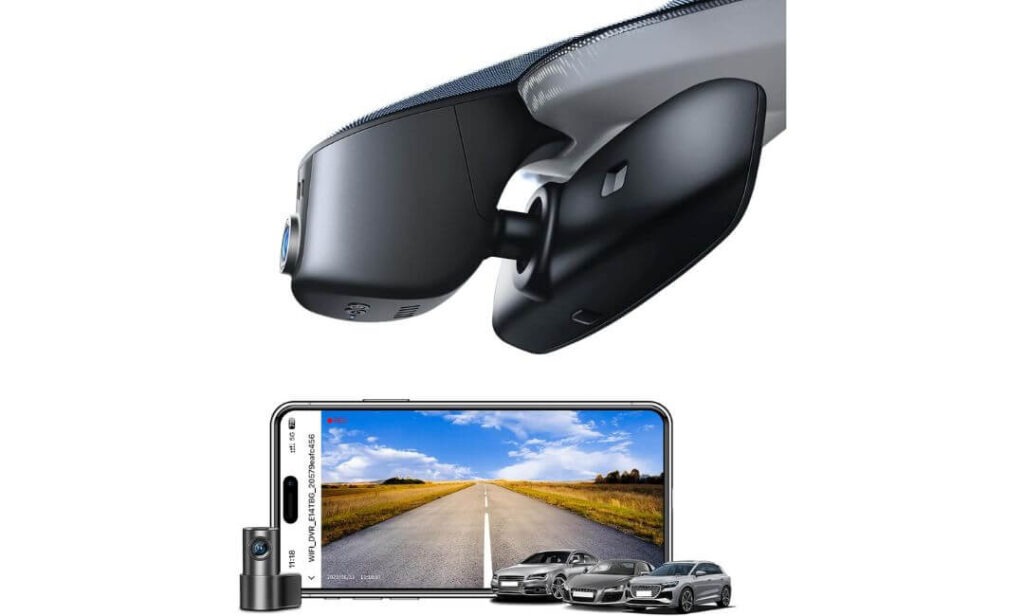
#2. Mangoal Front 4K & Rear 1080P Dash Cam
Quick Specs:
- Best For: Audi Q7 owners wanting front and rear recording with a clean OEM factory finish
- Vehicle Compatibility: Audi Q7 Model A (2019+) with the matching factory mirror cover
- Video Resolution: 4K (3840×2160) Front + 1080P Rear
- Image Sensor: Sony STARVIS IMX335
- Viewing Angle: 150° Front + 140° Rear
- Navigation Support: Built-in GPS for speed and route data
- Connectivity: Built-in WiFi with smartphone app
- Recording Features: Loop recording, G-Sensor, parking mode, motion detection
- Storage: 128GB microSD card included, supports larger capacity cards
- Installation: OEM mirror housing design powered through the factory rain sensor connection (rear camera cable routing takes the most time)
What immediately stands out about this model is that it doesn’t force you to choose between a factory appearance and complete vehicle coverage. You get a true OEM-style installation that stays hidden behind the rear-view mirror, while the 4K front camera and 1080P rear camera record both directions without adding clutter inside the cabin. For many Audi Q7 owners, that’s a far more practical upgrade than attaching a traditional dash cam with exposed cables.
The recording hardware is equally impressive. Using the Sony STARVIS IMX335 sensor, it captures cleaner low-light footage with less motion blur than many standard sensors, while the 150° front and 140° rear viewing angles help cover multiple lanes and surrounding traffic. Built-in GPS adds speed and location information to recordings, and WiFi makes it simple to review or save important clips directly from your phone whenever needed.
Another reason it ranked so highly is the complete package. A 128GB memory card is included, along with the GPS module and installation accessories, so there’s very little to purchase separately. The rear camera requires a little more patience during installation because the cable must be routed neatly through the cabin, but the finished result looks remarkably close to factory equipment.
(If protecting both the front and rear of your Audi Q7 matters as much as maintaining its premium interior, this combination is one of the strongest OEM-style solutions currently available.)
Why It Stood Out During Our Evaluation
- Dual-channel recording provides valuable front and rear coverage for everyday driving.
- Sony STARVIS IMX335 sensor delivers stronger low-light performance and clearer nighttime footage.
- Built-in GPS adds useful driving data without requiring additional accessories.
- 128GB memory card included, so it’s ready to record immediately.
- OEM mirror integration preserves the clean factory appearance that Audi owners appreciate.
A Small Consideration Before Buying
This model is designed specifically for Model A mirror housings, so taking a minute to compare your factory mirror cover with the product images before ordering can help ensure a smooth installation.
Audi Q7 Compatibility Notes
This dash cam is built for Audi Q7 Model A vehicles using the compatible factory mirror sensor cover. It draws power through the existing mirror area, allowing the installation to remain clean without running a visible cable down the windshield.
If you plan to install the rear camera yourself, set aside a little extra time for routing the rear cable through the headliner and trim panels. It’s the part of the installation that requires the most patience, but it’s also what gives the finished setup its factory-quality appearance.
The Insider Pro-Tip
If you’re choosing between a front-only camera and a dual-channel setup, think about where your Q7 spends most of its time. For highway driving, shopping centre parking, and family trips, having rear video evidence can be just as valuable as the footage in front of you.
One small habit also makes a noticeable difference over time: after installation, open the app once every few weeks to confirm the camera is recording normally and that the memory card is healthy. It takes less than a minute and helps ensure the footage is there when you actually need it.
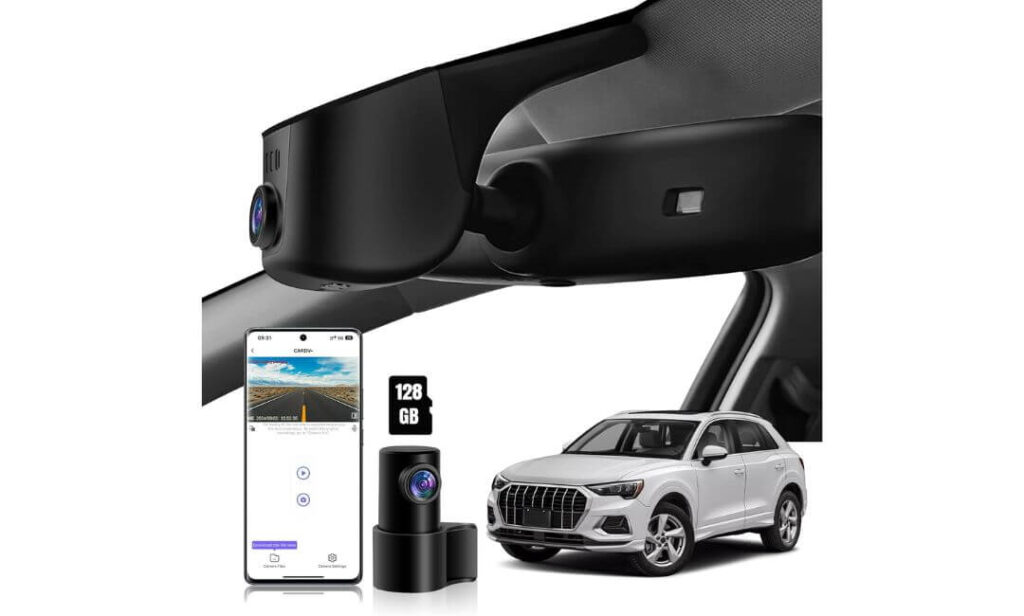
#3. kutaitai Front 4K & Rear 1080P Dash Cam
Quick Specs:
- Best For: Audi Q7 owners looking for OEM styling with front and rear recording at a competitive price
- Vehicle Compatibility: Audi Q7 Model A (2019+)
- Video Resolution: 4K (2160P) Front + 1080P Rear
- Processor: Novatek chipset
- Lens: f/1.8 aperture, 170° front and 140° rear viewing angles
- Connectivity: Built-in WiFi with Android and iOS app support
- Recording Features: Loop recording, G-Sensor, parking monitoring, time-lapse mode
- Storage: 128GB microSD card included
- Power Options: Factory plug adapter plus ACC fuse cable included for parking mode
- Installation: OEM mirror housing replacement with plug-and-play factory power connection
What makes this model appealing isn’t just its price—it’s how much practical hardware is included straight out of the box. You get 4K front recording, a dedicated 1080P rear camera, a 128GB memory card, factory power adapters, and even an ACC fuse cable for owners who want to activate parking mode properly. That saves both time and additional purchases after installation.
Recording performance is backed by a Novatek processor, f/1.8 lens, and a wide 170-degree front field of view, helping capture lane changes, junctions, and road signs with impressive clarity. The rear camera covers another 140 degrees, giving the Audi Q7 much better overall protection than a front-only setup. Built-in WiFi keeps footage easy to access through the mobile app, while loop recording and the G-Sensor quietly manage recordings in the background without requiring constant attention.
Another reason this model earned a place in our recommendations is its installation approach. It integrates into the factory mirror housing instead of hanging beneath it, preserving the clean cabin design Audi owners expect. The included ACC wiring kit also gives you the option to enable parking monitoring properly rather than searching for extra accessories later.
(For Audi Q7 owners who want strong everyday features without moving into the premium price range, this package offers one of the better overall values in the OEM-style category.)
Why It Earned Our Recommendation
- Complete installation kit including factory adapter, ACC cable, and 128GB memory card.
- 4K front and 1080P rear recording provide dependable everyday coverage.
- Novatek processor helps deliver stable recording performance.
- Wide viewing angles reduce blind spots around the vehicle.
- OEM-style mirror integration maintains the clean factory appearance inside the Audi Q7.
A Small Consideration Before Buying
This dash cam is designed specifically for Model A mirror housings, so comparing your factory sensor cover with the product images before ordering is well worth the extra minute.
Audi Q7 Compatibility Notes
This model fits Audi Q7 Model A vehicles and takes power from the factory mirror area, allowing for a much cleaner installation than traditional windshield-mounted cameras. Once installed correctly, very little of the system is visible from inside the cabin.
If you intend to use parking monitoring, plan on installing the included ACC fuse cable during the initial installation. Doing everything at once usually saves time compared with reopening the trim panels later.
The Insider Pro-Tip
Many buyers focus on video resolution first, but for long-term ownership, the installation hardware matters just as much. Having the correct factory adapter, ACC cable, and memory card included often makes the entire installation smoother and reduces unexpected extra costs.
Before securing the trim panels, connect the camera to the mobile app and confirm both the front and rear cameras are recording correctly. Spending two minutes on this simple check can save a lot of time if you ever need to adjust cable routing afterward.
#4. FUVYMYT Dual Channel 4K & 1080P Dash Cam
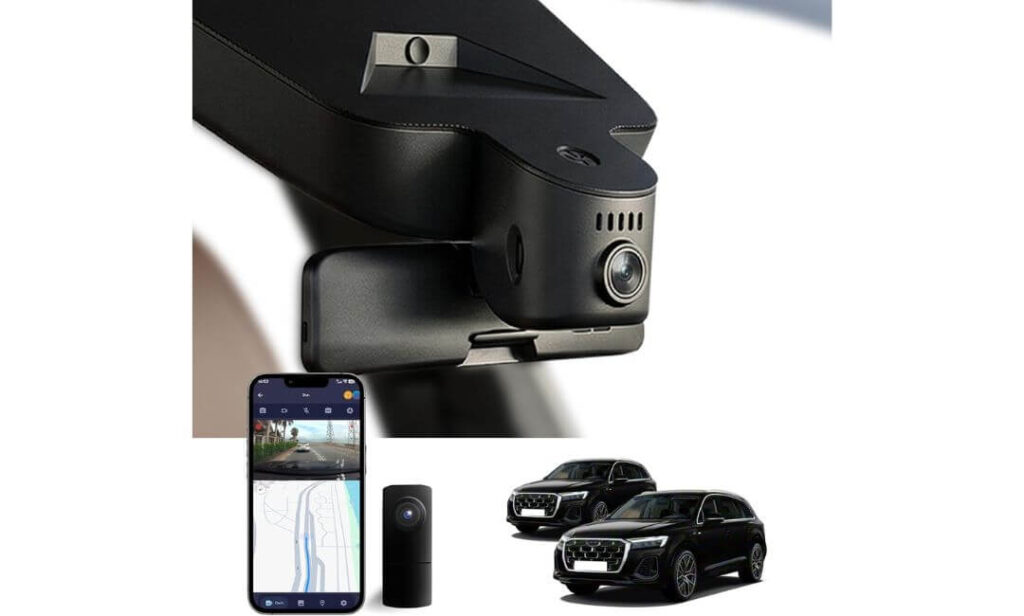
Quick Specs:
- Best For: Audi Q7 owners who want an OEM-style dual-channel dash cam with a straightforward installation
- Vehicle Compatibility: Audi Q7 (Model A, 2019+)
- Video Resolution: 4K (2160P) Front + 1080P Rear
- Lens: f/1.6 aperture with 145° front viewing angle
- Image Processing: HDR for improved night recording
- Connectivity: Built-in WiFi with dedicated smartphone app
- Recording Features: Loop recording, G-Sensor, optional parking monitoring
- Storage: 128GB microSD card included, supports up to 256GB
- Installation: Plug-and-play factory connection with OEM mirror housing
- In the Box: 128GB card, card reader, installation tool, Y-type power cable
Rather than adding unnecessary extras, this dash cam focuses on getting the essentials right. It combines a hidden OEM-style installation, 4K front recording, and a dedicated 1080P rear camera into a package that’s easy to install and simple to use every day. For Audi Q7 owners who want dependable protection without spending time on complicated wiring, that balance makes a genuine difference.
Video quality is helped by a 4K sensor, f/1.6 aperture, and HDR image processing, allowing the camera to handle changing light conditions more effectively when driving through city streets, tunnels, or after sunset. The 145-degree viewing angle captures a broad view ahead, while the rear camera adds valuable coverage behind the vehicle. Built-in WiFi also lets you preview, download, and manage recordings directly from your phone without removing the memory card.
Another practical advantage is what comes inside the package. Along with a 128GB memory card, you also receive a card reader, installation tools, and the required power adapter, making it easier to complete the installation without hunting for additional accessories. The result is a clean factory-style setup that feels well suited to the Audi Q7 interior.
(If your priority is a straightforward OEM-style installation backed by reliable everyday recording, this package delivers the features that matter most without adding unnecessary complexity.)
Why It Made Our Shortlist
- 4K front and 1080P rear recording for balanced everyday coverage.
- HDR technology helps improve footage in difficult lighting conditions.
- Plug-and-play installation keeps the factory interior looking clean.
- 128GB memory card and card reader included for immediate use.
- Dedicated WiFi app makes viewing and downloading footage simple.
A Small Consideration Before Buying
This version is intended for Audi Q7 Model A vehicles without the factory camera integrated into the rear-view mirror cover, so checking your mirror housing before ordering is an important first step.
Audi Q7 Compatibility Notes
This dash cam is designed to fit behind the factory mirror assembly, helping preserve the premium appearance of the Audi Q7 without leaving cables visible across the windshield. The supplied Y-type power cable also keeps installation relatively straightforward compared with universal dash cams.
If you want to enable parking monitoring, you’ll need the optional hardwire harness. It’s worth planning for this during installation so you don’t have to remove the trim again later.
The Insider Pro-Tip
When installing any OEM-style dash cam, don’t judge the final fit until every trim panel has been clipped back into place. A cable that looks slightly visible during installation often disappears completely once the mirror cover and headliner are fully seated.
Also, before finishing the job, record a short test drive and confirm that both the front and rear cameras are saving footage correctly through the mobile app. It’s a simple check that gives you confidence everything is working exactly as intended before the installation is complete.
#5. KBSYNT Front 4K & Rear 1080P Dash Cam
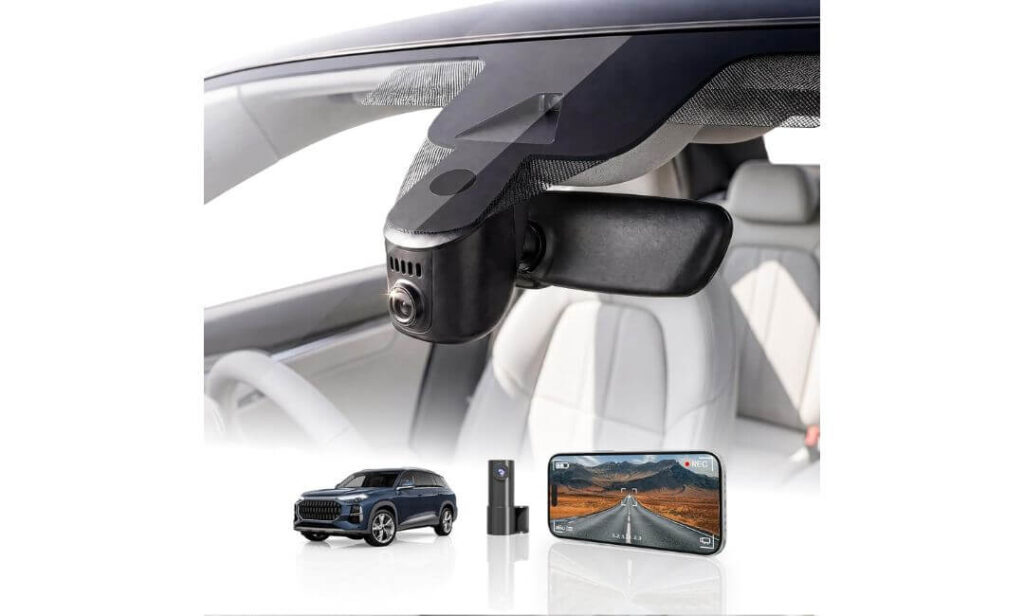
Quick Specs:
- Best For: Audi Q7 owners seeking an OEM-style dual-camera system with simple daily operation
- Vehicle Compatibility: Audi Q7 Model A (2019+)
- Video Resolution: 4K Ultra HD (2160P) Front + 1080P Rear
- Lens: 170° wide-angle with f/1.6 aperture
- Image Enhancement: HDR for improved low-light recording
- Connectivity: Built-in 2.4GHz WiFi with mobile app support
- Recording Features: Loop recording, G-Sensor, optional parking monitoring
- Storage: 128GB memory card included, expandable up to 256GB
- Installation: Plug-and-play OEM mirror integration with hidden wiring
- Package Includes: Dash cam, rear camera, 128GB card, removal tool, power cable and user manual
Sometimes the best upgrade is the one you barely notice after it’s installed. That’s exactly where this dash cam performs well. It sits neatly behind the factory mirror housing, keeps the windshield free from hanging cables, and adds 4K front plus 1080P rear recording without changing the clean interior design that makes the Audi Q7 feel premium.
Recording quality is supported by a 170-degree wide-angle lens, f/1.6 aperture, and HDR processing, helping the camera capture clearer footage during bright afternoons, rainy weather, and evening drives. The built-in 2.4GHz WiFi makes reviewing footage straightforward through the companion app, while loop recording and the G-Sensor automatically protect important files if an incident occurs. It is a setup designed to work quietly in the background rather than demanding regular attention.
Another reason this model completes our shortlist is its straightforward ownership experience. The package already includes a 128GB memory card, installation tool, and required cables, making the initial setup much easier than piecing together accessories one by one. Once installed correctly, it feels far closer to a factory feature than an aftermarket accessory.
(If your goal is to keep the Audi Q7 looking completely original while adding dependable front and rear video protection, this package offers a sensible balance of features and ease of ownership.)
Why We Included It
- Hidden OEM-style installation that blends naturally with the Audi interior.
- 4K front and 1080P rear recording for everyday driving protection.
- HDR imaging improves visibility when lighting conditions change.
- 128GB memory card included, allowing immediate use after installation.
- Simple WiFi app control for reviewing and downloading recordings without removing the memory card.
A Small Consideration Before Buying
This version is intended for Audi Q7 Model A vehicles that do not have the factory camera built into the rear-view mirror cover, so checking your mirror housing before ordering is an important step for a perfect fit.
Audi Q7 Compatibility Notes
The camera is engineered to replace the factory mirror cover, giving it a much cleaner appearance than conventional windshield-mounted dash cams. When installed correctly, the wiring stays hidden and the camera remains discreet from both inside and outside the vehicle.
If you plan to use parking monitoring, remember that an additional hardwire harness is required. Installing it during the initial fitting is usually the easiest approach and avoids reopening the trim later.
The Insider Pro-Tip
A clean installation doesn’t depend only on the dash cam—it also depends on taking time with the trim. Before locking every panel back into place, check the live view through the mobile app and confirm that both cameras have an unobstructed view. It’s a simple habit that can prevent having to remove the trim again later.
One final tip many experienced installers follow is to recheck all recordings after your first week of driving. Confirm the memory card is saving files correctly and that the G-Sensor is working as expected. It only takes a minute and helps ensure the system is ready when you genuinely need it most.
Best Audi Q7 Dash Cam Comparison: OEM Style, 4K Recording and Smart Features
| Feature |
Best Overall Fitcamx |
Premium Pick Mangoal |
Best Value kutaitai |
Easy Install FUVYMYT |
Budget Choice KBSYNT |
|---|---|---|---|---|---|
| Factory OEM Appearance | Excellent | Excellent | Excellent | Excellent | Excellent |
| Front Recording | 4K UHD | 4K UHD | 4K UHD | 4K UHD | 4K UHD |
| Rear Recording | — | 1080P | 1080P | 1080P | 1080P |
| Night Recording | WDR | STARVIS IMX335 | HDR + f/1.8 | HDR + f/1.6 | HDR + f/1.6 |
| Built-in GPS | — | Included | — | — | — |
| WiFi & Mobile App | Yes | Yes | Yes | Yes | Yes |
| Parking Mode | Supported | Supported | ACC Hardwire Ready | Optional Harness | Optional Harness |
| Memory Card Included | 64GB | 128GB | 128GB | 128GB | 128GB |
| Maximum Storage | 256GB | 256GB | 256GB | 256GB | 256GB |
| Installation Experience | Factory Cover Replacement | Factory Mirror Integration | Plug & Play OEM Style | Simple OEM Installation | Clean Factory Fit |
| Ideal Buyer | Owners wanting the cleanest OEM finish | Drivers needing GPS & dual recording | Best balance of value and features | Simple installation with dual cameras | Affordable everyday protection |
| Our Verdict | ★★★★★ Best Overall Choice |
★★★★☆ Premium Features |
★★★★☆ Best Value |
★★★★☆ Easy Ownership |
★★★★☆ Budget Friendly |
Why an OEM-Style 4K Dash Cam Is a Smart Upgrade for the Audi Q7
The Audi Q7 is built as a premium family SUV, and that changes what you should expect from a dash cam. In a smaller car, almost any windshield-mounted camera may feel acceptable. In the Q7, however, a bulky unit with dangling cables can spoil the clean dashboard design, interfere with visibility, and look noticeably out of place. That’s why every recommendation in this guide focuses on OEM-style integration first, followed by recording quality, long-term reliability, and ease of ownership.
More importantly, the size and capability of the Q7 make it a vehicle that regularly covers long motorway journeys, school runs, business travel, and weekend road trips. Having dependable front and rear footage isn’t just about recording an accident—it provides an extra layer of confidence every time you drive.
Front and Rear Coverage Gives a More Complete Picture
A front-facing camera tells only half of the story. Many insurance claims involve rear-end impacts, reversing incidents, parking lot damage, or situations where another vehicle approaches from behind. A dual-channel dash cam records both directions simultaneously, making it much easier to understand exactly what happened.
This becomes especially valuable when:
- Driving on busy motorways where rear-end collisions are common.
- Navigating multi-level parking structures with limited visibility.
- Reversing in crowded shopping centres.
- Carrying family members during long-distance trips.
- Recording evidence when another driver disputes responsibility.
Instead of relying on witness statements alone, you have synchronized footage from both cameras that provides a much clearer timeline of the incident.
Why 4K Recording Makes a Real Difference
Higher resolution isn’t about having a sharper-looking video for social media. The practical advantage of 4K recording is that it captures more usable detail when you actually need it.
A quality 4K dash cam can make it easier to identify:
- Vehicle number plates.
- Road signs and lane markings.
- Traffic signal positions.
- Vehicle colours and surrounding traffic.
- Small details that may become important during an insurance claim.
Combined with technologies such as HDR, WDR, larger apertures, or advanced image sensors like Sony STARVIS, footage remains more balanced during sunrise, sunset, heavy rain, or night driving when ordinary cameras often struggle.
Factory-Style Integration Matters More Than Most Owners Expect
One detail many buyers overlook is how the dash cam looks after installation. Since the Audi Q7 has a refined interior with integrated driver-assistance equipment around the mirror housing, a universal dash cam often appears like an afterthought.
An OEM-style dash cam replaces or integrates with the factory mirror cover, allowing the camera to sit discreetly behind the rear-view mirror. The result is a cleaner cabin, fewer visible cables, and a setup that feels much closer to original factory equipment.
That approach also helps reduce distractions while driving because the camera stays outside your normal field of vision.
Parking Protection Starts Before an Incident Happens
Many vehicle incidents occur when the engine isn’t even running. Someone may reverse into your parked SUV, open a door into the bodywork, or scrape the bumper while leaving a parking space.
Dash cams with parking mode, G-Sensor impact detection, and optional hardwire kits can automatically preserve important recordings when motion or an impact is detected. While the exact parking features vary between models, every product we selected supports parking protection in some form, giving owners the flexibility to expand the system if needed.
Features That Actually Improve Everyday Ownership
A long feature list doesn’t always translate into a better ownership experience. Throughout our evaluation, we placed greater importance on the features owners genuinely use after the first week of installation.
Those include:
- Stable WiFi connectivity for reviewing footage from a phone.
- Loop recording that automatically manages storage.
- G-Sensor protection for locking important clips.
- Included memory cards, reducing additional setup costs.
- Simple factory-style installation without visible wiring.
- Reliable mobile apps for downloading or sharing recordings quickly.
These practical details often make a bigger difference over several years of ownership than adding features that rarely get used.
Our Recommendation Philosophy
When selecting the dash cams in this guide, we didn’t simply compare specifications. We looked for products that genuinely complement the Audi Q7 ownership experience. Every recommendation combines OEM-style installation, high-resolution recording, and practical everyday usability while remaining compatible with the correct Model A mirror housing.
For most Audi Q7 owners, the best dash cam isn’t necessarily the one with the longest specification sheet. It’s the one that records reliably, blends seamlessly into the vehicle, requires very little attention after installation, and is ready to capture clear evidence whenever you need it most.
Buying Guide: How to Choose the Right Dash Cam for Your Audi Q7
Choosing a dash cam for an Audi Q7 is different from buying one for an ordinary SUV. The Q7’s premium interior, integrated mirror sensors, driver-assistance technology, and large windshield mean compatibility matters just as much as recording quality. A camera with impressive specifications can still become a poor purchase if it doesn’t fit correctly or disrupts the factory appearance.
The products in this guide were selected because they combine OEM-style integration, dependable recording performance, and features that genuinely improve everyday ownership rather than simply adding marketing specifications.
Confirm Vehicle Compatibility Before Looking at Features
The first thing to verify is the mirror housing on your Audi Q7. Many OEM-style dash cams are designed around specific mirror covers, often referred to as Model A or other variants. Two vehicles from similar model years may still use different sensor covers depending on trim level and factory equipment.
Before ordering, compare your mirror housing with the manufacturer’s fitment images. Spending a minute checking compatibility is far easier than discovering the housing doesn’t align during installation.
If your Audi already has a factory camera or additional sensors behind the mirror cover, make sure the dash cam is designed specifically for that configuration.
Decide Between OEM-Style and Traditional Windshield Cameras
Both designs record video, but the ownership experience is very different.
An OEM-style dash cam integrates into the mirror housing, hides the wiring, and preserves the premium appearance of the Audi Q7. Once installed correctly, most passengers won’t even notice it’s there.
A traditional windshield-mounted camera is usually easier to move between vehicles, but it often leaves visible power cables, occupies more windshield space, and doesn’t blend naturally with the interior.
If maintaining the original look of your Audi matters, OEM-style models are generally the better long-term investment.
Prioritize Image Quality That Works Beyond Daylight
Resolution alone doesn’t determine how useful your recordings will be.
Look for a combination of:
- 4K front recording for sharper overall detail.
- HDR or WDR processing to balance bright sunlight and dark shadows.
- Large aperture lenses such as f/1.6 or f/1.8 for improved low-light performance.
- Advanced image sensors, including Sony STARVIS, when available.
These technologies help improve visibility during rain, tunnels, early mornings, and night driving, where lower-quality cameras often struggle to preserve important details.
Choose Dual-Channel Recording if You Want Better Protection
A front camera captures only part of an incident.
Adding a rear camera creates a much more complete record during:
- Rear-end collisions.
- Parking lot damage.
- Multi-vehicle accidents.
- Tailgating incidents.
- Highway lane changes.
- Hit-and-run situations.
For a vehicle as valuable as the Audi Q7, dual-channel recording usually provides far greater long-term value than a front-only system.
Don’t Ignore the Features You’ll Actually Use Every Week
Many buyers focus entirely on recording resolution while overlooking the features that make ownership easier over time.
The most useful everyday features include:
- Built-in WiFi for reviewing footage without removing the memory card.
- Loop recording that automatically manages storage.
- G-Sensor protection to preserve important recordings.
- GPS, if you want speed and route information recorded alongside the video.
- Parking mode, particularly if your Q7 spends time in public parking areas.
- Included memory cards, reducing additional setup costs.
These are the features you’ll interact with long after the excitement of unboxing has passed.
Plan Your Installation Before You Buy
Installation is often easier when it’s planned from the beginning.
If you’re choosing an OEM-style dash cam, expect to remove the mirror cover carefully and route the wiring through the factory trim. A plastic trim removal tool is highly recommended because it helps avoid marking the interior panels.
If you intend to use parking mode, check whether the camera includes an ACC hardwire kit or whether it must be purchased separately. Completing the hardwire installation the first time is usually much easier than reopening the trim later.
Also remember that heavily tinted windshields or metallic tint films can slightly affect recording quality, especially at night. Keeping the lens area clean and unobstructed will have a much greater impact on video clarity than simply choosing a higher resolution.
Understanding Price Versus Real Value
The most expensive dash cam isn’t automatically the best choice for every Audi Q7 owner.
Generally, the market falls into three practical categories:
- Entry-level OEM models offer 4K recording, WiFi, and factory-style installation at an affordable price.
- Mid-range models add dual-channel recording, better night performance, larger included memory cards, and more complete installation kits.
- Premium options typically include features such as GPS, advanced image sensors, enhanced parking capabilities, and stronger overall refinement.
Instead of paying for features you’ll rarely use, focus on buying the combination that best matches your driving habits. For many Audi Q7 owners, a well-designed OEM-style 4K dual-channel dash cam with dependable WiFi, loop recording, and parking support delivers the strongest balance between everyday practicality, factory appearance, and long-term value.
Installation Essentials: Installing an OEM Dash Cam in the Audi Q7 the Right Way
A good dash cam can easily become a disappointing purchase if it isn’t installed properly. The Audi Q7 has a well-designed interior with integrated mirror sensors, airbags behind the A-pillars, and carefully fitted trim panels, so the installation deserves the same attention as the camera you choose. The goal isn’t simply to power the camera—it’s to achieve an installation that looks factory-fitted, remains reliable for years, and never interferes with the vehicle’s safety systems.
Fortunately, every dash cam recommended in this guide follows the same OEM-style philosophy, making the installation process much cleaner than a conventional windshield-mounted camera.
Start by Confirming Mirror Housing Compatibility
Before removing a single trim panel, verify that your Audi Q7 uses the correct Model A mirror housing required by the dash cam. Even vehicles from similar production years may use different mirror covers depending on trim level and driver-assistance equipment.
Take a clear photo of the mirror sensor housing from inside the cabin and compare it carefully with the manufacturer’s fitment images. This simple step prevents unnecessary installation work and ensures the replacement cover aligns correctly with the factory mounting points.
Choose the Right Power Method Before Installation
How you power the dash cam determines which features will be available later.
Factory mirror power connection
Most OEM-style dash cams designed for the Audi Q7 connect directly to the mirror or rain sensor power source using the supplied adapter. This is the cleanest solution because it avoids running cables across the dashboard while allowing the camera to switch on automatically with the ignition.
Hardwire kit (ACC fuse connection)
If you want parking mode, impact monitoring, or time-lapse recording while the vehicle is parked, a compatible hardwire kit is usually the better choice. It connects to the fuse box and provides constant or switched power depending on the installation method. Several cameras in this guide already include an ACC cable, while others require it separately.
12V accessory socket
Although possible with universal dash cams, this method is generally not recommended for OEM-style installations because it leaves visible wiring and takes away from the factory appearance that makes these cameras so appealing.
Route Every Cable Like the Factory Would
One of the biggest advantages of an OEM-style dash cam is that almost none of the wiring should remain visible after installation.
For the cleanest result:
- Remove trim panels gently using a plastic trim removal tool.
- Route cables along the existing factory wiring whenever possible.
- Keep wiring away from moving components around the mirror assembly.
- Secure loose sections with fabric tape or supplied clips where necessary.
- Avoid pinching cables between trim panels during reassembly.
If you’re installing a rear camera, take your time routing the cable through the headliner, B-pillar, and rear trim rather than stretching it across exposed interior panels. The extra effort is immediately noticeable once the installation is complete.
Respect the Airbags and Factory Safety Systems
The Audi Q7 uses curtain airbags behind the A-pillar trim. Any cable installed in this area should be routed carefully so it does not interfere with airbag deployment.
If you’re unsure of the cable path, follow the existing factory wiring rather than creating a new route. A neat installation isn’t just about appearance—it also preserves the vehicle’s built-in safety design.
Test Everything Before Reassembling the Interior
A mistake many first-time installers make is clipping every trim panel back into place before testing the system.
Instead:
- Confirm the dash cam powers on normally.
- Check that both front and rear cameras are recording correctly.
- Verify the WiFi connection through the mobile app.
- Review a short test recording.
- Confirm the memory card is saving files properly.
- Make sure GPS, if included, is functioning as expected.
Spending a few minutes testing now is much easier than removing the mirror cover or interior trim a second time.
Keep Your Recordings Secure
After installation, there are a few simple habits that improve long-term reliability.
If the mobile app allows it, change the default WiFi password to something more secure before regular use. This helps prevent unauthorized access whenever the camera’s wireless connection is active.
Use a high-quality microSD card, format it periodically through the camera when recommended by the manufacturer, and occasionally review recent recordings to confirm everything is functioning normally. Reliable storage is just as important as good image quality.
If your camera includes an emergency recording button or automatically locks impact files through the G-Sensor, learn how those protected files are stored. Knowing where important footage is saved can make a significant difference after an unexpected incident.
Small Installation Details That Make a Big Difference
Professional-looking installations usually come down to small finishing touches rather than expensive tools.
Clean the windshield around the mirror before fitting the camera, align the replacement cover carefully without forcing the clips, and make sure the lens has an unobstructed view of the road. Once everything is assembled, sit in the driver’s seat and confirm the camera doesn’t interfere with your normal field of vision.
The best OEM-style installation is the one you stop noticing after the first drive. If the cabin still looks like it left the Audi factory, every cable remains hidden, and the camera records automatically every time you start the engine, you’ve achieved exactly what these systems were designed to deliver.
Maximizing Your Audi Q7 Dash Cam Features for Better Protection
Buying a quality dash cam is only the first step. Getting the most from it depends on how it’s configured after installation. Many owners install the camera, leave the factory settings untouched, and never realize they’re missing features that could make a real difference during an accident or insurance claim.
The OEM-style dash cams recommended in this guide already include features such as 4K recording, dual-channel coverage, loop recording, WiFi connectivity, G-Sensor protection, and, on selected models, GPS and parking mode. Spending a few minutes configuring these settings properly helps ensure the system performs exactly when you need it most.
Configure Parking Mode for the Way You Actually Use Your Q7
Parking mode is one of the most valuable features on a modern dash cam, but only when it’s configured correctly.
If your camera supports impact detection, the system remains in a low-power state and automatically saves footage whenever it detects a significant vibration or collision. This works well for owners who primarily want protection against parking lot damage or hit-and-run incidents.
Some models also support time-lapse or motion-based recording when connected through a compatible hardwire kit. These modes are better suited for vehicles that spend long hours parked outdoors or in public car parks where activity around the vehicle is more common.
Before relying on parking mode, verify:
- The hardwire kit or ACC cable is connected correctly.
- The camera enters parking mode after the ignition is switched off.
- Motion or impact recordings are being saved separately from normal driving footage.
- The memory card has sufficient free space for extended recording sessions.
Testing these features once after installation is far better than discovering they weren’t configured when you actually need the footage.
Optimize 4K Recording Without Overloading the Storage
Higher resolution provides clearer evidence, but it also creates larger video files.
For most Audi Q7 owners, the ideal setup is to leave the front camera recording at full 4K resolution while allowing the rear camera to operate at its native Full HD resolution, exactly as designed by the manufacturer. This delivers the strongest balance between image quality and storage efficiency.
To maintain consistent recording quality:
- Use the highest supported recording resolution.
- Enable HDR or WDR whenever available.
- Keep the windshield clean around the camera lens.
- Check the lens position after installation to ensure it captures the full road ahead.
- Format the memory card periodically using the camera’s own menu when recommended by the manufacturer.
These simple habits help preserve recording quality over months of everyday driving.
Fine-Tune Loop Recording and G-Sensor Settings
Loop recording works best when it quietly manages storage in the background.
Most owners never need to adjust the recording interval, but it’s worth checking that the camera is creating continuous recordings without unexpected gaps.
The G-Sensor deserves a little attention as well.
If sensitivity is set too high, the camera may lock dozens of normal driving clips after every pothole or speed bump, eventually filling the protected storage area.
If sensitivity is too low, smaller impacts may not trigger protected recordings when they should.
A medium sensitivity level usually provides the most balanced performance for everyday Audi Q7 driving, although owners who regularly drive on rough roads may prefer a slightly lower setting.
Manage Power Wisely During Extended Parking
Parking mode depends as much on power management as it does on camera quality.
If your dash cam uses an ACC hardwire kit, verify that the low-voltage protection feature is enabled whenever supported. This helps prevent excessive battery discharge by automatically switching the camera off if battery voltage drops below the preset safety level.
For owners who leave the Audi Q7 parked for several days at a time:
- Consider reducing parking recording duration if the option is available.
- Use impact-triggered recording instead of continuous recording when appropriate.
- Drive the vehicle regularly to maintain battery health.
- Inspect battery condition during scheduled vehicle servicing.
These simple habits help maintain reliable operation without placing unnecessary strain on the vehicle’s electrical system.
Keep WiFi, GPS, and Memory Storage Working Reliably
Modern dash cams rely on more than just the camera itself.
Every few weeks:
- Open the mobile app and confirm both cameras are recording normally.
- Verify the correct date and time remain synchronized.
- Check that GPS, if equipped, is still recording location information accurately.
- Review a recent clip from both the front and rear cameras.
- Confirm the available storage hasn’t been filled with locked emergency recordings.
Regular checks only take a minute, yet they significantly reduce the chance of discovering a problem after an important event has already occurred.
Small Habits That Protect Your Footage
Many experienced dash cam owners follow a few simple routines that greatly improve long-term reliability.
Avoid removing the memory card while recording is in progress, allow the camera to shut down completely before disconnecting power, and replace the microSD card if you begin noticing recording errors or missing files after extended use. Memory cards are consumable items, and replacing them periodically is far less expensive than losing critical footage.
Finally, don’t treat your dash cam as a device that can simply be installed and forgotten forever. Checking recordings occasionally, keeping the lens clean, updating firmware when the manufacturer releases stable improvements, and confirming every feature still operates correctly will do far more for long-term reliability than chasing the newest specifications on the market.
For most Audi Q7 owners, these small maintenance habits ensure the dash cam remains ready to capture clear, dependable evidence every time the vehicle leaves the driveway—or even while it’s safely parked.
Real-World Advantages of a 4K Dual-Channel Dash Cam in the Audi Q7
On paper, every dash cam promises clear video, wide viewing angles, and advanced recording features. The real difference only becomes obvious when something unexpected actually happens. A near miss on the motorway, a parking lot impact, or a disputed lane change can unfold in just a few seconds, and that’s where a well-installed 4K dual-channel dash cam becomes far more than another accessory.
For an SUV like the Audi Q7, which is often used for family travel, business commuting, and long-distance driving, having dependable evidence from both directions provides a level of reassurance that a front-only system simply cannot match.
Front and Rear Cameras Tell the Complete Story
One camera records what happened ahead of your vehicle. Two cameras explain the entire sequence.
Imagine you’re waiting at a traffic light and another vehicle strikes the rear of your Audi Q7. A front camera may only show your vehicle moving unexpectedly, while the rear camera clearly captures the approaching vehicle, its speed, lane position, and the exact moment of impact.
The same advantage applies during:
- Motorway rear-end collisions.
- Parking lot impacts while reversing.
- Multi-vehicle traffic incidents.
- Aggressive tailgating.
- Hit-and-run situations.
- Lane merge disputes.
Instead of relying on assumptions, you have synchronized recordings showing what happened from both directions at the same time.
Better Footage Can Make Evidence More Useful
When people think about 4K recording, they often imagine sharper-looking videos. In reality, the biggest benefit is having footage that remains useful when reviewed frame by frame.
Higher-quality recordings improve the chances of identifying:
- Vehicle registration plates.
- Road markings.
- Traffic signs.
- Signal positions.
- Vehicle colours and body damage.
- The sequence of events leading up to an incident.
This additional clarity can be particularly valuable when footage is shared with insurers or used to support your explanation of an event. While no camera can guarantee every detail will always be readable, higher-resolution recording generally preserves more visual information than lower-resolution alternatives.
Mixed Lighting Is Where Better Cameras Separate Themselves
Driving conditions change constantly throughout the day.
A single journey may include:
- Bright midday sunlight.
- Tree-covered roads with alternating shadows.
- Underground parking garages.
- Heavy rain.
- Sunrise or sunset glare.
- Night driving with approaching headlights.
Features such as HDR, WDR, larger aperture lenses, and advanced image sensors help cameras adapt more effectively to these changing conditions. Instead of producing footage with blown-out highlights or overly dark shadows, the camera attempts to balance exposure so important details remain visible across a wider range of lighting environments.
That consistency is often more valuable than resolution alone.
Parking Incidents Often Happen When You’re Not There
Many vehicle owners expect their dash cam to protect them while driving, but parking situations are just as important.
A properly configured system with parking mode and G-Sensor protection can preserve evidence if another vehicle makes contact while your Audi Q7 is parked. Depending on the camera and power configuration, some systems can also respond to detected movement around the vehicle.
Although parking mode varies between manufacturers, having footage available after returning to your vehicle can be extremely helpful when investigating unexpected damage.
Why Reliable Footage Matters More Than Extra Features
After reviewing many OEM-style dash cam systems, one pattern becomes clear.
The cameras owners appreciate most over time are rarely the ones with the longest specification sheet. They’re the ones that record consistently, save footage correctly, connect reliably through the mobile app, and require very little attention once installed.
A dependable recording of an ordinary journey often becomes valuable months later when something unexpected happens.
That’s why every model in this guide was selected not only for its 4K recording capability, but also for practical features such as dual-channel coverage, loop recording, WiFi connectivity, OEM-style installation, and dependable day-to-day usability.
Peace of Mind Is the Feature You Notice Most
Most Audi Q7 owners will probably never watch hundreds of hours of recorded footage. In fact, the best outcome is needing it as little as possible.
The real value comes from knowing that every drive, every motorway journey, every family trip, and every parking stop is being recorded automatically without changing the premium character of the vehicle.
When a dash cam integrates cleanly into the factory mirror housing, records clear footage from both directions, and quietly manages everything in the background, it becomes one of those upgrades that you almost forget is there—until the day you’re genuinely glad it was.
FAQs About Audi Q7 Dash Cam
Is an OEM-style dash cam really a better choice for the Audi Q7 than a premium universal 4K dash cam?
For most Audi Q7 owners, yes. The biggest advantage isn’t simply appearance—it’s long-term ownership. An OEM-style dash cam integrates around the factory mirror housing, leaving no suction cups, dangling cables, or extra screens competing for space on the windshield. That means better visibility, a cleaner cabin, and a setup that feels much closer to factory equipment.
The decision should be based on how you use the vehicle rather than marketing claims. If your priorities are a discreet installation, reliable daily recording, and maintaining the premium interior, an OEM-style system generally offers the better experience. A universal dash cam can still provide excellent video quality, but it rarely matches the seamless integration that many Audi Q7 owners want.
Will a dual-channel dash cam reduce front camera quality in the Audi Q7?
Not necessarily, but it depends on how the manufacturer designed the system. The products recommended in this guide are built to record 4K at the front while simultaneously capturing Full HD at the rear, providing a practical balance between image quality, processing power, and storage efficiency.
Instead of focusing only on resolution, pay attention to the complete recording package. Factors such as HDR or WDR processing, lens quality, image sensor performance, and stable recording often have a greater impact on usable footage than resolution numbers alone. In everyday driving, a well-balanced 4K front and 1080P rear setup usually delivers more reliable evidence than chasing higher specifications that compromise stability.
How can I make sure my Audi Q7 dash cam keeps recording reliably for years instead of just the first few months?
Most long-term reliability comes from simple maintenance rather than replacing the camera itself.
A few habits make a noticeable difference:
- Format the memory card through the camera when recommended by the manufacturer.
- Review a recent recording every few weeks.
- Keep the front and rear lenses clean.
- Replace the microSD card if recording errors begin appearing.
- Install firmware updates only when they improve stability or fix known issues.
Many recording problems blamed on dash cams actually originate from worn memory cards after extended use. Spending a few minutes checking the system every month is often enough to keep it operating reliably for years.
Is parking mode worth using if my Audi Q7 spends most nights in a private garage?
It depends on how and where you drive rather than where the vehicle sleeps overnight.
If your Audi Q7 regularly spends time in shopping centres, office car parks, airports, hotels, or public streets, parking mode can provide valuable evidence if another vehicle makes contact while you’re away. On the other hand, owners who almost always park in a secure private garage may find that impact-triggered parking mode is sufficient without relying on continuous recording.
The important point is matching the parking settings to your routine instead of simply enabling every available feature. Proper power management also helps reduce unnecessary battery usage while still preserving the recordings that matter most.
If several OEM-style dash cams appear similar, what should actually influence the final buying decision?
This is where many buyers make the wrong comparison. Instead of asking which model advertises the highest specifications, ask which one will be easiest to live with over the next three to five years.
In our experience, these factors matter most:
- Correct mirror housing compatibility for your Audi Q7.
- Stable mobile app that makes reviewing footage simple.
- Complete installation kit with the cables you actually need.
- Reliable parking mode support if you plan to hardwire the camera.
- Strong low-light performance, not just higher resolution.
Those details affect your ownership experience every single day. Once the camera is installed, you’ll rarely think about benchmark numbers—but you’ll definitely notice a poor app, unreliable recordings, or a dash cam that never truly feels like it belongs in the vehicle.
Final Thoughts
Finding the best dash cam for an Audi Q7 isn’t about chasing the longest specification sheet or the newest brand. It’s about choosing a system that complements the vehicle rather than looking like an accessory added as an afterthought. Throughout this guide, we focused on dash cams that combine OEM-style integration, dependable 4K recording, practical dual-channel protection, and the everyday features Audi owners are most likely to use long after the excitement of installation has passed.
If maintaining the factory appearance is your highest priority, Fitcamx remains our strongest overall recommendation thanks to its seamless integration and straightforward ownership experience. If you want the added confidence of GPS and premium front-and-rear recording, Mangoal offers one of the most complete packages. Meanwhile, kutaitai, FUVYMYT, and KBSYNT provide excellent alternatives for owners who want OEM styling and reliable protection while balancing features and budget.
One final piece of advice that often gets overlooked: install the right dash cam once, install it properly, and spend a few minutes confirming every feature works before you close the trim panels. A clean installation, a healthy memory card, and correctly configured recording settings will usually have a greater impact on your long-term experience than choosing between two cameras with nearly identical specifications.
The best dash cam is the one you rarely notice during everyday driving, yet trust completely when something unexpected happens. For an SUV like the Audi Q7, that combination of factory appearance, clear evidence, and dependable performance is what ultimately makes the investment worthwhile.
Also Check:


