
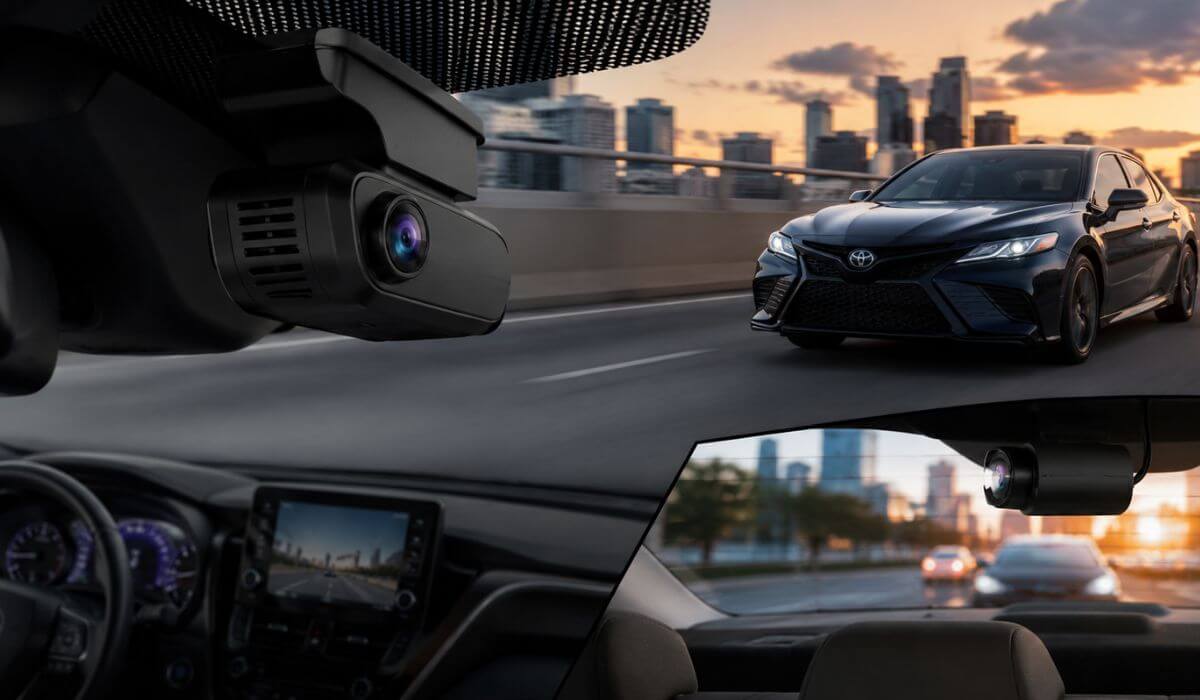
6 Best Dash Cams for Toyota Camry in 2026: OEM-Look 4K Cameras With Parking Mode & Night Vision
The Toyota Camry has quietly become one of the easiest sedans to live with and one of the hardest to shop dash cams for. The newer 2025–2026 Camry models, especially the Hybrid LE, SE, XLE, and XSE trims, now have cleaner windshield layouts, larger sensor housings behind the mirror, tighter cabin insulation, and more electronics packed near the top center console. That means a random bulky dash cam can look terrible, block visibility, drain the battery faster in parking mode, or trigger annoying rattles after a few months.
That’s exactly why this list focuses heavily on OEM-look dash cams, compact 4K systems, and cameras that actually fit the Camry properly instead of hanging off the windshield like an Uber setup from 2017.
For older 2021–2024 Camry models, you still have more flexibility with universal dash cams like the VIOFO and ROVE units. But for the newer redesign, integrated factory-style cameras simply make more sense. They sit tighter behind the mirror, hide wiring better, and feel like something Toyota itself could’ve installed from the factory.
Another thing most articles never mention: parking mode matters more on the Camry than people realize. The car’s quiet cabin and smooth suspension make small bumps harder to notice while parked, especially in crowded lots. A good buffered parking mode and reliable G-sensor setup can save you from a hit-and-run headache later.
We also paid close attention to things Camry owners actually care about in daily driving — clean nighttime plate capture, heat resistance during long summer parking, app stability, easy install without cutting trim pieces, and whether the camera ruins the clean dashboard aesthetic Toyota finally nailed on the latest generation.
Best Toyota Camry Dash Cams: Top 2026 Picks for OEM Fit, 4K Recording & Parking Protection
#1. Fitcamx OEM-Style 4K Dash Cam
Best OEM-look dash cam for Toyota Camry owners wanting a hidden factory-style 4K camera with clean installation, reliable parking mode, and zero windshield clutter during daily driving.
#2. Mangoal Integrated 4K Dash Cam
Best Toyota Camry dash cam with GPS, OEM integration, and sharp UHD recording for drivers wanting a more premium factory-installed feel without complicated wiring.
#3. ROVE R2-4K Dual Channel Dash Cam
Best front and rear dash cam for Toyota Camry drivers needing true 4K recording, STARVIS 2 night vision, fast WiFi transfers, and stronger all-around coverage for highway commuting.
#4. VIOFO A119 V3 HDR Dash Cam
Best budget dash cam for older Toyota Camry models with excellent night recording, buffered parking mode, and proven long-term reliability without spending premium money.
#5. WEFOKA OEM-Fit Front and Rear Dash Cam
Best value OEM-style dash cam for Toyota Camry Hybrid LE, SE, XLE, and XSE trims offering dual-channel recording, discreet fitment, and easy app-based controls.
#6. mercylion G349 OEM 4K Dash Cam
Best affordable Toyota Camry dash camera with integrated factory look, front and rear coverage, and clean hidden installation for 2021–2025 models.
Expert Tip
If you drive a newer Toyota Camry every day, don’t just chase the highest video resolution. A massive 4K number means nothing if the camera overheats, blocks your visibility, or becomes annoying after two weeks. The Camry’s cabin is already clean and quiet, especially on Hybrid trims, so a bulky hanging dash cam instantly feels out of place. That’s why OEM-style fitment matters far more here than it does in most SUVs or trucks.
Also, if you park outside often, prioritize a dash cam with true buffered parking mode and stable voltage protection. A cheap camera constantly waking up overnight can slowly become the reason your battery starts feeling weak after a few months. Most people never connect the two.
How We Chose These Dash Cams for Toyota Camry Owners
There’s a reason this list looks different from most “best dash cam” articles online.
We didn’t just throw random Amazon bestsellers together and call it a day. The newer Toyota Camry changed what actually works well inside the car. The windshield angle, mirror housing design, cabin insulation, and tighter electronics layout all affect how a dash cam feels during real ownership.
That’s why the first thing we focused on was fitment quality.
Some dash cams record great footage but look terrible once installed. Wires hang near the mirror, the body vibrates on rough roads, or the camera blocks part of the forward view at traffic lights. On the newer Camry, especially the 2025–2026 models, that instantly ruins the clean interior Toyota worked hard to build. So we gave higher priority to cameras with OEM-style integration, tighter mounting systems, and cleaner hidden installs.
We also filtered out cameras that rely too heavily on marketing specs but struggle in actual daily driving.
For example, many budget 4K dash cams look sharp during daytime ads but completely smear license plates at night once headlights hit the sensor. That’s why models using better image processing, Sony STARVIS sensors, stable HDR tuning, and reliable night exposure control ranked higher here.
Another thing we paid close attention to was long-term usability.
A dash cam can have amazing video quality and still become frustrating if the app disconnects constantly, footage takes forever to transfer, or the parking mode drains power aggressively during summer parking. We specifically prioritized cameras that feel easy to live with after months of ownership, not just impressive during the first week.
The reason the Fitcamx and Mangoal units rank near the top is simple: they match the Camry’s personality better than most universal dash cams. They stay hidden, preserve the factory look, and feel less like an aftermarket gadget stuck to the windshield.
Meanwhile, cameras like the ROVE R2-4K Dual and VIOFO A119 V3 made this list because they’ve already built a strong reputation among real drivers for consistent recording reliability, especially during highway driving and nighttime use. They may not blend into the cabin as cleanly, but they earn trust where it matters most — capturing usable footage when something actually happens.
We also intentionally avoided stuffing this list with unknown brands promising unrealistic specs like “8K clarity” or fake AI features. For a Toyota Camry owner, reliability matters more than flashy marketing. A camera that quietly records every drive without overheating, crashing, or corrupting footage is worth far more than gimmicks you’ll never use.
At the end of the day, the best dash cam for a Toyota Camry isn’t necessarily the most expensive one. It’s the one you stop thinking about after installation because it simply works every single day.
#1. Fitcamx OEM-Style 4K Dash Cam
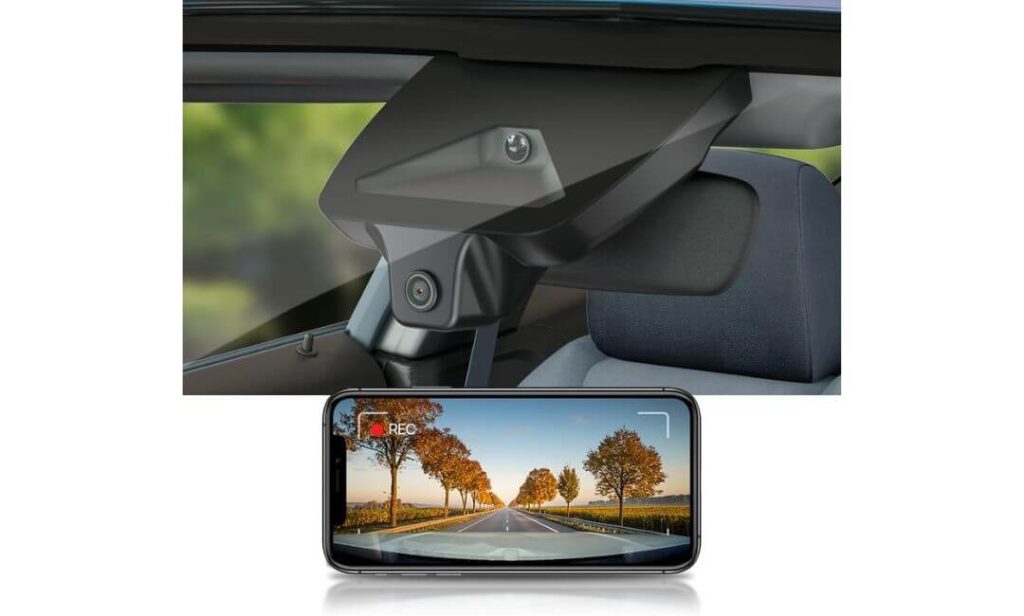
Quick Specs:
- Clean behind-the-mirror OEM fit for Toyota Camry LE, SE, XLE, XSE & Nightshade trims
- Sharp 2160P UHD recording with f/1.6 lens for clearer nighttime plate visibility
- Built-in WiFi + FITCAMX app for quick footage access without removing the card
- Wide 155-degree field of view that covers multiple lanes without fisheye distortion
- Stable loop recording + collision-triggered G-Sensor protection
- Includes a 64GB card out of the box (supports up to 256GB)
- Designed specifically for the newer Camry interior — no dangling wires, no cheap stuck-on look
- Heat-resistant ABS+PC shell built for long summer parking sessions
The first thing you notice here isn’t the video quality — it’s the fact that you barely notice the camera at all. Once installed behind the mirror, it blends into the Camry’s upper trim so naturally that most passengers assume it came from the factory. No dangling cable across the windshield, no giant screen glowing at night, no awkward suction mount wobbling over bumps.
That matters more than people think in the newer Camry cabins because Toyota finally cleaned up the dashboard layout. A bulky universal dash cam instantly breaks that premium feel. This one doesn’t.
Video quality is also surprisingly sharp for an OEM-style setup. The 2160P recording combined with the f/1.6 aperture does a better job with nighttime plate capture than many cheaper “fake 4K” cameras flooding Amazon right now. Street signs stay readable, headlights don’t completely wash out the image, and the footage feels balanced instead of overly sharpened.
The real strength, though, is how effortless it feels during ownership. You start the car, it records automatically, and you forget about it — which is honestly what a good Toyota Camry dash cam should do. The WiFi app is simple enough for quickly checking clips in a parking lot after an incident, and the included 64GB card means you’re not immediately shopping for extra storage on day one.
(If your biggest priority is preserving the clean OEM personality of the Camry cabin, this is the one that quietly makes the most sense.)
What Stood Out During Real-World Use
- The factory-style fitment genuinely looks integrated once installed
- Doesn’t interfere with the Toyota Safety Sense housing near the mirror
- Cleaner cabin appearance compared to traditional windshield-mounted cameras
- Reliable daytime clarity with surprisingly solid night exposure balance
- Installation feels far less intimidating than hardwiring universal systems
One Thing Worth Knowing Before You Buy
- There’s no true parking mode, so it’s better suited for daily driving protection than overnight surveillance setups
Camry Compatibility & Cabin Integration Reality
This model is built specifically around the newer Toyota Camry interior layout, which is why the fitment feels so much cleaner than generic dash cams. The housing shape lines up properly near the rearview mirror instead of looking like an afterthought stuck to the glass.
It’s especially well-matched for drivers who care about maintaining that newer Camry “almost luxury sedan” feel. If you hate visible wires, giant displays, or aftermarket clutter near the windshield, this setup feels dramatically more refined during everyday use.
The Insider Pro-Tip
Most Camry owners obsess over video resolution numbers and completely ignore mounting position. In reality, a properly positioned OEM-style camera often captures more usable footage because it sits higher, stays more stable, and avoids windshield reflections better during nighttime driving.
Also, if you regularly use wireless CarPlay, remember this camera temporarily uses WiFi for footage access. It doesn’t affect normal recording at all, but it’s worth knowing before setup so you don’t think something is malfunctioning later. Small details like that are exactly why some dash cams feel smooth to own long term — and others end up unplugged inside the glovebox after two months.
#2. Mangoal Integrated 4K Dash Cam
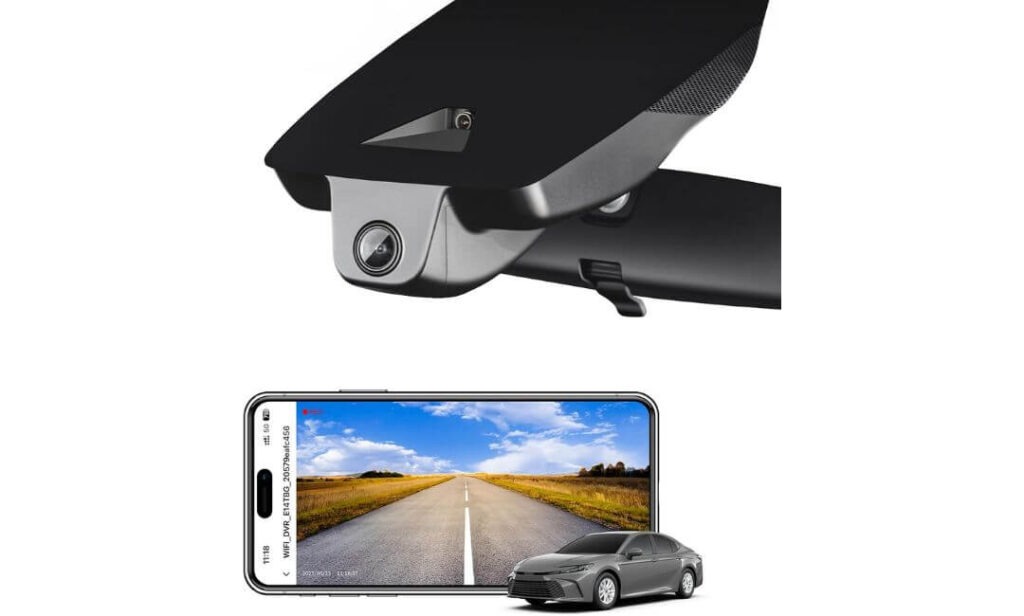
Quick Specs:
- Custom-built OEM fit for Toyota Camry Hybrid LE, SE, XLE & XSE trims
- Crisp 2160P 4K recording using Sony IMX335 sensor and f/1.8 lens
- Built-in GPS tracking for speed and route logging during drives
- Integrated WiFi + app control for faster clip access and sharing
- Cleaner hidden install with no visible hanging wires near the windshield
- Includes 64GB MicroSD card inside the box
- Supports loop recording, G-Sensor protection, motion sensing, and parking monitoring
- Supercapacitor-based design handles heat better than cheaper battery-powered units
Some dash cams still feel like accessories. This one feels like part of the car.
Once mounted behind the mirror, the housing lines up so naturally with the Camry’s upper trim that it almost disappears into the cabin. That’s the biggest difference here. Instead of looking like a tech gadget glued to the windshield, it feels integrated — like Toyota quietly designed it alongside the car itself.
The video quality also leans more balanced than flashy. A lot of cameras push aggressive sharpening to fake clarity, but this setup uses the IMX335 sensor with an f/1.8 lens in a smarter way. Daytime footage stays clean without looking artificial, and nighttime exposure holds together surprisingly well near traffic lights, parking garages, and wet roads where cheaper cameras usually fall apart.
Where it quietly pulls ahead, though, is everyday usability. The built-in GPS adds useful trip data without becoming complicated, the app connection feels smoother than many generic WiFi cameras, and the included installation hardware actually makes the setup process feel realistic for normal owners instead of turning into a weekend project.
(This is the kind of dash cam people usually end up recommending after living with it for months — not just after unboxing it once.)
What Quietly Makes It Stand Out
- The OEM-style integration genuinely preserves the Camry’s clean interior design
- GPS logging is useful for insurance situations and highway travel records
- Better heat tolerance thanks to the supercapacitor-based setup
- App controls feel simpler and less frustrating than many budget alternatives
- Night footage keeps road signs and lane details surprisingly readable
One Thing Worth Knowing Before You Buy
- Fitment is specifically designed around the “Model C” mirror housing, so double-checking compatibility before ordering helps avoid installation headaches later
Real-World Camry Fitment Experience
This one works especially well inside the newer Camry cabins because it respects the layout instead of fighting against it. The mirror area stays uncluttered, visibility remains clean, and nothing feels awkwardly bolted onto the windshield afterward.
For Hybrid trims in particular, that cleaner installation matters more than people expect. The Camry’s quieter cabin makes rattles, loose mounts, and cheap plastics easier to notice during daily driving — and this setup avoids most of that entirely.
The Insider Pro-Tip
Most drivers only notice how important a dash cam’s physical design is after living with a bad one. Constant reflections in the windshield, vibration noises on rough roads, or visible wires near the mirror slowly become irritating every single day.
That’s why integrated OEM-style systems like this often age better inside cars like the Camry. They don’t just record footage — they preserve the calm, uncluttered feel of the cabin while quietly doing their job in the background. And honestly, that ends up mattering far more during long-term ownership than one extra line of resolution on a product page.
#3. ROVE R2-4K Dual Channel Dash Cam
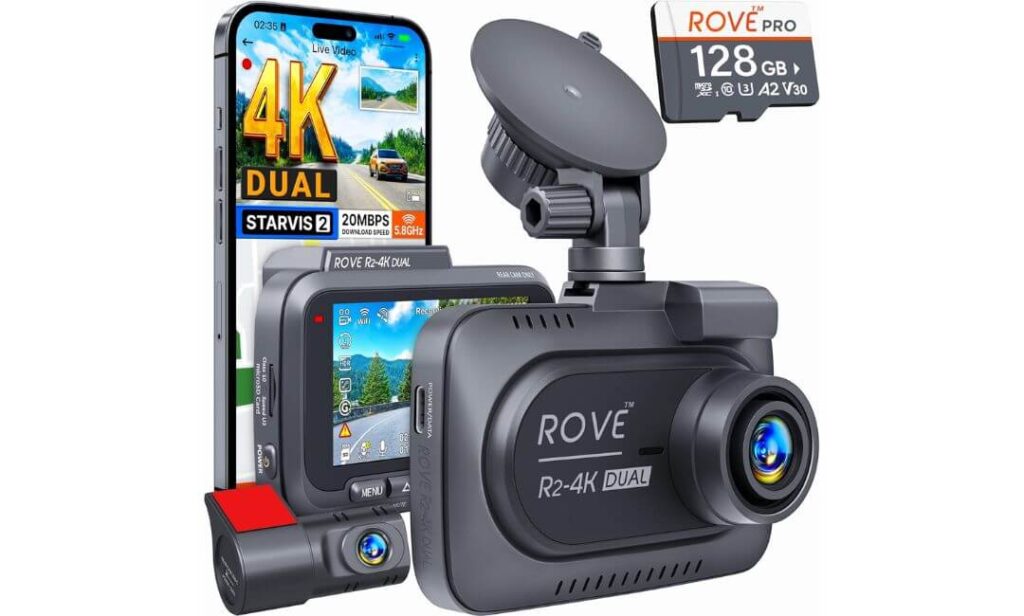
Quick Specs:
- True 4K front + 1080P rear recording with simultaneous dual-channel coverage
- Sony STARVIS 2 IMX675 sensor for noticeably stronger night footage
- Ultra-fast 5G WiFi downloads up to 20MB/s through the ROVE app
- Built-in GPS tracking with speed, route, and compass data overlays
- Includes a free 128GB card right inside the box
- Wide 150° front + 140° rear field of view for better lane coverage
- Supercapacitor design handles heat and long-term reliability better than battery-based units
- Supports advanced 24-hour parking mode with motion and collision detection
- Large 3-inch IPS display makes playback and setup less frustrating in real life
There’s a very specific reason cameras like this develop loyal users over time: they don’t just look impressive on a product page — they actually capture usable footage when conditions get ugly.
Rain, highway glare, aggressive headlights, dark parking garages, fast-moving traffic at night… this is where the STARVIS 2 sensor starts separating itself from the average Amazon dash cam. The front camera’s Sony IMX675 sensor paired with the bright f/1.5 aperture pulls in far more detail than most people expect the first time they replay footage on a larger screen. License plates stay readable longer, shadow areas don’t completely collapse into black blobs, and the image feels calmer instead of overprocessed.
The rear camera also matters more than people think on a Toyota Camry. Sedans sit lower than SUVs, so rear-end incidents and parking lot taps happen closer to the camera angle. Having continuous rear recording adds a layer of protection most single-channel setups simply can’t match.
Then there’s the part most reviews barely mention: the app speed. This thing transfers clips shockingly fast over 5GHz WiFi. Instead of waiting forever for footage to download after an incident, clips move to your phone in seconds. It sounds small until you actually need the footage standing on the side of the road.
(If the OEM-style cameras earlier in this list are about preserving the factory look, this one is about maximum recording confidence when you spend serious time on the road.)
What Makes It Feel Worth the Price
- STARVIS 2 night recording genuinely performs better than typical budget 4K cameras
- Front and rear coverage adds real protection during commuting and parking situations
- Extremely fast app transfers make footage retrieval less stressful after incidents
- GPS overlays can become valuable evidence during insurance disputes
- Included 128GB card saves extra setup cost immediately
One Thing Worth Knowing Before You Buy
- Since this is a traditional windshield-mounted system, it’s more visible inside the cabin than the hidden OEM-style cameras higher on this list
How It Actually Fits Daily Camry Driving
This setup makes the most sense for Camry owners who spend long hours driving — highway commuters, rideshare drivers, late-night travel, or anyone regularly parking in crowded areas. The extra rear coverage changes the ownership experience more than people expect once they start using it daily.
It also works well for older Camry models where preserving an OEM factory appearance isn’t the top priority anymore. Instead, the focus shifts toward stronger recording capability, broader coverage, and better nighttime evidence quality.
The Insider Pro-Tip
A lot of people obsess over resolution and completely ignore sensor quality. That’s backwards.
A properly tuned STARVIS 2 sensor at night will usually give you more usable evidence than a random “8K” dash cam with poor exposure control and weak dynamic range. In real-world incidents, readable plates and stable lighting matter far more than inflated marketing numbers.
Also, if you plan to use the 24-hour parking features regularly, invest in the proper hardwire kit from the start. The camera becomes dramatically more useful once it can monitor the car properly while parked instead of only recording during active driving.
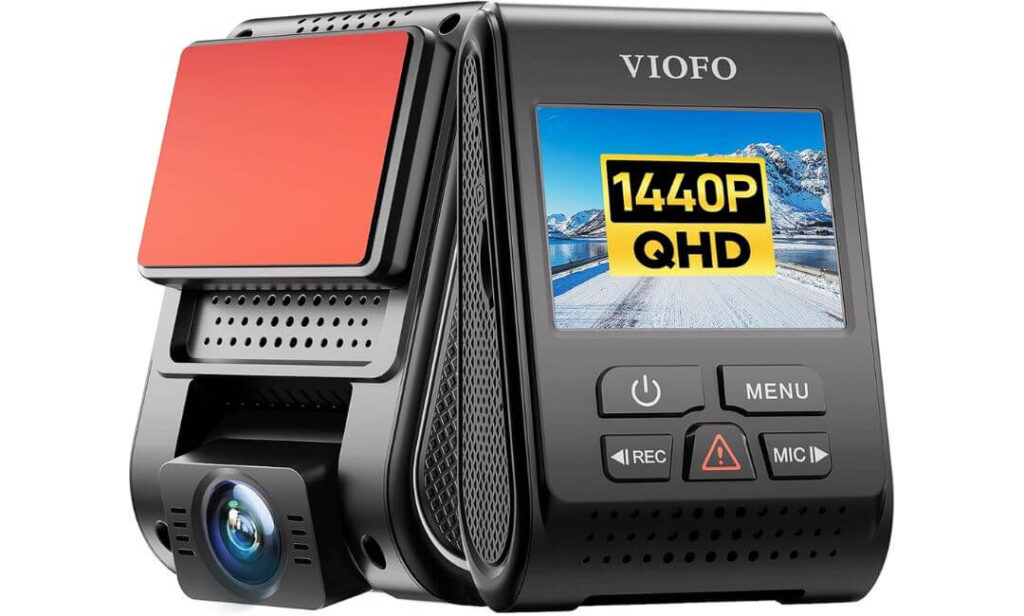
#4. VIOFO A119 V3 HDR Dash Cam
Quick Specs:
- Sharp 1440P Quad HD recording at 60fps for smoother motion capture
- Sony STARVIS IMX335 sensor with HDR tuning for stronger low-light footage
- Buffered parking mode captures footage before and after impacts
- Compact wedge-shaped design stays discreet on the windshield
- Built-in GPS logging with speed and route tracking
- Reliable supercapacitor design for better heat durability over time
- Supports motion detection, time-lapse parking mode, and low bitrate recording
- Wide 140° field of view avoids heavy fisheye distortion while still covering multiple lanes
There’s a reason the A119 series refuses to disappear even after years on the market. It simply records dependable footage without trying too hard to look futuristic.
No flashy giant screen. No fake AI buzzwords. No weird app gimmicks. Just a compact wedge-shaped camera quietly doing its job every single drive.
And honestly, that simplicity is exactly why so many experienced drivers still trust it.
The 1440P 60fps recording holds up remarkably well in motion, especially during highway driving where smoother frame capture actually helps with reading moving plates. Combined with the STARVIS sensor and VIOFO’s surprisingly mature HDR tuning, nighttime footage feels cleaner and more balanced than many cheaper “4K” dash cams that overexpose everything the moment headlights appear.
What really separates this camera, though, is the buffered parking mode. Most budget dash cams only start recording after impact detection, meaning the actual moment leading up to an incident is often missing. This one records footage before the event too, which becomes incredibly valuable during parking lot accidents or hit-and-run situations.
(This is the kind of dash cam people buy once, forget about completely, and then suddenly become thankful for years later when something finally happens.)
What Quietly Earned Our Respect
- Extremely reliable long-term recording reputation among real drivers
- Buffered parking mode is genuinely useful, not just marketing filler
- Compact shape stays less distracting inside the Camry cabin
- HDR night balancing performs better than many newer budget cameras
- GPS integration adds extra evidence value without complicating setup
One Thing Worth Knowing Before You Buy
- To unlock the full parking mode system properly, you’ll need the optional VIOFO hardwire kit separately
How It Fits Into Daily Camry Ownership
This one makes the most sense for Camry owners who care more about recording reliability than preserving a perfect OEM appearance. It doesn’t blend into the cabin like the integrated models earlier in this list, but it earns trust in a different way — through consistency.
It’s also an excellent fit for older Camry generations where a discreet windshield-mounted setup still feels natural. The compact body stays relatively low-profile, and the wedge design avoids the bulky “action camera stuck to the glass” look many cheaper dash cams still suffer from.
The Insider Pro-Tip
A lot of newer dash cams chase resolution numbers so aggressively that they forget the basics: stable exposure, reliable recording, and clean motion handling.
That’s why cameras like the A119 V3 still survive in recommendation lists year after year. The footage feels honest. No artificial sharpening overload, no unstable brightness pumping, no weird processing tricks trying to fake clarity.
And when you actually need footage after an incident, that kind of predictable reliability matters far more than trendy marketing terms most drivers will never use in real life.
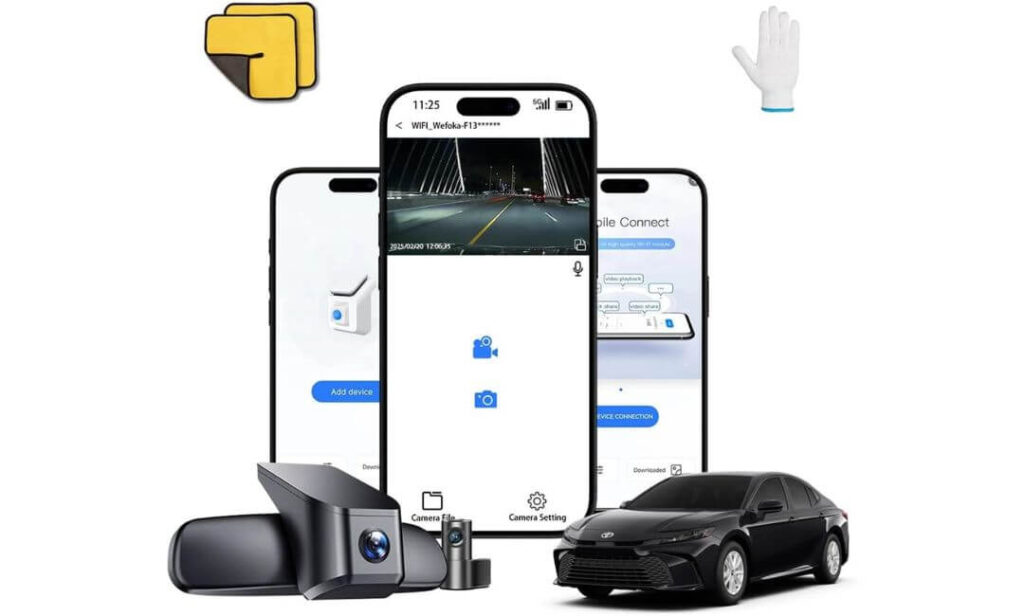
#5. WEFOKA OEM-Fit Front and Rear Dash Cam
Quick Specs:
- True 4K front + 1080P rear recording with dual-channel coverage
- Integrated OEM-style housing designed specifically for newer Toyota Camry trims
- Advanced Quad-Mode GPS support with GPS, GLONASS, GALILEO & BEIDOU tracking
- Built-in WiFi + app control for fast clip access and playback
- Includes a 128GB MicroSD card inside the package
- Novatek chip + CMOS sensor improve nighttime visibility and exposure balance
- Automatic loop recording with collision-triggered video locking
- Clean roofline-style mounting keeps the windshield area less cluttered
At first glance, this feels like another OEM-style Camry dash cam. Then you actually start using it.
The dual-channel setup immediately changes the experience because the rear camera adds a level of awareness most single-camera systems simply can’t provide during daily commuting. Tight parking lots, aggressive tailgaters, rear-end close calls — suddenly you realize how much happens behind the car that never gets captured with front-only setups.
What surprised us most, though, was how clean the footage stays during mixed lighting. The Novatek processor combined with the CMOS sensor does a respectable job controlling glare from headlights and reflective road signs at night. It’s not trying to artificially oversharpen everything either, which helps the footage feel more natural and easier to review later.
Then there’s the installation side of things. Because the main housing follows the Camry’s upper interior lines properly, the whole setup feels calmer once mounted. No giant hanging display. No cheap “rideshare camera” vibe. It simply blends into the cabin and gets on with recording every drive.
(For Camry owners wanting both front and rear protection without making the interior feel cluttered or overly aftermarket, this setup lands in a very smart middle ground.)
What Makes It Easier To Live With Daily
- Rear camera adds meaningful protection for parking lots and traffic situations
- OEM-style integration keeps the cabin looking far cleaner than universal setups
- Quad-mode GPS tracking feels unusually advanced at this price range
- Included 128GB card reduces extra setup costs immediately
- App playback is simple enough for quickly checking footage after incidents
One Thing Worth Knowing Before You Buy
- There’s no dedicated parking mode system, so it’s better suited for active driving coverage than full overnight vehicle monitoring
Why It Fits the Camry Cabin So Naturally
The newer Toyota Camry interiors already have a more premium feel than people expect from a midsize sedan, which is why bulky dash cams can feel especially out of place here. This setup avoids that problem nicely.
The integrated housing sits cleaner near the mirror area, while the rear camera routing stays manageable enough for most owners who don’t want a complicated installation process. Once everything is mounted properly, the setup feels much closer to an OEM accessory than a generic aftermarket add-on.
The Insider Pro-Tip
A lot of drivers underestimate how valuable rear footage becomes until after their first parking lot incident or rear-end scare.
Front video proves what you saw. Rear video often proves what the other driver did.
That’s why balanced dual-channel systems like this tend to age well for daily commuters. They may not chase flashy marketing trends, but they quietly cover the situations that actually happen most during real ownership — stop-and-go traffic, crowded parking areas, highway lane changes, and those moments where having footage from both directions suddenly matters a lot more than expected.
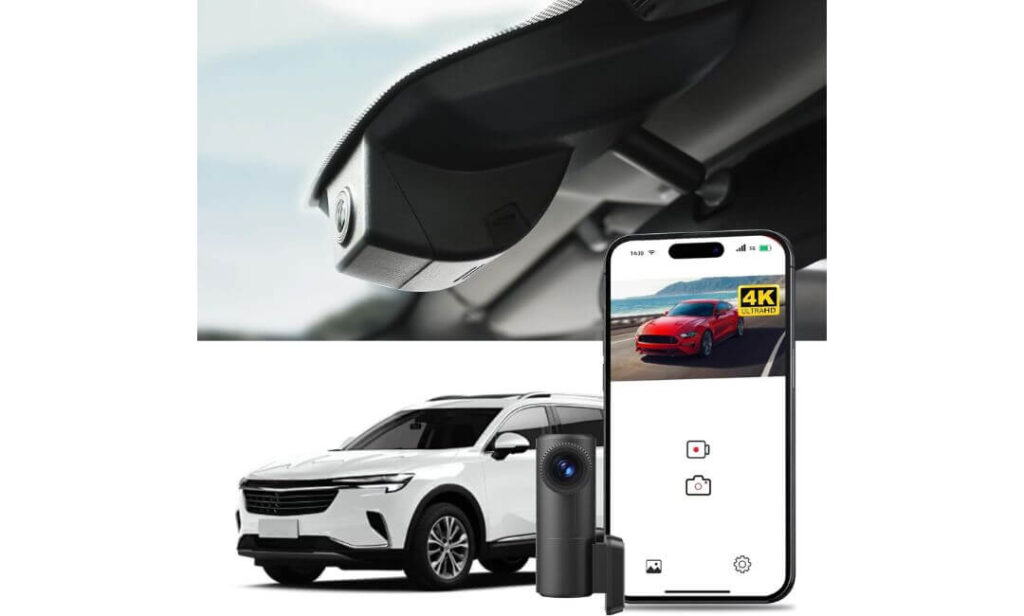
#6. mercylion G349 OEM 4K Dash Cam
Quick Specs:
- True 4K front + 2K rear recording for wider all-around coverage
- OEM-style integrated housing designed for Toyota Camry interiors
- Built-in 5G WiFi + app connectivity for quick footage access
- Supports 24/7 parking monitoring with hardwire compatibility
- Wide f/1.6 aperture with WDR balancing for stronger nighttime visibility
- Includes a pre-installed 128GB card with support up to 256GB
- Built-in GPS tracking for route, speed, and trip data recording
- G-Sensor automatically locks collision footage from being overwritten
This is the kind of dash cam most people scroll past once… then come back to later after realizing how much functionality it quietly packs in for the money.
The biggest surprise here is the rear recording quality. A lot of affordable dual-camera systems treat the rear camera like an afterthought, but the 2K rear feed on this setup looks noticeably more usable during actual playback — especially in parking lots and nighttime traffic where blurry rear footage becomes frustrating fast.
The front camera also delivers cleaner detail than expected thanks to the f/1.6 aperture and WDR tuning. Bright headlights stay more controlled, street signs remain readable longer, and daytime footage avoids the oversaturated “cheap action cam” look many lower-tier systems still suffer from.
But the real appeal is how approachable the whole system feels. Installation doesn’t turn into a wiring nightmare, the Luckycam app is straightforward enough for normal drivers, and the integrated OEM-style placement helps the setup blend into the Camry cabin much better than bulky universal cameras hanging lower on the windshield.
(This feels less like a flashy influencer product and more like something a practical Camry owner would genuinely enjoy living with every day.)
What Quietly Makes It Worth Considering
- Rear 2K recording looks sharper than most budget dual-camera systems
- OEM-style positioning keeps the windshield area cleaner and less distracting
- Included 128GB card makes the initial setup surprisingly complete
- WDR exposure balancing helps nighttime footage stay more usable
- GPS + parking monitoring add stronger long-term value than expected
One Thing Worth Knowing Before You Buy
- The app experience is functional and easy enough to use, though it doesn’t feel quite as polished as some higher-priced premium dash cam systems
Why It Works Well for Real Camry Ownership
This setup fits particularly well for Camry owners who want modern features without jumping into expensive flagship dash cam pricing. It covers nearly everything most drivers realistically need — front and rear protection, app access, parking monitoring, GPS tracking, and cleaner cabin integration.
It’s also one of the better-balanced choices for 2021–2025 Camry owners because the OEM-style housing feels naturally matched to the existing mirror layout instead of looking awkwardly adapted afterward.
The Insider Pro-Tip
A lot of buyers underestimate how important “ease of ownership” becomes after the excitement of unboxing disappears.
The best dash cams aren’t always the ones with the loudest marketing. Usually, they’re the ones that quietly start recording every drive, survive summer heat without random shutdowns, transfer clips quickly when needed, and stay stable for years without demanding constant attention.
That’s exactly where setups like this earn their value. They don’t try to impress you every five minutes — they simply keep working when it matters.
Best Toyota Camry 4K Dash Cam Comparison Table for OEM Fit, GPS & Rear Recording
| Dash Cam | Best For | Video Quality | Night Driving Performance | Parking Protection | OEM Cabin Feel | What Actually Makes It Stand Out |
|---|---|---|---|---|---|---|
|
MOST OEM-LOOKING
Fitcamx OEM-Style 4K Dash Cam
Feels closest to a true factory-installed Toyota accessory once mounted behind the mirror.
|
Owners wanting a clean hidden setup without windshield clutter. |
Sharp 2160P UHD Balanced daytime clarity with solid nighttime exposure control. |
Very good for city driving and normal nighttime commutes. |
Basic impact protection via G-Sensor. No true parking mode. |
Excellent Blends naturally into the Camry cabin. |
The kind of dash cam you stop noticing after installation because it feels built into the car. |
|
BEST FACTORY-STYLE FEEL
Mangoal Integrated 4K Dash Cam
Designed specifically around the newer Camry mirror housing with a cleaner integrated appearance.
|
Drivers wanting OEM appearance + GPS + smoother app experience. | Crisp 2160P footage with IMX335 sensor and balanced HDR tuning. | Handles mixed lighting surprisingly well during night commutes. |
Loop recording + impact detection. Motion sensing support included. |
Excellent Very refined once installed. |
Feels more polished and “finished” than most aftermarket dash cams in this price range. |
|
BEST FOR HIGHWAY DRIVING
ROVE R2-4K Dual Channel Dash Cam
Front and rear coverage with STARVIS 2 night performance and ultra-fast app transfers.
|
Long-distance commuters and drivers needing maximum recording coverage. |
4K front + 1080P rear Very detailed footage at highway speeds. |
Excellent low-light visibility thanks to STARVIS 2 sensor. | Advanced 24-hour parking mode available with hardwire kit. |
Traditional windshield-mounted setup. More visible than OEM-style options. |
One of the strongest real-world evidence recorders in this entire lineup. |
|
MOST TRUSTED LONG-TERM PICK
VIOFO A119 V3 HDR Dash Cam
Compact wedge-shaped design focused on recording reliability over flashy gimmicks.
|
Camry owners wanting dependable footage and buffered parking recording. | 1440P Quad HD at 60fps with very stable motion handling. | HDR balancing performs far better than most budget “4K” cameras. | Excellent buffered parking mode support with optional hardwire kit. | Compact and discreet, though not factory integrated. | Quietly one of the most respected dash cams among experienced drivers for long-term reliability. |
|
BEST VALUE DUAL SETUP
WEFOKA OEM-Fit Front and Rear Dash Cam
Balanced dual-camera system with integrated styling and advanced GPS tracking.
|
Drivers wanting front and rear protection without spending premium money. | 4K front + 1080P rear recording with natural-looking footage. | Strong glare control for nighttime roads and parking areas. |
Loop recording + collision locking. No dedicated parking mode. |
Very clean integrated appearance for newer Camry interiors. | Feels surprisingly complete right out of the box with GPS, rear coverage, and 128GB storage included. |
|
SMART BUDGET ALTERNATIVE
mercylion G349 OEM 4K Dash Cam
Affordable integrated setup with stronger-than-expected rear camera quality.
|
Owners wanting OEM styling + modern features at a lower price point. | 4K front + 2K rear footage with respectable detail retention. | Good nighttime balancing with WDR support and f/1.6 lens. | Supports 24/7 monitoring with hardwire compatibility. | OEM-style fitment keeps the windshield area looking cleaner. | Quietly one of the most feature-packed value picks for 2021–2025 Camry owners. |
Buying Guide: What Actually Matters When Choosing a Dash Cam for a Toyota Camry
The Toyota Camry is one of those cars where the “wrong” dash cam becomes obvious almost immediately. The cabin is quieter than most midsize sedans, visibility is cleaner, and the upper windshield area is more noticeable during daily driving. That means a camera that works fine in a truck or older SUV can suddenly feel bulky, distracting, or cheap inside a Camry.
That’s why choosing a dash cam here isn’t just about resolution numbers. It’s about how the camera behaves after weeks of ownership — during hot weather, nighttime driving, crowded parking lots, and long highway commutes where reliability matters more than flashy marketing.
Prioritize Real Video Quality, Not Just “4K” Marketing
A huge number of dash cams advertise 4K recording now, but many of them still struggle with the one thing that actually matters: capturing usable detail when conditions become difficult.
For a Toyota Camry, strong nighttime clarity is more important than ultra-sharp daytime footage because the car is commonly used for commuting, highway travel, and late-evening city driving. A camera with a good sensor, balanced HDR tuning, and stable exposure control will almost always outperform a cheaper “higher resolution” model with weak low-light processing.
That’s why cameras using sensors like Sony STARVIS or STARVIS 2 consistently perform better during real-world driving. They handle headlights, reflections, wet roads, parking garages, and fast-moving traffic more naturally without turning the footage into a blurry mess.
Also pay attention to frame rate. A smooth 1440P 60fps recording can sometimes capture moving license plates more clearly than lower-quality 4K footage with unstable motion handling.
OEM-Style Fitment Makes a Bigger Difference in the Camry Than Most Cars
This is something most generic buying guides completely ignore.
The newer Camry interiors, especially Hybrid LE, SE, XLE, and XSE trims, already have a clean near-luxury design language. Large hanging dash cams with visible wires instantly disrupt that look and become more noticeable every single day.
That’s why OEM-style integrated cameras feel so much better in this car. They mount higher behind the mirror, stay hidden from the driver’s view, reduce windshield clutter, and often look factory-installed once everything is in place.
If preserving the clean cabin feel matters to you even slightly, an integrated OEM-style setup is usually the smarter choice over bulky universal mounts.
Understand the Difference Between Basic Parking Recording and Buffered Parking Mode
A lot of people think all parking modes work the same way. They don’t.
Basic parking recording simply starts filming after an impact happens. Buffered parking mode is much smarter because it continuously keeps a short video cache ready in the background. That means when an incident occurs, the camera also saves the moments leading up to the impact — not just the aftermath.
For Camry owners parking in apartment complexes, shopping lots, office garages, or crowded city areas, buffered parking mode becomes extremely valuable. It often captures the actual vehicle approaching before contact happens.
Just remember: many advanced parking systems require a separate hardwire kit for full functionality and battery voltage protection.
Decide Early Whether You Need Front-Only or Front-and-Rear Coverage
Front-only cameras are cleaner, simpler, and usually easier to install. For many Camry owners, especially those focused on preserving the OEM cabin appearance, that’s enough.
But if you spend serious time in traffic, park in crowded areas often, or drive highways daily, rear coverage changes the entire ownership experience. Rear-end accidents, parking taps, tailgating incidents, and lane disputes happen more often than people expect — especially in sedans where the rear angle sits lower than SUVs.
That’s why dual-channel systems like the ROVE and WEFOKA setups feel more reassuring during long-term ownership. They simply capture more of what actually happens around the vehicle.
Don’t Ignore Heat Resistance and Long-Term Reliability
A dash cam lives in one of the harshest environments possible: directly against hot glass during summer parking.
Cheap battery-powered cameras often start failing here first. Random shutdowns, swollen batteries, corrupted files, overheating warnings — this is where many budget cameras quietly fall apart after a few months.
That’s why supercapacitor-based systems are usually the better long-term investment for a Toyota Camry, especially if the car spends time parked outdoors regularly. They tolerate heat better and generally stay more stable over time.
Reliability also matters more than fancy features. A dash cam with perfect specs means nothing if it freezes during the one moment you actually need footage.
App Experience Matters More Than Most Reviews Admit
Most people only use the dash cam app after something stressful happens — an accident, road rage incident, parking damage, or insurance dispute.
That’s exactly why a slow or unstable app becomes incredibly frustrating in real life.
Good dash cams should let you quickly locate footage, transfer clips without disconnecting constantly, and adjust settings without turning every interaction into a tech support session. Faster WiFi systems, stable firmware, and reliable app support become surprisingly important after months of ownership.
This is also why established brands tend to age better. Firmware updates, bug fixes, and long-term software support quietly matter far more than flashy launch-day features.
Mounting Position Can Completely Change Footage Quality
Even an expensive dash cam can produce terrible footage if mounted poorly.
For the Toyota Camry specifically, the ideal position is usually high behind the rearview mirror where the camera stays protected from direct glare while maintaining a balanced road view. Mounting too low often creates unnecessary dashboard reflections and makes the camera more distracting during driving.
The angle matters too. Slight downward positioning usually captures license plates more clearly without overexposing the sky during bright daytime driving.
This is another reason integrated OEM-style systems work so well in the Camry — the placement is already optimized around the windshield layout instead of relying on guesswork.
Most Camry Owners Don’t Need the “Most Expensive” Dash Cam
This is probably the biggest truth people realize after living with one for a while.
The best dash cam for a Toyota Camry is rarely the one with the longest feature list. It’s the one that fits naturally into daily ownership, records consistently without drama, survives heat, captures clear footage at night, and doesn’t make the cabin feel cluttered or annoying every time you get behind the wheel.
Once a dash cam reaches that point — where you completely forget it’s there until you suddenly need the footage — that’s usually the sign you chose the right one.
Quick Snapshot: Why the Newer Toyota Camry Models Changed the Dash Cam Conversation
The newer Toyota Camry models quietly changed something most buyers don’t notice until after ownership begins: the cabin now feels far more refined than older midsize sedans ever did.
The dashboard layout is cleaner, the windshield area is less cluttered, the insulation is quieter, and the upper mirror housing contains more integrated safety hardware than before. That sounds great for daily driving — but it also means older-style bulky dash cams suddenly feel far more noticeable inside the car.
That’s the biggest reason newer Camry owners have started shifting toward OEM-style integrated dash cameras instead of traditional hanging windshield setups.
The Cabin Is Quieter, Which Makes Cheap Dash Cams More Annoying
This sounds minor until you actually experience it.
In older vehicles, small mount vibrations, loose cables, or plastic creaks from a dash cam usually blended into road noise. The newer Camry cabins don’t hide those imperfections nearly as well anymore. Small rattles near the windshield suddenly become noticeable during daily commuting, especially on Hybrid trims where the cabin stays quieter at lower speeds.
That’s why cleaner mounting systems and integrated housings matter more here than in many SUVs or trucks. A dash cam that feels “fine” elsewhere can quickly become irritating inside a Camry.
Toyota’s New Mirror Housing Design Changed Installation Preferences
The newer Camry mirror area is designed differently than older generations. The sensor cluster, camera housing, and windshield layout now create a much more natural mounting point for OEM-style dash cams that sit higher and stay hidden behind the mirror.
That’s exactly why products like the Fitcamx and Mangoal setups work so well here. They use the existing shape of the cabin instead of fighting against it with giant suction mounts or visible hanging screens.
Once installed properly, these systems preserve the clean horizontal flow of the dashboard instead of making the interior feel cluttered or overly aftermarket.
Hybrid Trims Made Heat Management More Important
A lot of newer Camry buyers choose Hybrid trims because they spend more time commuting, idling in traffic, or parked outdoors during work hours. That changes how important heat resistance becomes for a dash cam.
Cheap battery-powered cameras often struggle in these situations. Long exposure to windshield heat can eventually lead to freezing, shutdowns, swollen batteries, or corrupted recordings.
That’s why many of the stronger picks in this article rely on supercapacitor-based systems or heat-resistant internal designs. Long-term reliability matters much more than flashy feature lists once the camera spends months baking against hot glass.
Parking Protection Matters More Than People Expect in a Camry
The Camry sits lower than many crossovers and SUVs surrounding it in parking lots today. That increases the chance of bumper taps, careless door swings, and low-speed impacts that drivers often don’t even notice until later.
A reliable parking recording system becomes genuinely useful here, especially for owners parking in apartments, office garages, airports, or crowded retail areas regularly.
Buffered parking mode is especially valuable because it captures footage leading up to an impact instead of only recording after the collision already happened.
App Stability Became a Bigger Deal Than Resolution Numbers
Modern Camry owners usually expect technology to work smoothly. That includes the dash cam experience too.
The problem is that many cheaper cameras still have unstable apps, painfully slow transfer speeds, and confusing firmware systems that quickly become frustrating after real-world use.
That’s one reason cameras with better WiFi performance and cleaner app support stand out more now. Fast footage access matters when you’re standing roadside after an incident trying to pull a clip quickly for insurance or police.
Newer Camry Owners Usually Care More About Cabin Appearance
This is probably the biggest shift of all.
Older dash cam buying advice focused almost entirely on recording specs. Newer Camry owners often care just as much about how the camera physically looks inside the car.
A clean hidden install, minimal windshield obstruction, factory-style trim matching, and invisible wire routing now matter heavily because the Camry itself feels more upscale than before. Drivers don’t want a giant gadget ruining that environment every time they enter the cabin.
That’s why OEM-style dash cams exploded in popularity specifically around newer Camry generations. They match the personality of the car far better than bulky universal systems ever could.
The Best Dash Cam for a Camry Today Feels Invisible Until You Need It
That’s really the core difference separating newer Camry ownership from older dash cam buying habits.
The ideal setup now isn’t necessarily the most aggressive-looking or feature-packed camera. It’s the one that quietly blends into the cabin, records reliably every drive, survives heat, handles nighttime traffic properly, and stays stable enough that you completely forget it’s even there.
Until the day something happens — and suddenly you’re very glad it was recording the entire time.
Installation Tips for a Cleaner OEM-Style Toyota Camry Dash Cam Setup
A surprising number of dash cams get blamed for problems that are actually caused by poor installation.
Rattles near the windshield, visible hanging cables, weak GPS signal, dashboard reflections at night, unstable footage, random power disconnects — most of these issues usually come from mounting mistakes rather than the camera itself.
And in the Toyota Camry specifically, installation quality matters even more because the interior already has such a clean layout. A sloppy setup instantly stands out every time you sit behind the wheel.
The Best Mounting Position Is Higher Than Most People Think
A lot of first-time owners mount the camera too low because they want to see the screen easily while driving. That usually creates more problems than it solves.
On the Camry, the ideal position is typically high behind or slightly beside the rearview mirror. This keeps the camera hidden from your direct line of sight while also reducing glare and dashboard reflections during nighttime driving.
Higher placement also improves the viewing angle for license plate capture because the camera sees farther down the road instead of focusing too heavily on the hood area.
OEM-style integrated dash cams already take advantage of this naturally, which is one reason they feel cleaner inside the Camry cabin.
Cable Routing Makes the Difference Between “Factory” and “Aftermarket”
The quickest way to ruin an otherwise good dash cam setup is leaving cables exposed across the windshield.
For the cleanest OEM-style appearance, route the power cable along the headliner first, then tuck it carefully into the A-pillar trim before guiding it downward toward the fuse box or power source. Most Camry interiors have enough trim flexibility to hide wiring cleanly without aggressive disassembly.
If installing a rear camera, continue routing along the upper door weather stripping instead of letting the cable hang lower across side panels. This keeps the cabin looking far more professional once everything is finished.
One important thing many people overlook: avoid placing wiring directly over side curtain airbag paths inside the A-pillar. Always route beside factory harnesses when possible instead of tightly across airbag deployment areas.
Hardwire Kits Usually Create the Best Long-Term Experience
USB power is perfectly fine for basic daily recording, especially if you want the simplest possible installation. The camera turns on with the vehicle and records while driving — nothing complicated.
But if you want proper parking monitoring, buffered event recording, or motion-triggered surveillance while the car is parked, a hardwire kit changes everything.
A proper hardwire setup allows the dash cam to access constant power safely while still protecting the vehicle battery through voltage cutoff systems. This is especially important for Camry owners parking outdoors for long periods during work hours or overnight.
It also creates a cleaner interior because you avoid occupying the 12V outlet area with dangling adapters and exposed charging cables.
Fuse Box Selection Matters More Than People Realize
Many installation issues start with choosing the wrong fuse source.
For Toyota Camry models, most hardwire installations use either an ACC fuse slot for ignition-switched power or a constant fuse for parking mode functionality. The goal is giving the camera stable voltage without interfering with sensitive vehicle electronics.
That’s why using a quality fuse tap and voltage-protected hardwire kit matters. Modern Camrys contain far more onboard electronics than older vehicles, and cheap wiring shortcuts can eventually create annoying issues like warning lights, unstable startup behavior, or inconsistent camera performance.
If you are uncomfortable working around the fuse box, professional installation is usually worth it. A clean install often lasts for years, so doing it properly once matters more than saving a little money upfront.
Always Set Up Recording Settings Before You Actually Need the Camera
This sounds obvious, but a huge number of owners drive around for weeks before realizing their date, time, parking mode, or recording quality settings were never configured correctly.
Before relying on the camera daily, check:
- Resolution and frame rate settings
- HDR or WDR activation for nighttime recording
- Date and timestamp accuracy
- GPS synchronization
- G-Sensor sensitivity levels
- Parking mode preferences
- Loop recording duration
- Memory card formatting
It’s also smart to test footage playback immediately after installation instead of assuming everything is working correctly.
Firmware Updates Quietly Improve Long-Term Stability
Most people completely ignore firmware updates after setup, but they often fix real-world issues like freezing, app disconnects, GPS instability, audio syncing, or parking mode glitches.
Brands with active firmware support usually age better because bugs continue getting refined long after launch. This becomes especially important for WiFi-enabled cameras where app compatibility changes over time with newer phones and operating systems.
Checking for updates every few months honestly prevents more headaches than most people realize.
Small Installation Details Change the Entire Ownership Experience
The difference between a dash cam feeling “cheap” or “factory-like” usually comes down to tiny details most people never think about initially.
A cable tucked properly behind trim.
A camera mounted 1 inch higher.
A stable power source instead of a loose USB adapter.
A clean rear camera wire route.
A properly formatted memory card.
Those little choices completely change how the setup feels after months of daily driving.
And honestly, that’s the real secret behind OEM-style dash cam setups inside the Toyota Camry. The best installations don’t constantly remind you the camera is there — they simply blend into the car naturally and work quietly in the background every single drive.
FAQs About Toyota Camry Dash Cam
Does an OEM-style dash cam actually make more sense in a Toyota Camry than a traditional windshield-mounted camera?
Honestly, yes — especially in the newer Camry interiors.
The difference isn’t just appearance. The newer Toyota Camry cabins are quieter, cleaner, and more refined than older generations, which means bulky dash cams become more noticeable during daily driving. Large hanging cameras with exposed wiring can feel surprisingly out of place once you live with them for a few weeks.
OEM-style systems solve a lot of that naturally. They sit higher behind the mirror, reduce windshield distraction, hide the wiring better, and preserve the clean interior flow Toyota designed into the cabin.
The funny part is that many owners initially buy them for looks, then later realize the higher mounting position also reduces dashboard glare and creates more natural road footage at night.
Which type of dash cam setup feels best during real long-term Toyota Camry ownership: front-only or front-and-rear?
This depends less on budget and more on how the car is actually used every day.
For example:
- Mostly city driving + clean cabin preference → front-only OEM-style setup
- Heavy commuting + highway driving → front and rear system
- Apartment or street parking → parking mode becomes more important than extra resolution
- Older Camry models → traditional dual-channel setups usually make more sense
- Newer Hybrid trims → integrated hidden systems often feel more natural inside the cabin
What surprises most people is how quickly rear footage becomes valuable once they start using it. Rear-end incidents, parking lot bumps, tailgating, aggressive lane changes — a huge percentage of real-world insurance situations happen outside the front camera’s view.
That’s why many Camry owners who originally buy front-only systems eventually upgrade later.
Why do some “4K” dash cams still look terrible at night inside a Toyota Camry?
Because resolution is only one small part of actual video quality.
A poorly tuned 4K sensor with weak HDR processing can still produce unusable nighttime footage once headlights, reflections, wet pavement, or dark traffic conditions enter the scene. That’s where cheaper cameras usually collapse.
The Camry’s quieter cabin and smoother ride also make drivers more likely to notice image instability, exposure pulsing, or motion blur during playback compared to rougher vehicles where expectations are lower.
Real nighttime performance usually comes down to:
- Sensor quality
- Lens aperture
- HDR/WDR tuning
- Motion handling
- Exposure balance
- Firmware optimization
That’s exactly why cameras using Sony STARVIS or STARVIS 2 sensors consistently outperform many no-name “8K Ultra HD” cameras during real driving.
Is hardwiring a dash cam in a Camry actually worth it, or is USB power enough?
USB power is perfectly fine if your goal is simple daily recording while driving. For many owners, especially those wanting a cleaner low-effort setup, that’s honestly enough.
But hardwiring changes the ownership experience quite a bit if you care about parking protection.
A proper hardwire kit allows the dash cam to:
- Monitor the vehicle while parked
- Enable buffered parking recording
- Detect motion or impacts automatically
- Protect the car battery using voltage cutoff systems
- Eliminate visible charging adapters from the cabin
For apartment parking, office garages, airport parking, or crowded retail lots, hardwiring suddenly becomes much more valuable than people expect initially.
The key is using a quality voltage-protected kit instead of the cheapest wiring option online.
What’s the biggest mistake Toyota Camry owners make after buying a dash cam?
Assuming installation quality doesn’t matter.
This is where many otherwise good dash cams end up feeling disappointing.
A poorly routed cable, incorrect mounting angle, cheap memory card, weak adhesive placement, or badly configured parking mode can completely ruin the experience. Sometimes the problem isn’t even the camera itself — it’s the setup surrounding it.
The owners who end up happiest long-term usually do three things correctly from the start:
- Mount the camera high and discreetly near the mirror
- Use a reliable high-endurance memory card
- Spend extra time cleaning up the wiring properly
That final part matters more than most people realize. Once a dash cam blends naturally into the Camry cabin instead of constantly drawing attention to itself, the whole system suddenly feels more premium, less stressful, and dramatically easier to live with every single day.
Final Thoughts
The interesting thing about shopping for a Toyota Camry dash cam is that the “best” option usually isn’t the one with the loudest marketing or the craziest feature list.
After living with these systems day after day, most owners end up caring about completely different things — whether the camera overheats during summer parking, whether the app actually works when footage is needed urgently, whether nighttime plates stay readable, whether the cabin still feels clean and uncluttered after installation.
That’s exactly why the dash cams in this guide were chosen the way they were.
Some, like the Fitcamx and Mangoal setups, feel almost invisible once installed and preserve the calm OEM personality of the Camry interior beautifully. Others, like the ROVE and VIOFO systems, focus more aggressively on recording performance, parking protection, and long-term evidence reliability during real-world driving.
And honestly, that balance matters more than people expect.
A dash cam isn’t something you should constantly notice while driving. The right one quietly fades into the background, records every commute without drama, survives heat, handles nighttime traffic properly, and sits there doing its job until the one random moment you suddenly need the footage.
That’s when the difference between a cheap “spec-sheet camera” and a genuinely well-chosen setup becomes very real.
If your priority is keeping the newer Camry interior looking factory-clean, the OEM-style integrated models make the most sense. If you spend serious time on highways, park in crowded areas often, or simply want the strongest possible evidence coverage, a proper dual-channel system is worth every extra dollar.
Either way, investing in a reliable dash cam for the Toyota Camry no longer feels optional the way it did years ago. Traffic is denser, insurance situations are messier, parking incidents happen constantly, and one clear piece of footage can save an incredible amount of stress later.
And that’s really the entire point of getting the right one from the start.
Also Check:


