
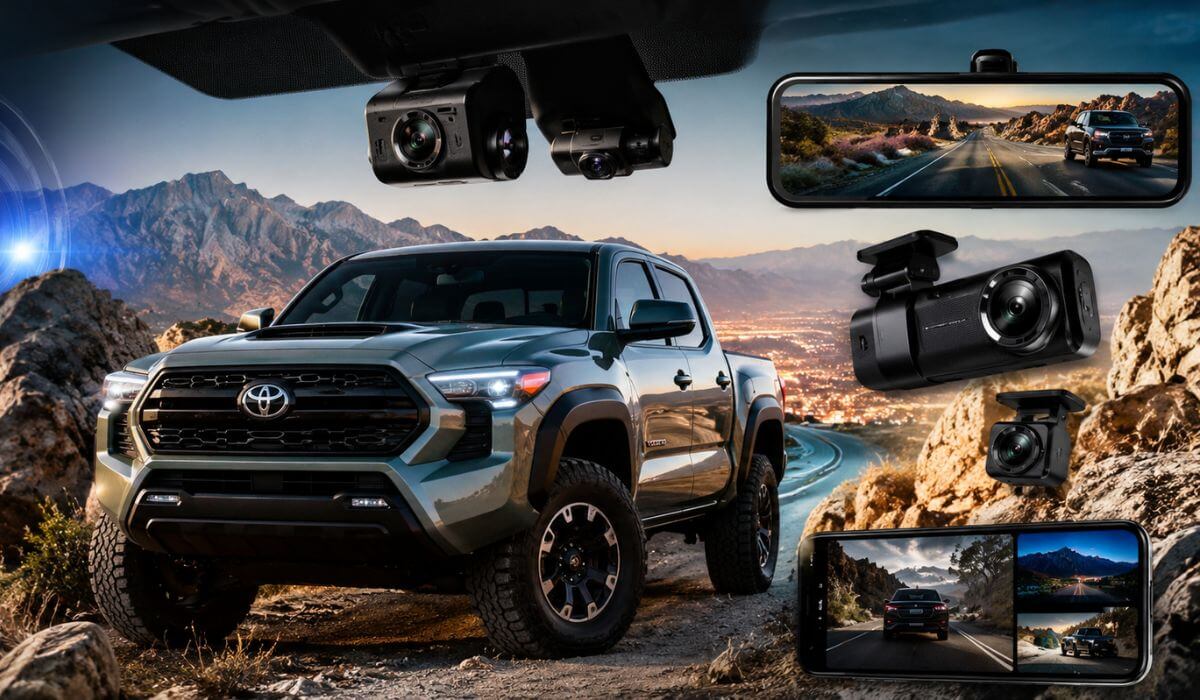
6 Best Dash Cams for Toyota Tacoma in 2026: OEM 4K Picks With Parking Mode and HDR
If you drive a Toyota Tacoma long enough, a dash cam stops feeling like an accessory and starts feeling like cheap insurance. Tacoma owners deal with everything from highway debris and parking lot hit-and-runs to trail dust, heavy rain, lifted trucks blasting LED headlights, and tight city traffic where one bad angle can ruin an insurance claim. The problem is that most “best dash cam” lists throw random cameras together without considering how Tacoma cabins are actually designed.
The newer 2024–2026 Tacoma models changed a lot inside. The windshield angle, larger safety sensor housing, hybrid trims, and factory tech package all make dash cam placement more important than it used to be. Some cameras look terrible hanging under the mirror, while others interfere with Toyota’s driver-assist systems. Older Tacoma models from 2016–2023 have their own challenges too, especially with wire routing, parking mode setups, and heat buildup during summer driving.
That’s why the cameras below weren’t picked just because they shoot in 4K. The better Tacoma setups combine clean OEM-style fitment, stable parking surveillance, reliable HDR night recording, strong heat resistance, and easy daily usability without turning your windshield into a mess of wires and screens. Some are better for factory-style stealth installs, while others are built for drivers who want maximum video evidence on highways, job sites, or off-road trips.
Best Toyota Tacoma Dash Cams: Top HDR and Night Vision Setups
#1. Vantrue New N4 Pro S 4K 3 Channel Dash Cam
Best dash cam for Toyota Tacoma owners who want full front, rear, and cabin protection with serious night-driving clarity and reliable 24/7 parking mode recording
#2. Fitcamx 4K Dash Cam for Toyota Tacoma & Hybrid 2024-2026
Best OEM dash cam for Toyota Tacoma drivers looking for a factory-style hidden install that blends naturally into newer Tacoma interiors
#3. WOLFBOX G900 PRO Mirror Dash Cam
Best front and rear dash cam for Toyota Tacoma drivers who prefer a larger mirror display with wide highway visibility and cleaner towing views
#4. KBSYNT Front 4K & Rear 1080P for Toyota Tacoma 2024-2026
Best Toyota Tacoma dash cam for plug-and-play installation with OEM-style fitment, HDR recording, and simple daily usability
#5. TERUNSOUl 4K+4K Dash Cam Front and Rear
Best budget dash cam for Toyota Tacoma owners wanting affordable dual-camera coverage, GPS tracking, and sharp 4K front recording
#6. GATGIT Front 4K Dash Cam for Toyota Tacoma 2024-2026
Best Tacoma dash cam with HDR night vision and factory-look integration for drivers who want a cleaner windshield setup without complicated wiring
Expert Tip for Toyota Tacoma Owners
One thing a lot of Tacoma owners realize too late is that the “best” dash cam is not always the one with the highest resolution. A massive 4K spec means nothing if the camera overheats after two hours in summer traffic, shakes on rough roads, or turns into a blurry mess at night when lifted trucks hit your windshield with bright LEDs.
For Tacoma drivers, the smarter setup is usually the one you stop noticing after a week. A clean OEM-style install, stable parking mode, reliable HDR night footage, and fast phone access matter more in daily driving than giant marketing numbers on a product box. That is especially true on the newer 2024–2026 Tacoma, where the cabin already has enough tech around the mirror and windshield area. A badly placed camera can make an expensive truck feel cluttered fast.
The difference between a good dash cam and a bad one usually shows up during the exact moment you actually need the footage. That’s why every option in this list was chosen around real Tacoma use, not just spec-sheet hype.
How We Chose These Toyota Tacoma Dash Cams
There are hundreds of dash cams online right now claiming “ultra HD,” “military-grade sensors,” or “AI protection,” but most Tacoma owners are looking for something much simpler: a camera that records clearly every day, survives heat, stays reliable long term, and doesn’t look terrible hanging off the windshield.
That’s the filter used for this list.
The first thing we looked at was real compatibility with Toyota Tacoma cabins, especially newer 2024–2026 models. Tacoma owners already have a large sensor housing behind the mirror, multiple driver-assist cameras, and limited clean mounting space. Some dash cams technically work, but they end up blocking visibility, creating loose wiring, or looking completely out of place inside the truck. That’s why several picks here focus heavily on OEM-style integration and cleaner factory-like placement instead of oversized universal mounts.
We also paid close attention to night recording quality, because Tacoma owners spend a lot of time on highways, rural roads, work sites, and off-road routes where lighting conditions change constantly. A camera that looks sharp in daytime Amazon videos can completely fail once rain, dust, glare, or LED headlights hit the lens. HDR performance, stable sensors, and reliable low-light recording mattered far more than exaggerated “8K” claims.
Another major factor was parking mode reliability. Tacoma trucks are frequently used for towing, job sites, outdoor trips, apartment parking lots, and long daily commutes. That means parked incidents matter just as much as driving footage. The better systems here support buffered parking recording, motion detection, impact detection, or cleaner hardwire setups that make long-term use easier.
We also avoided filling this list with random low-trust brands that all use the same generic hardware under different names. Some newer products on this list may not have thousands of long-term owner reviews yet, but they were selected because they offer features Tacoma owners actually search for right now: 4K front recording, dual-camera coverage, GPS tracking, Wi-Fi app control, HDR night vision, OEM fitment, and cleaner plug-and-play installation.
Most importantly, these choices were made with different Tacoma owners in mind. Some people want a nearly invisible factory-style setup. Others want maximum evidence recording for highway driving or off-road trips. Some care more about towing visibility, while others simply want solid front-and-rear protection without spending premium money.
That balance matters more than blindly picking the most expensive camera on the page.
#1. Vantrue New N4 Pro S 4K 3 Channel Dash Cam
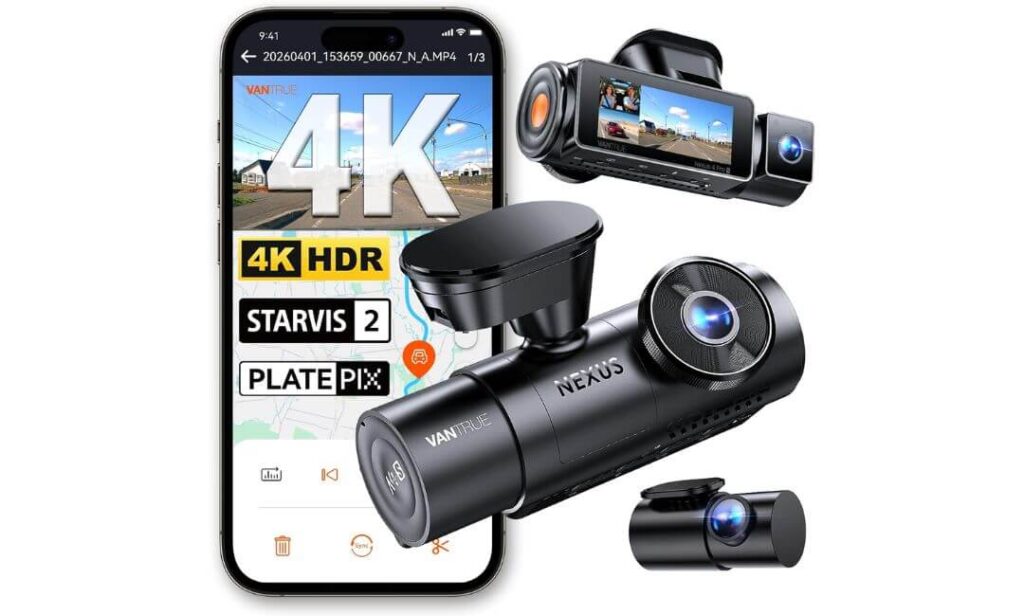
Quick Specs:
- True 4K front + 2.5K rear + 1080P cabin recording
- Triple Sony STARVIS 2 sensors with strong low-light clarity
- Buffered 24/7 parking mode with motion and impact recording
- Built-in GPS, 5GHz Wi-Fi, voice control, and app support
- Supercapacitor design for better summer heat reliability
- Supports up to 1TB storage for long off-road or highway trips
- Wide-angle coverage designed for larger truck cabins and blind spots
- Works especially well for Tacoma owners wanting front, rear, and interior protection together
The first thing you notice about this setup is that it does not behave like a cheap “4K” dash cam once the sun goes down. A lot of cameras look sharp during daytime and completely fall apart at night the second headlights, rain, or highway glare hit the lens. This one feels different immediately. The triple STARVIS 2 setup gives it the kind of low-light control Tacoma owners actually appreciate during late-night highway driving, rural backroads, or poorly lit parking lots where details usually disappear.
What makes it stand out even more is the way it handles a truck environment instead of just a normal commuter car. Tacoma cabins bounce more over rough pavement, trails, construction roads, and uneven terrain, yet the footage still stays stable and readable. The 2.5K rotating rear camera is especially useful because it gives more flexibility than fixed rear setups, whether you are carrying gear, towing, traveling with passengers, or simply wanting better rear visibility during daily driving. The buffered parking mode also feels genuinely premium once installed properly because it records before an impact happens instead of only after the event already started.
This is not an OEM-style hidden Tacoma camera, and honestly, it does not try to be. The main unit mounts traditionally on the windshield, so installation takes more effort compared to factory-look systems. But once everything is routed cleanly through the headliner, the payoff is obvious. You are getting one of the few setups here that feels built around real evidence capture, not just marketing resolution numbers on a product page.
(If your priority is maximum recording coverage instead of the cleanest factory appearance, this is the one Tacoma setup that immediately feels worth the money once you review the footage.)
Why This Setup Stood Out During Research
- The night footage genuinely looks usable, not artificially sharpened
- Triple STARVIS 2 sensors make highway plate visibility noticeably stronger
- Buffered parking recording feels more serious than standard motion-only systems
- Supercapacitor setup makes more sense for hot truck cabins long term
- 1TB support is extremely useful for drivers doing long trips, towing, or off-road travel
Where Some Tacoma Owners May Hesitate
- Installation is more involved than OEM-style plug-and-play Tacoma dash cams
Tacoma Compatibility and Daily Use Reality
For Tacoma owners who care more about video quality and total coverage than hidden factory styling, this setup makes a lot of sense. It works especially well in newer Tacoma interiors because the wider truck cabin benefits from the extra camera coverage far more than smaller vehicles do.
Older Tacoma owners will probably appreciate it even more because the larger windshield area makes mounting easier and gives cleaner viewing angles for the front camera. Just expect to spend extra time hiding cables properly if you want a cleaner final look.
The Insider Pro-Tip
Most people buying high-end dash cams focus only on daytime 4K footage because that is what product videos show first. Real Tacoma owners usually discover the truth later — the footage that actually matters happens at night, during rain, in parking lots, or after sudden impacts where lighting conditions are terrible.
That is exactly why this setup earned the top spot here. Not because it screams “4K” louder than everyone else, but because the combination of triple HDR, STARVIS 2 sensors, buffered parking protection, and stable truck-friendly recording feels closer to a serious security system than a basic windshield gadget once you start using it daily.
#2. Fitcamx 4K Dash Cam for Toyota Tacoma & Hybrid 2024-2026
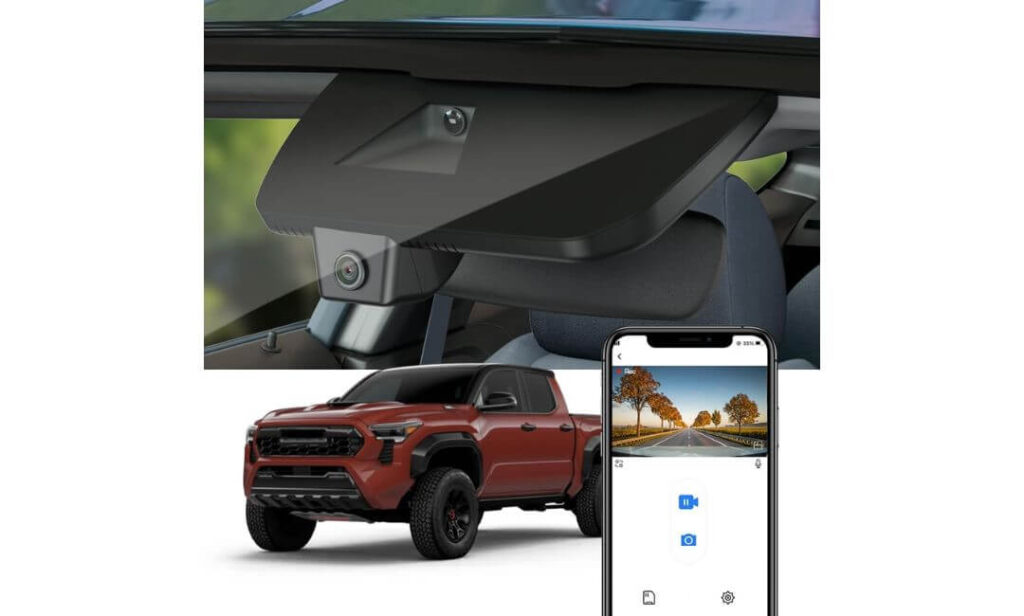
Quick Specs:
- True 2160P UHD front recording with HDR night adjustment
- Designed specifically for Toyota Tacoma and Tacoma Hybrid interiors
- Full OEM-style rearview mirror integration
- Plug-and-play setup with no hanging windshield wires
- Built-in Wi-Fi and FITCAMX app support
- Includes 64GB card out of the box
- Heat-resistant housing built for daily truck use
- Collision sensor with automatic emergency footage lock
- Works best for Tacoma owners wanting a factory-clean look instead of a bulky windshield camera
At first glance, this does not even look like an aftermarket dash cam — and honestly, that is exactly why so many Tacoma owners end up liking it. Instead of sticking another black box onto the windshield, this setup blends directly into the rearview mirror housing in a way that actually feels natural inside the truck. On newer Tacoma interiors, especially trims with larger tech packages and driver-assist systems, that cleaner factory appearance makes a bigger difference than most people expect.
What really separates it from universal dash cams is the overall ownership experience. There are no long cables running across the headliner, no dangling power wires near the center console, and no awkward screen sitting in your line of sight every time you drive. The installation feels surprisingly simple for something that ends up looking this integrated. Once mounted, most passengers will never even realize the truck has a 4K camera recording in the background.
The video quality also feels more balanced than flashy. Instead of oversharpened footage with fake contrast boosts, the HDR tuning keeps nighttime driving usable in a more natural way. Road signs, headlights, parking lots, and traffic movement stay controlled instead of turning into blown-out glare. For Tacoma owners who mainly want reliable daily protection without changing the clean look of their interior, this setup quietly makes a lot of sense.
(This feels less like adding a gadget to your Tacoma and more like activating a hidden factory feature Toyota forgot to include.)
Why This Tacoma Setup Earned a Spot Here
- The OEM integration genuinely looks cleaner than most aftermarket systems
- No visible windshield clutter makes daily driving feel less distracting
- HDR recording handles city traffic glare better than expected
- Installation is far easier than traditional multi-wire dash cams
- Included memory card makes the setup usable immediately out of the box
A Small Trade-Off Some Tacoma Drivers Should Know
- This is a front-only recording setup, so drivers wanting full rear coverage may eventually want a dual-camera system
Tacoma-Specific Installation and Daily Use Notes
This setup was clearly designed around the newer Tacoma cabin layout instead of trying to fit every truck universally. The mirror housing integration works especially well on trims like SR5, TRD Sport, TRD Off-Road, and Tacoma Hybrid models where owners usually want to preserve the cleaner interior appearance.
One important thing to understand is that this does not fit older Tacoma generations. Drivers with 2016–2023 trucks will need a different OEM-style housing design entirely. But for newer Tacoma owners, the fitment feels far more factory-correct than most generic windshield-mounted cameras available right now.
The Insider Pro-Tip
A lot of Tacoma owners initially shop for the highest recording resolution possible, then slowly realize they care more about how the camera feels inside the truck every single day. Giant screens, loose cables, suction mounts, and blinking lights start getting annoying fast in a vehicle you actually use regularly.
That is why this setup stands out in a completely different way from performance-focused dash cams. The biggest strength here is not just the 4K recording — it is the fact that the truck still feels clean, modern, and uncluttered after installation. For many Tacoma owners, that factory-style integration ends up mattering just as much as the footage itself once they live with it for a few weeks.
#3. WOLFBOX G900 PRO Mirror Dash Cam
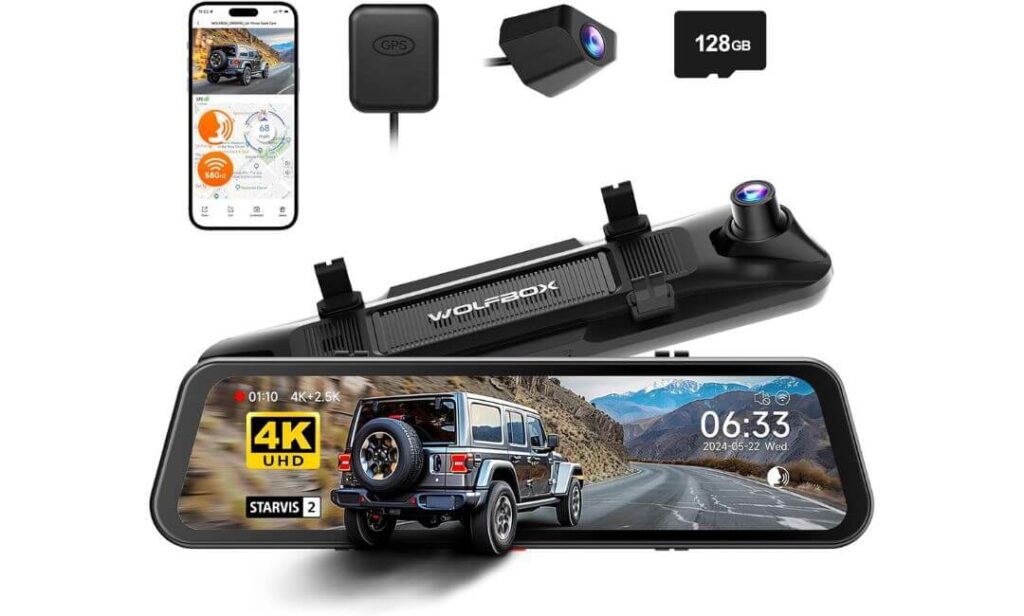
Quick Specs:
- Front 4K recording paired with 2.5K rear camera coverage
- Large 12-inch smart mirror display with full-screen rear visibility
- Sony STARVIS IMX678 sensor for improved low-light detail
- Built-in GPS, 5.8GHz Wi-Fi, voice control, and touchscreen controls
- Includes 128GB memory card in the box
- Supercapacitor setup for better long-term heat durability
- Rear camera support works especially well for towing, cargo, and truck visibility
- Designed more for drivers wanting a smart mirror experience than a hidden OEM install
What immediately changes with this setup is the way your Tacoma feels from the driver’s seat. Instead of glancing at a small screen or checking a tiny app preview, the entire rearview mirror becomes a live digital display with a much wider and cleaner perspective behind the truck. For Tacoma owners carrying gear in the bed, towing trailers, stacking cargo high, or simply dealing with poor rear visibility at night, that difference feels surprisingly useful within the first few drives.
The video quality itself also backs up the larger display. The front 4K recording captures enough detail to stay sharp during highway driving, while the STARVIS IMX678 sensor helps keep darker roads from turning into muddy shadows after sunset. The rear 2.5K camera especially stands out during reversing and lane changes because the wider digital mirror view removes a lot of the blind spots Tacoma owners normally deal with. Add the smooth 5.8GHz Wi-Fi connection and fast app transfers, and the whole setup starts feeling more premium than most traditional mirror-mounted systems.
What makes this product interesting in this lineup is that it solves a completely different problem than OEM-style Tacoma dash cams. This is not trying to disappear into the truck’s interior. Instead, it upgrades the actual driving experience itself. The touchscreen mirror, voice controls, reverse assist features, and full-screen visibility create something closer to a modern camera-based rearview system than a standard dash cam.
(For Tacoma owners who spend long hours on highways, tow often, or hate limited rear visibility, this setup changes the daily driving experience more than expected.)
Why This Mirror Setup Deserved a Spot Here
- The digital rear mirror visibility feels genuinely useful in a truck
- Rear 2.5K recording is stronger than many standard rear cameras
- STARVIS sensor helps nighttime footage stay cleaner and more readable
- Voice controls and touchscreen operation feel modern without being distracting
- Included 128GB card makes setup easier right away
A Small Thing Some Tacoma Drivers Should Consider
- This setup is more visible than OEM-style Tacoma dash cams because it replaces the factory mirror directly
Tacoma Driving Experience and Installation Reality
This system works especially well for Tacoma owners who regularly carry cargo, camping gear, tools, bikes, or trailers that partially block the normal rearview mirror. The larger digital display restores visibility in situations where a standard mirror becomes almost useless.
At the same time, drivers wanting a fully hidden factory-style look may prefer mirror-integrated Tacoma-specific systems instead. This one clearly prioritizes functionality and visibility upgrades over stealth installation. Still, once mounted cleanly, it gives the Tacoma cabin a much more high-tech feel than most standard dash cams ever manage to deliver.
The Insider Pro-Tip
Most Tacoma owners shop for dash cams thinking only about accident footage, then realize later that the best systems improve everyday driving too. That is exactly where this mirror setup separates itself from traditional cameras.
The biggest surprise here is not the 4K recording — it is how much easier the truck feels to drive once the rear visibility opens up across the entire mirror. On crowded highways, during nighttime lane changes, while backing into tight parking spots, or towing with cargo stacked high, the wider digital view quietly becomes something you stop wanting to drive without.
#4. KBSYNT Front 4K & Rear 1080P for Toyota Tacoma 2024-2026
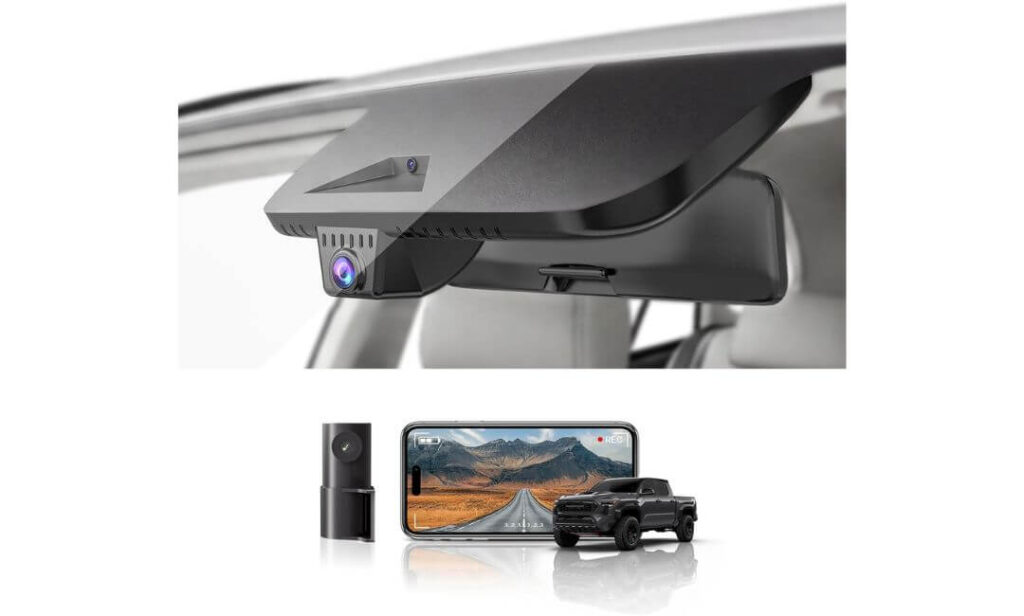
Quick Specs:
- True 4K front recording with HDR night visibility
- Separate 1080P rear camera for added coverage
- Built specifically for Toyota Tacoma 2024–2026 interiors
- OEM-style hidden design with minimal windshield obstruction
- Built-in Wi-Fi app connectivity for quick footage access
- Includes 128GB memory card and installation tools
- G-sensor emergency recording with automatic file lock
- Plug-and-play style setup for cleaner installation
- Supports up to 256GB storage expansion
Oddly enough, the biggest strength of this setup is not the camera itself — it is the way it disappears into the Tacoma cabin once installed. Most aftermarket dash cams still look exactly like aftermarket gadgets. This one feels different because the design tries to work with the truck’s interior instead of fighting against it. On newer Tacoma trims loaded with tech around the windshield area, that cleaner OEM-style approach instantly makes the cabin feel less cluttered.
The recording quality also lands in a smart middle ground for Tacoma owners who want strong daily footage without jumping into oversized premium systems. The front 4K camera handles road detail well, while the HDR tuning helps reduce the usual nighttime problems caused by LED glare, dark highways, and parking lot lighting. The rear 1080P camera may not sound flashy on paper, but during real driving it adds exactly the kind of extra protection most truck owners actually want — especially in crowded traffic, parking situations, or while hauling gear where rear incidents become harder to notice immediately.
Another thing this setup gets right is overall simplicity. The included 128GB card, app support, loop recording, and cleaner plug-and-play wiring make the experience feel approachable even for drivers who normally hate installing electronics inside their truck. Once mounted properly, it quietly records in the background without constantly demanding attention.
(For Tacoma owners who want a cleaner factory-style look without giving up front-and-rear coverage, this setup hits a surprisingly practical balance.)
Why This Setup Made Sense for Tacoma Owners
- OEM-style housing blends naturally into newer Tacoma interiors
- Front and rear recording adds extra security without a giant system
- HDR footage stays usable during difficult nighttime driving
- Included 128GB card makes setup easier immediately
- Cleaner installation feels more factory-correct than universal dash cams
One Important Tacoma Detail Worth Checking First
- Some Tacoma trims may require connector verification before purchase, especially certain TRD configurations
Tacoma Installation and Compatibility Notes
This setup works best for Tacoma owners who care about maintaining a cleaner cabin appearance while still adding rear recording coverage. The hidden OEM-style design especially suits trims like SR, SR5, TRD Sport, and several Hybrid configurations where owners usually want accessories to feel more factory-integrated.
That said, compatibility should still be checked carefully before ordering. Some Tacoma owners have reported connector differences depending on trim level, particularly with certain Off-Road packages. It is one of those situations where spending two extra minutes verifying fitment beforehand can save a lot of frustration later.
The Insider Pro-Tip
A lot of Tacoma-specific dash cams focus so heavily on looking OEM that they forget the actual recording experience still matters. Others go completely in the opposite direction and turn the windshield into a giant wall of screens, cables, and suction mounts.
What makes this setup interesting is that it avoids both extremes. The truck still feels clean inside, but you also gain front-and-rear recording, HDR night capture, app access, and enough daily practicality to make the system feel genuinely useful instead of decorative. For many Tacoma owners, that balance ends up being exactly what they were searching for all along.
#5. TERUNSOUl 4K+4K Dash Cam Front and Rear
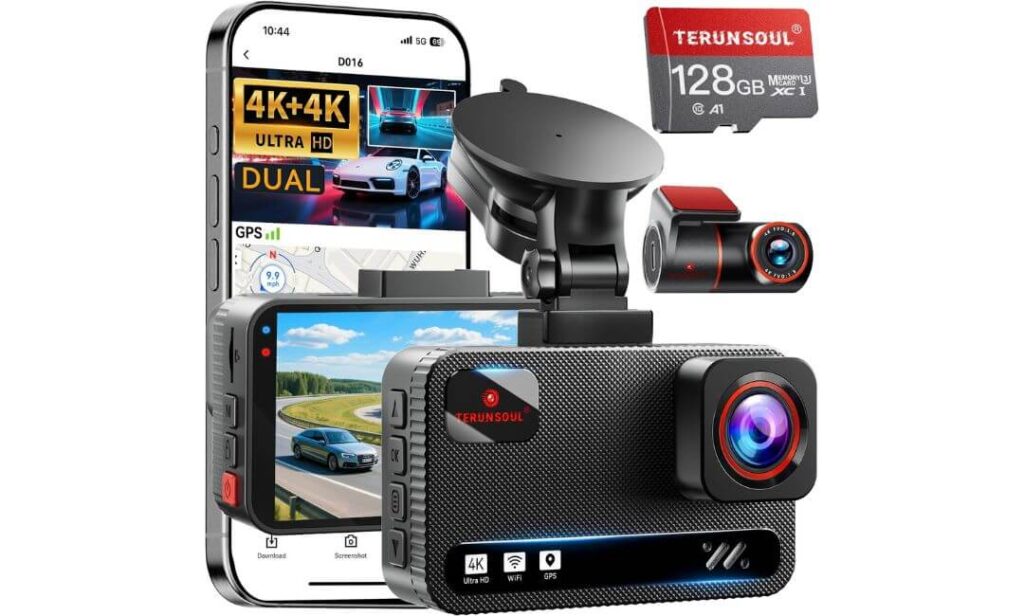
Quick Specs:
- True 4K front and 4K rear simultaneous recording
- Large 170° viewing angle for wider truck coverage
- Built-in GPS tracking with speed and route data
- Dual-band 5.8GHz and 2.4GHz Wi-Fi app connectivity
- Enhanced WDR night recording with bright F1.5 front lens
- Includes a 128GB memory card right in the box
- Supports up to 512GB storage expansion
- 24-hour parking monitoring with collision-triggered recording
- Long 21-foot rear cable works well for trucks and larger vehicles
Here is the interesting part about this setup: it does not try to look fancy or pretend to be factory-integrated. Instead, it focuses almost entirely on giving Tacoma owners as much recording coverage and usable footage as possible for the price. And honestly, once you look at the actual feature list — true 4K front and rear recording, GPS logging, wide-angle coverage, fast Wi-Fi transfers, included storage — it starts feeling far more serious than most budget-friendly dash cams usually do.
The dual 4K recording is the biggest surprise here. Most front-and-rear systems still lower the rear camera resolution heavily once both cameras record together. This setup does not really play that game. Whether driving through traffic, backing into tight spots, hauling gear, or dealing with aggressive drivers behind the truck, the extra rear detail becomes genuinely useful once footage is reviewed later. The brighter F1.5 front lens and WDR tuning also help more than expected during low-light driving where cheaper cameras usually smear details into grainy shadows.
Another reason this camera fits nicely into a Tacoma-focused lineup is the overall practicality. The longer rear cable works well in truck cabins, the included 128GB card removes setup headaches, and the GPS logging adds an extra layer of evidence that many basic dash cams skip entirely. It feels built for people who actually drive long distances regularly instead of only commuting a few miles around town.
(For Tacoma owners who care more about maximum front-and-rear recording value than factory styling, this setup quietly punches above its price range.)
What Helped This Dash Cam Stand Out
- Rare to see true 4K front and rear recording together at this level
- Wide-angle coverage works especially well in larger trucks
- GPS logging adds useful trip and speed evidence
- Included 128GB card makes the system usable immediately
- Rear cable length fits Tacoma-sized vehicles more comfortably
One Thing Worth Knowing Before Installation
- The app experience can occasionally feel inconsistent depending on phone connectivity and Wi-Fi setup
Tacoma Usage and Installation Reality
This setup makes the most sense for Tacoma owners who prioritize recording quality and overall value instead of hidden OEM appearance. Drivers who tow, travel often, road trip regularly, or spend time on highways will probably appreciate the wider recording coverage more than minimalist factory-style installs.
It is also one of the more flexible setups here for older and newer Tacoma generations alike because the universal mounting system does not rely on trim-specific mirror housings or proprietary connectors. The trade-off is that it stays more visible on the windshield compared to OEM-style Tacoma cameras.
The Insider Pro-Tip
A surprising number of Tacoma owners spend extra money chasing “premium” branding while quietly sacrificing rear recording quality in the process. That usually becomes obvious only after reviewing footage from an actual incident where the rear camera suddenly looks soft, compressed, or nearly useless.
That is where this setup earns real attention. The combination of true dual 4K recording, wider truck-friendly coverage, GPS evidence tracking, and practical long-distance usability creates a system that feels much more complete than expected once installed inside a Tacoma. It may not blend into the truck like a factory accessory, but when it comes to capturing everything happening around the vehicle, this setup leaves very few weak spots behind.
#6. GATGIT Front 4K Dash Cam for Toyota Tacoma 2024–2026
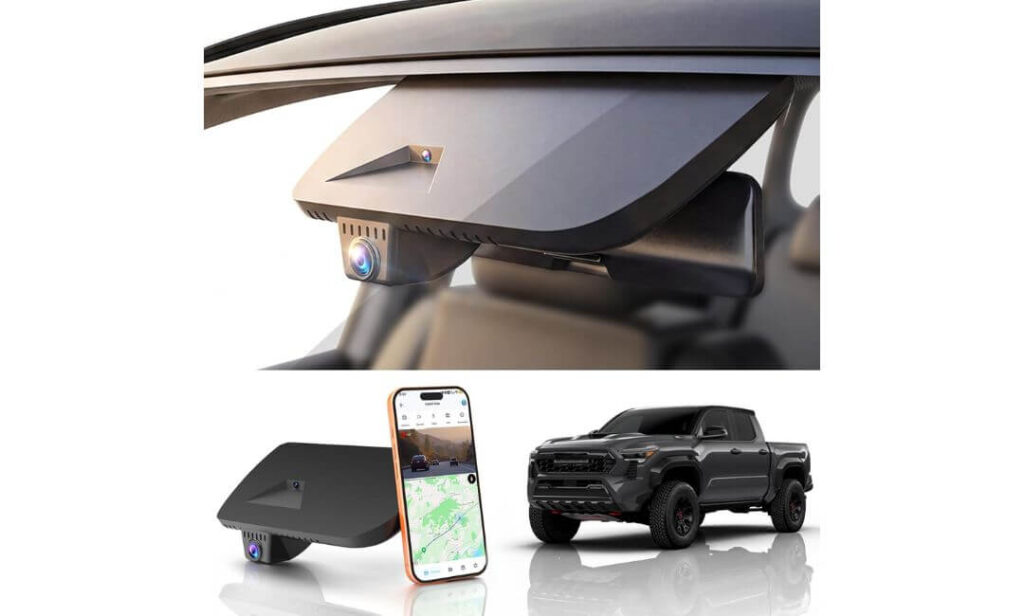
Quick Specs:
- True 4K 2160P front recording with HDR enhancement
- OEM-style housing designed specifically for 4th-gen Tacoma interiors
- Built-in 5.8GHz Wi-Fi app connectivity
- Integrated GPS tracking for speed and route logging
- Supercapacitor design for better heat durability
- Plug-and-play installation using Tacoma factory connector
- Includes 64GB card, card reader, Y-cable, and installation tools
- G-sensor emergency file locking with loop recording
- Parking monitoring support with optional hardwire setup
Some Tacoma dash cams try too hard to look futuristic. Others overload the windshield with giant screens, dangling wires, and bulky mounts that instantly feel out of place inside a newer truck cabin. This one takes the opposite approach. Once installed, it honestly looks closer to something Toyota could have included from the factory than a random aftermarket add-on bought online.
That clean integration matters more than people think, especially inside newer Tacoma trims where the dashboard and windshield area already carry enough technology. Instead of competing for attention, this setup quietly disappears into the mirror area while still delivering the features most owners actually care about — sharp 4K footage, HDR night balance, GPS logging, app access, parking surveillance, and reliable loop recording without turning the cabin into a tech experiment.
The recording quality itself feels surprisingly mature for a factory-style setup. The f/1.6 lens and HDR processing help preserve detail during difficult lighting transitions where cheaper OEM-look cameras usually struggle. Highway glare, parking garages, dark streets, and bright backlighting stay more controlled instead of washing the image out completely. Combined with the supercapacitor design, the system feels better prepared for real truck use instead of occasional weekend driving.
(For Tacoma owners who want their dash cam to feel like part of the truck instead of something stuck onto it later, this setup gets remarkably close.)
Why This Tacoma Camera Quietly Earned Attention
- Factory-style appearance blends naturally into Tacoma interiors
- Plug-and-play connector avoids messy visible wiring
- HDR footage handles nighttime driving more confidently than expected
- GPS logging adds extra accident documentation value
- Supercapacitor setup makes more sense for hotter climates and long-term use
One Small Detail Worth Knowing Before Ordering
- Rear camera support is not included, so drivers wanting full front-and-rear coverage may prefer a dual-channel system
Tacoma Installation and Daily Driving Reality
This setup fits especially well for Tacoma owners who care about maintaining the truck’s cleaner interior design while still adding modern recording protection. The direct OEM-style connector approach makes installation feel less intimidating than traditional dash cams requiring long cable routing through the entire cabin.
It also works nicely for drivers who primarily want dependable front coverage for commuting, highway travel, work routes, or parking protection without mounting larger universal systems across the windshield. Once installed, the camera becomes easy to forget about — which honestly is exactly what many Tacoma owners end up wanting most.
The Insider Pro-Tip
A lot of Tacoma owners initially chase huge feature lists, only to realize later that the setups they actually enjoy living with are the ones that feel invisible during daily driving. Constant blinking lights, oversized screens, and messy cable routing get old surprisingly fast in a truck you use every day.
That is why this setup stands out differently from the others in this lineup. It focuses less on showing off and more on quietly fitting into the Tacoma ownership experience itself. The combination of OEM-style fitment, cleaner installation, stable 4K HDR recording, GPS evidence logging, and heat-friendly supercapacitor reliability creates the kind of setup many drivers end up appreciating more over time, not less.
Best Toyota Tacoma Dash Cam Setups Compared for Daily Driving and Night Recording
| Dash Cam | Best For | Recording Setup | Night Driving | OEM Feel | Parking Protection | Tacoma Owner Verdict |
|---|---|---|---|---|---|---|
|
Vantrue N4 Pro S
BEST OVERALL
|
Highway driving, night recording, full cabin coverage | 4K + 2.5K + 1080P | Triple STARVIS 2 | Visible universal setup | Buffered 24/7 Mode | Feels closest to a professional-grade security system for Tacoma owners who want maximum footage quality. |
|
Fitcamx 4K
OEM FAVORITE
|
Drivers wanting factory-style clean installation | Front 4K | HDR Optimized | Excellent OEM Blend | Collision lock support | One of the cleanest Tacoma dash cam installs available right now. |
|
WOLFBOX G900 PRO
BEST MIRROR VIEW
|
Towing, cargo hauling, wider rear visibility | 4K + 2.5K | STARVIS Sensor | Mirror replacement style | Hardwire supported | Transforms rear visibility in a Tacoma more than most owners expect. |
|
KBSYNT 4K Front & Rear
BEST BALANCE
|
Tacoma owners wanting OEM look plus rear recording | 4K + 1080P | HDR Night Vision | Very Clean Fit | Optional hardwire mode | Strong middle-ground setup for Tacoma drivers wanting both style and practicality. |
|
TERUNSOUl 4K+4K
BEST VALUE
|
Drivers wanting maximum specs without overspending | True Dual 4K | Enhanced WDR | Universal mount setup | 24H Monitoring | One of the strongest spec-per-dollar setups in this Tacoma lineup. |
|
GATGIT 4K OEM Dash Cam
CLEANEST SETUP
|
Minimalist Tacoma owners wanting factory appearance | Front 4K | HDR Enhanced | Factory-Like Finish | Parking mode ready | Feels like the kind of dash cam Toyota could have installed from day one. |
Why OEM-Style Dash Cams Make More Sense in a Toyota Tacoma Than Most Owners Expect
There is a reason more Tacoma owners are moving toward OEM-style dash cams instead of the old universal suction-cup setups that used to dominate Amazon lists. Modern Tacoma interiors — especially newer 4th-generation trucks — already have large screens, driver-assist sensors, lane cameras, safety systems, wireless charging areas, and cleaner dashboard layouts. Once you add a bulky aftermarket dash cam with hanging wires into that environment, the entire cabin can start feeling cluttered surprisingly fast.
That is where OEM-style systems quietly separate themselves.
Instead of looking like another gadget stuck onto the windshield, they blend into the mirror housing or upper windshield area in a way that feels intentional. In daily driving, that difference matters much more than most people expect. Your visibility stays cleaner, the dashboard looks more factory-finished, and passengers often do not even notice the truck has a dash cam installed until you point it out.
The Biggest Advantage Is Not Just Appearance
A lot of people assume OEM-style dash cams are only about aesthetics, but the real advantage usually shows up after months of ownership.
Traditional aftermarket dash cams often create small frustrations over time:
- dangling power cables near the console,
- windshield suction mounts loosening in heat,
- bulky screens reflecting at night,
- accidental wire movement during off-road driving,
- and crowded mirror visibility during long trips.
OEM-style Tacoma dash cams solve many of those problems simply because they are designed around the truck’s interior layout from the beginning.
Several of the Tacoma-specific options in this guide connect directly into factory power sources using Y-cable systems instead of requiring long visible wiring runs across the cabin. That cleaner installation not only looks better, it also tends to feel more stable during daily truck use, especially on rough roads, trails, gravel, or uneven terrain where cheaper mounts often start vibrating or shifting position.
Tacoma Interiors Leave Less Room for Mistakes Than Older Trucks
This becomes even more important on newer Tacoma models because the windshield area is no longer as simple as it used to be.
Modern Tacoma trims can include:
- Toyota Safety Sense hardware,
- lane assist cameras,
- rain/light sensors,
- larger mirror housings,
- digital displays,
- and additional sensor clusters near the windshield.
A badly positioned aftermarket dash cam can interfere with visibility, create annoying reflections, or simply make the interior feel messy. That is why Tacoma-specific OEM setups from this list focus heavily on tighter fitment, integrated placement, and lower-profile installation instead of oversized camera bodies.
For many owners, the best compliment a dash cam can receive is simple:
you forget it is even there until you actually need the footage.
OEM Dash Cams Also Tend to Age Better Inside a Tacoma
There is another detail people rarely discuss — long-term ownership feel.
Tacomas hold resale value extremely well compared to most midsize trucks. Because of that, many owners pay closer attention to keeping the cabin clean, organized, and factory-looking over time. An OEM-style dash cam usually fits that mentality much better than universal systems covered in adhesive mounts and exposed wiring.
Even years later, a clean integrated setup tends to look like part of the truck instead of an accessory added later in a hurry.
That matters more than people think once:
- the truck gets detailed,
- sold privately,
- traded in,
- or shown to future buyers.
A factory-style install simply creates a more premium ownership impression overall.
Aftermarket Dash Cams Still Have Their Place
At the same time, universal aftermarket systems are not automatically bad. In fact, some of the strongest video performers in this article — especially multi-channel setups with STARVIS sensors, large mirror displays, or triple-camera recording — are universal designs rather than Tacoma-specific OEM models.
The trade-off is simple:
- OEM-style systems prioritize cleaner integration,
- while larger aftermarket systems usually prioritize maximum recording flexibility and advanced features.
That is why this guide intentionally includes both styles.
Some Tacoma owners care most about:
- invisible installation,
- factory aesthetics,
- and clean cabin design.
Others care more about:
- front/rear/interior recording,
- advanced night vision,
- towing visibility,
- or full parking surveillance coverage.
Neither approach is wrong. The better choice depends entirely on how the truck is actually used every day.
A Quick Reality Check for Tacoma TRD Owners
TRD Sport, TRD Off-Road, and especially TRD Pro owners should pay extra attention to compatibility before ordering any OEM-style dash cam.
Toyota uses slightly different mirror housings, connector layouts, and sensor configurations depending on trim level and equipment package. That is why some Tacoma-specific dash cams work perfectly on one trim while requiring different connectors on another.
Before buying, it is smart to verify:
- exact Tacoma trim,
- mirror housing shape,
- connector pin type,
- hybrid compatibility,
- and whether the truck includes additional sensor packages.
That extra five minutes of checking fitment can save a major installation headache later.
The Real Difference Tacoma Owners Notice Later
Interestingly, most Tacoma owners do not fully appreciate OEM-style dash cams on day one. The real value shows up gradually.
A few weeks later, you realize:
- the windshield still looks clean,
- the cabin still feels factory-designed,
- there are no loose wires hanging around,
- visibility remains uncluttered,
- and the system quietly records every drive without demanding attention.
That subtle ownership experience is exactly why OEM-style dash cams continue becoming more popular in modern Tacoma builds, especially among owners who want protection without turning the interior into a rolling electronics store.
Buying Guide: How to Choose the Right Dash Cam for Your Toyota Tacoma
Buying a dash cam for a Toyota Tacoma is different from buying one for a normal commuter sedan. Tacomas live very different lives. Some spend their time on highways and city traffic, others deal with gravel roads, job sites, towing, camping trips, harsh summers, heavy rain, or long off-road weekends where vibrations and lighting conditions constantly change.
That is why the “best” dash cam on paper is not always the best one once it is actually installed inside a Tacoma.
A lot of buyers make the mistake of focusing only on recording resolution first. Realistically, a Tacoma-friendly dash cam needs to balance several things at once:
- video clarity,
- clean installation,
- heat durability,
- night visibility,
- parking protection,
- and daily usability over the long term.
The sections below are the details that genuinely matter before spending money.
Decide First: OEM-Style or Universal Dash Cam
This is honestly the most important decision in the entire buying process.
OEM-style Tacoma dash cams are designed to blend into the truck’s mirror housing or upper windshield area. These usually:
- look cleaner,
- hide wiring better,
- feel more factory-installed,
- and preserve the interior appearance.
They are perfect for drivers who want:
- a minimalist cabin,
- factory aesthetics,
- easier plug-and-play installation,
- and less windshield clutter.
Universal dash cams are different. They usually mount using suction cups or adhesive brackets and often offer:
- stronger sensors,
- more advanced parking modes,
- multi-camera setups,
- mirror displays,
- or interior recording.
The trade-off is that they remain more visible inside the truck.
If your Tacoma is a daily driver and you care about interior appearance, OEM-style setups usually feel more satisfying long term. If maximum recording coverage matters most, universal premium systems often provide stronger overall surveillance.
Do Not Fall for Fake “8K” Marketing
This happens constantly online now.
Many cheap dash cams advertise:
- “8K AI recording,”
- “ultra HD military vision,”
- or exaggerated night-vision claims that sound impressive but collapse during real driving.
For a Tacoma, true well-optimized 4K recording is more valuable than fake inflated numbers.
A good sensor with:
- proper HDR,
- balanced exposure,
- stable bitrate,
- and clean low-light processing
will outperform a fake “8K” camera almost every time during nighttime driving or bad weather.
Night Driving Performance Matters More Than Daytime Quality
Most dash cams look decent during sunny daytime videos. The real difference appears after dark.
Tacoma owners regularly deal with:
- lifted trucks using bright LED bars,
- dark highways,
- rural roads,
- rain reflections,
- parking lot shadows,
- and inconsistent lighting conditions.
That is why HDR performance, aperture quality, and sensor reliability matter more than pure resolution numbers.
Features worth prioritizing include:
- Sony STARVIS or STARVIS 2 sensors,
- HDR or WDR processing,
- larger apertures like f/1.6,
- and cleaner low-light exposure tuning.
A camera that controls glare properly at night is far more useful than one that only looks sharp during daylight reviews.
Parking Mode Is More Important Than Most Buyers Realize
A surprising number of dash cam incidents happen while the vehicle is parked.
For Tacoma owners, that can include:
- parking lot damage,
- hit-and-runs,
- attempted break-ins,
- trailer bumps,
- work-site incidents,
- or someone backing into the truck unnoticed.
Good parking protection usually comes in three levels:
- Basic G-sensor mode
Records only after detecting impact. - Motion-detection mode
Starts recording when movement appears near the truck. - Buffered parking mode
The best option. Records several seconds before the event happens so footage begins before impact occurs.
Many OEM-style systems support parking recording only after adding a separate hardwire kit, so always check this before buying.
Tacoma Owners Should Pay Attention to Heat Resistance
Truck cabins get hot — especially during summer.
Cheap lithium-battery dash cams often struggle with:
- overheating,
- freezing,
- random shutdowns,
- swollen batteries,
- or corrupted recordings.
That is why supercapacitor-based systems are generally better for Tacoma use. They handle:
- temperature swings,
- long parking hours,
- and rough daily driving
much more reliably over time.
If you live in hotter climates or leave the truck parked outside regularly, this matters a lot more than flashy marketing specs.
Front-Only vs Front-and-Rear Recording
This depends entirely on how the Tacoma is used.
Front-only setups are usually:
- cleaner,
- easier to install,
- less expensive,
- and more factory-looking.
Front-and-rear systems become more valuable if you:
- tow often,
- drive highways daily,
- park in crowded areas,
- carry expensive gear,
- or want stronger insurance protection.
Rear recording especially helps in situations where cargo, trailers, or lifted traffic make visibility more complicated.
Wi-Fi and App Quality Matter More Than You Think
A dash cam can have excellent recording quality and still become frustrating if the app experience is terrible.
Many owners eventually stop checking footage simply because:
- downloads are slow,
- the app disconnects constantly,
- or file transfers become annoying.
5.8GHz Wi-Fi systems usually feel noticeably faster and smoother compared to older 2.4GHz-only setups.
That becomes useful when:
- quickly downloading accident clips,
- checking parking footage,
- or sharing recordings directly from the truck.
Storage Capacity Is Often Overlooked
High-resolution dash cams fill storage surprisingly fast.
A Tacoma owner using:
- front/rear recording,
- GPS logging,
- parking surveillance,
- and long highway trips
can burn through small memory cards quickly.
That is why support for:
- 256GB,
- 512GB,
- or even 1TB cards
can become genuinely useful on premium systems.
Included memory cards are convenient, but long-term reliability matters too. Cheap low-grade cards can cause random recording failures over time.
Tacoma Trim Compatibility Actually Matters
This is one area buyers should never skip.
Tacoma-specific OEM dash cams can vary depending on:
- SR,
- SR5,
- TRD Sport,
- TRD Off-Road,
- Limited,
- Hybrid,
- and TRD Pro configurations.
Mirror housing shapes, connector pins, and sensor layouts can differ more than expected between trims.
Before ordering any OEM-style setup, always verify:
- exact trim level,
- production year,
- hybrid compatibility,
- and connector design.
That quick check prevents most installation headaches immediately.
The Best Tacoma Dash Cam Is Usually the One You Forget About
This sounds strange at first, but experienced Tacoma owners usually understand it later.
The best systems are not always the ones screaming for attention with giant displays and endless alerts. The setups people stay happiest with long term are usually the ones that:
- start recording automatically,
- survive heat,
- stay stable,
- preserve cabin visibility,
- and quietly protect the truck every single day.
Once installed properly, a great Tacoma dash cam should feel less like an accessory and more like something the truck should have included from the factory from the beginning.
Tacoma Dash Cam Installation Tips That Actually Make a Difference Long Term
A surprising number of Tacoma dash cam problems are not caused by the camera itself. They usually come from rushed installation — loose cables, poor mounting angles, weak power connections, windshield glare, or badly routed wiring that slowly becomes annoying every single day.
That matters even more in a Toyota Tacoma because trucks experience more vibration, cabin movement, heat exposure, rough-road driving, and long-term wear than most standard commuter vehicles. A dash cam that feels “fine” during installation day can start rattling, sagging, overheating, or disconnecting months later if the setup was done carelessly.
The good news is that Tacoma interiors are actually very dash-cam-friendly once everything is mounted correctly.
Choosing the Right Power Source for Your Tacoma Setup
Before installing anything, decide how you want the dash cam powered. This changes the entire ownership experience later.
Most Tacoma dash cams use one of two methods:
- cigarette lighter / USB power,
- or direct hardwiring into the fuse box.
Cigarette Lighter or USB Power
This is the easiest installation method and works well for:
- first-time installers,
- temporary setups,
- lease vehicles,
- or owners who do not care about parking surveillance.
Advantages:
- simple plug-and-play setup,
- no fuse tapping,
- faster installation,
- easy removal later.
The downside is that visible wiring becomes harder to hide perfectly, especially in a clean Tacoma interior. Parking mode also usually shuts off once the truck turns off unless the outlet stays powered continuously.
This setup works best for:
- front-only dash cams,
- OEM-style mirror systems,
- or drivers mainly wanting recording while driving.
Hardwiring to the Fuse Box
Hardwiring is the cleaner and more professional approach, especially for Tacoma owners using:
- parking mode,
- buffered recording,
- rear cameras,
- or premium multi-channel systems.
A hardwire kit connects directly into the Tacoma fuse box and allows the dash cam to:
- record while parked,
- monitor impacts,
- enter low-power parking mode,
- and operate automatically without dangling outlet cables.
When installed properly, the truck interior feels significantly cleaner because almost all wiring disappears behind panels and trim.
For Tacoma owners planning long-term ownership, this is usually the setup that feels most satisfying later.
The Cleanest Cable Routing Path Inside a Tacoma
This is where installation quality either looks factory-clean or completely rushed.
The safest and cleanest Tacoma cable routing path usually follows:
- headliner edge,
- A-pillar trim,
- weather stripping,
- lower dash panels,
- then toward the fuse box or rear camera area.
Most Tacoma owners route the main front-camera cable:
- across the top windshield edge,
- behind the passenger-side A-pillar,
- then down toward the power source.
Rear camera cables typically continue:
- through the headliner,
- above the doors,
- toward the rear window or truck bed area depending on setup.
Using proper cable clips matters more than people think. Cheap loose routing eventually creates:
- rattling noises,
- hanging wires,
- trim gaps,
- or shifting cables during rough driving.
A clean Tacoma install should look almost invisible once complete.
Be Careful Around Tacoma Airbags and Safety Systems
This is one of the most overlooked installation mistakes.
Modern Tacoma A-pillars often contain:
- curtain airbags,
- safety sensors,
- and additional wiring channels.
Dash cam cables should never interfere with airbag deployment areas.
The safest approach is routing wiring:
- behind trim carefully,
- away from deployment paths,
- and secured flat against existing factory harness locations whenever possible.
If unsure, removing trim slowly and checking factory cable routing first is always smarter than forcing wires into tight gaps blindly.
Dash Cam Placement Changes Video Quality More Than Most Buyers Realize
Even premium dash cams can record terrible footage if mounted poorly.
The best Tacoma dash cam position is usually:
- high behind the rearview mirror,
- centered properly,
- and slightly below the tinted windshield band.
This placement helps:
- reduce windshield glare,
- improve visibility,
- hide the camera from driver view,
- and preserve a cleaner cabin appearance.
Avoid mounting the camera:
- too low on the windshield,
- near windshield edges,
- directly inside driver sightlines,
- or close to Toyota sensor housings unless the system was designed specifically for Tacoma integration.
A badly positioned dash cam becomes distracting much faster than most owners expect.
Tacoma Owners Should Pay Attention to Heat and Weather Exposure
Tacomas spend more time outdoors than many other vehicles.
That means the dash cam may regularly experience:
- extreme summer heat,
- freezing winters,
- direct sun exposure,
- dust,
- off-road vibration,
- moisture,
- and rapid temperature swings.
This is exactly why mounting stability matters.
Strong adhesive mounts or OEM-integrated housings usually survive rough truck use better than cheap suction mounts over time. Off-road vibration can slowly loosen weaker mounts until footage becomes shaky or the camera angle drifts constantly.
For Tacoma owners using trails, camping routes, gravel roads, or job sites regularly, secure mounting becomes just as important as recording quality itself.
The SD Card Step Most People Skip
A surprising number of dash cam problems come from memory cards, not the camera hardware.
Before daily use:
- always format the SD card inside the camera itself,
- update firmware if available,
- and verify loop recording actually works properly.
Many Tacoma owners install everything correctly, then later discover:
- footage stopped recording,
- files became corrupted,
- or parking mode never activated correctly.
Testing the full setup before relying on it matters a lot more than people think.
A Smart Tacoma Dash Cam Installation Checklist
Before considering the installation finished, double-check:
- camera angle is level and centered,
- lens is clean,
- windshield area is fully visible,
- no wires hang near airbags,
- parking mode activates properly,
- GPS signal connects correctly,
- rear camera footage works,
- Wi-Fi app pairs successfully,
- SD card is formatted,
- and all clips save correctly during test driving.
It sounds basic, but these small checks separate a frustrating dash cam setup from one that quietly works perfectly for years.
The Best Tacoma Installations Usually Look Invisible
Ironically, the cleanest dash cam installations are often the ones people never notice.
A properly installed Tacoma dash cam should:
- feel stable,
- stay out of your line of sight,
- survive rough driving,
- avoid interior clutter,
- and start recording automatically without demanding attention.
That subtle “factory-like” feel is exactly why OEM-style Tacoma systems and properly hardwired premium setups continue becoming more popular with truck owners who care about keeping their interior clean while still protecting the vehicle properly every single day.
Parking Mode Explained: What Tacoma Owners Should Actually Know Before Relying on It
A lot of Tacoma owners buy a dash cam thinking mainly about accidents while driving, then later realize the most useful footage often happens when the truck is parked. Parking lots, apartment complexes, job sites, trailheads, grocery stores, hotel lots, crowded city streets — these are the places where small impacts, hit-and-runs, break-in attempts, or random damage usually happen without the driver even being inside the vehicle.
That is exactly why parking mode has become one of the most important dash cam features today, especially for truck owners.
The problem is that many buyers misunderstand how parking mode actually works. Some assume every dash cam records 24/7 automatically the moment the engine shuts off. Others expect full surveillance without hardwiring the camera properly. Realistically, parking mode performance depends heavily on:
- the camera system itself,
- installation quality,
- power management,
- sensitivity settings,
- and how the Tacoma is used daily.
Once configured correctly though, parking mode can quietly become the most valuable part of the entire setup.
What Parking Mode Actually Does
Normal dash cams record only while the Tacoma is running.
Parking mode changes that behavior by allowing the camera to continue monitoring the truck after the ignition turns off. Depending on the system, the camera may:
- stay partially active,
- enter low-power standby mode,
- monitor motion,
- detect vibration,
- or continuously record at lower frame rates.
If an event happens — like impact, movement, or sudden vibration — the dash cam automatically wakes up and saves protected footage before it can be overwritten later.
For Tacoma owners, this becomes especially useful because trucks often spend time:
- parked outdoors,
- carrying tools or gear,
- parked at campsites,
- left at job sites,
- or sitting in crowded lots where door dings and bumper damage happen constantly.
Understanding the Different Types of Parking Mode
Not all parking systems work the same way.
Motion Detection Parking Mode
This mode activates recording when movement appears near the truck.
Useful for:
- parking lots,
- driveway monitoring,
- garages,
- or urban environments.
The downside is that overly sensitive settings can trigger constant recordings from:
- passing traffic,
- pedestrians,
- rain,
- shadows,
- or headlights.
In busy areas, this can fill storage surprisingly fast.
Impact or G-Sensor Parking Mode
This system records only after detecting physical movement or impact.
Useful for:
- hit-and-runs,
- bumps,
- trailer contact,
- or attempted break-ins.
It uses less power than continuous recording but may miss smaller events happening before impact occurs.
Buffered Parking Mode
This is the premium option and usually the most effective.
Instead of waiting for impact, the dash cam continuously records temporary footage in the background. Once an event happens, the system saves:
- several seconds before impact,
- the actual event,
- and footage afterward.
That extra pre-impact recording matters a lot because it often captures:
- approaching vehicles,
- license plates,
- people walking toward the truck,
- or the cause of the incident itself.
For Tacoma owners serious about parking protection, buffered mode is usually worth prioritizing.
Why Hardwiring Matters More Than Most Tacoma Owners Expect
This is where many parking mode setups fail.
A dash cam plugged only into a cigarette lighter or USB port usually shuts off once the Tacoma turns off. That means parking mode either:
- does not work at all,
- or functions very briefly using internal reserve power.
To keep parking mode active properly, most systems require:
- a hardwire kit,
- fuse box connection,
- or dedicated battery module.
Hardwiring allows the dash cam to:
- monitor the vehicle continuously,
- switch automatically into parking mode,
- and manage low-power operation correctly.
In a Tacoma, hardwiring also creates a much cleaner installation overall because visible outlet cables disappear completely.
Best Parking Mode Settings for Daily Tacoma Use
A lot of owners accidentally set parking mode too aggressively, then wonder why:
- the SD card fills instantly,
- the battery drains faster,
- or the camera records unnecessary clips constantly.
Balanced settings usually work best.
Motion Sensitivity
For Tacoma trucks:
- medium sensitivity is usually ideal,
- especially if parked outdoors regularly.
High sensitivity often becomes frustrating because:
- lifted suspension movement,
- wind,
- nearby traffic,
- or door closing vibrations
can trigger constant recordings unnecessarily.
Parking Recording Duration
Longer is not always better.
For most Tacoma owners:
- 12–24 hour monitoring windows work well,
- especially with hardwired systems using voltage protection.
If the truck sits parked for multiple days frequently, battery drain management becomes more important than endless recording time.
Time-Lapse Parking Mode
Some dash cams offer low-frame-rate time-lapse recording to reduce storage and battery usage.
This mode works well for:
- overnight parking,
- camping trips,
- hotel stays,
- or long work shifts.
The trade-off is lower detail during fast movement compared to buffered recording systems.
How to Avoid Battery Drain Problems
This is the biggest fear most owners have with parking mode.
Modern Tacoma batteries are generally strong enough for properly configured dash cam systems, but careless setup can still create problems over time.
The safest approach is using:
- hardwire kits with voltage cutoff protection,
- parking timers,
- or external battery packs for heavy recording setups.
Voltage cutoff systems automatically shut the dash cam down if battery voltage drops too low. That protects the Tacoma from:
- dead-start situations,
- cold-weather battery stress,
- or excessive overnight drain.
This matters even more for:
- multi-channel systems,
- mirror displays,
- or triple-camera setups using continuous recording.
Tacoma Owners Using Off-Road or Work Environments Should Configure Parking Mode Differently
Trucks used around:
- construction sites,
- trails,
- campgrounds,
- or rough outdoor areas
usually benefit from slightly lower motion sensitivity settings.
Why?
Because off-road environments naturally create:
- more vibration,
- environmental movement,
- dust,
- weather changes,
- and random visual triggers.
Overly aggressive parking settings in those conditions can generate hundreds of unnecessary recordings very quickly.
The Biggest Parking Mode Mistake Tacoma Owners Make
Ironically, many people spend extra money on advanced parking features, then never properly test them.
After installation, always verify:
- the camera actually enters parking mode,
- recordings save correctly,
- voltage protection works,
- sensitivity settings behave normally,
- and the system wakes up properly after impact.
A five-minute test in your driveway can prevent months of false confidence later.
Why Parking Mode Feels More Valuable Over Time
Most Tacoma owners do not fully appreciate parking mode immediately. The value becomes obvious later — usually after the first:
- parking lot incident,
- unexplained scratch,
- trailer bump,
- overnight impact,
- or suspicious activity around the truck.
That is when having reliable footage suddenly stops feeling optional.
For many drivers, parking mode quietly becomes the reason the dash cam ends up paying for itself long before the truck is ever involved in a major accident on the road.
Why 4K and HDR Matter So Much in a Toyota Tacoma
A lot of Tacoma owners initially assume 4K dash cams are mostly about sharper-looking videos for YouTube clips or social media uploads. In reality, the biggest advantage of 4K recording has very little to do with making footage look cinematic. What actually matters is evidence quality — the ability to clearly identify:
- license plates,
- vehicle movement,
- road signs,
- lane positioning,
- faces,
- and small details during unpredictable situations.
That difference becomes much more noticeable inside a Tacoma because trucks naturally sit higher than most vehicles on the road. The elevated driving position creates wider visibility, longer viewing angles, and more exposure to surrounding traffic. A weak low-resolution camera wastes that advantage surprisingly quickly.
This is exactly why properly optimized 4K recording and strong HDR processing matter more in a Tacoma than many buyers first realize.
4K Recording Is About Recovering Small Details Later
The most important thing to understand about dash cam footage is that critical evidence usually appears only for a few seconds.
A plate number may flash briefly during:
- a lane change,
- hit-and-run,
- parking lot impact,
- highway merge,
- or nighttime overtake.
At lower resolutions, those tiny details often blur together once:
- motion starts,
- sunlight changes,
- glare appears,
- or the truck hits rough pavement.
4K recording gives the camera significantly more image information to work with. That extra detail helps preserve:
- sharper plate visibility,
- road markings,
- traffic signs,
- and surrounding vehicle movement
even after footage gets zoomed in later during playback.
This matters especially for Tacoma owners driving:
- highways,
- towing routes,
- off-road access roads,
- busy urban traffic,
- or long nighttime commutes.
Tacoma Windshields Create Unique Recording Challenges
One thing many generic dash cam guides never mention is that Tacoma windshields create their own recording behavior.
Because of the truck’s height and upright driving position, dash cams inside a Tacoma often face:
- stronger direct sunlight,
- more reflective glare,
- larger light transitions,
- and harsher contrast shifts during daytime driving.
That is where HDR becomes extremely important.
HDR Is What Prevents Footage From Falling Apart
HDR — High Dynamic Range — is one of the most misunderstood dash cam features online.
People often focus entirely on resolution numbers while ignoring the fact that poor HDR can ruin otherwise sharp 4K footage instantly.
Without proper HDR processing:
- headlights become giant white blobs,
- shadows lose all detail,
- bright skies wash out roads,
- and nighttime footage becomes difficult to interpret.
Tacoma drivers deal with these situations constantly:
- bright LED trucks behind them,
- dark rural roads,
- tunnels,
- parking garages,
- sunrise glare,
- rainy highways,
- or trails moving between sunlight and tree cover.
Good HDR balances those lighting extremes so both bright and dark areas stay visible at the same time.
The result is footage that feels:
- more controlled,
- more readable,
- and far more useful as actual evidence.
Night Driving Separates Good Dash Cams From Cheap Ones
Almost every dash cam looks decent during sunny daytime reviews. The real quality difference shows up after dark.
This is where:
- sensor quality,
- aperture size,
- HDR tuning,
- and low-light processing
matter far more than flashy marketing terms.
Tacoma owners especially benefit from stronger night vision because trucks are often used:
- on highways,
- at campsites,
- on rural roads,
- near construction areas,
- or in darker environments where lighting conditions constantly change.
A weak dash cam may technically record in “4K,” but once nighttime glare hits the windshield, details disappear quickly. License plates smear, motion becomes grainy, and darker sections collapse into noise.
That is why premium sensors like:
- Sony STARVIS,
- STARVIS 2,
- and larger f/1.6-style apertures
make such a major difference in real driving conditions.
Why HDR Helps More Than Expected During Rain and Bad Weather
This is something Tacoma owners usually appreciate only after seeing footage side-by-side.
During:
- heavy rain,
- wet highways,
- fog,
- snow,
- or reflective pavement,
cheap cameras often struggle badly because bright reflections overwhelm the sensor.
Good HDR systems handle these situations much better by controlling:
- reflections,
- contrast spikes,
- and sudden lighting changes.
The footage stays calmer and easier to interpret instead of turning into flashing glare and smeared headlights.
For truck owners regularly driving through changing weather or darker environments, this improvement becomes surprisingly noticeable.
Wider Trucks Benefit More From Better Sensors
Tacomas naturally encounter more surrounding visual information than smaller commuter cars.
That includes:
- wider traffic patterns,
- lifted vehicles,
- trailers,
- larger blind spots,
- side traffic,
- cargo movement,
- and broader road visibility.
A stronger image sensor helps maintain detail across that wider scene instead of concentrating clarity only in the center of the image.
This is especially important for:
- multi-lane highways,
- towing,
- merging traffic,
- and crowded urban roads where movement happens across the full frame constantly.
Real Evidence Quality Is More Important Than Marketing Numbers
A lot of inexpensive dash cams advertise:
- “8K AI Vision,”
- “military-grade optics,”
- or exaggerated night-vision promises.
But real-world Tacoma footage quality depends much more on:
- sensor stability,
- bitrate quality,
- HDR tuning,
- thermal management,
- and lens performance.
A properly tuned 4K HDR dash cam with a strong sensor will usually outperform a cheap “8K” system once real-world lighting conditions become difficult.
That is why several cameras in this guide prioritize:
- STARVIS sensors,
- HDR optimization,
- supercapacitor durability,
- and balanced nighttime exposure
instead of chasing inflated resolution marketing.
Tacoma Owners Often Notice the Difference Later, Not Immediately
Interestingly, most people do not fully appreciate good HDR or strong low-light recording during the first week of ownership.
The value becomes obvious later when reviewing footage from:
- nighttime driving,
- difficult weather,
- parking incidents,
- or sudden highway situations where details actually matter.
That is the moment owners usually realize the difference between:
a camera that simply records video,
and a system that captures usable evidence when conditions become difficult.
For a vehicle like the Tacoma — used for everything from commuting and towing to off-road trips and long-distance travel — that distinction becomes far more important than most buyers expect at first glance.
Night Vision and Privacy Considerations Every Tacoma Owner Should Understand
Most Tacoma owners start caring about night vision only after they review footage from a dark road for the first time. During daytime, almost every modern dash cam looks acceptable. Roads are bright, signs are visible, and traffic details appear sharp enough. Night driving completely changes the situation.
Suddenly the camera has to deal with:
- lifted trucks using aggressive LED headlights,
- dark highways,
- wet pavement reflections,
- parking garages,
- construction zones,
- fog,
- rain,
- and uneven lighting conditions where details disappear quickly.
That is where the real difference between a decent dash cam and a genuinely reliable one becomes obvious.
At the same time, many drivers overlook another important topic entirely — privacy and legal responsibility. A dash cam records constantly, sometimes while parked for hours, and that footage may involve:
- passengers,
- pedestrians,
- license plates,
- conversations,
- parking lots,
- or public property.
Understanding both night recording quality and basic privacy expectations matters more today than it did a few years ago, especially with advanced parking surveillance systems becoming common in modern Tacoma builds.
Good Night Vision Is About Balance, Not Brightness
One of the biggest misconceptions about dash cams is that “night vision” simply means brighter footage.
In reality, overly bright night footage can actually become less useful because:
- headlights blow out,
- reflections overwhelm the image,
- road signs flare heavily,
- and darker areas lose detail completely.
Strong Tacoma night footage depends more on:
- balanced HDR tuning,
- sensor quality,
- aperture performance,
- glare control,
- and low-light processing stability.
This is exactly why cameras using:
- STARVIS sensors,
- STARVIS 2 technology,
- larger apertures like f/1.6,
- and proper HDR processing
usually perform much better after sunset.
Tacoma Trucks Create Tougher Night Recording Conditions
Tacomas naturally sit higher than most vehicles on the road. That higher driving position creates visibility advantages during daytime, but it also exposes dash cams to more aggressive lighting conditions at night.
Common Tacoma night-driving situations include:
- direct headlight glare from lifted trucks,
- reflective highway signs,
- elevated light angles,
- dark off-road trails,
- and rapid transitions between bright and dark environments.
Cheap dash cams often struggle badly here. They may technically record video, but important details vanish once:
- glare enters the frame,
- vehicles move quickly,
- or lighting changes suddenly.
That is why balanced HDR and stable low-light sensors matter much more than exaggerated marketing promises about “super night AI vision.”
License Plate Visibility Is the Real Test
Most Tacoma owners judge night footage by one simple thing:
Can the camera actually capture readable license plates consistently?
That sounds basic, but it is surprisingly difficult in real driving conditions.
At night, plates become harder to capture because of:
- motion blur,
- reflective surfaces,
- high-speed passing traffic,
- rain,
- and overexposed headlights.
Higher-quality dash cams handle this much better because they maintain:
- cleaner exposure balance,
- stronger contrast control,
- and sharper detail retention during movement.
This becomes especially important for:
- highway commuting,
- parking lot incidents,
- hit-and-runs,
- or late-night travel where evidence quality matters most.
Interior Night Recording Requires Different Technology
Some Tacoma owners use cabin-facing cameras for:
- rideshare driving,
- work vehicles,
- gear monitoring,
- or interior security.
These systems often rely on infrared night vision rather than traditional HDR.
Infrared recording works differently because it illuminates darker cabin spaces without creating visible bright light. The result is clearer nighttime cabin footage while:
- preserving visibility,
- reducing glare,
- and avoiding distraction during driving.
Not every Tacoma owner needs interior recording, but for work trucks or long-distance travel setups, it can become surprisingly useful.
Privacy Expectations Matter More Than People Think
A dash cam records continuously, which naturally creates privacy concerns in certain situations.
Most places allow dash cam recording in public spaces because roads, highways, and parking lots generally have limited expectations of privacy. However, laws can vary depending on:
- country,
- state,
- province,
- or local jurisdiction.
Some areas specifically regulate:
- audio recording,
- windshield placement,
- continuous surveillance,
- or how footage may be shared publicly.
That does not mean Tacoma owners should avoid using dash cams — it simply means understanding responsible usage matters.
Audio Recording Laws Are Often Overlooked
This is one area many drivers never think about.
Some dash cams automatically record audio inside the vehicle. Depending on location, recording conversations without consent may fall under:
- one-party consent laws,
- or two-party consent laws.
For Tacoma owners carrying:
- passengers,
- coworkers,
- clients,
- or rideshare customers,
it may be smart to understand local audio-recording requirements before enabling microphone recording full-time.
Fortunately, most dash cams allow audio recording to be:
- disabled,
- muted,
- or turned on only when needed.
Parking Mode Creates Additional Privacy Responsibility
Advanced parking systems can continue recording long after the Tacoma is parked.
That footage may capture:
- nearby vehicles,
- pedestrians,
- neighbors,
- apartment parking areas,
- or public movement around the truck.
In most public parking environments this is generally acceptable, but posting footage online carelessly is where problems sometimes begin.
A good rule many experienced owners follow:
Use dash cam footage primarily for:
- safety,
- insurance,
- evidence,
- and vehicle protection,
not unnecessary public exposure.
Windshield Placement Laws Still Matter
Some locations regulate where dash cams can sit on the windshield.
The reason is simple:
anything blocking driver visibility can become a safety issue.
That is exactly why OEM-style Tacoma dash cams continue becoming more popular. They:
- sit higher,
- integrate near the mirror,
- reduce obstruction,
- and keep the windshield cleaner overall.
Even with universal systems, mounting the camera:
- high behind the mirror,
- outside primary sightlines,
- and away from safety sensors
usually creates the safest and cleanest setup.
Good Night Vision Quietly Changes Confidence Behind the Wheel
Most Tacoma owners do not think much about night vision until the first time they review difficult footage successfully.
That moment usually happens after:
- a dark highway incident,
- parking lot damage,
- severe rain,
- or an unexpected nighttime event where the camera captures details clearly that the driver barely noticed in real time.
That is when strong low-light performance suddenly stops feeling like a luxury feature and starts feeling essential.
Combined with responsible placement, smart privacy awareness, and balanced recording settings, a well-configured Tacoma dash cam becomes less about surveillance and more about confidence — knowing the truck is protected properly whether driving through daylight traffic, dark highways, remote trails, or crowded parking lots after sunset.
FAQs About Toyota Tacoma Dash Cam
Is an OEM-style dash cam actually better for a Toyota Tacoma, or does it just look cleaner?
For Tacoma owners, OEM-style dash cams usually improve more than just appearance. The cleaner integration matters because newer Tacoma interiors already have large sensor housings, Toyota Safety Sense hardware, bigger infotainment screens, and less forgiving windshield space than older trucks. A bulky universal camera can start feeling intrusive surprisingly fast once you live with it daily.
That said, OEM-style systems are not automatically “better” in every situation. They usually prioritize:
- cleaner installation,
- reduced windshield clutter,
- factory-style integration,
- and easier daily ownership.
Meanwhile, larger universal systems often provide:
- stronger parking surveillance,
- better multi-camera coverage,
- interior recording,
- larger displays,
- or premium night sensors.
The smartest Tacoma setups usually come from matching the dash cam to how the truck is actually used. A clean OEM system feels perfect for daily commuting and preserving factory aesthetics, while a premium multi-channel setup often makes more sense for towing, work routes, road trips, or off-road travel where total coverage matters more than invisible installation.
Why do some Toyota Tacoma dash cams look incredible during the day but disappointing at night?
Because daytime footage hides weaknesses extremely well.
Many dash cams advertise “4K” heavily, but nighttime recording depends far more on:
- sensor quality,
- HDR tuning,
- aperture size,
- exposure control,
- and bitrate stability.
Tacoma owners especially notice this because trucks sit higher off the ground and encounter more aggressive nighttime glare from:
- lifted trucks,
- LED bars,
- reflective signs,
- wet highways,
- and uneven rural lighting.
A cheap camera can look perfectly fine during sunny YouTube reviews, then completely lose license plate detail once headlights hit the windshield at night. That is why stronger systems using:
- STARVIS sensors,
- balanced HDR,
- and better low-light processing
usually feel dramatically different once real nighttime driving starts.
Ironically, the best Tacoma dash cams often look slightly less “overprocessed” during daytime because they prioritize balanced evidence quality instead of artificially sharpened marketing footage.
Do Tacoma TRD Off-Road and TRD Pro models create extra dash cam installation challenges?
Sometimes, yes — especially with OEM-style systems.
A lot of Tacoma owners assume every 4th-generation trim shares identical mirror housings and connectors, but that is not always true. Certain TRD configurations may use:
- different sensor layouts,
- alternate connector types,
- larger mirror assemblies,
- or additional driver-assist hardware.
That becomes important because many Tacoma-specific OEM dash cams rely on direct plug-and-play Y-connectors instead of universal power routing. One trim may install perfectly in ten minutes, while another requires a completely different connector setup.
This is why experienced Tacoma owners usually verify:
- exact trim,
- hybrid compatibility,
- mirror shape,
- and connector pin count
before ordering OEM-integrated systems.
Universal dash cams avoid most of these compatibility headaches, but they trade away some of the cleaner factory-style appearance in return.
Is buffered parking mode really worth paying extra for in a Tacoma?
For many Tacoma owners, buffered parking mode quietly becomes the most valuable feature they never thought they needed.
Basic parking systems only start recording after impact happens. Buffered systems work differently — the camera constantly keeps temporary footage stored in memory, then saves the moments before impact once an event occurs.
That small difference matters a lot more than people realize.
Without buffered recording, you may only capture:
- the sound of impact,
- partial movement,
- or footage after the incident already started.
Buffered systems often capture:
- approaching vehicles,
- license plates,
- parking lot movement,
- people walking toward the truck,
- or the actual cause of damage before contact happens.
For Tacomas parked:
- outdoors,
- at campsites,
- on job sites,
- in apartment lots,
- or around trailers and equipment,
that extra context can completely change how useful the footage becomes later.
What is the biggest mistake Tacoma owners make after buying a dash cam?
Oddly enough, it usually is not choosing the wrong camera.
The biggest mistake is installing a good dash cam badly.
A premium system with:
- poor cable routing,
- weak power setup,
- wrong windshield placement,
- low-quality SD cards,
- or badly adjusted parking sensitivity
can become frustrating very quickly.
Experienced Tacoma owners usually spend more time focusing on:
- clean installation,
- stable hardwiring,
- proper camera positioning,
- glare reduction,
- and long-term reliability
than chasing flashy marketing specs.
The setups people stay happiest with long term are usually the ones that:
- feel factory-clean,
- survive heat,
- avoid windshield clutter,
- record reliably every single drive,
- and quietly work in the background without demanding attention.
That subtle “install it once and forget it exists” feeling is honestly what separates a genuinely satisfying Tacoma dash cam setup from one that slowly becomes annoying over time.
Final Thoughts
The interesting thing about buying a dash cam for a Toyota Tacoma is that most owners start the search thinking about video quality, then slowly realize the experience goes much deeper than resolution numbers alone.
A Tacoma is not just another daily commuter vehicle. It gets used for:
- highways,
- job sites,
- road trips,
- camping weekends,
- towing,
- off-road trails,
- crowded parking lots,
- and long drives where conditions constantly change.
That is exactly why the best Tacoma dash cam setups are usually the ones balancing several things at once:
- clean installation,
- reliable parking protection,
- stable night recording,
- heat resistance,
- and long-term usability inside a truck cabin.
Some owners will naturally prefer the cleaner OEM-style systems that blend into the mirror area and preserve the factory feel of the interior. Others will care more about maximum coverage, buffered parking mode, triple-camera recording, or stronger nighttime evidence quality during highway driving and outdoor travel. Neither choice is wrong — it simply depends on how the Tacoma actually gets used every day.
What matters most is avoiding the trap of buying based only on flashy marketing claims. Real-world Tacoma ownership exposes weaknesses quickly. Cheap mounts loosen, poor HDR falls apart at night, weak parking mode misses incidents, and cluttered installations start becoming annoying far sooner than expected.
The stronger setups from this guide stand out because they focus on the things Tacoma owners quietly appreciate later:
- cleaner visibility,
- stable recording,
- dependable low-light footage,
- factory-like integration,
- and protection that works automatically without constant attention.
And honestly, that is probably the biggest sign of a truly good Tacoma dash cam.
After a few weeks, you stop thinking about the camera entirely — until the exact moment you actually need the footage, and suddenly feel very glad it was there the whole time.
Also Check:


