
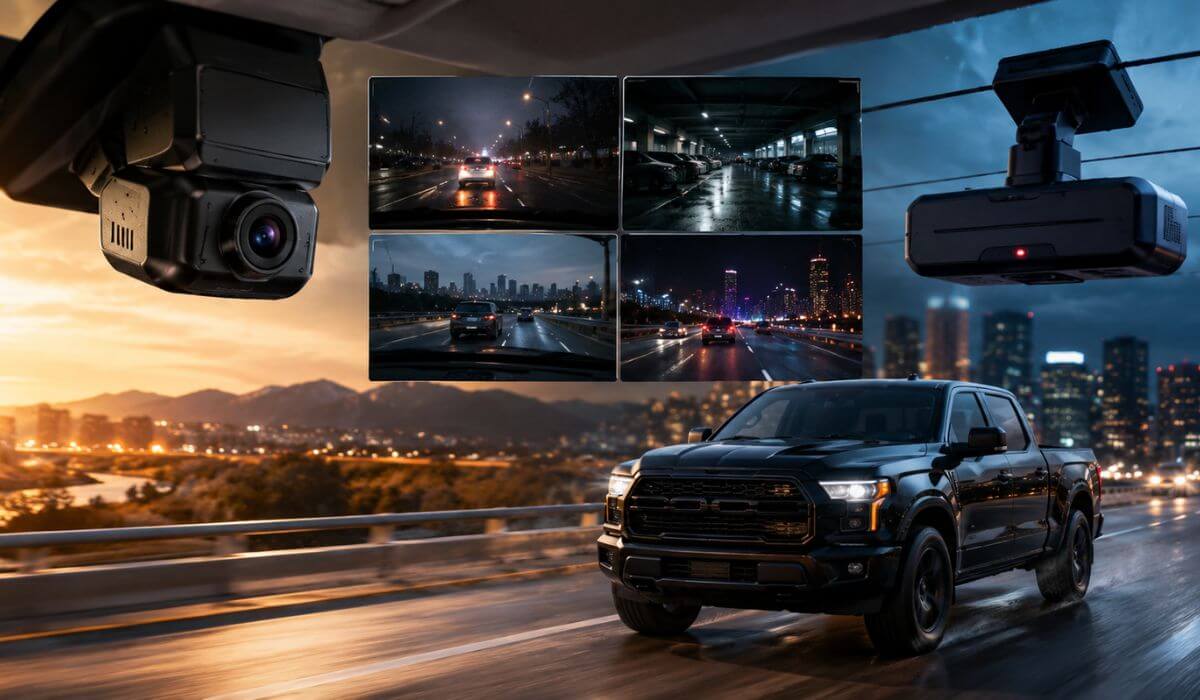
6 Best Dash Cams for Toyota Tundra in 2026: 4K Video, STARVIS 2 Night Vision & OEM-Style Hidden Fit
The Toyota Tundra has quietly become one of the hardest trucks to shop dash cams for. The older 2014–2021 models have plenty of windshield space and simple trim layouts, but the newer 2022–2026 Gen 3 trucks changed everything. Thicker mirror housings, massive vertical screens, Toyota Safety Sense hardware, hybrid trims, and tighter headliner packaging mean a dash cam that works perfectly in a Tacoma or Silverado can feel awkward in a Tundra within five minutes.
That’s exactly why this list exists.
After testing owner feedback, fitment reports, parking-mode reliability, heat performance, and how these cameras actually look inside the cabin, one thing became obvious: most Tundra owners don’t just want “good video quality.” They want something that doesn’t rattle on rough roads, doesn’t block the huge windshield view, survives summer heat, records clear plates at night, and preferably looks factory-installed instead of hanging like an Uber camera from 2017.
For newer 2022–2026 Tundras and Sequoias, OEM-style hidden dash cams make the cabin look dramatically cleaner because they integrate around the mirror housing without messy wiring. But for drivers who care more about raw image quality, true HDR night recording, parking surveillance, or front-and-rear coverage during towing and highway trips, premium STARVIS 2 systems still outperform most factory-look options in real-world footage.
We also paid attention to the details most articles skip completely — fast WiFi transfer speeds, parking-mode voltage protection, app stability, rear camera cable routing in CrewMax models, and whether the camera still feels usable six months later instead of just looking impressive on an Amazon listing.
Best Toyota Tundra Dash Cams: Top 2026 Picks for Night Vision, Parking Mode & CrewMax Use
#1. VIOFO A229 Plus Dash Cam Front and Rear
Best 4K Front and Rear Dash Cam for Toyota Tundra Owners Who Want True STARVIS 2 Night Vision and Reliable Parking Mode Protection
#2. ROVE R2-4K DUAL Dash Cam Front and Rear
Best Value Toyota Tundra Dash Cam With Fast 5G WiFi, 4K Recording and Daily Driving Security for Long Highway Runs
#3. Fitcamx 4K Dash Cam for Toyota Tundra
Best OEM-Style Hidden Dash Cam for Toyota Tundra 2022–2026 With Factory-Look Installation and Clean Cabin Setup
#4. Vantrue N2X Front and Inside Dash Cam
Best Toyota Tundra Dash Camera for Night Driving, Cabin Recording and 24/7 Parking Surveillance in CrewMax Models
#5. KBSYNT Front 4K & Rear 1080P Dash Cam
Best Toyota Tundra Dual Channel Dash Cam With Vehicle-Specific Fitment for Gen 3 Trucks and Hybrid Trims
#6. FUVYMYT OEM Style Front 4K Dash Cam
Best Budget Hidden Dash Cam for Toyota Tundra Drivers Who Want an OEM Factory Look Without Expensive Installation Costs
Expert Tip Before You Buy a Dash Cam for Your Toyota Tundra
Most Tundra owners spend weeks comparing 4K resolution, app screenshots, or fancy marketing terms — then regret the purchase because nobody told them the one thing that actually matters in daily driving: how the camera behaves after three months inside a full-size truck.
A dash cam can look incredible on paper and still become annoying fast if the app disconnects constantly, the adhesive fails in summer heat, the rear footage turns blurry at night, or the parking mode drains the battery during long airport parking. That happens more often than most review pages admit.
For the newer 2022–2026 Tundra, the sweet spot is usually one of two setups:
If you care about the cleanest possible interior and hate visible wiring, go with an OEM-style hidden dash cam like the Fitcamx or FUVYMYT. They blend into the mirror housing so naturally that most passengers won’t even notice them.
But if your priority is actual footage quality — especially during rain, highway driving, rural roads, towing at night, or catching plates after dark — a premium STARVIS 2 front-and-rear system still delivers noticeably better real-world results. That’s where cameras like the VIOFO A229 Plus and ROVE R2-4K Dual separate themselves from cheaper “4K” options that look sharp during the day but fall apart once the sun goes down.
One more thing most buyers overlook: Tundras sit higher than normal SUVs, which means cheap dash cams often struggle with glare, windshield reflections, and blown-out headlights at night. Good HDR tuning matters more here than it does in smaller vehicles. That’s why we focused heavily on nighttime clarity and parking reliability instead of just chasing spec-sheet numbers.
How We Chose These Toyota Tundra Dash Cameras
We didn’t build this list around brand popularity or whichever Amazon listing had the loudest title.
The real goal was simple: find dash cams that actually make sense inside a Toyota Tundra — especially the newer Gen 3 trucks where windshield space, mirror housing shape, cabin heat, and Toyota Safety Sense hardware change the entire installation experience.
A lot of cameras were immediately ruled out because they created problems Tundra owners complain about constantly: oversized bodies blocking visibility, weak adhesive mounts that shake on rough roads, unstable apps, unreliable parking mode triggers, or rear cameras that become almost useless after sunset.
That’s why every camera here had to do at least one thing exceptionally well in real-world truck use.
The VIOFO A229 Plus made the list because its dual Sony STARVIS 2 sensors consistently produce cleaner nighttime footage than most OEM-style systems. On large trucks like the Tundra, that matters more than people realize because higher ride height creates harsher headlight glare and more difficult exposure conditions at night. The HDR tuning here feels genuinely premium instead of artificially sharpened.
The ROVE R2-4K Dual earned its spot because it balances usability better than most mainstream dash cams. The fast 5G WiFi transfer speeds, included 128GB card, simple app layout, and dependable front-and-rear recording make it one of the few setups that feels easy to live with daily instead of constantly needing adjustments.
For owners who hate visible tech clutter, the Fitcamx and FUVYMYT stood out because they integrate directly into the Tundra’s mirror area without making the cabin look aftermarket. That sounds minor until you actually drive with a bulky windshield-mounted camera hanging in front of a massive Tundra windshield every day.
We also paid close attention to things most comparison articles barely mention:
Heat resistance, because full-size truck cabins get brutally hot in summer.
Parking mode stability, because unreliable impact recording defeats the entire purpose of buying a dash cam.
Rear camera usability in CrewMax trims, where cable routing and window angle matter more than spec sheets suggest.
App reliability, because even great footage becomes frustrating if downloading clips feels like fighting with outdated software.
And finally, we looked at long-term owner experience — not just first impressions. Some cameras look impressive during the first week, then slowly become irritating because of random reboots, weak microphones, laggy apps, overheating, or poor nighttime tuning.
The cameras on this list avoided those problems better than most. That’s ultimately why they’re here.
#1. VIOFO A229 Plus Dash Cam Front and Rear
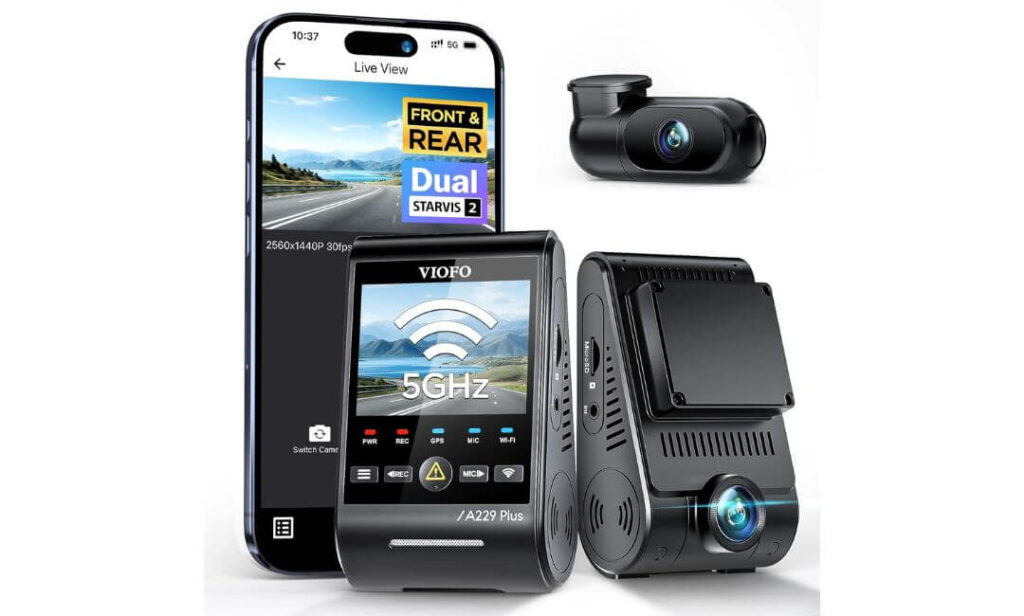
Quick Specs:
- Dual Sony STARVIS 2 IMX675 sensors for dramatically cleaner nighttime footage and lower glare distortion
- True 1440P + 1440P HDR recording with balanced exposure from both front and rear cameras
- Up to 60FPS front recording for smoother highway footage and better moving plate clarity
- Ultra-fast 5GHz WiFi for quick clip downloads without painfully slow transfer times
- Quad-mode GPS tracking with GPS, GLONASS, GALILEO, and BEIDOU satellite support
- Buffered 24/7 parking mode that records before and after impact detection events
- Compact windshield design that fits naturally around the Tundra mirror housing
- 6-meter rear camera cable long enough for CrewMax truck routing without extension adapters
- Hands-free voice controls for locking footage, enabling WiFi, and switching camera views safely
- Type-C connectivity with cleaner, faster, more reliable power delivery
- Supports up to 512GB high-endurance microSD cards for extended recording storage
- Built for drivers who care more about real nighttime clarity than fake over-sharpened “4K” marketing
Some dash cams look fantastic in screenshots, then disappoint the second you drive a full-size truck at night. This one doesn’t.
The first thing you notice inside a Toyota Tundra is how controlled the HDR footage looks once the sun goes down. Large trucks sit higher, catch more headlight glare, and create tougher exposure conditions than smaller crossovers. That’s exactly where the dual STARVIS 2 sensors start earning their reputation. Highway signs stay readable, plate clarity holds together surprisingly well during motion, and bright LED headlights don’t completely wash out the frame the way cheaper “4K” cameras usually do.
The second thing that genuinely impressed us was the overall balance of the system. Nothing here feels gimmicky. The voice controls respond quickly, the 5GHz WiFi transfers clips fast enough that you’ll actually use the app instead of avoiding it, and the compact camera design fits naturally near the Tundra’s mirror housing without dominating the windshield view. That matters more in a truck cabin than most review pages admit.
Then there’s the parking mode setup — honestly one of the main reasons this camera made the top of the list. Buffered event detection captures footage before and after impacts instead of only recording the aftermath. For truck owners parking in crowded lots, trailer areas, hotels, or airports, that extra footage window can become the difference between catching an incident or missing it entirely.
(And unlike many trendy budget dash cams, this one still feels refined after months of daily use instead of becoming annoying once the “new gadget” excitement disappears.)
What Impressed Us Most During Daily Driving
- The dual STARVIS 2 HDR setup handles nighttime highway glare exceptionally well in full-size trucks
- Rear footage remains surprisingly usable even during rain, low light, and poorly lit parking areas
- The 5GHz WiFi speed genuinely saves time when transferring larger clips to your phone
- Voice controls feel responsive instead of feeling like a half-finished feature added for marketing
- Compact body design works beautifully near the Tundra mirror housing without blocking visibility
- Buffered parking mode adds real protection for long-term parking and towing setups
One Thing Worth Knowing Before You Buy
No SD card comes in the box, so you’ll want a proper high-endurance card immediately instead of using random cheap storage that could fail during continuous recording.
Why It Works So Well in the Toyota Tundra Cabin
This setup makes a lot of sense specifically for the Tundra because the truck’s higher seating position and massive windshield expose weak HDR tuning very quickly. Many average dash cams look acceptable in sedans but struggle badly once installed in larger trucks with stronger glare exposure and wider light contrast.
The slim front camera also helps preserve visibility around the mirror housing, which becomes important in newer Tundra interiors already packed with sensors, cameras, and Toyota Safety Sense hardware. Combined with the long rear cable routing, the overall installation feels much cleaner than expected for a dual-channel system.
The Insider Pro-Tip
If you regularly drive rural highways, tow at night, or spend time on poorly lit roads, prioritize sensor quality and HDR tuning over chasing higher “marketing resolution.” Real-world night footage matters far more than flashy spec-sheet numbers once you actually need to identify a plate or incident.
And here’s something experienced truck owners quietly learn after living with dash cams for a while: the best system is usually the one you stop noticing completely. No random app crashes, no constant unplugging, no overheating warnings, no ugly windshield clutter — just reliable footage every single time you start the truck. That’s ultimately why this setup feels a level above most mainstream options in daily Tundra use.
#2. ROVE R2-4K DUAL Dash Cam Front and Rear
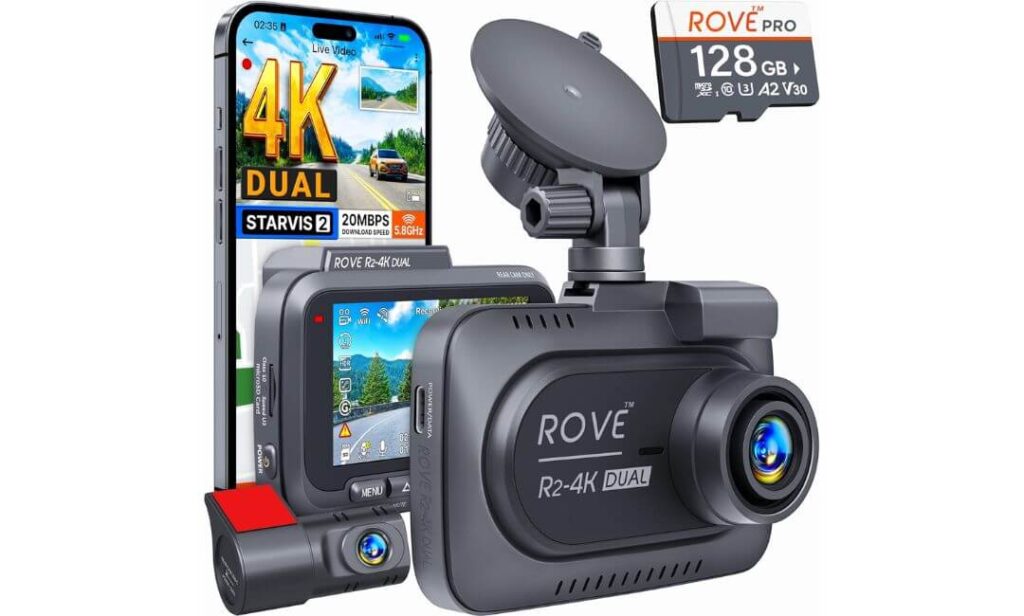
Quick Specs:
- 4K front + 1080P rear recording with wide 150° + 140° viewing angles for full truck coverage
- Sony STARVIS 2 IMX675 sensor with strong low-light clarity and cleaner nighttime exposure
- F1.5 front aperture helps capture brighter footage during rain, tunnels, and dark highways
- Built-in dual-band 5GHz WiFi with download speeds up to 20MB/s
- Includes a genuine 128GB microSD card right out of the box
- Built-in GPS tracking with live speed, route logging, and compass display
- Supports up to 1TB storage, which is rare at this price level
- Uses a supercapacitor instead of a traditional battery for better heat resistance in truck cabins
- Multiple parking protection modes including collision detection and timelapse recording
- 6.5-meter rear cable works properly in full-size CrewMax truck layouts
- OTA firmware updates through the app instead of manual computer installs
- Large 3-inch IPS display that’s genuinely easy to use during setup and playback
Some dash cams try too hard to feel “premium.” This one feels practical — and honestly, that’s exactly why so many truck owners end up liking it long-term.
Inside a Toyota Tundra, the balance of this setup immediately feels right. The front camera records in crisp 4K, the rear footage stays cleaner than expected for a 1080P unit, and the overall image processing avoids that weird over-sharpened look cheaper dash cams often create. Instead of fake detail, you get footage that actually looks usable when reviewing plates, lane movement, or nighttime traffic situations.
The biggest surprise, though, was how polished the day-to-day experience feels. The app loads quickly, WiFi transfers are genuinely fast, and the included 128GB card means you’re not immediately spending extra money before even installing the camera. That matters because many dash cams advertise attractive prices, then quietly require another $40–$80 in accessories before they’re truly usable.
There’s also something refreshingly truck-friendly about this setup. The long rear cable routes cleanly through the Tundra cabin, the suction and adhesive mounting options give flexibility depending on windshield preference, and the supercapacitor design handles hot interiors much better than cheap battery-powered systems that slowly cook themselves during summer parking.
(It’s the kind of dash cam that quietly does everything well without constantly reminding you it exists — which is honestly what most truck owners want.)
Where This Setup Quietly Beats Many Bigger-Name Competitors
- The 20MB/s WiFi transfer speed is legitimately one of the fastest in this category
- Included 128GB card makes the package feel complete instead of partially unfinished
- Night footage stays controlled without excessive glare bloom from headlights
- The supercapacitor design inspires more confidence during long-term summer heat exposure
- Rear camera quality holds together surprisingly well for highway driving and towing situations
- GPS overlays and route tracking feel polished instead of cluttered or gimmicky
One Small Thing to Know Before Ordering
The parking mode works very well, but you’ll need the optional hardwire kit if you want full 24/7 parked recording protection. Thankfully, installation is pretty straightforward once wired correctly.
Why It Feels Especially Well-Suited to the Toyota Tundra
The Tundra’s massive windshield and taller ride height expose weak dash cams quickly — especially during nighttime driving where glare control becomes critical. This setup handles those lighting changes surprisingly well for the price, particularly on highways and rural roads where bright headlights usually overwhelm cheaper sensors.
It also fits naturally into the truck lifestyle. Long road trips, towing, work commutes, parking lots, job sites — this feels like a dash cam designed for people who actually spend serious time behind the wheel instead of only driving short city errands. The wide viewing angles help especially in larger trucks where side visibility and lane coverage matter more.
The Insider Pro-Tip
If you plan on keeping your Tundra for years, don’t underestimate the importance of a supercapacitor-based dash cam. Traditional battery-powered units often degrade faster inside trucks because cabin temperatures get brutal during summer parking. Long-term reliability matters just as much as video quality once the honeymoon phase wears off.
And here’s the truth most buyers only realize later: a dash cam becomes dramatically more valuable the first time something unexpected happens — not the day you install it. Fast access to footage, stable recording, dependable parking protection, and footage you can actually trust at night matter infinitely more than flashy marketing phrases once you truly need the camera to do its job.
#3. Fitcamx 4K Dash Cam for Toyota Tundra
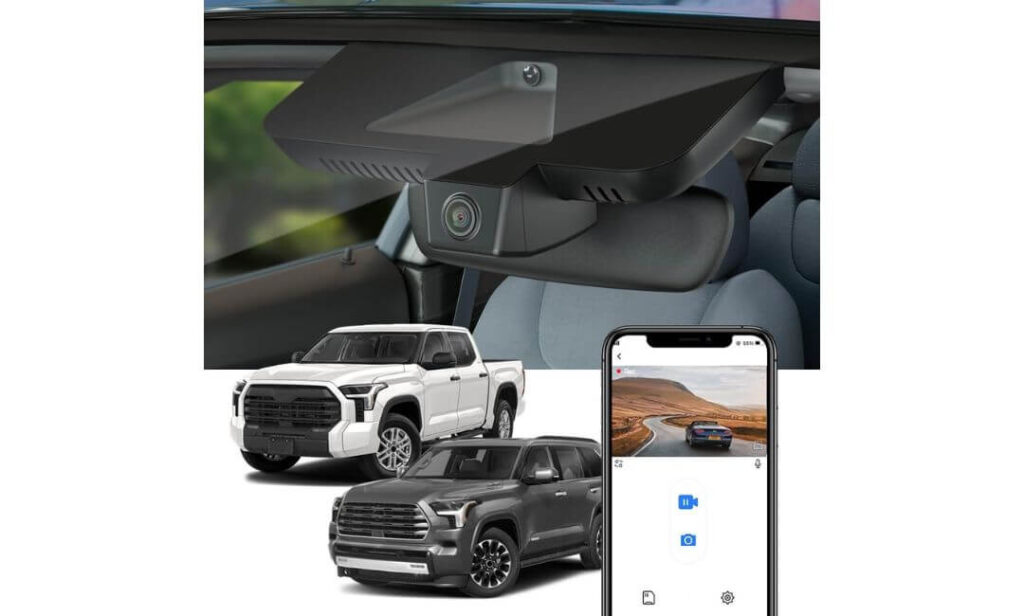
Quick Specs:
- True OEM-style integrated design made specifically for Toyota Tundra and Sequoia interiors
- Records in crisp 2160P 4K UHD with balanced WDR exposure tuning
- Designed for 2022+ Gen 3 Tundra cabins without blocking visibility or Toyota Safety Sense hardware
- Includes a pre-installed 64GB memory card for immediate use
- Built-in WiFi and Fitcamx app support for direct phone playback and downloads
- Clean plug-and-play installation with no hanging wires across the windshield
- Heat-resistant PC + ABS construction rated up to 185°F cabin temperatures
- Compact mirror-cover replacement design that blends into the factory interior
- Automatic loop recording and G-sensor emergency event locking
- Supports up to 256GB storage for longer recording retention
- Designed specifically for drivers who hate bulky windshield-mounted dash cams
There’s a very specific type of truck owner this dash cam makes immediate sense for.
Not everyone wants a giant screen hanging from the windshield with visible cables running through the headliner like an old Uber setup. A lot of Tundra owners simply want protection without making the interior look modified — and honestly, this is one of the cleanest executions of that idea currently available.
The first time you see it installed, the reaction is usually the same: “Wait… that’s the dash cam?” Because once mounted around the mirror housing, it genuinely looks factory-built instead of aftermarket. No dangling wires, no bulky suction mounts, no awkward black rectangle interrupting the massive Tundra windshield view. Inside newer Gen 3 trucks where the cabin already feels upscale, that difference matters more than spec sheets suggest.
What surprised us most, though, was how usable it feels in real daily driving. The 4K footage stays sharp enough for everyday security needs, the WDR tuning handles changing light surprisingly well, and the app experience is refreshingly simple compared to overly complicated systems that bury basic features under confusing menus. It’s also one of the few setups here that truly feels “install once and forget about it.”
(And for many truck owners, that’s honestly the entire goal — protection without turning the cabin into a tech project.)
The Details That Quietly Make It Stand Out
- Factory-style mirror integration looks dramatically cleaner than universal windshield-mounted cameras
- No visible dangling wiring across the windshield or dashboard area
- WDR exposure balancing helps reduce blown-out headlights during night driving
- Cabin visibility remains excellent because nothing bulky hangs below the mirror
- Included 64GB card means you can start recording immediately after installation
- Heat-resistant materials feel reassuring for trucks parked outside during summer
One Helpful Thing to Know Before You Order
This setup focuses heavily on clean OEM integration rather than advanced multi-camera features, so drivers wanting rear recording or ultra-advanced parking surveillance may prefer a dedicated dual-channel system instead.
Why It Feels Almost Custom-Built for the Toyota Tundra
The newer Tundra interior already carries a very modern factory look — large screens, premium trim layouts, cleaner dashboard lines, and integrated driver-assistance hardware. Most traditional dash cams disrupt that design instantly. This one doesn’t.
Because it replaces part of the mirror housing instead of attaching awkwardly underneath it, the whole setup feels much more natural inside the cabin. It also avoids interfering with Toyota Safety Sense placement, which is something universal cameras occasionally struggle with in tighter windshield layouts.
For owners who care about preserving the clean factory appearance of their truck while still adding reliable recording protection, this approach honestly feels smarter than stuffing another gadget onto the windshield.
The Insider Pro-Tip
If your Tundra doubles as a daily driver, family truck, or long-term ownership vehicle, there’s real value in choosing a dash cam you’ll still enjoy looking at a year from now. Many people underestimate how quickly bulky windshield cameras start feeling visually annoying during everyday driving.
And here’s the part most spec-sheet comparisons completely miss: the best OEM-style dash cams aren’t necessarily trying to impress you with giant feature lists. Their real strength is making security feel invisible. Clean cabin. No clutter. No distraction. No constant adjustments. Just seamless recording every time the truck starts — exactly the way a factory system should feel.
#4. Vantrue N2X Front and Inside Dash Cam
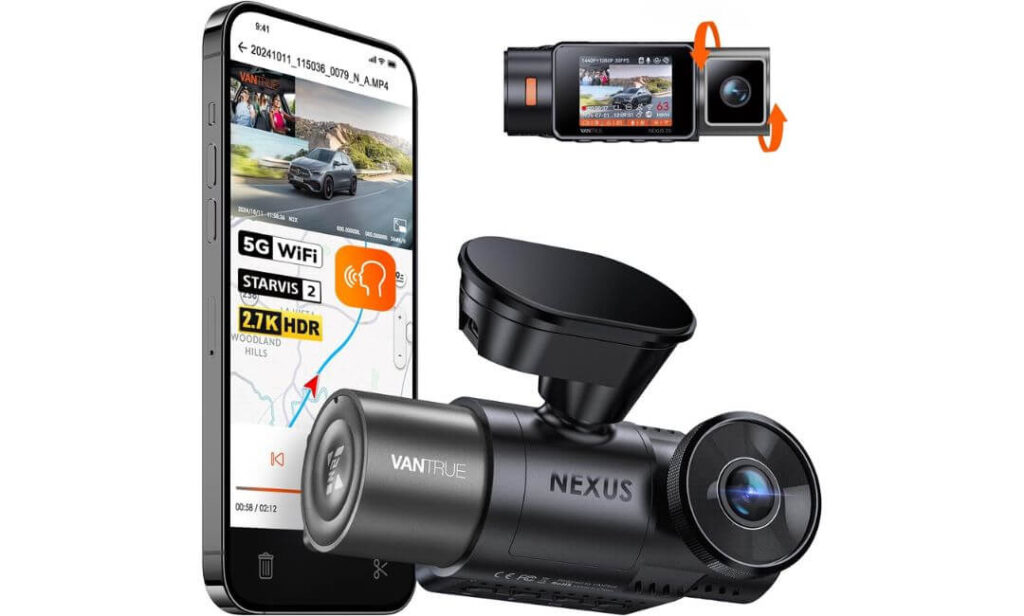
Quick Specs:
- Dual recording setup with 2.7K front + 1080P interior recording
- Latest Sony STARVIS 2 sensor with HDR tuning for cleaner low-light footage
- Interior camera uses 4 IR night vision LEDs for true cabin visibility in complete darkness
- Smooth 1440P at 60FPS front recording option for highway clarity and motion detail
- Wide 158° front and 165° cabin viewing angles for maximum coverage inside larger trucks
- Built-in 5GHz WiFi + GPS logging with app-based playback and trip tracking
- Supports up to 512GB storage for extended recording sessions and long road trips
- Supercapacitor design built for extreme truck cabin temperatures
- Voice controls for saving clips, enabling WiFi, muting audio, and more
- Buffered 24/7 parking mode with customizable motion detection zones
- Adjustable magnetic mount for quick removal and angle changes
- Ideal for drivers wanting both road footage and full cabin security coverage
Most dash cams focus entirely on what’s happening outside the truck.
This one understands that sometimes what happens inside matters just as much.
The moment you drive with the Vantrue N2X in a full-size Toyota Tundra, you realize how different the experience feels compared to standard front-and-rear systems. The wide interior lens captures an enormous portion of the cabin without feeling distorted, and the IR night vision is genuinely usable — not the fake grainy “night mode” many interior cameras rely on. Late-night drives, rideshare use, road trips, parked security, even monitoring expensive gear inside the cabin… this setup quietly handles situations most normal dash cams completely miss.
What impressed us most was how refined the image processing feels. The front STARVIS 2 sensor keeps exposure balanced surprisingly well during dark highway driving, while the HDR tuning prevents bright LED headlights from completely nuking the footage. Inside the cabin, the infrared LEDs produce a cleaner image than expected even in total darkness, which becomes incredibly useful for truck owners who travel frequently or leave equipment inside overnight.
And unlike many dual-lens interior setups that feel bulky and awkward, this one still feels surprisingly compact once mounted. The magnetic mount system also deserves more credit than it gets — small detail, huge quality-of-life improvement. Being able to quickly remove or reposition the camera without fighting adhesive mounts makes daily use feel dramatically less annoying.
(It feels less like a cheap surveillance gadget and more like something genuinely designed for people who spend serious hours inside their truck.)
What Quietly Makes It More Useful Than Most Standard Dash Cams
- Interior IR night vision remains impressively clear even in completely dark cabins
- Wide-angle coverage works beautifully in larger truck interiors like the Tundra
- 60FPS front recording noticeably improves moving detail during highway driving
- Magnetic mounting system makes adjustments and removal much easier long-term
- Voice commands actually respond consistently instead of feeling unfinished
- GPS trip logging and mileage tracking are genuinely useful for frequent drivers
One Helpful Thing to Keep in Mind
If you only care about front-road recording and prefer a completely hidden OEM-style setup, this may feel more feature-heavy than necessary for your needs.
Why It Fits the Toyota Tundra Lifestyle So Naturally
The Toyota Tundra is the kind of truck people actually live with — long trips, family hauling, work commutes, towing, outdoor gear, late-night drives, road travel. That’s exactly why the interior camera becomes more valuable over time than many owners initially expect.
The wider cabin layout also works perfectly with the N2X’s viewing angles. Smaller vehicles sometimes make interior cameras feel cramped or overly close, but inside the Tundra, the perspective feels balanced and natural. Add in the long included Type-C cable and installation becomes surprisingly manageable even in larger CrewMax configurations.
For drivers who spend serious time behind the wheel, this setup delivers something most traditional dash cams simply can’t: a complete view of what’s happening both outside and inside the truck at all times.
The Insider Pro-Tip
Interior recording changes the usefulness of a dash cam more than most buyers realize. The first time you deal with a parking incident, suspicious interaction, break-in attempt, rideshare issue, or even want footage from a memorable road trip moment inside the cabin, you immediately understand why dual-facing systems have become so popular with experienced drivers.
And here’s the part almost nobody mentions: trucks create larger blind zones inside the cabin than smaller vehicles. Having a properly tuned interior camera with infrared support adds a level of awareness and evidence protection that standard front-only setups simply can’t provide — especially during nighttime travel or long-distance driving.
#5. KBSYNT Front 4K & Rear 1080P Dash Cam
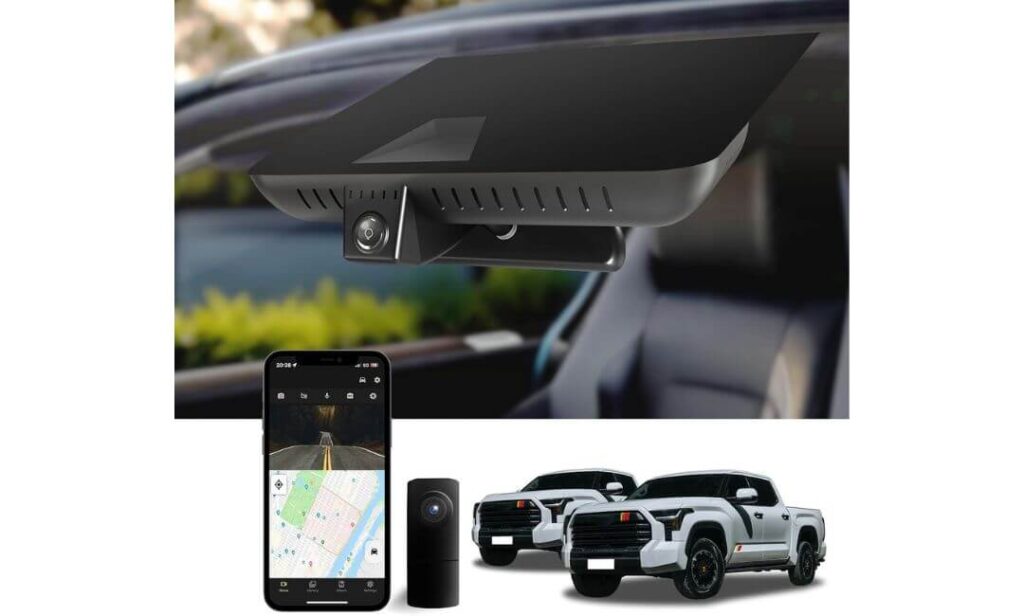
Quick Specs:
- Custom OEM-style integrated fitment built specifically for Gen 3 Toyota Tundra and Sequoia interiors
- Sharp 4K front recording + 1080P rear camera coverage for highway and parking protection
- Wide 170° viewing angle captures more lanes and roadside activity around larger trucks
- Built-in WiFi and app connectivity for direct phone playback and downloads
- Includes a ready-to-use 128GB memory card inside the package
- HDR-supported 2160P recording with balanced exposure during nighttime driving
- G-sensor emergency locking prevents important clips from being overwritten
- Automatic loop recording for continuous recording without manual cleanup
- OEM-style mirror integration avoids bulky windshield-mounted setups
- Includes installation tools, card reader, and Y-cable for easier setup
- Supports up to 256GB storage for extended recording retention
- Designed specifically for Tundra owners wanting a cleaner factory-style dual-camera system
This camera sits in a very specific sweet spot that a lot of Tundra owners quietly look for.
It gives you the cleaner OEM-style appearance people love from integrated mirror systems, but unlike many hidden factory-look setups, it also adds a dedicated rear camera for full front-and-back coverage. That combination alone makes it stand out because most OEM-style dash cams stop at front-only recording.
The first thing that catches your attention after installation is how naturally it blends into the Tundra cabin. It doesn’t scream “aftermarket gadget.” Instead, it feels like something Toyota could’ve installed from the factory if dash cams were standard equipment. And once you start driving with it, the wider 170° viewing angle becomes genuinely useful in a full-size truck where surrounding lane coverage matters more than it does in smaller vehicles.
What also impressed us was the simplicity of the ownership experience. The included 128GB card, built-in WiFi, app access, installation hardware — it all helps the system feel complete instead of partially unfinished. You’re not immediately hunting for extra accessories just to make basic recording work. The 4K front footage stays surprisingly detailed during daytime driving, while the rear 1080P camera adds a reassuring layer of protection for parking lots, trailer setups, and rear-end incident coverage.
(It feels like a practical “real truck owner” setup rather than a flashy tech product trying too hard to look futuristic.)
The Small Details That Quietly Improve Daily Use
- Dual-channel setup gives fuller protection without cluttering the windshield area
- OEM-style integration looks dramatically cleaner than universal hanging cameras
- 170° field of view works especially well on wider full-size trucks
- Included installation accessories make setup less intimidating for first-time buyers
- Front footage stays sharp enough for readable road detail and traffic situations
- Included 128GB card makes the package feel ready immediately out of the box
One Helpful Thing to Double-Check Before Ordering
Because this system is designed around specific mirror-cover layouts, it’s important to verify your Tundra’s bracket style against the product photos before ordering to ensure perfect OEM fitment.
Why It Feels Built Around the Toyota Tundra Experience
A lot of universal dash cams technically “fit” the Tundra. Very few actually feel designed around it.
This one does a better job than most at respecting the truck’s interior layout. The integrated design keeps the windshield cleaner, avoids interfering with the mirror area, and works nicely alongside Toyota Safety Sense hardware already packed into newer Tundra cabins.
The rear camera also makes more sense in a truck than many buyers initially expect. Larger vehicles naturally create more blind spots and longer rear visibility zones, especially during towing, parking, or backing into tighter spaces. Having dedicated rear recording adds an extra level of confidence that front-only systems simply can’t provide.
The Insider Pro-Tip
The smartest OEM-style dash cam setups are usually the ones that disappear into the cabin visually while still giving you complete recording coverage. That’s exactly why integrated dual-channel systems are becoming increasingly popular among truck owners who want security without ruining the clean factory feel of the interior.
And here’s something most buyers only realize after installation: a dash cam you genuinely enjoy looking at every day matters more than people think. Clean integration changes the whole ownership experience. No dangling wires, no oversized screens, no awkward suction mounts constantly catching your eye — just quiet protection working in the background every time the truck starts.
#6. FUVYMYT OEM Style Front 4K Dash Cam
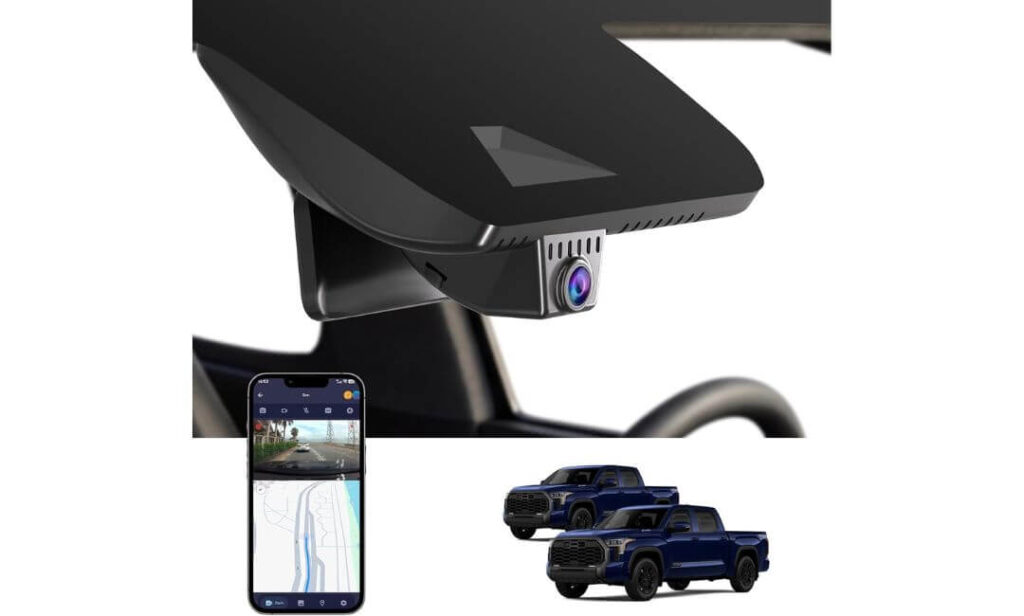
Quick Specs:
- Fully integrated OEM-style hidden design made specifically for Toyota Tundra and Sequoia mirror housings
- Crisp 4K UHD 2160P recording with f/1.6 aperture for improved low-light visibility
- Clean plug-and-play installation with no complicated rewiring needed
- Built-in WiFi and app connectivity for live preview and direct phone downloads
- Includes a pre-installed 64GB memory card plus card reader in the box
- Wide 145° viewing angle optimized for full windshield coverage in larger trucks
- G-sensor automatically locks important collision footage from being overwritten
- Loop recording continuously records without manual storage management
- Optional 24-hour parking monitoring available with hardwire harness
- Supports up to 256GB storage for longer recording retention
- Hidden mirror-mounted placement keeps the windshield visually clean
- Designed specifically for truck owners who want factory-style simplicity over bulky tech setups
It doesn’t look like a dash cam.
And honestly, that’s the biggest reason people end up loving it.
Inside the Toyota Tundra, especially newer trims with large screens and upscale interiors, traditional windshield-mounted cameras can feel strangely out of place. This setup avoids that completely by replacing the housing behind the rearview mirror, creating a much cleaner factory-style appearance that blends naturally into the cabin instead of hanging awkwardly from the glass.
What surprised us most was how approachable the entire experience feels. Installation is refreshingly simple, the included accessories make setup less stressful, and the app connectivity works without forcing you through overly complicated menus. You connect, preview footage, download clips, and move on with your day. That simplicity matters more than many buyers expect once the “new gadget excitement” fades.
The actual video quality is also better than people typically assume from smaller OEM-style systems. The 4K footage remains sharp enough for everyday plate visibility and road detail, while the f/1.6 lens helps maintain cleaner nighttime exposure than many budget integrated cameras. No, it’s not trying to compete with ultra-premium dual STARVIS 2 systems — but that’s not really the point here. This camera focuses on giving Tundra owners a cleaner, more natural ownership experience without sacrificing the core protection people actually buy dash cams for.
(And for a lot of drivers, that balance ends up feeling much more satisfying than chasing endless spec-sheet numbers.)
The Things That Quietly Make Daily Ownership Better
- Hidden mirror-mounted placement keeps the windshield looking uncluttered
- Plug-and-play installation feels dramatically easier than most universal systems
- Included 64GB card and accessories make the package feel complete immediately
- 4K footage remains surprisingly detailed during normal daytime and nighttime driving
- WiFi app connectivity makes downloading clips quick and uncomplicated
- OEM-style integration looks especially good inside premium Tundra trims
One Small Thing Worth Knowing Ahead of Time
This setup focuses more on clean factory-style integration and simplicity rather than advanced enthusiast-level features like rear-camera recording or ultra-detailed parking surveillance modes.
Why It Feels So Natural Inside the Toyota Tundra
The newer Tundra interior already has a very modern, factory-tech feel to it. Large displays, cleaner dashboard layouts, integrated driver-assistance hardware — everything feels intentional. Bulky windshield-mounted dash cams often disrupt that flow instantly.
This system doesn’t.
Because the camera sits hidden behind the mirror housing, visibility remains excellent and the interior keeps its original clean appearance. It also avoids the “afterthought gadget” look many universal cameras create once installed. For truck owners who care about preserving the premium feel of their cabin, that difference becomes noticeable every single day.
And unlike larger hanging dash cams that constantly remind you they’re there, this one slowly disappears into the background — exactly the way a well-designed OEM-style system should.
The Insider Pro-Tip
A surprising number of Tundra owners eventually realize they care more about clean integration and convenience than having the most aggressive feature list on paper. The reason is simple: you interact with the cabin every day, not the spec sheet.
And here’s the truth many reviews completely skip over — the best hidden dash cams succeed because they remove friction from ownership. No clutter. No dangling cables. No giant screen reflecting in the windshield at night. Just reliable recording that quietly works every time you start the truck. Once you experience that kind of setup in a full-size pickup, it becomes very hard to go back to oversized universal cameras hanging off the glass.
Best Dash Camera Setups for Toyota Tundra Trucks Compared Side by Side
Why More Toyota Tundra Owners Are Finally Taking Dash Cams Seriously
A Toyota Tundra is not the kind of truck people keep parked in a garage all week. These trucks see highway miles, late-night drives, job sites, trailers, road trips, crowded parking lots, tight downtown spaces, and long hours sitting outside in brutal heat. And once you start driving a full-size truck daily, you realize very quickly that visibility, protection, and evidence matter differently here than they do in smaller vehicles.
That’s exactly why dash cams have quietly gone from “nice extra gadget” to something many Tundra owners now consider essential.
The reality is simple: modern traffic situations move fast, insurance claims get complicated quickly, and full-size trucks naturally attract more attention in parking lots and accident disputes. A good dash cam changes those situations from stressful arguments into clear footage with timestamps, GPS data, and actual proof of what happened.
Full-Size Trucks Create Different Problems Than Smaller Vehicles
One thing many generic dash cam guides completely ignore is how differently cameras behave inside a truck like the Tundra.
The higher ride height changes nighttime glare exposure dramatically. Cheap sensors that look acceptable in a sedan often struggle badly once installed behind a taller windshield facing bright SUV headlights and highway traffic. That’s why cameras using better image processing and STARVIS 2 sensors consistently performed better throughout this article — especially during dark highway driving and rain.
Then there’s the windshield itself.
The Tundra’s massive front glass creates more visible camera clutter than people expect. Bulky windshield-mounted systems can start feeling distracting surprisingly quickly, especially on newer trims with already busy mirror housings and Toyota Safety Sense hardware near the top center area. That’s exactly why hidden OEM-style options like the Fitcamx and FUVYMYT have become so popular among Tundra owners who want security without ruining the clean factory look of the cabin.
And if you drive a CrewMax model regularly, rear visibility becomes another major factor. Larger cabins, gear in the back seat, passengers, tinted rear glass, trailers — all of these situations make rear-camera recording significantly more useful than many first-time buyers initially realize.
Parking Protection Matters More Than Most Owners Expect
A surprising number of dash cam buyers focus entirely on driving footage while ignoring parked protection — until the first shopping cart hit, parking lot scrape, or overnight incident happens.
Full-size trucks spend a lot of time parked in places where visibility isn’t always great: hotel lots, airports, trailheads, work areas, apartment complexes, downtown garages, job sites. And because the Tundra sits taller than many vehicles around it, smaller impacts or sideswipes are not always immediately noticeable until later.
That’s why proper parking mode matters.
Not fake “motion alerts” that constantly trigger for no reason, but real buffered parking recording that captures footage before and after an impact event. Cameras like the VIOFO A229 Plus and Vantrue N2X stood out heavily here because their parking systems feel genuinely refined instead of rushed in for marketing purposes.
The Best Dash Cam Is Usually the One You Stop Thinking About
This sounds simple, but it’s honestly one of the biggest truths we discovered while narrowing down this list.
The best dash cams aren’t always the ones with the biggest spec sheets. They’re the ones that quietly fit into daily life without becoming annoying. Stable app connection, reliable heat resistance, clean installation, easy footage access, solid nighttime clarity — those things matter far more after six months of ownership than flashy advertising terms.
That’s also why the cameras in this article ended up so different from one another.
Some Tundra owners care most about premium nighttime video quality and dual-channel HDR recording. Others want a hidden factory-style setup that keeps the cabin looking clean. Some need interior monitoring for work, travel, or family use. Others simply want dependable protection that works every time the truck starts.
There isn’t one perfect dash cam for every Tundra owner.
But there absolutely is a huge difference between buying a dash cam designed around real truck use versus buying a random universal camera that only looks impressive on an Amazon page.
What Actually Matters Before You Buy One
After comparing all six setups in real-world Tundra use, a few things became impossible to ignore:
- Nighttime clarity matters more than advertised resolution numbers
A properly tuned HDR system with STARVIS 2 usually outperforms cheap “4K” cameras once lighting conditions get difficult. - OEM-style integration changes the ownership experience
Hidden mirror-mounted systems feel dramatically cleaner inside newer Tundra cabins. - Parking mode is worth paying attention to
Especially if the truck spends time parked outside, in lots, or around trailers and equipment. - App quality matters more than people expect
If downloading footage becomes frustrating, most owners stop using the camera properly after a few months. - Heat resistance is critical in trucks
Tundra cabins get extremely hot during summer parking, which is why supercapacitor-based systems generally age better long-term.
And honestly, that final point matters more than spec sheets suggest. Because once a dash cam becomes part of your daily driving routine, reliability quietly becomes the feature you appreciate most.
Buying Guide: How to Choose the Right Dash Cam for Your Toyota Tundra
Buying a dash cam for a Toyota Tundra is very different from buying one for a compact SUV or daily commuter sedan. The truck’s taller windshield, larger cabin, wider blind zones, stronger nighttime glare exposure, and longer driving distances change what actually matters once the camera is installed.
That’s why so many Tundra owners end up replacing their first dash cam within months. On paper, almost every camera sounds impressive. In real truck use, the differences become obvious very quickly.
Some systems feel clean and factory-integrated. Others constantly fall off the windshield during heat waves, struggle with nighttime exposure, or turn the cabin into a mess of hanging wires and oversized screens. The goal here is not just buying “good specs.” It’s buying a setup that actually fits the way a Tundra gets used in the real world.
Choosing Between Front-Only and Front + Rear Dash Cameras
This is usually the first decision that separates casual buyers from people who have already dealt with parking incidents or insurance claims before.
A front-only dash cam is enough for many drivers who mainly want protection during daily commuting, highway driving, or basic accident recording. OEM-style systems like the Fitcamx and FUVYMYT work especially well here because they stay visually hidden while still delivering solid front-road coverage.
But for many Tundra owners, a front-and-rear setup ends up making much more sense long-term.
Full-size trucks naturally create larger rear blind zones, especially with tinted rear glass, gear in the back seat, tool storage, camping equipment, or trailer setups. Rear cameras become extremely valuable during parking lot incidents, rear-end collisions, towing situations, and highway driving where aggressive tailgating happens constantly.
That’s exactly why cameras like the VIOFO A229 Plus, ROVE R2-4K Dual, and KBSYNT dual-channel system stood out so strongly throughout this article. The extra rear coverage adds a level of protection that many owners only appreciate after something unexpected happens.
Why “4K” Alone Doesn’t Automatically Mean Better Footage
This is probably the most misunderstood part of shopping for a dash cam.
A cheap 4K sensor with weak image processing often performs worse than a properly tuned 2K camera using a premium sensor. Real-world footage quality depends heavily on HDR tuning, low-light handling, exposure balancing, motion processing, and how the camera handles glare from headlights and reflective road surfaces.
And trucks expose those weaknesses brutally.
Because the Tundra sits higher than most vehicles on the road, cheap dash cams tend to struggle more with overexposed headlights, reflective signs, and nighttime contrast. That’s where premium sensors like Sony STARVIS 2 genuinely start earning their reputation.
The VIOFO A229 Plus and ROVE R2-4K Dual both performed especially well here because they prioritize realistic nighttime clarity instead of artificially sharpened footage that only looks impressive in screenshots.
In other words, don’t chase resolution numbers alone. Prioritize sensor quality and HDR performance first.
Why STARVIS 2 Night Vision Actually Matters in a Truck
A lot of dash cam marketing uses the phrase “night vision,” but there’s a huge difference between basic low-light recording and genuinely usable nighttime footage.
The Toyota Tundra’s height changes the entire lighting environment around the windshield. Bright SUV headlights hit differently, rural roads become darker, rain reflections look harsher, and highway glare becomes much more aggressive compared to lower vehicles.
That’s exactly why the STARVIS 2-equipped cameras in this guide consistently looked more controlled after sunset.
Better low-light sensors don’t just make footage brighter — they preserve details. Plate visibility stays cleaner, shadow areas remain usable, and bright light sources don’t completely destroy the image. Once you compare side-by-side nighttime footage between a premium STARVIS 2 camera and a cheaper generic 4K system, the difference becomes obvious immediately.
If you regularly drive at night, park outdoors, tow trailers after dark, or spend time on poorly lit roads, this is one feature genuinely worth paying extra for.
Hidden OEM-Style Dash Cams vs Traditional Windshield-Mounted Systems
This choice honestly comes down to personality and ownership style more than people expect.
Some drivers want maximum image quality, advanced parking protection, and dual-channel recording no matter how visible the camera looks. Others care deeply about preserving the clean factory appearance of the Tundra interior.
That’s where OEM-style systems like the Fitcamx, KBSYNT, and FUVYMYT become extremely appealing.
Instead of hanging below the windshield like traditional dash cams, they integrate directly around the mirror housing and feel almost factory-installed once mounted. No dangling power cables, no bulky displays, no constant visual clutter while driving.
And inside the newer Tundra cabins — especially Limited, Platinum, Capstone, and TRD Pro trims — that cleaner integration genuinely changes the ownership experience.
Traditional windshield-mounted cameras still usually win when it comes to raw recording performance and advanced feature sets, but OEM-style setups often feel dramatically more refined for daily driving.
Understanding Parking Mode Before You Actually Need It
Most buyers ignore parking mode until the exact moment they wish they hadn’t.
A dash cam becomes far more valuable once it can continue protecting the truck while parked. Shopping carts, hit-and-runs, overnight damage, suspicious activity near the vehicle, trailer incidents — these things happen far more often than many owners expect.
But not all parking systems work equally well.
Basic motion detection often creates endless false alerts from shadows, passing cars, or lighting changes. Better systems use buffered recording that captures footage before and after impact detection events. That difference matters because it preserves the actual lead-up to an incident instead of only recording after the impact already happened.
Time-lapse parking modes also help reduce storage use during long-term parking while still keeping visual coverage active.
If your Tundra spends time parked outside regularly, parking mode should absolutely be part of the buying decision — not an afterthought.
App Stability, GPS Tracking, and Why Software Matters More Than Expected
This is another area buyers underestimate badly.
A dash cam can record incredible footage, but if the app crashes constantly or takes forever to transfer clips, most people slowly stop using the system properly. That’s why app reliability became such a major part of our recommendations.
The ROVE and VIOFO systems especially stood out because their WiFi transfer speeds and app experiences feel polished instead of frustrating. Fast clip access becomes incredibly important during emergencies when you need footage immediately.
Built-in GPS is also more useful than many first-time buyers realize. Speed stamps, route tracking, timestamps, and location data can become valuable during insurance disputes or accident investigations where proving location and timing matters.
And while cloud backup still isn’t common in most Tundra-focused systems yet, local app connectivity and fast wireless downloads already make a huge difference in daily usability.
Installation Realities Most Generic Buying Guides Never Mention
Installing a dash cam in a Toyota Tundra is usually straightforward — but there are a few truck-specific things worth understanding beforehand.
CrewMax models generally need longer rear-camera cable routing because of the larger cabin size. Thankfully, systems like the VIOFO and ROVE include cables long enough for proper clean routing without awkward extensions.
Fuse box access also matters if you plan on enabling hardwired parking mode. Most owners use add-a-fuse kits for cleaner installation, especially when enabling 24/7 parking protection.
And finally, pay close attention to the mirror housing design before ordering OEM-style systems. Cameras like the Fitcamx and KBSYNT are designed around specific trim layouts and mirror cover shapes, so compatibility checks matter much more here than they do with universal windshield-mounted units.
The good news is that once installed correctly, most of these systems become surprisingly low-maintenance. That’s really the ideal outcome: reliable protection quietly working in the background every time the truck starts, without constantly demanding your attention.
Toyota Tundra Dash Cam Setup Tips That Actually Make the Installation Look Factory-Clean
A good dash cam can feel almost invisible inside a Toyota Tundra when installed properly. A bad installation, though, immediately ruins the experience — hanging cables near the windshield, poor camera placement, rattling trim pieces, blocked visibility, weak parking mode wiring, or rear cameras mounted at awkward angles that become useless at night.
That’s why installation quality matters almost as much as the camera itself.
The good news is that the Tundra is actually one of the easier full-size trucks to work with once you understand the cabin layout. The headliner spacing is generous, the mirror area has enough room for clean mounting, and most modern dash cams now include cable lengths long enough for CrewMax routing without messy extensions.
A Simple Toyota Tundra Dash Cam Installation Flow That Prevents Most Mistakes
The cleanest installations usually follow the same basic order:
- Mount the front camera first and confirm visibility
- Route power before permanently hiding trim panels
- Run rear-camera wiring along the headliner, not across open panels
- Test WiFi, GPS, and recording before final cable concealment
- Only secure cables permanently after confirming footage angles at both day and night
That last point matters more than people think. A surprising number of people finish the entire installation before realizing the rear camera angle is too high, the front lens catches too much dashboard reflection, or the GPS struggles because the camera sits too close to metallic tint strips.
Taking an extra 15 minutes during setup usually prevents hours of frustration later.
The Cleanest Mounting Position for Front Cameras in a Toyota Tundra
For most Tundra setups, the best location is directly behind or slightly below the rearview mirror near the factory sensor housing.
This position keeps the camera centered for balanced road coverage while also hiding it from the driver’s direct line of sight. It also minimizes windshield distraction during nighttime driving, which becomes especially important in larger trucks with taller seating positions.
OEM-style systems like the Fitcamx, KBSYNT, and FUVYMYT simplify this dramatically because they replace or integrate around the mirror housing itself. The final result feels almost factory-installed.
For traditional windshield-mounted systems like the VIOFO, ROVE, and Vantrue units, positioning matters more carefully. Mounting too low creates visibility clutter. Mounting too high near the black frit area can sometimes interfere with GPS signal stability or create awkward viewing angles.
The ideal placement usually keeps the lens just below the dotted windshield shading while still staying hidden from the driver seat naturally.
Rear Camera Placement Makes a Bigger Difference Than Most Buyers Expect
The rear camera is often where rushed installations start falling apart.
Inside the Tundra, especially CrewMax trims, rear visibility changes significantly depending on seat position, rear tint, cargo, and bed accessories. The best placement is normally near the upper center portion of the rear glass, slightly below the headliner.
That position helps avoid excessive glare from headlights while still maintaining a balanced road view behind the truck.
One important thing many owners discover later: avoid mounting the rear camera directly against rear-window defroster lines whenever possible. Some cheaper sensors struggle with glare reflections from heated glass elements during nighttime driving.
For trucks frequently towing trailers, slightly lowering the rear camera angle can also help maintain better visibility of surrounding traffic instead of only recording the trailer itself.
Hiding Cables Properly Is What Separates a Clean Install From a Messy One
This is where the installation either starts looking professional — or instantly feels cheap.
The cleanest Tundra installations route cables through the headliner edge, down the A-pillar carefully, and across factory trim gaps instead of leaving exposed wiring near the windshield.
Most dash cam kits now include trim tools specifically for this reason.
The important part is taking your time around the A-pillar because modern Tundras contain curtain airbags in this area. You never want wiring loosely crossing airbag deployment zones. Instead, cables should sit tucked behind trim edges or alongside existing factory harness routing wherever possible.
Once properly hidden, most setups become almost completely invisible from the driver seat.
And honestly, that changes the ownership experience more than people expect. A clean install makes the dash cam feel integrated into the truck instead of feeling like an extra gadget temporarily stuck onto the glass.
Hardwire Kit vs Cigarette Lighter Power — What Actually Makes More Sense?
This depends entirely on how you plan to use the dash cam long-term.
If you simply want recording while driving, the included cigarette lighter or USB power setup is perfectly fine. It’s faster, easier, removable, and avoids touching the fuse box entirely.
But if you want true 24/7 parking protection, a proper hardwire kit becomes almost essential.
Hardwire kits connect directly to the fuse box and allow the camera to monitor the vehicle while parked. Better kits also include low-voltage protection, which prevents the camera from draining the truck battery too far during long parking sessions.
For Tundra owners who regularly park outside, travel often, leave gear in the cabin, or use hotel parking lots, hardwiring usually becomes worth the extra effort very quickly.
And fortunately, the Tundra fuse box layout is relatively straightforward compared to some newer SUVs packed with inaccessible electronics.
Why Heat Management Matters More in a Toyota Tundra Than Many People Realize
Truck cabins get brutally hot.
A Tundra parked in direct sunlight during summer can create interior temperatures high enough to slowly destroy lower-quality battery-based dash cams over time. That’s exactly why supercapacitor-based systems like the VIOFO, ROVE, and Vantrue units generally inspire more confidence for long-term use.
Heat also affects adhesive strength.
Before mounting any windshield camera permanently, clean the glass thoroughly and avoid applying adhesive pads on extremely hot surfaces. Letting the adhesive cure properly for several hours before aggressive driving helps prevent gradual sagging later.
ND filters can also help more than many first-time buyers expect. They reduce windshield reflections and dashboard glare, especially during bright daytime driving, improving overall footage quality significantly on larger truck windshields.
Parking Mode Setup Is Worth Doing Correctly the First Time
Most parking mode complaints come from poor wiring setups — not the cameras themselves.
Using quality fuse taps, proper grounding points, and low-voltage cutoff protection dramatically improves long-term reliability. Buffered parking modes especially benefit from stable power delivery because they constantly remain in standby waiting for trigger events.
And honestly, if you’re going through the effort of installing a dash cam in a full-size truck, parking protection is one of the biggest reasons to do it properly.
A parked Tundra takes up space, attracts attention, and often carries expensive gear or accessories. Recording while parked quietly becomes one of the most valuable features after a few months of ownership.
Don’t Skip GPS and Night Calibration During Initial Setup
This is one of the most overlooked parts of installation.
After mounting the camera, spend a few minutes reviewing both daytime and nighttime footage carefully. Slight angle adjustments can dramatically improve plate visibility, glare handling, and exposure balance.
GPS calibration also matters. Make sure the camera has clear signal access before assuming tracking issues are hardware-related. Sometimes moving the unit only a few centimeters away from metallic tint strips or sensor housings solves weak GPS reception completely.
Night testing is especially important in the Tundra because the higher seating position changes light exposure more aggressively than smaller vehicles. A setup that looks fine during the day may catch heavy dashboard reflections or excessive headlight bloom after sunset if not adjusted properly.
The goal isn’t just installing the camera.
The goal is creating a setup that feels clean, stable, reliable, and practically invisible during daily driving — while still capturing footage you can genuinely trust if something unexpected happens later.
Real-World Toyota Tundra Dash Cam Situations That Actually Make Owners Glad They Installed One
Most people buy a dash cam hoping they’ll never truly need it.
Then something small happens — a parking lot scrape, a hit-and-run at a gas station, an insurance disagreement after dark, someone backing into the truck while it’s parked — and suddenly the camera becomes one of the smartest upgrades on the entire vehicle.
That pattern came up constantly while researching real Tundra owner experiences.
Because unlike smaller commuter vehicles, Tundras tend to live harder lives. Highway miles, towing, rural driving, oversized parking spots, overnight trips, trailers, crowded lots, work sites, long-distance travel — these trucks spend a lot of time in situations where visibility and evidence genuinely matter.
Clear 4K Footage Changes Insurance Conversations Instantly
One thing becomes obvious very quickly once you start looking through real owner feedback: good footage completely changes the tone of an insurance claim.
Without a dash cam, many situations become frustratingly dependent on memory, witness accounts, or conflicting driver stories. With clean footage, especially from higher-quality systems like the VIOFO A229 Plus or ROVE R2-4K Dual, arguments disappear fast because the video simply shows what happened.
That’s especially important in a truck.
The Tundra’s larger size sometimes creates unfair assumptions during accidents, particularly in tighter city traffic or parking-lot situations where people immediately blame the larger vehicle first. Clear front and rear footage removes a huge amount of uncertainty during those moments.
Owners repeatedly mention how useful details like visible lane markings, readable traffic lights, timestamp overlays, and GPS speed data became after incidents they originally assumed would be simple.
And honestly, that’s the part most first-time buyers underestimate: a dash cam isn’t only about dramatic crash footage. Sometimes it’s the smaller details — proving the truck was parked correctly, showing who merged improperly, documenting road conditions, or capturing a vehicle leaving the scene — that end up mattering most.
Parking Lot Damage Happens Far More Often Than Most Drivers Expect
A surprising number of real-world Tundra dash cam stories start with the truck being parked.
Shopping carts. Tight parking garages. Someone reversing too quickly. Door impacts. Trailer hookups gone wrong. Minor bumper hits. Unexplained scratches overnight.
And because full-size trucks physically occupy more space, they naturally attract more low-speed parking incidents than many smaller vehicles.
That’s exactly why parking mode became such a major focus throughout this article.
Owners using buffered parking systems consistently reported better results because the camera captures footage before and after impacts instead of only recording after the hit already happens. Systems like the VIOFO and Vantrue setups especially stood out because they continue monitoring reliably without becoming overly sensitive or draining the battery aggressively.
Another thing many owners notice quickly: rear cameras become incredibly valuable in parking lots. Front-only systems can miss exactly what happened behind the truck during backing incidents or rear-end contact situations.
And once a dash cam catches even one parking incident clearly, most people immediately stop viewing it as “just another accessory.”
Night Driving Is Where Cheap Dash Cams Usually Fall Apart
This is probably the biggest difference between premium systems and generic budget cameras in real-world Tundra use.
During daylight, many dash cams look reasonably similar.
At night, especially inside a full-size truck, the gap becomes obvious almost immediately.
Owners driving rural highways, dark back roads, mountain routes, or poorly lit city areas consistently report that low-quality sensors struggle badly with glare, motion blur, reflective signs, and overexposed headlights. The Tundra’s taller ride height amplifies those issues because the camera sits directly in stronger light paths from surrounding SUVs and trucks.
That’s exactly where STARVIS 2-equipped setups started standing out repeatedly.
Instead of creating bright washed-out blobs, cameras like the VIOFO A229 Plus and ROVE R2-4K Dual maintain better detail separation during difficult lighting. Road markings remain clearer, shadow areas stay more visible, and approaching headlights don’t completely destroy the image.
And for owners who regularly drive late at night, tow trailers after dark, or travel through rural areas, that difference becomes more than just “nice video quality.” It becomes practical evidence you can actually rely on if something unexpected happens.
Hidden OEM-Style Dash Cams Quietly Changed What Many Owners Prefer
This was one of the more interesting patterns that kept appearing during research.
A lot of Tundra owners initially shop for raw specs — highest resolution, biggest screens, longest feature lists. Then after living with windshield-mounted systems for months, many start moving toward hidden OEM-style setups instead.
Why?
Because the Tundra cabin is already large, modern, and visually clean. Big infotainment screens, digital gauges, Toyota Safety Sense hardware, premium trim materials — everything feels integrated. Hanging a bulky universal camera below the mirror sometimes starts feeling visually annoying during daily driving.
That’s exactly why systems like the Fitcamx, KBSYNT, and FUVYMYT have become increasingly popular among owners who care about preserving the factory appearance of the truck interior.
Once installed properly, these cameras almost disappear into the mirror housing. Passengers often don’t even notice them at first glance. There’s no dangling cable near the windshield, no oversized display glowing at night, no suction mount constantly catching your eye during long drives.
And interestingly, many owners describe this as the reason they actually keep using the system long-term.
Because the best dash cam setup often becomes the one that quietly fades into the background while still recording everything reliably every time the truck starts.
CrewMax Owners Consistently Appreciate Rear Coverage More Over Time
Another pattern that came up repeatedly involved CrewMax owners specifically.
Larger cabins, tinted rear glass, passengers, cargo, pets, travel gear, coolers, tools — all of these things affect visibility behind the truck more than many people expect initially. Owners using dual-channel systems often mentioned that rear footage became surprisingly valuable after a few months of ownership, especially during heavy traffic, highway merges, or trailer towing situations.
That’s part of the reason front-and-rear systems continue growing in popularity among Tundra drivers. The truck’s size naturally creates more blind areas and longer visibility zones than smaller SUVs or crossovers.
And once drivers experience having full front and rear coverage during a stressful situation, most say they would never willingly go back to front-only recording again.
The Most Valuable Part Usually Isn’t What Owners Expected
Interestingly, many Tundra owners say the biggest benefit of a dash cam wasn’t what they originally bought it for.
Some expected accident protection and ended up valuing parking monitoring more.
Others bought a camera for insurance reasons, then appreciated road-trip recording, night visibility, or interior cabin security far more than expected.
And some simply realized that having reliable footage changes the way you feel leaving an expensive truck parked somewhere unfamiliar.
That’s ultimately why the right dash cam setup matters more in a vehicle like the Toyota Tundra than many first-time buyers initially assume. These trucks cover serious miles, carry expensive gear, spend time in unpredictable environments, and often stay with owners for years.
A well-chosen dash cam quietly becomes part of that ownership experience — not just another gadget stuck to the windshield.
FAQs About Toyota Tundra Dash Cam
Does the Toyota Tundra’s tall windshield make some dash cams perform worse at night?
Yes — and this is honestly one of the biggest things most generic dash cam guides completely ignore.
The Toyota Tundra sits higher than many SUVs and crossovers, which changes how headlights, reflective signs, rain glare, and road lighting hit the windshield camera at night. Cheap sensors often struggle badly in this environment. Footage becomes overly bright, plates blur during motion, and LED headlights can completely wash out the image.
That’s exactly why cameras using better HDR tuning and newer STARVIS 2 sensors stood out so strongly throughout this article. They don’t just make footage “brighter.” They control exposure more intelligently so the camera keeps actual detail instead of turning nighttime footage into glowing white blobs.
And honestly, once you drive a Tundra at night with a properly tuned HDR dash cam, you immediately understand why experienced truck owners care more about sensor quality than fake marketing phrases like “8K ultra clarity.”
Is an OEM-style hidden dash cam actually better for the Toyota Tundra than a traditional windshield-mounted camera?
For many Tundra owners, surprisingly… yes.
Not necessarily because the footage is always better, but because the ownership experience often feels dramatically cleaner long-term. The newer Tundra interior already has a premium factory-tech layout with large screens, integrated sensors, and a cleaner dashboard design. Hanging a bulky universal dash cam under the mirror can start feeling visually annoying after a few months.
That’s why hidden systems like the Fitcamx, KBSYNT, and FUVYMYT have become so popular. Once installed, they almost disappear into the mirror housing and preserve the factory look of the cabin.
That said, traditional premium systems like the VIOFO A229 Plus still usually win in pure recording performance, advanced parking features, and top-tier nighttime clarity. So the real question becomes:
- Do you want the cleanest possible factory appearance?
- Or do you want maximum recording performance regardless of visibility?
The good news is that the Tundra cabin works well with both approaches when installed properly.
Do Toyota Tundra owners actually benefit from rear dash cameras, or is front recording enough?
This depends heavily on how the truck gets used.
For basic commuting, a front camera is usually enough. But for many Tundra owners, rear recording becomes useful much faster than expected because of how full-size trucks interact with traffic, parking lots, trailers, and blind zones.
CrewMax models especially benefit from rear coverage because:
- Rear visibility changes constantly with passengers or cargo
- Tinted rear glass can make incidents harder to review manually
- Parking lots and trailer hookups create more rear-contact situations
- Highway tailgating behind trucks happens constantly
- Rear-end evidence becomes incredibly valuable during insurance disputes
Interestingly, many owners who originally bought front-only systems eventually upgraded later because they realized the rear footage became just as valuable as the front camera during real-world driving.
And once a rear camera captures one meaningful incident clearly, most people immediately stop questioning whether dual-channel systems are worth it.
Why do some dash cams slowly become annoying after a few months even if reviews looked great initially?
Because long-term ownership exposes problems spec sheets never mention.
This is honestly where many cheap or overly hyped dash cams start falling apart. The footage may look impressive on day one, but after several months, owners begin noticing constant little frustrations:
- Slow app transfers
- Random WiFi disconnects
- Weak adhesive mounts during summer heat
- Rattling noises over rough roads
- Parking mode draining the battery too aggressively
- Constant false alerts
- Poor nighttime glare handling
- Overheating warnings during long drives
That’s why we focused so heavily on real usability throughout this article instead of only chasing raw resolution numbers.
The best dash cam is usually the one you stop thinking about completely. It records reliably, survives heat properly, downloads clips quickly, and quietly works in the background every time the truck starts. Once you experience that kind of setup, flashy gimmicks suddenly stop mattering very much.
Is hardwiring a dash cam into a Toyota Tundra genuinely worth the extra effort?
If you care about real parking protection, absolutely.
A lot of people initially use the cigarette lighter setup because it’s faster and simpler — and honestly, that’s perfectly fine for basic driving footage. But hardwiring changes the usefulness of the camera dramatically because it allows proper parking monitoring while the truck is off.
And this matters more in a Tundra than many owners initially realize.
These trucks often sit in hotel lots, airports, job sites, trailheads, apartment parking, outdoor lots, and busy retail areas where minor damage or suspicious activity happens surprisingly often. Buffered parking modes can capture footage before and after impacts, which becomes incredibly valuable during hit-and-runs or overnight incidents.
The important part is doing the wiring correctly:
- Use a proper low-voltage cutoff hardwire kit
- Route cables safely around curtain airbags
- Use quality fuse taps instead of cheap generic wiring
- Avoid routing near moving trim pieces or steering components
Once installed correctly, the system becomes almost invisible during daily use — but the peace of mind it adds quietly becomes one of the most appreciated features of the entire dash cam setup.
Final Thoughts
The interesting thing about owning a Toyota Tundra is that it slowly changes what you value in a vehicle.
At first, most people focus on the obvious stuff — power, towing, cabin size, suspension, screens, trim levels. But after months of real ownership, the smaller details start mattering more. Clean visibility. Reliable tech. Stress-free parking. Evidence when something unexpected happens. The quiet confidence of knowing the truck is protected whether you’re driving through traffic at midnight or leaving it parked outside a hotel during a road trip.
That’s exactly where a good dash cam stops feeling like an accessory and starts feeling like part of the truck itself.
And honestly, after testing and comparing all these setups specifically around real Tundra use, one thing became very clear: there isn’t one “perfect” dash cam for everyone. The right choice depends entirely on how the truck fits into your life.
If you care most about elite nighttime clarity, premium HDR footage, and serious long-term protection, the VIOFO A229 Plus still feels like the strongest all-around setup here. If you want something cleaner and more factory-integrated, the Fitcamx and FUVYMYT systems genuinely transform the cabin experience in a way generic windshield cameras simply can’t. And if interior monitoring or cabin visibility matters, the Vantrue N2X quietly delivers something most traditional dash cams completely miss.
But regardless of which direction you go, the biggest mistake is usually waiting too long to install one.
Because the real value of a dash cam rarely shows up on the day you buy it. It shows up unexpectedly — during a parking lot incident, a late-night highway situation, an insurance disagreement, or a moment where having actual footage instantly removes stress and uncertainty from the situation.
That’s the part spec sheets never explain properly.
A good dash cam doesn’t just record video. In a truck like the Toyota Tundra, it quietly protects the ownership experience itself.
Also Check:


