
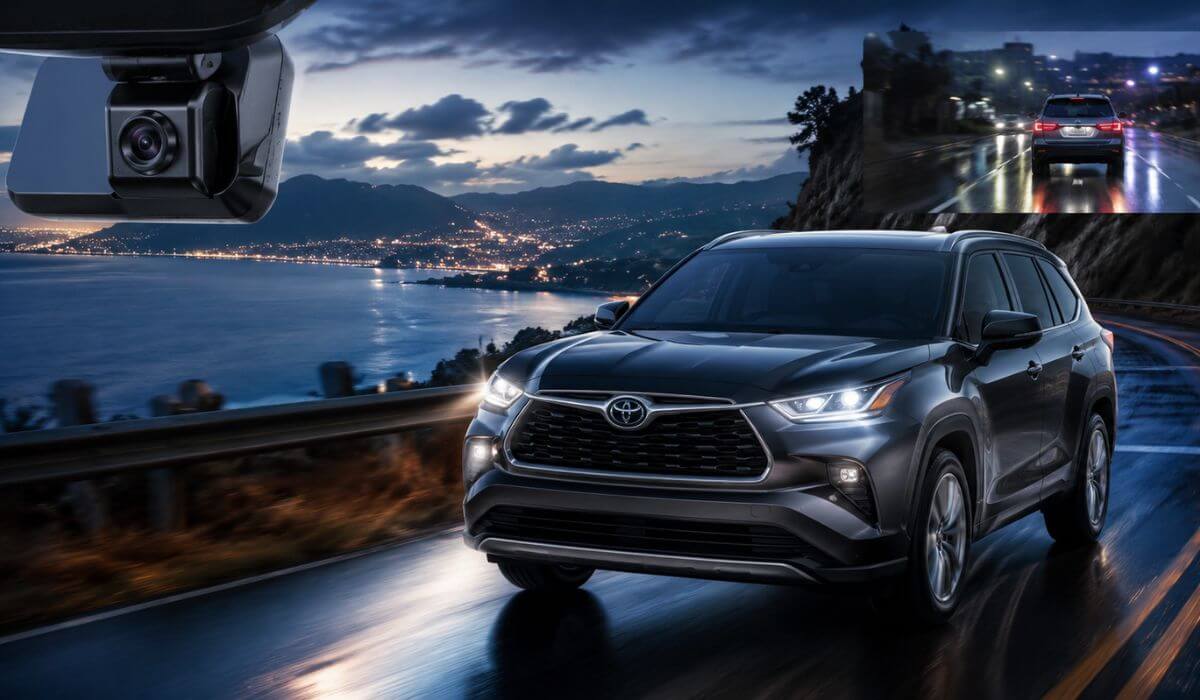
6 Best Dash Cams for Toyota Highlander in 2026: Reliable 4K Recording Without Messy Wires
If you’ve spent any time inside a 2020–2026 Toyota Highlander, you already know why random windshield-mounted dash cams look completely out of place in this SUV. The Highlander has a clean cabin layout, a large forward visibility area, and on newer trims like XLE, XSE, Limited, Platinum, and Hybrid models, there’s already a crowded sensor housing near the rearview mirror. A bulky universal camera hanging with loose wires usually ends up blocking sightlines, rattling on rough roads, or cooking in summer heat after a few months.
That’s exactly why this list focuses heavily on OEM-style dash cams built specifically for the Gen4 Highlander (UX70 platform) instead of generic Amazon cameras with fake “4K” claims. Most of the better options now integrate directly into the factory rain-sensor cover area, which makes the install look almost stock once fitted. No dangling cables. No suction cups falling off in hot weather. No cheap plastic screen glowing at night while driving.
For this article, I compared cameras based on the things actual Highlander owners usually care about after living with one for a while: clear night footage, stable parking mode recording, clean factory fitment, fast WiFi transfers, reliability during long family road trips, and whether the camera still feels usable after six months instead of six days. I also prioritized models that properly support newer 2024–2026 Highlander and Highlander Hybrid trims, since many older dash cams still have fitment issues around Toyota’s updated sensor housing.
The result is a list that cuts through the usual marketplace noise and focuses on dash cams that genuinely make sense for the Highlander’s cabin design, daily-driving comfort, and long-term usability.
Best Toyota Highlander Dash Cams: Top 2026 Picks for Hidden OEM 4K Recording
#1. Fitcamx 4K Dash Cam
Best OEM-Style 4K Dash Cam for Hidden Toyota Highlander Installation and Clean Daily Driving Protection
#2. REDTIGER F7NP Front and Rear 4K Dash Cam
Best Front and Rear Dash Cam for Toyota Highlander With STARVIS 2 Night Vision and Parking Mode Coverage
#3. mangoal Front 4K & Rear 1080P Dash Cam
Best OEM-Style Front and Rear Dash Cam for Toyota Highlander Hybrid and Long Family Road Trips
#4. FUVYMYT Single Channel 4K Dash Cam
Best Budget Hidden Dash Cam for Toyota Highlander With Plug-and-Play OEM Factory Fit
#5. KBSYNT Front 4K & Rear 1080P Dash Cam
Best Value Toyota Highlander Dash Cam With OEM Factory-Look Design and Dual Recording
Expert Tip: If you drive a Highlander mostly at night, during school runs, or on long highway trips, don’t get distracted by brands screaming “8K” or “ultra-wide cinematic recording.” In real-world use, a stable true 4K sensor with clean HDR night footage and reliable parking mode matters far more than inflated resolution numbers. A camera that starts every single morning, handles heat properly, and captures readable plates in rain is worth infinitely more than flashy specs buried on a product page. That’s also why several picks here focus on OEM-style hidden installation instead of giant touchscreen dash cams. In a Highlander, a cleaner factory-style setup usually ages better, feels less distracting, and honestly fits the SUV’s interior far more naturally over time.
How We Chose These Dash Cams for the Toyota Highlander
There are hundreds of dash cams online claiming to fit the Highlander, but once you start looking closely, most of them fall apart in the same places: poor night footage, unstable apps, overheating during summer parking, weak adhesive mounts, fake parking mode claims, or “OEM-style” designs that still leave wires hanging near the mirror.
That’s why this list was built around the things that actually matter after living with a 2020–2026 Toyota Highlander or Highlander Hybrid for months — not just what looks good in a product thumbnail.
The first thing we looked at was factory-style integration. The Highlander’s Gen4 cabin already has a clean upper windshield design with Toyota Safety Sense hardware sitting near the mirror housing. Cheap universal cameras usually ruin that look instantly. The better cameras are the ones that blend into the sensor cover area naturally, don’t interfere with visibility, and still look clean after installation instead of feeling like an aftermarket gadget stuck onto the glass.
We also prioritized cameras with stable long-term recording performance, because this is where many newer brands quietly struggle. Some cameras record beautifully for ten minutes during a YouTube review, then start randomly rebooting in heat, corrupting footage, or disconnecting from WiFi after a few weeks. That’s why reliability mattered more here than exaggerated marketing specs.
Another major factor was real-world night driving clarity. Highlanders are commonly used for family travel, highway driving, commuting, and late-night road trips. In those situations, oversharpened footage means nothing if headlights blow out license plates. Cameras with better HDR tuning, cleaner low-light balance, and more stable exposure control naturally moved higher on this list.
We also separated products based on the type of owner they actually fit.
Some Highlander owners simply want a hidden OEM dash cam with zero cabin clutter and easy app access. Others want a true front and rear parking surveillance setup with stronger night recording and GPS tracking. Instead of pretending one camera fits everyone, this list intentionally covers different priorities while keeping the focus on models that still make sense specifically for the Highlander’s interior layout and daily usability.
Most importantly, we avoided filling this article with random generic cameras that technically “work” in any vehicle. Every pick here was chosen because it realistically fits how Highlander owners use their SUVs in the real world — long drives, family hauling, hot parking lots, night commuting, and everyday reliability where the camera quietly does its job without becoming another thing you constantly need to troubleshoot.
#1. Fitcamx 4K Dash Cam for Toyota Highlander 2020–2026
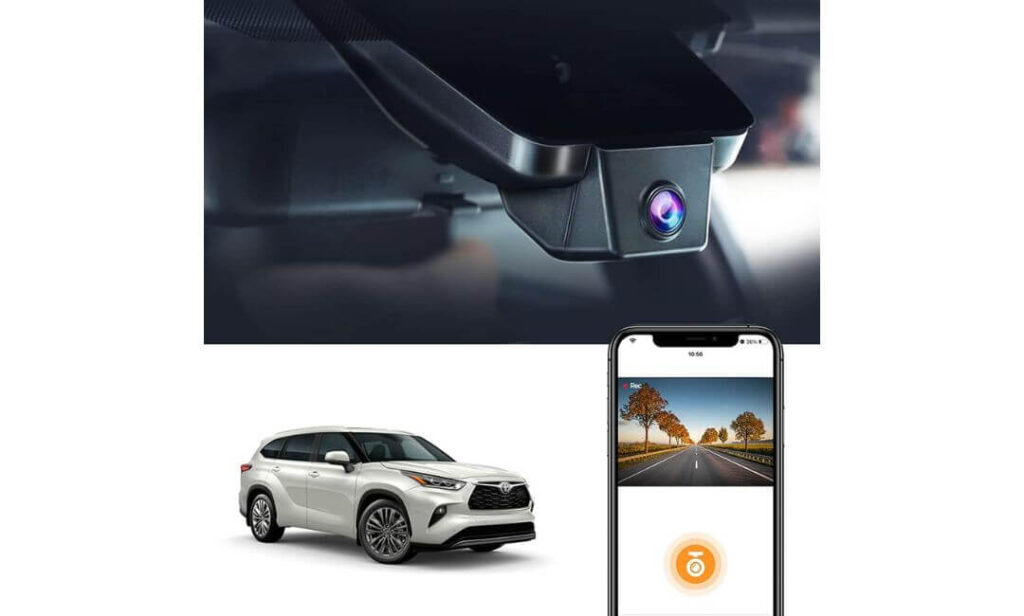
Quick Specs:
- Built specifically for Toyota Highlander & Highlander Hybrid (Gen4/UX70)
- True 2160P 4K front recording with WDR night balance
- Clean OEM-style hidden installation behind rearview mirror
- No hanging wires, no windshield blockage, no screen glare at night
- Built-in WiFi + FITCAMX app for quick phone video access
- Includes pre-installed 64GB memory card
- G-Sensor emergency clip locking during impacts or sudden braking
- Plug-and-play setup using factory housing design
- Designed to handle extreme cabin heat up to 185°F
- Compatible with LE, XLE, XSE, Limited, Platinum, and Hybrid trims
- Does not fit the Grand Highlander
The biggest reason this one keeps showing up in serious Highlander owner discussions is simple: it doesn’t look or behave like a cheap aftermarket camera once installed. From outside the windshield, most people genuinely won’t even notice it’s there. That matters more than many buyers realize, especially in a Highlander where the upper windshield area already carries Toyota Safety Sense hardware and mirror housing components. A bulky universal dash cam instantly ruins that clean layout.
What makes this setup feel different is the way it quietly integrates into the SUV instead of constantly reminding you it exists. No dangling USB wire. No giant touchscreen glowing in your face during night driving. No suction mount slowly peeling off during summer heat. You install it once, connect through the app when needed, and it simply starts recording every time the vehicle starts. For daily commuting, school runs, parking lot protection, or long interstate trips, that “just works” feeling becomes surprisingly valuable after a few months.
Video quality is also stronger than most hidden OEM-style cameras usually deliver. The 2160P recording paired with the f/1.6 aperture and WDR tuning does a solid job controlling harsh headlights, reflective signs, and uneven night exposure — especially during rainy highway driving where many cheaper cameras completely blow out plates. It’s not trying to be a flashy YouTube gadget camera. It’s designed more like a factory-integrated safety layer that quietly captures clean usable footage without creating cabin clutter.
(And honestly, that’s exactly what most Highlander owners end up appreciating long-term.)
Why This One Stayed Near the Top of Our List
- The factory-style fitment genuinely looks cleaner than most aftermarket setups
- Excellent option for drivers who hate visible wires or windshield clutter
- Reliable daily auto-recording without constantly reconnecting to WiFi
- Better heat resistance than many cheaper generic 4K dash cams
- Strong balance between discreet installation and usable night footage
- Included 64GB card makes the setup process easier right out of the box
Where Some Buyers May Hesitate
- Front-only recording may feel limiting for drivers wanting full rear coverage
Real Highlander Compatibility Notes Before Buying
This camera was clearly designed around the 4th-generation Highlander cabin layout, and that makes a major difference during installation. The housing lines up properly around the mirror/sensor area instead of looking like an add-on accessory forced into place afterward.
It also works across most Highlander trims including LE, XLE, XSE, Limited, Platinum, and Hybrid models, but buyers still need to confirm the correct mirror housing style before ordering because Toyota slightly changes trim details between configurations. Most importantly, this is not built for the Grand Highlander, which uses a completely different upper windshield layout.
The Insider Pro-Tip
If your main goal is simply getting reliable evidence during accidents, parking incidents, or hit-and-runs without turning your Highlander cabin into a tech showroom, this style of integrated camera honestly makes more sense than oversized touchscreen dash cams. After the first week, most owners stop caring about flashy menus and start caring about whether the camera quietly records every single drive without drama.
Another thing many buyers overlook: hidden OEM-style cameras usually attract far less attention from outside the vehicle. In crowded parking lots, that matters. A clean integrated setup sitting behind the mirror is far less tempting than a giant display-mounted camera hanging in plain sight on the windshield.
#2. REDTIGER F7NP Front and Rear 4K Dash Cam
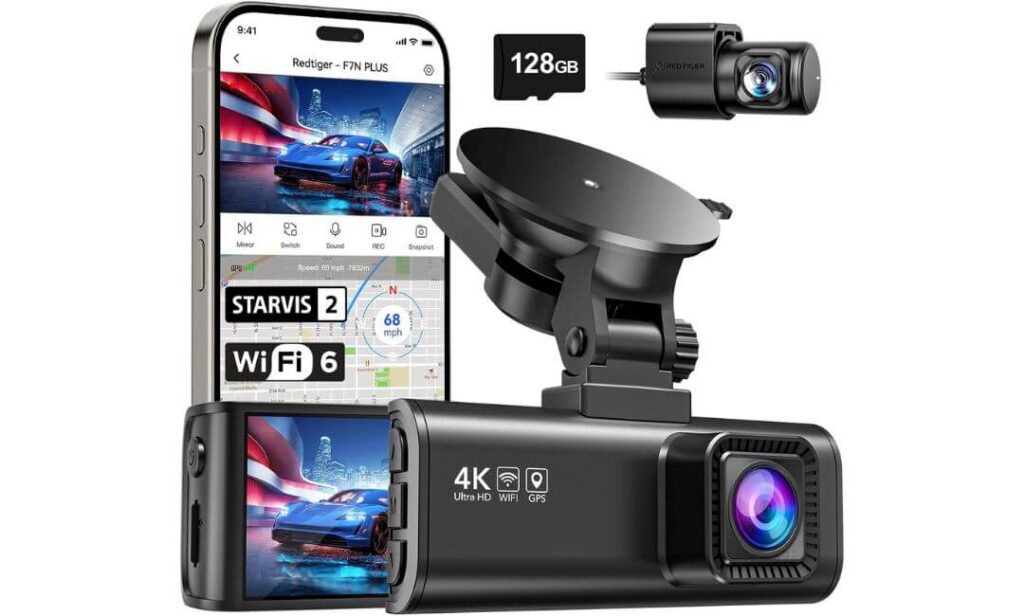
Quick Specs:
- True dual-channel setup with 4K front + 1080P rear recording
- New-generation Sony STARVIS 2 sensor for stronger low-light clarity
- Built-in GPS with route, speed, and timestamp tracking
- Fast 5.8GHz WiFi transfers directly to phone app
- Includes free 128GB high-capacity memory card
- 170° wide-angle front coverage for broader highway visibility
- 24-hour parking monitoring support (hardwire kit required)
- Supercapacitor design handles heat better than lithium battery cameras
- WDR/HDR balancing for headlights, tunnels, and rainy night driving
- Rear camera cable long enough for midsize SUVs like the Highlander
- OTA firmware support for future software improvements
What instantly separates this setup from most hidden OEM-style cameras is simple: it’s built more for people who want maximum evidence coverage, not just a clean factory look. And in a Toyota Highlander — especially one regularly used for family travel, highway commuting, airport runs, or crowded parking lots — that extra layer of front and rear recording genuinely changes how protected the vehicle feels over time.
The first thing most drivers notice after installation is how balanced the footage looks during difficult lighting conditions. Cheap “4K” dash cams usually sharpen everything aggressively until headlights become giant white blobs at night. This setup handles those transitions far better because of the STARVIS 2 sensor, F1.5 aperture, and HDR tuning, especially during rain, tunnels, and dark highway stretches where plate clarity normally disappears. The footage doesn’t look artificially bright — it looks usable, which is the part that actually matters if you ever need evidence.
The rear camera also makes a bigger difference in the Highlander than many buyers expect. SUVs spend a lot of time in parking lots, school pickup lines, shopping areas, and stop-and-go traffic where rear-end incidents happen constantly. Having synchronized front and rear recording gives context that single-camera systems simply can’t provide. Add the fast 5.8GHz WiFi transfers, included 128GB card, GPS logging, and heat-resistant supercapacitor setup, and this starts feeling less like a gadget purchase and more like proper long-term driving protection.
(For drivers who care more about coverage quality than perfectly hidden installation, this is one of the smartest setups in this category right now.)
Why This Setup Earned Its Spot Here
- The STARVIS 2 sensor performs noticeably better during difficult night driving
- Front and rear recording adds stronger protection during traffic disputes
- Included 128GB card saves buyers from immediate upgrade costs
- Fast app transfers feel genuinely useful after accidents or road incidents
- Supercapacitor design is better suited for hotter climates and long parking hours
- GPS logging adds useful driving context beyond simple video footage
A Small Thing Buyers Should Know Early
- Since this is a universal windshield-mounted system, installation takes a little more effort than integrated OEM-style cameras
Real Highlander Installation Notes Worth Knowing
The F7NP works well inside the Highlander because the cabin has enough windshield space and headliner room to route the rear cable cleanly without making the setup look messy afterward. The included rear cable length is also long enough for midsize SUVs, which is something many cheaper dual-camera kits quietly struggle with.
That said, this setup feels most natural for drivers comfortable spending a bit more time on installation. Unlike integrated OEM systems that snap directly into the mirror housing, this uses a traditional windshield mount and rear cable routing approach. Once installed properly though, it delivers much broader coverage than most factory-look single-camera systems.
The Insider Pro-Tip
If you regularly drive highways at night, park outside often, or carry family passengers frequently, dual-channel coverage becomes one of those things you stop wanting to live without after a few months. Front-only cameras tell part of the story. Front and rear recording tells the whole story.
Another overlooked detail: the supercapacitor setup matters more than flashy resolution numbers for long-term ownership. Many dash cams fail because of heat stress over time, especially in SUVs sitting under direct sunlight for hours. Systems built around capacitors instead of traditional lithium batteries usually age far more gracefully in real-world daily driving conditions.
#3. mangoal Front 4K & Rear 1080P Dash Cam for Toyota Highlander
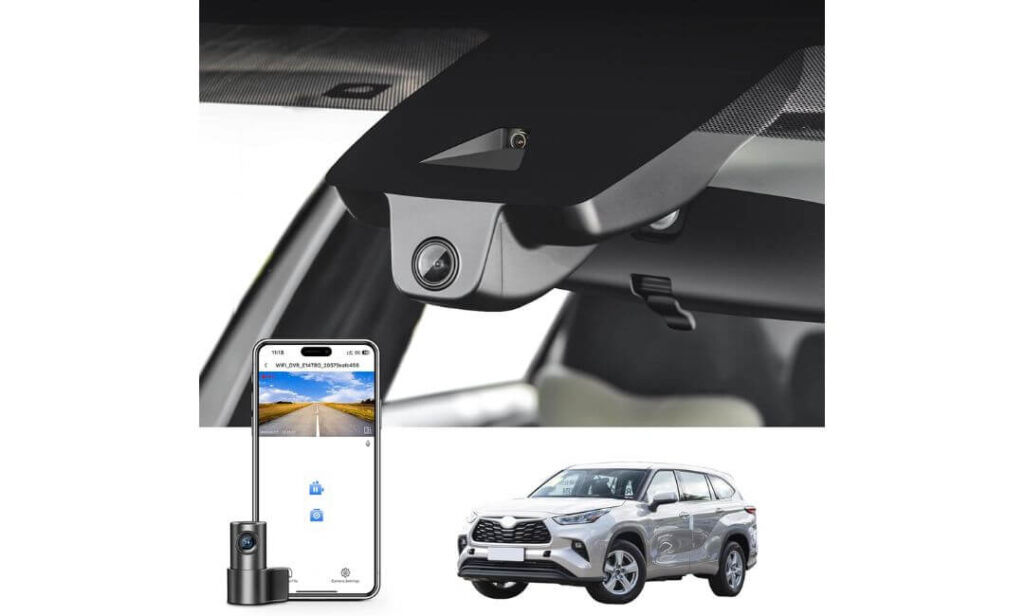
Quick Specs:
- Purpose-built for Toyota Highlander & Highlander Hybrid Gen4 (UX70)
- True dual recording with 4K front + 1080P rear camera
- Integrated OEM-style housing with hidden factory appearance
- Wide 150° front and 140° rear viewing angles
- Built-in GPS for speed and route tracking
- WiFi + mobile app support for instant video access
- Includes pre-installed 128GB microSD card
- Loop recording with automatic overwrite support
- G-Sensor emergency footage locking during impacts
- Plug-and-play power integration with lane-assist adapter
- Compatible with XLE, XSE, Limited, Platinum, and Hybrid trims
- Not designed for the Grand Highlander
Here’s the thing most buyers realize only after installing a universal dual-camera system in a Highlander: even when the video quality is good, the cabin can start feeling cluttered fast. Extra wiring, hanging displays, visible mounts — it slowly chips away at the clean upscale feel Toyota actually did a great job creating inside the Gen4 Highlander. That’s exactly where this setup feels smarter than most of the market.
Instead of looking like a random accessory added later, this system feels intentionally built around the Highlander’s mirror housing and upper windshield layout. The front camera sits cleanly behind the rearview mirror, the wiring stays mostly hidden, and once installed, the entire setup blends in unusually well for a dual-channel system. For drivers who want front and rear protection without turning the cabin into a tech project, that balance matters a lot more than spec-sheet bragging rights.
The actual recording performance also feels properly thought out for SUV use. The 4K front camera captures strong daytime detail, while the rear 1080P camera adds valuable context during parking lot incidents, rear-end traffic situations, or tight urban driving where SUVs constantly deal with blind-angle movement around them. Add the included GPS, 128GB card, WiFi app control, loop recording, and impact-triggered clip protection, and this starts feeling less like a “budget OEM camera” and more like a factory-style safety upgrade Toyota could have offered directly from the dealership.
(And honestly, for Highlander owners wanting clean installation without sacrificing rear coverage, this combination is hard to ignore.)
Why This Setup Quietly Makes a Lot of Sense
- One of the cleaner-looking front and rear OEM-style dash cam setups available for the Highlander
- Dual-camera protection without excessive windshield clutter
- Included GPS and 128GB storage add real long-term usability
- Wide viewing angles help reduce SUV blind-area gaps during recording
- Installation feels far less intimidating than many universal dual-camera kits
- Strong fit for family-focused daily driving and road-trip use
One Thing Buyers Should Understand Before Ordering
- Buyers need to carefully confirm the correct model version before purchase because older Highlanders use a different housing design
Real Highlander Compatibility Details Worth Knowing
This specific version is built for the Gen4 UX70 Highlander platform, which includes newer Highlander and Highlander Hybrid models. It fits trims like XLE, XSE, Limited, Platinum, and related configurations using the updated mirror/sensor housing design.
One important detail many listings gloss over: Toyota changed the upper windshield housing between generations. That’s why this model only works correctly with the newer Gen4 layout. Older Highlanders require a different version entirely, and the Grand Highlander uses another completely separate design.
The Insider Pro-Tip
If you already know you want rear coverage, starting with an integrated dual-camera setup usually feels cleaner and less frustrating long-term than adding a rear camera later. Many owners buy a front-only OEM camera first, then eventually realize they still want rear parking protection and end up redoing the installation process anyway.
Also, don’t underestimate how valuable the hidden design becomes during daily use. After a few weeks, most drivers stop noticing the camera entirely — which is exactly how a good Highlander accessory should feel.
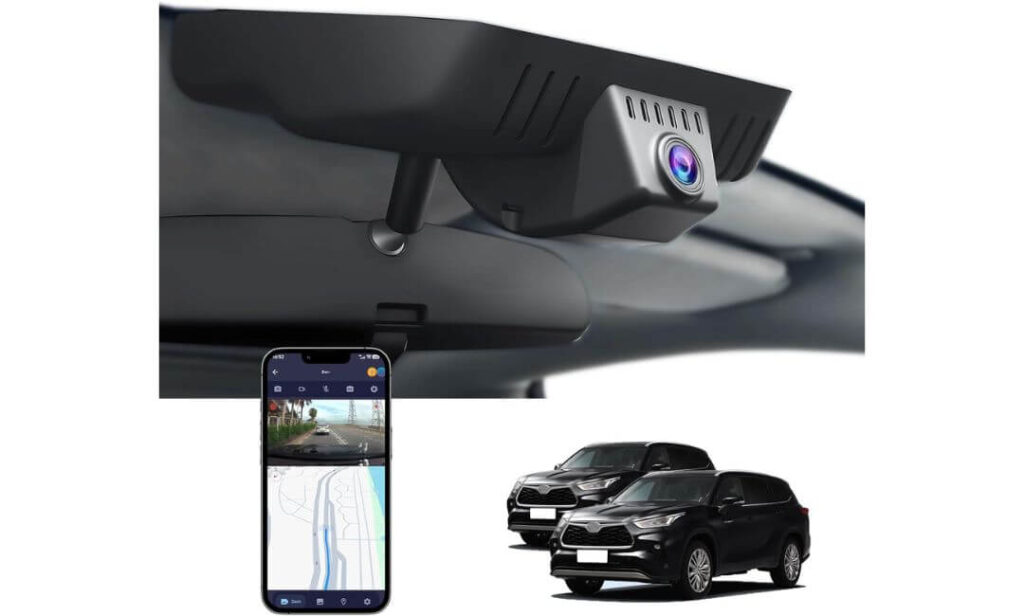
#4. FUVYMYT Single Channel 4K Dash Cam for Toyota Highlander
Quick Specs:
- Custom-built for Toyota Highlander Gen4 (UX70)
- True 2160P 4K front recording with HDR night enhancement
- Hidden OEM-style placement behind rearview mirror
- Plug-and-play installation with no major rewiring
- Built-in WiFi app for phone playback and downloads
- 64GB card included out of the box
- Supports storage expansion up to 256GB
- Loop recording with automatic overwrite support
- G-Sensor emergency clip protection during impacts
- f/1.6 aperture with CMOS sensor for stronger low-light capture
- Designed for LE, L, XLE, XSE, Limited, and Platinum trims
- Not compatible with the Grand Highlander
Oddly enough, this is the kind of dash cam many Highlander owners end up liking more than expected because it focuses on the one thing people actually use every single day: simplicity. No oversized screen hanging from the windshield. No complicated menus buried under settings pages. No wires constantly reminding passengers there’s an aftermarket camera installed. It blends into the SUV quietly and just records every drive without turning ownership into another tech chore.
The hidden OEM-style placement works especially well in the Highlander because Toyota already designed the upper windshield area to look clean and uncluttered. Once installed behind the mirror housing, this setup almost disappears into the cabin design — which honestly feels more premium than many expensive universal dash cams with giant displays. For drivers mainly wanting dependable front coverage during commuting, shopping runs, parking incidents, or family driving, that low-profile approach feels surprisingly satisfying over time.
Video quality is also stronger than most buyers expect at this price point. The 4K 2160P recording paired with HDR balancing and the f/1.6 lens does a respectable job handling dark roads, reflective headlights, and uneven city lighting without making footage look overly processed. The WiFi app adds quick access when you need clips fast, while the included 64GB card and loop recording setup keep the system straightforward for everyday use.
(For Highlander owners who care more about clean installation and reliable recording than flashy extra features, this setup quietly gets the job done.)
Why This One Still Earned a Spot Here
- Very clean hidden installation that suits the Highlander interior well
- Simpler ownership experience compared to many feature-heavy systems
- Reliable front-only setup for buyers who don’t need rear coverage
- Good value considering the OEM-style housing and included accessories
- Expandable storage support up to 256GB adds flexibility
- Quick app access feels useful without becoming overly complicated
Something Buyers Should Know Before Ordering
- App preview performance can occasionally require disabling Bluetooth or cellular data during connection setup
Highlander-Specific Fitment Notes Worth Reading
This model is specifically designed around the Gen4 Toyota Highlander mirror housing, which helps it sit naturally behind the rearview mirror without blocking visibility or looking forced into place afterward.
It also supports multiple trims including LE, XLE, XSE, Limited, and Platinum configurations. But like most integrated OEM-style systems, this is only designed for the standard Highlander platform — not the larger Grand Highlander, which uses a completely different windshield housing layout.
The Insider Pro-Tip
There’s a reason many longtime SUV owners eventually move toward hidden OEM-style cameras instead of giant screen-based systems: after a few months, they stop wanting attention-grabbing gadgets attached to the windshield and start valuing setups that quietly work in the background every single drive.
Also, if you mainly drive in suburban traffic, school zones, office commutes, or shopping areas, a high-quality front camera is often more practical than people think. Most everyday incidents — sudden braking, parking lot bumps, lane disputes, or close-call traffic situations — are usually captured from the front angle anyway.
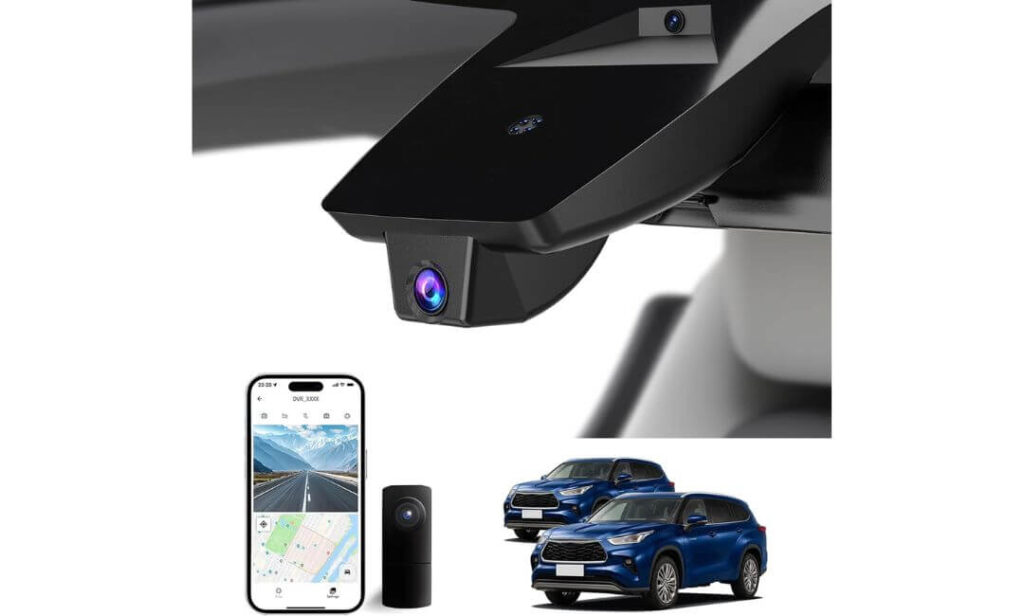
#5. KBSYNT Front 4K & Rear 1080P Dash Cam for Toyota Highlander
Quick Specs:
- Custom OEM-style fit for Toyota Highlander Gen4 (UX70)
- Dual-channel setup with 4K front + 1080P rear recording
- Hidden installation with no exposed wiring across the windshield
- HDR-enhanced night recording with f/1.6 aperture lens
- Built-in WiFi app for direct phone downloads and playback
- Includes 128GB memory card support out of the box
- Expandable storage support up to 256GB
- Loop recording with automatic overwrite functionality
- G-Sensor emergency video locking during impacts
- Plug-and-play installation with minimal cabin modification
- Designed for L, LE, XLE, XSE, Limited, and Platinum trims
- Not compatible with Grand Highlander models
Some dash cams feel like gadgets. This one feels more like a quiet factory add-on Toyota simply forgot to include from the beginning. The moment it’s installed behind the rearview mirror, the cabin still looks like a Highlander — clean, calm, and uncluttered — instead of turning into a windshield full of wires, screens, and blinking distractions.
That hidden OEM-style approach matters even more with a dual-camera setup because rear recording systems can easily become messy in SUVs if the wiring and front unit aren’t designed properly. Here, the front camera stays tucked into the upper windshield area naturally while the rear camera adds full-time coverage during parking, traffic congestion, highway lane changes, and rear-impact situations where front-only systems leave huge blind spots in the story.
The actual recording performance also feels properly balanced for daily use instead of exaggerated for marketing screenshots. The 2160P front recording combined with HDR processing and the CMOS sensor handles changing light conditions surprisingly well, especially during nighttime commuting, parking garages, or rainy roads where cheaper cameras usually smear details badly. The included WiFi app, 128GB support, loop recording, and impact-triggered clip protection make the whole setup feel straightforward instead of overly technical.
(And honestly, for Highlander owners wanting front and rear protection without spending premium flagship money, this setup lands in a very practical sweet spot.)
Why This Setup Still Deserves Attention
- Clean hidden design suits the Highlander interior extremely well
- Dual-camera recording adds stronger everyday driving protection
- Better value balance than many expensive premium-brand alternatives
- Included memory support keeps startup costs lower
- Wide-angle coverage works well for larger SUV visibility zones
- Simple plug-and-play approach feels approachable for first-time buyers
One Small Thing Worth Knowing Ahead of Time
- The mobile app setup can occasionally take a minute to connect properly during first-time installation
Real Highlander Fitment Notes Buyers Shouldn’t Skip
This camera is specifically engineered around the Gen4 Highlander mirror housing design, which helps it integrate much more naturally than universal dash cams that rely on generic windshield mounting positions.
It’s also compatible across multiple Highlander trims including L, LE, XLE, XSE, Limited, and Platinum models. But buyers still need to confirm they own the standard Highlander platform because this setup does not fit the Grand Highlander’s different windshield and sensor layout.
The Insider Pro-Tip
There’s a reason many Highlander owners eventually move toward integrated dual-camera systems like this instead of oversized display-heavy dash cams: the SUV already has enough technology inside. Most people eventually realize they want something discreet, reliable, and easy to forget about until they actually need the footage.
Also, if your Highlander spends a lot of time in parking lots, shopping centers, apartment complexes, or school pickup traffic, rear recording quietly becomes one of the most valuable features you can have. A surprising number of low-speed incidents happen behind the vehicle — exactly where front-only cameras see absolutely nothing.
Best 4K Dash Cams for Toyota Highlander Compared Side by Side
Buying Guide: What Actually Matters Before Choosing a Dash Cam for Your Toyota Highlander
The biggest mistake Highlander owners make is buying a dash cam purely from screenshots or “8K ultra HD” marketing headlines without thinking about how the camera will actually feel after living with it every single day. A Highlander isn’t a tiny sports car or rideshare sedan — it’s a midsize family SUV with a higher seating position, wider windshield area, larger cabin, and more heat exposure during parking. That changes what matters.
A camera that looks impressive on Amazon can quickly become annoying if the app constantly disconnects, the windshield starts looking cluttered, or the footage turns useless during rain and night driving. That’s why the right dash cam for a Highlander usually comes down to long-term usability, clean installation, reliable recording, and how naturally the system fits Toyota’s interior layout.
Resolution Matters — But Real Night Clarity Matters More
A lot of cheap dash cams advertise “4K” recording, but many still struggle with basic plate readability once headlights, rain reflections, tunnels, or dark roads enter the picture. The Highlander is commonly used for highway driving, late-night commutes, road trips, and family travel, so low-light performance matters far more than exaggerated resolution claims.
Look for cameras using proper HDR or WDR balancing with good sensors and larger apertures. Systems like the REDTIGER with the newer STARVIS 2 sensor perform noticeably better during difficult nighttime conditions because they control glare instead of simply making footage artificially brighter.
Real-world evidence quality is what matters — not inflated marketing numbers.
Decide Early Between Front-Only or Front-and-Rear Coverage
This is something many buyers regret not thinking through before installation.
A front-only setup works perfectly for drivers mainly wanting protection during commuting, traffic disputes, parking incidents ahead of the vehicle, or general daily recording. Hidden OEM-style systems like the Fitcamx or FUVYMYT are excellent for that cleaner minimalist approach.
But if your Highlander regularly carries family passengers, parks outdoors, handles school pickups, sits in apartment parking lots, or spends lots of time in stop-and-go traffic, a front-and-rear dash cam setup honestly makes much more sense long-term. Rear coverage captures accidents and parking impacts that front-only cameras simply cannot see.
And once people experience full dual-channel coverage, most rarely want to go back.
Hidden OEM-Style Installation Usually Fits the Highlander Better
The Gen4 Highlander already has a very clean dashboard and windshield layout. Large universal dash cams with hanging screens and visible wires often feel awkward inside this cabin after a few weeks.
That’s why integrated OEM-style dash cams have become so popular for newer Highlanders. They sit behind the mirror housing, keep the windshield cleaner, reduce distractions at night, and look far closer to factory equipment once installed.
For many owners, that cleaner appearance becomes just as important as video quality itself over time.
One important detail though: always confirm whether the camera is built for the standard Highlander or the Grand Highlander. The upper windshield housing design is completely different between them.
Parking Mode Is More Useful Than Most People Expect
A huge number of vehicle incidents happen while parked — shopping carts, parking lot taps, hit-and-runs, careless reversing, or overnight bumps that nobody leaves notes for.
That’s where parking mode becomes genuinely valuable.
Some cameras only support basic impact-triggered recording, while others offer more advanced parking surveillance or time-lapse monitoring. But many systems require a separate hardwire kit to activate full-time parked monitoring properly, so buyers should know this before installation instead of discovering it later.
If your Highlander spends long hours outside, parking protection should move much higher on your priority list.
Don’t Ignore Heat Resistance and Long-Term Reliability
This part almost nobody talks about enough.
SUV cabins get extremely hot during summer parking, especially darker Highlander trims with large windshield exposure. Many cheap dash cams work perfectly for a month, then slowly begin freezing, restarting randomly, corrupting files, or failing completely after repeated heat cycles.
That’s why higher-quality internal components matter more than flashy packaging.
Cameras using supercapacitors instead of traditional lithium batteries generally handle long-term heat exposure much better. Reliability during month six matters more than impressive footage during day one.
WiFi Apps Should Make Ownership Easier — Not More Frustrating
Most modern dash cams now offer app connectivity, but the experience varies wildly between brands. Some apps connect instantly and download clips smoothly. Others constantly disconnect, lag during previews, or require weird workarounds involving Bluetooth and cellular data settings.
This may sound minor at first, but it becomes extremely important when you actually need footage quickly after an incident.
A good app experience quietly improves ownership every single week.
Storage, Loop Recording, and GPS Are Bigger Deals Than They Sound
A proper dash cam should feel automatic, not something requiring constant maintenance.
Loop recording allows the camera to continuously overwrite old footage once storage fills up, while G-Sensor protection locks important collision clips automatically so they aren’t erased later. Larger included memory cards also make life easier because buyers don’t immediately need upgrades after installation.
GPS logging is another underrated feature. During disputes, route tracking, timestamps, and speed data can sometimes matter just as much as the video itself.
Budget Dash Cams vs Premium Picks: Where the Difference Really Shows
Budget-friendly cameras today are honestly much better than they were a few years ago. Some hidden OEM-style systems now offer surprisingly solid recording quality and very clean installation for reasonable prices.
But premium setups still separate themselves in areas most owners only notice later — better low-light balancing, smoother apps, more stable WiFi, cleaner exposure control, improved heat management, and overall reliability after months of use.
In other words, the difference usually isn’t whether the camera records video. Almost all of them do.
The real difference is whether the camera still feels trustworthy after six months of daily Highlander driving.
Installation and Setup Tips Every Toyota Highlander Owner Should Know Before Mounting a Dash Cam
A surprising number of dash cam complaints actually have nothing to do with the camera itself. Most problems start during installation — poor placement, loose wiring, weak power connections, incorrect parking mode setup, or mounting the lens in a position that quietly ruins footage quality without the driver realizing it.
The Highlander is also different from smaller cars because of its taller windshield, larger cabin layout, and Toyota Safety Sense hardware near the rearview mirror. That means proper setup matters more here than it does in many compact vehicles.
Done correctly, the dash cam should feel almost invisible during daily driving. Done poorly, even an expensive camera can become annoying within a week.
Start With the Right Mounting Position — This Changes Everything
The best dash cam placement in a Highlander is usually slightly behind or directly beside the rearview mirror housing, high enough to stay outside the main driving view while still capturing a full forward road angle.
Many first-time buyers accidentally mount cameras too low on the windshield. It may seem fine while parked, but during real driving it starts blocking visibility, reflecting sunlight, distracting during night trips, or interfering with the clean sightline Toyota designed into the cabin.
For OEM-style systems like Fitcamx, mangoal, FUVYMYT, and KBSYNT, this becomes easier because the camera is designed around the factory mirror housing itself. The installation looks cleaner, wiring stays hidden, and the setup feels much closer to original equipment once complete.
Universal systems like the REDTIGER need slightly more planning, but they also offer broader flexibility for angle adjustments and dual-channel positioning.
Clean Wiring Makes a Bigger Difference Than Most Buyers Expect
Nothing ruins the feel of a Highlander cabin faster than loose cables hanging across the windshield or dashboard.
For the cleanest result, most owners tuck wiring along the headliner edge, down the A-pillar carefully, and toward the power source while keeping everything hidden behind trim panels wherever possible. Taking an extra twenty minutes during installation usually makes the difference between a setup that looks temporary and one that feels professionally integrated.
OEM-style cameras simplify this process heavily because many use the mirror housing power area directly instead of requiring long exposed cables across the dashboard.
Wireless-sounding marketing can also confuse buyers here. Most “WiFi dash cams” still require physical power connections. The WiFi is mainly for transferring footage to the phone app, not for completely cable-free operation. That misunderstanding catches a lot of first-time buyers off guard.
Rear Camera Placement Deserves More Attention Than People Give It
For front-and-rear systems, the rear camera position matters almost as much as the front camera itself.
In the Highlander, mounting the rear camera too high can reduce visibility during rain or night glare through the rear glass. Too low, and cargo or passengers may partially block the view. The best placement is usually near the upper center rear glass area where the lens stays clear while still capturing full traffic movement behind the SUV.
Cable routing also matters. A rushed rear cable installation can eventually create rattles, loose trim, or visible sagging around the hatch area. Taking time to secure the cable properly prevents those problems later.
Adjust the Camera Angle Before Finalizing Installation
One mistake many owners make is fully securing the camera before checking real-world footage.
Before tightening everything permanently, record short daytime and nighttime test drives. Make sure the horizon sits level, headlights aren’t causing excessive glare, and license plates remain visible during movement. Even small angle adjustments can dramatically improve usable footage quality.
Wide-angle cameras also naturally distort edges slightly, so positioning matters more than people expect. The goal is balanced road visibility — not simply capturing as much sky and hood as possible.
Parking Mode Setup Needs Proper Power Planning
Parking mode sounds simple on the product page, but the setup process matters a lot in real ownership.
Some cameras offer basic impact-triggered recording, while others support continuous monitoring or time-lapse recording during parking. But most advanced parking features require a separate hardwire kit connected directly to vehicle power.
That part is important because improper wiring can drain the battery or create unstable recording behavior over time.
The better hardwire kits include low-voltage protection that automatically shuts the camera off before the battery level becomes unsafe. For Highlanders regularly parked outdoors, airport lots, apartment complexes, or shopping areas, investing in proper parking mode wiring usually becomes worth it quickly.
WiFi Apps, GPS Features, and Firmware Updates Matter More Over Time
At first, most buyers mainly focus on video quality. But after a few months, the app experience often becomes equally important.
A smooth app allows quick clip downloads after incidents, easier camera adjustments, GPS playback access, and faster sharing when needed. Some apps also support firmware updates that improve stability, recording reliability, or WiFi performance later.
GPS features are especially useful because they add speed data, route tracking, timestamps, and trip history alongside video footage. In certain situations, that additional context can matter just as much as the recording itself.
One small but important tip: during initial setup, many dash cams connect more reliably if cellular data or Bluetooth is temporarily disabled while pairing with the camera WiFi network. It sounds minor, but it solves a surprising number of connection complaints during first-time setup.
The Best Installations Eventually Become Invisible
This is probably the biggest sign of a properly installed Highlander dash cam: after a few weeks, you stop thinking about it completely.
No dangling wires. No giant glowing display. No windshield distraction. No constant reconnecting or restarting. The camera quietly records every drive, stays out of the way, and only becomes noticeable when you actually need footage.
That’s ultimately the goal — especially in a vehicle like the Highlander where comfort, visibility, and cabin cleanliness are already such a major part of the ownership experience.
Wiring and Power Options: How to Keep Your Highlander Dash Cam Clean, Reliable, and Free From Messy Cables
One of the biggest reasons Highlander owners regret certain dash cam purchases has nothing to do with video quality. It’s the wiring. A camera can record beautiful footage, but if the cabin ends up looking cluttered with hanging cables, bulky adapters, or loose trim pieces, the whole setup starts feeling cheap very quickly.
The good news is that the newer generation of OEM-style dash cams has made clean installation dramatically easier — especially for the Gen4 Toyota Highlander. But choosing the right power method still matters because it affects everything from parking mode reliability to long-term heat performance and even how factory-clean the interior continues to feel months later.
Hardwire Kits vs. Lighter Socket Power — Which One Actually Makes More Sense?
For most casual drivers, plugging the dash cam into the lighter socket or USB power source is the easiest option. Installation stays simple, no electrical work is needed, and the camera powers on automatically when the Highlander starts. For front-only systems or occasional driving, this setup honestly works perfectly fine.
But there’s one tradeoff many buyers don’t realize immediately: once the vehicle shuts off, most lighter socket connections stop supplying power. That means advanced parking mode features usually stop working too.
This is where hardwire kits become important.
A proper hardwire setup connects the dash cam directly into the Highlander’s fuse box, allowing the camera to continue monitoring while parked without relying on the lighter socket. For owners regularly parking outdoors, in apartment complexes, office lots, airports, or crowded shopping areas, this extra protection becomes extremely valuable over time.
The best hardwire kits also include low-voltage cutoff protection. That means the system automatically shuts itself down before draining the Highlander’s battery too far — something extremely important for modern SUVs packed with electronics and safety systems.
OEM-Style Cameras Keep the Cabin Looking Far Cleaner
The Highlander already has one of the cleaner interior layouts in this segment, especially around the windshield and mirror area. Large universal dash cams with exposed charging cables often disrupt that clean design more than buyers expect.
That’s why integrated systems like Fitcamx, mangoal, FUVYMYT, and KBSYNT feel so much more natural inside this SUV. Most pull power near the mirror housing area itself, dramatically reducing visible wiring and keeping the installation looking closer to original equipment instead of aftermarket electronics.
Once installed properly, many passengers won’t even notice the camera unless you point it out directly.
That clean appearance becomes a surprisingly big ownership advantage after a few months of daily driving.
Heat Management Matters More in SUVs Than Many Buyers Think
SUV cabins trap a tremendous amount of heat during summer parking — especially darker Highlander trims with panoramic glass or long windshield exposure. Dash cams live directly against the windshield, which is one of the hottest areas inside the vehicle during peak sunlight.
That’s why powering and managing the camera correctly matters long-term.
Cameras using supercapacitors instead of traditional lithium batteries generally handle repeated heat cycles far better. Systems like the REDTIGER benefit heavily here because capacitor-based designs are usually more stable during prolonged summer exposure.
Even with OEM-style cameras, good airflow and proper mounting position help reduce unnecessary heat buildup around the electronics.
One smart habit many experienced owners follow: if the vehicle has been sitting in extreme heat for hours, allowing the cabin to cool slightly before long recording sessions can help preserve long-term camera stability.
Parking Mode Can Quietly Drain Power If Configured Incorrectly
A lot of people turn on every parking mode feature available without thinking about how often the SUV actually sits parked.
Continuous recording, motion-triggered wakeups, impact detection, time-lapse monitoring — all of these consume power differently. If the camera stays aggressively active 24/7 without proper voltage protection, even a healthy battery can eventually struggle.
That doesn’t mean parking mode is bad. Quite the opposite.
It just means the setup should match the owner’s actual driving habits.
For example:
- Daily commuters driving every morning usually handle parking mode easily.
- Vehicles parked for several days at airports or rarely driven may need more conservative settings.
- Impact-triggered recording often balances protection and battery management better than full continuous monitoring for many owners.
A smart setup feels invisible and dependable — not stressful.
The Cleanest Dash Cam Installs Usually Take More Patience, Not More Money
One thing experienced installers learn quickly: the difference between a “professional-looking” setup and a messy one is usually patience, not expensive hardware.
Taking time to route cables behind trim panels carefully, securing excess wiring properly, avoiding tension near moving panels, and aligning the camera cleanly behind the mirror area completely changes the final result.
The best Highlander dash cam installations almost disappear into the cabin.
No dangling power cable near the center console. No wire crossing the windshield edge. No loose rear cable hanging near the liftgate. No bulky adapter sticking out beside the infotainment area.
Just a clean, factory-like setup quietly recording in the background every drive.
And honestly, that subtle OEM-style finish is one of the biggest reasons integrated dash cams have become so popular among newer Highlander owners in the first place.
Tips for Maximizing 4K Video Quality in Your Toyota Highlander Dash Cam
A lot of drivers buy a 4K dash cam expecting crystal-clear footage automatically, then get disappointed when the results don’t look nearly as sharp as the product photos online. The truth is, recording in 4K is only part of the equation. Storage quality, heat management, windshield cleanliness, camera positioning, and even cable routing can quietly affect how usable the footage actually becomes over time.
And in a Toyota Highlander — with its taller windshield, larger cabin, and hotter parking conditions — those small details matter even more.
The good news is that once the setup is done properly, these cameras are capable of producing genuinely impressive footage that stays reliable long after the first week of ownership excitement wears off.
Don’t Cheap Out on the Memory Card — This Affects Everything
This is probably the single most overlooked part of dash cam ownership.
4K recording constantly writes huge amounts of data onto the memory card every single drive. Cheap cards often work fine initially, then slowly start causing random recording gaps, corrupted files, freezing, failed loops, or cameras restarting unexpectedly during heat.
That’s why high-endurance microSD cards matter so much for dash cams.
Many cameras in this article already include starter cards, which is great for immediate setup. But drivers recording long highway trips, using dual-channel front-and-rear systems, or relying heavily on parking mode should seriously consider upgrading to larger, high-endurance cards rated specifically for continuous recording workloads.
A stable 128GB or 256GB endurance card usually creates a noticeably smoother ownership experience long-term than generic budget storage.
Bigger Storage Becomes More Important With Dual-Channel 4K Systems
A front-only 4K camera already consumes significant storage space. Add a rear camera recording simultaneously, and footage fills up much faster than many buyers expect.
This doesn’t mean smaller cards are unusable — loop recording handles automatic overwriting perfectly well — but larger storage gives owners more breathing room before important clips disappear naturally through overwrite cycles.
For example:
- Daily commuters may be perfectly comfortable with 64GB.
- Long-distance drivers or rideshare-style use benefits more from 128GB.
- Heavy parking mode users usually appreciate 256GB support if the camera allows it.
Storage planning becomes even more important if you frequently save clips manually instead of transferring them immediately after incidents.
Keep the Windshield Area Cleaner Than You Think Necessary
Most people clean the dashboard, seats, and mirrors regularly, then completely forget the windshield directly in front of the dash cam lens.
But even minor haze, fingerprints, dust buildup, interior fogging, or water spotting can reduce sharpness dramatically during nighttime recording. Headlights begin scattering more aggressively, glare increases, and plate readability drops faster than most drivers realize.
The cleaner the glass stays near the camera lens, the better the footage will look — especially at night.
This matters even more with OEM-style cameras mounted tightly behind the rearview mirror because they constantly record through the exact same upper windshield zone every drive.
Heat Is the Silent Enemy of 4K Recording Stability
Recording high-resolution footage creates heat naturally. Add direct summer sunlight through a Highlander windshield, and dash cams end up working inside a very demanding environment.
This is exactly why some cameras look fantastic during short review videos but struggle months later in real-world ownership.
Long-term 4K reliability depends heavily on:
- proper airflow,
- stable power delivery,
- high-quality memory cards,
- and heat-resistant internal components.
Cameras using supercapacitors instead of lithium batteries generally handle prolonged recording and repeated summer heat cycles more gracefully. But even with high-quality hardware, small habits help significantly.
Parking in shade whenever possible, using windshield sunshades during extreme heat, and avoiding cheap charging adapters can genuinely extend recording stability over time.
Hidden Cable Routing Actually Helps More Than Just Appearance
Most people think hidden wiring is purely cosmetic, but it also helps reduce long-term recording issues.
Loose cables hanging around the windshield area can gradually shift, loosen connections, vibrate against trim, or place tension on the power connector during daily driving. That eventually leads to intermittent power problems — one of the most frustrating dash cam issues to diagnose.
Properly secured hidden wiring creates:
- more stable power delivery,
- fewer accidental disconnects,
- cleaner cabin appearance,
- and less stress on ports over time.
This is one reason OEM-style systems feel so satisfying in the Highlander. Cleaner routing doesn’t just look better — it usually behaves better too.
Camera Angle Matters More Than Resolution Numbers
A perfectly positioned 1440P camera often captures more usable footage than a badly positioned “8K” camera pointed too high or too low.
The best setup usually captures:
- enough road ahead,
- both lane edges,
- minimal dashboard reflection,
- and balanced sky exposure.
If too much sky enters the frame, road details darken. Too much hood angle wastes valuable recording space. Slight adjustments make a surprisingly large difference in actual evidence quality.
This becomes especially important in the Highlander because of its elevated driving position and broad windshield visibility area.
Stable Power Delivery Quietly Improves Video Quality Too
Many people don’t realize unstable power can affect recording consistency directly.
Cheap charging adapters, overloaded USB splitters, or weak hardwire connections can create random restarts, frame drops, corrupted clips, or recording interruptions that drivers may not notice until after an incident.
Using the original power accessories — or properly rated replacements — genuinely matters for stable long-term 4K performance.
Reliable footage is ultimately what matters most.
Because at the end of the day, the sharpest-looking dash cam means absolutely nothing if the camera fails to record properly when you actually need the footage most.
FAQs About Toyota Highlander Dash Cam
Is an OEM-style dash cam actually better for the Toyota Highlander, or is it just about looks?
Honestly, after living with a Highlander for a while, most owners stop caring about flashy screens and start caring about cabin cleanliness, visibility, and whether the setup quietly works every single day without becoming annoying. That’s exactly why OEM-style dash cams have become so popular in newer Highlanders.
The Highlander already has a very clean upper windshield layout because of Toyota Safety Sense hardware, mirror housing placement, and the wider glass area. Large suction-mounted cameras with exposed wires often feel out of place surprisingly fast, especially during night driving when glowing displays start reflecting off the windshield.
The other part people rarely talk about is long-term ownership comfort. Integrated OEM-style systems:
- attract less outside attention,
- reduce windshield clutter,
- usually handle cable management better,
- and feel much closer to factory equipment once installed.
That “invisible daily use” factor becomes more valuable over time than most buyers expect before installation.
For a Toyota Highlander, is front-only recording enough or does rear coverage genuinely matter?
This depends heavily on how the Highlander is actually used.
For drivers mainly commuting, handling highway travel, or wanting protection during front-end traffic disputes, a strong front-only 4K camera honestly covers most situations very well. That’s why cameras like the Fitcamx and FUVYMYT still make a lot of sense for many owners.
But SUVs experience a huge number of low-speed incidents from behind:
- parking lot taps,
- reversing impacts,
- rear-end traffic hits,
- apartment parking damage,
- school pickup congestion,
- shopping center incidents.
That’s where dual-camera systems become genuinely valuable instead of feeling like overkill.
Interestingly, many Highlander owners initially buy front-only cameras thinking rear coverage isn’t necessary — then eventually upgrade later after realizing how often the vehicle spends time parked or surrounded by traffic from all directions. In real-world SUV ownership, rear footage ends up mattering more often than many people assume initially.
Why do some “4K” dash cams still look blurry at night in the Toyota Highlander?
Because resolution alone doesn’t guarantee usable footage.
This is probably the biggest misunderstanding in the dash cam market right now. Many cheap cameras technically record in 4K, but once real-world nighttime conditions appear — rain, LED headlights, highway glare, reflective signs, dark parking lots — the footage starts falling apart quickly.
Actual night performance depends far more on:
- sensor quality,
- HDR/WDR tuning,
- lens aperture,
- heat stability,
- bitrate handling,
- and exposure balancing.
The Highlander’s taller seating position and wide windshield also increase glare exposure during night driving compared to smaller cars. That means weaker cameras struggle even more inside this SUV environment.
This is exactly why systems using better low-light hardware, like STARVIS 2 sensors or stronger HDR balancing, tend to feel dramatically different during real nighttime driving instead of controlled daytime review footage.
Can parking mode slowly damage the Highlander battery over time?
It can — but usually only if the setup is poorly configured.
A properly installed parking mode system with low-voltage protection is generally very safe for modern Highlanders. The problem starts when people use cheap hardwire kits, aggressive continuous recording settings, or leave the SUV parked for long periods without driving.
The smarter approach is matching parking mode to real usage habits.
For example:
- Daily-driven Highlanders usually handle parking mode comfortably.
- Vehicles parked at airports for days may need conservative impact-only settings.
- Hot climates benefit from voltage cutoff protection even more.
Many experienced owners eventually realize that impact-triggered parking protection often gives the best balance between battery safety and useful surveillance.
And honestly, reliable power management matters far more long-term than constantly forcing the camera to record 24/7 unnecessarily.
Do expensive dash cams really last longer, or are you mostly paying for branding?
Some of the price difference is branding, yes. But the meaningful differences usually appear months later — not during unboxing.
Most modern dash cams can record decent footage during perfect daytime conditions. The real separation starts showing after:
- repeated summer heat exposure,
- long highway drives,
- memory card stress,
- constant vibration,
- parking mode use,
- and daily recording cycles over time.
That’s when cheaper systems often begin showing problems like:
- random freezing,
- corrupted clips,
- weak app stability,
- overheating shutdowns,
- WiFi connection failures,
- or inconsistent recording behavior.
The better cameras usually separate themselves quietly through stability rather than flashy features. Better heat handling, cleaner power management, stronger apps, improved sensors, and more reliable internal components simply age better inside SUVs like the Highlander where windshield heat exposure becomes brutal during summer parking.
And in real ownership, reliability is ultimately what matters most — because the most expensive camera in the world becomes useless the second it fails to capture footage during the one moment you actually needed it.
Final Thoughts
The truth is, most Toyota Highlander owners don’t need the flashiest dash cam on the market. They need something that fits the SUV naturally, records reliably every single drive, survives heat, handles night footage properly, and doesn’t turn the cabin into a mess of dangling wires and glowing screens.
That’s exactly why the best options in this guide leaned heavily toward OEM-style hidden designs, stable 4K recording, cleaner installation, and real-world usability instead of inflated marketing specs that look impressive for five minutes online but become frustrating after a month of ownership.
For some drivers, a clean front-only setup like the Fitcamx or FUVYMYT will honestly feel perfect — simple, discreet, and easy to live with daily. Others will naturally appreciate the extra security of full front-and-rear systems like the REDTIGER, mangoal, or KBSYNT, especially for parking lots, family driving, highway commuting, and long road trips where rear coverage becomes genuinely valuable.
But across every option here, one thing stayed consistent: these cameras were chosen based on how they actually fit the Highlander experience itself.
Not just spec sheets.
Not fake “8K” marketing.
Not random generic dash cams copied across every vehicle article online.
Just setups that realistically make sense for the Highlander’s cabin design, driving habits, visibility, and long-term ownership comfort.
Because once a dash cam is installed properly, the best ones eventually disappear into the background completely. You stop noticing them. You stop thinking about them. They quietly protect every drive, every parking lot stop, every late-night highway run, every unexpected moment you hope never happens but still want recorded if it does.
And honestly, that silent peace of mind is the real reason so many Highlander owners end up wishing they had installed one much earlier.
Also Check:


