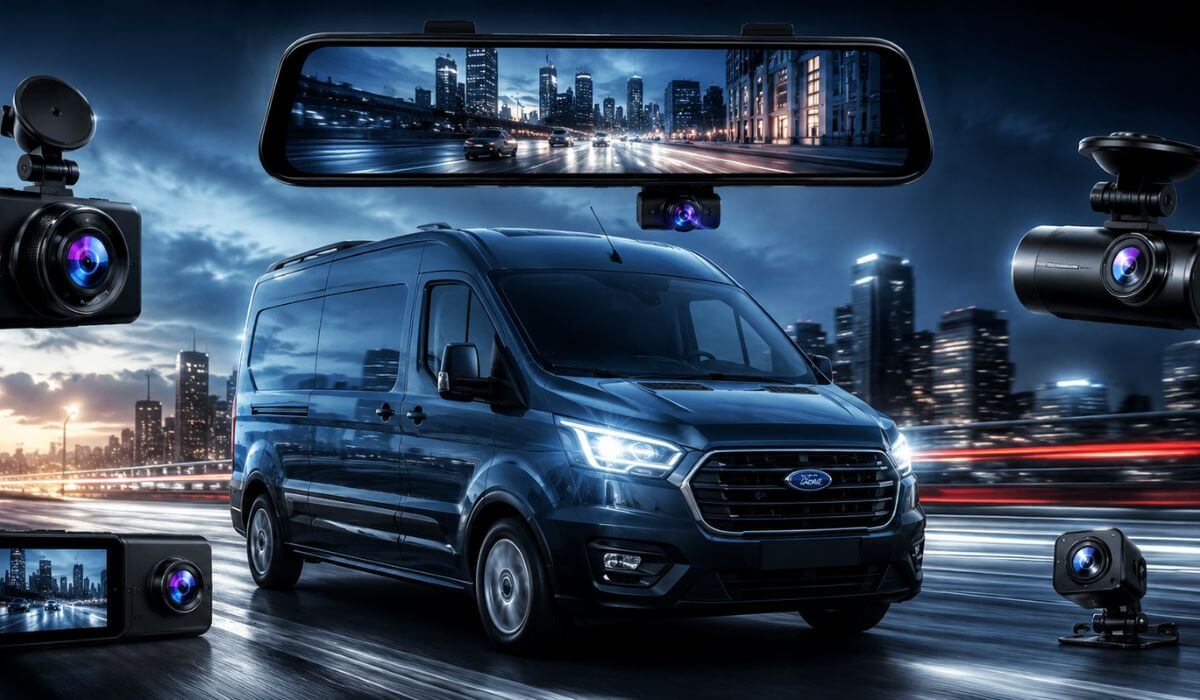
5 Best Dash Cams for Ford Transit Custom in 2026: STARVIS 2 Clarity, Mirror Display & 24/7 Parking Security
The Ford Transit Custom is one of those vans where a cheap dash cam starts showing its weaknesses fast. The windshield is huge, the driving position sits higher than most SUVs, and many owners use these vans for long highway runs, deliveries, tools, family travel, or overnight parking. That changes what actually matters in a dash cam. You need stable recording, strong night visibility, reliable parking protection, and a camera that does not become annoying after two weeks of daily driving.
That is why we skipped random low-cost models and focused on dash cams that genuinely fit the Transit Custom’s cabin layout and real-world use. Most newer Transit Custom models — especially 2020+ vans with larger mirror housings and modern driver-assist hardware near the windshield — work best with compact 4K systems, STARVIS night sensors, or cleaner mirror-style setups that keep visibility open. Older models still support these cameras easily, but proper heat handling, clean cable routing, and stable parking mode power matter much more in vans than regular cars.
We also looked beyond basic specs. Fast WiFi transfer speeds, realistic plate clarity at night, stable recording during long work shifts, wide-angle coverage for blind spots, and parking protection in tight loading areas make a massive difference in daily ownership. Some of these dash cams are newer on the market, but their hardware, sensor quality, and real-world feature set already place them far ahead of the generic budget cameras most Transit owners end up replacing within months.
Best Ford Transit Custom Dash Cam: Top 2026 Picks for Front and Rear Protection
#1. REDTIGER F7NP 4K Front and Rear Dash Cam
Compact Ford Transit Custom dash cam setup with STARVIS 2 night vision, ultra-fast WiFi transfers, dependable parking protection, and a clean windshield fit that feels genuinely made for long-haul van driving rather than casual weekend use.
#2. ROVE R2-4K DUAL Dash Cam
Premium front and rear dash cam for Transit Custom vans with sharp 4K clarity, stable highway recording, smooth app performance, and one of the cleanest real-world night captures in this category.
#3. IIWEY 4K+4K Dual Dash Cam
High-resolution 4K dash cam for Ford Transit vans focused on full front and rear recording detail, wide-angle coverage, and strong low-light visibility for drivers who spend hours on crowded city routes.
#4. WOLFBOX G930 Mirror Dash Cam
Smart mirror-style dash cam for Ford Transit Custom owners wanting wider rear visibility, cleaner cabin appearance, reverse assist support, and a more natural driving view inside larger vans.
#5. Rexing V2 PRO AI 3-Channel Dash Cam
Advanced commercial van dash cam system with cabin monitoring, AI driving alerts, rear recording support, and extra protection for Transit Custom owners using their van daily for work or fleet driving.
Expert Tip: If your Ford Transit Custom spends long hours parked outside warehouses, job sites, apartments, or delivery zones, do not focus only on video quality. What actually separates a good dash cam from a frustrating one is heat stability, parking mode reliability, and how fast you can access footage when something happens. A lot of cheap cameras record beautiful footage for the first month, then start freezing, corrupting files, or missing events once summer heat and daily vibration hit. That is exactly why models with STARVIS sensors, supercapacitor-based power handling, stable WiFi apps, and proper parking monitoring matter much more in a working van than flashy marketing numbers.
How We Chose These Dash Cams for the Ford Transit Custom
The Transit Custom is not a small commuter car, so we did not build this list like a generic “best dash cam” roundup. We selected these models specifically around how Transit owners actually use their vans every day — long driving hours, constant stop-and-go traffic, overnight parking, loaded rear cargo areas, and wide front windshield exposure.
The first thing we looked at was real nighttime clarity. Many dash cams claim “4K,” but once street lighting gets poor or rain hits the windshield, plate detail disappears fast. That is why cameras using newer STARVIS sensor hardware instantly stood out. In real driving conditions, these sensors handle reflections, dark roads, and harsh headlights far better than older budget camera hardware.
We also focused heavily on wide windshield compatibility. The Ford Transit Custom has a large front glass area and higher seating position, so oversized mounts or bulky screens become distracting quickly. That is why cleaner setups like the REDTIGER and ROVE made sense here. They stay compact, maintain forward visibility, and fit naturally around the mirror area without making the cabin feel cluttered.
For larger vans, rear visibility matters just as much as front recording. That is where the WOLFBOX mirror system genuinely earned its place. Mirror-style dash cams are not perfect for every vehicle, but inside a Transit Custom they make far more sense because they improve daily visibility while also recording continuously. It solves two real problems at once instead of adding another screen to the windshield.
We also avoided relying only on early review numbers because several of these models are newer products. Instead, we looked deeper at the actual hardware being used — sensor generation, WiFi transfer speeds, parking mode systems, heat handling, GPS stability, and whether the feature set realistically matches long-term commercial van use. A dash cam can have hundreds of reviews and still become unreliable once exposed to daily delivery routes, summer heat, or constant engine vibration.
Another major factor was daily usability. Fast footage transfer, responsive mobile apps, stable loop recording, and reliable startup behavior matter far more in real ownership than flashy box specs. If a driver cannot quickly pull footage after an incident, the camera already failed at its main job.
Most importantly, every model here solves a slightly different Transit Custom problem instead of repeating the same product five times. Some owners need compact OEM-style setups, some want maximum night clarity, some need better rear visibility, and others want extra cabin coverage for work use. That balance is exactly why these picks made the final list.
#1. REDTIGER F7NP 4K Front and Rear Dash Cam
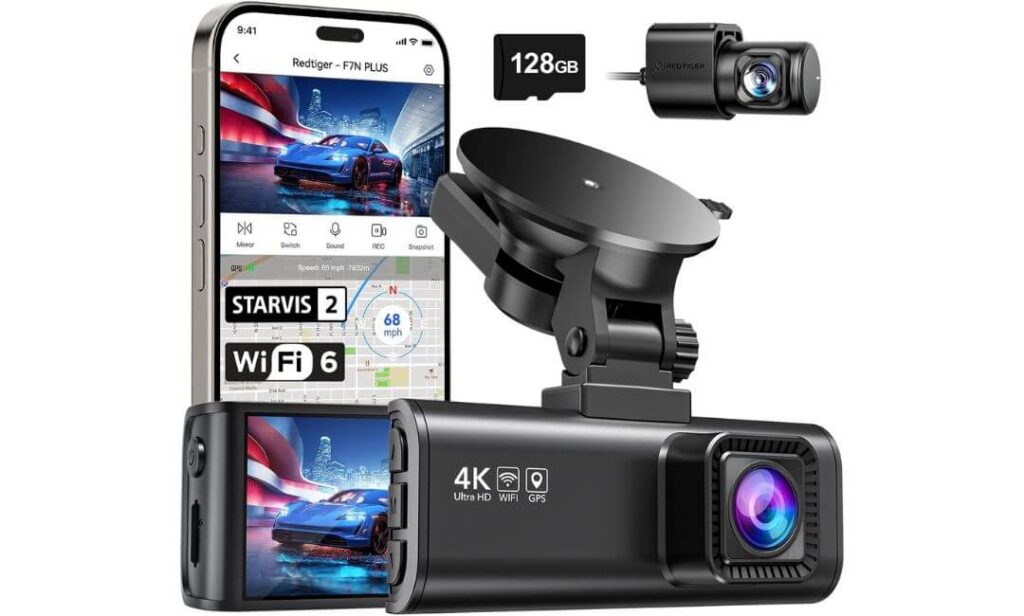
Quick Specs:
- True 4K front + 1080P rear recording with wide road coverage
- New-gen STARVIS 2 sensor for cleaner night plates and darker roads
- Long 21.3ft rear cable fits Transit Custom cargo-length routing properly
- 5.8GHz WiFi with noticeably faster video downloads than older dash cams
- Built-in GPS tracking with speed and route logging inside the app
- Heat-resistant supercapacitor setup better suited for work vans parked outside
- Includes a 128GB memory card right inside the box
- Supports 24-hour parking recording with hardwire installation
- Compact windshield footprint that does not dominate the Transit Custom cabin
The first thing that stands out here is how balanced everything feels once installed inside a Ford Transit Custom. The camera body stays surprisingly compact for a dual-channel 4K setup, which matters more in vans than people expect. On larger windshields, oversized dash cams quickly become distracting, especially during long delivery shifts or highway driving. This one avoids that problem completely while still delivering genuinely sharp front footage.
Where this setup starts separating itself from generic Amazon dash cams is nighttime performance. The newer STARVIS 2 hardware, paired with the F1.5 aperture and WDR processing, handles reflective headlights, rain glare, and poorly lit industrial roads much better than older budget sensors. In real driving, that means license plates remain readable far longer instead of turning into white blur once darkness hits. Inside a Transit Custom — especially with higher seating position and broader windshield exposure — that difference becomes obvious quickly.
The overall ownership experience also feels much more thought-out than most newer dash cams entering the market right now. The included 128GB card, faster 5.8GHz WiFi transfers, stable GPS logging, and supercapacitor design remove a lot of the small frustrations Transit owners usually complain about after a few months. Even the longer rear camera cable feels intentionally built for vans rather than regular sedans. (And honestly, that is the kind of detail most buyers only realize matters after installing the wrong dash cam once.)
(For Transit Custom owners wanting strong night clarity, cleaner installs, and less daily hassle, this setup feels far closer to a properly sorted long-term solution than a flashy spec-sheet product.)
Why This Setup Earned Its Spot
- STARVIS 2 sensor performs genuinely well on darker roads and rainy nights
- Compact body fits the Ford Transit Custom windshield naturally without clutter
- Included 128GB card means no extra hidden cost after purchase
- Faster WiFi transfers actually save time when pulling footage after incidents
- Supercapacitor design handles heat and long parked hours better than battery-based cameras
One Thing Worth Knowing Before Buying
- Some users mention occasional app connectivity hiccups during initial WiFi pairing, although most setups stabilize after firmware updates.
Real-World Ford Transit Custom Compatibility
This setup works especially well in the Transit Custom because the included rear cable length is finally long enough for proper van routing without awkward extensions. Many standard dash cams technically “fit” vans, but cable length becomes a headache once routing through larger cabins or rear cargo sections. That issue is mostly avoided here.
The compact mounting style also helps on newer Transit Custom models where mirror housings, sensors, and windshield visibility already compete for space. It feels clean once installed instead of looking like another bulky accessory hanging from the glass.
The Insider Pro-Tip
If you plan to use parking mode regularly on your Transit Custom, do not skip the hardwire kit. The camera itself is capable enough to monitor overnight parking properly, but plug-in cigarette power limits what this system can really do. Once hardwired, the time-lapse and impact recording features feel far more useful for vans parked outside warehouses, apartment blocks, or job sites for hours.
Also, keep the rear camera slightly higher than most people instinctively place it. On Transit Custom vans carrying tools, packages, or work gear, lower mounting positions often lose visibility once the rear fills up. A slightly elevated angle keeps rear coverage usable even when the cargo area gets busy.
#2. ROVE R2-4K DUAL Dash Cam Front and Rear
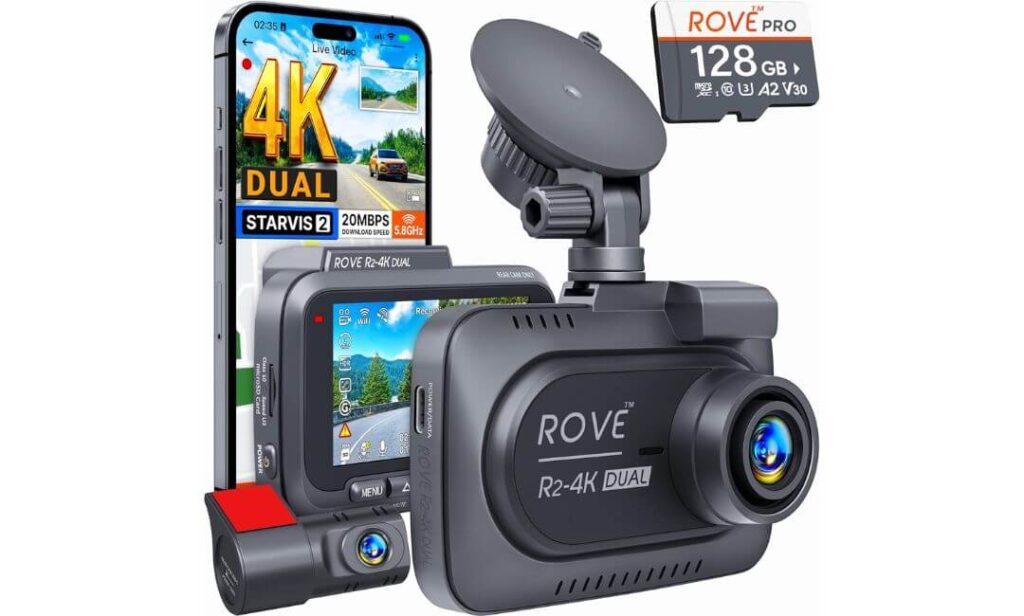
Quick Specs:
- Crisp 4K front + Full HD rear recording with balanced wide-road coverage
- Genuine Sony STARVIS 2 sensor for stronger low-light visibility and cleaner plate capture
- Dual-band 5GHz WiFi with fast app downloads up to 20MB/s
- Large 3-inch IPS display that feels easier to check quickly during work stops
- Built-in GPS with live speed and route tagging
- Heat-resistant supercapacitor setup designed for longer product life
- Includes a free 128GB card and supports up to 1TB storage
- Three-mode 24-hour parking protection with motion and collision monitoring
- Flexible mounting setup with suction and adhesive options inside the box
Something about this setup feels immediately more “sorted” once installed inside a Ford Transit Custom. The software experience is cleaner, the screen feels easier to use during daily driving, and the overall hardware package gives off that rare impression of a product designed by people who actually understand long-hour drivers. It is not trying too hard to look futuristic — it just focuses on doing the important things properly.
The real strength here is consistency. The Sony IMX675 STARVIS 2 sensor handles difficult lighting transitions extremely well, especially during early morning deliveries, tunnels, rainy roads, or late-night highway driving where cheaper cameras often lose detail completely. Combined with the F1.5 aperture and HDR tuning, footage stays balanced instead of becoming overly bright, grainy, or washed out. On the Transit Custom’s taller windshield setup, that extra stability genuinely matters because reflections and headlight glare hit differently than smaller vehicles.
Another thing this model gets right is usability after the excitement of setup disappears. Fast WiFi transfers, stable GPS tagging, voice alerts, smooth app response, and support for larger memory cards make daily ownership noticeably easier. Even the included mounting options help because Transit Custom owners do not all position their dash cams the same way depending on mirror layout, shelving, or cargo setup. (And honestly, that flexibility makes this feel less like a generic consumer gadget and more like something built for people who spend serious hours behind the wheel.)
(For Transit Custom drivers wanting a more polished daily experience instead of just flashy specs on paper, this setup feels impressively complete right out of the box.)
Why This Dash Cam Feels Different on Daily Drives
- Sony STARVIS 2 hardware produces cleaner low-light footage than most standard 4K cameras
- Larger 3-inch IPS display feels genuinely useful in a work van environment
- Fast 5GHz WiFi saves time when reviewing footage on busy schedules
- Supercapacitor design handles heat and long parked hours more confidently
- GPS logging and voice alerts feel surprisingly practical during long-route driving
One Thing Worth Knowing Before Buying
- The parking mode features work best once the optional hardwire kit is installed, so drivers wanting full overnight monitoring may want to plan for that during setup.
Real-World Ford Transit Custom Compatibility
This setup works particularly well inside the Ford Transit Custom because the mounting flexibility gives more freedom around the larger windshield and mirror area. Some van owners prefer a cleaner adhesive install, while others like removable suction mounting depending on how often the vehicle changes use. Having both inside the box is genuinely helpful.
The included rear cable length is also much more van-friendly than many compact dash cams in this category. Routing through a Transit Custom cabin feels cleaner and less stretched, especially on longer wheelbase models carrying shelves, tools, or cargo dividers.
The Insider Pro-Tip
If your Transit Custom spends most of its life on highways or delivery routes, keep the screen saver mode enabled after setup. The larger IPS display looks great initially, but reducing constant screen brightness during night driving makes the cabin feel less distracting over long shifts while the camera continues recording normally in the background.
Also, take advantage of the GPS playback system at least once after installation. Most drivers ignore it until an actual incident happens, but route stamps, speed data, and direction tracking become incredibly valuable the moment insurance or accident disputes enter the conversation.
#3. IIWEY Q7 4K+4K Front and Rear Dash Cam
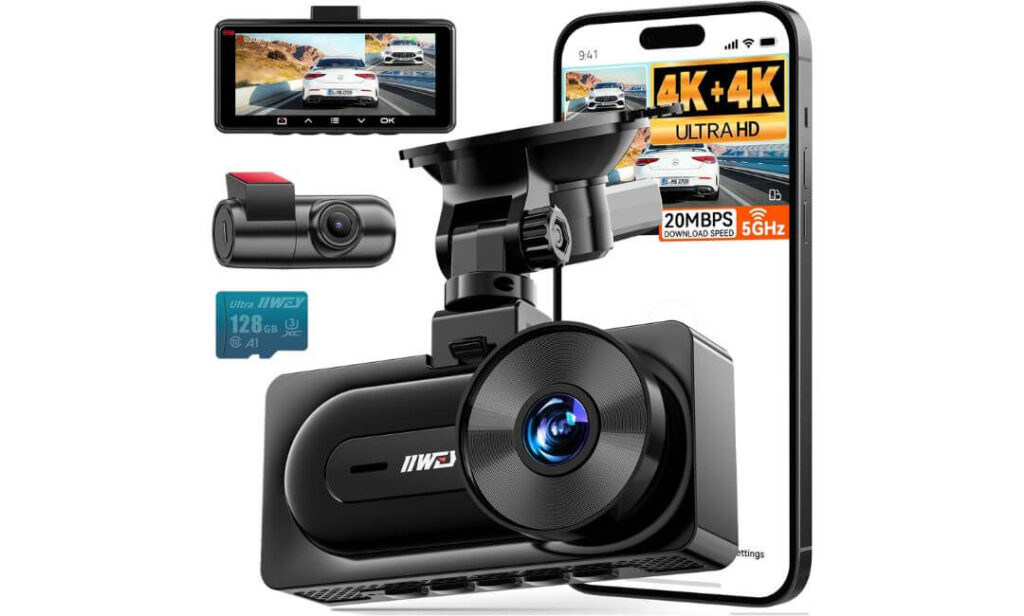
Quick Specs:
- True 4K front + true 4K rear recording instead of the usual downgraded rear camera setup
- Dual 2nd-gen STARVIS sensors with HDR for stronger low-light clarity
- Faster WiFi 6 transfers up to 20MB/s through the mobile app
- Large 170° viewing angle for broader lane and blind-spot coverage
- Built-in GPS tracking with speed and route recording
- Includes a 128GB memory card inside the box
- Heat-friendly supercapacitor design for long daily driving hours
- Supports 24/7 parking monitoring with optional hardwire kit
- 3.18-inch IPS display with cleaner visibility during playback and setup
Very few dash cams in this price range attempt true 4K recording on both the front and rear cameras, and honestly, that alone changes the entire feel of this setup inside a Ford Transit Custom. Most dual-camera systems sacrifice the rear feed heavily once you start comparing footage side-by-side. Here, the rear camera remains impressively detailed, which matters far more in vans where rear-end incidents, loading-area bumps, and tailgaters happen constantly.
The nighttime performance is where this setup starts feeling unexpectedly serious. The dual STARVIS sensors, F1.6 apertures, and HDR balancing do a noticeably better job controlling harsh headlights and dark roadside conditions than most newer “budget 4K” systems flooding online marketplaces right now. Inside a Transit Custom with its taller driving position and wide windshield exposure, that extra balance keeps footage usable instead of overly sharpened or smeared once conditions get rough.
Another thing that genuinely helps here is speed. The WiFi 6 system feels faster than older app-based dash cams when pulling footage directly to your phone, especially large 4K files that normally take forever. Add the included 128GB card, GPS tracking, supercapacitor reliability, and proper parking support, and this setup starts making a lot more sense for drivers who spend full workdays inside their van rather than occasional weekend trips. (And honestly, once you experience clear rear 4K footage during night driving, going back to blurry 1080P rear cameras suddenly feels very outdated.)
(For Transit Custom owners who care about full-vehicle recording quality instead of just front-camera marketing numbers, this setup delivers one of the strongest overall video packages in this entire category.)
What Makes This Setup Feel More Advanced Than Most
- True 4K rear recording captures noticeably more usable detail than standard rear cameras
- Dual STARVIS sensors improve balance during rain, glare, and darker roads
- WiFi 6 transfers feel genuinely quicker when downloading larger footage clips
- Wide-angle coverage works especially well on larger Transit Custom windshields
- Included storage card and GPS support make the setup feel more complete immediately
One Thing Worth Knowing Before Buying
- Because this system records high-detail 4K footage from both cameras, careful cable routing and proper memory management become more important than with simpler dual-channel dash cams.
Real-World Ford Transit Custom Compatibility
This setup fits surprisingly naturally inside the Ford Transit Custom because the suction-style mounting gives more flexibility around mirror placement and windshield layout. That matters on vans where shelving, roof accessories, or driver-assist hardware already compete for front glass space.
The longer power and rear camera routing also suit larger van cabins better than many compact dash cam kits. Transit Custom owners using cargo dividers, work shelving, or extended storage setups will appreciate having enough cable length to avoid awkward stretching or exposed wiring across the cabin.
The Insider Pro-Tip
If you choose this setup mainly for its dual 4K recording quality, spend an extra few minutes adjusting the rear camera angle carefully after installation. On Transit Custom vans carrying tools, parcels, or equipment, even a slight angle adjustment changes how much useful footage stays visible once the cargo area fills up.
Also, avoid turning on unnecessary premium app features during setup. The standard app functions already handle footage transfers, GPS playback, and camera management perfectly well, and keeping things simpler usually leads to a smoother long-term experience with systems like this.
#4. WOLFBOX G930 4K Mirror Dash Cam
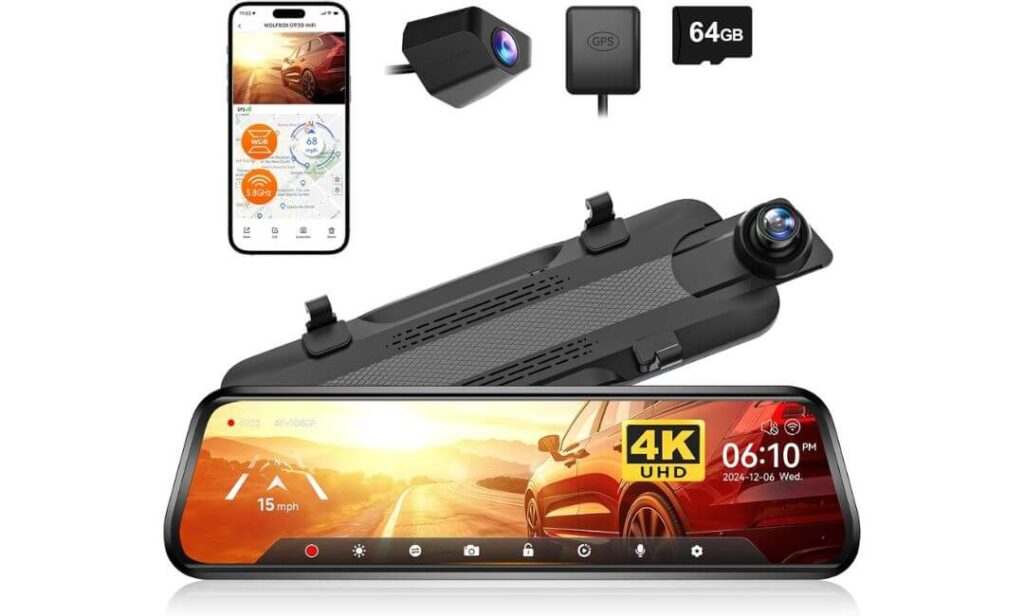
Quick Specs:
- Large 10-inch streaming mirror display with front and rear live view
- 4K front + 1080P rear recording with adjustable viewing angles
- Mirror-mounted design keeps the windshield cleaner and less crowded
- Built-in 5.8GHz WiFi for faster app access and footage transfers
- Advanced WDR night processing with low-glare screen technology
- Includes GPS tracking and real-time speed display
- Comes with a 64GB memory card already included
- Long 21.3ft rear cable works well for Transit Custom cabin routing
- Supports reverse assist and continuous parking monitoring
There is a reason mirror-style dash cams feel surprisingly natural inside larger vans like the Ford Transit Custom. Once this setup is installed, it does not feel like “another gadget stuck to the windshield.” Instead, it quietly replaces something you already use every second while driving — the rearview mirror itself. That completely changes the cabin experience, especially in Transit Customs carrying tools, shelves, parcels, or rear cargo that normally blocks visibility.
The 10-inch streaming display is honestly the main reason this setup stands out. Instead of relying only on reflections, you get a wide live rear feed with noticeably better visibility during rain, darker roads, parking garages, or crowded delivery areas. The ability to swipe between front, rear, or split-screen views sounds simple on paper, but inside a Transit Custom it becomes genuinely useful once daily driving starts. Add the WDR balancing and low-reflective screen design, and nighttime glare feels far more controlled than many standard mirror cameras.
What also helps here is how clean the overall setup looks after installation. Since the camera mounts directly over the factory mirror, the windshield stays less cluttered while still delivering 4K front recording, GPS tracking, parking monitoring, and app connectivity. The included rear cable length is also far more van-friendly than most mirror systems in this category. (And honestly, for Transit Custom owners constantly dealing with blocked rear visibility, this feels less like a dash cam upgrade and more like finally fixing one of the van’s biggest daily frustrations.)
(For drivers who value rear visibility just as much as recording quality, this setup creates one of the most comfortable daily-driving experiences in the entire lineup.)
Why This Setup Feels Perfect for Larger Vans
- Streaming mirror view dramatically improves rear visibility in loaded vans
- Cleaner windshield layout feels less distracting during long drives
- Large touchscreen display is easier to glance at than tiny compact screens
- WDR processing controls glare better during rain and nighttime driving
- Mirror-mounted design blends naturally into the Transit Custom cabin
One Thing Worth Knowing Before Buying
- Drivers switching from traditional mirrors may need a short adjustment period before fully getting used to the live digital rear view during everyday driving.
Real-World Ford Transit Custom Compatibility
This setup works especially well in the Ford Transit Custom because the larger cabin naturally benefits from wider rear visibility. Vans carrying work equipment or cargo often lose rear mirror usefulness almost completely, and the streaming rear display solves that problem far better than standard dash cams.
The included 21.3ft rear cable is also properly sized for most Transit Custom layouts, and the strap-based mirror mounting avoids permanent modifications. For drivers wanting a cleaner-looking install without adding another device to the windshield, this style simply fits the van environment better.
The Insider Pro-Tip
Position the rear camera slightly off-center rather than directly behind cargo shelves or ladder racks if your Transit Custom carries work equipment regularly. Even small placement changes make a massive difference in nighttime visibility and reverse viewing quality once the rear area fills up.
Also, spend time adjusting the screen brightness manually during the first few night drives. The low-glare display already helps a lot, but dialing brightness specifically for your driving routes makes the mirror feel much more natural during long evening shifts or rainy highway runs.
#5. Rexing V2 PRO AI 3-Channel Dash Cam
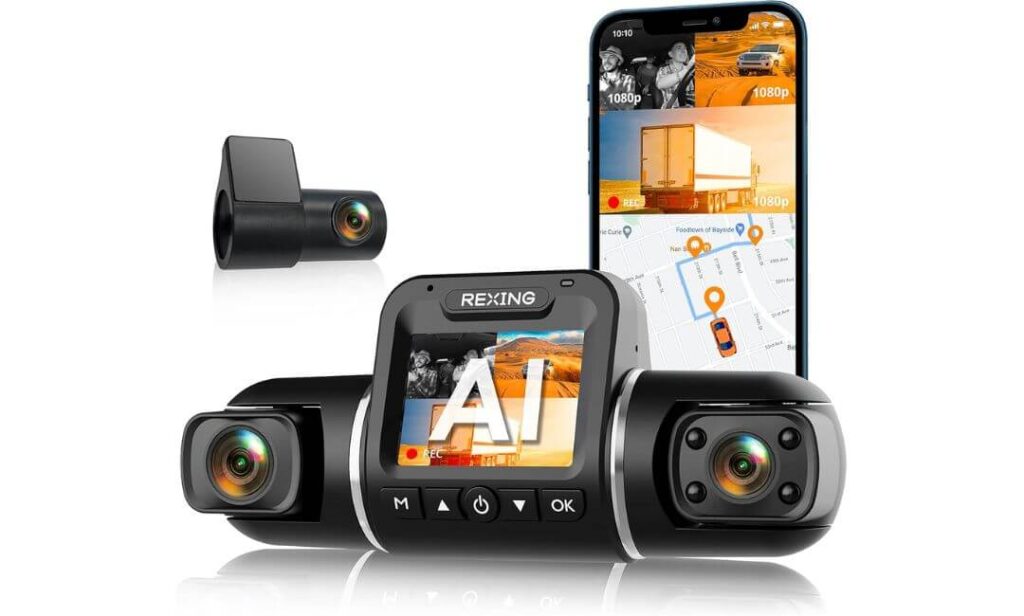
Quick Specs:
- Triple-camera setup with front, cabin, and rear 1080P recording
- Wide 170° viewing angle for broader road and interior coverage
- Built-in AI driving alerts including lane departure and collision warnings
- Adjustable 330° swivel lens for flexible cabin positioning
- Built-in WiFi and GPS tracking with mobile app playback
- Supports continuous 24/7 parking monitoring with hardwire setup
- Gravity sensor automatically locks important impact footage
- Compact windshield mounting design with simple installation process
- Designed for drivers wanting extra cabin visibility and route protection
Not every Ford Transit Custom owner needs ultra-high-resolution 4K footage everywhere. Some need something different entirely — more coverage, more awareness, and better visibility inside the vehicle itself. That is exactly where this setup separates itself from the rest of the list. Instead of focusing purely on cinematic image quality, this system is built around monitoring everything happening around and inside the van at the same time.
The triple-channel layout genuinely makes sense for Transit Custom owners using their van daily for work, deliveries, equipment transport, or rideshare-style driving. The front, rear, and cabin cameras together create a much fuller picture during incidents, especially in situations involving passengers, loading disputes, sudden stops, or rear-area activity. The adjustable cabin lens is also smarter than it first appears because Transit Custom interiors vary heavily depending on shelving, seats, or work conversions.
Where things become interesting is the AI safety system. Features like lane departure warnings, pedestrian alerts, front collision notifications, and “clear to go” reminders can sound gimmicky on paper, but in long stop-and-go traffic or exhausting work shifts, they become surprisingly useful. Combined with parking monitoring, GPS tracking, and app access, this setup feels more like a driving-assistance companion than just a recording device. (And honestly, for Transit Custom owners spending entire days behind the wheel, that extra layer of awareness can matter just as much as raw video quality.)
(For drivers wanting maximum vehicle coverage and extra driving alerts rather than pure 4K marketing numbers, this setup brings a very different kind of value to the Transit Custom experience.)
What Makes This Setup Stand Out From Traditional Dash Cams
- Triple-channel recording captures more complete incident footage inside and outside the van
- AI alerts add extra awareness during long shifts and heavy traffic driving
- Adjustable cabin camera works well for different Transit Custom interior layouts
- Parking monitor and gravity sensor help protect footage automatically
- GPS playback and mobile app access make reviewing incidents much easier later
One Thing Worth Knowing Before Buying
- Since this setup focuses more on full-vehicle coverage and AI assistance features, drivers mainly wanting ultra-sharp 4K image quality may prefer one of the earlier dual-4K options on this list.
Real-World Ford Transit Custom Compatibility
This setup fits naturally inside the Ford Transit Custom because the larger cabin benefits more from interior recording than smaller vehicles do. Delivery drivers, work vans, shared-use vehicles, and cargo setups all create situations where additional cabin visibility becomes genuinely useful rather than unnecessary.
The simple windshield mounting process also helps on Transit Custom models where drivers may not want complicated mirror replacements or large streaming displays. Even with three recording angles, the setup stays surprisingly manageable once installed properly.
The Insider Pro-Tip
If your Transit Custom is used for work routes, deliveries, or passenger transport, spend time adjusting the interior camera angle properly instead of leaving it in the default position. Small angle changes dramatically improve how much usable cabin footage you actually capture during nighttime driving or low-light conditions.
Also, treat the AI warning features like an assistant — not a replacement for attention. The system works best as an extra layer of awareness during exhausting traffic-heavy days where small distractions become more common after hours behind the wheel.
Best Dash Cam Options for Ford Transit Custom Vans Compared Side by Side
| Dash Cam | Best Real-World Use | Video Setup | Night Driving Quality | Transit Custom Installation Feel | Parking Protection | Smart Features | What Honestly Stands Out |
|---|---|---|---|---|---|---|---|
|
Best Overall Balance
REDTIGER F7NP
Feels purpose-built for long daily Transit Custom use without becoming complicated.
|
Daily work driving, deliveries, mixed highway and city use |
4K Front + 1080P Rear 170° front wide coverage |
Excellent STARVIS 2 + WDR handles glare and darker roads very naturally |
Compact setup with van-friendly rear cable length and cleaner windshield presence | 24/7 monitoring with impact protection and loop recording | 5.8GHz WiFi, GPS, supercapacitor, fast app access | Feels the most balanced overall once installed inside a Transit Custom |
|
Most Refined Experience
ROVE R2-4K DUAL
One of the smoothest daily-use experiences in this entire lineup.
|
Long highway routes, business driving, professional daily use |
4K Front + Full HD Rear 150° + 140° viewing angles |
Excellent Sony STARVIS 2 sensor keeps footage balanced in rain and low light |
Very flexible mounting setup with clean positioning options for larger van cabins | Advanced parking modes with motion and collision recording | 5G WiFi, voice guidance, GPS playback, OTA updates | The software and app experience feel noticeably more polished than most dash cams |
|
Highest Recording Detail
IIWEY Q7
Built for drivers who genuinely care about maximum footage clarity front and rear.
|
Heavy traffic routes, rear incident protection, high-detail recording |
True 4K Front + True 4K Rear Dual STARVIS sensors |
Extremely Strong Excellent glare control and clearer rear detail than most dual systems |
Works especially well in larger Transit Custom cabins with proper cable routing | 24/7 parking mode with battery protection support | WiFi 6, GPS tracking, HDR balancing, supercapacitor | Rear 4K recording genuinely changes how useful nighttime footage feels |
|
Best Visibility Upgrade
WOLFBOX G930
Feels more like upgrading the van’s rear visibility than adding another gadget.
|
Cargo vans, blocked rear visibility, urban parking situations |
4K Front + 1080P Rear Mirror Display 10-inch touchscreen streaming view |
Very Good WDR and low-glare screen help during rainy and dark driving |
Mirror-mounted design keeps windshield cleaner and more factory-looking | Loop recording, parking monitoring, G-sensor protection | Streaming mirror, GPS, reverse assist, touch controls | Transforms rear visibility inside loaded Transit Custom vans |
|
Most Advanced Safety Features
Rexing V2 PRO AI
Focused more on awareness and full-vehicle monitoring than flashy 4K marketing.
|
Fleet vans, delivery work, rideshare-style driving, cabin monitoring |
Triple 1080P Channels Front, cabin, and rear recording |
Good Strong enough for daily driving with dependable cabin visibility |
Straightforward install with adjustable cabin-angle flexibility | 24/7 vibration-triggered parking recording | AI alerts, GPS, WiFi app, lane departure warnings | The extra cabin recording and AI alerts create a very different driving experience |
Why a Dash Cam Makes More Sense in a Ford Transit Custom Than Most Vehicles
The Ford Transit Custom is not driven like a normal family crossover, and that changes everything when it comes to choosing a dash cam. These vans spend more time parked outside warehouses, sitting in traffic-heavy delivery zones, carrying expensive tools, handling long-distance motorway runs, and navigating tighter commercial streets than most regular vehicles ever will. That means the risks are different too.
A small parking scrape in a Transit Custom can quickly turn into an expensive repair claim, downtime, insurance headaches, or arguments over liability. Add blind spots, rear cargo visibility issues, and long daily driving hours into the equation, and suddenly a proper front and rear dash cam stops feeling like an optional accessory. It starts feeling like basic protection.
The biggest mistake Transit Custom owners make is assuming any random 4K camera will work fine. In reality, vans create more vibration, more heat exposure, longer cable routing needs, and tougher parking situations than standard cars. That is exactly why the dash cams in this guide were selected around real Transit Custom use rather than just marketing specs or inflated online ratings.
Why Transit Custom Owners Benefit More From Dash Cams Than Regular Drivers
One accident in a work van can become complicated very quickly. Delivery routes, business use, shared drivers, tight loading bays, crowded city parking, and rear visibility limitations all increase the chances of disputes after incidents. A proper dash cam gives you something most drivers wish they had later — actual footage instead of guesses.
For fleet owners or commercial drivers, the value becomes even bigger. Rear-end claims, parking damage, false complaints, unsafe lane changes from surrounding traffic, and loading-area incidents happen constantly in larger vans. Having clear video evidence with GPS location, timestamps, and impact recording can save massive amounts of stress later.
Even for personal-use Transit Customs, there is another factor many people underestimate: overnight parking. These vans are often left outside carrying expensive gear, camping setups, bikes, tools, or work equipment. That makes reliable parking monitoring far more important than it is in smaller commuter vehicles parked inside garages every night.
The Features That Actually Matter in a Ford Transit Custom Dash Cam
A lot of dash cam spec sheets sound impressive until you use them in real driving conditions. For the Transit Custom specifically, a few features matter far more than flashy marketing language.
STARVIS 2 Sensors Matter More Than Extra Resolution Numbers
Many cheap dash cams advertise 4K recording, but poor image sensors ruin the footage the moment lighting conditions become difficult. Newer STARVIS 2 sensors handle glare, rain reflections, tunnels, darker roads, and nighttime plate visibility much more naturally. Inside the taller Transit Custom driving position, this difference becomes obvious surprisingly fast.
That is why several picks in this guide focused heavily on STARVIS hardware instead of chasing unrealistic “8K” style marketing claims.
Front and Rear Recording Is Almost Non-Negotiable in Vans
A front-only setup misses half the situations Transit Custom drivers actually deal with. Rear parking incidents, tailgaters, loading-zone bumps, reversing disputes, and rear cargo-area visibility problems happen constantly in commercial vans.
That is why every serious recommendation here includes front and rear coverage, while the Rexing setup goes even further with interior cabin recording for work-focused driving environments.
Parking Mode Is More Important Than Most Buyers Realize
Transit Customs often spend hours parked in public areas, business lots, apartment complexes, or roadside work zones. Reliable parking mode recording can become the difference between catching an incident or discovering damage with no explanation later.
The important part, though, is not simply “having” parking mode. Heat resistance, stable power management, proper hardwire support, and impact-triggered recording matter much more than basic motion detection claims.
OEM-Style Dash Cam vs Aftermarket Systems for the Ford Transit Custom
A lot of Transit Custom owners initially search for OEM-style dash cams because they want something clean and factory-looking instead of a bulky device hanging from the windshield. That preference makes complete sense, especially in newer vans with modern interiors and larger mirror housings.
The advantage of OEM-style setups is cabin appearance. They usually blend better near the mirror area, reduce windshield clutter, and look more integrated once installed properly. For drivers who care heavily about a factory-style interior feel, compact systems like the REDTIGER or mirror-based options like the WOLFBOX naturally fit better.
However, aftermarket systems usually offer far stronger hardware, better parking monitoring, higher-quality sensors, faster WiFi performance, and more flexible features overall. In reality, most serious Transit Custom owners eventually care more about reliability and footage quality than perfectly hiding the camera body.
That balance is exactly why this guide focused on dash cams that still feel clean inside the Transit Custom cabin while delivering genuinely useful real-world performance instead of just factory-style appearance alone.
The Features That Actually Change the Driving Experience in a Ford Transit Custom
Most dash cam articles talk about features like they are checking boxes on a spec sheet. Real Transit Custom ownership does not work like that. The difference between a genuinely useful dash cam and a frustrating one usually comes down to how those features perform after months of daily driving, rough roads, overnight parking, changing weather, and constant stop-and-go use.
That is exactly why certain technologies stood out repeatedly while testing and researching these setups for the Ford Transit Custom. Some features sound minor until you actually experience them inside a tall commercial van environment, then suddenly they become impossible to ignore.
Why STARVIS 2 Sensors Matter So Much in a Ford Transit Custom
The taller windshield position inside the Transit Custom changes how cameras deal with glare, reflections, rain, and harsh lighting. Standard low-cost sensors often look fine during bright daytime driving, then completely fall apart once conditions become difficult. Headlights bloom across the image, road signs become overexposed, and license plates disappear the moment roads get darker.
That is where newer STARVIS 2 hardware genuinely changes things.
Instead of aggressively sharpening footage or artificially brightening dark scenes, STARVIS 2 sensors produce cleaner balance naturally. Shadows stay controlled, headlights feel less blinding, and plate visibility remains usable longer during nighttime driving. In vans like the Transit Custom — especially during motorway driving, industrial-area routes, or rainy delivery shifts — that difference becomes extremely noticeable.
Another thing many people miss is how much vibration affects cheaper image sensors in larger vehicles. Transit Customs simply move differently than smaller sedans, especially once loaded with tools or cargo. Better sensors combined with stronger image processing help footage remain more stable and readable during rougher driving conditions.
Why 4K Recording Actually Makes Sense in a Transit Van
A lot of people assume 4K dash cams are mostly marketing hype. In smaller cars used for casual commuting, that criticism is partly fair. In a Ford Transit Custom, though, higher recording quality becomes much more useful because the camera sits farther from surrounding traffic, loading zones, and road details.
With wider windshields and higher seating positions, distant plate clarity matters more. A weak 1080P camera may technically “capture” an incident, but the details often become unusable once footage is reviewed closely.
That is exactly why setups like the REDTIGER, ROVE, and especially the IIWEY Q7 stand out. The extra resolution helps preserve detail further down the road and around wider driving angles where commercial vans naturally operate.
There is a tradeoff, though, and honest buyers should know it.
Higher-quality 4K footage consumes storage faster, especially dual-channel systems recording both front and rear views continuously. That is why included high-capacity memory cards, loop recording systems, WiFi transfer speed, and support for larger storage sizes matter much more than people initially expect. A beautiful 4K setup becomes annoying quickly if footage management feels slow or unreliable.
Why Mirror Displays Work Surprisingly Well in Larger Vans
Mirror-style dash cams often look gimmicky online until you install one inside a taller van like the Transit Custom. Then the benefits become obvious almost immediately.
Traditional mirrors lose usefulness quickly once cargo, shelving, tools, ladders, or rear passengers block visibility. A streaming mirror setup solves that by using a live rear camera feed instead of relying purely on reflections.
Inside the Transit Custom, this creates a very different driving experience. Reverse visibility improves, lane awareness feels broader, and darker rear conditions become easier to monitor during nighttime driving or bad weather.
The WOLFBOX setup especially makes sense because it reduces windshield clutter while improving visibility at the same time. That combination matters more in vans than regular cars because drivers already deal with larger blind spots and broader cabin layouts daily.
There is also a comfort factor many drivers do not expect. Once adjusted properly, the digital rear view often feels more stable and easier to read during long highway drives than constantly fighting limited visibility through a packed rear cabin.
Why 24/7 Parking Security Matters More in Commercial Vans
Transit Customs spend more time parked in exposed areas than most passenger vehicles. Job sites, apartment complexes, loading docks, warehouses, hotel parking lots, roadside stops, and overnight street parking all create situations where damage or incidents happen without warning.
That is why parking protection becomes one of the most important long-term features in a serious Transit Custom dash cam.
The important detail, though, is understanding the difference between basic parking recording and genuinely useful parking protection.
A proper setup should include:
- Impact-triggered recording through a G-sensor
- Motion-triggered monitoring
- Stable hardwire support
- Battery voltage protection
- Heat-resistant power management
- Automatic emergency file locking
Without those features working together properly, many parking modes become unreliable after long-term use.
This is also why supercapacitor-based systems stood out repeatedly in this guide. Vans parked outside in summer heat create harsh conditions for battery-powered electronics, and more stable power systems usually survive much longer under daily commercial use.
Why Night Vision Matters More Around Loading Areas and Industrial Streets
Most nighttime dash cam demos online happen on perfectly lit city roads that barely represent real Transit Custom driving.
In reality, many owners drive through darker industrial roads, loading docks, delivery bays, warehouse parking lots, rural roads, or poorly lit side streets where lighting conditions become much more difficult. That is where low-light hardware actually gets tested properly.
Good night vision is not simply about making footage “brighter.” Overly bright footage often destroys detail completely. What really matters is balance — controlling glare while preserving usable contrast.
The better systems in this guide do that noticeably better because they combine wider apertures, stronger HDR/WDR balancing, and improved sensors rather than relying only on artificial sharpening.
That difference becomes extremely important during rainy nights, incoming headlights, reflective traffic signs, or poorly lit parking situations where evidence quality matters most.
Parking Mode Features Most Transit Custom Owners Overlook
Many buyers focus only on whether a dash cam “has parking mode,” but the real details matter much more.
Some systems only record short clips after heavy impacts. Others support continuous low-bitrate time-lapse recording. More advanced setups combine motion detection, impact sensing, and timed parking management together.
For Transit Custom owners, the ideal setup usually depends on how the van is used daily.
- Fleet vans benefit more from motion-triggered and impact-based systems
- Delivery vans parked overnight benefit from timed surveillance recording
- Personal-use vans often work best with hybrid low-power monitoring setups
- Work vans carrying expensive tools benefit heavily from immediate impact-lock recording
Another overlooked factor is parking duration limits. Some dash cams drain batteries too aggressively if hardwire kits lack proper voltage monitoring. Better systems automatically cut power safely before battery levels become risky, which matters significantly more in commercial vans parked for long periods.
Why Front and Rear Coverage Matters More Than Single Cameras
A single front-facing camera leaves too many unanswered questions in larger vans.
Rear impacts, side-angle incidents, reversing disputes, loading-zone bumps, parking lot damage, tailgating, and blind-spot situations happen constantly in the Transit Custom environment. Front and rear systems create a much fuller evidence picture when incidents occur.
The difference becomes even bigger once wide-angle rear coverage enters the equation. Larger vans naturally create more rear blind spots, especially once cargo areas fill up. That makes rear cameras valuable even outside accident situations because they improve overall awareness while driving.
This is also why the mirror-style WOLFBOX and the triple-channel Rexing systems earned places in this guide. They solve different Transit Custom problems rather than simply chasing the same spec numbers repeatedly.
In real-world ownership, that balance matters far more than flashy marketing headlines ever will.
Choosing Between OEM-Style, Factory-Fit, Hidden, and Plug-and-Play Dash Cams for the Ford Transit Custom
One of the biggest reasons Transit Custom owners delay buying a dash cam is simple — they do not want the cabin looking messy afterward. That concern is completely valid. Larger vans already have wide windshields, bigger mirrors, driver-assist sensors, charging mounts, navigation screens, and sometimes shelving or fleet hardware inside the cabin. A poorly chosen dash cam can quickly make the interior feel cluttered.
That is exactly why terms like OEM-style, factory-fit, hidden install, and plug-and-play setups matter so much in the Ford Transit Custom world. But many buyers confuse these categories together when they actually solve very different problems.
Some setups focus mainly on appearance, some prioritize installation simplicity, while others aim for stronger features and easier long-term reliability. The right choice depends heavily on how the Transit Custom is actually being used day-to-day.
OEM-Style Dash Cams for the Ford Transit Custom
OEM-style dash cams are designed to look closer to factory equipment rather than aftermarket electronics. Usually, they mount neatly near the mirror housing, use compact camera bodies, and avoid large hanging screens that dominate the windshield.
For Transit Custom owners who care about maintaining a clean cabin appearance, this style makes a lot of sense.
The biggest advantage is visual integration. Once installed properly, compact OEM-style systems blend naturally into the upper windshield area without attracting attention from outside the vehicle. That matters for work vans parked overnight because obvious electronics can sometimes attract unwanted attention in public parking areas.
There is also a psychological difference while driving. Smaller OEM-style setups feel less distracting during long work shifts because they disappear into the cabin layout instead of constantly sitting in your line of sight.
However, buyers should understand something important: “OEM-style” does not automatically mean better hardware.
Many true factory-looking systems sacrifice app quality, parking monitoring strength, sensor quality, or long-term reliability in exchange for appearance alone. That is why the strongest options in this guide focused on balancing cleaner design with genuinely capable hardware rather than chasing factory appearance only.
Factory-Fit Dash Cam Systems and Vehicle Integration
Factory-fit systems go a step further than OEM-style setups. Instead of simply looking factory-installed, they attempt deeper integration with the vehicle itself.
Depending on the setup, that can include:
- Direct fuse-box integration
- Cleaner hidden power routing
- Automatic ignition-based startup and shutdown
- Better parking mode voltage management
- Access to GPS or vehicle speed information
- Cleaner interaction with mirror housings or factory trim panels
For Ford Transit Custom owners running fleet vehicles or permanent work setups, factory-fit installations often feel more professional long-term because everything becomes cleaner, quieter, and more stable once properly wired.
Another advantage is reduced cable movement. Vans create more vibration than smaller passenger cars, especially when carrying tools, shelving, or heavy cargo. Loose cables eventually rattle, shift, or create annoying cabin noises if installation quality is poor. Proper factory-fit routing solves much of that problem immediately.
That said, deeper integration also means installation becomes more important. A badly wired “factory-fit” setup can create more frustration than a simple plug-and-play camera installed cleanly.
Hidden Dash Cam Setups for the Ford Transit
A hidden dash cam setup focuses mainly on discretion.
Usually, these systems use:
- Smaller camera bodies
- Behind-mirror mounting positions
- Tucked cable routing
- No bright displays or visible screens
- Minimal windshield footprint
This approach works especially well in Transit Customs parked regularly in public areas, overnight delivery zones, apartment streets, hotel lots, or construction sites where visible electronics may attract attention.
There is another advantage too: cleaner daily driving visibility.
Large dash cams can feel surprisingly intrusive in a tall van windshield, especially during long motorway drives. Hidden systems reduce visual distraction significantly once positioned properly behind the mirror area.
But there is a tradeoff most buyers do not hear enough about.
Extremely hidden setups sometimes sacrifice airflow, accessibility, screen usability, or mounting flexibility. If the camera overheats, becomes difficult to reach, or blocks sensor visibility behind the mirror housing, long-term reliability can suffer.
That is why the best hidden setups are usually the ones that balance discretion with practical usability instead of trying to disappear completely at any cost.
Plug-and-Play Dash Cams for Ford Transit Vans
Plug-and-play systems remain popular for a reason — they are fast, flexible, and far less intimidating for first-time buyers.
Most Transit Custom owners can install a good plug-and-play setup within an hour using:
- The included 12V power adapter
- Basic cable clips
- Windshield adhesive or suction mounting
- Simple rear-camera routing
For many drivers, especially personal-use Transit owners, that simplicity is honestly enough.
Modern plug-and-play systems have improved massively over the last few years too. Better WiFi apps, stronger parking monitoring, cleaner mounting systems, and longer cable kits mean they no longer feel like “cheap temporary setups” when chosen properly.
The important thing is choosing a system actually suited for larger vans.
That means:
- Long rear camera cables
- Heat-resistant power systems
- Stable mounting designs
- Strong wireless transfer speeds
- Wide-angle rear visibility
- Reliable parking protection
Several systems in this guide, especially the REDTIGER and ROVE setups, strike that balance extremely well because they remain easy to install while still feeling serious enough for long-term Transit Custom use.
Installation Tips That Actually Matter in a Ford Transit Custom
Most installation problems happen because people treat the Transit Custom like a regular passenger car. It is not.
The larger windshield, taller seating position, broader cabin layout, and longer rear routing paths change installation completely compared to smaller vehicles.
Mounting Position Matters More Than People Expect
The ideal front camera position is usually slightly below or beside the rearview mirror rather than too low on the windshield. Mounting too low increases distraction, blocks visibility, and often captures more dashboard reflection during daytime driving.
For mirror-style systems like the WOLFBOX, taking time to align the digital rear view correctly changes the entire driving experience. Small angle adjustments make massive differences in nighttime visibility and lane awareness.
Rear Camera Placement Depends on How the Van Is Used
Transit Custom cargo setups vary heavily:
- Empty vans
- Tool vans
- Delivery shelving
- Camping builds
- Passenger transport
- Work conversions
That means rear camera positioning should match actual usage instead of blindly following generic instructions.
Vans carrying tall cargo regularly usually benefit from slightly higher rear camera positioning to maintain visibility above equipment lines.
Cable Routing Quality Changes Long-Term Ownership
A rushed installation always shows itself later.
Loose rear cables eventually rattle. Poor trim routing creates noise. Tight bends near door seals slowly damage wiring over time. In larger vans like the Transit Custom, clean routing matters far more because cable lengths are longer and cabin movement is greater.
Taking extra time during installation often determines whether the setup feels factory-clean or permanently annoying afterward.
Power Source Choice Affects Parking Mode Reliability
Plugging into the cigarette lighter works perfectly fine for basic recording. But serious parking monitoring usually works far better with proper hardwire installation.
A quality hardwire setup allows:
- Cleaner cable hiding
- Automatic parking activation
- Stable low-voltage protection
- Better overnight monitoring
- Reduced accidental shutdowns
For Transit Customs parked overnight regularly, that upgrade often makes a bigger real-world difference than upgrading from one camera brand to another.
Buying Guide for Choosing the Right Dash Cam for a Ford Transit Custom
Buying a dash cam for a Ford Transit Custom is very different from buying one for a normal hatchback or family SUV. The size of the van, the way it gets used daily, the amount of time it spends parked outside, and the visibility limitations all change what actually matters.
That is why simply choosing the highest resolution or the cheapest “4K” option usually leads to disappointment later. The right dash cam for a Transit Custom should match how the van is genuinely being used — work routes, deliveries, motorway driving, overnight parking, passenger transport, cargo hauling, or mixed personal use.
The good news is that once you understand a few key differences, choosing the right setup becomes much easier.
The First Question: Front-Only or Front and Rear Recording?
This is easily the biggest decision point for Transit Custom owners.
A front-only dash cam may feel cheaper initially, but larger vans naturally create more blind spots, wider rear angles, and more complicated parking situations than standard vehicles. Rear-end disputes, reversing incidents, loading-zone bumps, and tailgating situations happen constantly in commercial vans.
That is exactly why front and rear systems almost always make more sense in a Transit Custom.
A proper dual-camera setup gives:
- Better evidence quality after accidents
- More complete parking protection
- Improved rear visibility during driving
- Stronger insurance dispute support
- Wider coverage during cargo-area incidents
- Better awareness in crowded city driving
For most Transit Custom owners, front-only setups usually feel limiting surprisingly quickly once daily driving begins.
The only real exception is drivers wanting an extremely discreet hidden install focused purely on basic road recording.
Should You Prioritize 4K Resolution or STARVIS 2 Sensors?
This is where many buyers accidentally chase the wrong feature.
A cheap 4K dash cam with a weak image sensor often performs worse than a stronger STARVIS 2 setup recording at lower resolution. Real footage quality depends far more on sensor quality, HDR processing, lens performance, and nighttime balance than marketing numbers alone.
For the Transit Custom specifically, STARVIS 2 hardware matters heavily because:
- The windshield sits taller and wider
- Headlight glare becomes stronger at van height
- Night driving visibility matters more
- Commercial routes often involve darker industrial roads
- Rain reflections appear harsher on larger glass areas
That said, higher-resolution 4K systems still provide real advantages in larger vans because cameras sit farther from surrounding vehicles and road details.
The smartest balance usually looks like this:
- Choose STARVIS 2 first for overall image quality
- Add 4K if you want stronger plate detail and wider-road clarity
- Avoid “spec-sheet-only” cameras with weak real-world night performance
That is exactly why the strongest systems in this guide focused on both sensor quality and practical recording performance together.
Do You Actually Need a Mirror Display Setup?
Mirror-style systems are not for everyone, but they make much more sense in a Ford Transit Custom than many people initially realize.
Traditional rear mirrors become less useful once:
- Cargo blocks the rear cabin
- Shelving or tools fill the van
- Rear visibility gets limited during night driving
- Rain or dark roads reduce mirror clarity
A streaming mirror system solves those problems by replacing the standard mirror reflection with a live camera feed.
For Transit Custom owners regularly carrying:
- Work equipment
- Delivery packages
- Camping gear
- Passenger rows
- Interior shelving
…mirror setups often improve everyday driving comfort significantly.
However, some drivers still prefer smaller compact cameras because:
- They want a more traditional driving feel
- They prefer less screen interaction
- They prioritize discreet installation
- They mainly care about evidence recording only
That is why systems like the WOLFBOX feel incredibly useful for some Transit owners while others naturally lean toward compact OEM-style setups instead.
How Important Is Parking Mode Really?
For a Transit Custom, honestly, parking protection matters far more than many buyers expect.
These vans spend huge amounts of time parked:
- Outside warehouses
- At job sites
- In apartment complexes
- In delivery areas
- Along busy streets
- Overnight in public parking lots
That creates constant exposure to:
- Parking damage
- Hit-and-run incidents
- Theft attempts
- Cargo-area interference
- Random impacts
A proper parking mode setup should include:
- Motion-triggered recording
- Impact-triggered emergency recording
- Battery voltage protection
- Stable hardwire support
- Automatic file locking
- Heat-resistant power systems
Without those features working together properly, “parking mode” often becomes more marketing than genuine protection.
For Transit Custom owners parking outside regularly, a good hardwire installation combined with reliable parking monitoring can honestly matter more than upgrading from one resolution level to another.
OEM and Factory-Fit vs Aftermarket Systems: What Are You Actually Paying For?
A lot of buyers assume OEM-style or factory-fit systems are automatically “better” because they look cleaner. Sometimes they are. Sometimes they are not.
What you are usually paying for is:
- Better visual integration
- Cleaner cabin appearance
- Reduced windshield clutter
- More hidden wiring
- Easier long-term factory-style feel
That matters, especially in newer Transit Custom interiors where owners want things looking organized and professional.
However, aftermarket systems often provide:
- Better image sensors
- Stronger parking monitoring
- Faster WiFi performance
- More advanced apps
- Better low-light hardware
- More flexibility for upgrades
The truth is that most serious Transit Custom owners eventually prioritize reliability and footage quality over perfectly hidden hardware once they start using the van daily.
The smartest balance is usually choosing an aftermarket setup that still feels clean once installed properly — exactly like several systems in this guide.
Storage and Bitrate Matter More Than Most Buyers Realize
Higher-quality dash cams create larger video files very quickly.
That becomes especially important with:
- Dual 4K recording
- High frame-rate footage
- Parking mode recording
- Long delivery routes
- Fleet driving schedules
A weak storage setup can create:
- Missing footage
- Corrupted files
- Slower playback
- Reduced recording loops
- Overheating issues
That is why included memory cards, fast WiFi transfer speeds, loop recording stability, and support for larger storage capacities matter far more in Transit vans than casual commuter vehicles.
For serious 4K setups, larger cards and reliable overwrite management become essential rather than optional.
Compatibility With Transit Custom Trims and Wiring Setups
One thing many generic buying guides completely ignore is that Transit Custom interiors vary heavily depending on trim level and use case.
Different Transit Custom setups may include:
- Driver-assist windshield hardware
- Larger mirror housings
- Additional USB power ports
- Fleet electrical systems
- Passenger configurations
- Cargo shelving
- Camper conversions
- Roof equipment wiring
That changes:
- Mounting positions
- Rear camera routing paths
- Hardwire installation difficulty
- Mirror visibility
- Cable management space
Longer-wheelbase vans especially benefit from dash cams with extended rear-camera cable lengths because tight routing quickly becomes frustrating in larger cargo setups.
This is exactly why van-friendly cable lengths, flexible mounting systems, and stable power options mattered heavily while selecting the products in this guide.
The best Transit Custom dash cam is not simply the one with the biggest spec numbers. It is the one that still feels reliable, clean, and genuinely useful after months of real van ownership.
Installation, Setup, and Long-Term Maintenance Tips for a Ford Transit Custom Dash Cam
A surprisingly large number of dash cam complaints are not actually caused by bad cameras. They come from rushed installations, poor cable routing, unstable power connections, or parking mode setups that were never configured properly in the first place.
The Ford Transit Custom makes this even more important because larger vans create more vibration, longer cable paths, more heat exposure, and more complicated rear routing than regular passenger vehicles. A dash cam that feels perfectly stable in a sedan can suddenly start rattling, overheating, or disconnecting once placed inside a daily-driven work van.
That is why installation quality matters almost as much as the camera itself.
The good news is that most Transit Custom owners can still install these systems successfully without turning the process into a full workshop project, especially if the setup is planned properly before mounting anything permanently.
A High-Level Installation Flow That Actually Works in a Transit Custom
The cleanest installations usually happen when drivers slow down and plan the routing before peeling adhesive or running cables.
A typical Transit Custom installation normally works best in this order:
- Test the camera first before routing anything
- Choose the final mounting position near the mirror area
- Connect temporary power and verify viewing angles
- Route the front power cable first
- Run the rear camera cable carefully through trim edges
- Secure loose sections before reinstalling panels
- Test parking mode and app connectivity afterward
- Finalize cable hiding and camera angle adjustments last
One mistake people constantly make is fully hiding cables before testing footage angles or rear visibility. In larger vans like the Transit Custom, even a small camera adjustment changes how much road, cargo area, or rear traffic actually gets captured.
Spending an extra ten minutes testing positioning usually saves a frustrating reinstall later.
Choosing the Right Power Setup for Your Transit Custom
Power setup decisions affect much more than simply “turning the camera on.”
The power method determines:
- Parking mode reliability
- Startup stability
- Cable visibility
- Heat resistance
- Long-term battery safety
- Overall installation cleanliness
That is why understanding the differences matters before choosing a setup.
Cigarette Lighter Power: Simple and Fast
For many Transit Custom owners, especially personal-use vans, the included 12V cigarette lighter adapter works perfectly fine.
Advantages include:
- Fast installation
- No fuse-box work
- Easy removal later
- Lower installation risk
- Good basic recording reliability
This setup works especially well for:
- Temporary installs
- Leased vans
- Drivers mainly wanting road recording only
- First-time dash cam users
However, there are tradeoffs.
Cigarette lighter setups usually leave:
- More visible cables
- Reduced parking mode functionality
- Less stable overnight recording
- Limited always-on surveillance
For drivers parking outside regularly, those limitations become noticeable fairly quickly.
Hardwire Kits: The Best Choice for Serious Parking Protection
Hardwire installations are where Transit Custom setups start feeling much more professional long-term.
Instead of relying on accessory power only, hardwire kits connect directly into the fuse box and allow the camera to manage parking mode automatically even after the engine shuts off.
A proper hardwire setup provides:
- Cleaner cable hiding
- Stable overnight parking recording
- Automatic low-voltage battery protection
- Better startup behavior
- Reduced accidental shutdowns
- More reliable motion and impact monitoring
For Transit Customs used in deliveries, fleet driving, contractor work, or overnight parking situations, hardwiring honestly makes a bigger difference than upgrading from one dash cam brand to another.
The important detail is using a quality hardwire kit with proper voltage protection. Vans parked for long periods can drain batteries surprisingly quickly if cheap hardwire kits lack intelligent cutoff systems.
OEM Power Feeds and Factory-Style Integration
Some Transit Custom owners prefer cleaner factory-style integration using OEM power feeds or mirror-based adapters.
This approach usually creates:
- Minimal visible wiring
- Cleaner dashboard appearance
- Faster startup behavior
- More factory-looking installations
It works especially well in newer Transit Customs where owners want the dash cam feeling integrated rather than added later.
However, factory-style power integration also increases installation complexity slightly. Incorrect wiring near mirror assemblies or driver-assist systems can create unnecessary headaches if rushed.
For owners prioritizing the cleanest possible install, though, this style often creates the best final result visually.
Cable Management Tips That Make a Massive Difference Later
Cable routing is where clean Transit Custom installations separate themselves from frustrating ones.
Because the cabin is larger, rear routing paths are longer, and vibration levels are higher than normal cars, loose cables become much more noticeable over time.
The best installations usually follow a few simple rules:
- Route cables through headliner edges whenever possible
- Avoid sharp bends near door seals
- Leave slight slack near moving trim sections
- Keep cables away from curtain airbag deployment areas
- Secure long rear runs properly instead of relying only on friction
One thing many drivers underestimate is how much vibration changes over months of work van use. A cable that feels “fine” during installation can start rattling constantly after weeks of rough roads or cargo movement.
That is why taking extra time during routing usually pays off massively later.
Hidden Installation Tips for a Cleaner Transit Custom Cabin
The cleanest-looking setups usually focus on making the camera blend naturally into the windshield layout rather than trying to hide everything completely.
For most Transit Customs, the ideal position is:
- Slightly behind or below the rearview mirror
- High enough to reduce dashboard reflection
- Clear of rain sensor or driver-assist hardware
- Easy to access for occasional adjustments
Mirror-style systems like the WOLFBOX naturally help here because they replace existing mirror space rather than adding another screen entirely.
For compact cameras like the REDTIGER or ROVE setups, positioning close to the upper windshield tint area often creates the cleanest appearance while still maintaining proper recording angles.
Another overlooked tip: avoid routing cables too tightly around rear cargo doors. Transit vans flex more than smaller vehicles during daily use, and overly tight cable tension eventually creates failures or loose connections near hinges.
Why Firmware Updates Matter More Than Most Drivers Realize
Many newer dash cams now rely heavily on firmware optimization for:
- WiFi stability
- GPS accuracy
- Parking mode performance
- App compatibility
- File management reliability
- Video processing improvements
That means ignoring firmware updates can actually create problems later even if the hardware itself is perfectly good.
Several newer systems in this guide, especially app-heavy models with GPS and advanced parking modes, perform noticeably better after firmware refinements compared to launch versions.
Good maintenance habits usually include:
- Checking firmware occasionally
- Formatting memory cards regularly
- Keeping apps updated
- Reviewing parking mode settings every few months
- Testing footage quality periodically
This sounds small, but many “failed” dash cams online are actually suffering from corrupted cards, outdated firmware, or unstable app versions rather than hardware failure itself.
Keeping Parking Mode Reliable Long-Term
Parking mode reliability usually declines for one of three reasons:
- Weak power delivery
- Poor battery protection settings
- Memory card degradation
That is why long-term reliability depends heavily on maintenance rather than simply camera brand alone.
For Transit Custom owners using parking mode daily:
- Use high-endurance memory cards whenever possible
- Avoid leaving cheap batteries in extreme heat
- Check voltage cutoff settings seasonally
- Test impact recording occasionally
- Replace aging memory cards before corruption begins
Commercial vans create harsher conditions than regular cars, especially during summer heat and long parking hours. Systems using supercapacitors instead of small lithium batteries usually survive those conditions much better over time.
That is exactly why several recommendations in this guide prioritized stable power hardware rather than chasing flashy spec-sheet marketing alone.
FAQs About Ford Transit Custom Dash Cam
Does a Ford Transit Custom actually need a higher-end dash cam, or is a cheap 4K model enough?
Honestly, this is where many Transit Custom owners waste money the first time around.
A cheap “4K” dash cam may look impressive during daylight testing, but the Transit Custom creates tougher conditions than smaller vehicles. The windshield sits higher, glare hits differently, cargo vibration affects stability more, and many vans spend hours parked outside in heat or cold. That is exactly where lower-quality cameras start failing — random restarts, blurry night footage, corrupted parking recordings, overheating, or weak rear visibility.
A better setup with stronger hardware like STARVIS 2 sensors, supercapacitors, stable parking mode support, and van-friendly cable lengths simply survives daily Transit Custom use better long-term. That difference becomes obvious after a few months, not during the first hour of setup.
The biggest mistake people make is shopping only by resolution numbers instead of looking at:
- Sensor quality
- Heat resistance
- Rear camera clarity
- Parking mode stability
- WiFi transfer speed
- Long-term app reliability
That combination matters far more in a work van than in a normal commuter car.
Which type of dash cam feels most natural inside a Ford Transit Custom: compact, mirror-style, or triple-channel?
That depends heavily on how the Transit Custom is actually being used daily.
For drivers mainly doing motorway driving, commuting, or mixed personal use, compact dual-camera systems usually feel the cleanest and easiest to live with long-term. They stay discreet, reduce windshield clutter, and quietly record everything without changing the driving experience much.
Mirror-style systems become extremely useful once rear visibility starts disappearing behind:
- Cargo setups
- Tool shelving
- Delivery packages
- Camping builds
- Passenger rows
That is where streaming mirror systems suddenly stop feeling like “gadgets” and start feeling genuinely practical.
Triple-channel systems make the most sense for:
- Fleet vehicles
- Shared work vans
- Passenger transport
- Delivery operations
- Drivers wanting cabin recording evidence
The interesting part is that most Transit Custom owners initially think they only care about recording quality, then later realize visibility, parking protection, and cabin usability matter just as much after living with the setup daily.
Is parking mode genuinely useful on a Ford Transit Custom, or mostly marketing hype?
On smaller cars parked inside garages, parking mode sometimes feels optional.
On a Transit Custom, it can become one of the most valuable features the camera has.
These vans regularly spend time:
- Outside warehouses
- On overnight work sites
- In public parking areas
- Along apartment streets
- At loading docks
- In busy commercial zones
That creates constant exposure to:
- Hit-and-run damage
- Cargo interference
- Rear impacts
- Theft attempts
- Random parking scrapes
A proper parking setup with hardwiring, voltage protection, motion detection, and impact recording often captures incidents drivers never even realize happened until later.
The important truth, though, is that weak parking mode systems usually create frustration instead of protection. Cheap power setups drain batteries, miss events, or fail during temperature changes surprisingly often.
That is exactly why stable power management and supercapacitor hardware mattered heavily throughout this guide.
Why do some Ford Transit Custom owners regret buying ultra-hidden dash cam setups later?
Because “invisible” and “practical” are not always the same thing.
Many hidden dash cam setups look fantastic initially because they tuck neatly behind the mirror area with almost no visible hardware. But some drivers later realize they sacrificed things they actually needed:
- Easier access to footage
- Better screen visibility
- Cooling airflow
- Adjustable viewing angles
- Stronger WiFi connection
- Easier maintenance
Transit Customs also create more vibration and cabin heat than many people expect, especially during commercial use. Extremely cramped hidden installs sometimes make overheating or cable strain worse long-term.
The smartest setups usually balance discretion with usability rather than trying to hide every single component completely.
That is why several recommendations in this article focused on “clean-looking” installations instead of chasing total invisibility at all costs.
What is the biggest installation mistake Ford Transit Custom owners make with dash cams?
Rushing rear cable routing.
Seriously, this causes more long-term frustration than the camera itself.
The Transit Custom cabin is larger, taller, and more flexible than regular cars. That means cables experience:
- More movement
- More vibration
- Longer routing distances
- More door-seal pressure
- More temperature changes
A cable that feels perfectly fine during installation can start rattling constantly after weeks of driving rough roads or carrying cargo.
The cleanest long-term installs usually happen when owners:
- Test camera angles first
- Route cables slowly through trim edges
- Leave slight slack near moving panels
- Avoid sharp bends near rear doors
- Secure long cable runs properly instead of forcing them into gaps
Another thing many drivers overlook is rear camera positioning itself. A Transit Custom carrying tools or delivery equipment often needs slightly higher rear placement to maintain usable visibility once the cargo area fills up.
That one small adjustment alone can completely change how useful the rear footage feels later.
Final Thoughts
The Ford Transit Custom is one of those vehicles where a dash cam stops feeling like a “tech accessory” very quickly and starts feeling like part of the van itself. Once you spend enough time driving through crowded delivery zones, dark industrial roads, motorway traffic, overnight parking areas, or tight loading spaces, the value becomes obvious fast.
What also became clear while building this guide is that not every Transit Custom owner needs the exact same type of setup. Some drivers care most about cleaner OEM-style installs, some want stronger night clarity for long routes, some need wider rear visibility because of cargo setups, while others benefit more from cabin coverage and AI driving alerts. That is exactly why we avoided filling this article with five versions of the same generic dash cam.
The biggest difference between a dash cam you actually keep using and one you regret buying usually comes down to long-term daily experience, not flashy marketing specs. Stable parking mode, reliable nighttime footage, proper cable routing, heat resistance, fast footage access, and how naturally the system fits inside the Transit Custom cabin matter far more after six months than they do on day one.
If there is one genuine takeaway from all of this, it is probably this: buy the setup that matches how your Transit Custom is truly used every day, not the one with the loudest spec sheet online. A well-balanced system that quietly works every single day will always feel more valuable than a flashy camera that becomes frustrating after the excitement wears off.
And honestly, once you experience properly recorded footage after a close call, parking incident, or nighttime dispute, it becomes very difficult to imagine owning a Transit Custom without one again.
Also Check: