
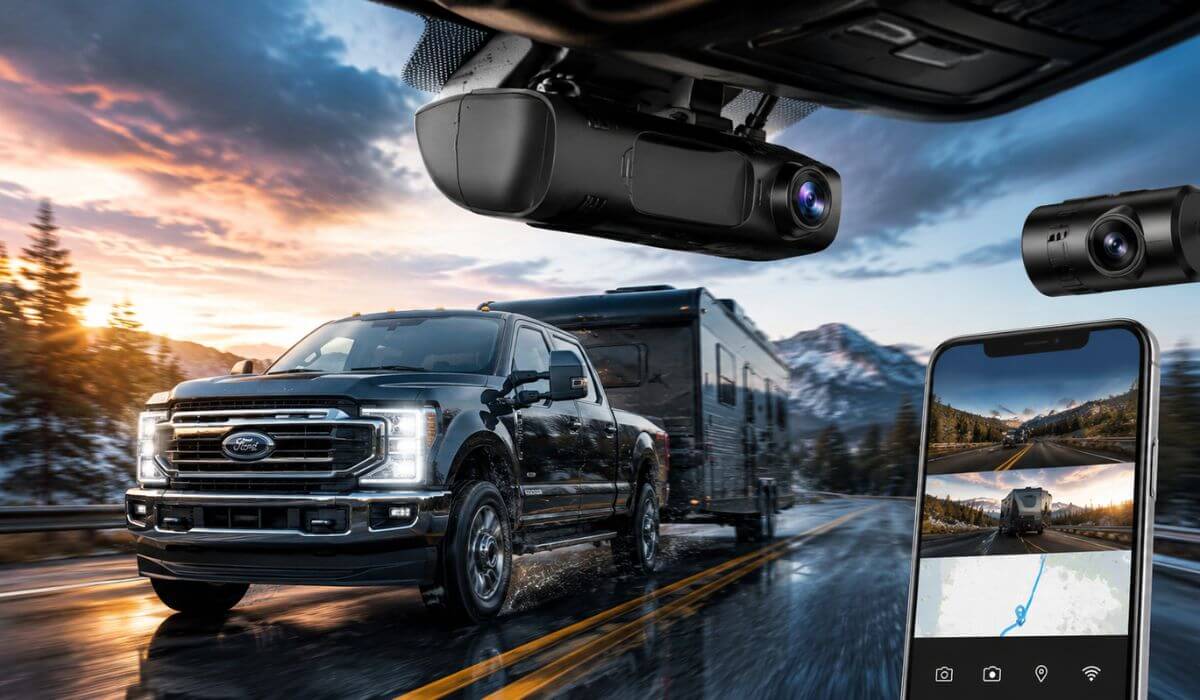
6 Best Dash Cams for Ford F350 in 2026: OEM 4K Picks With Rear Recording & Hidden Factory Fit
If you drive a Ford F350, you already know this truck lives a harder life than most pickups on the road. Between long towing runs, jobsite parking, highway miles, oversized trailers, and overnight equipment storage, a cheap universal dash cam usually becomes the weak link fast. That’s exactly why OEM-style dash cams have exploded in popularity with 2020-2026 Super Duty owners lately. They look factory-installed, hide cleanly behind the mirror, and don’t leave ugly wires hanging across a truck that probably cost more than some people’s houses.
The tricky part is that most F350 owners buy the wrong setup the first time. Some cameras block the rain sensor housing, some struggle with the huge windshield angle on Super Duty trucks, and others overheat after a few weeks parked in direct sun. We went through the newer 4K options specifically built for Ford F250/F350/F450 Super Duty models, focusing on the stuff actual truck owners care about: clean OEM fitment, stable parking mode recording, sharp night footage during towing runs, fast WiFi transfer speeds, GPS accuracy, and whether the rear camera is actually usable on a full-size truck.
One thing many buyers miss is compatibility across trims and model years. Most of the cameras below are designed around the 2020-2026 Ford F350 Super Duty platform, including XLT, Lariat, King Ranch, Platinum, Tremor, and Limited trims. Several also fit older-style 2018+ F150 mirror housings, which matters because Ford changed interior layouts across generations. That OEM-style integration is the difference between a setup that feels factory and one that looks like a temporary Uber dash cam zip-tied to the windshield.
Best Ford F350 Dash Cams: Top 2026 Picks With GPS, WiFi & Parking Protection
#1. Mangoal Front 4K & Rear 1080P Dash Cam
Best 4K dash cam for Ford F350 owners wanting full front and rear coverage with factory-style installation, GPS tracking, and reliable parking surveillance for heavy-duty towing setups
#2. KBSYNT Front 4K & Rear 1080P Dash Cam
OEM-style front and rear dash cam for Ford Super Duty trucks with sharp UHD recording, clean hidden fitment, and dependable night vision for daily work or long-haul driving
#3. kutaitai Front 4K + Rear 1080P Dash Cam
Best front and rear dash cam for Ford F350 towing trucks with loop recording, G-sensor protection, and discreet factory-look mounting for 2020-2026 Super Duty models
#4. GATGIT Front 4K Dash Cam
Best OEM front dash camera for Ford F350 drivers who want clean windshield integration, HDR video quality, fast 5.8G WiFi transfers, and sharp daytime highway footage
#5. FUVYMYT OEM Style Front 4K Dash Cam
Hidden 4K dash cam for Ford Super Duty owners looking for a stealth factory appearance, app-based controls, and simple everyday recording without bulky windshield clutter
Expert Tip: Most Ford F350 owners don’t actually return dash cams because of video quality. They return them because the setup starts annoying them after two weeks. Loose wires near the mirror, random app disconnects, glare off the massive Super Duty windshield, weak rear camera clarity while towing, or a bulky camera hanging low enough to become distracting on long drives. That’s why the “factory-look” part matters way more on an F350 than it does on a normal SUV. Once you drive with a properly hidden OEM-style setup, you genuinely stop noticing it’s there — until you actually need the footage.
How We Chose These Dash Cams for Ford F350 Owners
We didn’t build this list around marketing claims or random spec-sheet numbers. A lot of newer dash cams now advertise “4K” recording, but on heavy-duty trucks like the Ford F350 Super Duty, the real difference comes from how the camera handles heat, windshield angle, vibration, and daily truck use over time.
The first thing we focused on was OEM-style fitment. On a Super Duty truck, a badly mounted dash cam becomes obvious immediately because of the large upright windshield and mirror housing design. The models we picked are designed to sit tight against the factory trim instead of dangling like an aftermarket gadget. That cleaner placement also helps reduce windshield reflections during bright daytime towing runs.
We also paid close attention to rear camera usability, because this is where many cheaper systems fall apart. A rear camera on a compact sedan is easy. On an F350 pulling trailers, equipment, or long cargo setups, it becomes a completely different situation. We prioritized systems with stable 1080P rear recording that still stays usable during rain, night driving, and highway vibration instead of turning into blurry unusable footage.
Another big factor was WiFi and app stability. Most truck owners do not want to remove an SD card every time they need footage. The better systems here connect faster, transfer clips more reliably, and avoid the constant reconnect issues cheaper no-name cameras struggle with after a few months.
We also avoided overloaded “feature-packed” cameras that sound impressive online but create problems in real life. Some budget models push aggressive parking mode settings that slowly drain batteries during long parking periods. Others overheat badly inside Super Duty cabins during summer because the windshield area gets extremely hot. The cameras we selected are the ones that made the most sense for actual truck ownership — daily commuting, towing, overnight parking, highway driving, and jobsite use.
And honestly, because many of these are still relatively newer products with fewer long-term reviews, we looked harder at the details most buyers skip: housing design, included storage size, trim compatibility, GPS reliability, wiring simplicity, app behavior, and whether the company actually built the camera around the Ford platform instead of just rebranding a generic universal unit.
That’s also why you’ll notice we leaned heavily toward hidden OEM-style 4K dash cams for Ford F350 trucks instead of random suction-mounted cameras. On a truck this expensive, most owners simply want something that feels integrated, records reliably, and disappears into the interior without creating another thing to mess with every morning.
#1. Mangoal Front 4K & Rear 1080P Dash Cam
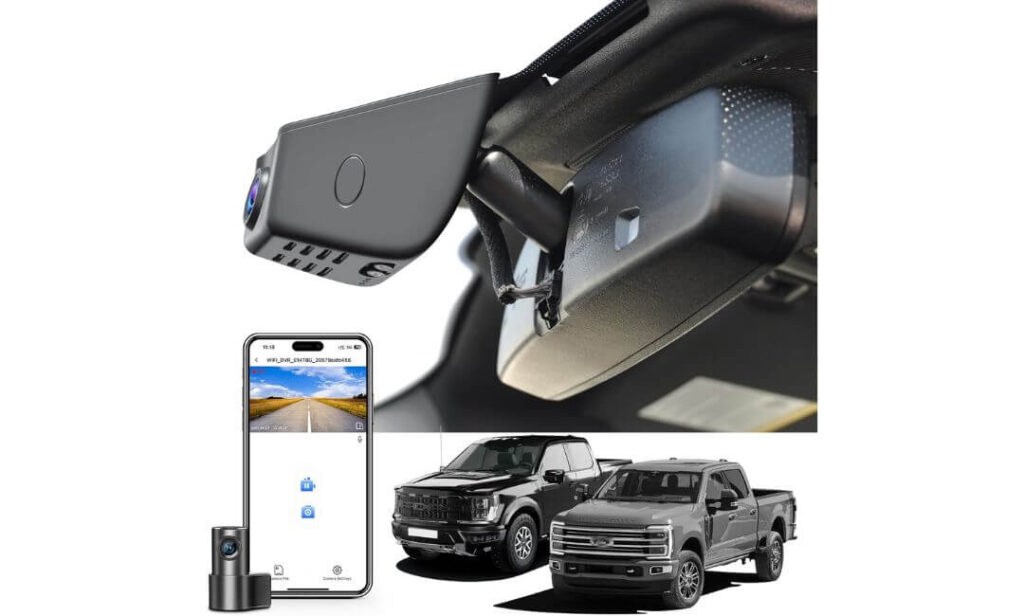
Quick Specs:
- OEM-style hidden fit behind the Ford F350 rearview mirror
- Front 4K UHD + Rear 1080P recording
- Built-in GPS tracking for route and speed logging
- 5GHz WiFi with app-based video access
- Includes pre-installed 128GB microSD card
- 150° front and 140° rear viewing angles
- Supercapacitor design for better heat durability
- Loop recording, parking monitor, G-sensor, night vision
- Supports up to 512GB storage expansion
- Works with Ford F250/F350/F450 Super Duty trims including XLT, Lariat, King Ranch, Platinum, Tremor, and Limited
The biggest reason this setup stands out on a Ford F350 is simple: it actually looks like it belongs there. On a Super Duty truck, cheap universal dash cams instantly look out of place because the windshield area is massive and very exposed. This one sits tight behind the mirror housing and blends into the interior almost like a factory-installed system. Once installed, most drivers stop noticing it completely — which is exactly what you want inside a heavy-duty truck you drive every day.
The recording quality also feels properly tuned for real truck use instead of just spec-sheet marketing. The front 4K footage stays sharp enough to pull plate details during highway driving, while the rear 1080P camera helps a lot during towing setups, overnight parking, or busy worksite situations. The wide viewing angle works especially well on F350 windshields because these trucks naturally sit taller and create larger blind zones than normal pickups. The GPS logging and fast 5GHz WiFi transfer speeds also make a noticeable difference when you actually need footage quickly instead of sitting in a parking lot waiting for clips to load.
Another thing worth mentioning is the overall installation experience. A lot of newer truck owners don’t want wires hanging across the dashboard or complicated rewiring jobs inside an expensive cabin. This setup pulls power through the factory-style mirror connection if your truck has an auto-dimming mirror or rainfall sensor setup, which keeps everything much cleaner than traditional universal dash cams. Even the included accessories feel thought-out instead of thrown into the box randomly.
(Honestly, this is one of the few newer OEM-style dash cams that actually feels designed around full-size Ford trucks instead of being a generic camera rebranded for twenty different vehicles.)
Why This Setup Stood Out to Us
- The OEM-style mirror integration genuinely looks factory inside an F350 cabin
- Front and rear recording feels more useful on towing trucks than front-only systems
- Included 128GB card saves buyers from extra setup costs immediately
- GPS + fast WiFi app combo makes footage access much easier during real situations
- Supercapacitor design handles heat better than many cheaper battery-based dash cams
A Small Thing Buyers Should Know
- Parking monitor features work best when paired with the optional OBD or fuse-box power setup for continuous protection
Ford Super Duty Compatibility Notes
This setup is specifically designed around the Ford Super Duty interior layout, so it fits much cleaner than universal windshield-mounted cameras. It works with F250, F350, and F450 models across trims like XLT, Lariat, King Ranch, Platinum, Tremor, and Limited.
It’s especially appealing for owners who care about keeping the cabin looking stock. The hidden placement behind the mirror helps preserve visibility while also reducing the clutter most aftermarket dash cams create inside larger trucks.
The Insider Pro-Tip
If you regularly tow trailers or leave your truck parked overnight at jobsites, don’t focus only on “4K” marketing. On an F350, the bigger difference usually comes from stability — clean mounting, reliable power delivery, heat resistance, and footage access when you actually need it. That’s where OEM-style systems like this start making more sense than cheaper universal cameras.
One more thing experienced truck owners quietly pay attention to: whether a dash cam becomes annoying after a month. Loose mounts, dangling wires, app crashes, and random shutdowns are what push people to replace cheaper setups. This one feels closer to an integrated truck accessory than a temporary gadget stuck on the windshield, and that changes the ownership experience more than most buyers expect.
#2. KBSYNT Front 4K & Rear 1080P Dash Cam
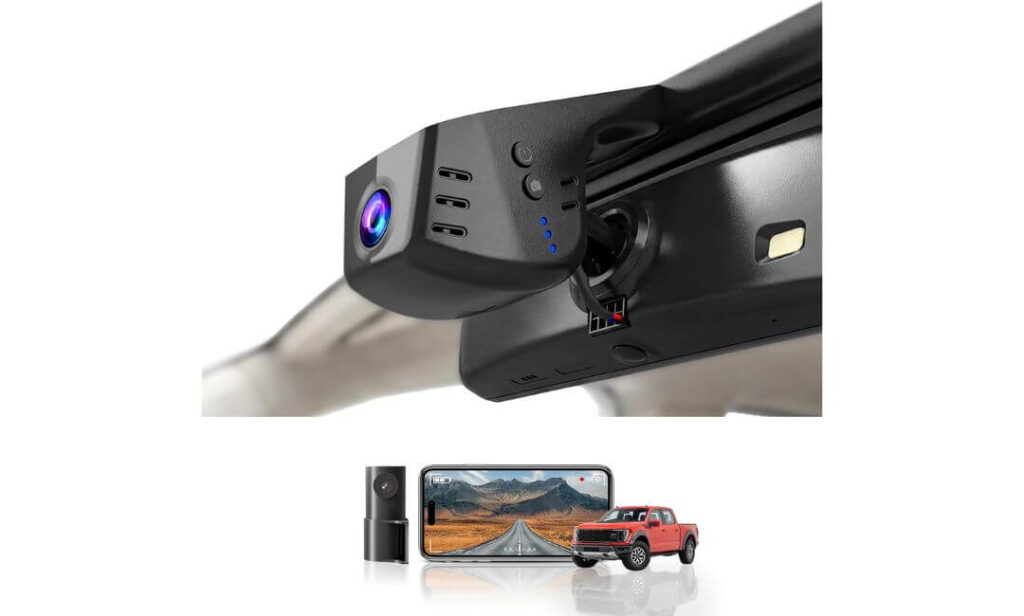
Quick Specs:
- OEM-style hidden installation for Ford F350 Super Duty interiors
- Front 4K UHD 2160P + Rear 1080P dual recording
- Wide 170° front viewing angle for oversized truck windshields
- HDR night vision with f/1.6 aperture lens
- Built-in WiFi with app-based video preview and downloads
- Includes 128GB TF card and card reader in the box
- G-sensor emergency footage protection
- Loop recording with support up to 256GB storage
- Optional 24-hour parking monitoring harness support
- Compatible with F250/F350/F450 trims including XLT, Lariat, King Ranch, Platinum, Tremor, and Limited
Something you notice almost immediately with this setup is how much cleaner it looks compared to typical aftermarket dash cams. On a Ford F350, universal cameras tend to feel oversized because the windshield area is so open and upright. This one blends into the mirror housing much more naturally, so instead of looking like another gadget stuck to the glass, it feels closer to a factory-installed driver-assist system.
The actual recording quality also feels properly tuned for truck use instead of just chasing flashy numbers on the box. The front 4K footage stays detailed enough to capture road signs, lane movement, and plate visibility during highway towing runs, while the HDR night recording helps reduce the harsh glare heavy-duty trucks usually deal with from lifted traffic and bright LED headlights at night. The extra-wide 170-degree field of view works surprisingly well on Super Duty trucks because it captures more edge visibility without making footage look heavily distorted.
One area where this setup quietly earns trust is daily usability. The included 128GB card means most owners can install it and start driving immediately instead of shopping for extra accessories later. The WiFi app connection also makes transferring clips far easier during real situations — especially if you ever need quick footage after a parking lot incident or roadside situation. Even small touches like the included card reader and trim tools make the package feel more complete than many newer OEM-style dash cams entering the market right now.
(It honestly feels like this camera was designed by someone who actually spends time inside full-size trucks, because the overall setup focuses more on clean ownership experience than just flashy advertising features.)
What Made This One Easy to Recommend
- The hidden OEM-style placement looks extremely clean inside a Ford F350 cabin
- Wide 170° coverage helps larger Super Duty windshields better than narrower cameras
- HDR night vision performs more naturally during dark highway driving
- Included 128GB card and accessories reduce extra setup headaches
- Dual front and rear recording adds peace of mind for towing and overnight parking situations
One Helpful Thing to Keep in Mind
- For 24-hour parking surveillance, the optional hardwire harness helps unlock the full parking-monitor experience more reliably
Ford Super Duty Installation Reality
This camera is specifically shaped around the Ford Super Duty mirror area, which makes the final setup look much cleaner than traditional windshield-mounted systems. It works especially well for owners who care about preserving the factory feel of higher trims like Lariat, King Ranch, Platinum, and Tremor models.
Before ordering, it’s worth quickly checking that your rearview mirror housing has the factory plug connection behind it, since that’s what allows the cleaner OEM-style installation this system is built around.
The Insider Pro-Tip
One thing experienced F350 owners learn quickly is that “easy to live with” matters more than giant feature lists. A dash cam can have impressive specs, but if the app constantly disconnects, the mount rattles on rough roads, or the wiring ruins the cabin look, people stop using it mentally after a few weeks. This setup avoids a lot of that frustration by keeping the entire experience simple and integrated.
Also, on larger trucks like the F350, wider viewing angles genuinely matter more than many buyers realize. Because the truck sits taller and farther from surrounding traffic, narrower cameras can miss important edge movement during lane changes, parking situations, or trailer turns. That extra visibility becomes surprisingly valuable once you actually review footage after real driving situations.
#3. kutaitai Front 4K + Rear 1080P Dash Cam
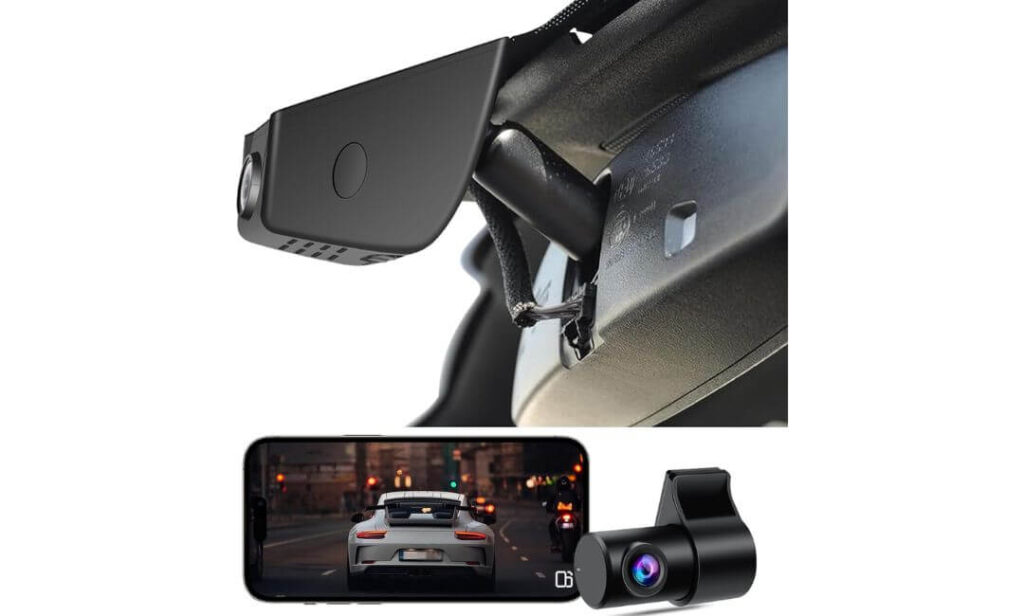
Quick Specs:
- OEM-style hidden installation for Ford F350 Super Duty cabins
- Front 4K UHD + Rear 1080P dual-channel recording
- 170° front and 140° rear wide-angle coverage
- Built-in WiFi with dedicated iOS and Android app support
- Includes pre-installed 128GB memory card
- f/1.8 aperture lens with Novatek chip for improved night clarity
- Loop recording with automatic overwrite protection
- G-sensor emergency footage locking during impacts
- 24-hour parking monitoring with optional ACC power setup
- Compatible with Ford F250/F350 trims including XL, XLT, Lariat, Platinum, Tremor, King Ranch, Limited, and Raptor
Oddly enough, this is the kind of dash cam setup many F350 owners end up appreciating more after a few weeks than they do on day one. At first glance, it looks simple — clean OEM fit, dual cameras, app support — but once it’s installed inside a Super Duty cabin, the overall experience feels surprisingly sorted out. No dangling power cable cutting across the windshield, no oversized camera body hanging below the mirror, and no “cheap aftermarket” look ruining the interior of a truck that already feels premium from the factory.
Where this setup quietly earns points is visibility during real truck driving situations. The combination of front 4K recording, the brighter f/1.8 lens, and the wider 170-degree viewing angle works genuinely well on large Ford truck windshields. On lifted traffic, crowded highways, or nighttime towing runs, the footage stays cleaner than many buyers expect from newer OEM-style systems in this price range. The rear 1080P camera also helps more than people think once trailers, toolboxes, or equipment start limiting natural rear visibility during everyday driving.
The other thing that stands out here is how easy the whole setup feels once connected. The included 128GB card means there’s no extra shopping before installation, and the built-in WiFi app makes downloading clips far less annoying than older dash cam systems most truck owners are used to dealing with. Even the parking-monitoring setup feels more thought-out because the camera can automatically react to impacts or motion while parked — something that matters more on work trucks and overnight parking situations than people usually realize at first.
(This feels less like a “tech gadget” and more like a practical upgrade for people who actually use their F350 daily instead of just wanting another screen mounted on the windshield.)
What Helped This One Stand Out
- The hidden OEM-style placement keeps the Super Duty cabin looking factory-clean
- Wider 170° viewing angle works especially well on larger Ford truck windshields
- Front and rear recording adds extra confidence during towing and parking situations
- Included 128GB card makes the setup feel complete right out of the box
- Night recording stays surprisingly balanced without excessive glare or oversharpening
One Useful Thing Worth Knowing
- The 24-hour parking monitoring features work best when connected to the proper ACC power cable setup for continuous surveillance
Ford Super Duty Cabin Compatibility
This setup was clearly shaped around the Ford truck interior instead of being adapted from a generic universal dash cam mold. It fits naturally behind the mirror housing and blends especially well inside trims like Lariat, Platinum, Tremor, and King Ranch where owners usually care more about keeping the interior looking stock.
It also works nicely for drivers who spend long hours inside the truck because the hidden mounting position keeps the windshield area cleaner and less distracting during highway driving or towing.
The Insider Pro-Tip
A lot of truck owners focus heavily on resolution numbers, but on an F350, mounting position and stability matter just as much. A perfectly placed OEM-style camera with reliable wide-angle coverage often ends up giving more useful footage than a higher-spec camera mounted awkwardly on the windshield. That’s something many people only realize after living with both setups.
Another thing experienced Super Duty owners quietly value is simplicity. If a dash cam becomes annoying to manage — constant SD card issues, messy wiring, unreliable apps — people slowly stop trusting it. This setup avoids a lot of that friction by keeping the installation cleaner, the controls simpler, and the day-to-day experience closer to what modern truck owners actually want.
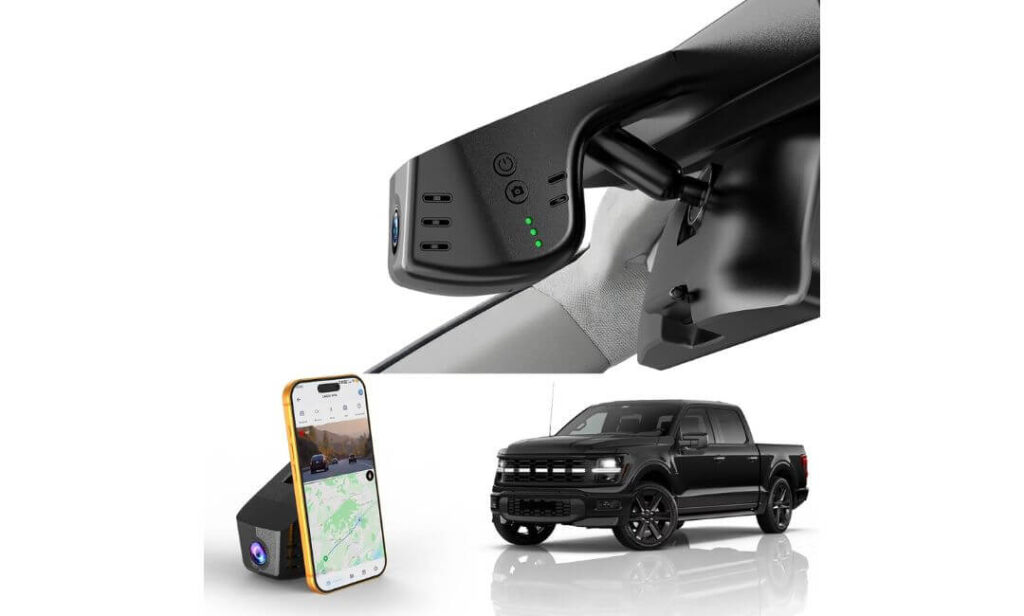
#4. GATGIT Front 4K Dash Cam
Quick Specs:
- OEM-style hidden dash cam built specifically for Ford F350 Super Duty interiors
- True 4K UHD 2160P recording with HDR support
- Built-in GPS for route, speed, and trip tracking
- Ultra-fast 5.8GHz WiFi with smartphone app control
- f/1.6 aperture lens with high-sensitivity CMOS sensor
- 155° wide-angle front coverage for large truck windshields
- Supercapacitor design for improved heat durability
- G-sensor collision detection with locked emergency footage
- 24/7 parking monitoring support with optional hardwire kit
- Includes 64GB card, card reader, installation tools, and Y-cable converter
Here’s the interesting part about this setup: even though it’s technically a front-only system, it feels far more premium in daily use than many cheaper dual-camera kits flooding the market right now. The moment it’s installed inside an F350, the clean OEM-style placement changes the entire feel of the cabin. No suction cups, no dangling cable, no bulky camera hanging under the mirror — it genuinely blends into the truck in a way most aftermarket systems still struggle to achieve.
The real strength here is image processing. The HDR tuning combined with the brighter f/1.6 lens does an excellent job balancing difficult lighting situations that heavy-duty trucks constantly deal with — bright highway glare, dark backroads, early morning towing runs, or headlights blasting directly into the windshield at night. The footage stays sharp without looking artificially overprocessed, and the 155-degree coverage captures enough surrounding movement without turning the image into a stretched fisheye mess.
Another thing that quietly makes this setup feel more refined is the overall connectivity experience. The built-in 5.8GHz WiFi transfers footage noticeably faster than many standard WiFi dash cams, which becomes very convenient when you actually need to pull clips quickly after an incident. The GPS integration is also genuinely useful because it tracks route data, speed, and location details directly alongside footage — something many F350 owners appreciate for work driving, towing situations, or insurance documentation.
(This feels less like a “budget truck accessory” and more like the type of integrated camera system Ford could realistically offer as an OEM add-on package.)
Why This Setup Earned a Spot Here
- The OEM-style installation keeps the Super Duty interior looking factory-clean
- HDR recording handles difficult night and glare conditions extremely well
- 5.8GHz WiFi transfers clips much faster than many standard dash cams
- GPS tracking adds useful driving and route documentation features
- Supercapacitor design makes more sense for large trucks exposed to heat daily
One Smart Thing to Know Before Installing
- If you want full-time parked surveillance coverage, the optional hardwire kit unlocks the complete 24/7 parking-monitor feature set
Ford Super Duty Fitment Reality
This setup was clearly designed around Ford truck interiors instead of being adapted from a universal housing. The fit behind the mirror area looks especially clean on trims like Platinum, King Ranch, Tremor, and Lariat where owners usually notice interior clutter immediately.
It’s also a strong option for drivers who mainly want the cleanest possible factory-style appearance without adding rear-camera wiring through the entire cabin.
The Insider Pro-Tip
A lot of truck owners automatically assume dual-camera setups are always the better choice. But honestly, if your biggest priorities are cleaner installation, faster app performance, sharper front footage, and long-term reliability, a properly designed front-only OEM system can sometimes feel more refined during everyday ownership — especially on trucks driven long distances regularly.
Another thing experienced F350 owners eventually realize is that heat resistance matters more than most online reviews talk about. Large Super Duty windshields trap serious heat during summer parking, and battery-based dash cams often start failing quietly over time. That’s why supercapacitor-based systems like this usually age much better inside heavy-duty trucks that spend long hours outdoors.
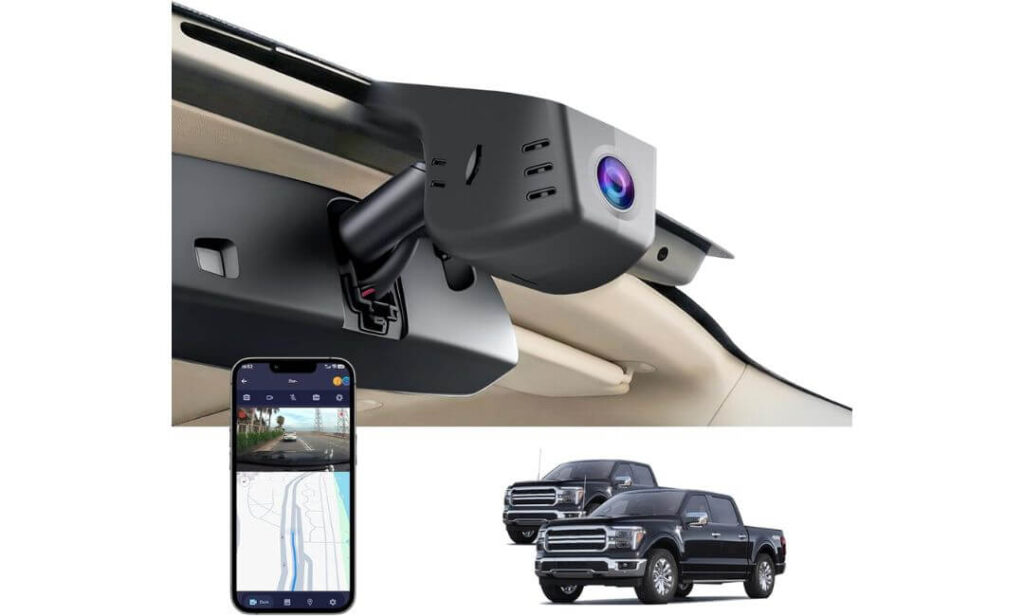
#5. FUVYMYT OEM Style Front 4K Dash Cam
Quick Specs:
- Hidden OEM-style replacement housing for Ford F350 mirror area
- Front 4K UHD 2160P recording at 30fps
- f/1.6 aperture lens with enhanced night visibility tuning
- Built-in WiFi with smartphone app control
- Plug-and-play installation with no rewiring needed
- Loop recording with automatic overwrite function
- G-sensor emergency collision video locking
- Optional 24-hour parking monitor support
- Includes 64GB card, card reader, Y-cable, and installation tools
- Compatible with Ford F250/F350/F450 trims including XLT, Lariat, Platinum, Tremor, King Ranch, Limited, and Raptor
Strangely, this is probably one of the cleanest-looking setups in the entire lineup once installed inside a Ford F350. Instead of simply attaching under the mirror like many OEM-style cameras claim to do, this one replaces the housing area more naturally, which helps it disappear into the cabin almost completely. On higher-trim Super Duty trucks especially, that hidden appearance makes the interior feel untouched — like the camera was always meant to be there.
The recording quality also feels more polished than many buyers expect from a smaller-looking unit. The 4K 2160P footage stays detailed during daytime driving, while the f/1.6 lens and low-light tuning help preserve clarity on darker roads where large trucks usually struggle with windshield reflections and uneven lighting. It’s not trying to oversaturate or artificially sharpen footage either, which honestly makes the clips look more usable and realistic during actual playback.
Another reason this setup quietly works well for F350 owners is simplicity. The installation process stays straightforward, the WiFi app handles previews and downloads cleanly, and the included 64GB card means most buyers can start recording immediately without chasing extra accessories. Even small details like the included card reader and trim tools help the package feel more complete than many newer hidden dash cams currently appearing online.
(This feels like the kind of dash cam people buy specifically because they want protection without turning the inside of their truck into a rolling electronics store.)
Why This One Feels Different in Daily Use
- The hidden replacement-style design blends extremely naturally into the Super Duty cabin
- 4K footage stays balanced and clean without exaggerated image processing
- Plug-and-play setup keeps installation simple for non-technical owners
- WiFi app access makes clip management much easier during real situations
- Compact design keeps the windshield area cleaner during long drives and towing trips
One Helpful Detail Worth Knowing
- The optional parking-monitor harness is recommended if you want continuous surveillance while the truck is parked for extended periods
Ford Super Duty Interior Compatibility
This setup works especially well on F350 interiors because the camera placement stays tucked tightly behind the mirror housing instead of hanging lower on the windshield. That makes a bigger difference on Super Duty trucks than many buyers expect because the windshield sits taller and more exposed than most vehicles.
It’s also a strong fit for owners who care heavily about preserving the original interior appearance of trims like Platinum, King Ranch, and Lariat without adding visible aftermarket hardware.
The Insider Pro-Tip
A hidden OEM-style camera like this usually makes the most sense for drivers who spend a lot of hours inside their truck. The less visual clutter around the windshield, the less distracting the cabin feels during long highway drives, towing runs, or early morning work commutes. It sounds minor at first — until you compare it directly against larger hanging dash cams every single day.
Also, one thing many experienced truck owners quietly prefer is equipment that doesn’t constantly demand attention. No oversized screen glowing at night, no dangling cable moving around, no suction mount slowly loosening during heat cycles. This setup keeps the experience simple, clean, and low-maintenance — which honestly fits the personality of most Super Duty owners far better than flashy gadget-style dash cams.
Best Ford F350 Dash Cam Comparison for OEM 4K Recording & Hidden Factory Fit
| Dash Cam | Video Setup | Why Truck Owners Like It | Installation Style | Best Use Case | Included In Box |
|---|---|---|---|---|---|
|
Most Complete Setup
Mangoal Front 4K & Rear 1080P
Factory-style fit with GPS, rear coverage, parking support, and strong everyday usability for Super Duty owners.
|
Front: 4K UHD Rear: 1080P View: 150° + 140° WiFi: 5GHz |
Feels the closest to a true OEM system once installed. Clean cabin appearance, sharp highway footage, and one of the better all-around setups for towing trucks. | Hidden OEM-style mounting behind rearview mirror with direct factory-style power integration. | Best for owners wanting front + rear protection without sacrificing the factory interior look. | 128GB card, GPS module, rear camera, trim tools, wiring kit, screwdrivers. |
|
Factory-Look Favorite
KBSYNT Front 4K & Rear 1080P
Balanced OEM-style setup with HDR night visibility and wide-angle recording for daily truck driving.
|
Front: 2160P UHD Rear: 1080P View: 170° HDR: Yes |
The wide viewing angle works especially well on larger F350 windshields. Cabin stays clean without bulky hardware hanging below the mirror. | Plug-and-play OEM positioning with hidden wiring and factory-style appearance. | Great for long-distance driving, work-truck use, and owners wanting balanced night visibility. | 128GB card, card reader, trim tools, Y-cable, rear camera. |
|
Best For Towing Runs
kutaitai Front 4K + Rear 1080P
Wide-angle dual recording setup designed for bigger truck cabins and everyday towing visibility.
|
Front: 4K UHD Rear: 1080P View: 170° + 140° Lens: f/1.8 |
Feels surprisingly practical during real truck use. Wide coverage helps a lot during trailer turns, parking, and highway lane movement. | OEM-style hidden placement with clean windshield appearance and no exposed wiring clutter. | Best for drivers who tow frequently or spend long hours on highways. | 128GB card, WiFi app support, rear camera, parking-monitor support. |
|
Fastest App Experience
GATGIT Front 4K Dash Cam
Front-only premium OEM setup with HDR tuning, GPS support, and ultra-fast 5.8GHz transfers.
|
Front: 2160P UHD HDR: Yes GPS: Built-in WiFi: 5.8GHz |
Feels refined and polished during daily use. Excellent glare control and noticeably faster footage transfers compared to typical dash cams. | Direct plug-in factory connector setup with no suction mounts or dangling cables. | Perfect for owners prioritizing cleaner installation and sharper front-only footage. | 64GB card, card reader, installation tools, Y-cable converter. |
|
Most Hidden Design
FUVYMYT OEM Style Front 4K
Minimalist hidden-camera setup for owners wanting protection without visible windshield clutter.
|
Front: 4K UHD Lens: f/1.6 View: 145° Storage: Up to 256GB |
One of the cleanest-looking installations in the group. Blends naturally into the mirror housing without attracting attention inside the cabin. | Replacement-style hidden mounting integrated directly behind the mirror area. | Best for drivers who want a stealthy factory-style appearance above everything else. | 64GB card, card reader, trim tool, Y-cable, installation accessories. |
Why More Ford F350 Owners Are Installing OEM-Style Dash Cams
A Ford F350 is not the kind of truck people use casually for quick grocery runs once a week. These trucks spend time towing trailers, hauling equipment, sitting at jobsites, crossing highways at night, backing into tight spaces, and covering serious mileage every month. That also means they’re exposed to situations where even a small incident can quickly become complicated, especially when insurance claims, parking damage, or liability questions enter the picture.
That’s one of the biggest reasons dash cams have become almost standard equipment for many Super Duty owners now. In real-world situations, footage matters more than memory. A clear recording showing lane position, trailer movement, road conditions, or what actually happened during a collision can save owners from long insurance disputes, false claims, or expensive repair arguments that drag on for weeks.
For business owners and fleet-operated trucks, it becomes even more important. One locked video clip during a highway incident can sometimes protect thousands of dollars in downtime, repair costs, or legal headaches. And honestly, most truck owners would rather have footage sitting unused forever than suddenly realize they needed it after something already happened.
Night Driving and Towing Visibility Matter More on Heavy-Duty Trucks
One thing people underestimate until they drive an F350 regularly is how different nighttime visibility feels compared to smaller vehicles. The truck sits higher, the windshield is larger, trailers block rear visibility, and highway glare hits differently during long-distance driving. Cheap cameras usually struggle badly here, especially once headlights, rain reflections, or dark backroads enter the picture.
That’s why features like HDR recording, brighter f/1.6 or f/1.8 lenses, and larger viewing angles actually matter in real truck use instead of just sounding impressive on a product page. A good 4K dash cam should still preserve usable details during low-light towing runs, crowded highways, gas station parking lots, or early morning work commutes when visibility conditions constantly change.
Rear recording also becomes far more valuable on trucks than many first-time buyers expect. On a full-size Super Duty, trailers, cargo setups, and oversized blind zones create situations where rear footage can become just as important as front coverage — especially during parking incidents or tight maneuvering situations.
Parking Surveillance Quietly Becomes One of the Most Useful Features
A surprising number of truck owners start caring about parking mode only after something happens while the vehicle is unattended. Jobsite parking, hotel lots during road trips, overnight trailer stops, crowded store parking areas — these are all situations where large trucks attract accidental bumps, door damage, or suspicious activity more often than people realize.
That’s where parking-monitor features and G-sensor impact detection quietly become one of the most useful parts of a modern dash cam setup. Systems with proper parking surveillance can automatically save footage when motion or impacts are detected, helping preserve evidence even when the truck is turned off.
And because many F350 owners leave expensive tools, towing gear, or equipment inside the truck, having that extra layer of recorded visibility adds peace of mind beyond simple accident recording.
OEM-Style Fitment Simply Makes More Sense on a Ford F350
This is the part many buyers overlook at first — but usually appreciate the most later.
Traditional suction-mounted dash cams often feel awkward inside Super Duty cabins. The windshield is huge, the dashboard sits tall, and hanging wires become far more noticeable during everyday driving. On higher trims like King Ranch, Platinum, or Limited, cheap-looking aftermarket accessories can immediately make the interior feel cluttered.
That’s exactly why OEM-style dash cams have become so popular recently with Ford truck owners. A properly integrated setup mounted behind the rearview mirror keeps the windshield cleaner, preserves visibility, reduces distractions, and makes the entire installation feel closer to factory equipment rather than an add-on gadget.
Most importantly, cleaner OEM-style systems are simply easier to live with long-term. No dangling cables, no suction cups slowly falling during summer heat, no oversized screen glowing at night, and no complicated rewiring across the cabin. On trucks driven daily for work, towing, or long-distance travel, that cleaner ownership experience matters far more than most buyers initially expect.
Quick Guide to the Features That Actually Matter on a Ford F350
Shopping for a dash cam for a Ford F350 gets confusing fast because almost every product page starts throwing around the same words — “4K,” “night vision,” “parking monitor,” “HDR,” “WiFi app,” and “wide-angle coverage.” The problem is that most of those features sound great online but perform very differently once they’re mounted inside a full-size Super Duty truck.
That’s why it helps to understand which features genuinely improve the ownership experience on an F350 and which ones are mostly marketing filler. A heavy-duty truck creates different visibility angles, cabin heat levels, towing situations, and parking risks than smaller vehicles, so the right setup usually comes down to how well the camera handles real truck life instead of just how impressive the spec sheet looks.
Front and Rear Dash Cam Setups Make More Sense on Super Duty Trucks
On smaller cars, a front-only camera is often enough for everyday driving. On a Ford F350, things change quickly because of trailer setups, oversized blind spots, lifted ride height, and the simple fact that these trucks take up more physical space on the road.
That’s why front-and-rear recording setups have become so popular among Super Duty owners recently. A rear camera becomes genuinely useful during towing trips, crowded parking situations, overnight trailer stops, or even basic lane-change visibility when cargo blocks natural sightlines.
For many truck owners, the rear footage ends up becoming just as valuable as the front recording — especially when dealing with parking lot incidents, trailer movement disputes, or unexpected rear-end situations.
4K Recording Matters — But Not for the Reason Most People Think
A lot of buyers assume 4K is only about making footage look sharper on a screen. In reality, the biggest advantage is detail retention during real driving situations.
On a Ford F350, the seating position sits higher, traffic moves differently around the truck, and distances between vehicles can appear farther away on camera. Lower-resolution dash cams often struggle to preserve plate numbers, street signs, or smaller details once the truck is moving at highway speed.
A properly tuned 4K setup gives the camera more usable visual information to work with, which becomes extremely important during insurance claims or accident evidence situations. But honestly, image processing matters just as much as raw resolution. A balanced HDR-equipped 4K camera with a quality lens usually performs far better than a cheap “4K” model pushing artificial sharpness.
Night Vision Performance Is More Important Than Most Buyers Realize
Heavy-duty trucks create difficult lighting conditions for cameras. Bright LED headlights from surrounding traffic, large windshield reflections, dark towing roads, early morning work commutes, rain glare, and uneven highway lighting all put stress on lower-quality sensors.
That’s where features like HDR processing, wider apertures like f/1.6 or f/1.8, and quality CMOS sensors become genuinely valuable instead of just sounding technical.
A strong night-driving dash cam should preserve road detail naturally without turning footage into a blurry, overexposed mess. The better systems also handle contrast more smoothly when entering tunnels, dark backroads, parking garages, or areas with inconsistent lighting.
For F350 owners who regularly drive long distances or tow at night, this becomes one of the most important features in the entire setup.
Parking Surveillance Adds Protection When the Truck Is Unattended
Many truck owners initially buy dash cams for accident recording, then later realize parking surveillance becomes the feature they appreciate most.
Large trucks attract attention in parking lots, jobsites, hotels, fuel stations, and crowded public areas. Small impacts, suspicious movement, hit-and-run damage, or overnight incidents happen more often than most people expect — especially on trucks carrying expensive tools, trailers, or equipment.
That’s why parking-monitor systems paired with G-sensor impact detection have become such an important feature on newer OEM-style dash cams. When properly connected through an ACC or hardwire setup, the camera can automatically save footage if motion or impacts are detected while the truck is parked.
And honestly, many owners sleep a little easier knowing the truck still has some level of visibility even after the engine is off.
Loop Recording Is Quietly One of the Most Important Features
Loop recording sounds simple, but it’s one of the core features that determines whether a dash cam stays useful long-term.
Without it, memory cards eventually fill up and stop recording altogether. A proper loop-recording system continuously overwrites the oldest footage while automatically protecting important clips triggered by collisions or sudden impacts.
That matters even more on trucks used for work, towing, or long-distance driving because footage accumulates quickly during daily use. Systems with reliable loop recording help ensure the camera keeps functioning consistently without requiring constant maintenance from the owner.
The best setups also manage heat and storage more efficiently, which helps prevent corrupted footage during long driving days or extreme summer temperatures.
Installation Quality Changes the Entire Ownership Experience
This is something many first-time buyers underestimate until after they’ve lived with a dash cam for a few weeks.
On a Ford F350, poor installation becomes very noticeable. Loose wires, suction mounts, oversized screens, and hanging accessories feel especially awkward inside large Super Duty cabins because the windshield and dashboard area are so open and visible.
That’s exactly why OEM-style hidden dash cams have become the preferred choice for many F350 owners. A properly integrated setup mounted behind the mirror housing keeps the cabin cleaner, preserves visibility, reduces distractions, and makes the truck feel less cluttered during long drives.
The easier the system feels to live with daily, the more likely owners are to trust it long-term — and honestly, that matters more than flashy marketing features most buyers forget about after the first week.
Installation and Wiring Tips That Make a Dash Cam Feel Factory-Installed in a Ford F350
A lot of Ford F350 owners spend weeks researching video quality, parking mode, and app features — then completely underestimate how important the installation process becomes once the camera is actually inside the truck.
The reality is simple: even a great dash cam can feel cheap if the wiring looks messy, the camera blocks visibility, or the setup starts rattling after a few weeks on rough roads. On a Super Duty truck especially, poor installation stands out immediately because the windshield area is large, upright, and impossible to hide clutter on.
That’s exactly why OEM-style installation matters so much more on an F350 compared to smaller vehicles. A properly mounted system should disappear into the cabin, preserve visibility, avoid dangling cables, and feel like part of the truck instead of an aftermarket gadget stuck to the windshield.
OEM-Style Housings Usually Create the Cleanest Final Setup
This is one of the biggest reasons Ford-specific dash cams have become so popular recently.
Traditional universal dash cams rely on suction cups or adhesive mounts hanging below the mirror, which often looks awkward inside larger trucks. OEM-style systems, on the other hand, are designed around the actual mirror housing and windshield shape of the Ford F350 platform. Once installed, they sit tighter against the trim and blend naturally into the cabin design.
That cleaner placement does more than improve appearance. It also reduces windshield distractions during towing, helps maintain better forward visibility, and minimizes the chance of mounts loosening over time from vibration or summer heat exposure.
For higher trims like Platinum, King Ranch, Tremor, or Limited models, this cleaner integration honestly feels much more appropriate than large universal cameras with exposed screens and visible wiring.
Power Source Choice Changes the Entire Ownership Experience
One thing experienced truck owners quickly learn is that clean power delivery matters just as much as camera quality.
Many newer OEM-style Ford dash cams now support direct power through factory-style mirror connections, auto-dimming mirror adapters, or rain-sensor power taps. These options keep the installation far cleaner because there’s no need to run long visible USB cables across the dashboard.
For drivers wanting full parking-monitor functionality, using the auxiliary fuse box or a dedicated hardwire kit usually creates the most stable setup. It allows the camera to continue monitoring while the truck is parked without relying on loose cigarette-lighter adapters or temporary wiring solutions.
And honestly, a properly hardwired system usually feels much more “finished” long-term. The truck starts normally, the camera powers up automatically, and the entire setup behaves closer to factory equipment instead of an accessory that constantly needs attention.
Hiding Cables Properly Makes a Bigger Difference Than Most People Expect
This sounds minor at first, but cable management completely changes how premium a dash cam setup feels inside an F350.
Loose wires hanging across the windshield may seem acceptable during installation day, but after a few weeks they usually become annoying — especially during long drives, off-road vibration, summer heat cycles, or daily work use. Poorly routed cables can also interfere with visibility or create unnecessary pressure around trim pieces over time.
The cleaner approach is routing wires along the headliner, behind weather stripping, under trim panels, and carefully down the A-pillars where possible. Most OEM-style kits already help minimize visible wiring, but spending extra time hiding cables properly is what separates a clean factory-style install from something that feels temporary.
It’s also important to avoid interfering with curtain airbags located near A-pillars on many modern trucks. Safe cable routing matters just as much as clean appearance.
Rear Camera Routing Needs More Planning on Full-Size Trucks
Installing a rear camera on a Ford F350 is different from wiring one on a small sedan because of the truck’s larger cabin size, taller roofline, and potential trailer setups.
The cleanest installs usually follow existing trim channels, factory wire paths, or weather-sealed routing points already built into the truck. Some owners choose to run cables along the headliner and rear cabin trim, while others route through factory rubber grommets or existing spine channels to keep the wiring protected and nearly invisible.
The goal is simple: once the rear camera is installed, nobody inside the cabin should immediately notice how the wiring got there.
That extra installation effort pays off later because cleaner routing usually means fewer rattles, fewer connection issues, and a much more professional-looking final setup.
Parking Mode Features Often Require Additional Wiring
This is something many first-time buyers overlook until after installation.
Features like 24-hour parking surveillance, impact-triggered recording, and time-lapse monitoring usually need a constant power source through an ACC cable, fuse tap, or dedicated hardwire kit. Without that connection, many cameras will still record normally while driving but won’t provide full parked-vehicle protection once the ignition turns off.
The good news is that most of the newer OEM-style Ford dash cams now offer cleaner hardwire options than older systems did. Once properly connected, the camera can monitor impacts, movement, or suspicious activity while the truck is parked without requiring daily setup from the owner.
For trucks parked overnight at jobsites, hotels, storage lots, or trailer stops, that extra layer of security can become one of the most valuable parts of the entire system.
Local Dash Cam Laws and Audio Recording Rules Still Matter
Most states allow dashboard cameras for personal vehicle recording, but laws around windshield placement, audio recording, and consent can vary depending on location.
For example, some regions restrict how much of the windshield can be obstructed, while others have specific rules regarding audio recording inside the cabin during conversations. Commercial fleet vehicles may also fall under additional recording requirements depending on business use.
That’s why it’s smart to keep dash cams mounted discreetly behind the mirror area whenever possible and review local recording regulations if the truck is used across different states regularly.
In general, OEM-style hidden systems tend to avoid most visibility concerns simply because they stay tucked closer to the factory mirror housing instead of hanging lower across the driver’s field of view.
Maintenance Tips That Help Your Ford F350 Dash Cam Stay Reliable Long-Term
Most dash cams do not fail because the camera itself suddenly dies. They usually start having small issues first — corrupted footage, memory card errors, random shutdowns, failed recordings, loose rear-camera connections, overheating warnings, or footage gaps the owner doesn’t notice until they actually need a clip.
That’s why basic maintenance matters far more than most people realize, especially on a Ford F350. Heavy-duty trucks experience more vibration, more cabin heat, longer driving hours, rougher road conditions, towing stress, and harsher weather exposure than typical daily commuter vehicles. Even a very good OEM-style dash cam benefits from occasional checkups to make sure the system is still recording properly every single day.
The good news is that modern Ford-specific dash cams usually require very little maintenance once installed correctly. But the few small habits below can make a huge difference in long-term reliability.
Check Loop Recording and Storage Health Regularly
One of the most overlooked parts of dash cam ownership is the microSD card itself.
Dash cams continuously overwrite footage every day through loop recording, which means the memory card experiences constant read-and-write cycles. Over time, even quality cards eventually wear down — especially inside trucks exposed to heat, vibration, long highway trips, and 24-hour parking monitoring.
That’s why it’s smart to occasionally review recent footage directly through the app or memory card reader just to confirm recordings are still saving correctly. A surprising number of owners assume the camera is working perfectly for months, only to discover corrupted clips or missing footage after an incident already happened.
For F350 owners who drive daily, tow regularly, or leave parking surveillance running overnight, checking storage health every few weeks is honestly a good habit. Some newer cameras also give warning notifications when card performance starts degrading, but manually reviewing clips occasionally still adds peace of mind.
Formatting the card periodically — according to the manufacturer’s recommendation — also helps maintain stable recording performance long-term.
Firmware Updates Quietly Improve Stability More Than People Expect
A lot of truck owners ignore firmware updates because the camera already “seems fine.” But newer OEM-style dash cams rely heavily on software for WiFi stability, parking mode behavior, app performance, GPS syncing, heat management, and recording consistency.
Manufacturers often release updates that improve connection reliability, reduce freezing issues, optimize low-light recording, or fix small bugs discovered after launch. This matters even more with newer Ford-specific dash cams because many of these systems are still evolving quickly as brands refine compatibility across different Super Duty trims and mirror setups.
The important part is downloading updates directly from trusted manufacturer sources instead of random third-party files online.
And honestly, keeping firmware current usually creates a smoother ownership experience overall. Faster app loading, fewer random disconnects, cleaner GPS syncing, and improved recording stability are the kinds of small improvements people appreciate over time without always realizing firmware updates helped create them.
Inspect Wiring and Connections After Rough Driving Conditions
This is especially important for Ford F350 owners who tow often, drive rough roads, travel off-road, or spend time on jobsites.
Even properly installed dash cams experience vibration stress over time. Rear-camera wiring, mirror power adapters, hardwire kits, and trim-routed cables can slowly loosen after repeated heavy road impacts or long-distance towing trips.
That doesn’t mean OEM-style systems are unreliable — actually, most are far more secure than traditional suction-mounted setups — but occasional inspections still help prevent small issues from becoming larger problems later.
After rough driving conditions, it’s worth checking:
- Rear camera connection stability
- Mirror housing fitment
- Cable tension near trim panels
- Parking-mode activation consistency
- App connection behavior
- GPS syncing accuracy
Most issues are easy to catch early if owners simply review footage occasionally instead of assuming the system is functioning perfectly forever without attention.
Heat Management Matters More on Super Duty Trucks
Large Ford truck windshields trap significant heat during summer parking, especially on darker interiors or trucks parked outside for long hours. That’s one reason many newer OEM-style systems now use supercapacitors instead of traditional lithium batteries.
Still, even heat-resistant dash cams benefit from simple precautions.
Parking in shaded areas when possible, using windshield sunshades during extreme heat, and avoiding blocked ventilation around the mirror housing can all help reduce long-term stress on the camera system. Excessive heat buildup over time affects recording stability, storage lifespan, and internal electronic components more than many people realize.
For trucks running 24-hour parking surveillance frequently, thermal management becomes even more important because the system may remain active for long periods without a full cooldown cycle.
Small Maintenance Habits Usually Prevent the Biggest Problems
The funny thing about dash cams is that the owners who almost never have problems are usually the ones who spend just a few minutes checking things occasionally.
A quick monthly footage review, occasional firmware update, light lens cleaning, and basic wiring inspection can dramatically reduce the chances of discovering issues during an actual accident or insurance situation.
And honestly, on a truck as valuable and heavily used as a Ford F350, keeping the dash cam reliable is not really about protecting the camera itself — it’s about protecting the evidence, visibility, and peace of mind the system was installed for in the first place.
FAQs About Ford F350 Dash Cam
Does a hidden OEM-style dash cam actually make a difference inside a Ford F350, or is it mostly about looks?
Honestly, after living with both types, most F350 owners eventually realize the cleaner OEM-style setup changes the ownership experience far more than expected. It’s not just about appearance. On a Super Duty truck, the windshield is massive, upright, and constantly in your line of sight during long drives. A bulky universal camera hanging below the mirror becomes surprisingly noticeable after a few weeks, especially while towing, driving rough roads, or traveling at night.
The hidden OEM-style systems work better because they feel integrated into the truck instead of added onto it later. That means:
- Less windshield distraction during highway driving
- Cleaner visibility near the mirror area
- Fewer dangling wires moving during vibration
- Better heat stability because the camera sits tighter to the trim
- Lower chance of mounts loosening over time
And honestly, on higher trims like King Ranch, Platinum, or Limited, the cleaner setup simply feels more appropriate inside the cabin. Once people switch to a properly integrated OEM-style system, very few want to go back to suction-mounted setups again.
Is a front-only dash cam enough for a Ford F350, or is rear recording worth paying extra for?
This depends heavily on how the truck is actually used.
For daily commuting with minimal towing, a strong front-only OEM setup like the GATGIT can honestly feel more refined because installation stays simpler, the windshield area remains cleaner, and app performance is usually faster. But for truck owners towing trailers regularly, parking overnight at jobsites, hauling equipment, or driving crowded highways often, rear recording becomes much more valuable than people initially expect.
A Ford F350 creates larger blind zones and longer rear visibility gaps than smaller vehicles. Rear footage becomes especially useful during:
- Trailer hookup situations
- Rear-end incidents
- Tight parking maneuvers
- Overnight parking surveillance
- Insurance disputes involving lane changes or reversing
The interesting part is that many truck owners originally buy rear cameras “just in case,” then later say they ended up using rear footage far more often than expected.
Why do some Ford F350 dash cams overheat or stop recording during summer, even when they claim to support 4K?
This is one of the biggest real-world differences between cheap generic cameras and better OEM-style systems.
Large Super Duty windshields trap serious heat, especially during summer parking. Add direct sunlight, dark interiors, 4K processing loads, parking surveillance, and constant recording, and the camera experiences much more thermal stress than it would inside a smaller car.
A lot of budget dash cams technically record in 4K, but their internal cooling and power systems struggle during long-term heat exposure. That’s why many better systems now use supercapacitors instead of traditional lithium batteries. Supercapacitors handle temperature swings more safely and usually survive heavy-duty truck environments much longer.
Heat problems also increase when:
- Cameras are mounted too low on the windshield
- Airflow near the mirror housing is blocked
- Cheap memory cards overheat during loop recording
- Parking mode runs continuously in direct sun
That’s honestly why OEM-style systems designed specifically around Ford truck interiors usually age better long-term than universal dash cams adapted for dozens of random vehicles.
Do parking-monitor features actually work reliably on a Ford F350, or are they mostly marketing features?
Parking surveillance works very well — but only when installed correctly.
This is where many owners accidentally misunderstand how these systems operate. Most dash cams can technically advertise “parking mode,” but full-time protection usually requires proper hardwiring through an ACC cable, fuse box setup, or dedicated parking harness. Without that stable power source, many cameras stop monitoring once the ignition shuts off.
When installed properly, modern OEM-style systems can:
- Detect impacts while parked
- Lock collision footage automatically
- Trigger recording from motion near the truck
- Run time-lapse surveillance overnight
- Preserve evidence during hit-and-run situations
For F350 owners parking at hotels, jobsites, trailer stops, or crowded commercial areas, this becomes one of the most valuable features in the entire system.
And honestly, many owners don’t fully appreciate parking mode until the first time someone bumps the truck while it’s unattended.
What’s the biggest mistake Ford F350 owners make when buying a dash cam?
Most people focus too heavily on resolution numbers and not enough on daily usability.
A camera can advertise “4K HDR Ultra HD” everywhere on the product page, but if the app constantly disconnects, the wiring looks messy, the mount rattles during towing, or the camera overheats after a month, the ownership experience quickly becomes frustrating. On a truck driven daily, those small annoyances matter far more than many buyers realize at first.
The better approach is choosing a system that balances:
- Clean OEM-style fitment
- Stable recording performance
- Reliable WiFi connectivity
- Good heat resistance
- Proper parking support
- Easy footage access
- Clean installation quality
That’s honestly why OEM-style Ford-specific dash cams have exploded in popularity recently. Most truck owners don’t want another gadget attached to the windshield. They want something that records reliably, stays out of the way, survives daily truck use, and quietly does its job every single time the engine starts.
Final Thoughts
At the end of the day, the best dash cam for a Ford F350 is usually the one you stop thinking about after installation.
Not because it lacks features — but because everything simply works the way it should. The camera powers on automatically, footage stays reliable, the app connects when needed, the wiring disappears into the cabin, and the system quietly records every drive without turning the truck into a rolling electronics project.
That matters more on a Super Duty truck than many buyers realize. These trucks are used differently than normal vehicles. They tow heavy loads, spend hours on highways, sit overnight at jobsites, deal with rough roads, and carry serious responsibility every single day. A dash cam inside an F350 is not just another tech accessory anymore. For many owners, it becomes part of the truck’s protection system — right alongside towing mirrors, trailer brakes, backup sensors, and security equipment.
And honestly, the biggest difference between cheap universal setups and the better OEM-style systems usually shows up six months later, not six minutes after unboxing. Cleaner installation, better heat resistance, fewer connection issues, stable parking monitoring, quieter ownership experience — those are the details people end up appreciating long after the excitement of “4K” marketing wears off.
That’s exactly why the models in this guide were chosen carefully around real Ford Super Duty ownership instead of just spec-sheet hype. Some owners will prefer the fully loaded front-and-rear setups for towing and overnight protection. Others will want the cleanest hidden OEM appearance possible. But all of these options focus on the same thing: making the camera feel like it genuinely belongs inside the truck.
Because on a vehicle as capable and expensive as a Ford F350, most owners are not looking for the flashiest dash cam anymore.
They’re looking for the one they can trust when something actually happens.
Also Check:


