
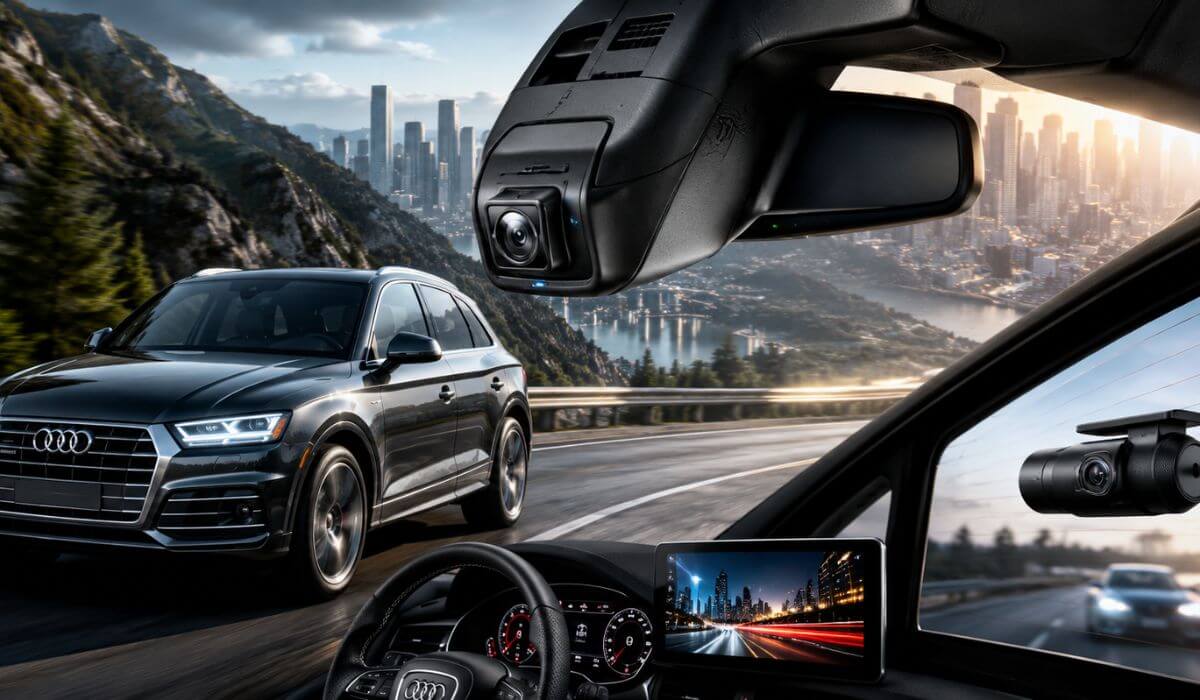
5 Best Dash Cams for Audi Q5 in 2026: OEM Integration 4K Capture & Rear Coverage
Audi Q5 owners usually aren’t looking for a universal dash cam—they want something that feels like it came with the SUV from the factory. That’s especially true for the 2019-2026 Audi Q5 (FY generation), where a bulky windshield-mounted camera can block visibility, interfere with the clean interior design, or affect the operation of the factory rain and light sensor housing. An OEM-style solution simply makes more sense.
The good news is that 2019-2026 Audi Q5 models share the same mirror housing design (Model A compatibility), so you don’t have to worry about different fitment between older and newer model years when choosing the right OEM dash cam. The products below were selected because they integrate cleanly into the factory housing while offering the features Audi owners actually care about—true 4K recording, reliable WiFi connectivity, GPS where available, stable loop recording, and practical parking mode. Rather than chasing brands with thousands of mixed reviews, this guide focuses on newer OEM-style cameras that best match the Audi Q5’s design and everyday driving needs.
Best Audi Q5 Dash Cams: Top OEM Integration Picks With GPS & WiFi
#1. Mangoal Front 4K & Rear 1080P Dash Cam
Best Audi Q5 Dash Cam (2019-2026) for OEM Factory Integration, Dual Recording, Built-In GPS & Everyday Reliability
#2. Fitcamx 4K Dash Cam
Top 4K Dash Cam for Audi Q5 Owners Who Want a True OEM Look, Clean Installation & Reliable Parking Mode
#3. GATGIT Front 4K HDR Dash Cam
Premium Audi Q5 4K Dash Camera With HDR, GPS, 5.8GHz WiFi & Factory-Style Hidden Installation
#4. KBSYNT Front 4K & Rear 1080P Dash Cam
Best Value Audi Q5 Front and Rear Dash Cam With OEM Design, 4K Video & Smooth App Connectivity
#5. kutaitai Front 4K + Rear 1080P Dash Cam
Affordable Audi Q5 Dash Camera With OEM Fit, Dual-Channel Recording & Crisp 4K Footage for Daily Driving
Expert Tip
If you’re buying a dash cam specifically for an Audi Q5, don’t chase the highest resolution on the box first. The bigger difference in everyday use is how well the camera integrates with the vehicle. An OEM-style dash cam that sits inside the factory mirror housing is less noticeable, keeps your windshield uncluttered, and is something you’ll actually leave installed for years. Features like stable WiFi, dependable loop recording, clean daytime detail, readable night footage, and proper parking mode support matter far more than marketing claims you’ll rarely use. A dash cam should feel like part of the Q5—not an accessory stuck to the windshield.
How We Chose the Best Dash Cams for Audi Q5
This list wasn’t built by simply picking the most expensive products or the brands with the longest review history. Most OEM-style Audi Q5 dash cams are relatively new, so review counts alone don’t tell the whole story. Instead, we looked at how well each camera matches the way Audi Q5 owners actually use their vehicle.
The first thing we checked was vehicle compatibility. Every recommendation supports the 2019-2026 Audi Q5 (Model A mirror housing), so owners don’t have to guess whether the camera will physically fit or require modifications. A proper factory fit was treated as a requirement, not a bonus.
Next came video quality that holds up in real driving conditions. A 4K label means very little if road signs, number plates, or lane markings become difficult to identify once the vehicle is moving. We gave preference to models that combine sharp daytime recording, balanced HDR performance where available, and consistent image quality instead of relying on inflated specifications.
We also looked closely at the overall ownership experience. A dash cam is something you’ll interact with long after installation, so factors such as WiFi stability, app usability, loop recording reliability, GPS availability, memory card support, and parking mode functionality carried just as much weight as raw video resolution.
Finally, we considered long-term value. Every product here offers a clean OEM appearance that preserves the Audi Q5’s premium cabin rather than adding bulky hardware to the windshield. The ranking reflects the combination of factory-style integration, practical features, recording performance, and overall confidence we believe each product can deliver—not just whichever model has accumulated the most reviews. That’s why you’ll see different strengths highlighted for different buyers instead of forcing one camera to fit every owner’s needs.
#1. Mangoal Front 4K & Rear 1080P Dash Cam
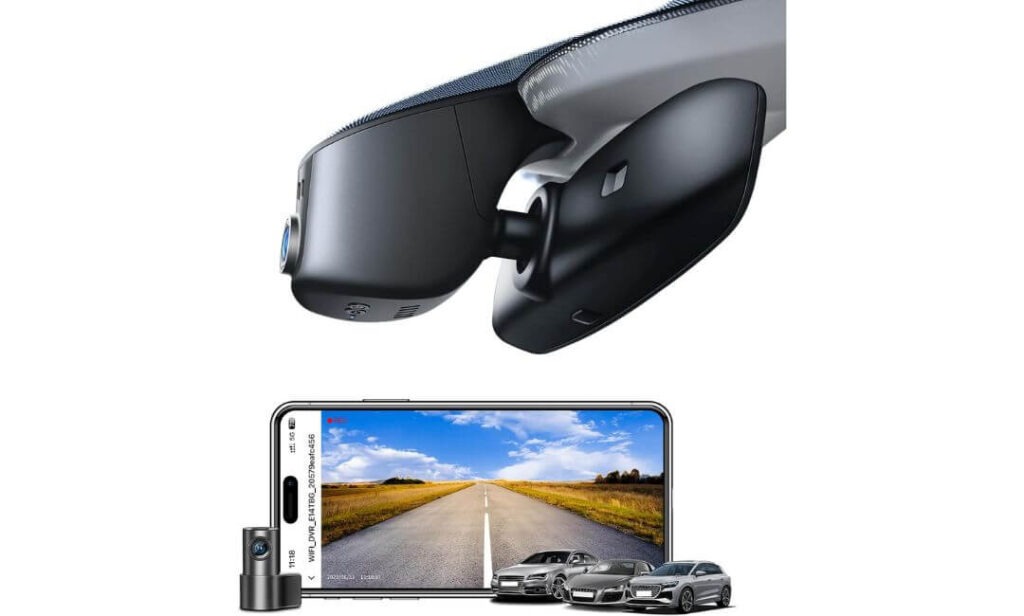
Quick Specs:
- Video Quality: Front 4K Ultra HD + Rear 1080P Full HD
- Image Sensor: Sony IMX335 STARVIS for improved low-light clarity
- OEM Fitment: Designed for Audi Q5 Model A mirror housing with factory-style installation
- GPS: Built-in GPS for speed and route logging
- Connectivity: Built-in WiFi with smartphone app control
- Viewing Angle: 150° front + 140° rear coverage
- Parking Features: Parking Monitor with G-Sensor incident detection
- Power Source: Connects through the factory rain sensor housing
- Storage: 128GB microSD card included, expandable up to 256GB
- Heat Resistance: Supercapacitor instead of a lithium battery
- Installation: Hidden wiring with OEM-style mirror cover replacement
The first thing you’ll notice isn’t the video quality—it’s that you barely notice the camera at all. Once installed, it blends into the Audi Q5’s factory mirror housing, making it look like original equipment rather than an aftermarket accessory. If keeping the cabin clean matters to you, this style of installation is difficult to beat.
On the road, it delivers exactly what most Q5 owners expect from a premium setup. The combination of 4K front recording, a 1080P rear camera, and the Sony IMX335 STARVIS sensor produces clear footage in changing light conditions while preserving useful details such as road signs, lane markings, and surrounding traffic. The addition of built-in GPS, WiFi, and a responsive mobile app makes reviewing and saving footage much easier after a drive.
Installation does require a little patience because you’ll remove the mirror trim and connect to the factory rain sensor housing. The good news is there are no visible power cables running across the windshield, and once everything is back together, the dash cam looks like it was designed alongside the Audi Q5 from the beginning. (If your priority is a factory-looking installation instead of a universal windshield-mounted camera, this is exactly the type of setup worth considering.)
What Stood Out During Our Evaluation
- Factory-style integration keeps the windshield clean and uncluttered.
- 4K front + 1080P rear recording offers complete front and rear coverage.
- Sony IMX335 STARVIS sensor provides dependable image quality, especially after sunset.
- Built-in GPS and WiFi make footage management far more convenient.
- Supercapacitor design is better suited to vehicles exposed to hot summer temperatures.
A Small Thing to Know Before Buying
- Installation is more involved than a typical suction-mounted dash cam, so setting aside 60-90 minutes for the first installation is a good idea.
Audi Q5 Compatibility Notes
This model is designed for Audi Q5 vehicles that use the Model A mirror housing. Before ordering, compare your mirror/sensor cover with the product images because Audi used different mirror cover designs across some trims and model lines.
Once the correct version is selected, the installation looks exceptionally clean since the camera draws power from the factory rain sensor area instead of using a long cable routed around the windshield.
The Insider Pro-Tip
Many buyers focus on resolution first, but for an Audi Q5, factory integration is what you’ll appreciate every single day. A camera that disappears behind the mirror is less distracting, keeps the premium cabin looking original, and is far more likely to stay installed permanently.
If you’re comfortable removing the mirror trim carefully and confirming the correct Model A fitment before ordering, you’ll end up with a setup that feels much closer to factory equipment than a standard universal dash cam ever can.
#2. Fitcamx 4K Dash Cam
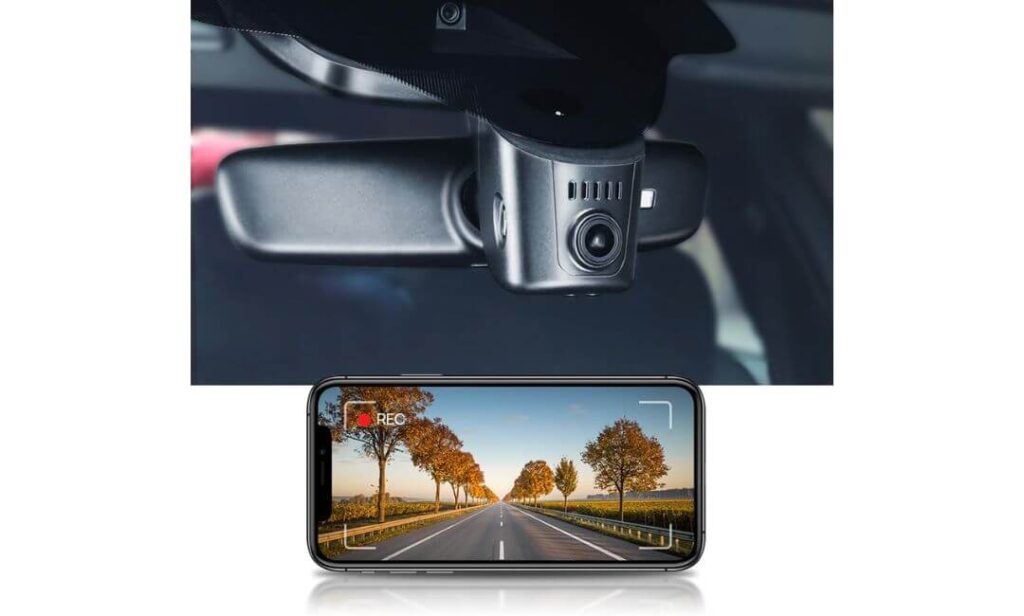
Quick Specs:
- Video Quality: 4K Ultra HD (2160P) front recording at 30fps
- Lens: f/1.6 aperture with WDR for balanced day and night footage
- OEM Fitment: Built specifically for Audi Q5 Model A mirror housing
- Viewing Angle: 170° ultra-wide field of view
- Connectivity: Built-in WiFi with FITCAMX mobile app
- Recording: Loop Recording with automatic overwrite
- Protection: Parking Mode and G-Sensor event detection
- Storage: 64GB microSD included, supports up to 256GB
- Operating Temperature: -20°C to 85°C with PC+ABS construction
- Installation: Hidden OEM-style installation with no visible windshield wiring
What immediately separates this camera from most aftermarket options is how naturally it blends into the Audi Q5’s interior. Once the mirror cover is replaced, there’s no suction cup, no hanging cable, and nothing drawing attention from the clean dashboard layout. If you didn’t know it was added later, you’d easily mistake it for factory equipment.
The recording hardware is equally reassuring. A 2160P Ultra HD front camera, combined with a 170-degree viewing angle, captures a broad view of the road while the f/1.6 lens and WDR processing help maintain balanced footage in bright sunlight, tunnels, and evening drives. Add built-in WiFi, simple app access, and dependable loop recording, and day-to-day use becomes straightforward without constantly removing the memory card.
Installation is more involved than a universal windshield-mounted camera because it replaces part of the factory mirror housing. Taking your time with the trim pieces makes a noticeable difference, and once installed, the finished result feels far more premium than a typical stick-on dash cam. (For Audi Q5 owners who care just as much about factory appearance as recording quality, this remains one of the cleanest OEM-style solutions available.)
Why It Earned a Place on Our List
- True OEM appearance that preserves the Audi Q5’s premium cabin.
- Sharp 4K recording with WDR for more consistent image quality.
- 170° viewing angle captures a wider section of the road ahead.
- Built-in WiFi allows quick video access through the FITCAMX app.
- Reliable parking mode and G-Sensor provide added peace of mind while parked.
A Small Consideration Before Buying
Because this is an integrated OEM-style system, expect to spend around 1-3 hours on installation if it’s your first time removing Audi mirror trim. Working patiently usually leads to a much cleaner final result.
Audi Q5 Compatibility Notes
This version is intended for Audi Q5 models equipped with the Model A mirror housing. Before ordering, compare your existing mirror/sensor cover with the product photos to make sure you’re selecting the correct version.
Once installed correctly, the dash cam sits flush behind the mirror and keeps the windshield free from exposed wiring, preserving the clean factory look that many Audi owners prefer.
The Insider Pro-Tip
Many buyers compare dash cams by resolution alone, but with an Audi Q5, fitment should come first. Even an excellent camera becomes frustrating if it doesn’t integrate cleanly with the mirror housing or disrupts the cabin’s visibility.
If your goal is a setup you’ll barely notice every time you drive, choosing a model designed specifically for the Model A housing is usually a smarter long-term decision than adapting a universal windshield-mounted camera.
#3. GATGIT Front 4K HDR Dash Cam
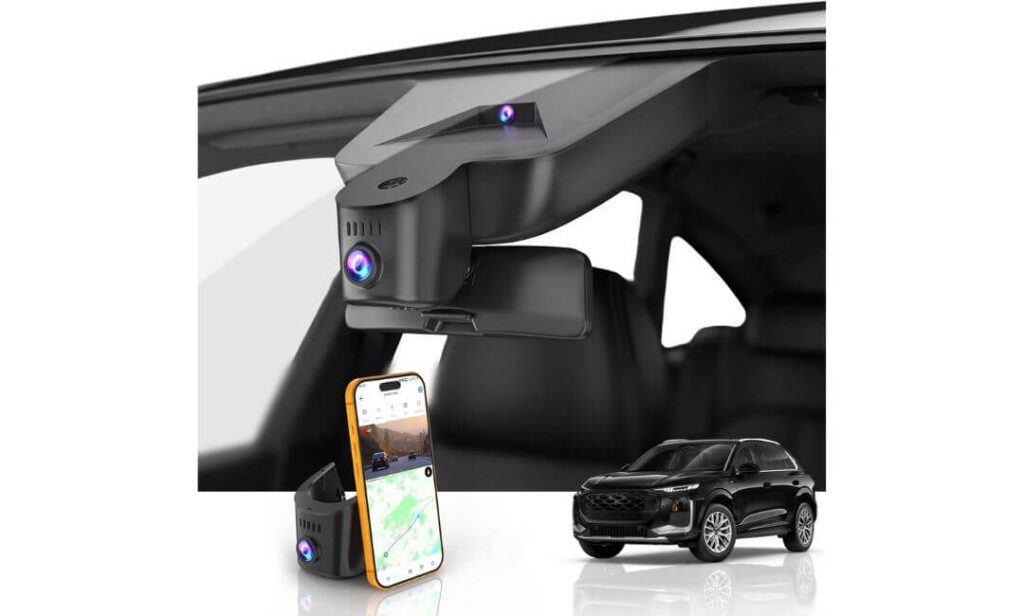
Quick Specs:
- Video Quality: 4K Ultra HD (3840×2160P) at 30fps
- Imaging: HDR with f/1.6 lens for improved day and night clarity
- OEM Fitment: Designed for Audi Q5 Model A mirror housing
- GPS: Built-in GPS with speed and route tracking
- Connectivity: 5.8GHz WiFi with download speeds up to 20MB/s
- Viewing Angle: 155° wide-angle coverage
- Recording: Loop Recording with automatic emergency file locking
- Parking Features: Parking Mode and G-Sensor (hardwire kit required)
- Heat Resistance: Supercapacitor design for high-temperature durability
- Storage: 64GB microSD card and card reader included
- Installation: Factory connector with no visible wiring
There are dash cams that simply record your drive, and then there are models that feel like they belong inside the vehicle from day one. This one follows the second approach. Instead of relying on a bulky windshield mount, it connects through the factory connector, keeping the Audi Q5’s interior looking clean while maintaining full visibility through the windshield.
Recording performance is where this camera earns its place in our lineup. The combination of 4K Ultra HD resolution, an f/1.6 lens, and HDR processing delivers detailed footage across changing lighting conditions, making road signs, surrounding traffic, and license plates easier to distinguish. Built-in GPS records your driving route and speed, while the 5.8GHz WiFi noticeably speeds up transfers compared with standard 2.4GHz systems, making it quicker to review clips directly from your phone.
Another feature we appreciated is the overall practicality. The supercapacitor is a better long-term choice than a traditional battery for vehicles exposed to summer heat, and the included 64GB card, installation tool, and Y-cable mean you have almost everything needed to get started. (If fast wireless transfers and integrated GPS are high on your priority list, this package offers one of the most complete OEM-style solutions for the Audi Q5.)
Why It Stands Out in This Lineup
- Factory-style installation without exposed cables or suction mounts.
- 4K HDR recording provides balanced footage in bright and low-light conditions.
- 5.8GHz WiFi delivers noticeably faster video transfers.
- Built-in GPS records route, speed, and location information.
- Supercapacitor design improves durability in demanding temperatures.
A Small Consideration Before Buying
Parking mode is available, but continuous parked monitoring requires a compatible hardwire kit. If you only want recording while driving, the included accessories are enough to get started.
Audi Q5 Compatibility Notes
This version is built specifically for Audi Q5 models using the Model A mirror housing. Before ordering, take a quick look at your mirror cover to confirm it matches the product version, as Audi uses different sensor housings across some models.
Installation is straightforward for anyone comfortable removing interior trim. Because it plugs into the factory connector, there are no long power cables running around the windshield, resulting in a much cleaner finish than a universal dash cam.
The Insider Pro-Tip
A fast WiFi connection may not sound important until you actually need footage after an incident. Waiting several minutes for large 4K files to transfer quickly becomes frustrating, which is why 5.8GHz WiFi is more valuable in daily use than many buyers initially expect.
If you want an OEM-style dash cam that combines clean installation, integrated GPS, HDR recording, and faster file transfers, this model offers one of the strongest feature balances in this price category without making the Audi Q5’s interior feel like an aftermarket project.
#4. KBSYNT Front 4K & Rear 1080P Dash Cam
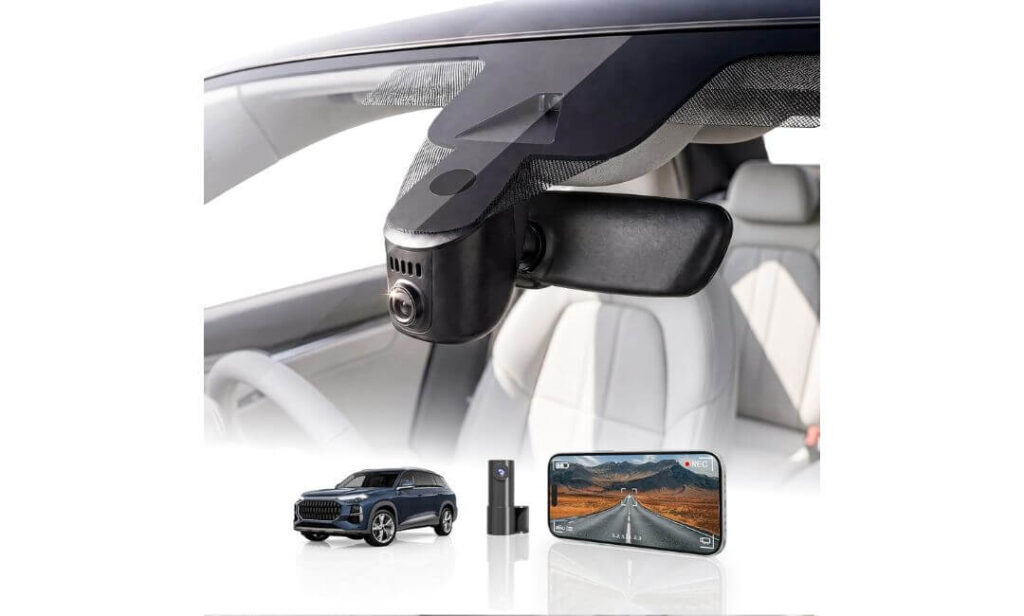
Quick Specs:
- Video Quality: 4K Ultra HD front + 1080P Full HD rear
- Lens: f/1.6 aperture with HDR for improved night recording
- OEM Fitment: Designed for Audi Q5 Model A mirror housing
- Viewing Angle: 170° ultra-wide front coverage
- Connectivity: Built-in WiFi with dedicated mobile app
- Recording: Loop Recording with G-Sensor emergency locking
- Parking Features: Parking Monitor (hardwire kit sold separately)
- Storage: 128GB memory card included, expandable to 256GB
- Power System: Built-in Supercapacitor for improved durability
- Installation: Hidden OEM-style installation with Y-cable included
Rather than trying to stand out with flashy marketing, this dash cam focuses on the things Audi Q5 owners notice every time they get behind the wheel. Once installed behind the mirror housing, the camera stays almost completely out of sight, leaving the windshield clean while preserving the premium factory appearance that many owners don’t want to compromise.
Its recording setup is well balanced for everyday driving. The 4K front camera captures detailed footage ahead, while the 1080P rear camera provides additional coverage without requiring a separate recording system. The combination of an f/1.6 lens, HDR processing, and a 170-degree viewing angle helps maintain clear footage across changing weather and lighting conditions. Built-in WiFi, app support, and dependable loop recording make reviewing footage simple after every trip.
The installation experience is also designed with practicality in mind. The included Y-cable, trim tool, and 128GB memory card allow most owners to get started without purchasing additional accessories. (If you want front and rear recording while keeping the original Audi Q5 interior looking untouched, this package offers an excellent balance between features, simplicity, and factory-style integration.)
What Makes This Model Worth Considering
- Factory-style hidden installation with no exposed windshield wiring.
- Front 4K and rear 1080P recording provide complete driving coverage.
- HDR and f/1.6 lens improve clarity during early morning, night, and poor weather.
- 128GB memory card included, so it’s ready to use immediately.
- Supercapacitor design offers better durability than battery-powered alternatives.
A Small Consideration Before Buying
Before ordering, make sure your Audi Q5 does not have an original factory camera behind the mirror housing, as this version is intended for vehicles using the compatible mirror cover design. If you plan to use parking mode while the vehicle is parked, you’ll also need the optional hardwire kit.
Audi Q5 Compatibility Notes
This camera is engineered specifically for Audi Q5 models equipped with the Model A mirror housing. Taking a minute to compare your mirror cover with the product photos before ordering helps ensure a straightforward installation.
Most owners with basic trim-removal experience can complete the installation at home. Because the wiring stays hidden inside the factory housing, the finished result looks much cleaner than a conventional windshield-mounted dash camera.
The Insider Pro-Tip
A dual-channel dash cam only adds value if you’ll actually keep it installed long term. That’s why OEM-style systems often make more sense for premium SUVs like the Audi Q5—they protect both the front and rear of the vehicle without changing the cabin’s original appearance.
If having rear recording, factory-style fitment, and a ready-to-install package with a 128GB card included matters more than chasing unnecessary features, this model deserves serious consideration.
#5. kutaitai Front 4K + Rear 1080P Dash Cam
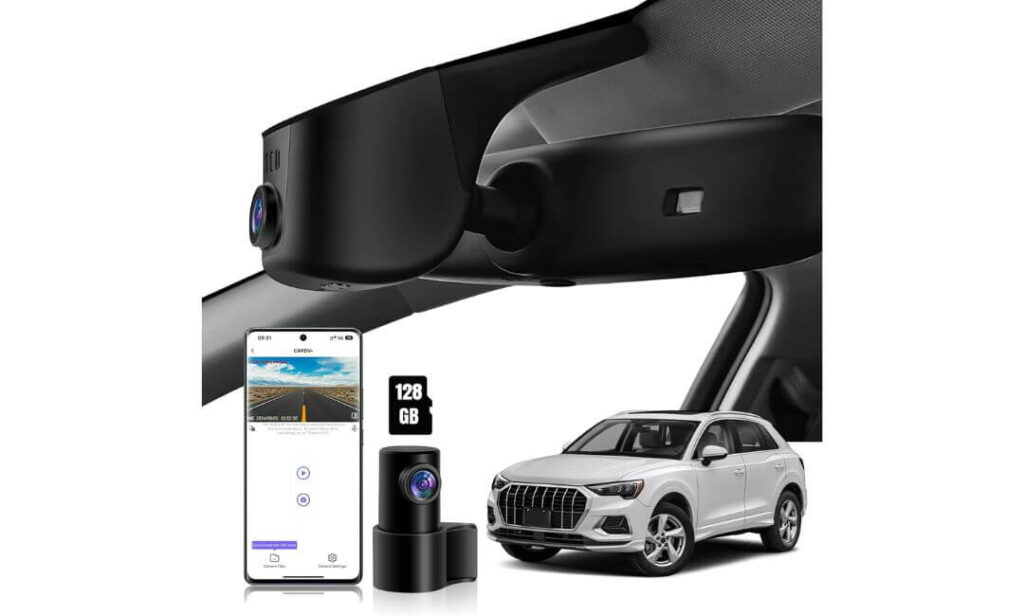
Quick Specs:
- Video Quality: 4K Ultra HD front + 1080P Full HD rear
- Lens: f/1.8 aperture with Novatek chipset
- OEM Fitment: Designed for Audi Q5 Model A mirror housing
- Viewing Angle: 170° front + 140° rear coverage
- Connectivity: Built-in WiFi with Android & iOS app support
- Recording: Loop Recording with G-Sensor emergency protection
- Parking Features: Impact Detection and Time-Lapse Parking Mode (ACC connection required)
- Storage: 128GB memory card included
- Installation: Plug-and-play using the factory rain sensor connection
- Accessories: ACC fuse cable, power adapter, trim tool, and rear camera included
Sometimes the smartest purchase isn’t the one with the longest feature list—it’s the one that arrives with almost everything required to complete the installation properly. That’s exactly where this package stands out. Along with the dual-camera system, you also receive the ACC fuse cable, power adapter, trim tool, and a 128GB memory card, making it one of the most complete OEM-style kits in this comparison.
On the road, the camera delivers dependable everyday performance through its 4K front camera, 1080P rear camera, 170° front viewing angle, and f/1.8 lens powered by a Novatek chipset. Together they produce detailed footage that’s capable of capturing road signs, surrounding traffic, and important driving events without making operation complicated. Built-in WiFi and the dedicated mobile app also make downloading and reviewing recordings straightforward after each trip.
Installation follows the same philosophy as the other OEM-style options in this guide. The camera fits behind the mirror housing, draws power from the factory rain sensor connection, and leaves the windshield free from dangling cables or bulky mounts. (For Audi Q5 owners looking for a complete ready-to-install package without adding multiple accessories later, this kit delivers excellent overall value.)
Why We Included It in This Guide
- Complete installation package with ACC fuse cable and installation accessories.
- 4K front and 1080P rear recording provide full driving coverage.
- 170° front viewing angle helps reduce blind spots ahead.
- Built-in WiFi allows quick video management from your smartphone.
- 128GB memory card included, so recording can begin immediately.
A Small Consideration Before Buying
For parking surveillance beyond normal driving, the parking functions require the supplied ACC power connection during installation. Also, as with every OEM-style Audi dash cam, take a moment to compare your mirror cover with the product images before placing your order.
Audi Q5 Compatibility Notes
This version is designed specifically for Audi Q5 models equipped with the Model A mirror housing. Selecting the correct mirror cover version before ordering is the most important step for a smooth installation.
Because power is taken from the factory mirror area instead of using a traditional windshield cable, the finished installation looks clean, integrated, and much closer to factory equipment than a universal dash camera.
The Insider Pro-Tip
A lot of buyers only compare camera specifications, but the accessories included in the box can make just as much difference during installation. Having the ACC fuse cable, adapter, trim tool, and memory card included means fewer additional purchases and a smoother installation from day one.
If your goal is to install the system once, keep the cabin looking original, and start recording immediately without hunting for extra parts, this package offers one of the most practical OEM-style solutions for the Audi Q5.
Best Audi Q5 Dash Cam Comparison: OEM Fit Features Side by Side
| Comparison Point |
Editor’s Choice Mangoal
|
Best Overall Fitcamx
|
Fastest Wireless GATGIT
|
Best Value KBSYNT
|
Complete Kit kutaitai
|
|---|---|---|---|---|---|
| Recording Setup | 4K Front + 1080P Rear | 4K Front | 4K Front | 4K Front + 1080P Rear | 4K Front + 1080P Rear |
| Factory OEM Appearance | Excellent | Excellent | Excellent | Excellent | Excellent |
| Audi Q5 Integration | Rain Sensor Powered | Mirror Housing | Factory Connector | Mirror Housing | Rain Sensor Powered |
| GPS | Built-In | No | Built-In | No | No |
| WiFi | Standard WiFi | Standard WiFi | 5.8GHz WiFi | Standard WiFi | Standard WiFi |
| Night Driving | STARVIS Sensor | WDR + f/1.6 Lens | HDR + f/1.6 Lens | HDR + f/1.6 Lens | f/1.8 Lens |
| Parking Features | Parking Monitor | Parking Monitor | Parking Mode* | Parking Mode* | Parking Mode* |
| Heat Resistance | Supercapacitor | PC + ABS Body | Supercapacitor | Supercapacitor | Standard Design |
| Memory Card Included | 128GB | 64GB | 64GB | 128GB | 128GB |
| Installation Difficulty | Moderate | Moderate | Easy to Moderate | Moderate | Easy to Moderate |
| Best For | Owners wanting the most complete OEM package with GPS and dual recording. | Drivers who prefer a clean factory look with dependable 4K front recording. | Buyers wanting built-in GPS with ultra-fast 5.8GHz WiFi transfers. | Balanced front and rear recording with strong overall value. | Complete installation kit with dual cameras and ready-to-use accessories. |
Buying Guide for Audi Q5 Dash Cams
Buying an Audi Q5 dash cam is different from buying a universal camera for an ordinary vehicle. The Q5 has a premium interior, integrated driver-assistance hardware, and a neatly designed mirror housing. Installing the wrong camera can leave visible wires, interfere with the cabin’s appearance, or even result in fitment issues.
That’s why every recommendation in this guide focuses on OEM-style solutions that match the Audi Q5’s design philosophy instead of simply offering the highest resolution on paper. Before making your purchase, these are the areas that deserve the closest attention.
Why an OEM-Fit Dash Cam Makes More Sense Than a Universal Aftermarket Camera
Most universal dash cams attach to the windshield using adhesive pads or suction mounts. While they record perfectly well, they usually leave exposed power cables running around the headliner or A-pillar, something that feels out of place inside an Audi Q5.
An Audi Q5 OEM fit dash cam replaces or integrates with the factory mirror housing, creating a much cleaner installation. Besides preserving visibility through the windshield, it also reduces the chances of accidental cable damage, loose mounts during hot weather, or unwanted attention from outside the vehicle.
If your goal is to install a dash cam once and leave it there for years, OEM integration is usually the better long-term investment.
Front-Only or Front and Rear Coverage Which One Should You Choose?
A front-only dash cam works well for drivers who mainly want protection during everyday commuting and highway driving. It is generally easier to install, costs less, and still captures the majority of incidents that occur ahead of the vehicle.
A front and rear dash cam for Audi Q5 offers broader protection by recording traffic approaching from behind, rear-end collisions, parking incidents, and reversing situations. For families, daily commuters, or drivers who regularly park in public areas, dual-channel recording often provides greater peace of mind.
The best choice depends less on budget and more on how you actually use your Q5.
Why 4K Recording Is Worth Paying For
Resolution matters most when footage needs to answer important questions after an accident.
A 4K dash cam for Audi Q5 captures significantly more detail than standard Full HD recording, improving the chances of identifying number plates, road signs, lane markings, and surrounding traffic. Combined with a quality lens, HDR processing, or a modern image sensor, 4K footage remains useful even when lighting conditions change rapidly.
Remember, however, that resolution alone doesn’t guarantee better footage. Lens quality, image processing, and sensor performance contribute just as much to the final recording.
Factory Integration Is Just As Important As Video Quality
One reason Audi owners choose OEM-style cameras is because they don’t want the interior to look modified.
A proper Audi Q5 OEM fit dash cam should sit behind the mirror housing, avoid blocking the driver’s view, and eliminate exposed wiring wherever possible. Many of the better systems also draw power directly from the factory rain sensor connection or supplied adapter harness, making the finished installation look almost identical to factory equipment.
This isn’t just about appearance. A cleaner installation usually means fewer loose cables, fewer distractions, and better long-term reliability.
Understand Parking Mode Before You Buy
Parking mode is often misunderstood.
Some cameras automatically record only when the built-in G-Sensor detects an impact. Others support time-lapse recording or continuous surveillance while parked. Many OEM systems require an additional hardwire or ACC power connection before these features become available.
If an Audi Q5 parking mode dash cam is one of your priorities, always check:
- Whether parking mode works immediately or requires an optional hardwire kit.
- Whether it records continuously or only after detecting movement or impact.
- Whether the system uses a supercapacitor or battery for improved durability.
- How much power it consumes during extended parking.
Understanding these differences helps avoid surprises after installation.
Compare Front-Only and Dual-Channel Models Carefully
Not every driver needs the same configuration.
If you regularly drive in busy urban traffic or park in shopping centres, a dual-channel setup offers valuable rear coverage. If your driving is mostly highway travel and you prefer the simplest installation possible, a front-only system can still provide excellent protection.
Likewise, compare practical specifications such as field of view, HDR support, night-driving performance, WiFi speed, and GPS availability instead of focusing on resolution alone.
Compatibility, Power Connections, and Warranty Considerations
Before ordering any OEM-style camera, confirm that your Audi Q5 mirror housing matches the product version, as several manufacturers offer multiple mirror-cover designs for different Audi models.
Also consider how the camera receives power. Some systems connect directly to the rain sensor housing, while others include Y-cables or require ACC wiring for advanced parking features.
If your vehicle is still covered by a manufacturer warranty, avoid modifying factory wiring unnecessarily. Choosing products that use dedicated plug-and-play connectors or model-specific harnesses is generally the safest approach and makes returning the vehicle to stock condition much easier if required.
Quick Audi Q5 Dash Cam Checklist Before Ordering
Before adding any dash cam to your cart, spend two minutes confirming these points:
- Confirm your mirror housing version matches the product photos.
- Decide whether front-only or front and rear recording better suits your driving habits.
- Look for true 4K recording, not just marketing claims.
- Check whether GPS is built in or optional.
- Verify the type of WiFi and mobile app support.
- Confirm parking mode requirements, including any additional hardwire kit.
- Make sure the included memory card capacity meets your recording needs.
- Choose a model with OEM-style installation to preserve the clean interior design of your Audi Q5.
Selecting the right dash cam isn’t about finding the product with the longest specification sheet. It’s about choosing a camera that fits your Audi Q5 properly, records dependable footage every day, and integrates so naturally that it feels like it belonged there from the factory.
OEM Integration & Installation Tips for Audi Q5 Dash Cams
One of the biggest advantages of choosing an Audi Q5 OEM fit dash cam is that, when installed correctly, it becomes almost invisible. Unlike universal windshield-mounted cameras, OEM-style units are designed to work with the vehicle’s existing mirror housing, helping preserve the clean cabin layout Audi owners expect.
A successful installation is not just about connecting power. Proper fitment, cable routing, camera positioning, and initial setup all influence how well your dash cam performs over the next several years. Spending an extra 20 minutes during installation is often the difference between a setup that feels factory-installed and one that constantly needs adjustment.
Start by Confirming the Correct Mirror Housing Version
Before removing a single trim panel, compare your Audi Q5’s rain sensor and mirror cover with the manufacturer’s compatibility photos. Many OEM-style cameras are produced in multiple versions because Audi uses different mirror housing designs across various trims and model years.
Trying to force the wrong housing into place can lead to poor fitment, panel gaps, or unnecessary damage to interior trim. Confirming compatibility first is always easier than returning an installed product later.
Follow the Installation in the Right Order
OEM-style installations are generally straightforward when approached patiently.
A typical installation sequence looks like this:
- Confirm the correct mirror housing version.
- Remove the factory mirror cover using a plastic trim tool.
- Connect the supplied adapter or Y-cable to the factory rain sensor or mirror power connector.
- Route the rear camera cable carefully through the headliner if using a dual-channel system.
- Secure all wiring inside existing trim panels before reinstalling the mirror cover.
- Install the memory card before powering on the camera.
- Complete the app pairing and initial settings before your first drive.
Working slowly around the mirror housing prevents broken clips and usually produces a much cleaner final result.
Choose the Right Power Method for Your Driving Style
Not every Audi Q5 owner needs the same power configuration.
If you only want recording while driving, many OEM cameras can draw power directly from the factory mirror or rain sensor connection, creating one of the cleanest installations available.
If you want advanced parking mode, an ACC or fuse box hardwire kit is usually required so the dash cam can continue receiving power after the ignition is switched off.
Some systems also support dedicated plug-and-play adapter harnesses or CAN Bus-compatible power solutions, reducing the need for cutting or modifying factory wiring. Whenever possible, using model-specific adapters is preferable to universal wiring methods.
Route Cables Carefully Around the Vehicle
Cable management affects both appearance and safety.
If you’re installing a front and rear dash cam for the Audi Q5, keep the rear camera cable tucked behind the headliner, weather stripping, and factory trim panels rather than allowing it to hang loosely across the cabin.
When routing cables near the A-pillar, avoid placing wiring directly over side curtain airbag deployment areas. Existing factory wire channels should always be used whenever possible, helping maintain both safety and a factory-quality finish.
The less visible the wiring, the more the dash cam feels like original equipment.
Take Time to Adjust Camera Alignment
Even the highest-resolution dash cam cannot produce useful footage if it is aimed incorrectly.
Position the front camera so the horizon sits close to the centre of the frame, with a small portion of the vehicle’s hood visible if recommended by the manufacturer. This usually provides the best balance between road visibility and distance recording.
For rear cameras, verify that the image remains level and captures both traffic lanes without excessive sky or interior trim appearing in the frame.
Before considering the installation complete, record a short daytime drive and review the footage on a larger screen to confirm the camera angle.
Complete the Initial Camera Setup
Many owners install the hardware but overlook the software setup.
Before relying on your dash cam, check the following:
- Update the camera firmware if available.
- Set the correct date, time, and time zone.
- Pair the camera with the official mobile app.
- Adjust recording resolution and loop recording length.
- Configure parking mode according to your preferred power setup.
- Format the memory card inside the camera before regular use.
- Confirm GPS data is recording correctly if your model supports it.
These small steps improve long-term reliability and help ensure footage is ready when needed.
Memory Cards Matter More Than Many Buyers Realise
A high-quality dash cam can only perform as well as the memory card inside it.
Use the included card if it meets the manufacturer’s recommendations, or upgrade to a high-endurance microSD card approved for continuous video recording. Standard memory cards designed for occasional photography often wear out more quickly under constant recording.
Formatting the card inside the dash cam every few weeks also helps maintain stable recording performance over time.
Understand Local Dash Cam Laws Before Driving
Dash cams are legal in many regions, but local regulations may affect how they are used.
Before installing your camera, check local laws regarding:
- Windshield mounting positions.
- Audio recording permissions.
- Privacy requirements when sharing footage publicly.
- Use of recorded footage for insurance or legal purposes.
Following local regulations helps ensure your recordings remain both useful and legally compliant.
Final Installation Advice From Our Testing
Across all the OEM-style models in this guide, one thing became very clear: the quality of the installation has just as much impact as the quality of the camera itself.
A properly installed Audi Q5 OEM fit dash cam should sit securely behind the mirror, leave no visible wiring inside the cabin, connect cleanly to the chosen power source, and require almost no attention once configured. Taking the time to install it correctly the first time usually results in years of dependable recording while preserving the premium factory appearance that makes the Audi Q5 such an enjoyable vehicle to own.
Performance & Coverage Details for Audi Q5 Dash Cams
A premium dash cam should do more than simply record your drive. For an Audi Q5, it needs to capture dependable evidence, work consistently in changing weather, remain reliable during long trips, and integrate naturally with the vehicle without becoming a distraction. While specifications like 4K resolution and HDR are important, real-world performance depends on how all of the hardware works together, including the image sensor, lens quality, recording stability, parking features, and storage management.
The OEM-style dash cams recommended in this guide were selected because they balance those factors rather than focusing on a single headline specification.
Why 4K Recording Makes a Real Difference
Choosing a 4K dash cam for Audi Q5 isn’t about creating cinematic footage. The biggest advantage is the additional detail available when you actually need to review a recording.
Higher-resolution footage improves the chances of identifying:
- Vehicle registration plates at reasonable driving speeds.
- Road signs and lane markings.
- Traffic signal positions during an incident.
- Vehicle colour, model, and surrounding traffic.
- Small details that may become important for insurance claims.
Several cameras in this guide also combine HDR, STARVIS technology, or large-aperture lenses, helping maintain detail when driving between bright sunlight, shaded roads, tunnels, or poorly lit streets.
Choosing Between Front-Only and Front & Rear Recording
The right recording setup depends on how you use your Audi Q5.
A front-only dash cam is often enough for drivers who spend most of their time on highways or want the simplest OEM installation possible. It records the area where the majority of driving incidents occur while keeping installation slightly easier.
A front and rear dash cam for Audi Q5 provides broader protection by recording both directions simultaneously. Rear footage becomes particularly valuable during rear-end collisions, parking incidents, reversing accidents, or situations where another vehicle approaches from behind.
Neither option is automatically better. The most suitable choice depends on your driving routine rather than the product price.
Understanding Parking Mode in Everyday Use
Parking mode is one of the most useful features modern dash cams offer, but it works differently depending on the camera and power configuration.
Most OEM-style systems provide one or more of the following:
- Impact-triggered recording using the built-in G-Sensor.
- Time-lapse recording for extended monitoring.
- Continuous parking surveillance, when supported by the appropriate hardwire or ACC power connection.
For owners who regularly leave their Audi Q5 parked outdoors, parking mode can provide valuable evidence if another vehicle damages the car while unattended.
However, remember that several cameras require an additional hardwire kit before advanced Audi Q5 parking mode dash cam features become available. Checking this before installation prevents unnecessary surprises later.
Low-Light Performance Matters More Than Daytime Recording
Almost every modern dash cam records acceptable footage in bright daylight.
Night driving is where meaningful differences begin to appear.
Models equipped with technologies such as Sony STARVIS sensors, HDR processing, or wide-aperture lenses like f/1.6 or f/1.8 generally produce cleaner recordings with improved shadow detail and reduced glare from headlights and street lighting.
Good low-light performance isn’t just about creating a brighter image. It also improves the visibility of road markings, surrounding vehicles, and important details that could become valuable after an incident.
Wide Viewing Angles Without Sacrificing Detail
Many of the cameras in this guide use viewing angles between 150° and 170°.
A wider field of view captures more surrounding traffic, adjacent lanes, and roadside activity, reducing blind spots during recording. At the same time, excessively wide lenses can slightly reduce image detail toward the edges of the frame.
The models selected for this guide maintain a balanced field of view that provides broad coverage while still preserving useful image clarity across the centre of the recording.
Reliable Storage and Loop Recording
Even the best dash cam becomes unreliable if it cannot manage recordings properly.
All of the recommended cameras support loop recording, automatically replacing the oldest unlocked files when available storage becomes full. During sudden braking or collisions, the G-Sensor protects important clips by locking them so they cannot be overwritten during normal recording.
Most models also include a 64GB or 128GB microSD card, with support for larger capacities on many systems. Drivers covering longer daily distances may benefit from upgrading to a larger high-endurance card, allowing more 4K footage to remain available before older files begin cycling.
Formatting the memory card periodically inside the camera also helps maintain consistent recording reliability over extended use.
File Management and Everyday Convenience
Recording quality is only part of the ownership experience. Accessing footage quickly is equally important after an unexpected incident.
Every OEM-style dash cam included in this guide supports mobile app connectivity, allowing owners to:
- Preview live recordings.
- Download important clips directly to a smartphone.
- Adjust camera settings without removing the memory card.
- Review GPS information where supported.
- Save or share footage before it is overwritten.
Some models also offer 5.8GHz WiFi, noticeably reducing transfer times for large 4K video files compared with standard wireless connections.
Real-World Performance Matters More Than Specifications Alone
When comparing dash cams, it’s easy to focus on numbers like resolution, frame rate, or viewing angle. In everyday driving, however, consistent performance comes from how those features work together.
A well-designed Audi Q5 dash cam should deliver dependable 4K recording, stable loop recording, reliable parking protection, clean low-light performance, and straightforward access to saved footage without disrupting the premium feel of the vehicle. That’s why every recommendation in this guide was selected based on overall usability and long-term ownership experience rather than impressive specifications alone.
Real-World Scenarios and Use Cases for Audi Q5 Dash Cams
Reading specifications is useful, but understanding how a dash cam performs in real situations is what ultimately helps you decide whether it’s worth installing. Most Audi Q5 owners never hope to use their recordings, yet the day something unexpected happens is usually when a properly installed dash cam proves its value.
Whether it’s a minor parking scrape, a disputed insurance claim, or a long night drive through unfamiliar roads, the right recording can remove uncertainty and replace opinions with clear evidence. These are the situations where an OEM-style dash cam becomes much more than just another accessory.
When Insurance Companies Need More Than a Description
After an accident, two drivers often remember the same event differently.
Without recorded evidence, claim investigations usually depend on written statements, photographs taken after the incident, witness availability, and vehicle damage patterns. A properly positioned 4K Audi Q5 dash cam can provide a continuous recording of what actually happened before, during, and immediately after the collision.
Footage showing traffic lights, lane positions, vehicle movement, road conditions, and surrounding traffic can help clarify situations that may otherwise take much longer to resolve. While every insurance company follows its own claim process, clear video evidence often reduces uncertainty when establishing the sequence of events.
Parking Incidents Are More Common Than Most Drivers Expect
Many Audi Q5 owners worry more about what happens while the vehicle is parked than while it’s being driven.
Shopping centres, apartment parking areas, office car parks, airports, and public streets all present situations where another driver may accidentally damage a parked vehicle without leaving contact information.
When supported by the correct power configuration, an Audi Q5 parking mode dash cam can automatically preserve recordings after an impact or movement is detected. Even if the entire incident isn’t captured, footage showing the responsible vehicle entering or leaving the area may become valuable later.
For drivers who regularly leave their Q5 parked outside for extended periods, parking mode often becomes one of the most useful features the camera offers.
Highway Driving Places Greater Demands on Video Quality
Highway incidents happen quickly.
Vehicles change lanes unexpectedly, road debris appears with little warning, and traffic speeds make it more difficult to identify surrounding vehicles after an incident.
This is where 4K recording, wide viewing angles, and technologies such as HDR or Sony STARVIS sensors begin to show their advantages. Better image detail improves the likelihood of identifying registration plates, road markings, and nearby traffic without relying entirely on memory after the event.
Drivers who frequently travel long motorway distances or commute daily generally benefit more from higher-quality recording than occasional city drivers.
Night Driving Is Where Camera Quality Becomes Obvious
Almost every modern dash cam performs reasonably well on a bright afternoon.
The real difference appears after sunset.
Glare from LED headlights, poorly lit rural roads, reflections caused by wet weather, and sudden transitions between darkness and illuminated junctions place far greater demands on the camera’s sensor and image processing.
Models equipped with HDR, large-aperture lenses, or advanced sensors generally maintain better shadow detail while reducing excessive headlight glare. This creates recordings that remain useful even when lighting conditions are far from ideal.
Sharing an Audi Q5 Between Family Members
Many Audi Q5s are driven by more than one person.
Parents may share the vehicle with a partner, adult children, or other family members throughout the week. In those situations, a dash cam quietly records each journey without requiring any interaction from the driver.
If an unexpected incident occurs, the footage provides an independent record regardless of who was behind the wheel. Combined with automatic loop recording and app-based playback, every driver can access important recordings without needing technical knowledge or removing the memory card.
Business, Company, and Fleet Applications
The Audi Q5 is also widely used as a company vehicle by consultants, sales professionals, property managers, and business owners.
For vehicles covering thousands of business miles each year, a dash cam can create an objective record of daily travel while helping document incidents that occur during work-related journeys.
Businesses operating multiple vehicles often prefer OEM-style installations because they preserve the premium appearance of the cabin while reducing the likelihood of employees disconnecting or removing the equipment.
Travelling, Road Trips, and Everyday Peace of Mind
Some of the most memorable journeys happen far from home.
Weekend road trips, mountain routes, coastal drives, and cross-country holidays expose your Audi Q5 to unfamiliar roads, changing weather, and unpredictable traffic conditions. A reliable dash cam quietly records those journeys without requiring constant attention from the driver.
While most recordings will never be needed for evidence, knowing that unexpected situations are being documented allows many drivers to concentrate more on the road instead of worrying about what might happen if something goes wrong.
Why Real-World Reliability Matters More Than Specifications
The best dash cam isn’t necessarily the one with the longest specification sheet or the highest advertised resolution.
For an Audi Q5, the ideal system is one that starts recording every time you drive, remains dependable during long journeys, preserves important footage when required, and integrates so naturally into the vehicle that you rarely think about it at all.
That’s why the recommendations in this guide prioritise consistent recording performance, OEM-style integration, dependable parking protection, and practical everyday usability. Those qualities are what continue to matter long after the excitement of buying a new dash cam has passed.
FAQs About Audi Q5 Dash Cam
Which OEM-style dash cam is the best long-term choice for an Audi Q5 if I plan to keep the SUV for several years?
If you’re buying a dash cam with long-term ownership in mind, don’t judge it by resolution alone. For an Audi Q5, the quality of the OEM integration, reliability of the power connection, software stability, and ease of future maintenance matter just as much as image quality.
A good long-term setup should offer:
- Clean factory-style installation.
- Stable app support for downloading footage.
- Reliable loop recording.
- Supercapacitor design if available.
- Easy access to replacement memory cards.
- Minimal visible wiring inside the cabin.
In our comparison, the highest-ranked models perform well because they combine those practical ownership factors rather than relying on impressive marketing specifications. That’s the type of camera you’ll still appreciate years after installation, not just during the first week.
Can an Audi Q5 OEM dash cam affect factory driver-assistance systems or the rain sensor?
A properly designed Audi Q5 OEM fit dash cam should not interfere with the vehicle’s rain sensor or driver visibility when installed according to the manufacturer’s instructions. Most model-specific systems are engineered to work around the existing mirror housing instead of covering cameras or sensors.
That said, compatibility always depends on selecting the correct mirror housing version before purchase. Before ordering, take a few minutes to compare your mirror cover with the product images and verify whether your vehicle already has factory equipment behind the mirror. Spending two minutes checking compatibility is often the easiest way to avoid installation problems later.
Is a front and rear dash cam really worth it for the Audi Q5, or is a front camera enough?
There isn’t one answer that fits every driver because it depends entirely on how you use your Q5.
A front-only camera is usually enough if you:
- Spend most of your time on highways.
- Want the simplest OEM installation.
- Mainly want evidence of forward-facing incidents.
A front and rear dash cam becomes a stronger choice if you:
- Regularly park in public places.
- Drive in busy city traffic.
- Carry family members frequently.
- Want additional protection during rear-end collisions or reversing incidents.
For many owners, the rear camera isn’t something they think about every day. The value appears the first time something happens behind the vehicle that the front camera simply cannot see.
How often should I format the memory card, and does it really improve recording reliability?
Yes, it does.
Continuous video recording writes thousands of files every month. Over time, file fragmentation and repeated overwrite cycles can reduce recording stability, particularly with lower-quality memory cards.
A simple maintenance routine helps avoid unexpected issues:
- Format the memory card inside the dash cam every 4-8 weeks.
- Use a high-endurance microSD card if upgrading storage.
- Replace cards showing recording errors or corrupted files.
- Occasionally review recent footage to confirm the camera is still recording normally.
This takes only a few minutes but can prevent discovering a missing recording after an incident when it’s already too late.
Should I install my Audi Q5 dash cam myself or pay for professional installation?
If you’ve previously removed interior trim panels and feel comfortable following vehicle-specific instructions, most OEM-style Audi Q5 dash cams can be installed at home using the supplied tools and adapter cables. The process is usually more about patience than technical difficulty.
Professional installation is worth considering if you’re planning to:
- Add a fuse-box hardwire kit.
- Enable advanced parking mode.
- Route a rear camera through the full cabin.
- Avoid working around interior trim or electrical components.
The goal isn’t simply getting the camera powered on. A good installation should leave no loose wiring, no rattles, no obstructed airbags, and no visible signs that the dash cam was added later. That’s what gives an OEM-style system its biggest advantage and keeps the Audi Q5’s interior looking as refined as it did from the factory.
Final Thoughts
Choosing the best dash cam for an Audi Q5 isn’t about buying the camera with the longest specification sheet. It’s about finding one that integrates naturally with the vehicle, records dependable footage every time you drive, and continues working quietly in the background without changing what makes the Q5 feel premium in the first place.
That’s exactly why every recommendation in this guide focuses on OEM-style integration, genuine 4K recording, dependable parking protection, practical installation, and everyday usability instead of chasing features that look impressive in advertisements but add little value on the road. Whether you prefer a front-only setup or complete front and rear coverage, the right choice depends on how you drive, where you park, and how much protection you want after the engine is switched off.
If we had to choose just one overall recommendation, the Mangoal Front 4K & Rear 1080P Dash Cam stands out because it offers the strongest balance of factory-style installation, dual-channel recording, built-in GPS, clean cable management, and overall ownership experience. That said, every model in this guide was selected for a specific type of Audi Q5 owner, so there isn’t a single “right” answer for everyone.
The best dash cam is the one you’ll install once, trust every day, and hopefully never need. But if the unexpected happens, having clear, reliable footage is one of those decisions you’ll be glad you made long before you actually needed it.
Also Check:


