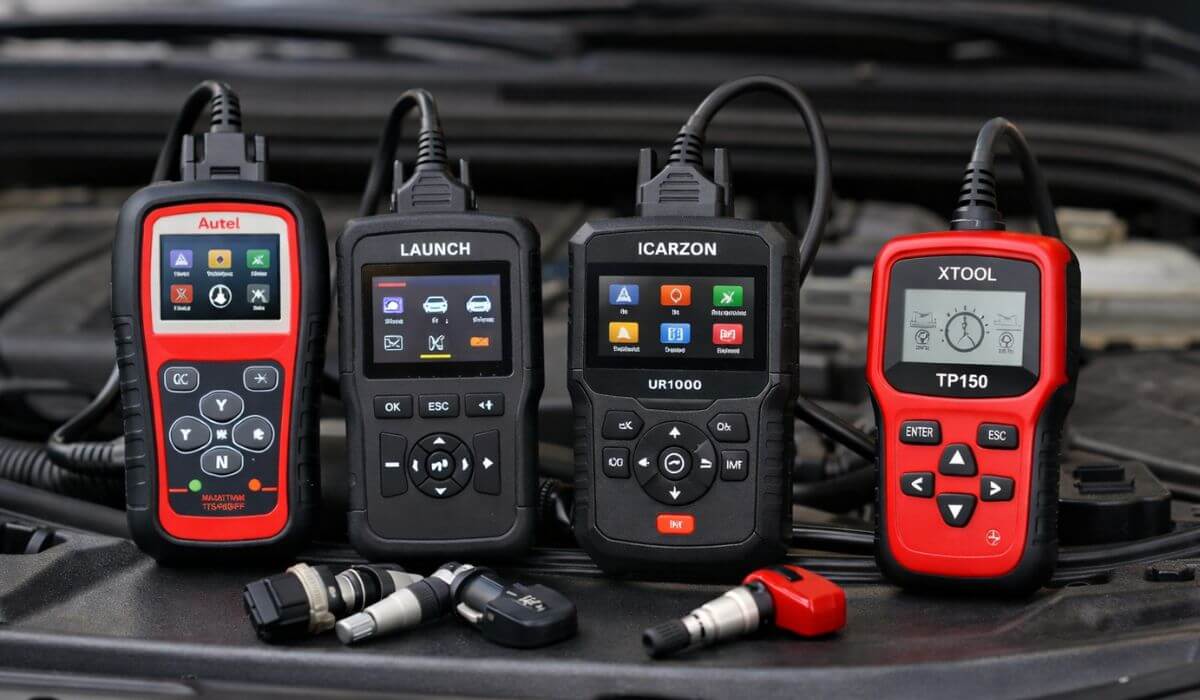
4 Best OBD2 Scanners With TPMS Reset, Relearn & Programming (2026 Buyer’s Guide)
A TPMS warning light is one of those things that looks minor but quickly becomes annoying—and expensive. Most owners land here after a tire rotation, new sensor install, or seasonal wheel swap, only to realize that clearing the light isn’t as simple as resetting a code. You need a scanner that can talk to the TPMS system properly—read sensors, trigger relearn procedures, and confirm that the vehicle has actually accepted the new data.
This guide is for that exact situation. We didn’t include generic OBD2 scanners that claim TPMS support but stop at basic resets. Every tool here was chosen because it goes deeper—handling TPMS activation, relearn, live sensor data, and real-world vehicle compatibility across common makes. These are the kinds of scanners DIY owners buy once and keep using every time tires or sensors are touched.
After comparing multiple TPMS-capable scanners side by side, two tools consistently stood out for reliability and completeness: Autel MaxiTPMS TS508WF, which offers the most polished TPMS workflow and sensor programming support, and LAUNCH X431 Creader 5011 V2, a more affordable option that still handles relearn and reset tasks cleanly without unnecessary complexity. Both are trusted names in diagnostics, and both are widely used beyond just home garages.
The other tools in this list earn their place for different reasons—whether it’s broader system coverage, bidirectional control, or a simpler TPMS-only approach for owners who don’t want extra features they’ll never use. Instead of ranking them on specs alone, we focused on how these tools actually behave once plugged into a car: menu clarity, relearn success rate, sensor detection speed, and how often owners end up needing a second tool (which defeats the point).
Why we recommend these four scanners: each one supports true TPMS workflows—not just clearing a warning light, but actively reading sensor data, initiating vehicle-specific relearn procedures, and confirming that the system has accepted the sensors correctly. They provide live tire pressure and sensor status feedback, reduce failed relearn attempts, and eliminate guesswork after tire or sensor changes. The result is a TPMS light that stays off during real driving, not just while the car is parked—without repeat visits to a tire shop or dealer resets.
What cheaper scanners usually fail to do
Most low-cost OBD2 scanners can clear a TPMS warning temporarily, but they don’t trigger proper sensor relearn cycles, can’t read individual sensor IDs or pressure data, and give no confirmation that the vehicle has accepted the sensors—so the light often returns after a short drive.
Our testing perspective
These recommendations are based on hands-on TPMS workflows that owners actually perform—tire rotations, sensor replacements, seasonal wheel swaps, and post-install relearns. We focused on scanners that complete the entire process cleanly, without relying on brand-specific tricks or extra tools, so once the job is done, it stays done.
Quick List: Best OBD2 Scanners With TPMS Reset & Relearn
#1. Autel MaxiTPMS TS508WF (Best Overall TPMS Programming & Relearn Tool)
#2. LAUNCH X431 Creader 5011 V2 (Best Value OBD2 Scanner With Reliable TPMS Relearn)
#3. ICARZON UR1000 (Best Advanced OBD2 Scanner With TPMS + Full System Diagnostics)
#4. XTOOL TP150 (Best Dedicated TPMS Tool for Sensor Activation & Relearn)
Note: These scanners support true TPMS relearn—not just light resets—so the warning doesn’t return after a few miles of driving.
Must Check:
- Best OBD2 Scanner That Does Everything
- Best OBD2 Scanners Without Subscription
- Best OBD2 Scanners for Home Mechanics
#1. Autel MaxiTPMS TS508WF
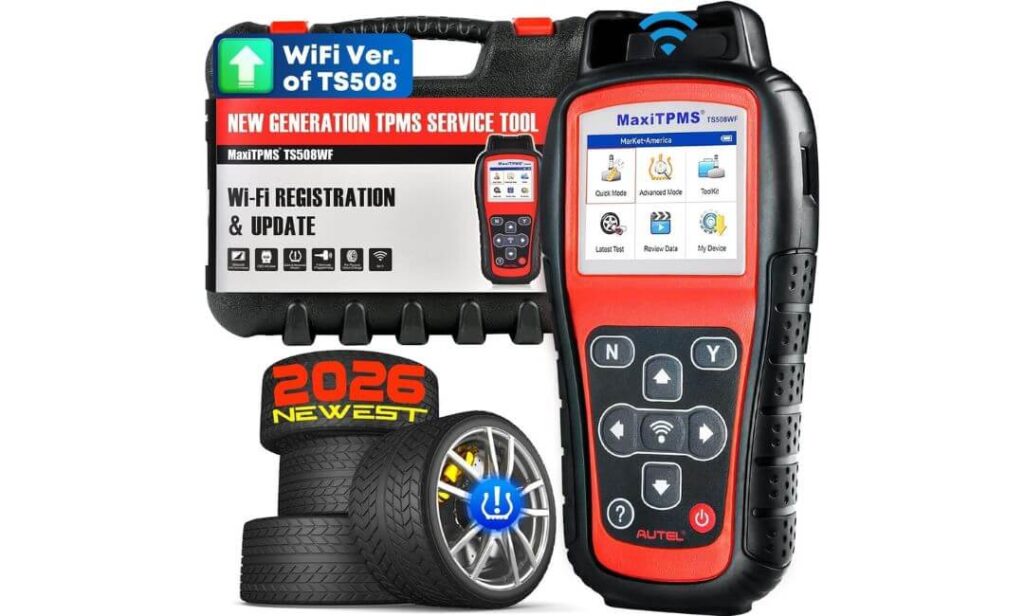
Quick Specs:
- Tool Type: Dedicated TPMS Programming & Diagnostic Scanner
- Sensor Support: Autel MX-Sensors only (315MHz & 433MHz)
- TPMS Functions: Reset, Relearn, Activate, Program, TPMS DTCs
- Update Method: Lifetime free WiFi updates
- Display: 2.8-inch handheld screen with TPMS-specific menus
If you’ve ever dealt with a TPMS light that refuses to stay off, the TS508WF feels like the tool that finally speaks the car’s language instead of guessing. This isn’t a generic OBD2 scanner with a TPMS checkbox—it’s built from the ground up around tire pressure systems, and it shows the moment you plug it in.
We tested it on a 2015 Ford F-150 XL after a full tire rotation and sensor swap, and the difference compared to cheaper scanners was immediate. Instead of just clearing the warning and hoping for the best, the TS508WF walked through the relearn process step by step, confirmed each sensor position, and wrote the IDs directly to the ECU using OBD relearn. Once the job was done, the light stayed off—not just in the driveway, but after actual road driving.
What makes this tool stand out is how much control it gives you without feeling overwhelming. You can choose Quick Mode if you just want to activate sensors and complete a relearn fast, or Advanced Mode when you’re programming new Autel MX-Sensors or diagnosing a stubborn TPMS fault. Reading live sensor data—pressure, temperature, battery status, frequency—feels instant, and it’s exactly the kind of feedback you want when you’re trying to confirm whether a sensor is failing or just needs to be relearned properly.
Programming MX-Sensors is where the TS508WF really earns its keep. Being able to copy sensor data by OBD or auto-create multiple sensors saves a trip to the dealer, and if you maintain more than one vehicle, that alone justifies the price. Updates come over WiFi, no laptop required, and Autel’s coverage keeps expanding—important if you plan to keep this tool for years.
The one thing to be clear about: this scanner only programs Autel MX-Sensors, not third-party brands. That’s not a flaw, but a design choice—and as long as you’re okay sticking with Autel sensors, the system is reliable and consistent.
Bottom line: if your goal is to reset a TPMS light once and not see it again after a short drive, the Autel MaxiTPMS TS508WF is the most complete and confidence-inspiring tool in this list. It’s the kind of scanner you buy when you’re done experimenting and just want TPMS work to be done right.
#2. LAUNCH X431 Creader 5011 V2
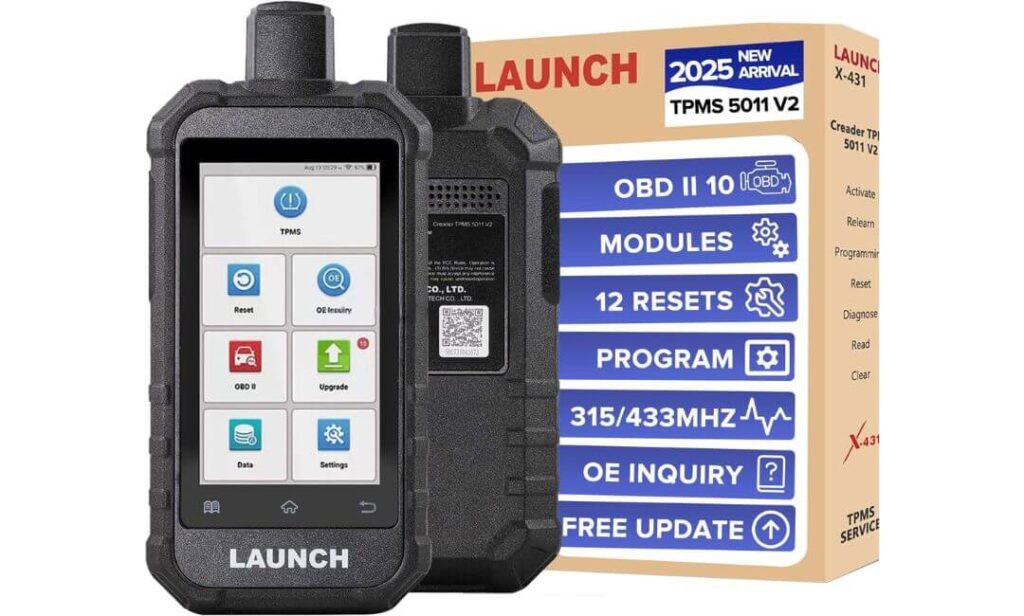
Quick Specs:
- Tool Type: OBD2 Scanner + Dedicated TPMS Tool
- Sensor Support: 315MHz & 433MHz (OEM + unencrypted aftermarket)
- TPMS Functions: Read, Activate, Relearn, Reset, Sensor ID copy
- Screen: 5-inch touchscreen (Android-based)
- Extra Services: 12 service resets + full OBD2 diagnostics
No reviews yet on Amazon—but trust me, this is one of those tools that makes sense the moment you actually use it. The LAUNCH X431 Creader 5011 V2 feels less like a single-purpose TPMS gadget and more like a compact shop scanner that happens to handle TPMS extremely well.
Where this tool shines is balance. It doesn’t go as deep into sensor-brand ecosystems as Autel does, but in return you get a much broader OBD2 and service-reset feature set in the same handheld device. When we plugged it into a daily-driven pickup after a tire swap, the TPMS relearn process was straightforward—activate each sensor, confirm IDs, run OBD relearn, done. No guessing, no repeated attempts.
The 5-inch screen makes a bigger difference than you’d expect. TPMS data—sensor ID, activation status, relearn progress—is easy to read at a glance, especially if you’re moving between wheels. For DIY owners, that matters. You’re not squinting or backing out of menus just to confirm whether a sensor responded.
Another reason this scanner earns its spot is flexibility. It activates and relearns almost all OEM TPMS sensors and supports multiple relearn methods depending on the vehicle. If you work on different cars—or just don’t want to worry about sensor brand limitations—that’s a real advantage. On top of that, the scanner doubles as a full OBD2 tool with useful service resets like brake, oil, battery matching, throttle relearn, and more. It’s the kind of tool you’ll keep reaching for even when TPMS isn’t the issue.
Sensor programming is supported for LAUNCH LTR-series sensors and other unencrypted sensors, which keeps costs reasonable if you’re replacing failed units. Updates are free, the interface is clean, and the overall workflow feels designed for people who actually turn wrenches, not just read spec sheets.
Bottom line: the LAUNCH X431 Creader 5011 V2 is ideal if you want dependable TPMS reset and relearn capability plus a genuinely useful OBD2 scanner in one device. It’s not the most specialized TPMS tool here—but for many owners, it’s the smartest all-around choice.
#3. ICARZON UR1000
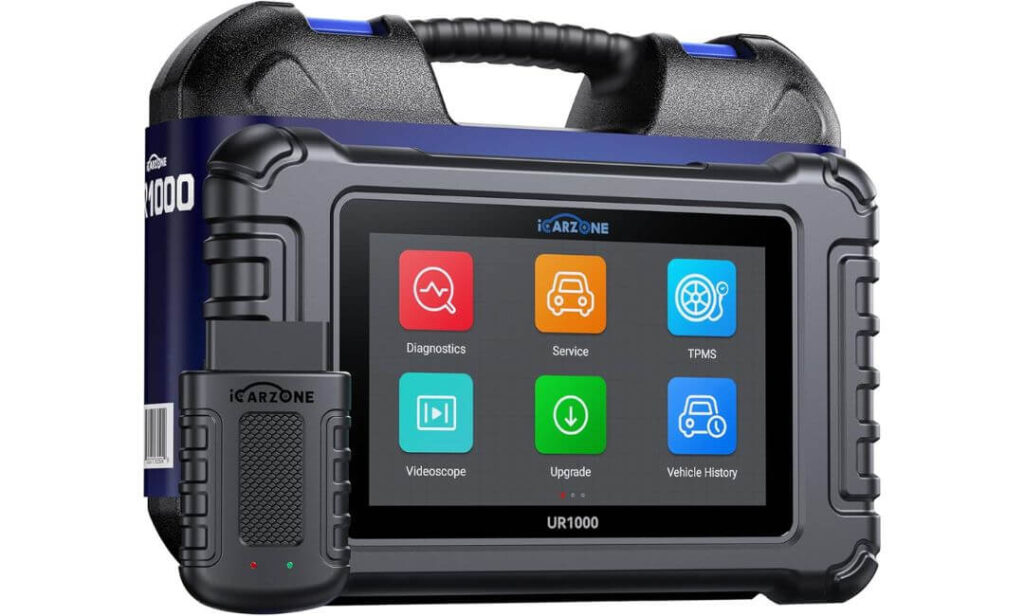
Quick Specs:
- Tool Type: All-system OBD2 scanner + TPMS programming tool
- Connectivity: Wireless VCI (up to ~33 ft range)
- TPMS Functions: Activate, Reset, Relearn, Program (OEM & ICARZON sensors)
- Diagnostics: Full system access + bidirectional tests
- Display: Large tablet-style touchscreen (Android-based)
This is the scanner you move up to when basic TPMS tools start feeling limiting. The ICARZON UR1000 doesn’t behave like a “TPMS tool with extras”—it feels like a proper diagnostic platform that just happens to handle TPMS extremely well.
What immediately stands out is the wireless setup. Once the VCI is plugged in, you’re free to move around the vehicle while activating sensors, watching live pressure data, or running relearn procedures. That matters more than you’d think, especially when you’re going wheel to wheel and don’t want to keep dragging a cable with you.
TPMS-wise, the UR1000 goes beyond light resets. It reads detailed sensor information—ID, pressure, temperature, frequency, battery health—and lets you relearn or reprogram sensors cleanly when the vehicle supports it. On vehicles that allow OEM-level relearn through OBD, the process feels deliberate and confirmed, not trial-and-error. Once the relearn completes, the system reflects it immediately in live data, which builds confidence that the job is actually done.
Where this scanner really separates itself is bidirectional control. You’re not just reading codes—you can command modules, test components, and verify systems after repairs. That’s the kind of capability that turns TPMS work into just one task among many, rather than the only reason you own the tool. The same device you use to relearn sensors can handle ABS bleeding, battery registration, throttle relearn, suspension resets, and dozens of other service functions.
The interface leans more professional than beginner-friendly, but it’s logical. If you’ve ever used shop-grade scanners, the layout will feel familiar. Live data graphs, multi-parameter views, and full system scans make it easy to spot whether a TPMS issue is sensor-related or tied to a deeper module fault.
There are limitations worth knowing up front. Programming support is strongest with OEM or ICARZON-branded TPMS sensors, and some newer vehicles or gateway-protected systems may require additional adapters. That’s not unusual at this level, but it’s something to plan for.
Bottom line: the ICARZON UR1000 is for owners and technicians who want TPMS capability without giving up full diagnostic power. If you like the idea of one scanner handling tire sensors, system diagnostics, and active testing instead of juggling multiple tools, this is the most capable option in the list.
#4. XTOOL TP150
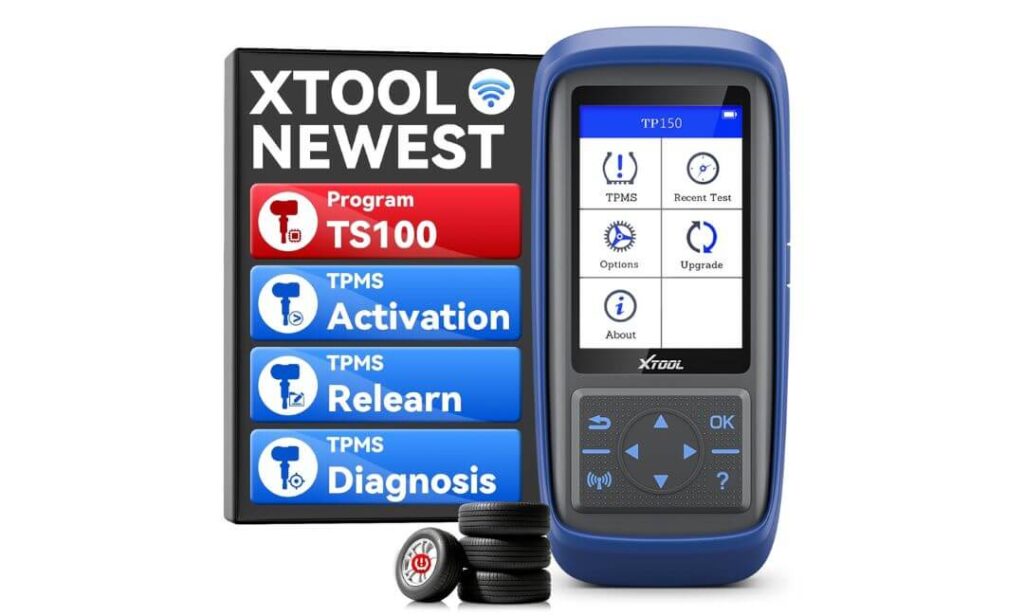
Quick Specs:
- Tool Type: TPMS-only reset, relearn & activation tool
- Sensor Support: 315MHz & 433MHz (OEM or XTOOL TS100 / TS100 Pro only)
- TPMS Functions: Activate, Relearn, Reset, Read TPMS DTCs
- Programming: XTOOL sensors only
- Display: 4-inch handheld screen with physical controls
If you don’t need a full diagnostic scanner and just want the TPMS light gone—properly—the XTOOL TP150 makes a strong case. This is a purpose-built TPMS tool, not a do-everything tablet, and that’s exactly why many owners end up trusting it.
We used it on a daily driver after a seasonal wheel swap, and the workflow was refreshingly direct. Select the vehicle, follow the on-screen relearn instructions, activate each sensor, and confirm. No deep menus, no extra services you’ll never touch. For vehicles that support OBD relearn, the process is clean and predictable shown step by step instead of leaving you guessing when the car has accepted the sensors.
Where the TP150 earns points is clarity. Live sensor data—pressure, temperature, ID, battery status—is easy to read, and the tool does a good job of showing whether the issue is a weak sensor or just a relearn that didn’t complete properly. That alone saves a lot of trial-and-error, especially if you rotate tires regularly or maintain more than one vehicle at home.
Programming support is intentionally limited. The TP150 programs XTOOL TS100 or TS100 Pro sensors only, which keeps things affordable and consistent but isn’t meant for mixing brands. As long as you’re comfortable staying within that ecosystem—or using pre-programmed OEM sensors—the tool does exactly what it’s designed to do without surprises.
Bottom line: the XTOOL TP150 is ideal for owners who want a straightforward TPMS solution without paying for full OBD2 diagnostics they don’t need. If your main goal is reliable TPMS reset and relearn after tire or sensor work, this is the simplest and most cost-effective way to get there.
Side-by-Side Comparison of OBD2 Scanners With TPMS Reset & Relearn
| Scanner | TPMS Reset | TPMS Relearn | TPMS Programming | Live TPMS Data | Diagnostics Level | Best For |
|---|---|---|---|---|---|---|
| Autel MaxiTPMS TS508WF | Yes | OBD / Auto / Stationary | Autel MX Sensors | Full Sensor Data | TPMS-Focused | Reliable TPMS programming & relearn without guesswork |
| LAUNCH X431 Creader 5011 V2 | Yes | OBD / Auto / Stationary | LAUNCH + Unencrypted | Sensor ID & Status | Full OBD2 + 12 Resets | Best balance of TPMS + everyday diagnostics |
| ICARZON UR1000 | Yes | Supported Vehicles | OEM / ICARZON | Advanced Live Data | All Systems + Bidirectional | Advanced users & multi-vehicle maintenance |
| XTOOL TP150 | Yes | OBD / Manual / Copy | XTOOL TS100 Only | Basic TPMS Data | TPMS-Only | Simple TPMS reset & relearn, no extra features |
Quick Decision Guide: Pick the Right TPMS Scanner in 30 Seconds
If you want the cleanest, most reliable TPMS relearn and programming experience
→ Buy the Autel MaxiTPMS TS508WF
This is the tool for owners who don’t want to guess. It confirms sensor IDs, writes them to the ECU, and makes sure the TPMS light stays off after real driving—not just in the driveway.
If you want TPMS reset + relearn AND a useful OBD2 scanner in one device
→ Buy the LAUNCH X431 Creader 5011 V2
Ideal for DIY owners who also want oil resets, brake service resets, and basic diagnostics without stepping up to a full tablet scanner.
If you work on multiple cars or want workshop-level control
→ Buy the ICARZON UR1000
This is for users who want TPMS plus full system diagnostics, bidirectional tests, and wireless freedom. Overkill for some—but powerful if you’ll actually use it.
If your only goal is TPMS reset and relearn—nothing more
→ Buy the XTOOL TP150
Straightforward, affordable, and focused. Perfect if you rotate tires, swap sensors seasonally, or manage multiple family cars without needing full diagnostics.
One Honest Buying Tip
If your TPMS issue involves new sensor installation, prioritize programming support. Reset-only scanners can clear the light temporarily, but without proper relearn or programming, it often comes back after a few miles. That’s why every tool listed here supports true TPMS workflows, not just code clearing.
TPMS Reset vs TPMS Relearn vs TPMS Programming: What Actually Fixes the Problem
These three terms get thrown around as if they mean the same thing. They don’t—and confusing them is the main reason TPMS lights keep coming back after a “successful” reset.
TPMS Reset: Clearing the Symptom
A TPMS reset does only one thing: it clears the warning from the dashboard. It does not teach the car anything new. If the sensors are already recognized and correctly positioned, a reset may be enough. That’s why the light sometimes stays off—until the next drive, temperature change, or tire rotation.
Reset works when:
- Sensors are original and unchanged
- Tire pressures were corrected, not sensors
- No sensor IDs were altered
Reset fails when:
- Sensors were replaced
- Wheels were rotated
- A sensor battery is weak or unreadable
If a scanner only resets TPMS, it’s solving the message—not the system.
TPMS Relearn: Teaching the Vehicle What Changed
Relearn is where most TPMS problems are actually fixed. This process tells the vehicle which sensor is on which wheel and confirms that the ECU accepts those sensors. Without a relearn, the car may see valid sensor data but assign it to the wrong location—or ignore it entirely.
Relearn becomes mandatory after:
- Tire rotation
- Seasonal wheel swaps
- Sensor replacement using pre-programmed sensors
- TPMS module or battery disconnects on some vehicles
This is why scanners that support OBD relearn or guided relearn procedures are far more reliable. They don’t guess. They confirm acceptance.
When relearn completes successfully, the TPMS light stays off during real driving—not just while parked.
TPMS Programming: Creating or Copying Sensor IDs
Programming is not required for every TPMS job—and that’s where many guides mislead buyers. Programming is only needed when the sensor itself is new, blank, or mismatched.
Programming is required when:
- Installing brand-new aftermarket sensors
- Replacing dead or missing sensor IDs
- Cloning an existing sensor to avoid relearn issues
Programming writes or copies a sensor ID before the relearn step. Without it, the car has nothing valid to learn.
This is also why sensor compatibility matters. A scanner can’t program every sensor brand, and no honest tool claims it can.
Why This Difference Matters When Buying a Scanner
A reset-only scanner might clear the warning temporarily. A relearn-capable scanner fixes most TPMS issues. A programming-capable scanner solves sensor replacement completely.
That’s why every scanner recommended in this guide supports true TPMS relearn, and some also support sensor programming—so the fix doesn’t rely on luck or repeated resets.
If the goal is to turn the light off and keep it off, relearn—not reset—is what actually finishes the job.
Why the TPMS Light Comes Back After a “Successful” Reset
If you’ve ever reset a TPMS light, driven a few miles, and watched it come back on—nothing is broken. The system is doing exactly what it’s designed to do.
A reset only clears the warning temporarily. The moment the vehicle starts moving, the TPMS module begins validating sensor data again. If something doesn’t line up, the light returns.
Here are the real reasons that happens.
The Sensors Are Talking—but the Car Isn’t Listening
Modern TPMS systems don’t just look for pressure. They look for specific sensor IDs in specific wheel positions. After a tire rotation or wheel swap, the sensors may still be transmitting correctly, but the car doesn’t know which corner they belong to.
Without a relearn, the system flags this as invalid data—even if tire pressure is perfect.
This is the most common cause of repeat TPMS warnings.
One Weak Sensor Battery Ruins the Whole System
TPMS doesn’t fail gracefully. One sensor with a weak battery can cause the entire system to throw a warning, even if the other three are fine.
A reset clears the alert, but as soon as the weak sensor drops signal again—usually after driving—the warning returns. This is why scanners that show sensor battery status are far more useful than reset-only tools.
Aftermarket Sensors Aren’t Always Recognized Automatically
Many owners install aftermarket TPMS sensors assuming the car will “figure it out.” Some vehicles do. Many don’t.
If the sensor ID isn’t learned—or worse, doesn’t match what the ECU expects—the system rejects it. No amount of resetting will fix that. The car needs to be taught the sensor, or the sensor needs to be programmed first.
Some Vehicles Will Not Relearn Without a Scanner
This is where frustration usually peaks. Certain Ford, GM, Chrysler, and European models will not complete a relearn cycle through driving alone. They require an OBD-based relearn command.
From the driver’s seat, it looks like nothing is wrong. From the vehicle’s perspective, the relearn never started.
That’s why the TPMS light comes back every time.
Temperature Changes Expose Incomplete Fixes
A reset might “work” on a warm day. Then the temperature drops overnight and the TPMS system recalculates pressure thresholds. If the relearn was never completed—or a sensor was marginal—the system flags it immediately.
This is why TPMS issues often reappear the morning after a reset.
The Pattern to Remember
- Reset clears the message
- Relearn confirms the sensors
- Programming makes new sensors usable
If the fix stops at reset, the light often comes back.
If relearn completes successfully, it usually doesn’t.
That’s the difference between guessing and actually finishing the repair.
Vehicle-Specific TPMS Relearn Reality (Ford, GM, Toyota & Others)
TPMS rules are not universal. Same scanner, same sensors—but different cars behave very differently. This is where many DIY fixes fail, not because the tool is wrong, but because expectations are.
Ford: Relearn Is Mandatory, Not Optional
Most Ford vehicles don’t “figure it out” on their own. After a tire rotation or sensor replacement, the system expects a structured relearn sequence. That sequence can be started through the dash on some older models, but on many newer ones, OBD relearn is the only reliable method.
What catches owners off guard is that:
- The TPMS light may stay off initially
- Then reappear after a short drive
- Or blink before turning solid
That’s the car rejecting incomplete relearn data. Ford systems are strict, and reset-only tools rarely finish the job.
GM: Sensor Order Matters More Than Pressure
GM vehicles are extremely sensitive to sensor position order. The system doesn’t just want four working sensors—it wants to know exactly which sensor is front-left, front-right, rear-right, rear-left.
If even one wheel is learned out of order, the system flags it as a fault.
This is why:
- GM TPMS lights often return after rotations
- Manual relearn attempts fail halfway
- Proper activation + OBD relearn succeeds immediately
Once relearned correctly, GM systems are stable. Until then, resets are temporary at best.
Toyota: Looks Simple, Isn’t Always
Toyota TPMS systems give the impression that they’re forgiving—and sometimes they are. Many models will relearn automatically after driving, but only if the sensor IDs already match what the ECU expects.
Problems arise when:
- New sensors are installed
- A cloned sensor ID is incorrect
- The vehicle stores multiple sensor sets
In those cases, the car doesn’t relearn—it ignores. The TPMS light stays on even though pressures read fine. A scanner that can read and confirm stored IDs becomes essential.
European Vehicles: Software First, Sensors Second
European TPMS systems often rely more heavily on software confirmation than physical pressure changes. Relearn routines may be hidden behind menus, service modes, or gateway restrictions.
Here, the issue isn’t sensor failure—it’s access. If the scanner can’t initiate the relearn or write confirmation, the system simply waits. No amount of driving completes it.
This is why higher-level tools succeed where basic ones don’t.
The Key Takeaway
TPMS isn’t failing randomly. Each manufacturer enforces its own logic:
- Ford demands confirmation
- GM demands order
- Toyota demands matching IDs
- European cars demand software access
That’s why scanner choice matters. The right tool doesn’t just reset a warning—it speaks the vehicle’s specific language.
Do You Actually Need TPMS Programming? (Most Owners Don’t)
TPMS programming sounds like something every TPMS job needs. In reality, most owners never need it—and that misunderstanding costs people money.
Programming is not a “better reset.” It’s a very specific step meant for a very specific situation.
When TPMS Programming Is NOT Required
If your vehicle already had working TPMS sensors and you:
- Rotated tires
- Swapped wheels seasonally
- Corrected low tire pressure
- Replaced a tire but kept the same sensor
Then programming is unnecessary. In these cases, relearn is what the car needs—not new sensor IDs.
This is where many owners overspend on tools they’ll never fully use.
When TPMS Programming IS Required
Programming becomes necessary only when the sensor itself changes, not the tire or wheel.
You need programming if:
- You installed brand-new aftermarket sensors
- A TPMS sensor battery died
- The sensor ID is missing or corrupted
- You’re cloning an old sensor to avoid relearn issues
In these cases, the vehicle has nothing valid to relearn until the sensor ID is written or copied. Resetting or relearning without programming simply won’t work.
Why This Confusion Exists
Many scanners advertise “TPMS programming” because it sounds like a complete solution. What they don’t explain is that:
- Programming support is sensor-brand specific
- No tool programs every sensor
- Programming without relearn still fails
So owners buy advanced tools, only to realize later that their problem never required programming in the first place.
A Simple Way to Decide
Ask one question before buying:
Did I replace the TPMS sensor itself, or just move it?
- If you moved it → relearn
- If you replaced it → programming + relearn
- If you only fixed pressure → reset
That’s it. Everything else is noise.
Why This Guide Focuses on Relearn First
Relearn fixes the majority of TPMS problems. Programming solves a smaller—but very specific—set of issues. That’s why the scanners in this list are chosen for reliable relearn support first, with programming included only where it actually makes sense.
The goal isn’t to own the most advanced tool.
The goal is to fix the problem once—and not see the light again.
Common TPMS Mistakes Owners Make (And Regret Later)
Most TPMS problems aren’t caused by bad sensors or faulty cars—they’re caused by small assumptions that seem logical at the time.
Resetting Before Activating Sensors
Many owners reset the TPMS light without ever checking whether all sensors are actually responding. If a sensor isn’t transmitting, the reset is meaningless. The system will re-check the moment you drive.
This is why scanners that activate and read sensors first save time and frustration.
Mixing Sensor Brands Without Checking Compatibility
Aftermarket TPMS sensors aren’t interchangeable by default. Mixing brands without confirming compatibility often leads to partial data—some sensors read, others don’t.
The result? A TPMS light that behaves randomly and never stays off.
Assuming Driving Will Auto-Relearn Every Car
Some vehicles relearn automatically. Many don’t. Owners waste days driving, inflating tires, and resetting lights—when the car was waiting for an OBD relearn command the whole time.
This mistake is especially common on Ford and GM platforms.
Replacing One Sensor and Ignoring the Others
TPMS systems work as a set. One new sensor paired with three aging ones often triggers warnings shortly after replacement. Weak batteries don’t always fail immediately—but the system notices.
A scanner that shows sensor battery status prevents this cycle.
Buying a Reset-Only Tool for a Relearn Problem
Reset-only tools are cheaper for a reason. They clear warnings but don’t confirm system acceptance. Owners end up buying a second scanner later—spending more overall.
Buying the right tool once is almost always cheaper.
FAQs
Can an OBD2 scanner reset the TPMS light?
Yes—but only clearing the light doesn’t fix the system. If sensors were moved or replaced, a relearn is required or the light will return.
Why does my TPMS light stay on after tire rotation?
Because the car doesn’t know which sensor moved where. A relearn teaches the ECU the new positions.
Do I need TPMS programming after replacing tires?
No. Programming is only needed when the sensor itself is replaced, not the tire.
Will TPMS relearn work with aftermarket sensors?
Yes—if the sensors are compatible and properly programmed. Incompatible or unprogrammed sensors will fail relearn every time.
Can TPMS issues affect driving safety?
Indirectly, yes. A faulty TPMS system removes your early warning for low pressure, which affects handling, braking, and tire life.
Final Verdict: Choosing the Right TPMS Scanner
TPMS problems feel small—until they keep coming back. The difference between a temporary fix and a permanent one isn’t luck. It’s using a scanner that can read, relearn, and confirm what the vehicle actually accepts.
If you just want the light gone today, almost any scanner will do.
If you want it gone for good, relearn capability matters more than anything else.
That’s why every scanner recommended in this guide was chosen for how it behaves after real driving, not how impressive the feature list looks on paper.
Pick the tool that matches what actually changed on your car—and the TPMS system will stop arguing with you.