
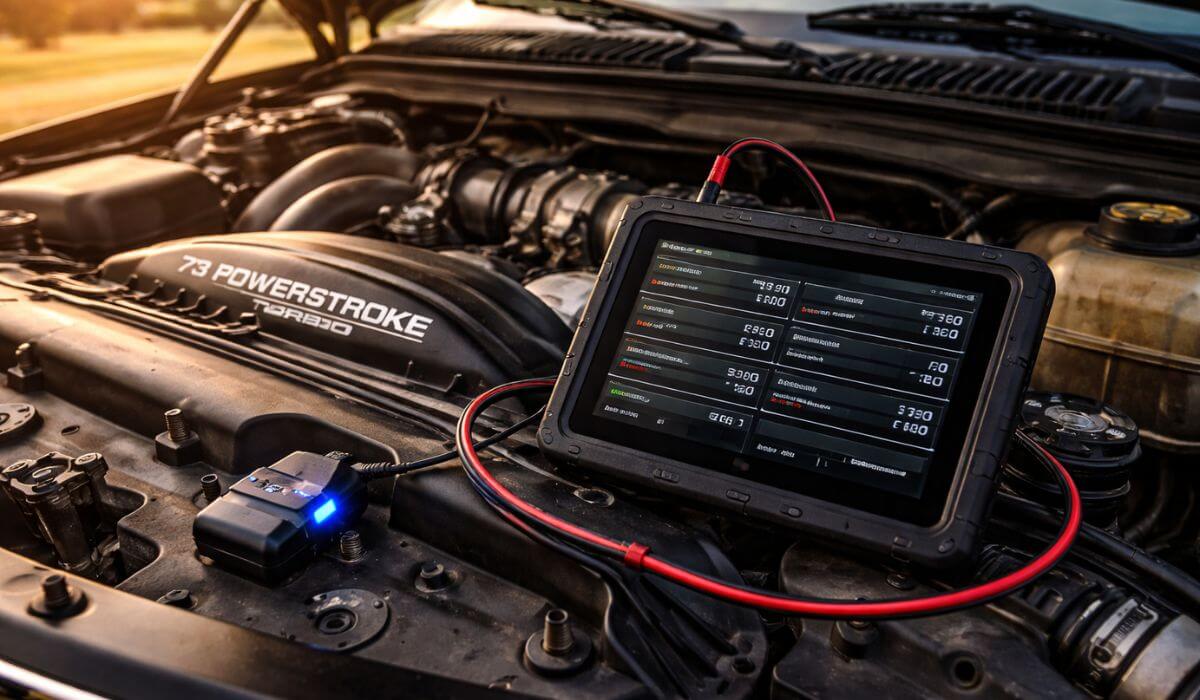
Best OBD2 Scanner for 7.3 Powerstroke (2026 Diesel Owners Guide)
I’ve spent enough time around 7.3 Powerstroke trucks to know one thing—they don’t fail loudly, and they rarely explain themselves. Most problems show up as small changes first: a slightly rough idle, longer cranks on cold mornings, or a warning light that comes and goes before you can pin anything down. That’s exactly where most generic OBD2 scanners fall apart on a 7.3.
I didn’t approach this as a spec comparison or a feature checklist. I tested scanners the same way most 7.3 owners actually use them—plugging in during cold starts, checking live data after long highway drives, clearing codes and seeing which ones come back, and paying attention to whether the tool provided real insight or just raw numbers. On older Ford diesels, that difference matters. A lot of scanners look impressive on paper but become frustrating once real Ford-specific data is involved.
After narrowing everything down, two scanners consistently made sense on a 7.3 Powerstroke, not because they’re perfect, but because they match two very real ownership styles. The BlueDriver Bluetooth Pro stood out when I wanted clear explanations, live data, and deeper insight without turning diagnostics into a project. The LAUNCH X431 CRP919E, on the other hand, proved its value when serious troubleshooting was needed—full system access, active tests, and the kind of control you normally expect from shop-level equipment.
This guide isn’t about listing every scanner that “technically works.” It’s about what actually helps when your 7.3 isn’t running the way it should—whether you want smart, guided diagnostics or full professional-level control. Below, I break down how each of these tools performs in real use, where they shine, where they don’t, and which type of 7.3 Powerstroke owner each one is best suited for.
Quick Look: Best OBD2 Scanners for 7.3 Powerstroke
#1. BlueDriver Bluetooth Pro OBD2 Scanner
(Best for Guided Diagnostics & Live Data on a 7.3 Powerstroke)
#2. LAUNCH X431 CRP919E Professional Scan Tool
(Best for Full System Diagnostics & Bi-Directional Control on a 7.3 Powerstroke)
Must Check:
- Best OBD2 Scanners With ABS & SRS
- Best OBD2 Scanner That Does Everything
- Best OBD2 Scanners Without Subscription
Why These Are Worth Considering for a 7.3 Powerstroke
I didn’t choose these scanners because they’re popular or heavily marketed. I chose them because, on a 7.3 Powerstroke, they actually answer the questions owners care about. Both tools connect reliably, pull consistent data, and don’t fall apart when the truck behaves unpredictably—which older Ford diesels often do. More importantly, they fit how 7.3 owners diagnose problems in the real world: checking data over time, verifying fixes instead of guessing, and wanting clear information without unnecessary noise. One focuses on guided insight and explanation, the other on depth and control, but both avoid the most common mistake in diesel diagnostics—tools that look impressive on the box and disappoint the moment you plug them into a real 7.3.
1. BlueDriver Bluetooth Pro OBD2 Scanner
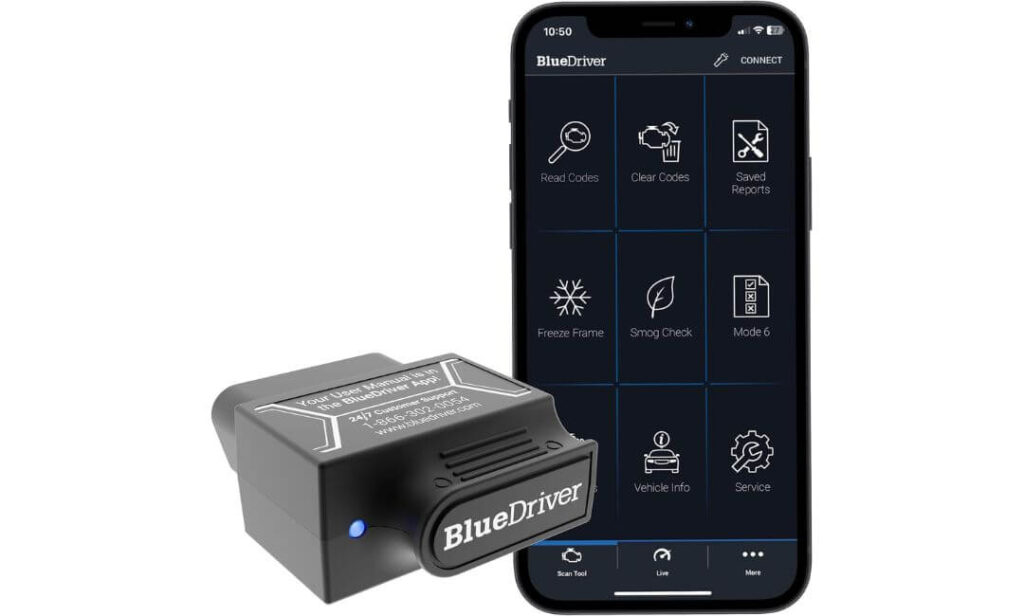
Quick Specs:
- Type: Bluetooth OBD2 Scanner (Phone-Based)
- Compatibility: iOS & Android
- Power: Vehicle-powered (OBD port)
- Systems Covered: Engine, ABS, SRS, Airbag, TPMS
- Subscription: No fees, lifetime access
- Best Use: Deep diagnostics & live data monitoring
I tested the BlueDriver on a 7.3 Powerstroke the way most owners actually would—during cold starts, after long highway drives, and when a code showed up that didn’t immediately affect drivability. What stood out right away was how clearly it handled Ford-specific data. Instead of dumping generic trouble codes, the app actually explains what’s likely happening and why, which matters on an older diesel where symptoms don’t always point to a single issue.
Live data is where BlueDriver really earns its place. Watching sensor readings while the truck is running—rather than guessing from a stored code—helps separate minor glitches from problems that are slowly developing. On a 7.3, that kind of visibility can save both time and money because you’re not replacing parts blindly.
The wireless setup keeps things simple. No extra screens, no cables hanging in the cab—just plug it in and use your phone. I also like that once you buy it, everything is unlocked. No subscriptions, no feature paywalls, and no pressure to upgrade, which is rare in diagnostic tools now.
It’s not meant to replace a professional shop scanner, but for real-world ownership and ongoing monitoring, it does far more than most basic OBD2 readers ever will.
Pros
- Pulls reliable Ford-specific data instead of generic code dumps
- Live data monitoring helps catch issues before they become serious
- Clear code explanations and repair guidance, not just numbers
- Wireless Bluetooth design keeps the setup clean and portable
- One-time purchase with no subscriptions or hidden costs
Cons
- Requires a smartphone or tablet to use
- Not ideal if you only want a quick, screen-based code reader
Best For: 7.3 Powerstroke owners who want deeper diagnostics, live data, and clear explanations—especially those who prefer understanding problems before spending money on repairs.
2. LAUNCH X431 CRP919E
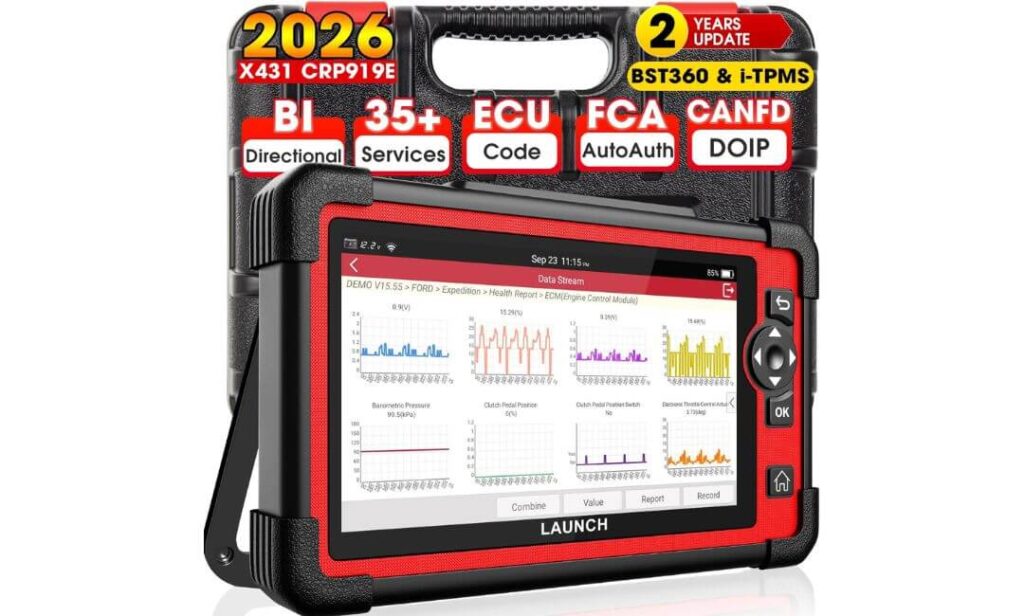
Quick Specs:
- Type: Tablet-Based Professional Scan Tool
- Operating System: Android 10.0
- Coverage: All systems (Engine, PCM, ABS, SRS, BCM, ECM, etc.)
- Functions: Bi-directional control, active tests, ECU coding
- Vehicle Support: 160+ brands
- Updates: 2 years included
- Best Use: Advanced diagnostics, module work, in-depth troubleshooting
The LAUNCH X431 CRP919E is on a completely different level compared to basic OBD2 scanners. When I used it on a 7.3 Powerstroke, it felt closer to a shop-grade diagnostic tool than something meant for casual owners. Full system scans are fast, and it doesn’t just read codes—it lets you interact with the truck. That matters on a 7.3, where issues often live beyond the check engine light.
Bi-directional control is where this tool really separates itself. Being able to run active tests, command components, and verify responses without tearing parts apart saves serious time. Instead of guessing whether a component is faulty, you can often confirm it directly through the scanner. For anyone who does their own repairs—or works on multiple trucks—this alone justifies the price.
Ford-specific features like PMI (Programmable Module Installation) support and deeper ECU access make it especially useful after repairs or module replacements. It’s not something you plug in casually; it’s a scanner you sit down with when you’re diagnosing a real problem, not just checking why a light came on.
That said, this isn’t a “quick plug-and-go” tool. There’s a learning curve, and it’s overkill if all you want is to read and clear codes. But if you’re serious about understanding what’s happening across all systems on a 7.3—or you maintain more than one vehicle—the CRP919E delivers professional-level control without dealership prices.
Pros
- Full all-system diagnostics, not limited to engine codes
- Bi-directional control and active tests for accurate fault isolation
- Strong Ford support, including PMI and deeper ECU access
- Fast scans with detailed live data graphs across multiple PIDs
- Two years of updates keep it relevant for newer vehicles as well
Cons
- Expensive and unnecessary for basic code reading
- Learning curve for users new to professional scan tools
Best For: 7.3 Powerstroke owners who do serious diagnostics, advanced repairs, or want shop-level control—especially DIY mechanics, fleet owners, or small workshops.
Which One Should You Choose for Your 7.3 Powerstroke?
The right scanner for a 7.3 Powerstroke has less to do with price or features and more to do with how you actually deal with problems when they show up. These trucks don’t reward guesswork, and they don’t benefit from tools that do more than you’ll ever use. The best choice is the one that fits your ownership style, not the one with the longest spec list.
If your goal is to understand what’s going on without turning diagnostics into a project, the BlueDriver Bluetooth Pro makes more sense. It’s the scanner I reach for when I want clarity—clear explanations, usable live data, and guidance that helps decide whether something needs attention now or can wait. For owners who maintain their own 7.3, troubleshoot gradually, and don’t want to spend time learning a complex interface, BlueDriver strikes the right balance between depth and simplicity.
The LAUNCH X431 CRP919E is a different kind of tool. It’s the right choice when you’re not just checking faults—you’re fixing them. If you do your own advanced repairs, replace modules, or work on multiple vehicles, the level of control it offers becomes valuable very quickly. Bi-directional tests, full system access, and deeper ECU interaction turn diagnosis into confirmation rather than trial and error. It’s not something you use casually, but when you need it, nothing else in this class comes close.
What usually leads owners to the wrong decision is buying either too little or too much. A basic code reader leaves you guessing, while a professional scan tool can feel overwhelming if you only use ten percent of what it offers. The right scanner is the one you’ll actually use—and trust—when your 7.3 starts acting up. Choose the tool that matches how involved you want to be, not the one that looks most impressive on paper.
BlueDriver vs LAUNCH X431 CRP919E — Quick Comparison for 7.3 Powerstroke
If you just want a quick side-by-side before deciding, this snapshot makes the difference clear.
| Feature | BlueDriver Bluetooth Pro | LAUNCH X431 CRP919E |
|---|---|---|
| Best For | Everyday diagnostics & understanding issues | Advanced repairs & full system troubleshooting |
| Ease of Use | Very easy (phone-based, guided) | Moderate learning curve |
| System Coverage | Engine, ABS, SRS, TPMS | All vehicle systems |
| Live Data | Yes (clear, easy to read) | Yes (advanced graphs, multiple PIDs) |
| Bi-Directional / Active Tests | No | Yes |
| Ford-Specific Functions | Basic to moderate | Deep (PMI, ECU-level access) |
| Hardware Type | Bluetooth dongle + smartphone | Dedicated Android tablet |
| Subscription / Updates | No subscription | 2 years included updates |
| Price Range | Mid-range | High (professional-grade) |
| Who Should Skip It | Users needing active tests | Casual code readers |
What Most 7.3 Powerstroke Owners Miss When Choosing an OBD2 Scanner
Most 7.3 Powerstroke owners don’t choose the wrong scanner because they don’t care—they choose it because they expect the truck to behave like something newer. The 7.3 doesn’t. Faults don’t always show up cleanly, warning lights don’t always stay on, and clearing a code doesn’t mean the problem is gone. A scanner that only reports stored codes ends up creating more questions than answers.
Another thing that gets overlooked is how problems develop over time on these engines. A weak sensor, marginal voltage, or early mechanical issue can show up as inconsistent data long before it triggers a hard fault. That’s why tools that offer live data—or the ability to actively test components—matter more on a 7.3 than on many modern trucks. Without that visibility, owners often replace parts simply because they’re easy to swap, not because they’re proven to be bad.
Finally, many owners underestimate how much friction affects whether a tool actually gets used. If a scanner feels confusing, slow, or unreliable, it stays in the glove box until the problem gets serious. The best diagnostic tool isn’t the most powerful one—it’s the one you trust enough to plug in early, before a small issue turns into a weekend-long repair.
How I Actually Use an OBD2 Scanner on a 7.3 Powerstroke (And Why It Matters)
One mistake I see often is treating an OBD2 scanner like a one-time tool—plug it in, read the code, clear it, and move on. That approach works on newer vehicles, but it doesn’t suit a 7.3 Powerstroke. With this engine, the scanner is most useful when it’s part of an ongoing check, not a single moment of diagnosis.
When something feels off, I don’t start by clearing codes. I scan first, note what’s stored, then drive the truck under normal conditions and watch how the data behaves. Cold starts, long idle periods, and highway runs all reveal different things on a 7.3. Patterns matter more than single readings. If a code returns only under certain conditions, that tells you far more than a fault number alone ever will.
Another important habit is rechecking after repairs. On these trucks, a fix that seems successful at first can still leave small inconsistencies behind. Scanning again after a few days of driving helps confirm whether a repair actually solved the problem or just masked it. This is where tools with live data or deeper system access quietly save money—by preventing repeat work and unnecessary part replacements.
Using a scanner this way turns it from a code reader into a decision-making tool. And on a 7.3 Powerstroke, better decisions usually mean fewer breakdowns and a lot less frustration.
When an OBD2 Scanner Isn’t Enough on a 7.3 Powerstroke
Even the best OBD2 scanner won’t catch everything on a 7.3 Powerstroke, and that’s something owners need to hear upfront. This engine comes from a time when not every problem was sensor-driven. Mechanical wear, fuel delivery issues, and electrical gremlins can exist long before a fault code ever shows up.
I’ve seen trucks with clear drivability problems—hard starts, uneven idle, loss of power—scan completely clean. In those cases, the scanner still helps, but indirectly. It confirms what isn’t wrong, which narrows the search. Things like weak injectors, oil pressure inconsistencies, or wiring issues often require manual checks alongside electronic diagnostics.
This is also where expectations matter. A scanner is a guide, not a verdict. On a 7.3, it works best when paired with basic checks—listening to how the engine sounds, watching how it behaves under load, and paying attention to changes over time. Owners who understand this tend to make better decisions and avoid chasing problems that don’t exist.
The One Question Every 7.3 Powerstroke Owner Should Ask After Scanning
Most guides stop at this point. Codes mil gaye, comparison ho gaya, decision le liya.
But real ownership yahin se start hoti hai.
The most important question after plugging in a scanner isn’t “What code did I get?”
It’s “What should I do with this information right now?”
On a 7.3 Powerstroke, not every code means stop driving. Some faults can sit quietly for months, while others need immediate attention even if the truck still feels fine. The difference isn’t always obvious unless you understand context—when the code appeared, under what conditions, and whether it comes back consistently.
This is where many owners go wrong. They clear codes too quickly, assume a problem is fixed, or panic and start replacing parts without confirming anything. A scanner is most valuable when it helps you decide what can wait, what needs monitoring, and what actually requires repair. That decision-making ability matters more than the code itself.
Once you start using a scanner this way—as a filter instead of a verdict—you stop chasing problems and start managing the truck. And that shift is what separates stressed owners from confident ones, especially with an engine as long-lived and nuanced as the 7.3.
Will these OBD2 scanners work properly on a 7.3 Powerstroke?
Yes. Both scanners work on the 7.3 Powerstroke, but at different levels. BlueDriver handles engine and key system diagnostics well, while the LAUNCH X431 CRP919E goes deeper with full system access and advanced testing. The right choice depends on how much diagnostic control you actually need.
Is BlueDriver enough for most 7.3 Powerstroke owners?
For most owners, yes. BlueDriver is a solid choice if you want clear explanations, live data, and reliable fault information without dealing with a complex interface. It’s especially useful for tracking issues over time rather than performing advanced repairs.
Do I really need a professional scanner like the LAUNCH X431 CRP919E?
You only need a professional-level scanner if you do your own advanced repairs or work on multiple vehicles. If you replace modules, run active tests, or want confirmation before swapping parts, the CRP919E offers capabilities basic scanners simply can’t.
Can an OBD2 scanner diagnose all problems on a 7.3 Powerstroke?
No. A scanner is a diagnostic aid, not a complete solution. Many 7.3 issues—such as mechanical wear or fuel delivery problems—may not trigger fault codes. A good scanner helps narrow the problem, but it works best alongside basic mechanical checks.
What should I look for in the best OBD2 scanner for a 7.3 Powerstroke?
Focus on reliability, Ford-specific data access, and how clearly the scanner presents information. Live data and system coverage matter more on a 7.3 than flashy features. The best scanner is the one you’ll actually use before problems get worse.
Final Thoughts
The 7.3 Powerstroke rewards owners who pay attention early. Small changes in how the truck starts, idles, or pulls under load usually mean something is developing—not failing outright. Having the right OBD2 scanner doesn’t just help when a warning light shows up; it helps you stay ahead of problems before they turn into downtime or unnecessary repairs.
If you want guidance, clarity, and a tool you’ll actually use regularly, BlueDriver makes ownership easier. If you’re hands-on, do your own repairs, or want full control over diagnostics, LAUNCH X431 CRP919E gives you the depth and confidence of shop-level equipment. Neither is the “best” for everyone—but each is the right choice for the owner it’s meant for.
At the end of the day, the goal isn’t to own the most advanced scanner. It’s to understand your truck well enough that it doesn’t surprise you. When your 7.3 runs the way it should—and you know why—it makes ownership simpler, repairs smarter, and every drive a little more satisfying.


